
Introduction
You can create a stylized 3D staircase directly in After Effects by combining text layers, masks, and 3D transformations. This technique is useful for typographic animations, abstract motion graphics, and creative transitions.
Step 1: Create a New Composition
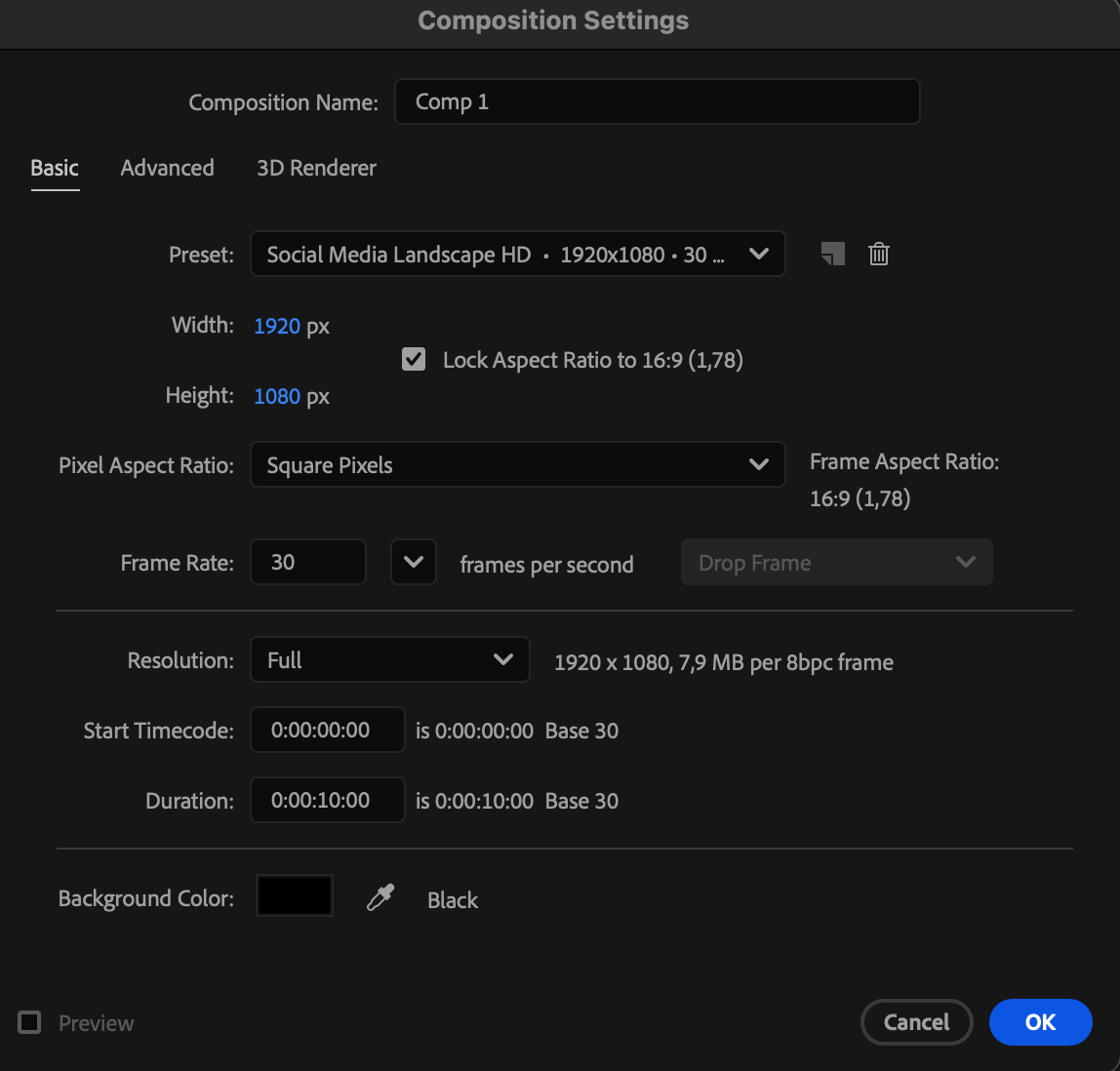
Go to Composition > New Composition and set your preferred resolution, frame rate, and duration.
 Step 2: Create and Customize the Text
Use the Type Tool (Ctrl/Cmd + T) to create your text. Customize the font, size, and spacing using the Character panel.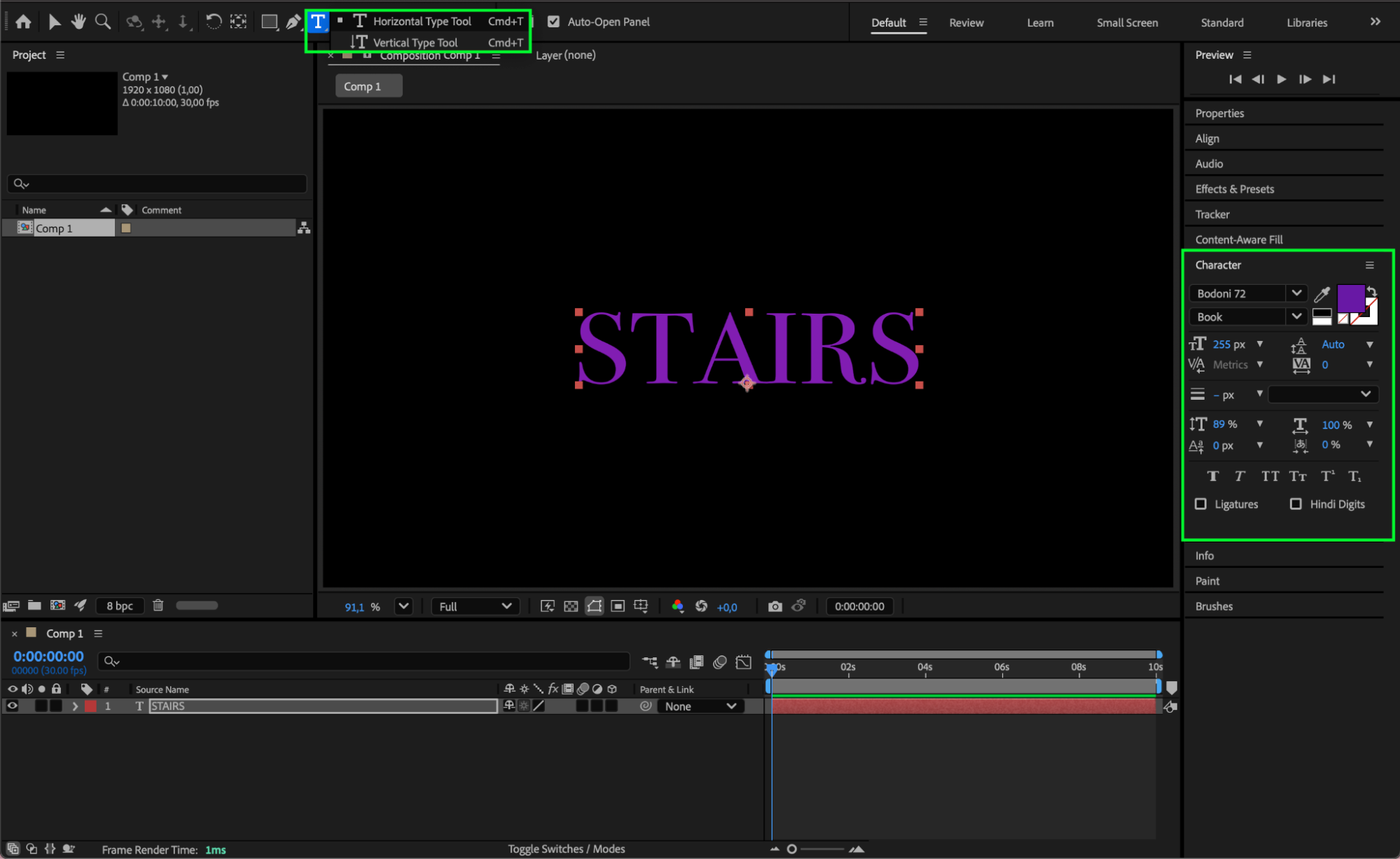
Step 3: Pre-compose the Text Layer
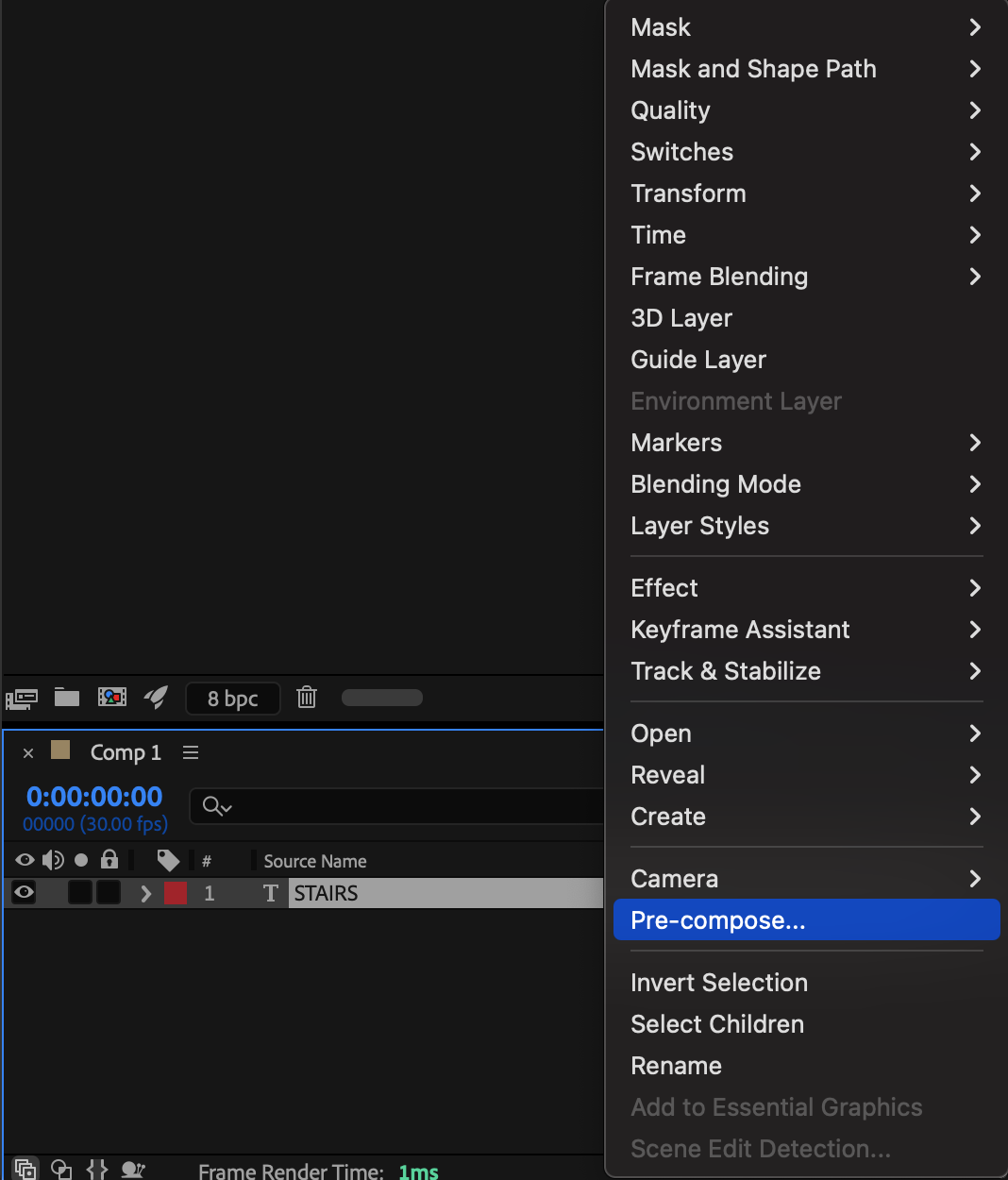
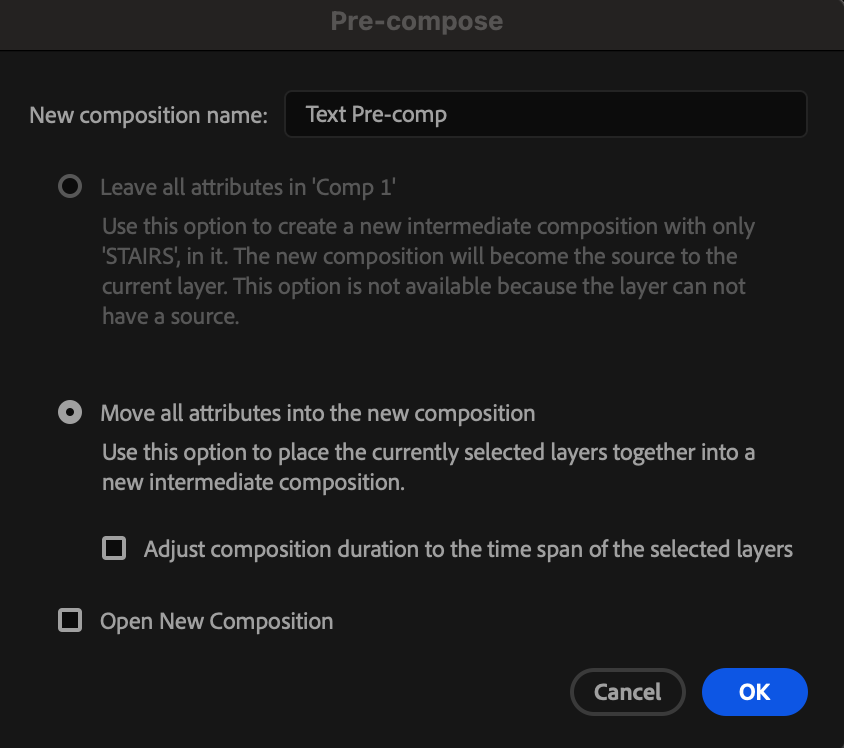
Select the text layer, right-click, and choose Pre-compose. Move all attributes into the new composition and name it appropriately.
 Step 4: Create a Mask for the First Step
Select the pre-composition layer and use the Rectangle Tool (Q) to create a mask covering half of the text. Set the Mask Mode to Add.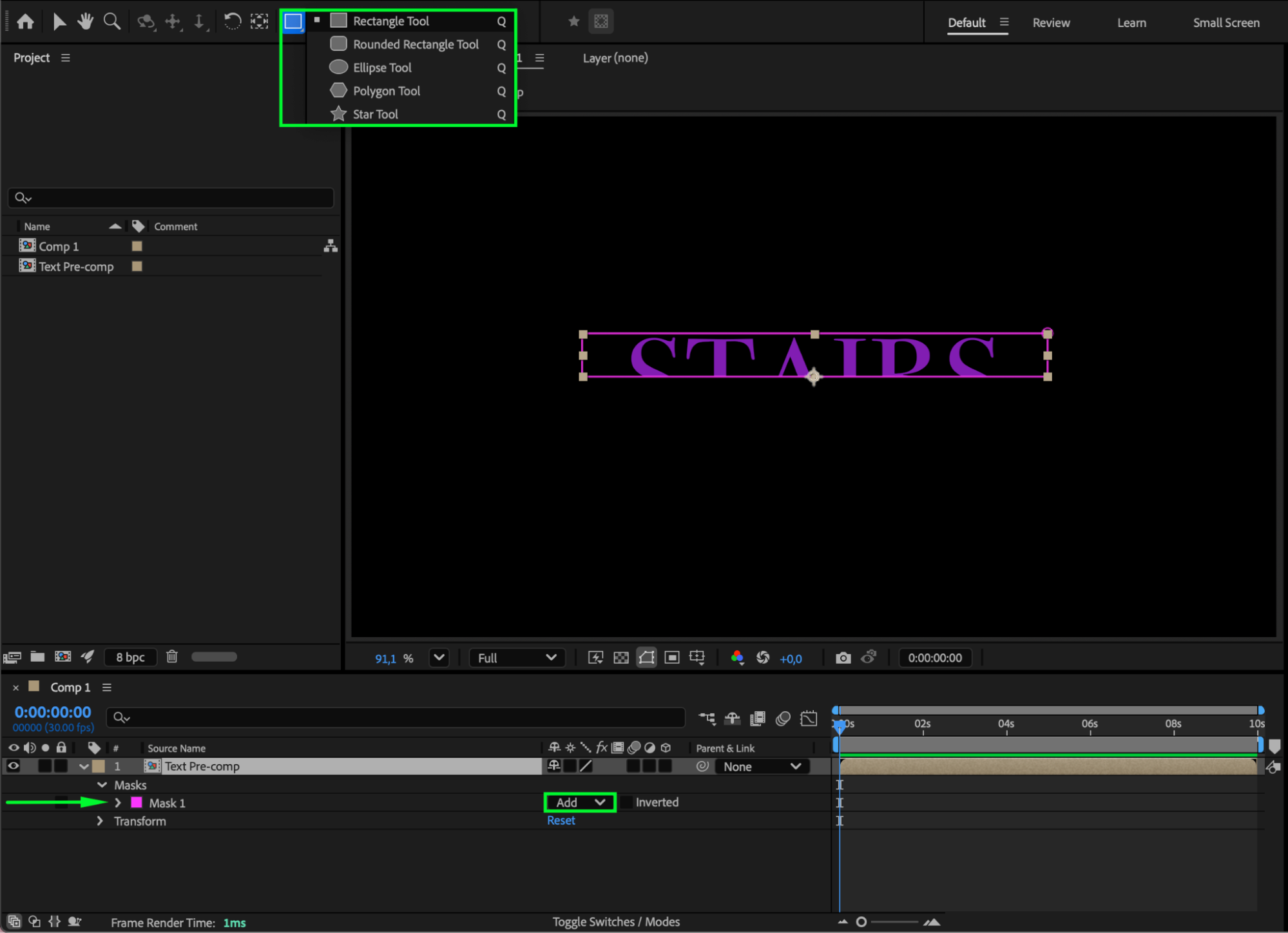 Step 5: Duplicate and Invert the Mask
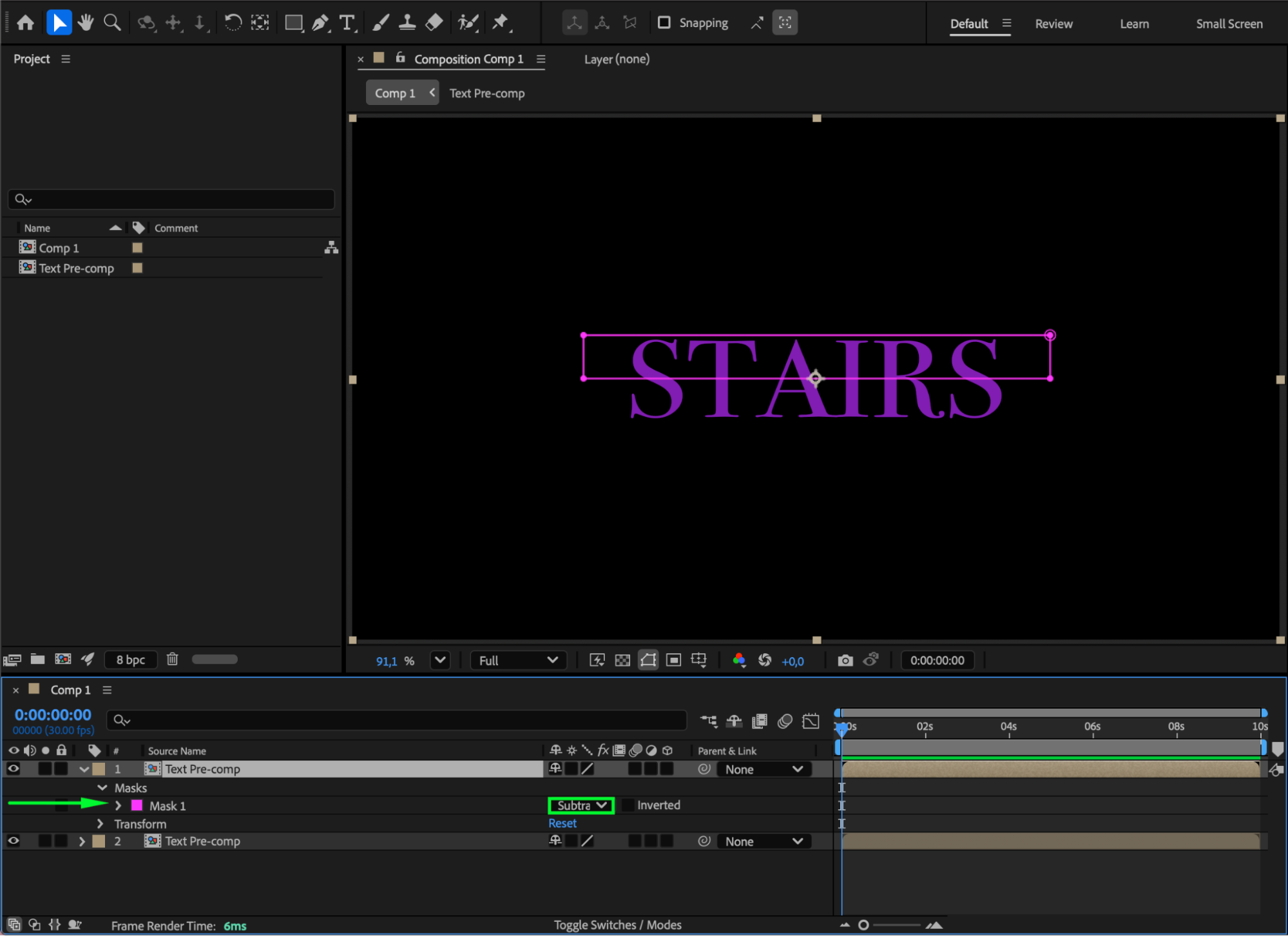
Duplicate the pre-comp layer. For the duplicated layer, change the Mask Mode to Subtract. This splits the text into two separate sections.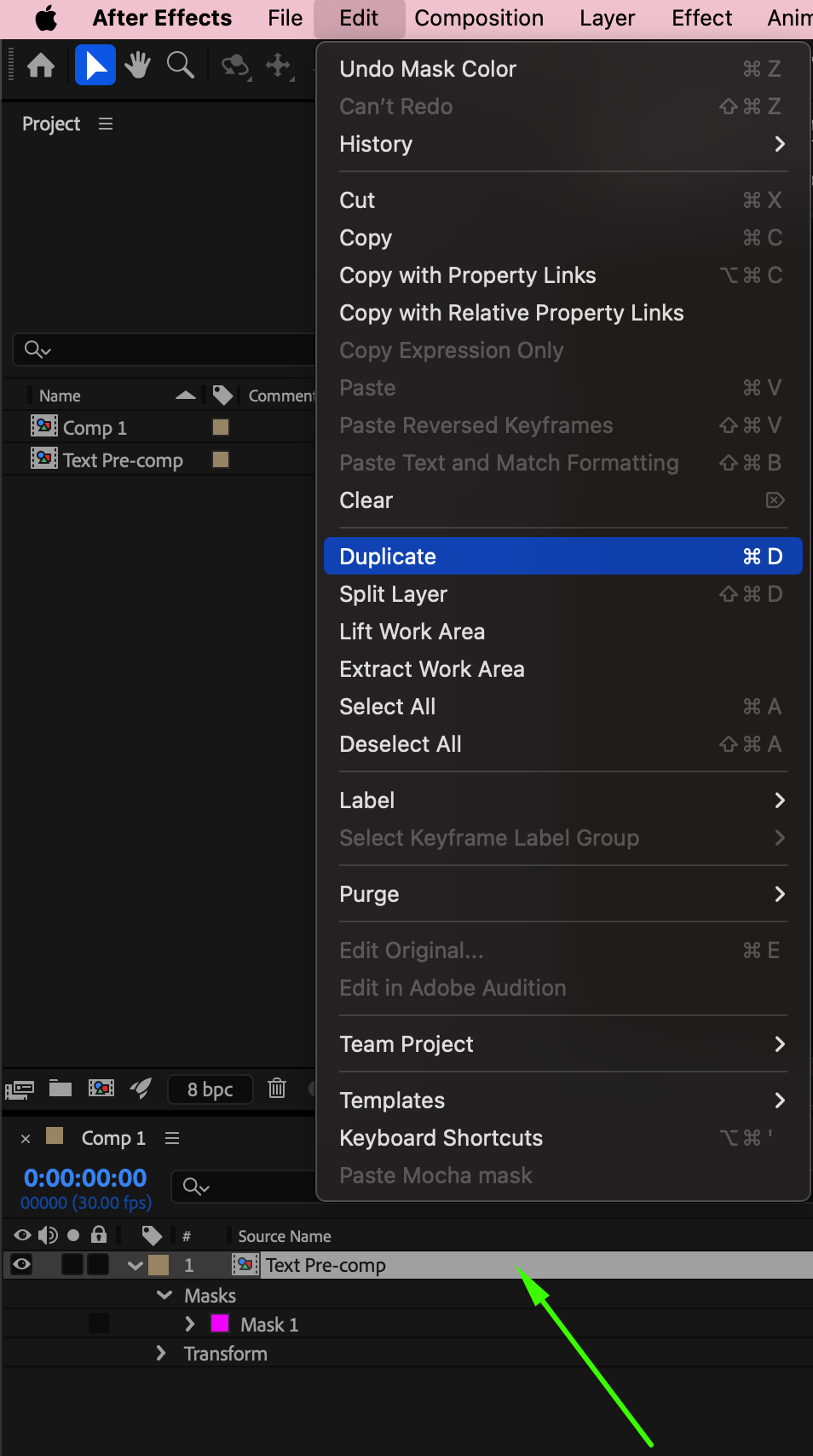
 Step 6: Add a Camera and Enable 3D Layers
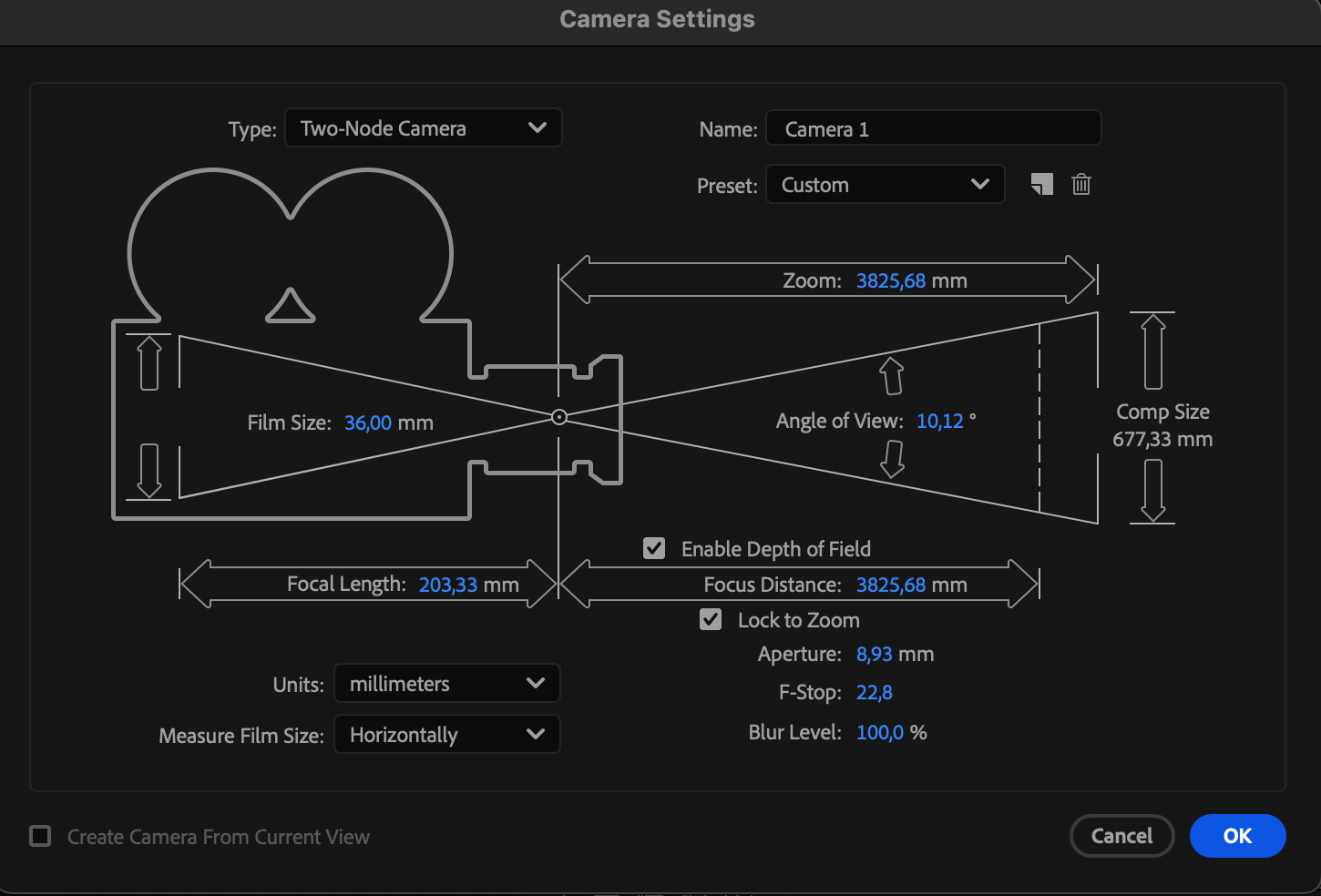
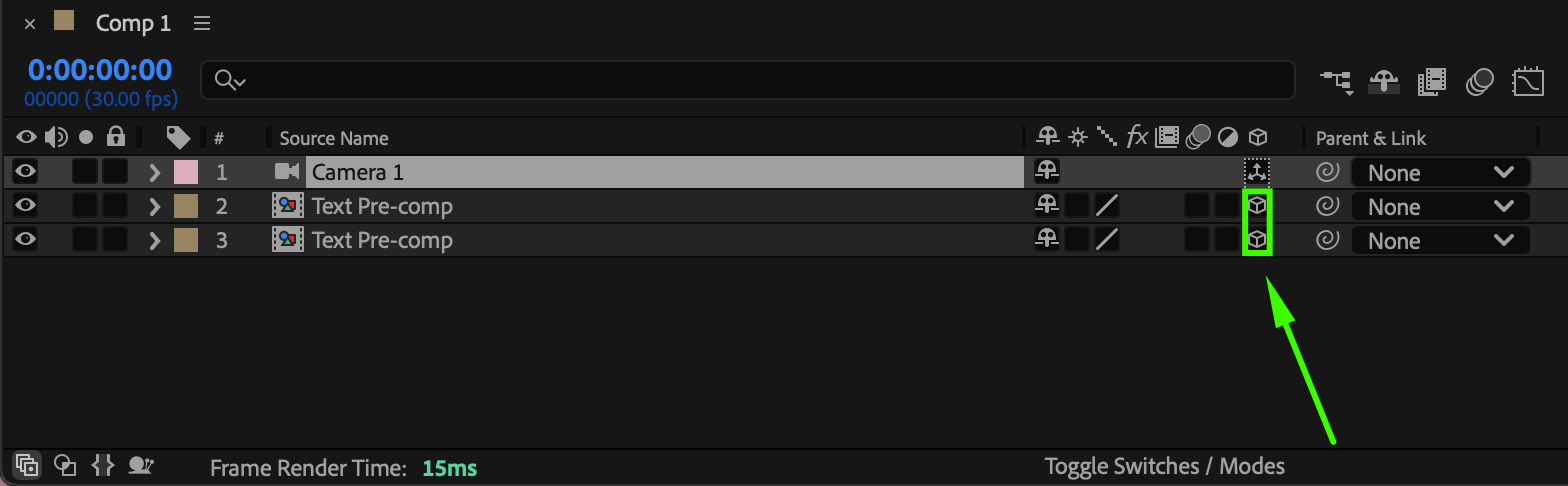
Go to Layer > New > Camera. Enable the 3D Layer switch for all text pre-comps.
 Step 7: Rotate the Step
Select the duplicated pre-comp and set its X Rotation to –90°. This creates the vertical face of the stair.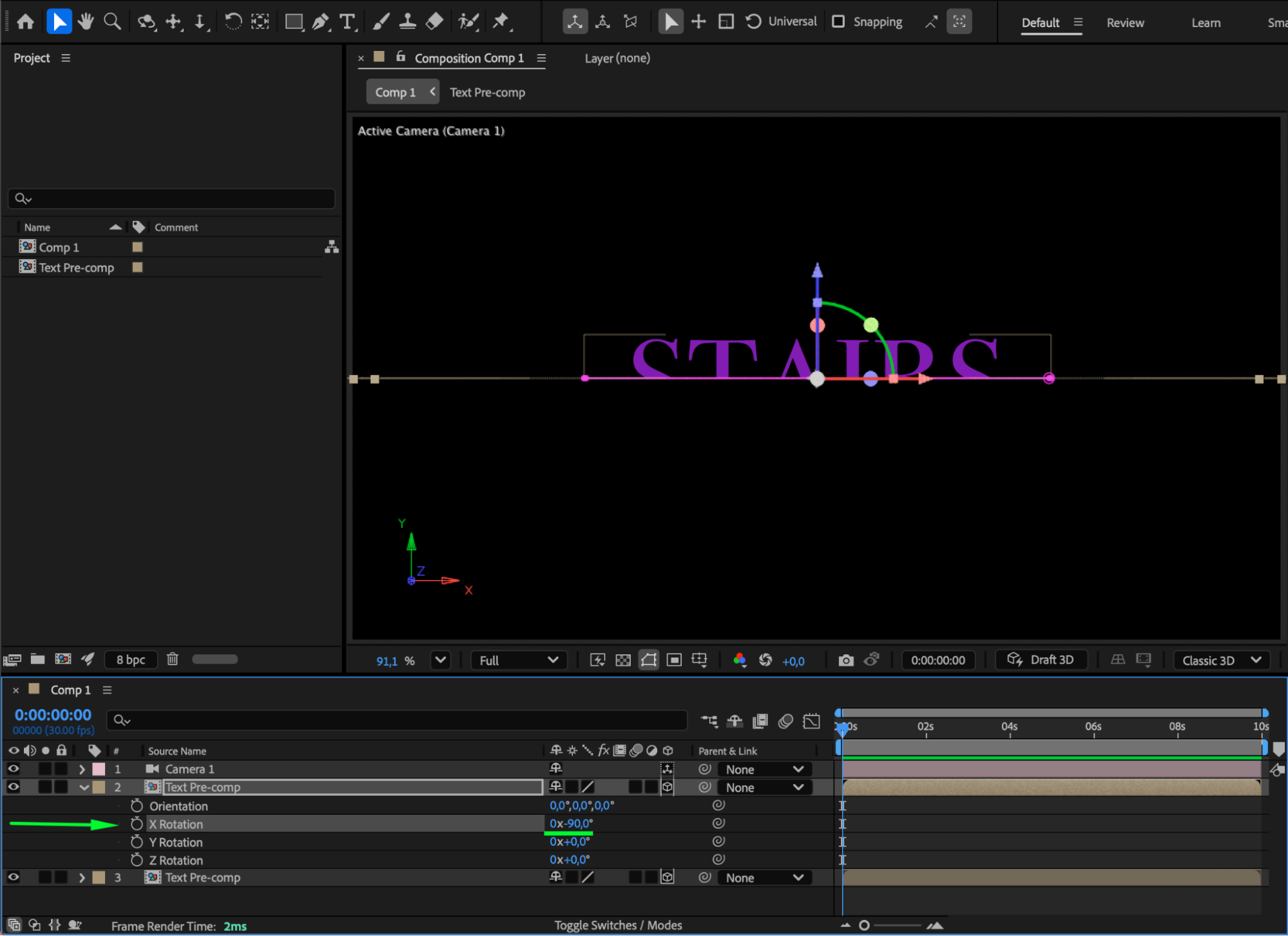
Step 8: Adjust the Camera View
Use the Orbit Around Cursor Tool (C) to rotate the camera view. Position the camera so the text clearly appears as a 3D stair shape.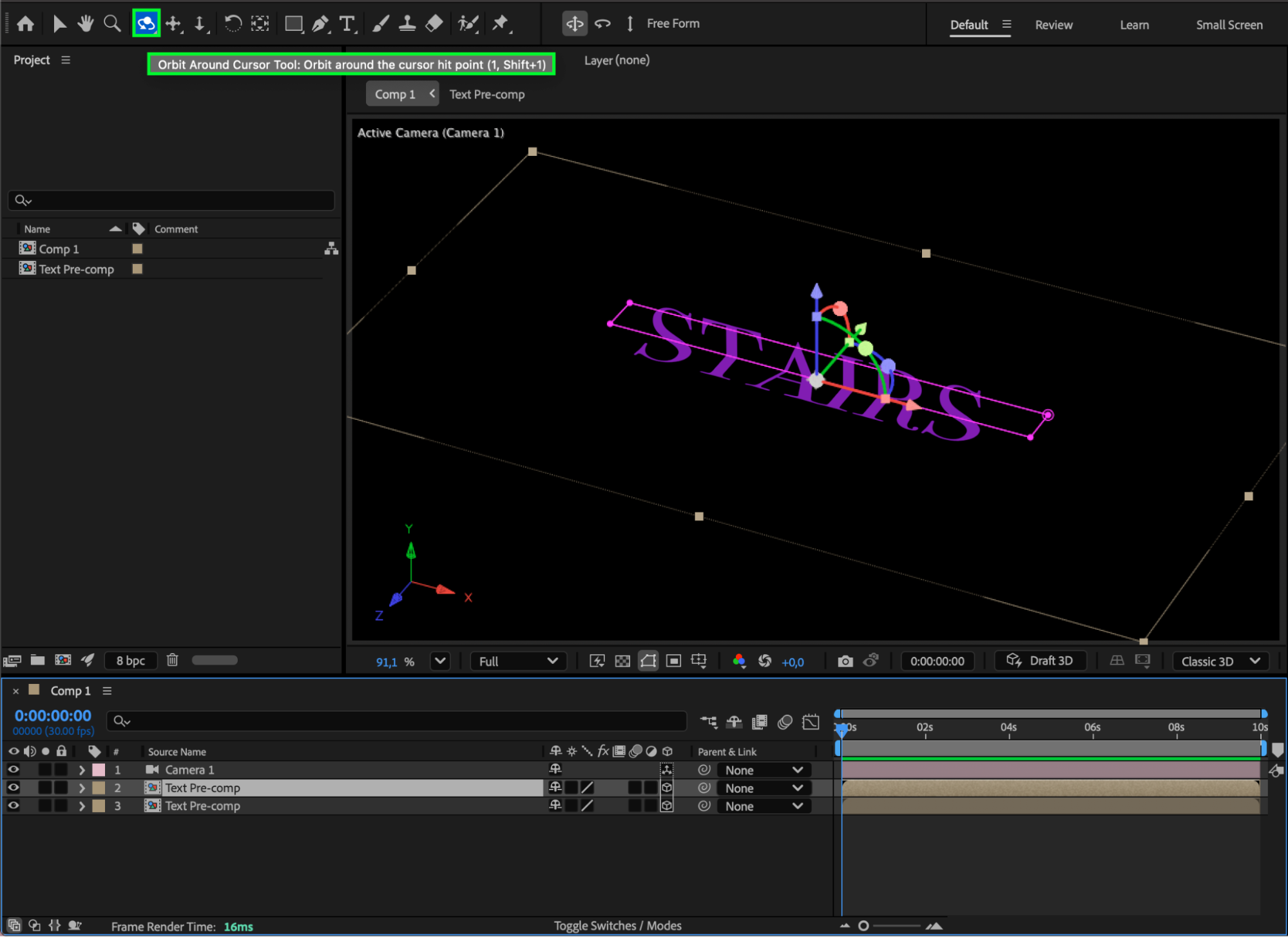 Step 9: Build the Staircase
Duplicate the paired pre-comp layers multiple times. Offset their Position values to stack them and form a staircase.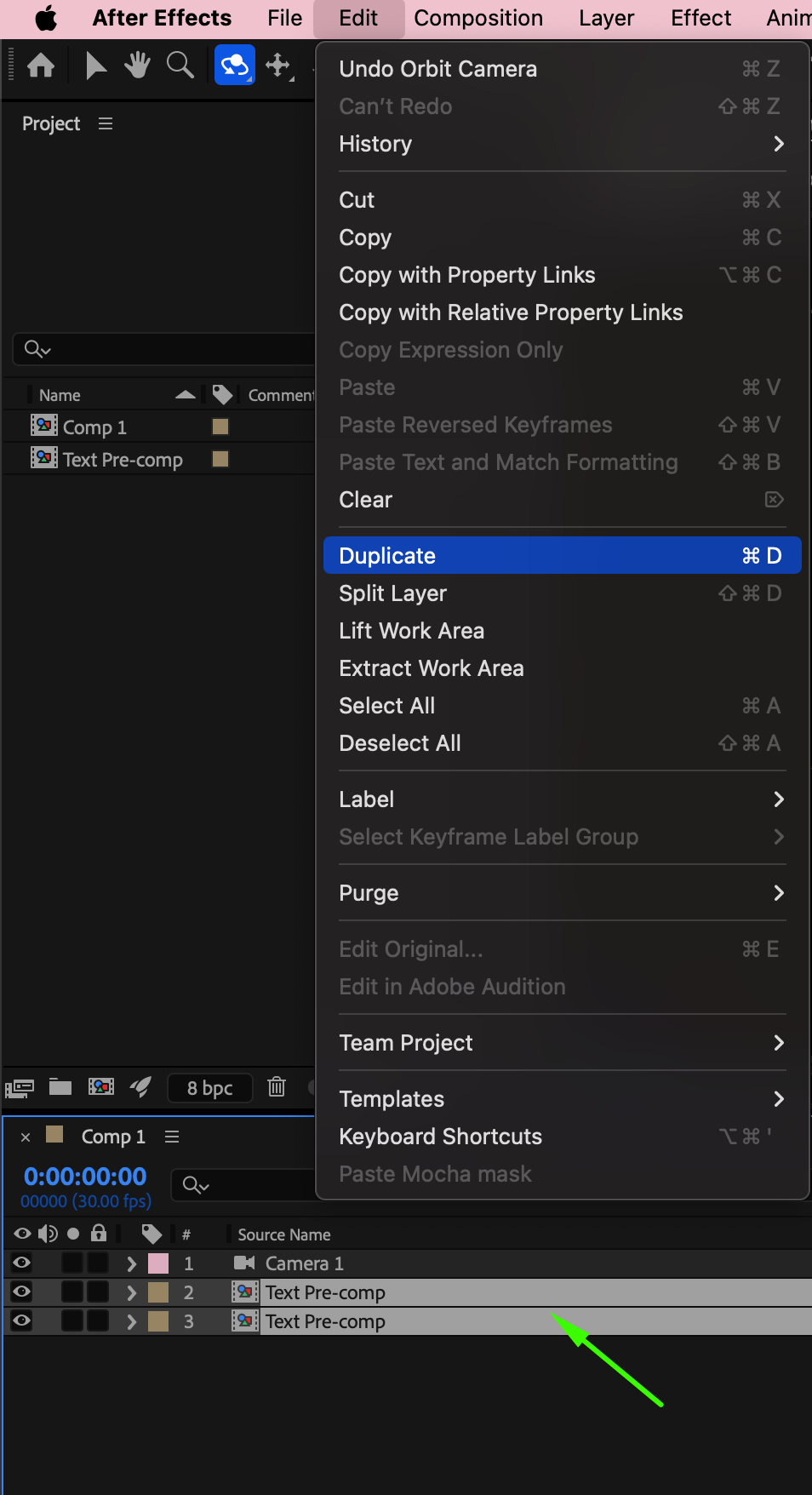 Step 10: Add Light Sweep for Highlights
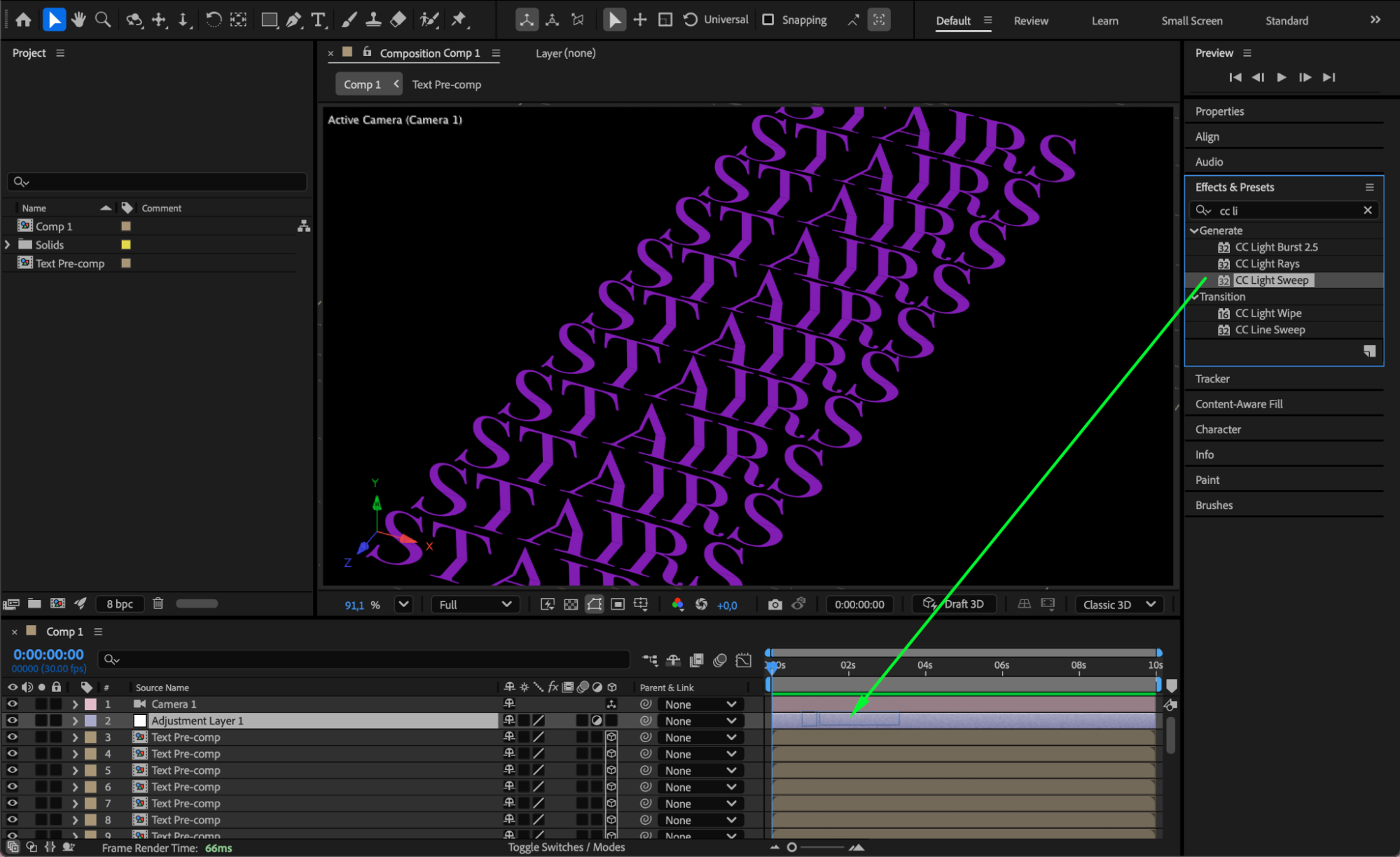
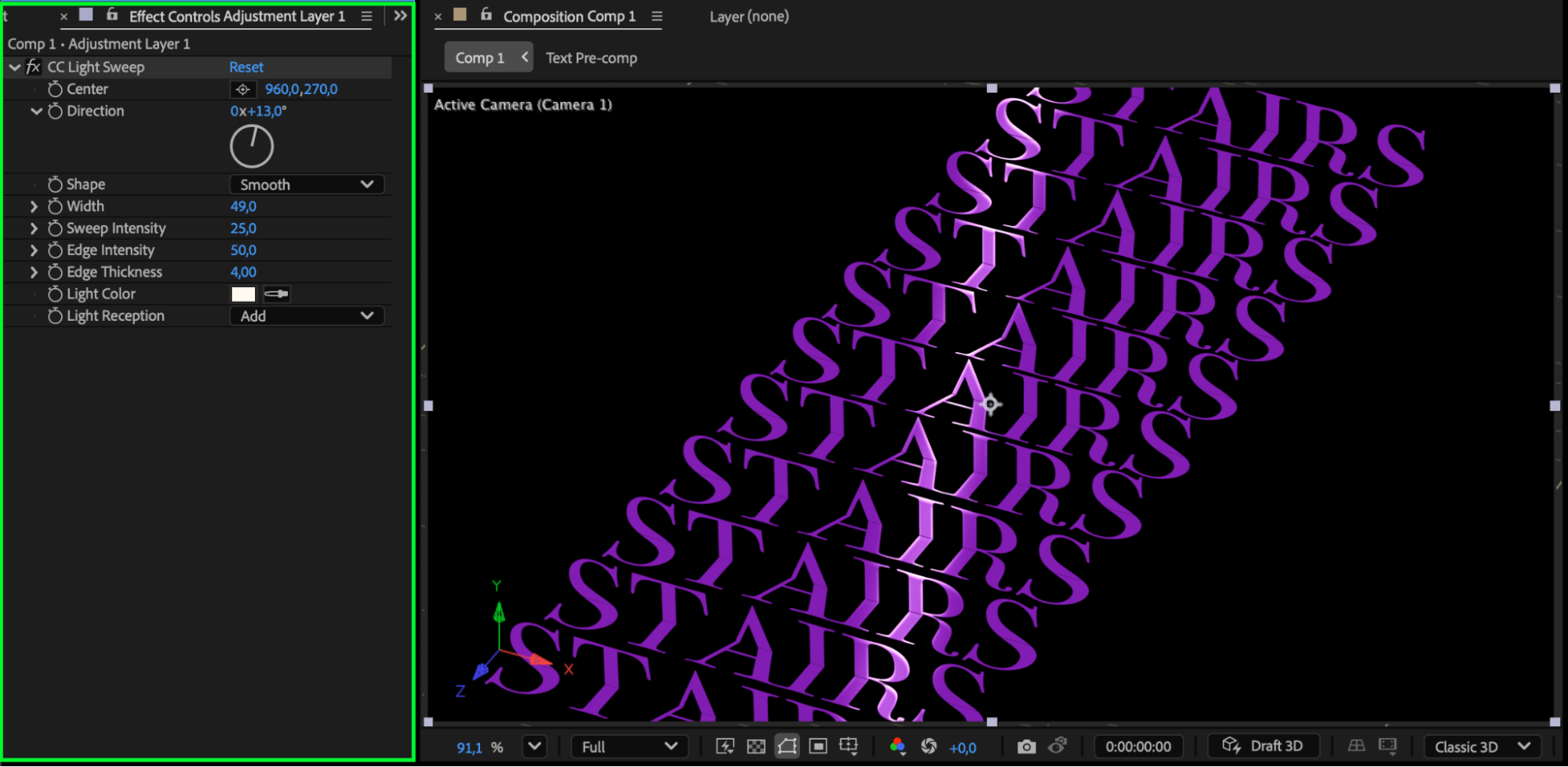
Apply the CC Light Sweep effect from the Effects & Presets panel to enhance surface highlights and depth.
 Step 11: Optional Lighting and Preview
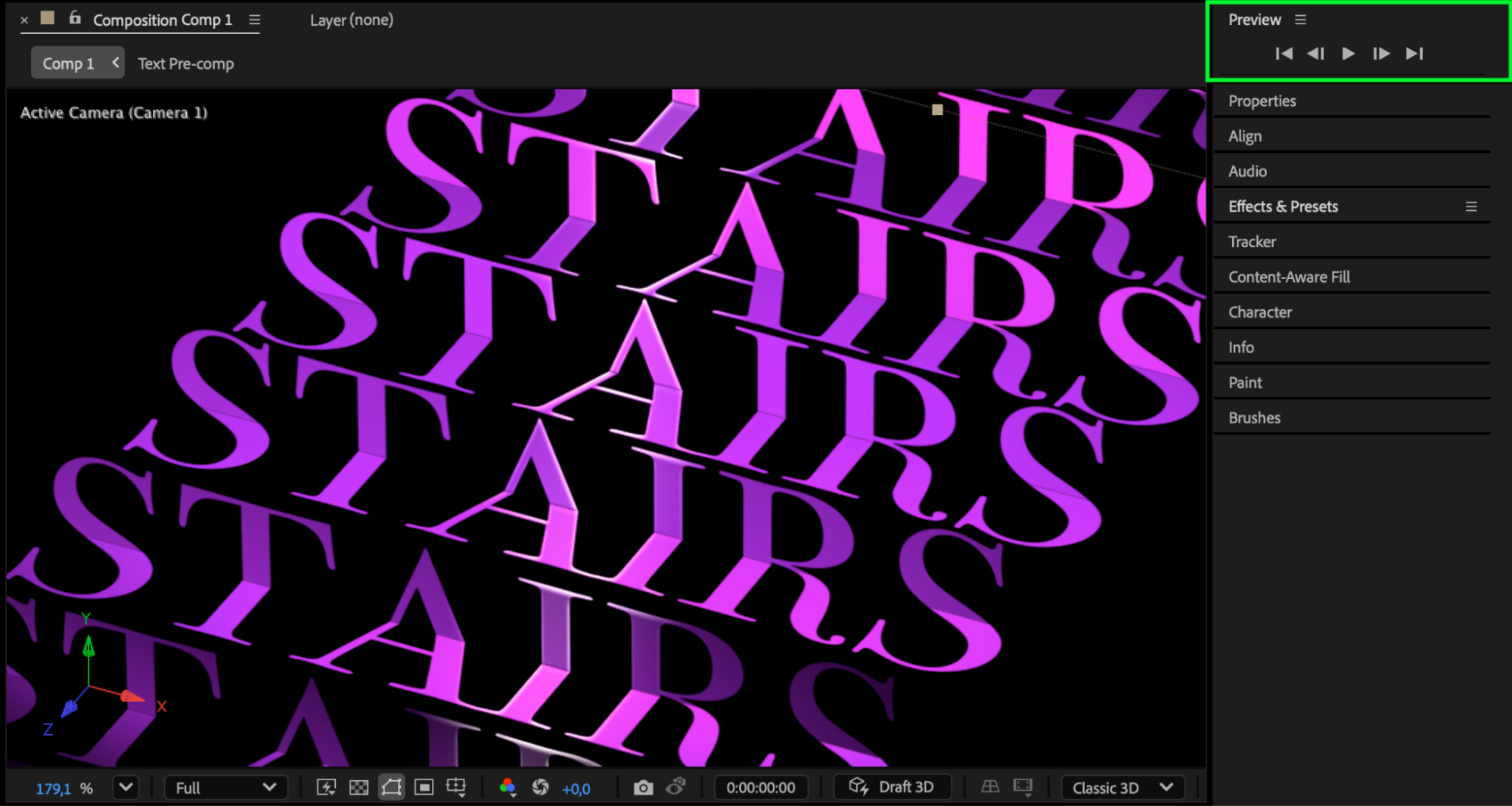
Optionally, add a Spot Light to increase depth and realism. Preview the animation and fine-tune camera angles and lighting as needed.
Conclusion
By combining text layers, masks, 3D transformations, and camera movement, you can create a dynamic 3D stairs animation entirely within After Effects. This method works well for typographic reveals, abstract motion design, and creative visual storytelling.
Our Bestsellers
Our Bestsellers


