
Description: Learn how to animate a spider using the Puppet Pin Tool and create a realistic hanging web line in After Effects.
Introduction
Animating a spider crawling or hanging from a web can be done easily in After Effects using the Puppet Pin Tool and simple shape layers. This technique works great for spooky scenes, Halloween animations, motion graphics, and visual storytelling.
Step 1: Import the Spider Image
Go to File > Import > File and import your spider image into the Project panel.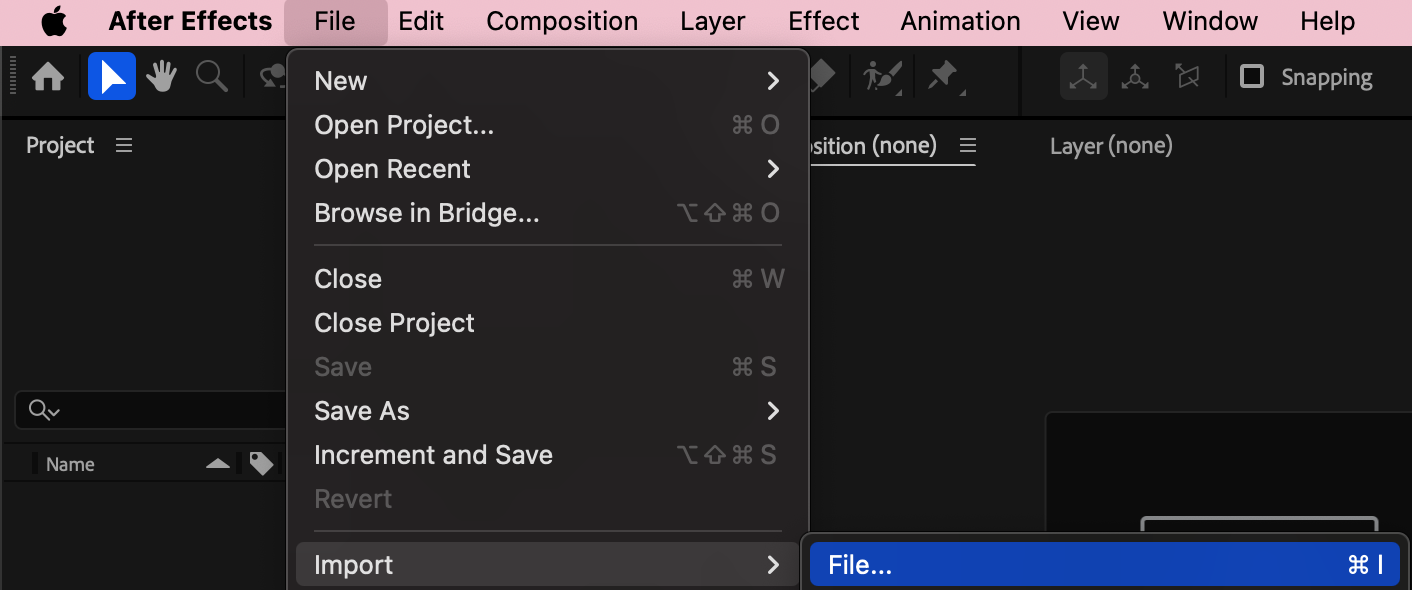
Step 2: Create a New Composition
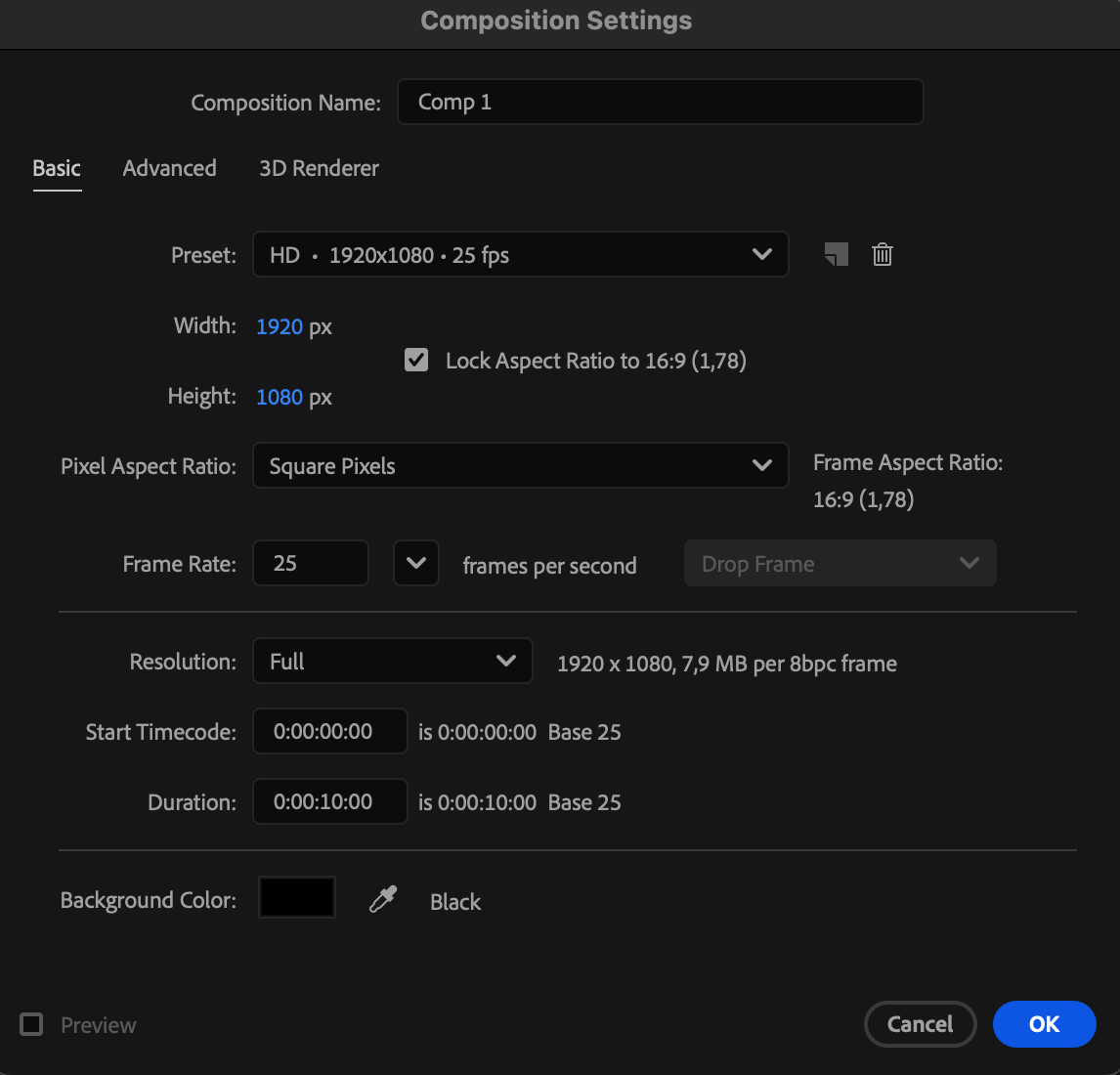
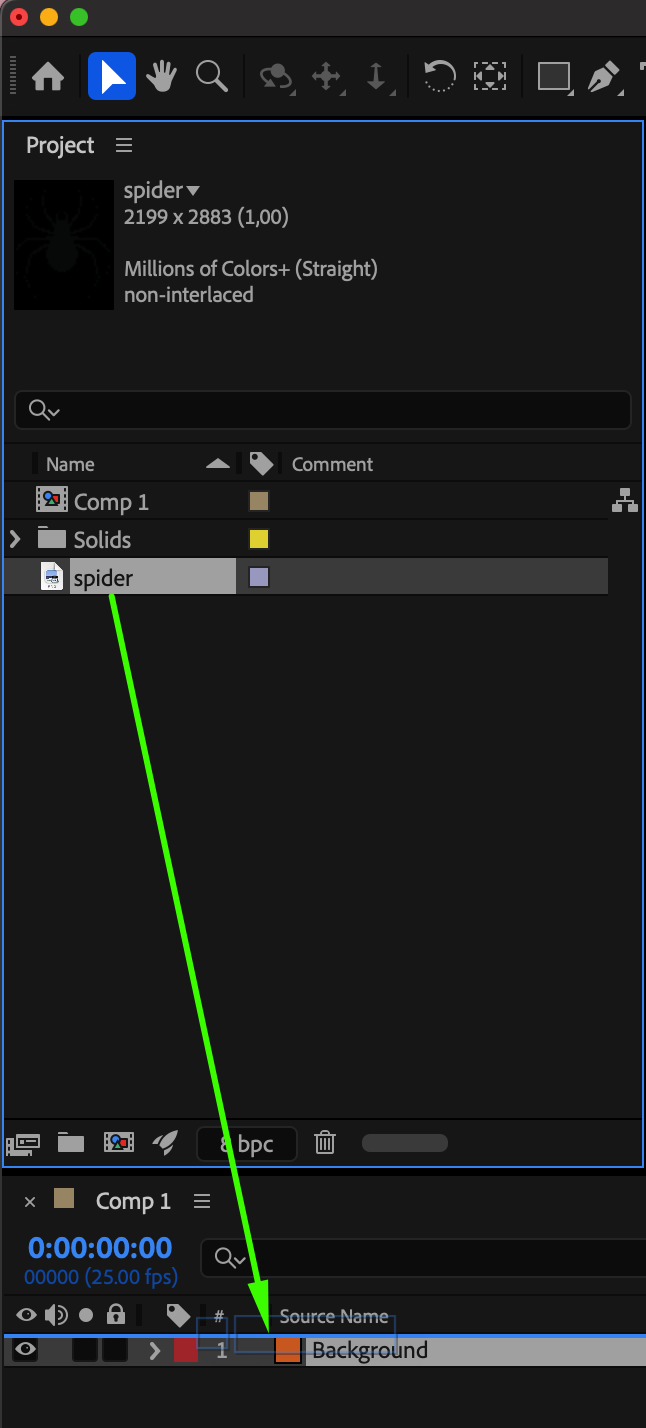
Create a New Composition, then drag the spider image onto the timeline.

 Step 3: Open the Layer Panel
Double-click the spider layer on the timeline to open it in the Layer panel.
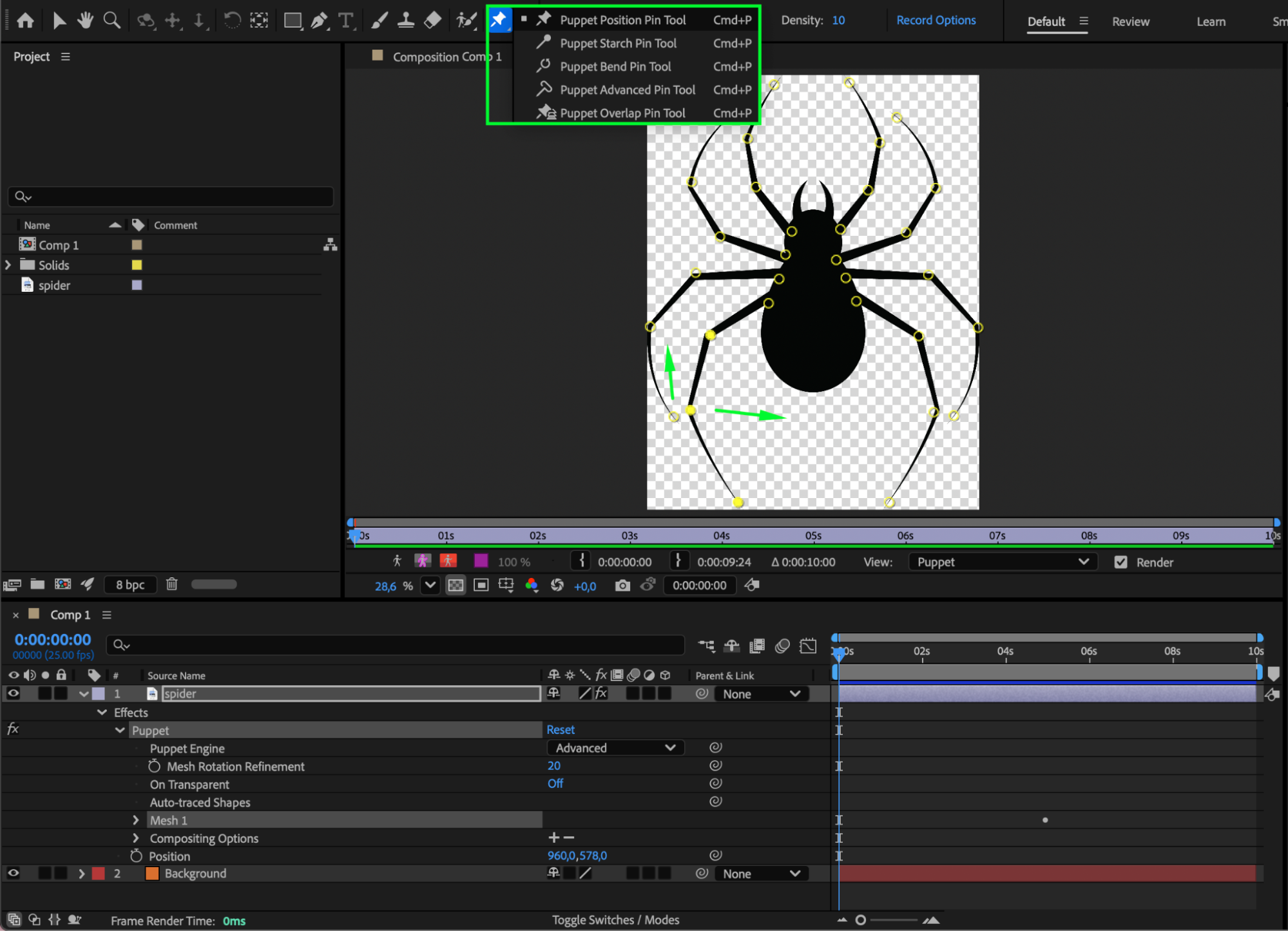
Step 4: Add Puppet Pins for the Legs
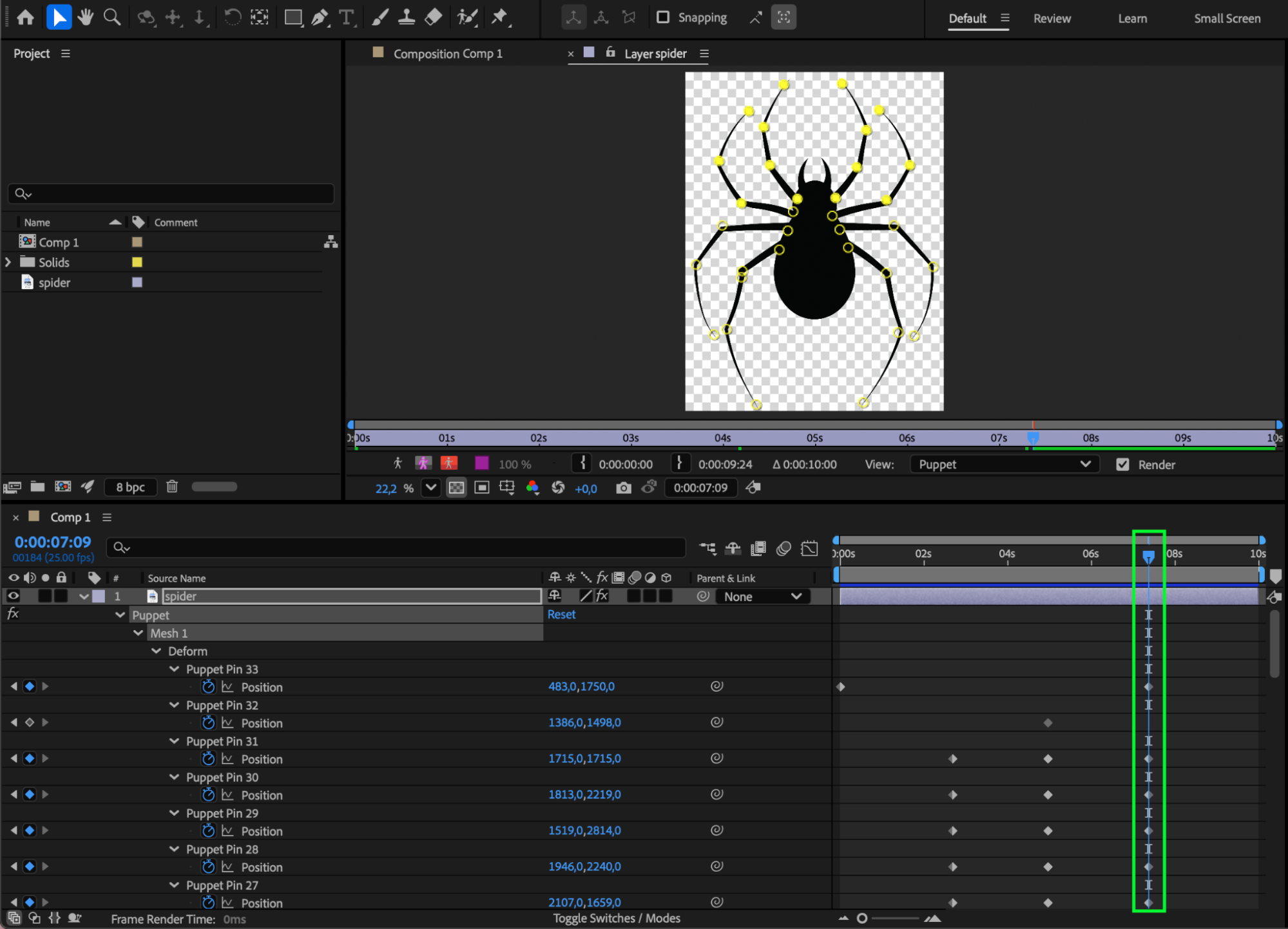
Select the Puppet Position Pin Tool (Ctrl/Cmd + P) and place pins on the spider’s legs (at joints and tips). To animate:
Move the CTI forward in time.
Drag the pins to new positions in the Layer panel.
Keyframes will be created automatically, producing leg movement.
Step 5: Create the Spider Web Line
Return to the Composition panel. Use the Pen Tool (G) to draw a thin line from the spider’s body upward. Set:
Fill: None
Stroke Color: White
Stroke Width: 3 px
Place this line below the spider layer in the timeline.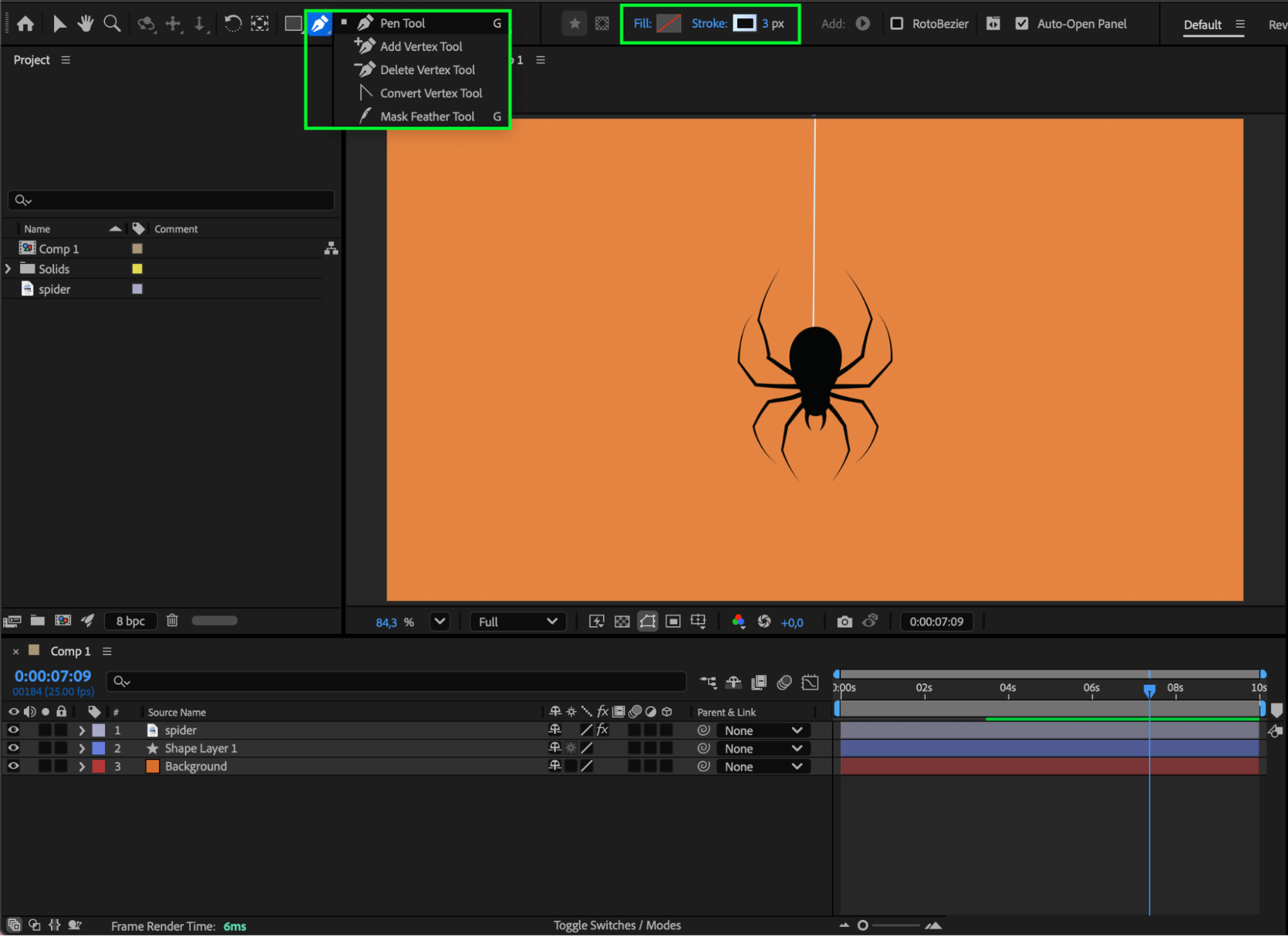
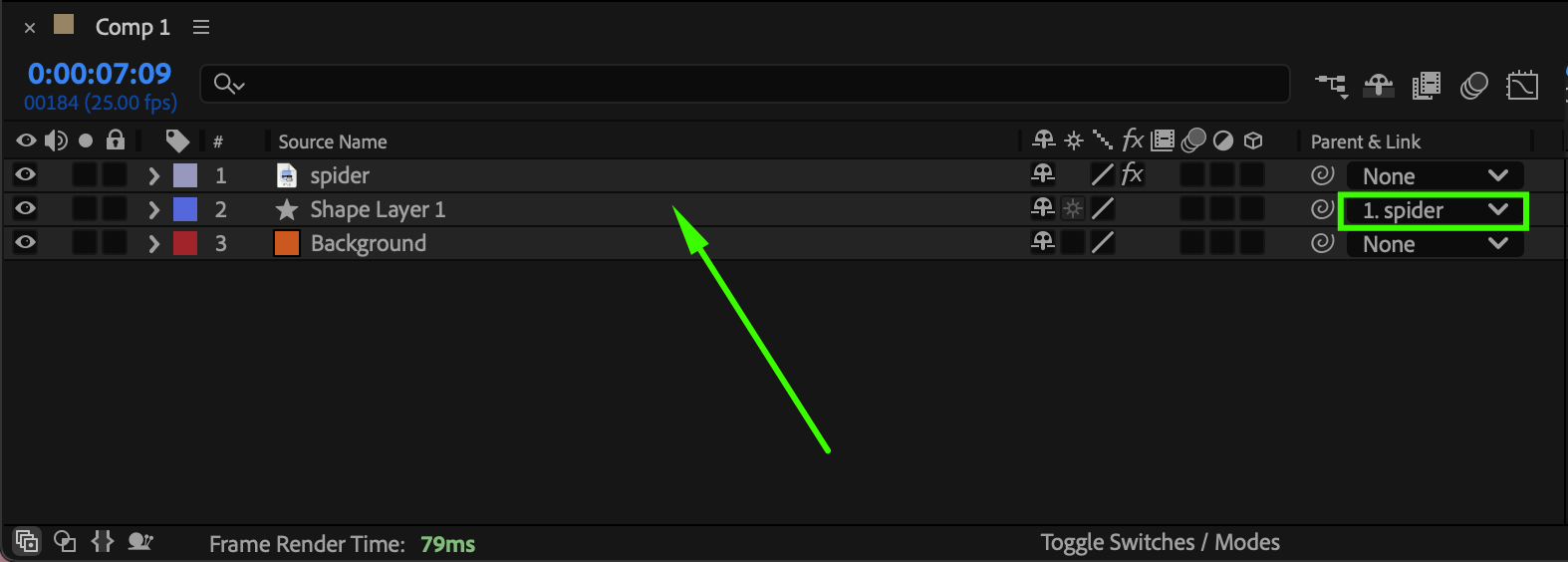
Step 6: Parent the Web Line to the Spider
Make the web line a child layer of the spider layer using the Pick Whip. This ensures the line follows the spider’s movement.
Step 7: Animate the Spider’s Position
Animate the spider’s Position:
At the start of the composition, place the spider above the frame (out of view).
At the middle of the composition, move the spider into the center of the frame.
This creates the effect of the spider descending on its web.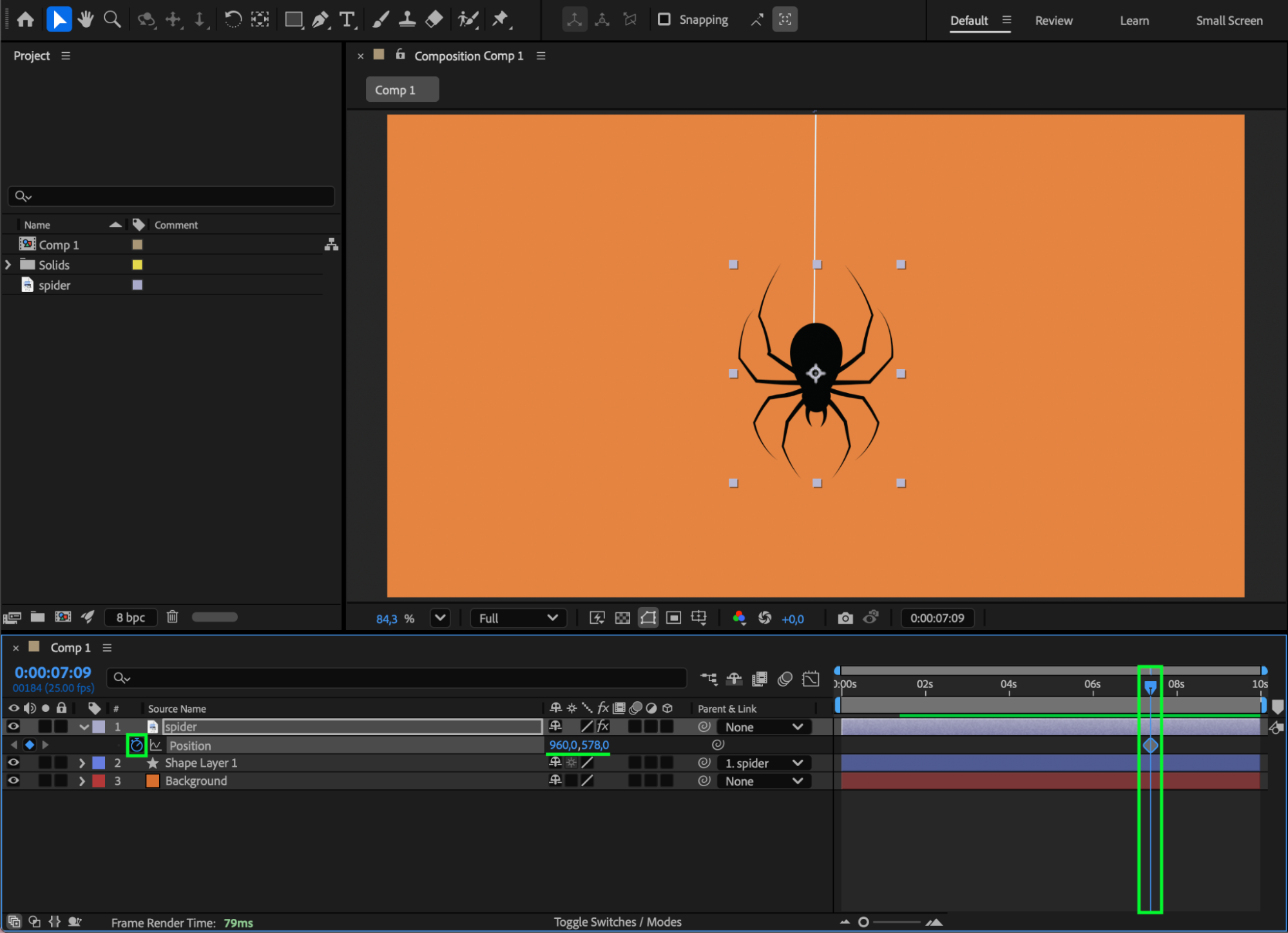
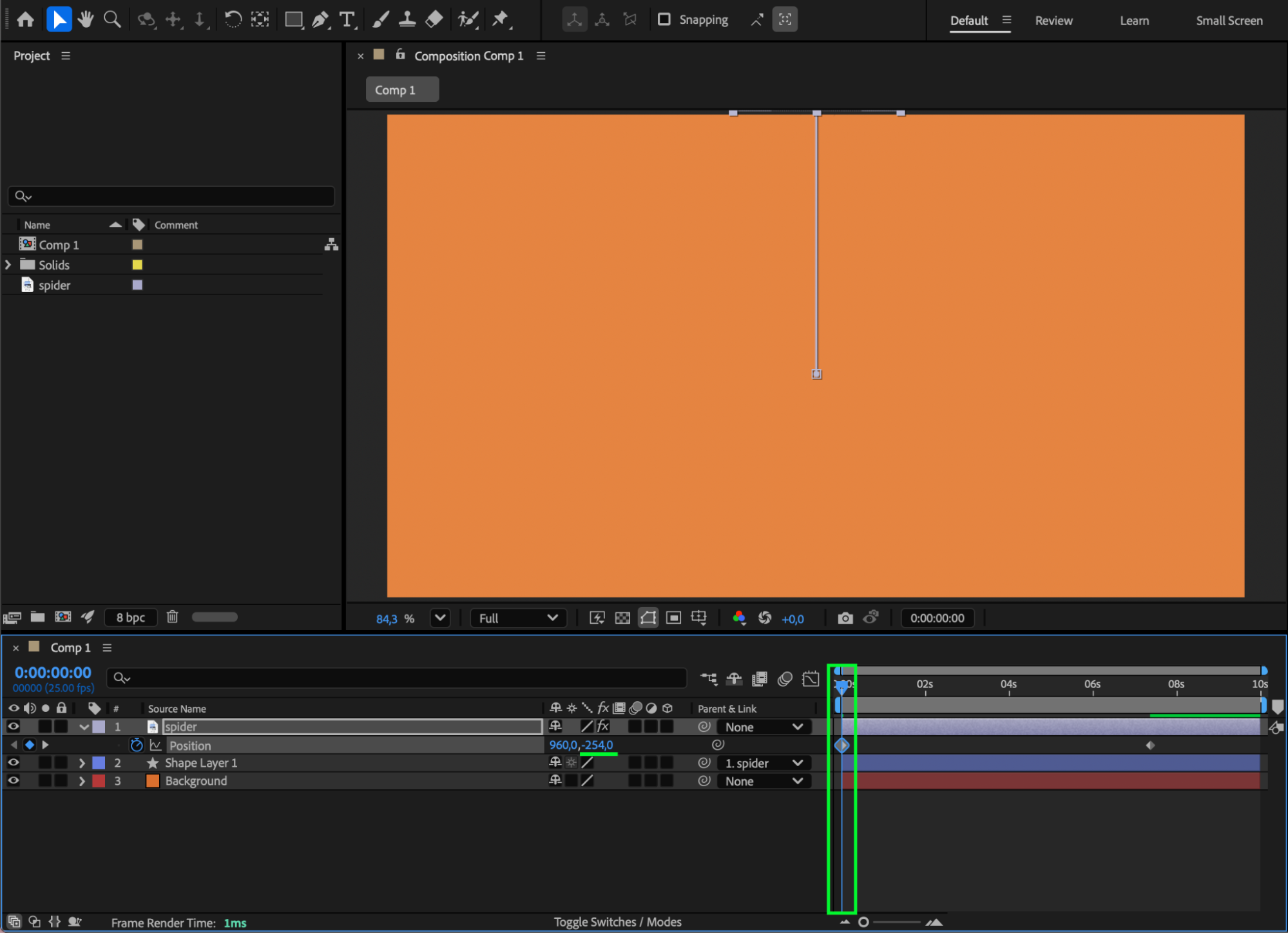 Step 8: Add Texture to the Web
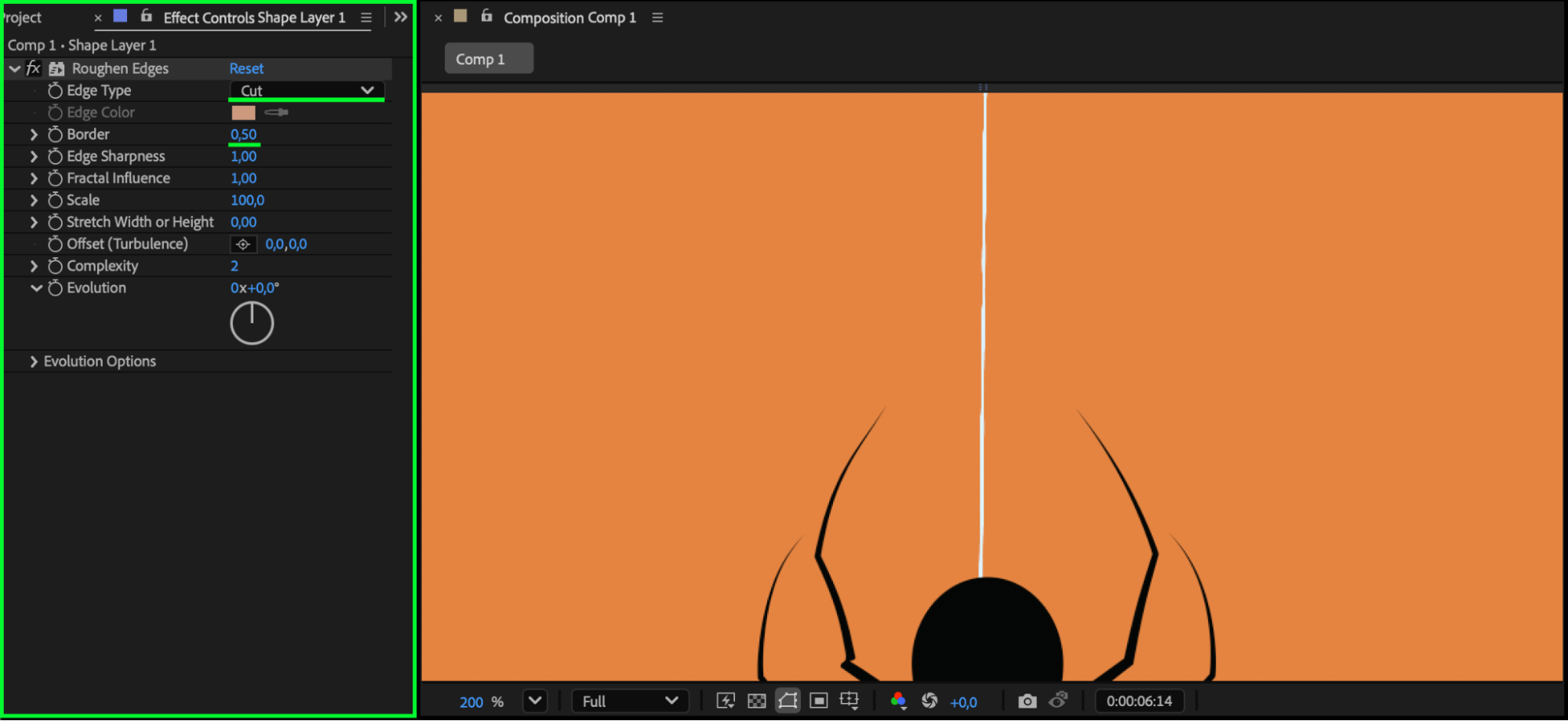
Apply Roughen Edges from the Effects & Presets panel to the web line. Adjust the settings slightly to give the web a more natural, uneven look.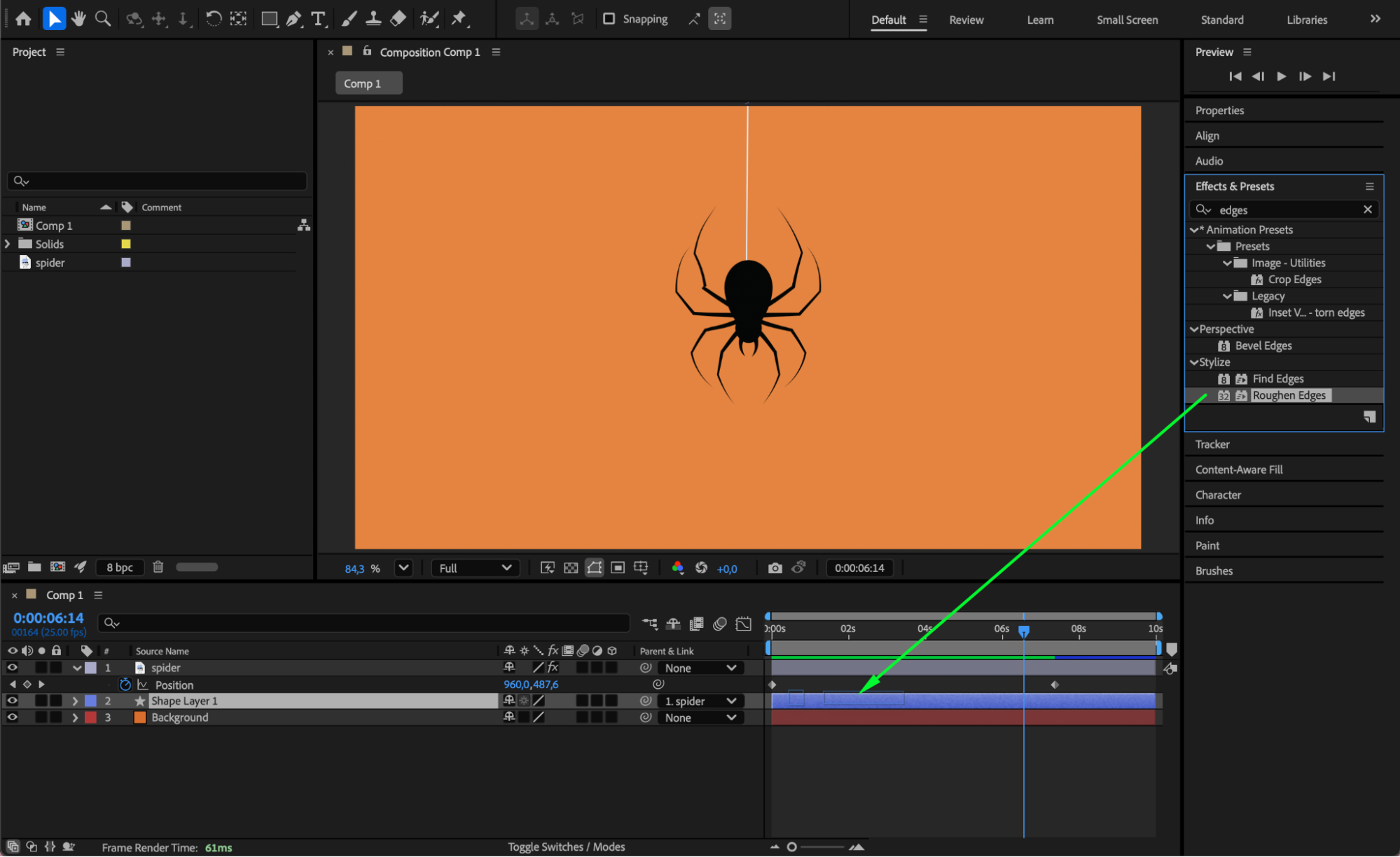
 Step 9: Preview and Refine
Preview the animation and fine-tune:
Puppet pin movement
Spider position timing
Web thickness and roughness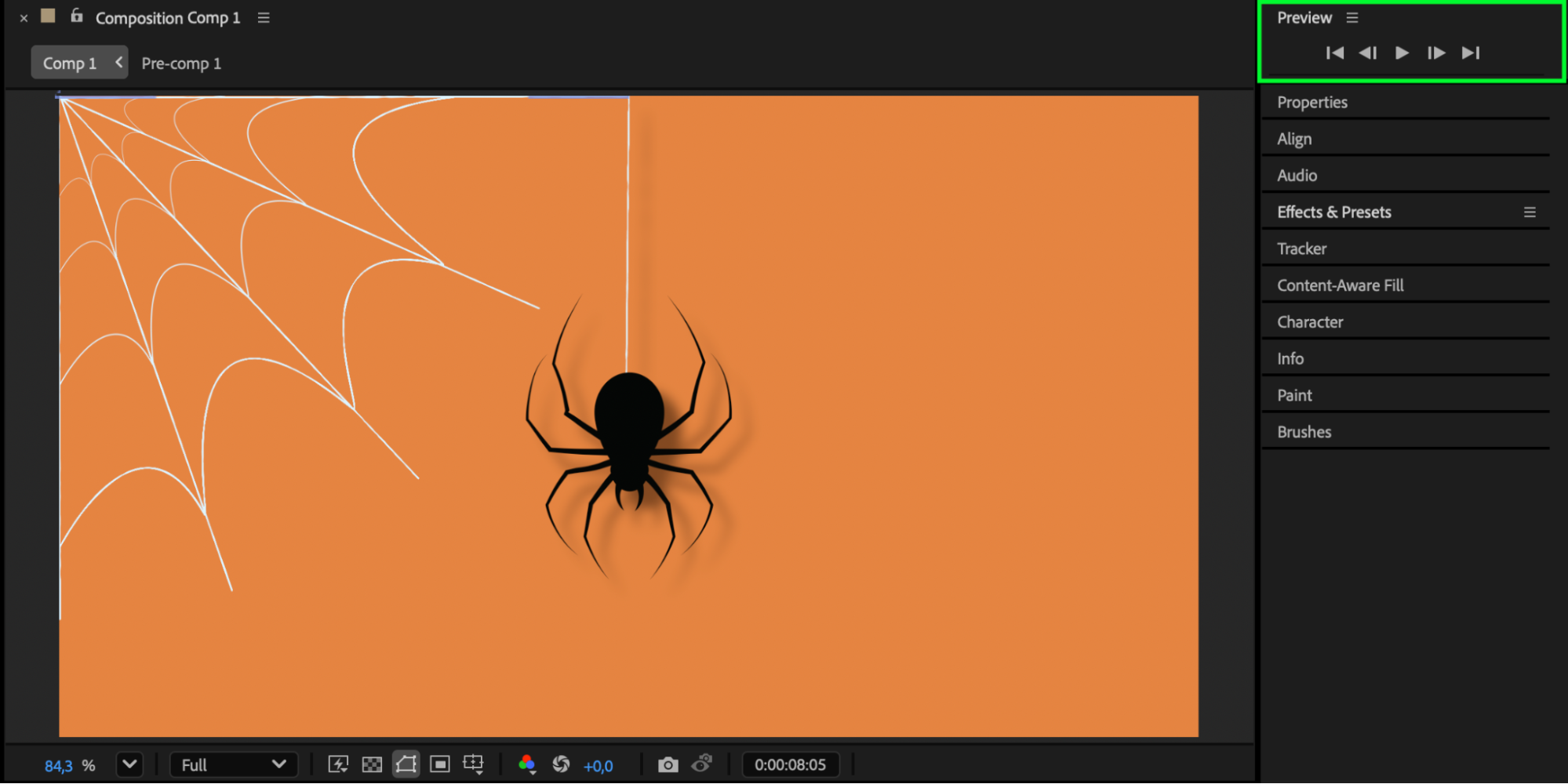
Conclusion
By combining the Puppet Pin Tool with a simple animated shape layer, you can create a realistic spider animation in After Effects. This method is flexible, easy to customize, and perfect for atmospheric or horror-themed motion graphics.
Our Bestsellers
Our Bestsellers


