
How to Animate Colors in a Video Using After Effects
Enhancing Video with Color Animation in After Effects
Animating colors in a video can make your footage more dynamic and visually appealing. In After Effects, you can achieve this effect by animating hue shifts, adjusting color curves, and adding gradient overlays. This guide will walk you through the process step by step.
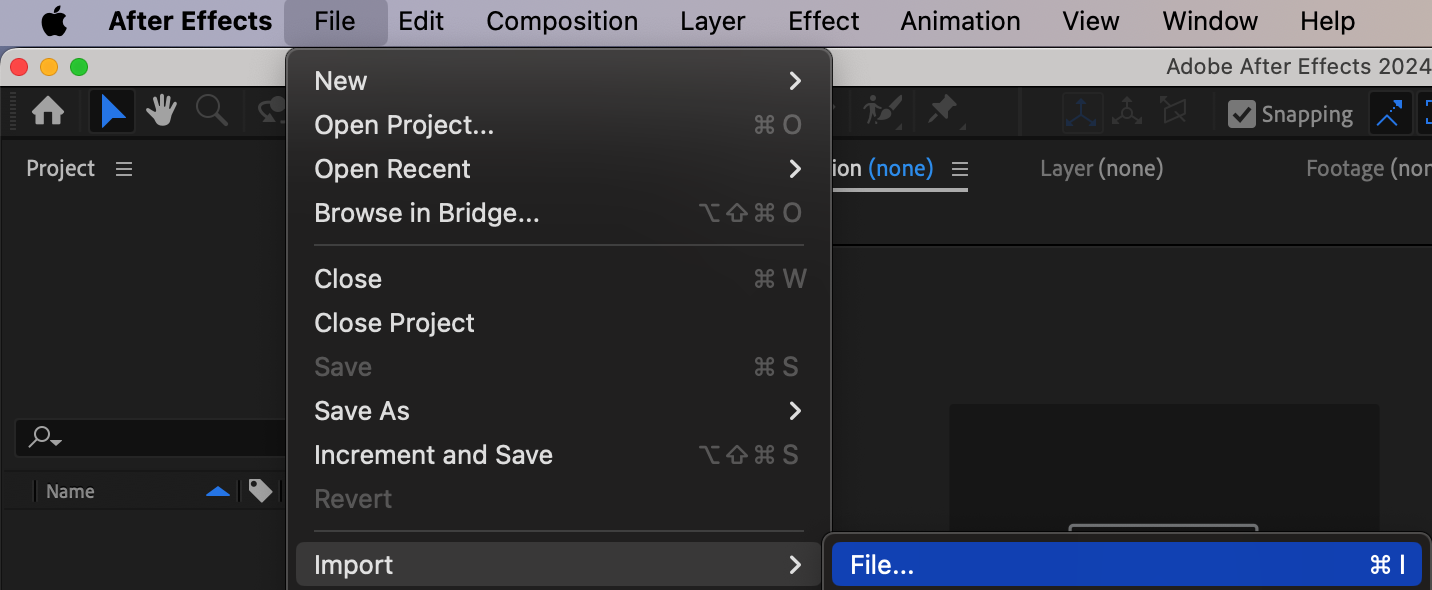
Step 1: Import Your Video
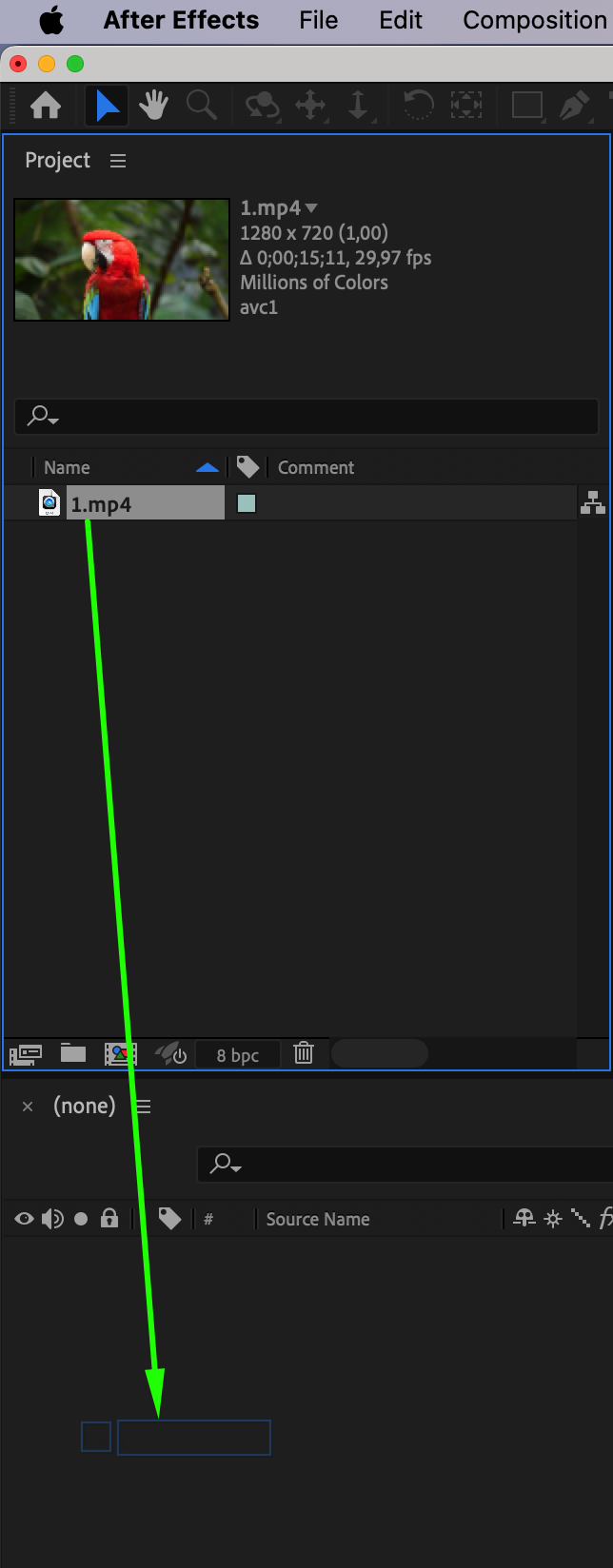
Go to File > Import > File and select your video file. Once imported, drag it onto the Timeline to create a composition. This will be the base layer for your color animation.
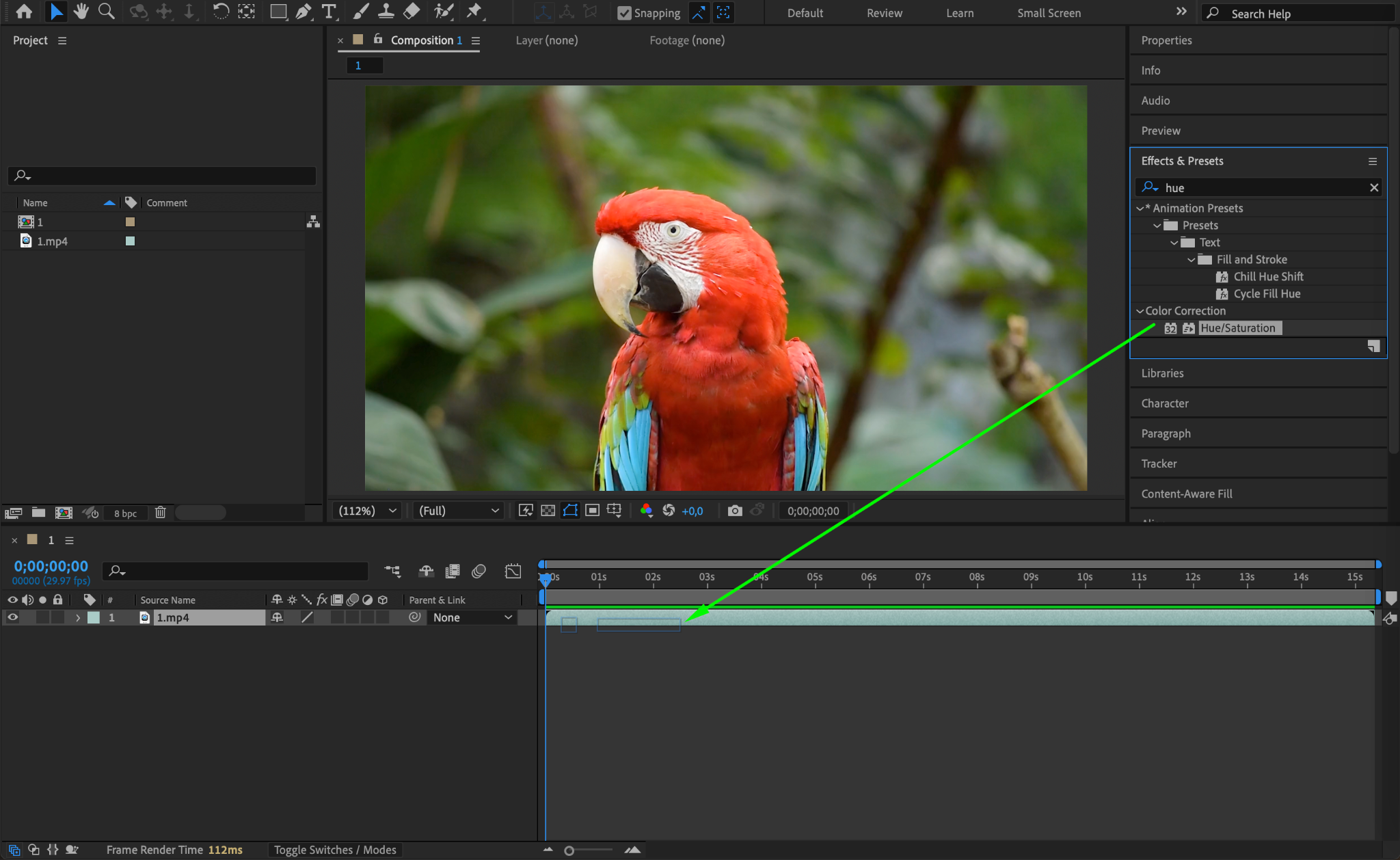
Step 2: Apply the Hue/Saturation Effect
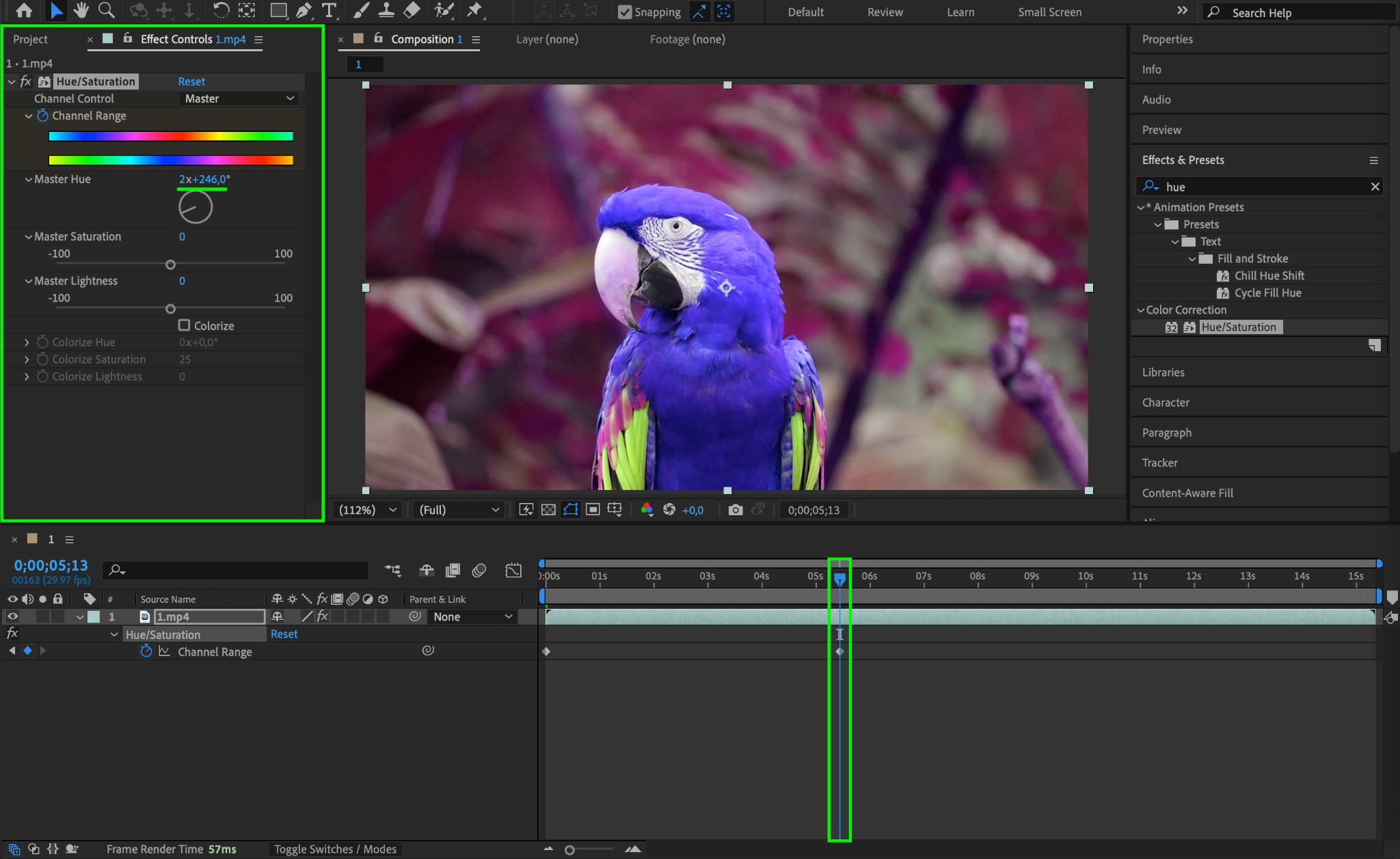
In the Effects & Presets panel, search for Hue/Saturation and apply it to your video layer. This effect will allow you to shift the colors dynamically over time.
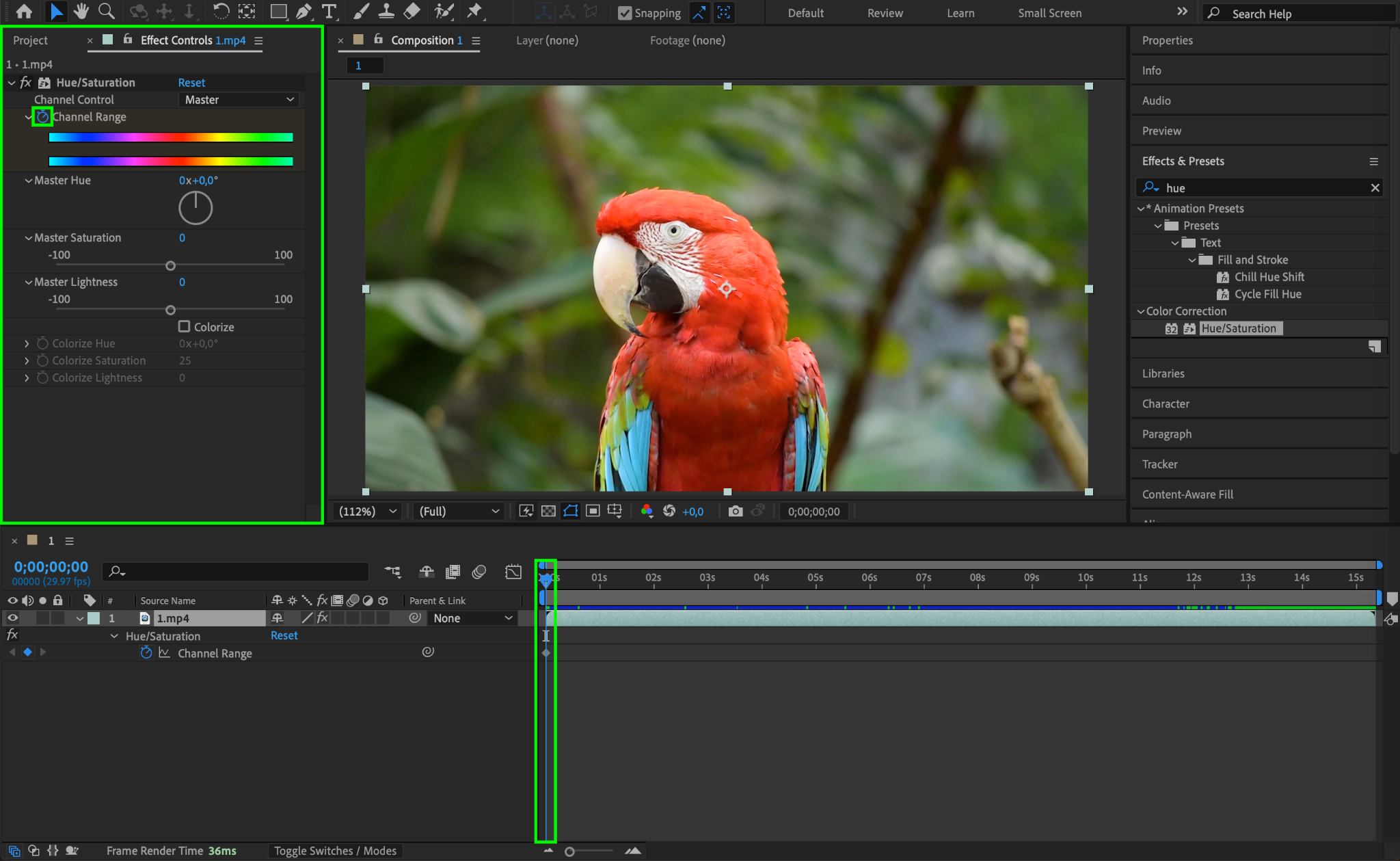
Step 3: Set Keyframes for Hue Shift
Go to the Effect Controls panel and locate the Master Hue setting. Move the CTI (Current Time Indicator) to the beginning of the timeline and click the stopwatch icon next to Channel Range to create a keyframe.
Step 4: Animate the Hue Shift
Move the CTI forward in the Timeline (e.g., a few seconds ahead), then change the Master Hue value. A good range for smooth color animation is around 2 × 246 degrees, but you can adjust this to fit your style.
Step 5: Add Cinematic Color Adjustments
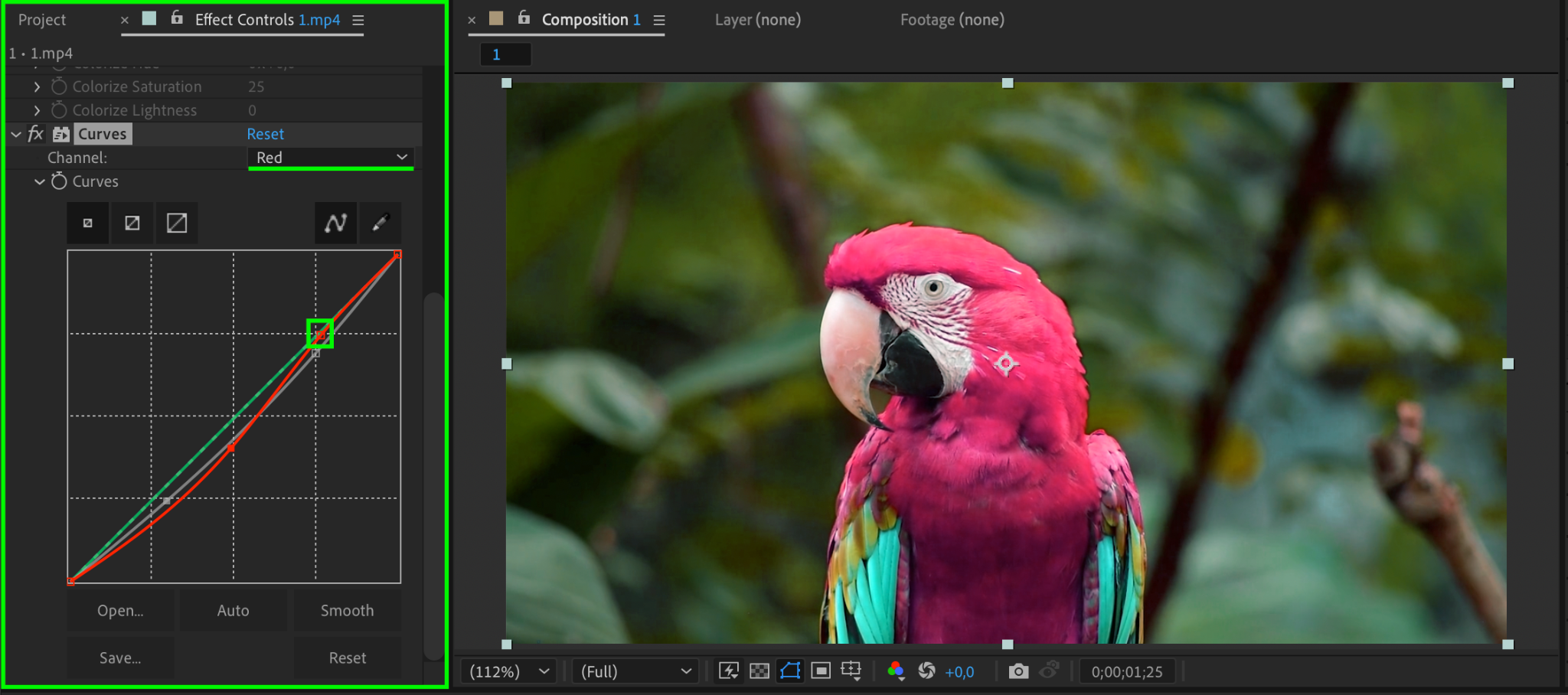
Apply the Curves effect (Effects & Presets > Curves) to your video. Adjust individual channels (e.g., Red Channel) to create a more cinematic look by fine-tuning contrast and color balance.
Step 6: Add an Animated Gradient Overlay
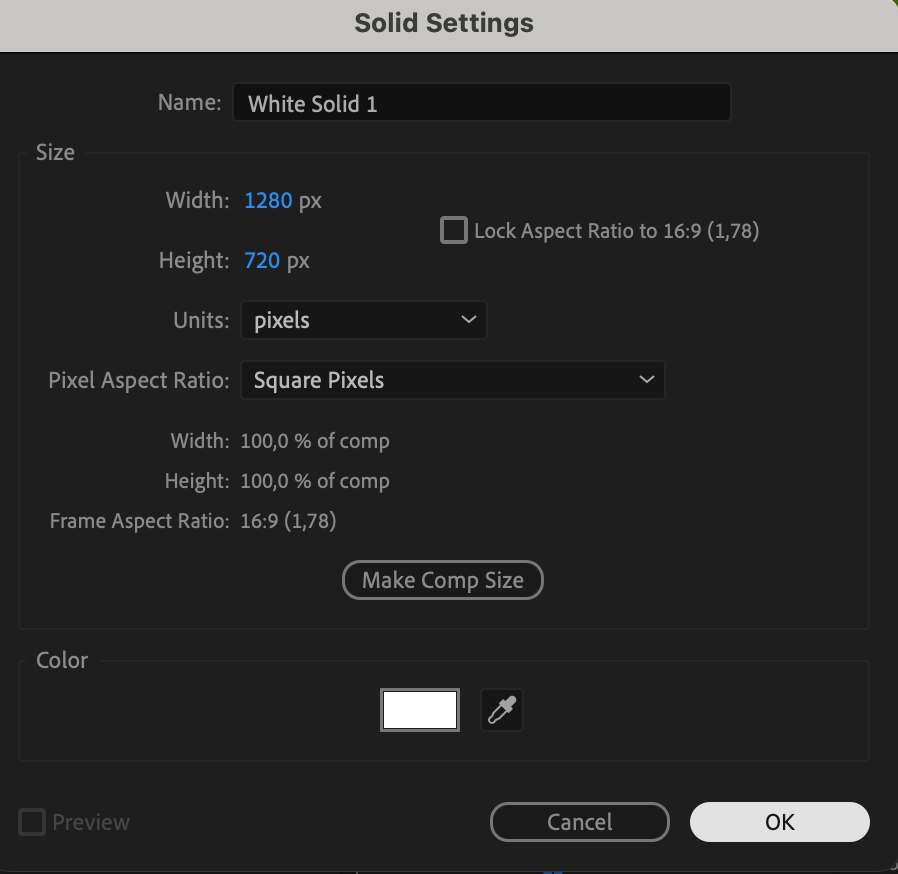
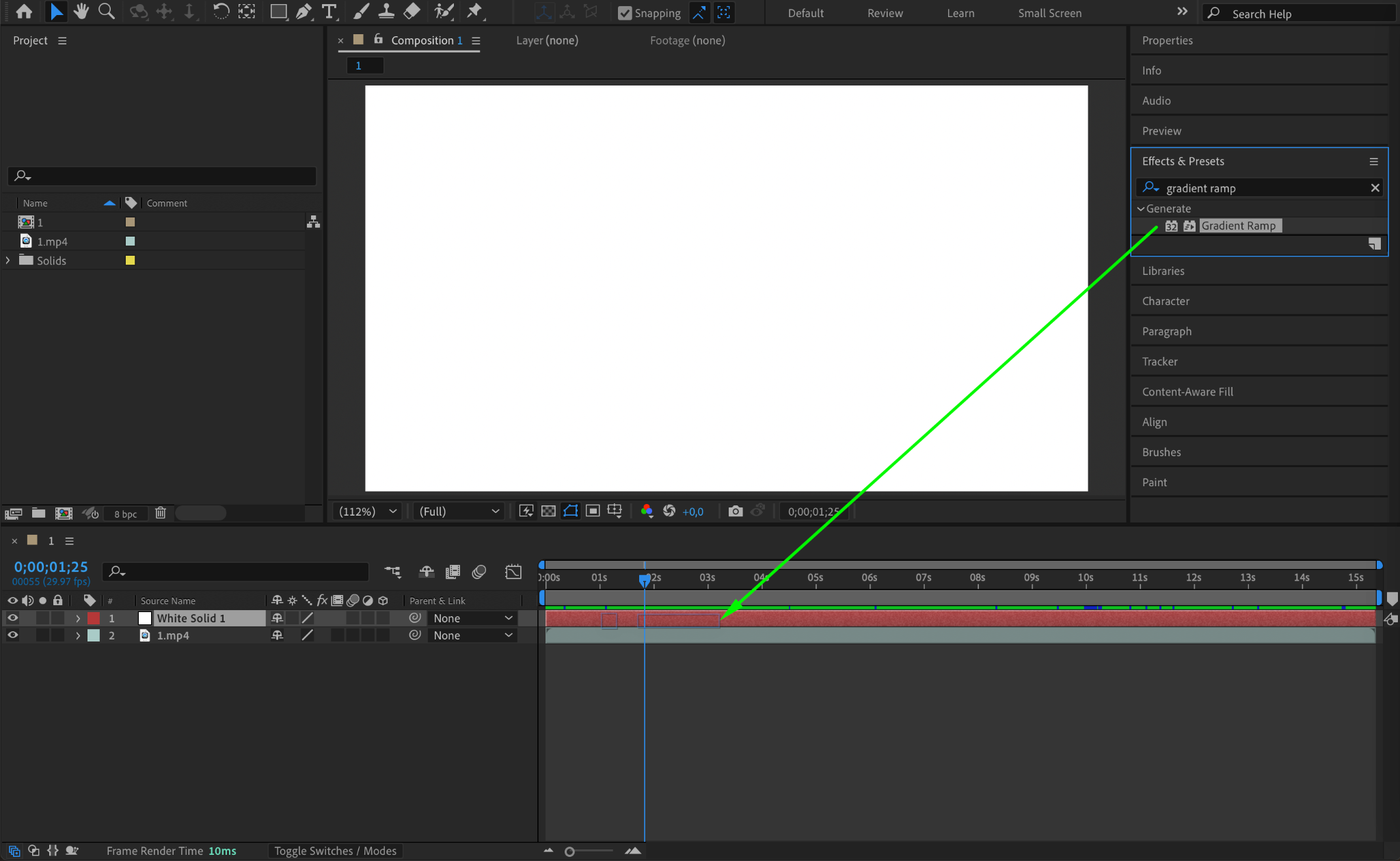
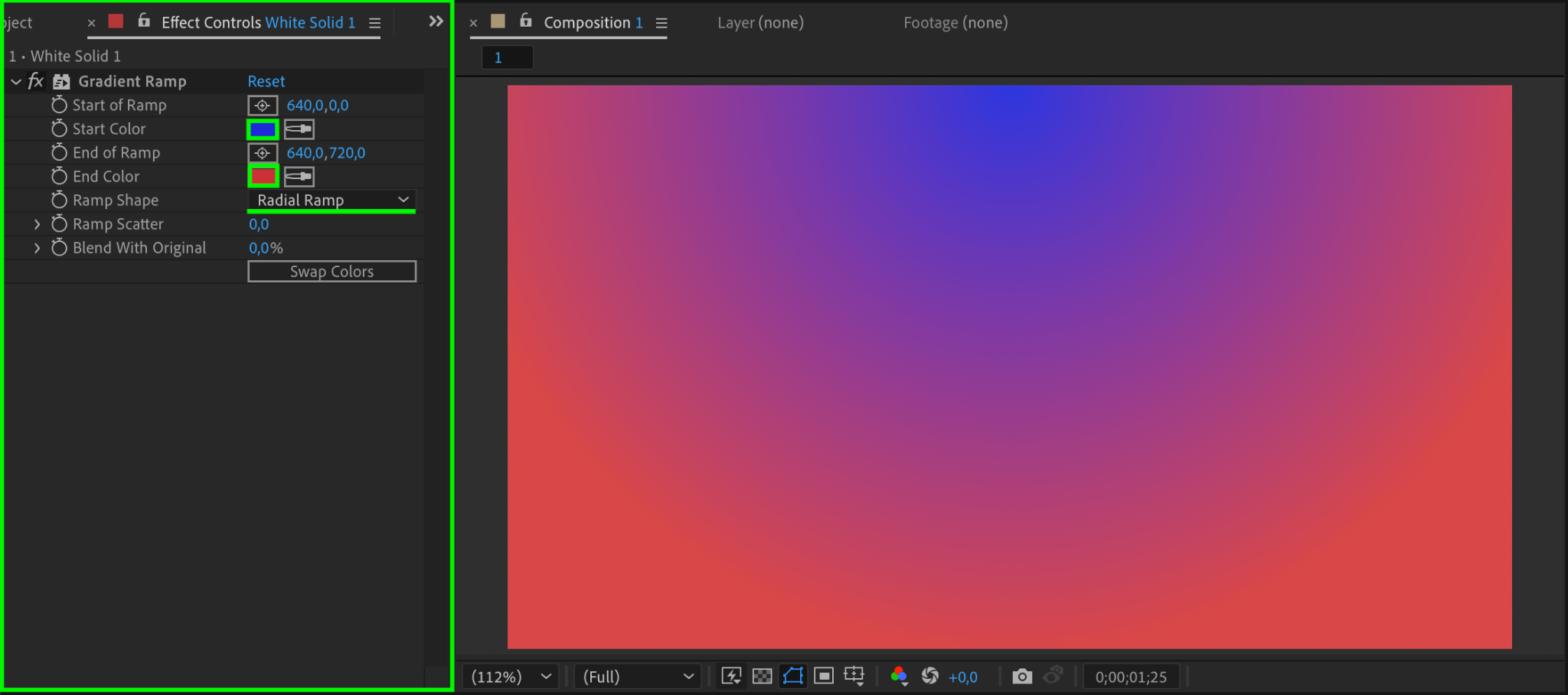
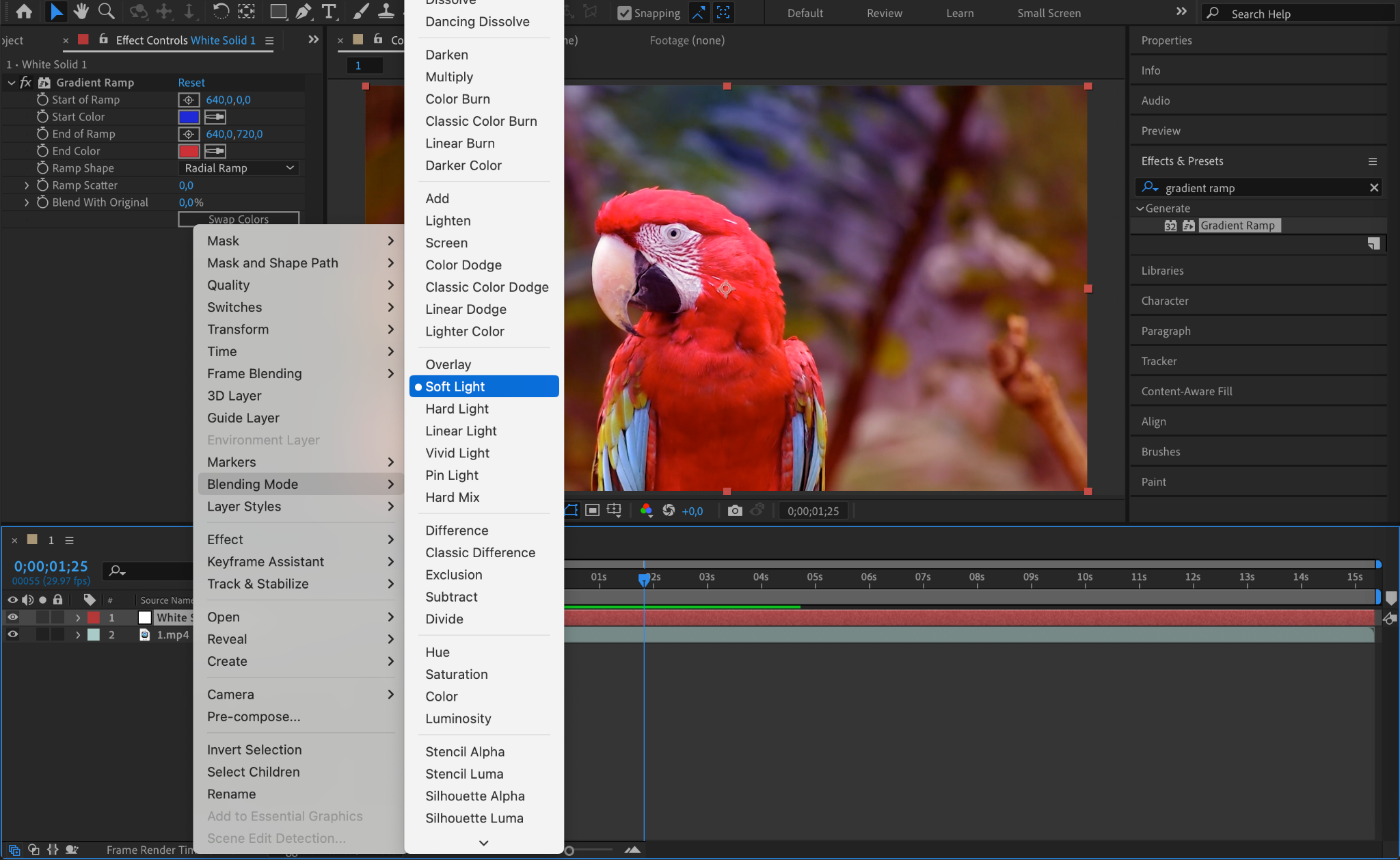
To enhance the color effects, go to Layer > New > Solid and apply the Gradient Ramp effect. Choose your Start Color and End Color, then set the Blending Mode to Soft Light. This will create a subtle color overlay.

Step 7: Animate the Gradient Colors
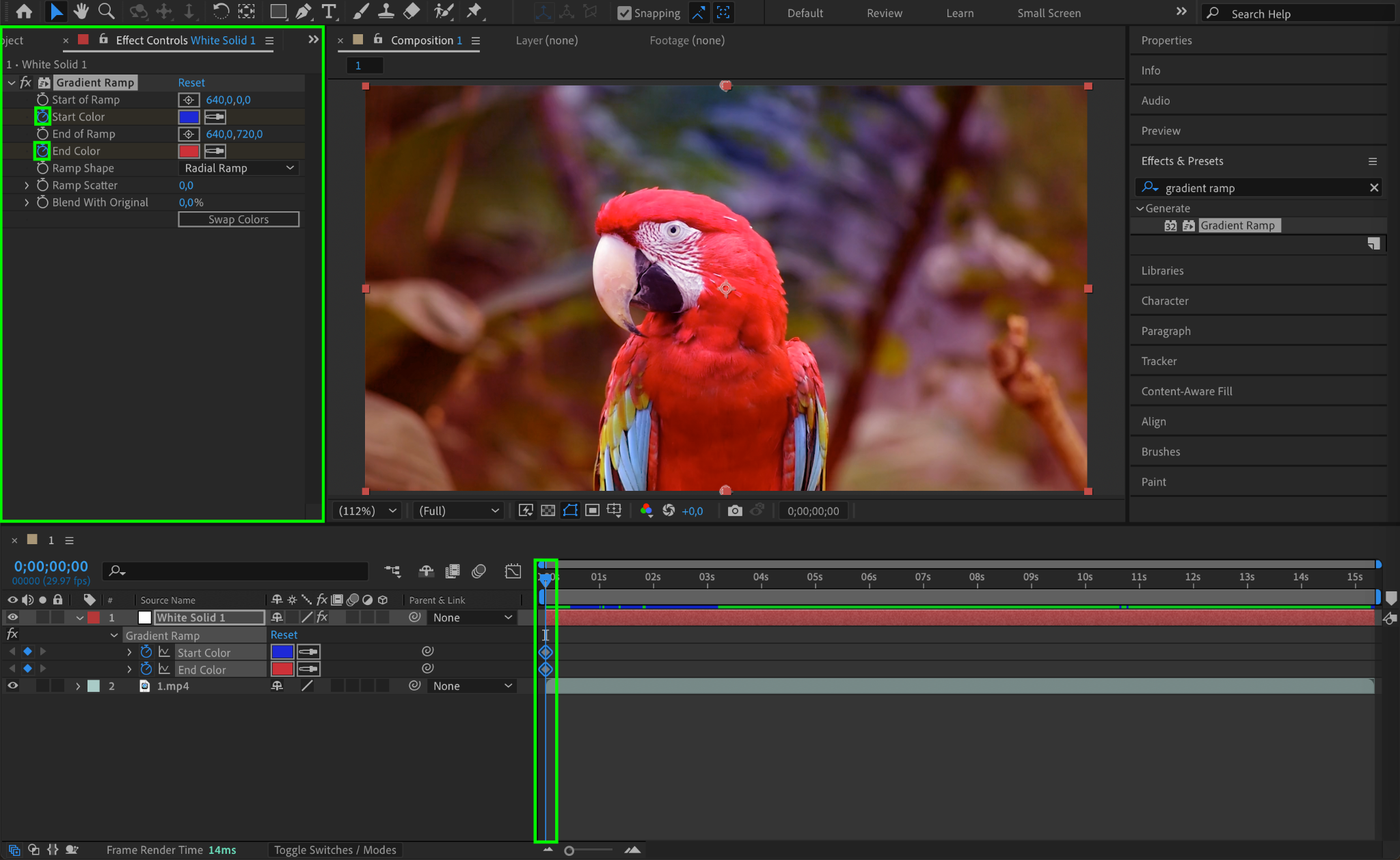
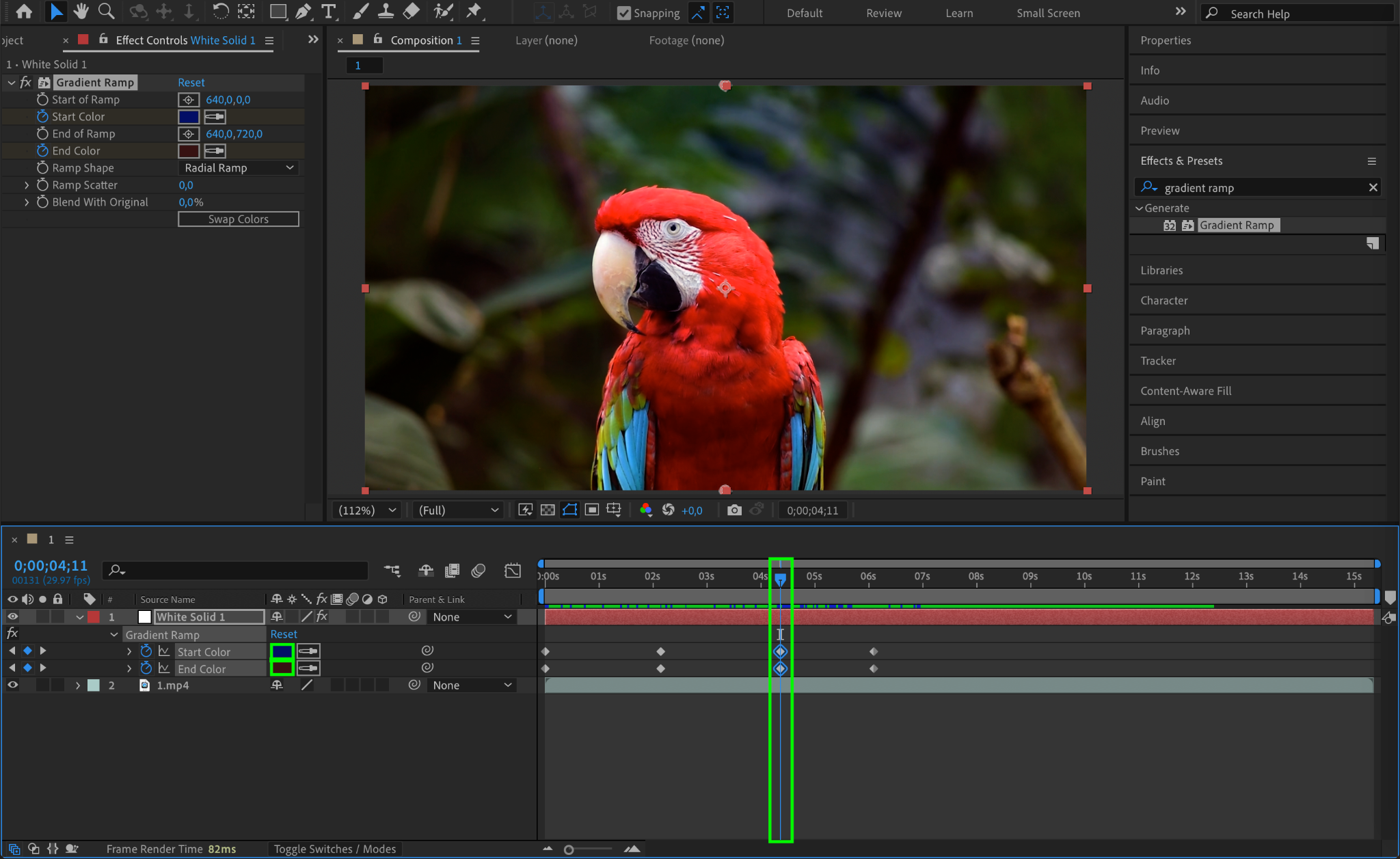
Set keyframes for the Start Color and End Color at different points in the Timeline to create a smooth transition between colors over time. This adds depth and variation to the animation.
Step 8: Preview the Animation
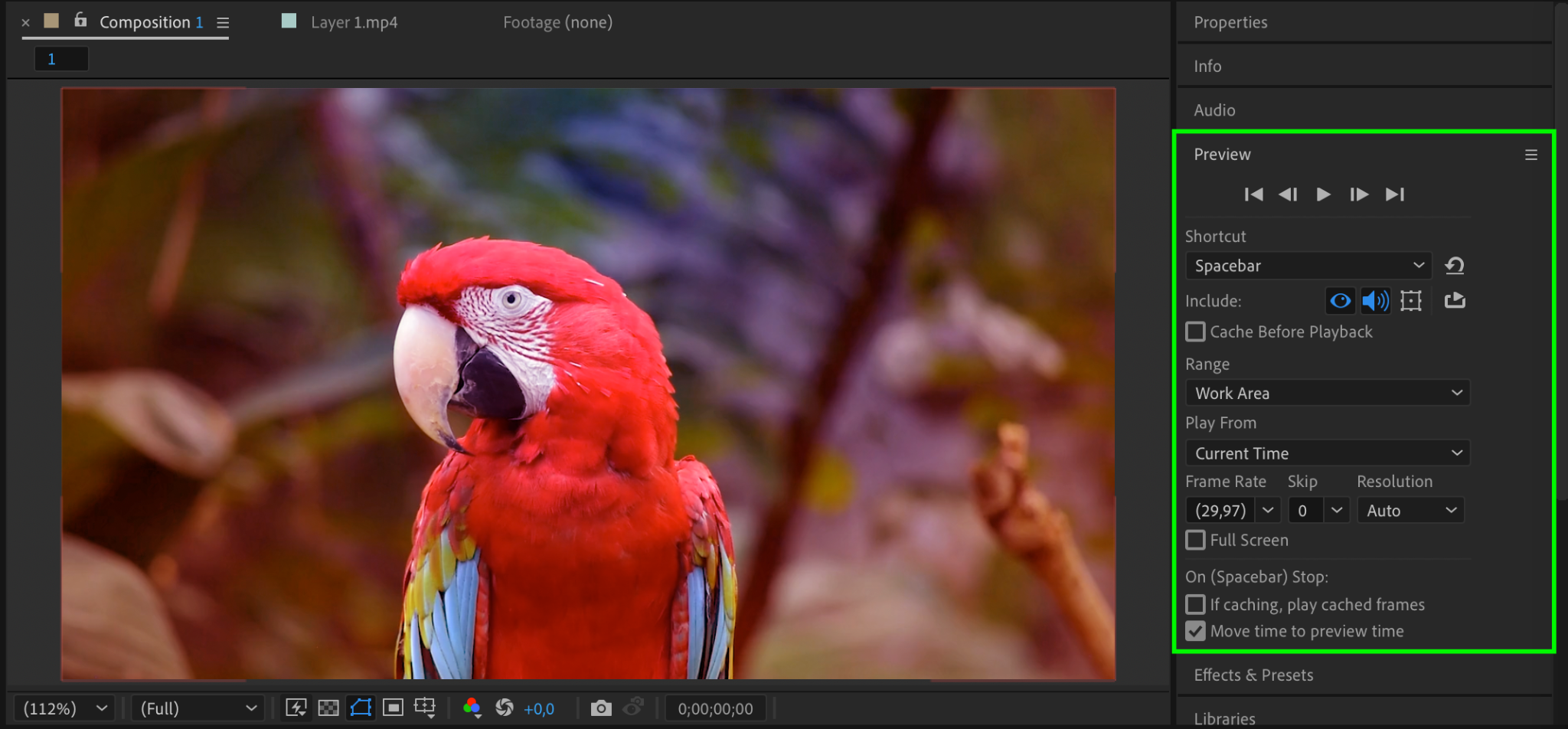
Press Spacebar to preview your animation and make any necessary adjustments to the keyframes for a smooth transition.
Step 9: Render the Final Video
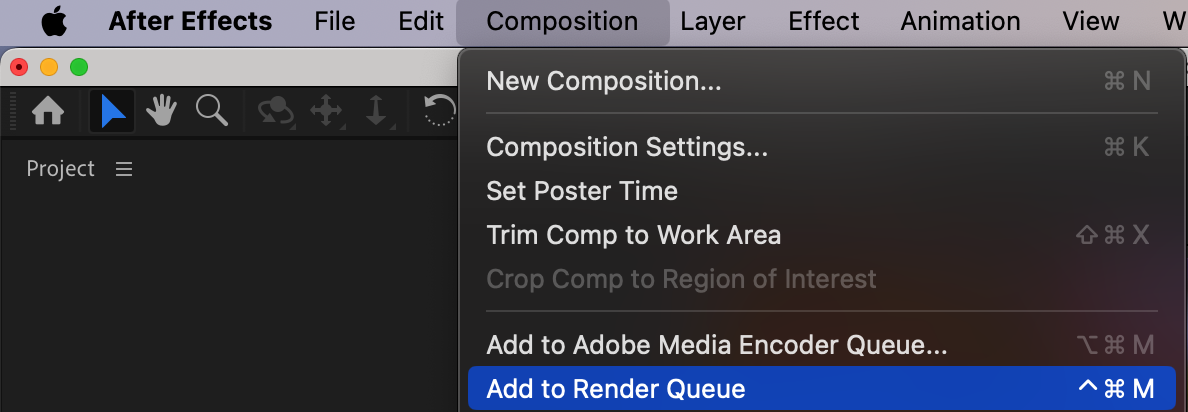
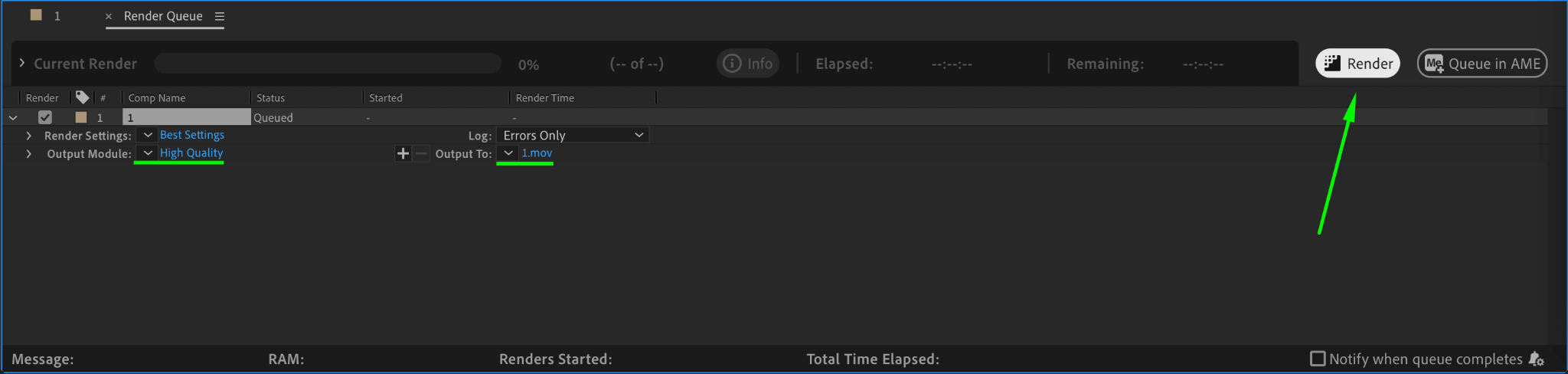
Once satisfied with the animation, go to Composition > Add to Render Queue, choose your desired format, and press Render to export the final video.
Conclusion
Animating colors in After Effects is a simple yet powerful way to enhance your videos. By combining hue shifts, color grading, and gradient overlays, you can create visually striking effects that improve the overall mood and style of your footage. Experiment with different settings to achieve the look that best suits your project.
Our Bestsellers
Our Bestsellers


