
Introduction: Embark on Your Animation Journey in After Effects
Animation in Adobe After Effects offers boundless opportunities for creative expression. Whether you’re a designer, filmmaker, or content creator, mastering animation opens doors to captivating storytelling and visual communication. This comprehensive guide will demystify the process of animation in After Effects, empowering beginners to create professional-grade animations with ease.
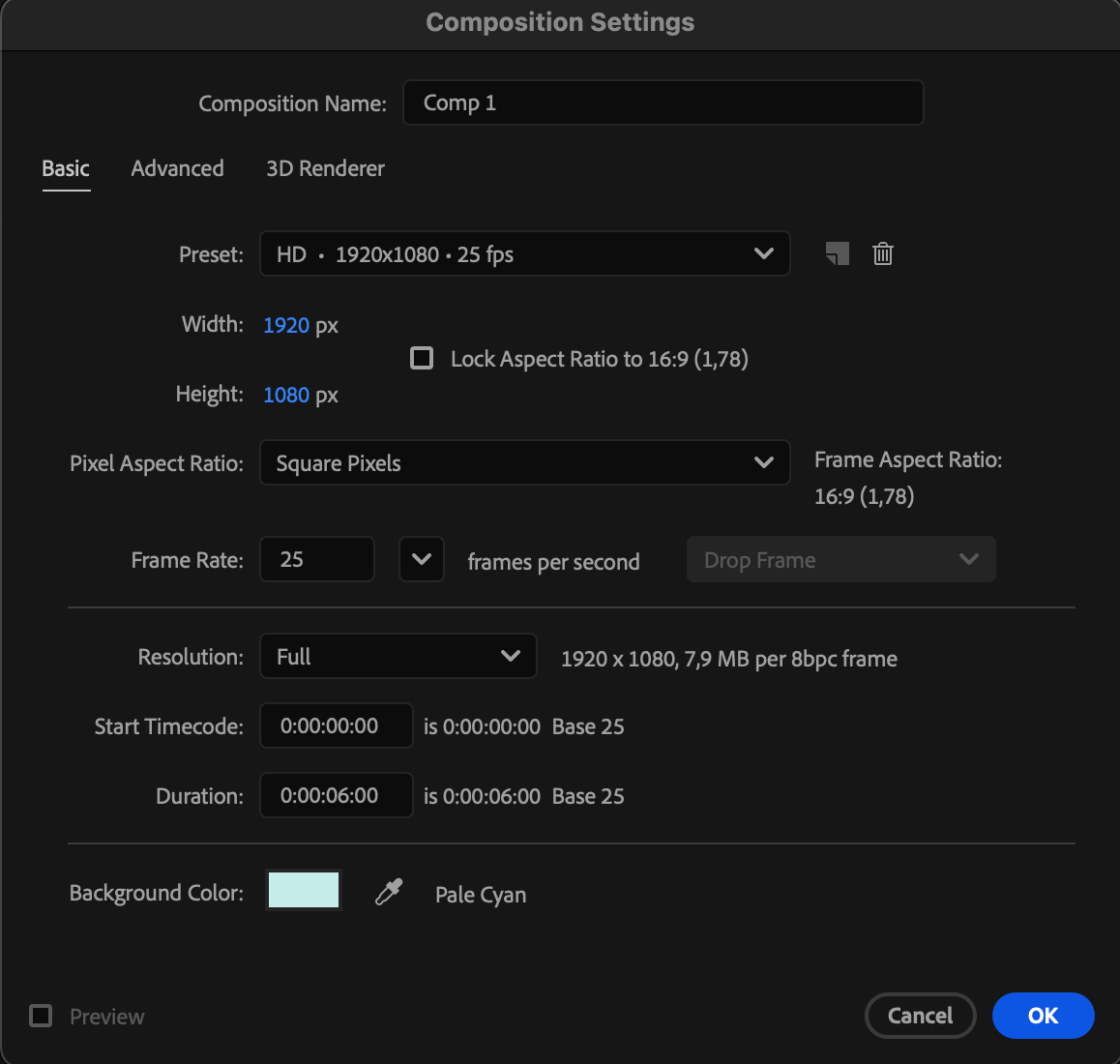
1.Creating Your First Composition
Start by creating a composition where you’ll assemble animation elements. Layers act as transparent sheets for assets, allowing for seamless integration of visuals.
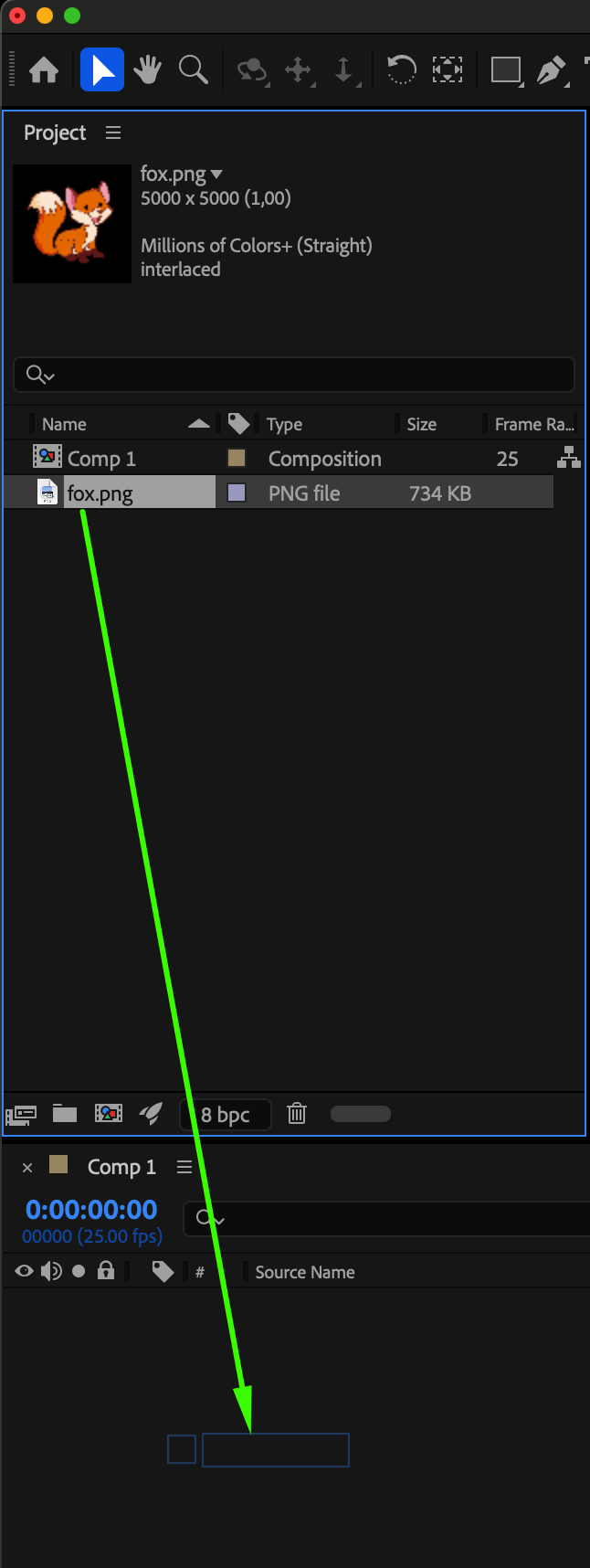
 2.Import the file and drag it onto the timeline.
Select the file you want to animate and drag it onto the After Effects timeline panel to begin working with it.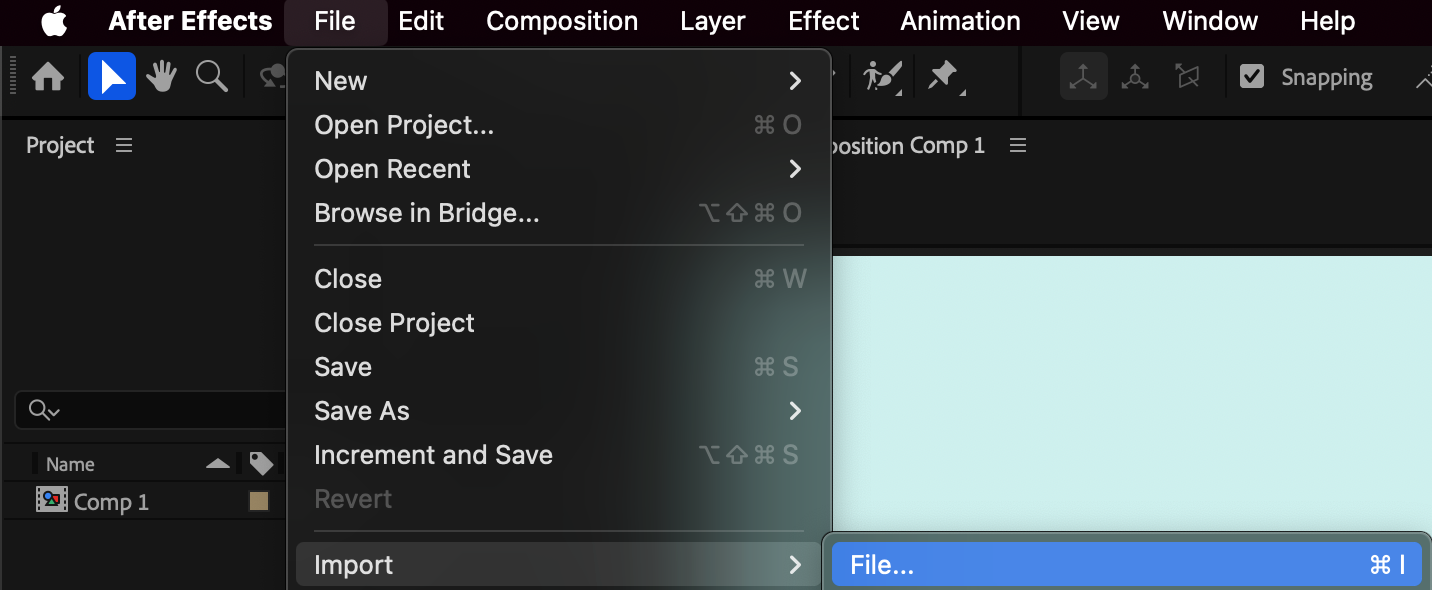
 3.Understanding the Interface
Familiarize yourself with the After Effects workspace, consisting of panels like the Project Panel, Timeline Panel, Composition Panel, and Tools Panel. Customizing your workspace enhances efficiency and navigation.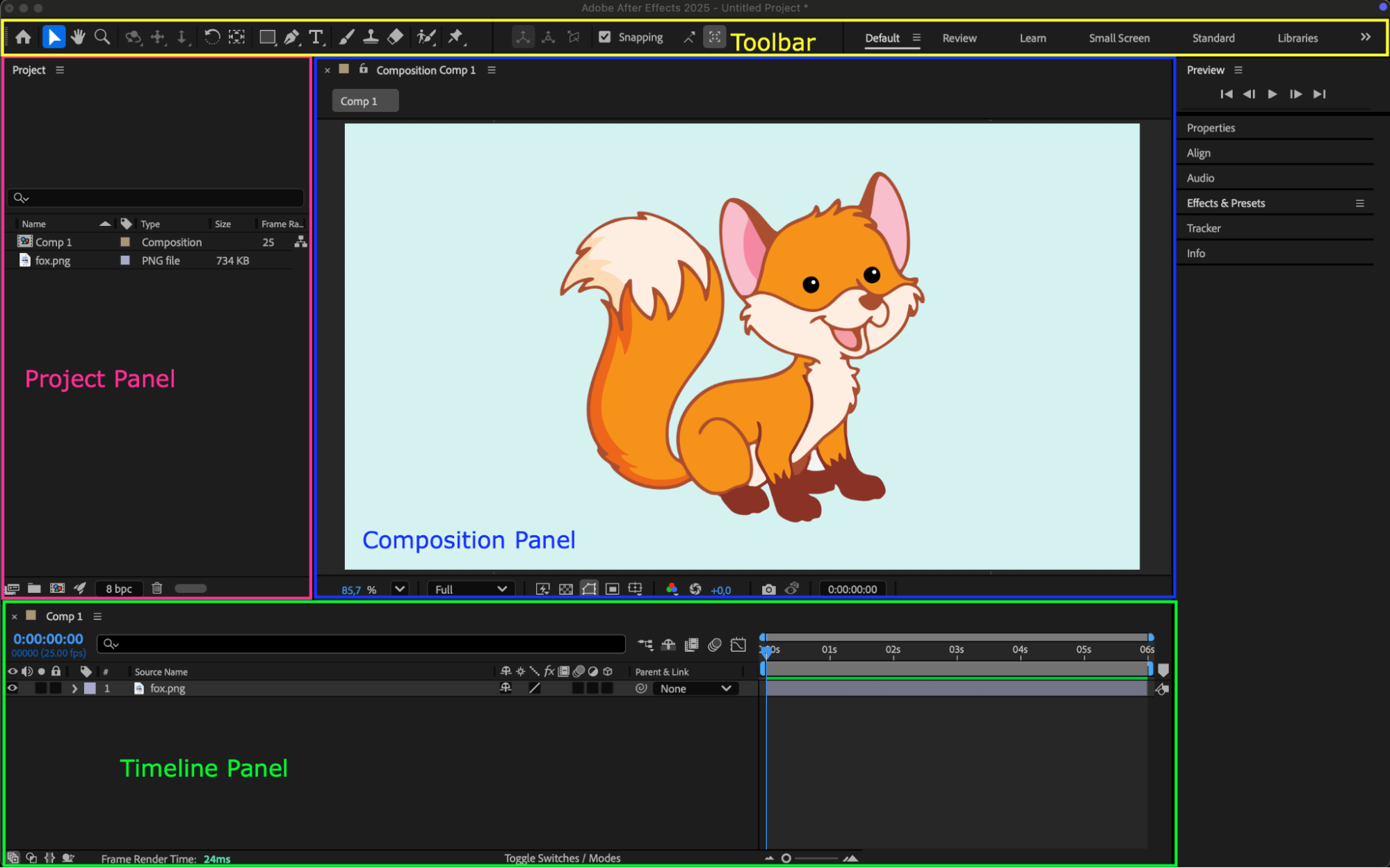
4.Mastering Keyframe Animation
Keyframes are the building blocks of animation. Learn to define specific values for properties like position or scale, enabling fluid motion in your animations. Click on the stopwatch icon next to the parameter you want to animate to create a keyframe at the current time frame.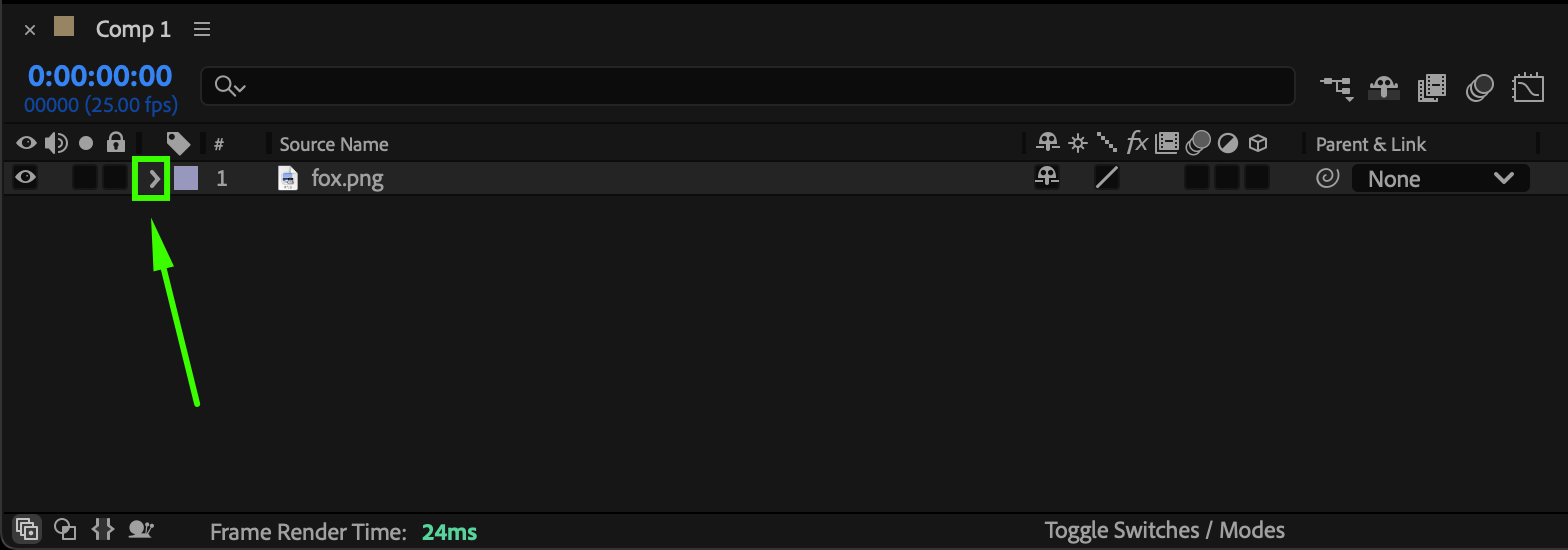
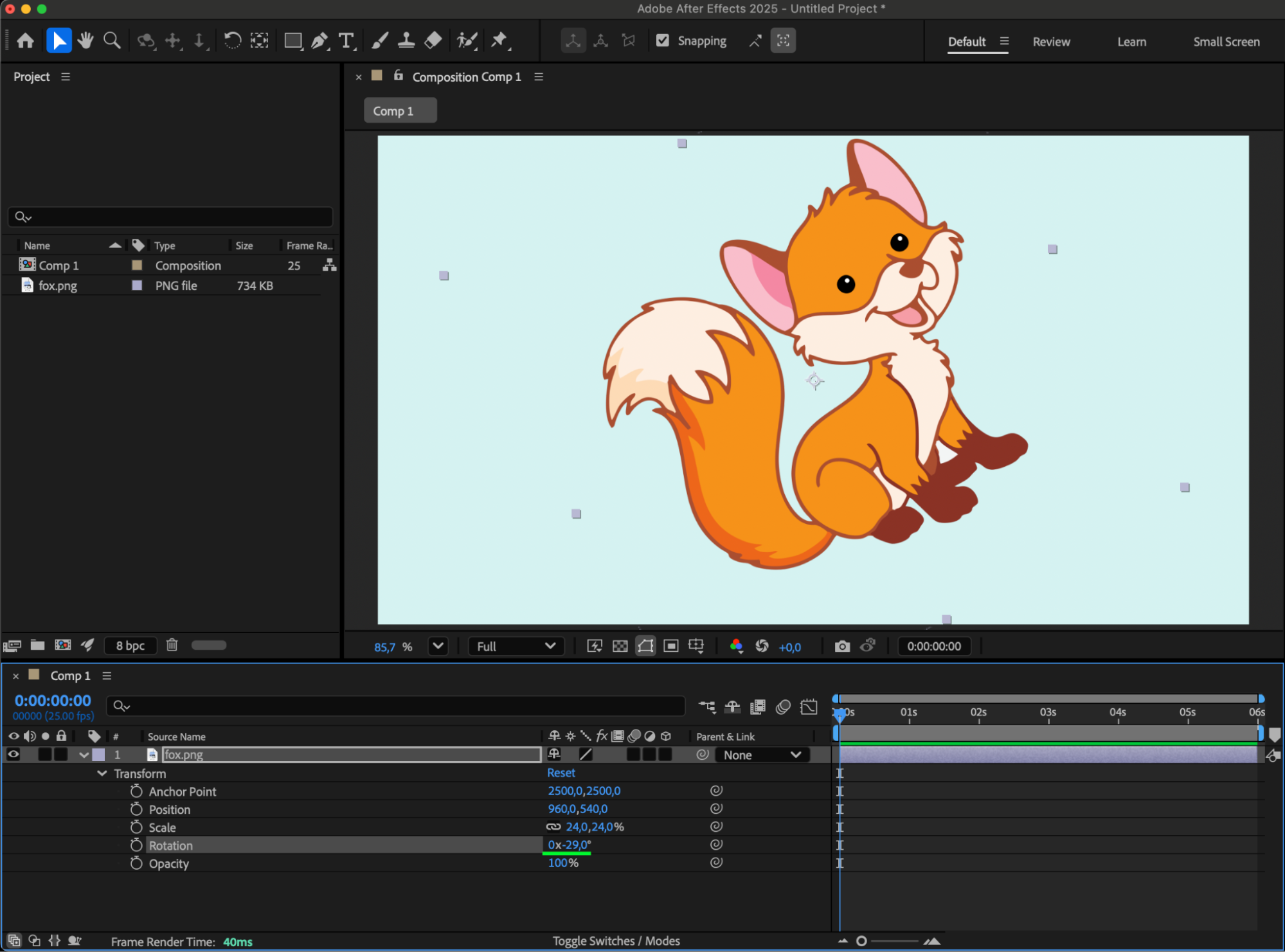
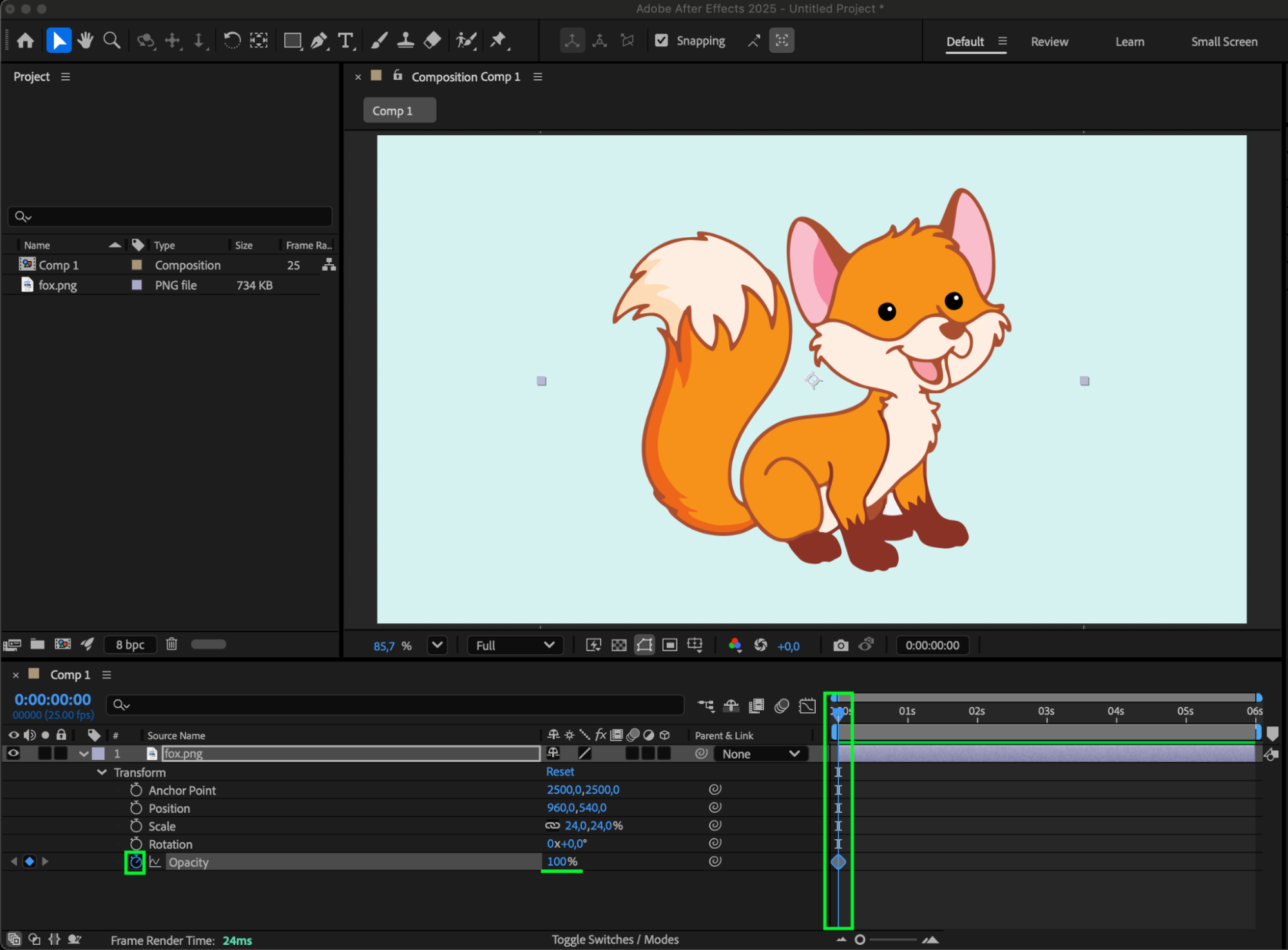
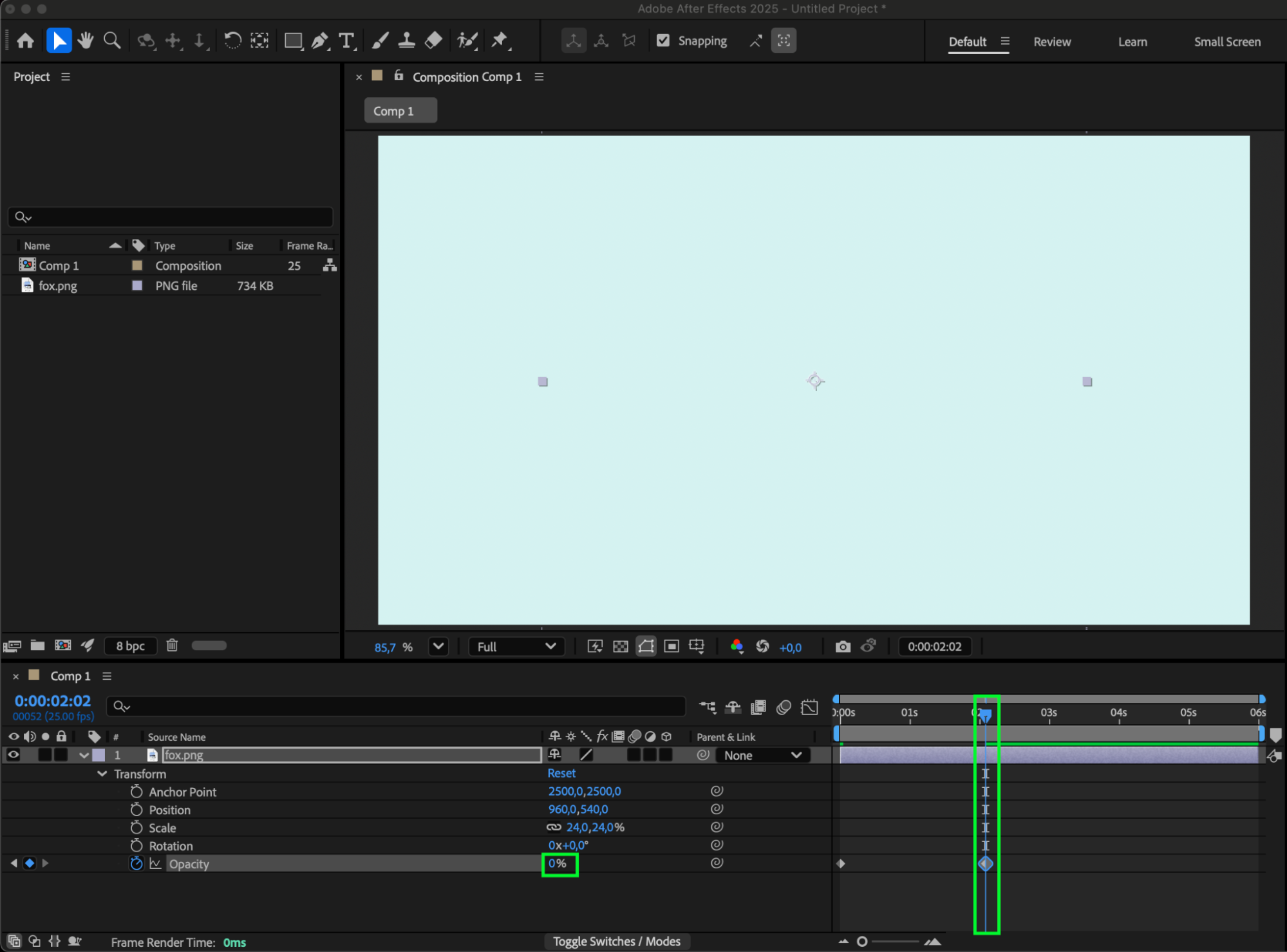
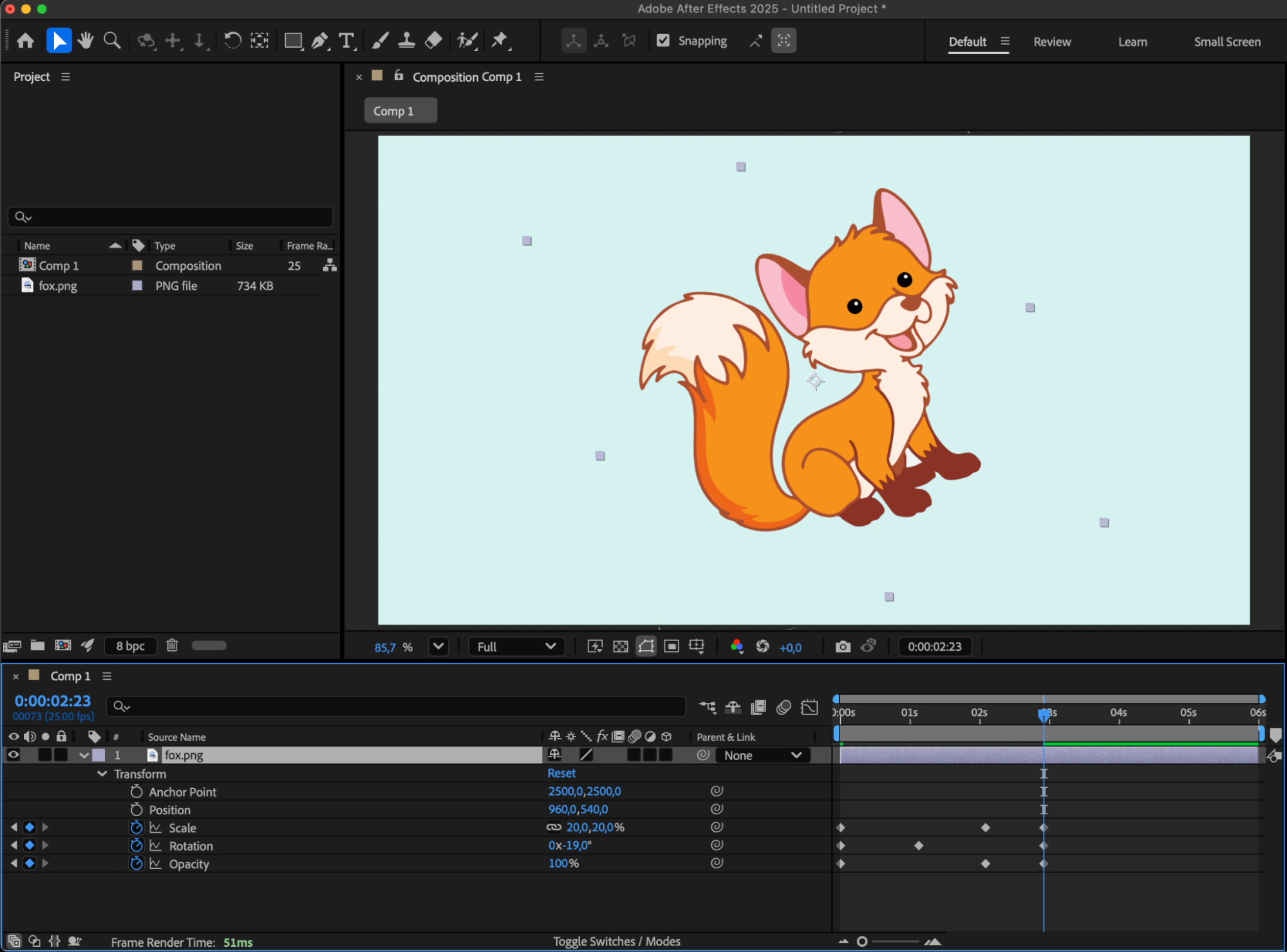 5.Apply animation smoothness.
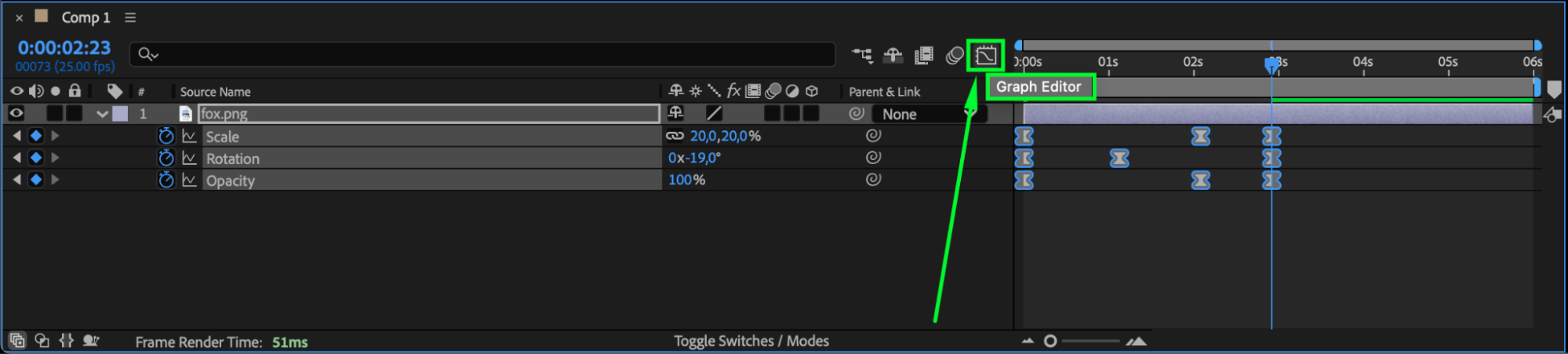
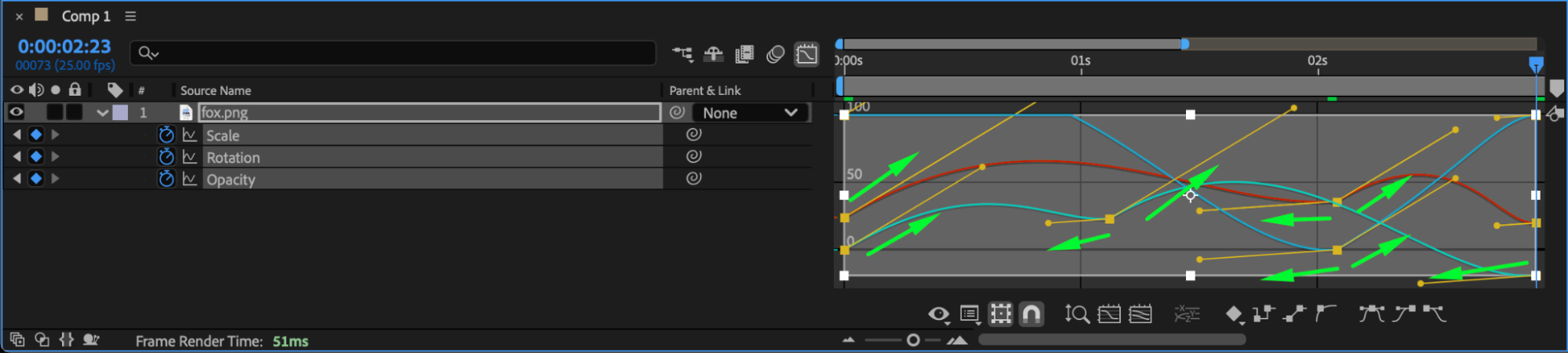
Select all keyframes, then right-click and choose “Keyframe Assistant > Easy Ease” from the submenu to create smooth transitions between keyframes. Use the Graph Editor for further animation curve adjustments.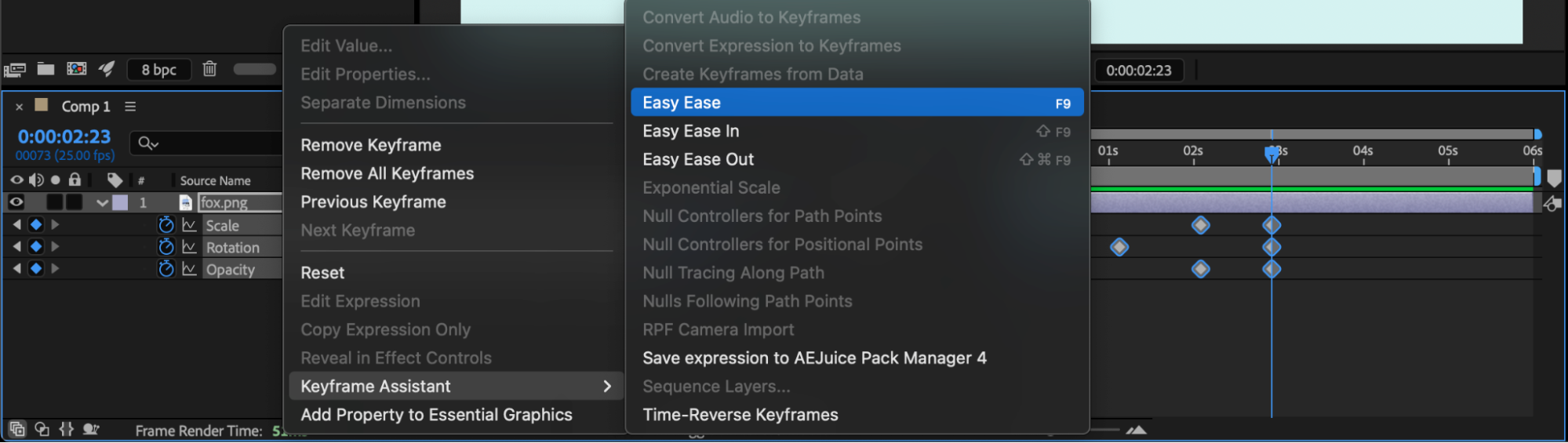
 6.Exploring Animation Techniques and Effects
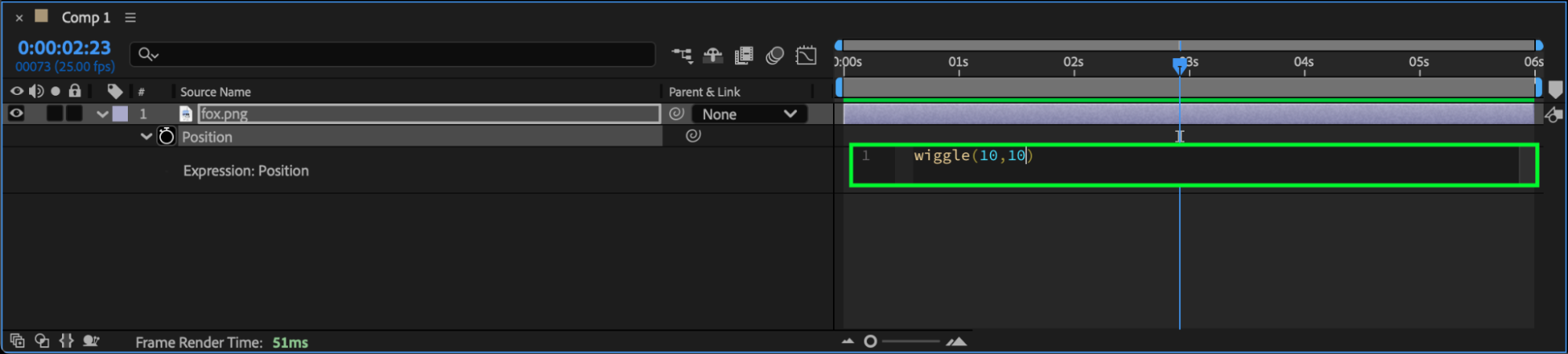
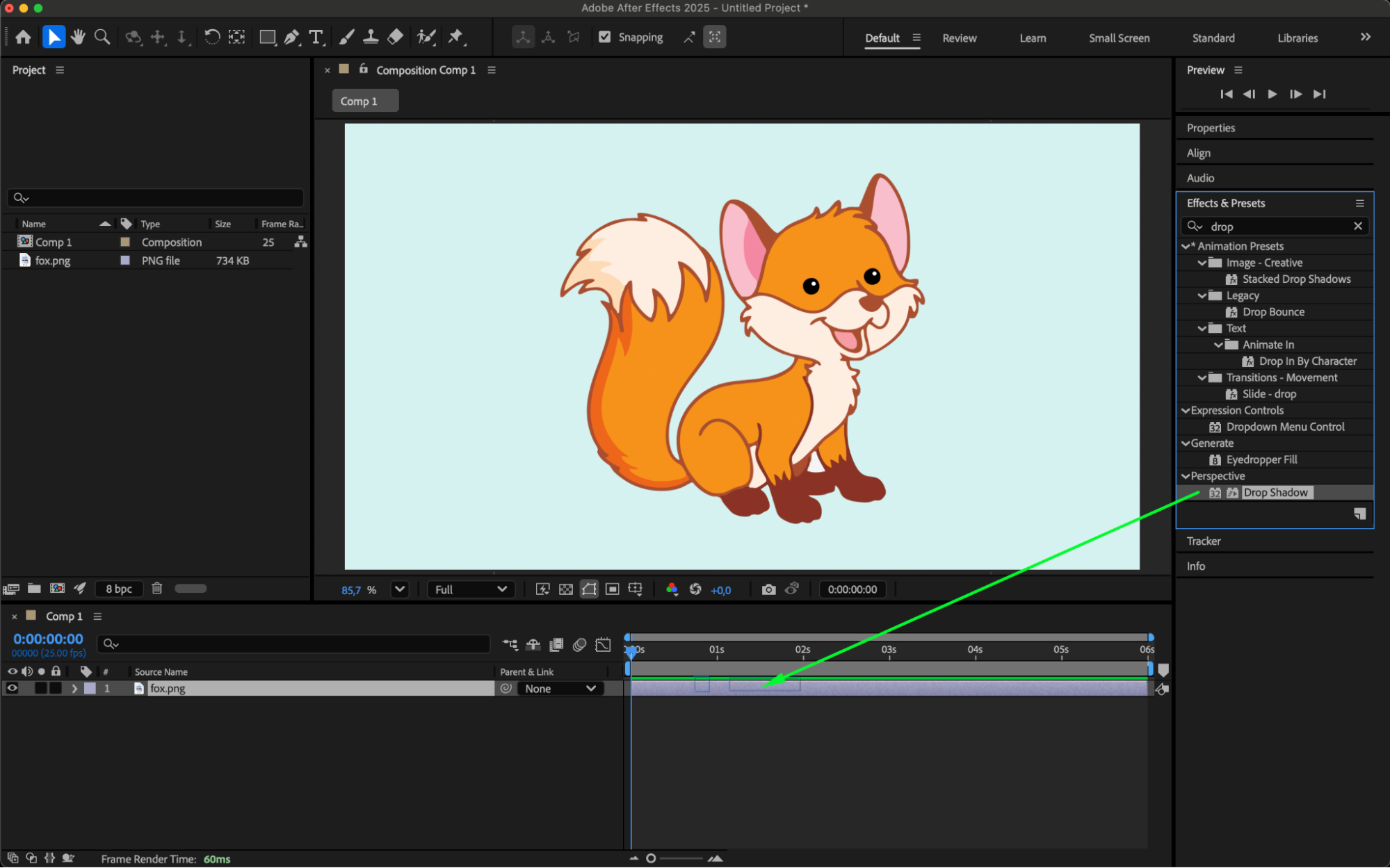
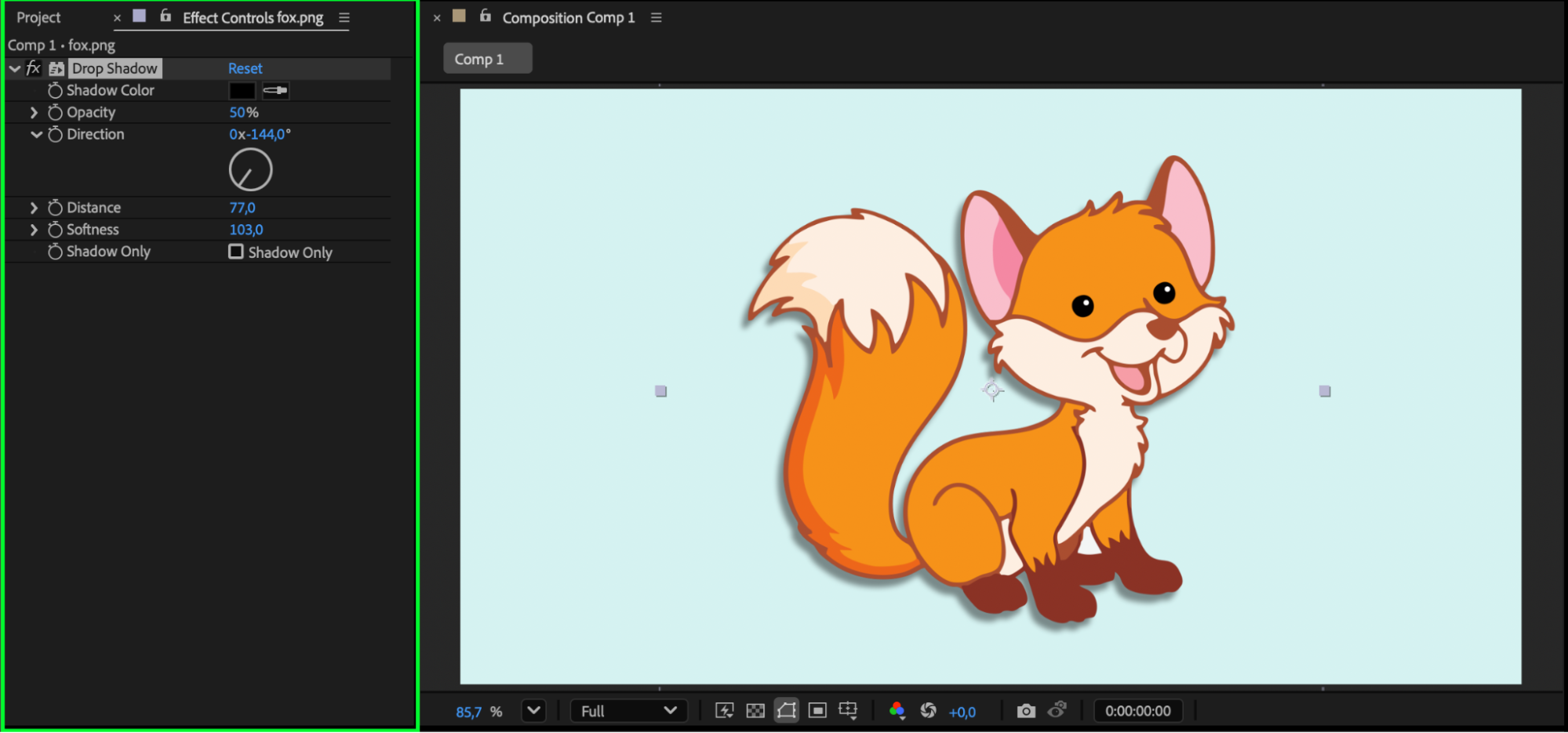
Dive into After Effects’ extensive library of effects to enhance your animations. Animation presets and expressions streamline the animation process, offering pre-built animations and dynamic automation.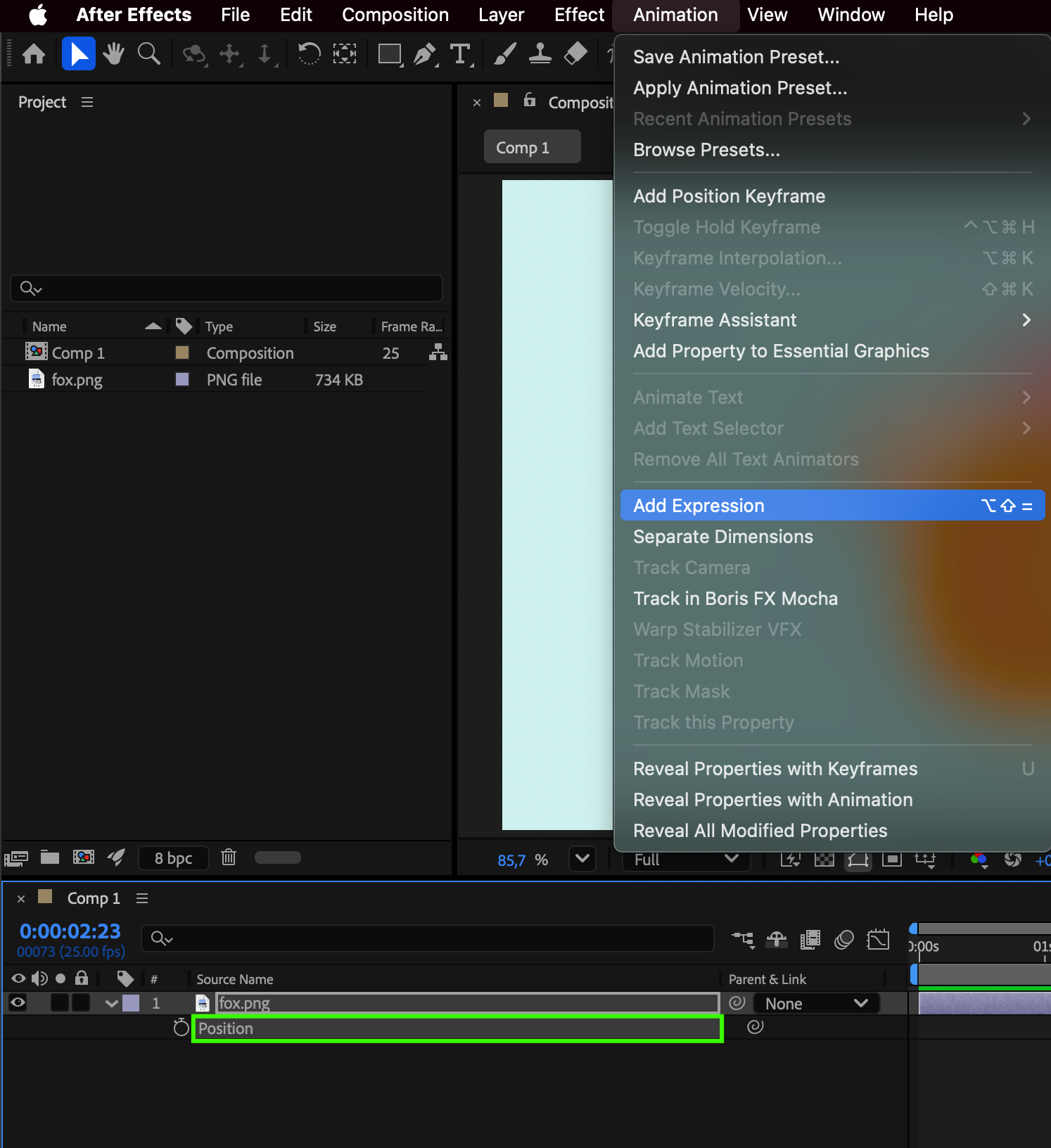
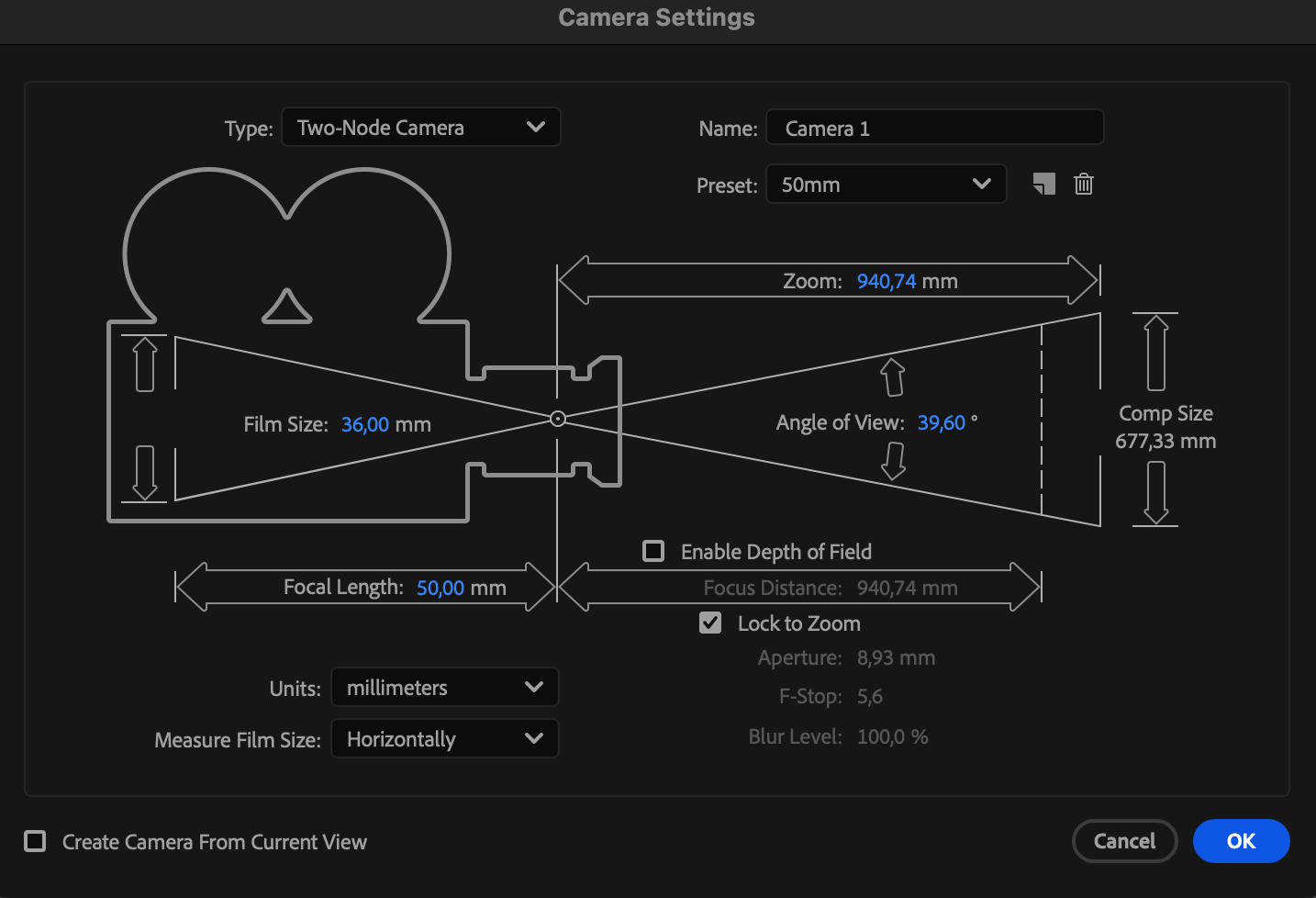
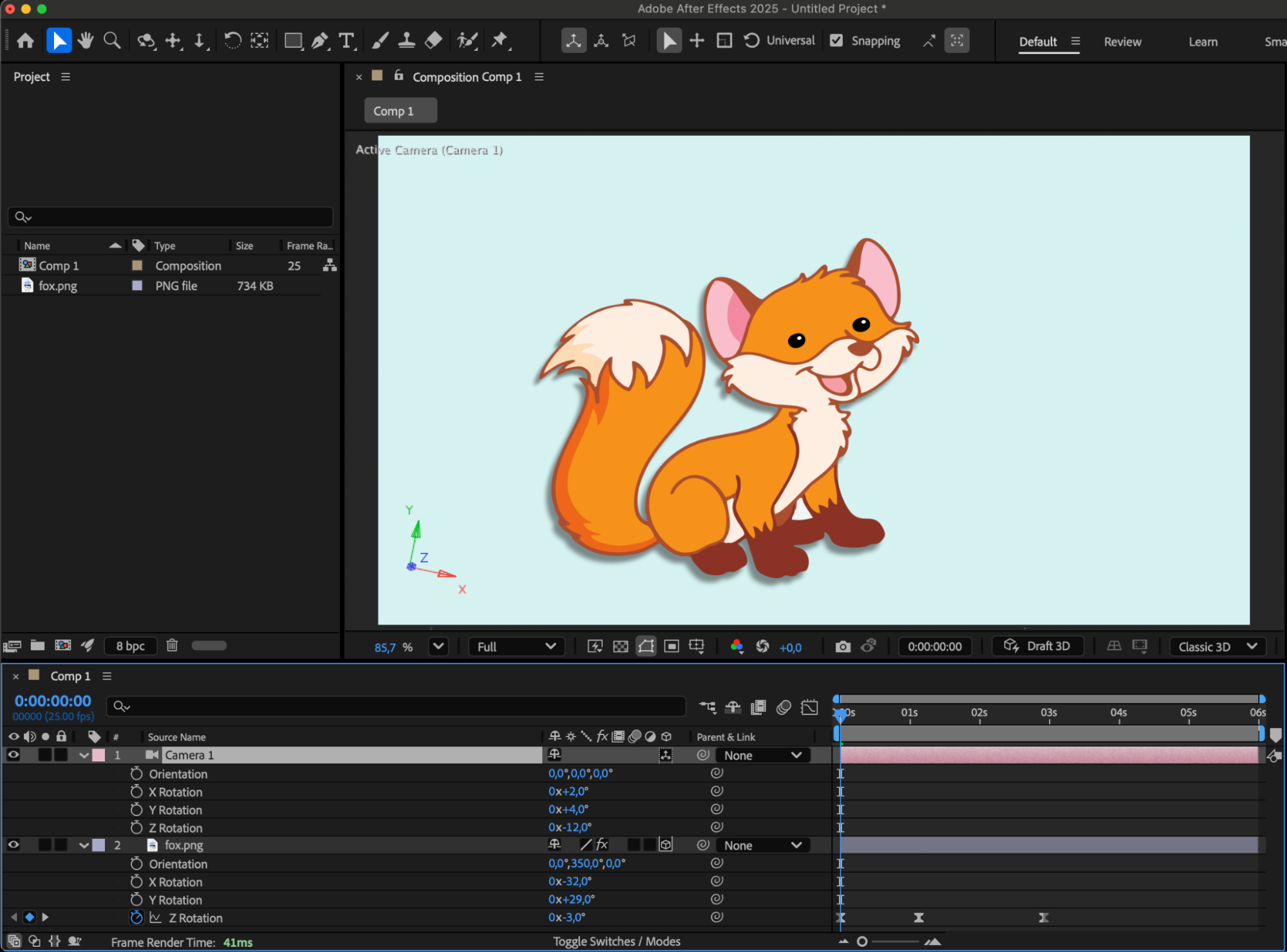
7.Delving into 3D Animation
Take your animations to new dimensions with 3D animation techniques. The Camera tool simulates virtual cameras, providing cinematic effects and depth to your compositions.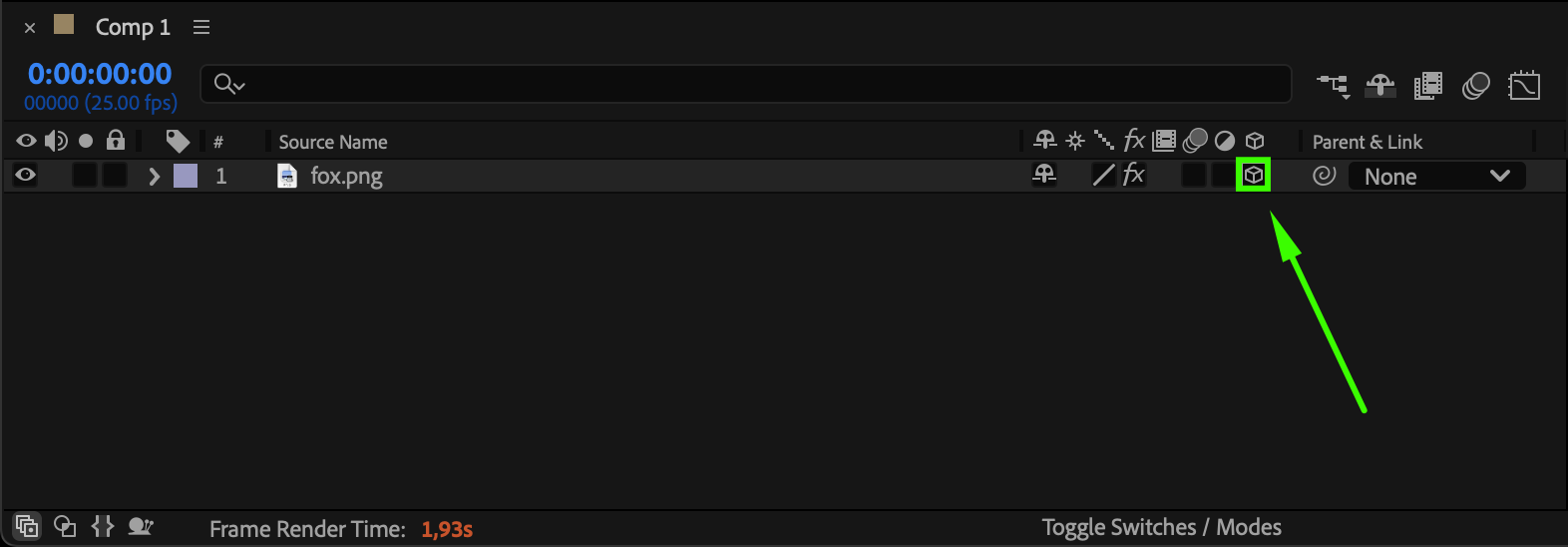

 8.Integrating Sound Design
Enhance storytelling by syncing audio with your animations. Learn to integrate sound effects and music seamlessly into your projects for a more immersive viewer experience.
9.Preview the result.
Use the preview function in After Effects to assess the animation and make necessary adjustments to achieve the desired effect.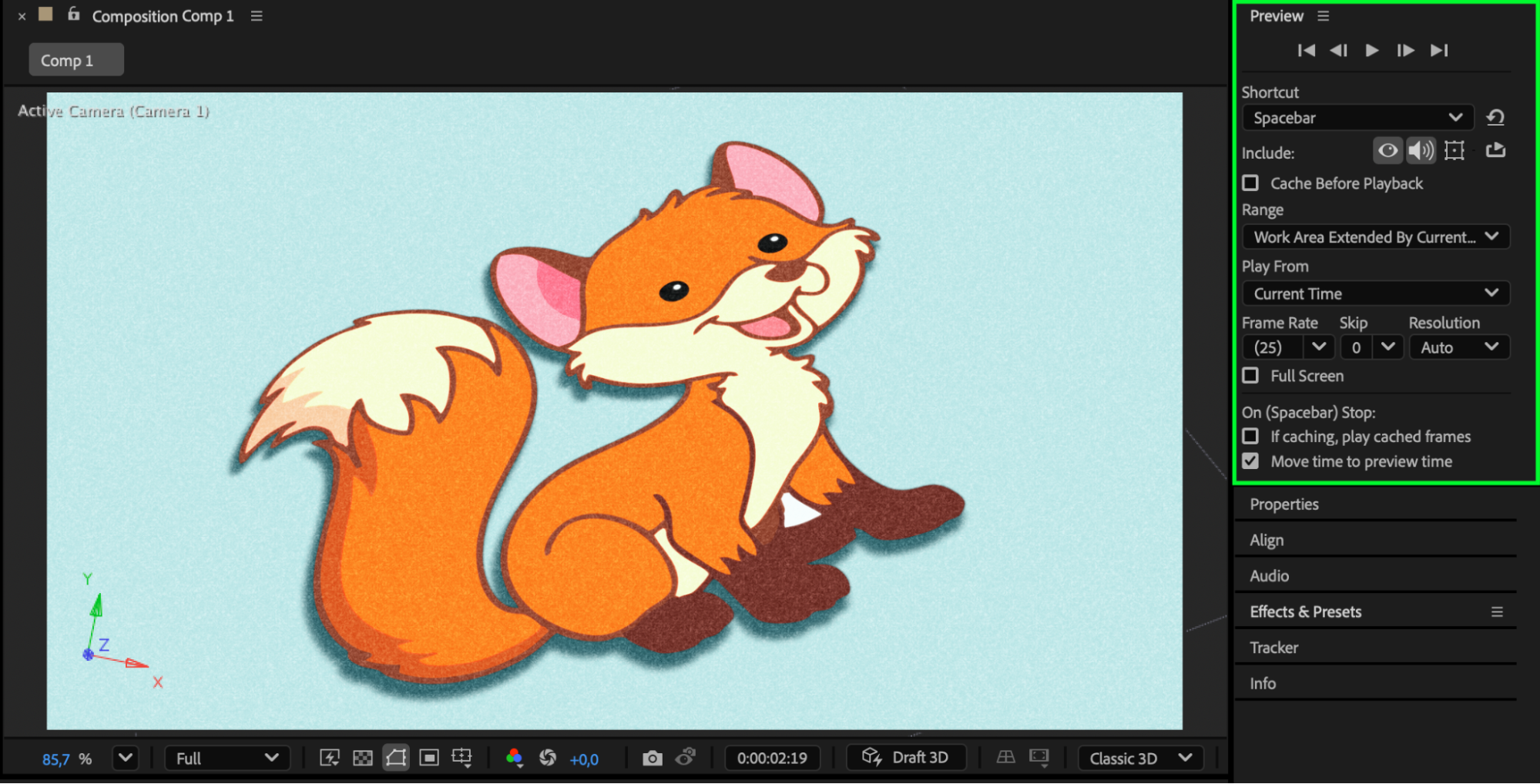
Conclusion: Unleash Your Creativity
Animation in After Effects offers a canvas for limitless creativity. By following this guide and experimenting with different techniques, you’ll unleash the full potential of animation, creating captivating visuals that resonate with your audience. Embrace the journey of learning animation in After Effects, and let your creativity soar.
Our Bestsellers
Our Bestsellers


