
Unlock the Magic: Step-by-Step Guide to Animating Wings in After Effects
Embark on a journey of creativity as we delve into the captivating world of animation with our comprehensive guide. Unleash the magic of realistic and seamless wing movements in your projects, learning step-by-step techniques that will elevate your animation skills to new heights. Whether you’re a seasoned motion graphics artist or a novice explorer of After Effects, this guide promises to unlock the secrets behind animating wings with finesse and precision.
Step-by-Step Guide:
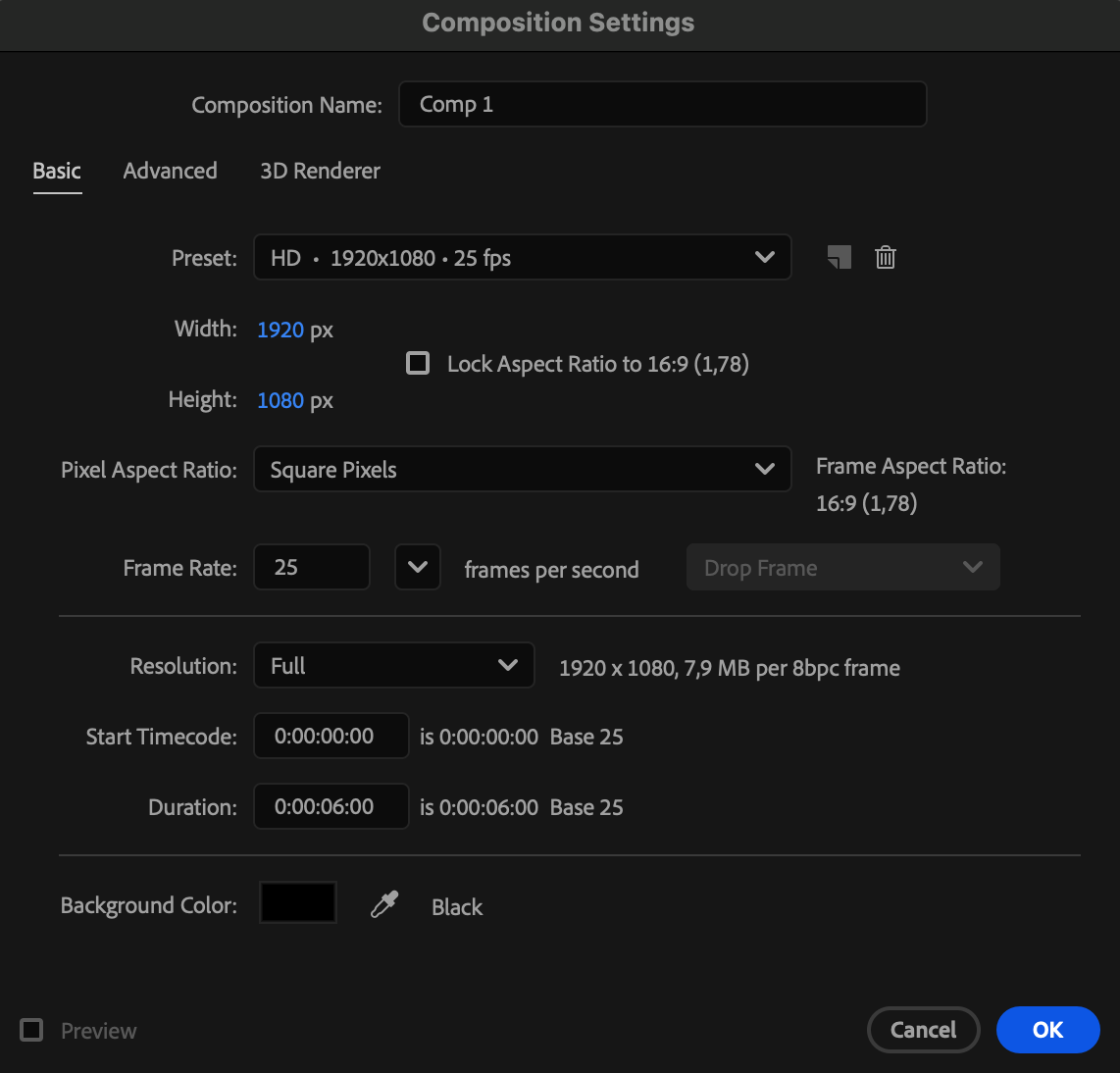
1.Create a New Composition:
Start by creating a new composition and adjusting its settings.
 2.Import Your Wing Image File:
Import the wing image file into your project.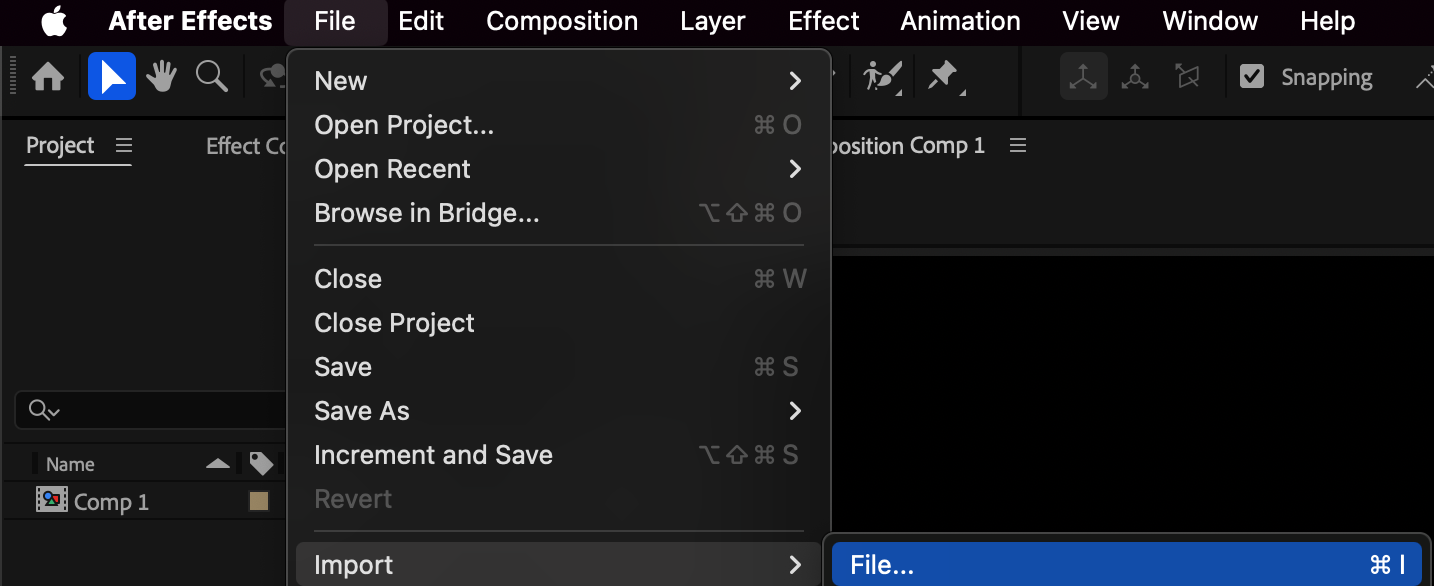
3.Drag the Imported File onto the Composition Panel:
Drag the imported file onto the composition panel.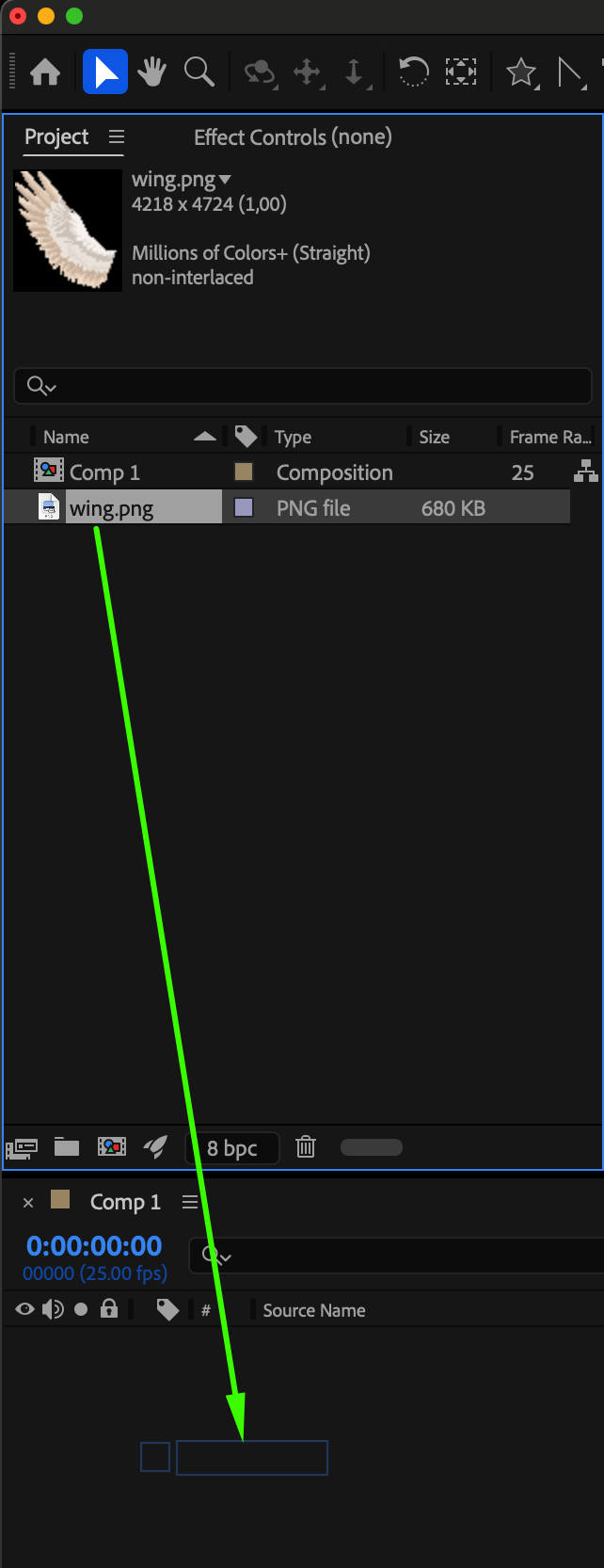 4.Duplicate the Wing Layer:
Create a copy of your wing layer. Rename the original as “Wing 1” and the duplicate as “Wing 2.”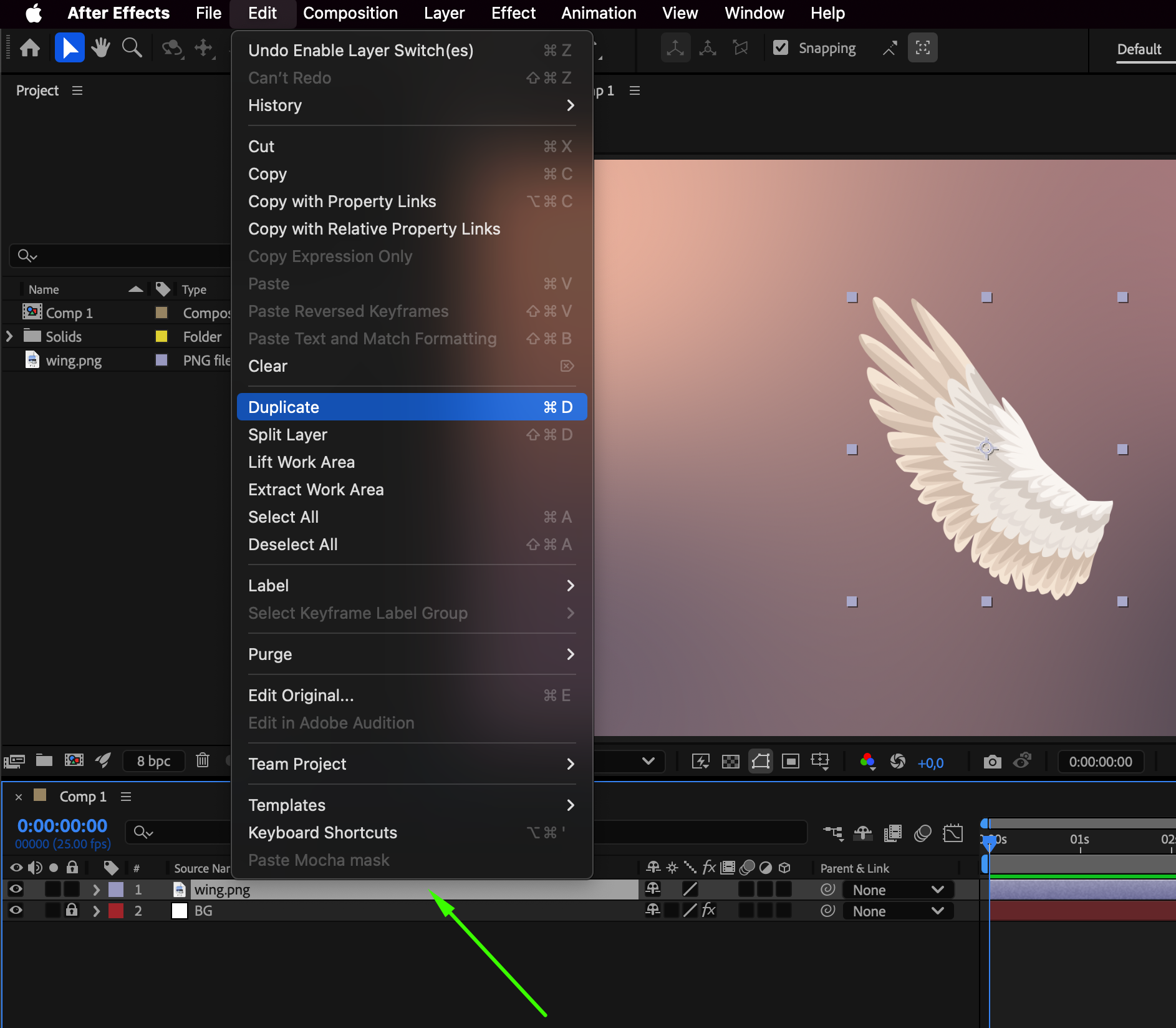 5.Mirror the Image using Scale:
Mirror the image by adjusting the Scale property of the duplicate layer. Use the hotkey ‘s’, uncheck ‘constrain proportions,’ and add a minus sign before the first numeric value.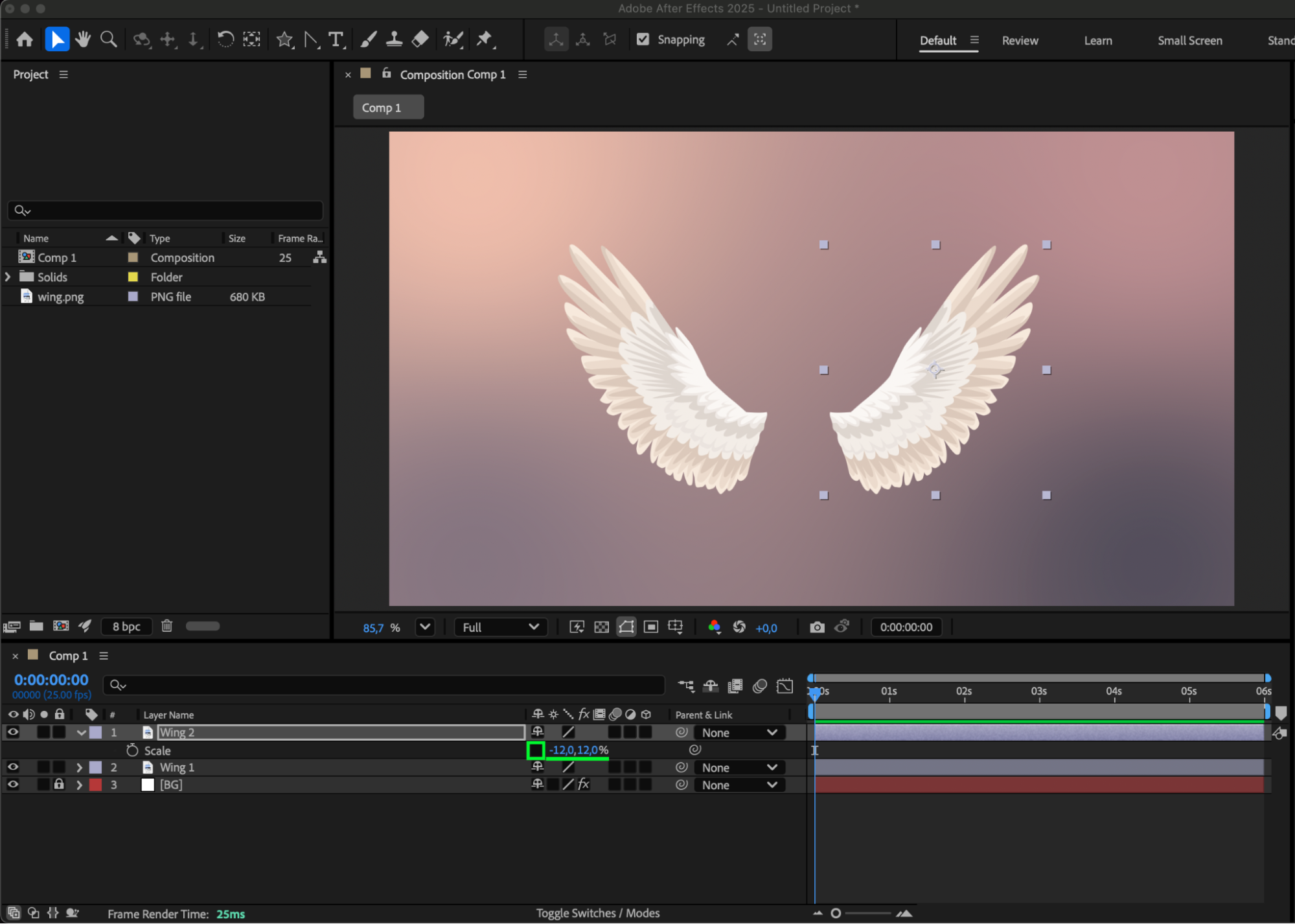
6.Align Wings to the Composition Center:
Enable “Title/Action Safe” and align the wings at the center of the composition.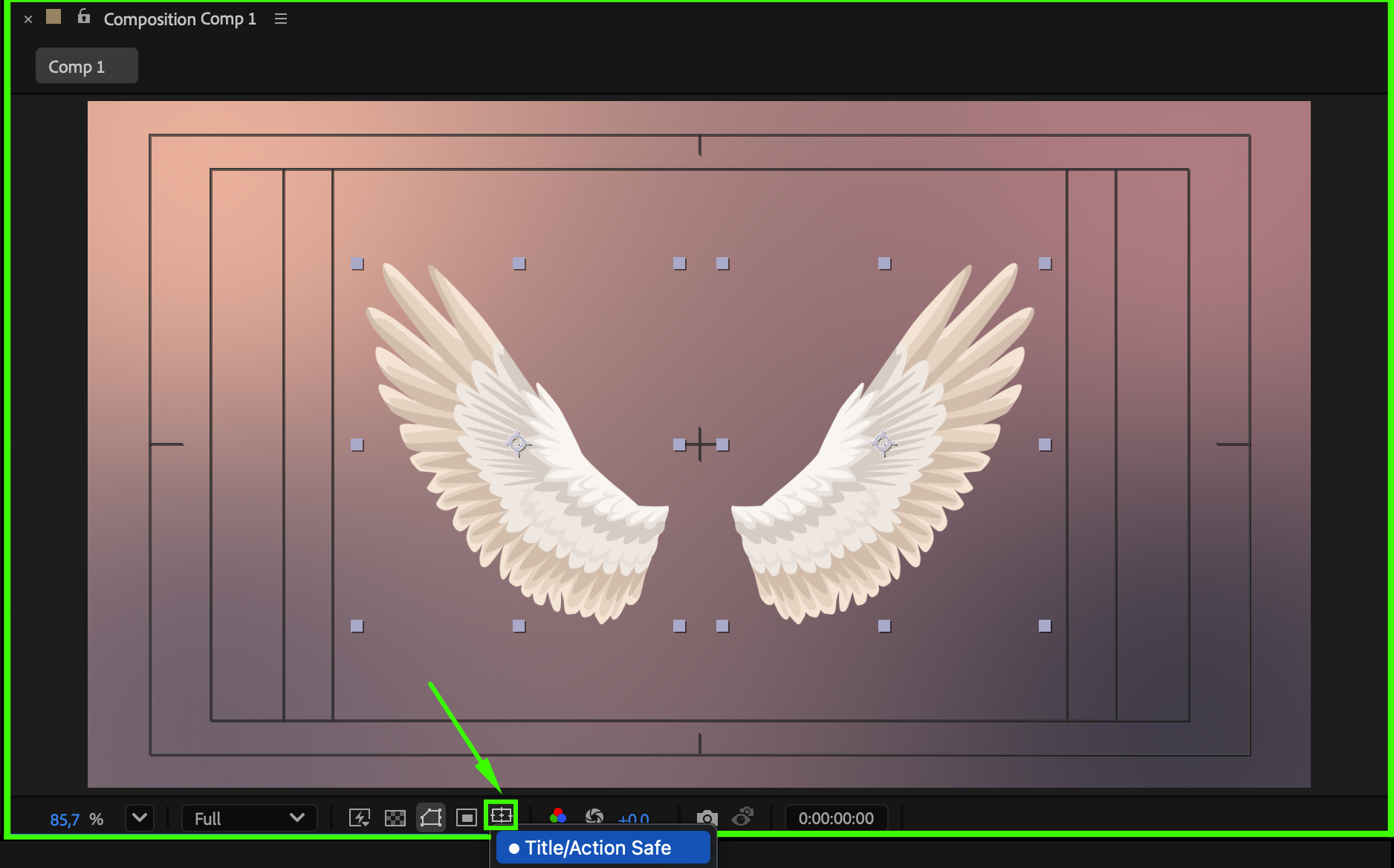 7.Adjust Anchor Points with the Pan Behind Tool:
Use the Pan Behind (Anchor Point) Tool to move the anchor points of each layer to the base of the wings.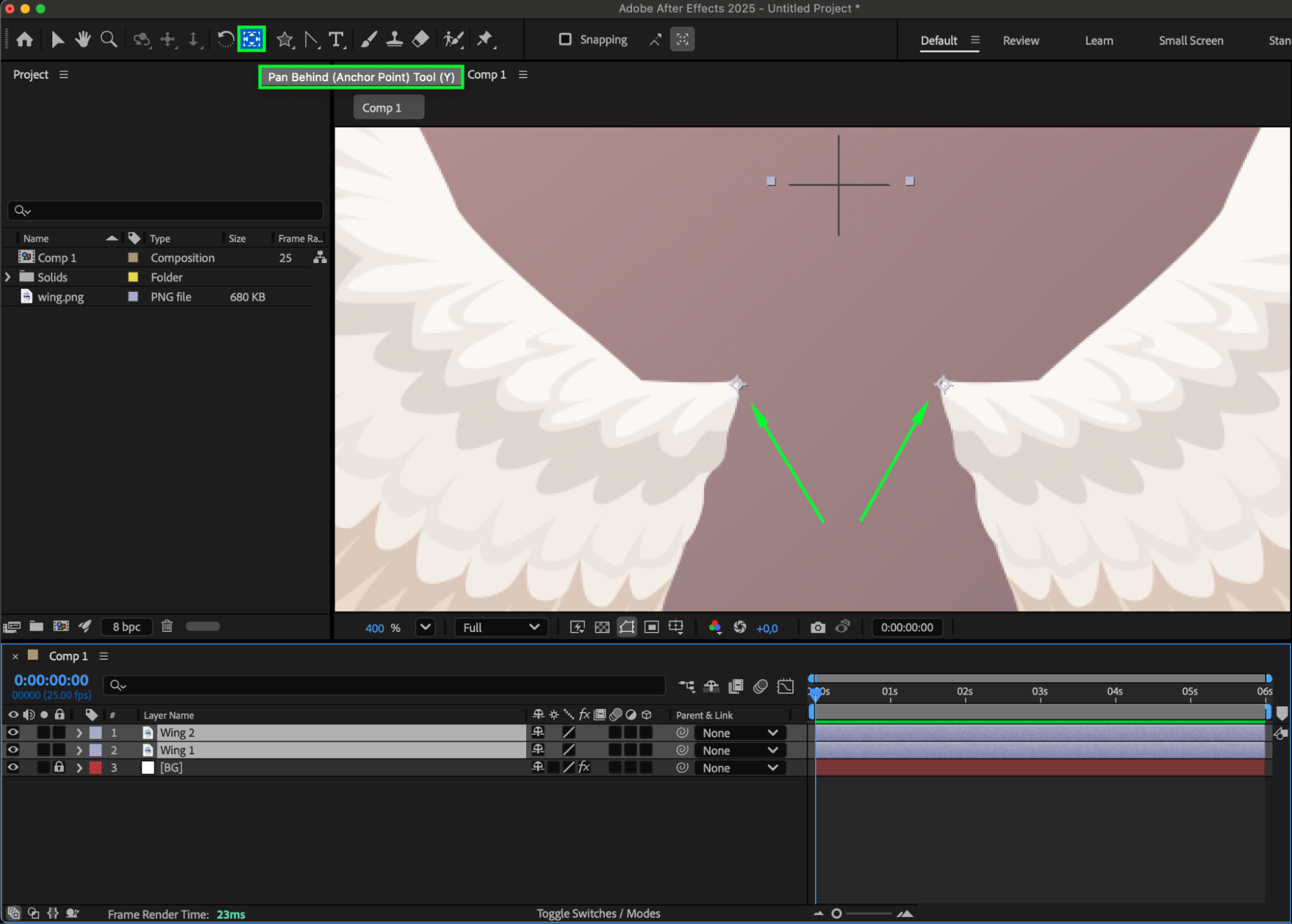 8.Disable “Title/Action Safe”:
Turn off “Title/Action Safe.”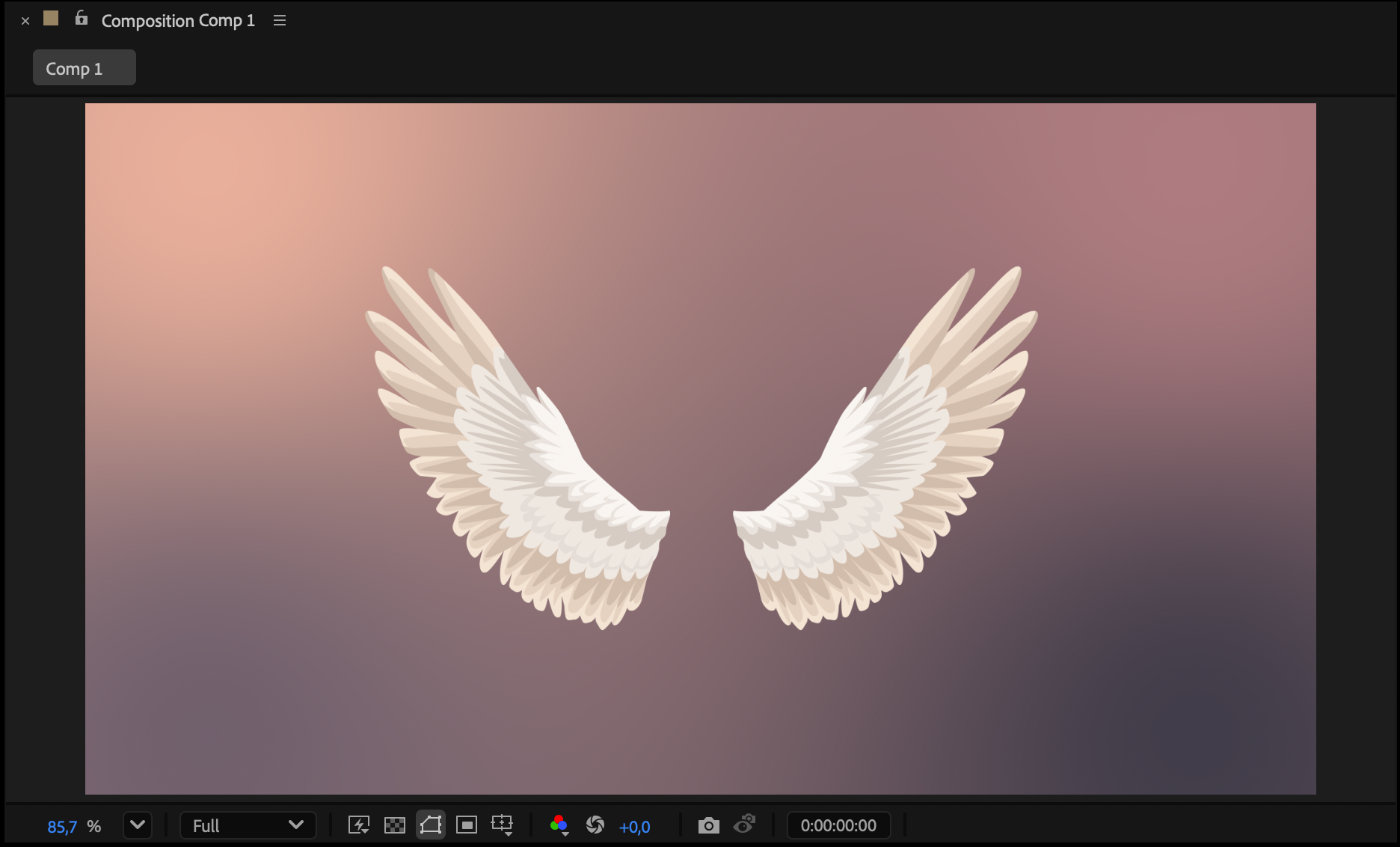 9.Set Up Rotation Parameters:
Select both layers, open the Rotation parameter using the hotkey ‘R,’ and adjust the rotation to collapse the wings.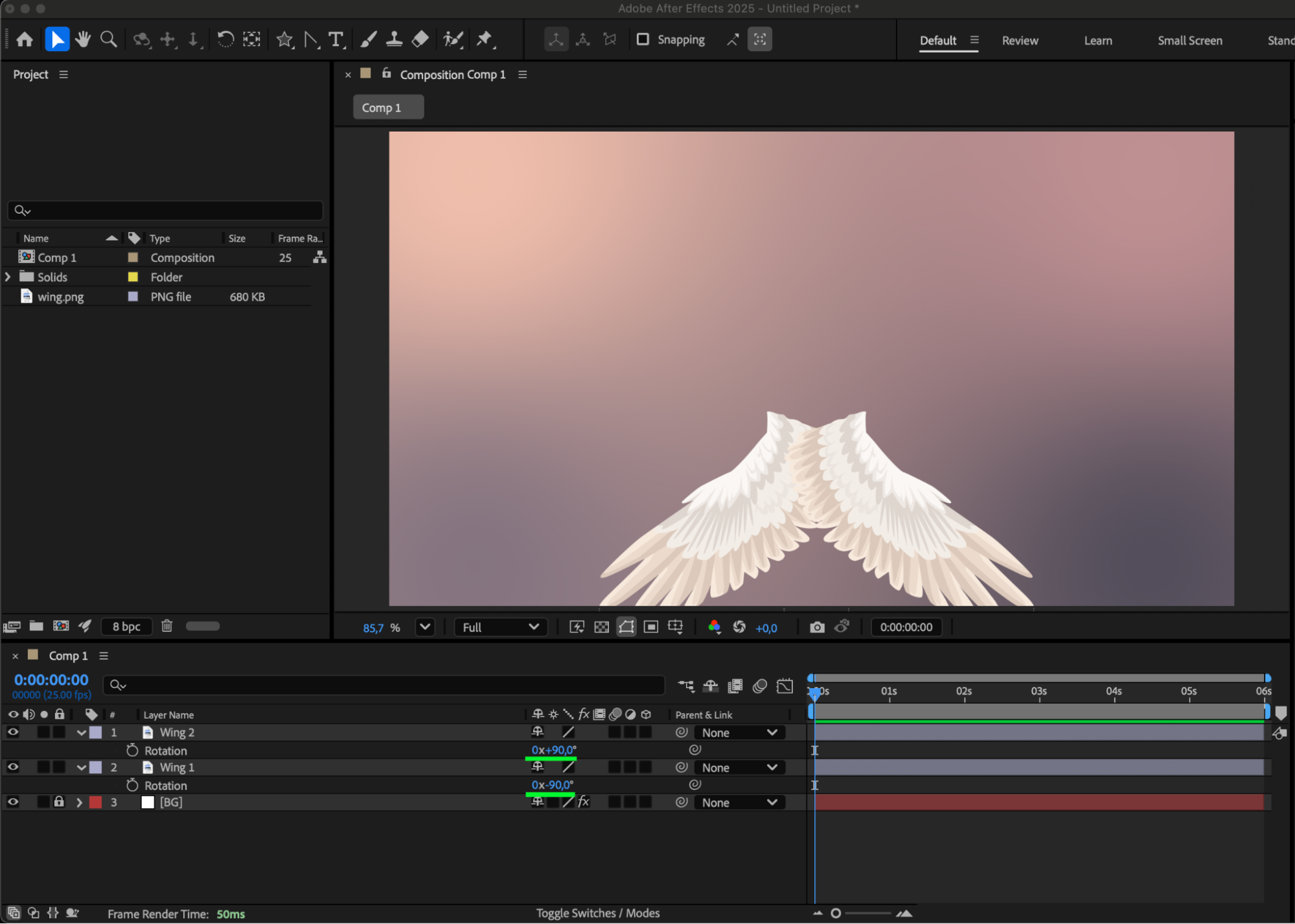 10.Scale Wings to Fit Composition:
Open the Scale parameter by pressing ‘S’ and adjust the size of the wings so they fit within the composition when collapsed. Alternatively, use the Position property to move them into place.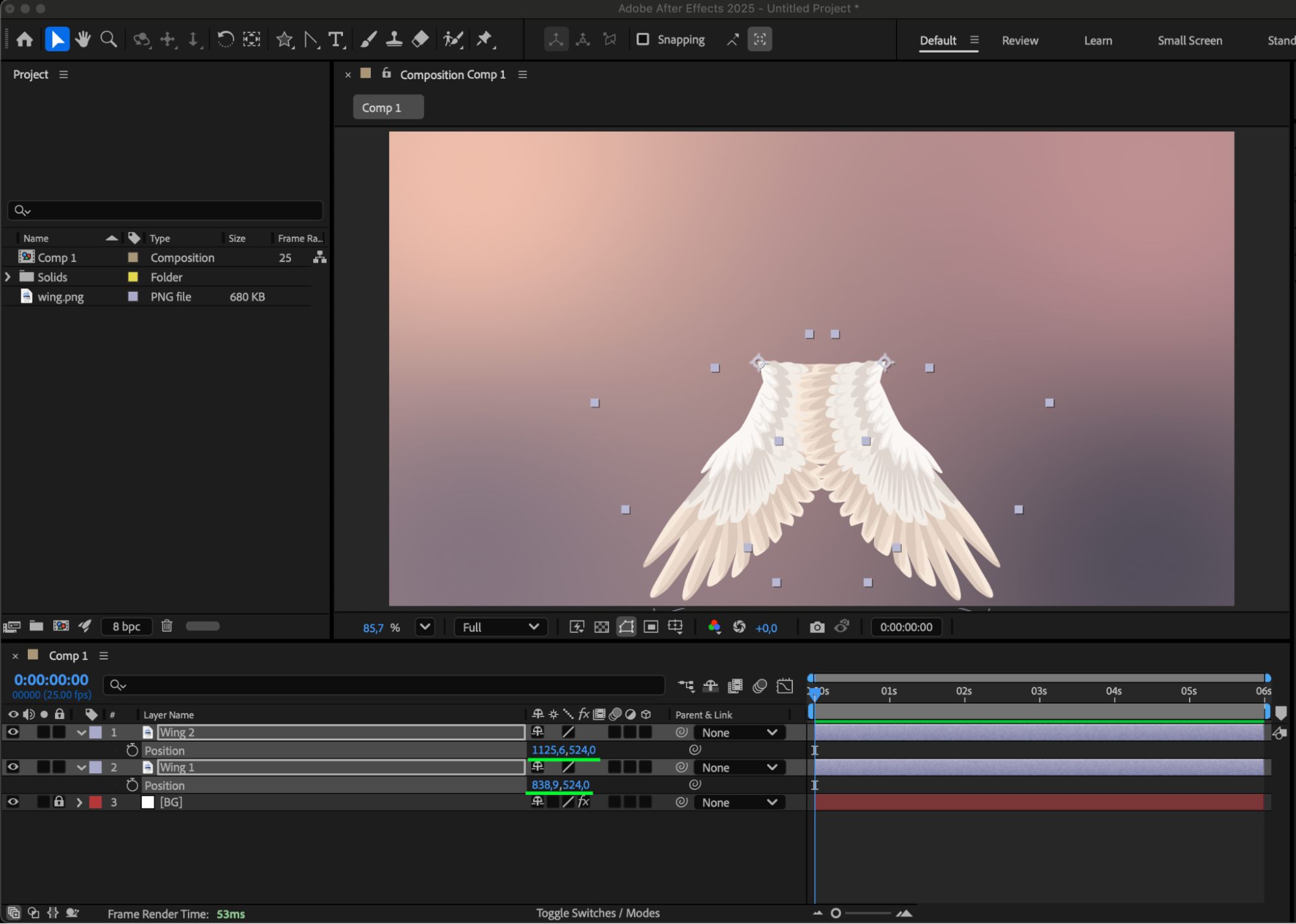 11.Keyframe Rotation:
Press the R key again and return to the Rotation option. Move the timing indicator to the beginning of the composition and create a keyframe with the wings in the folded position. Use the stopwatch icon next to the Rotation option.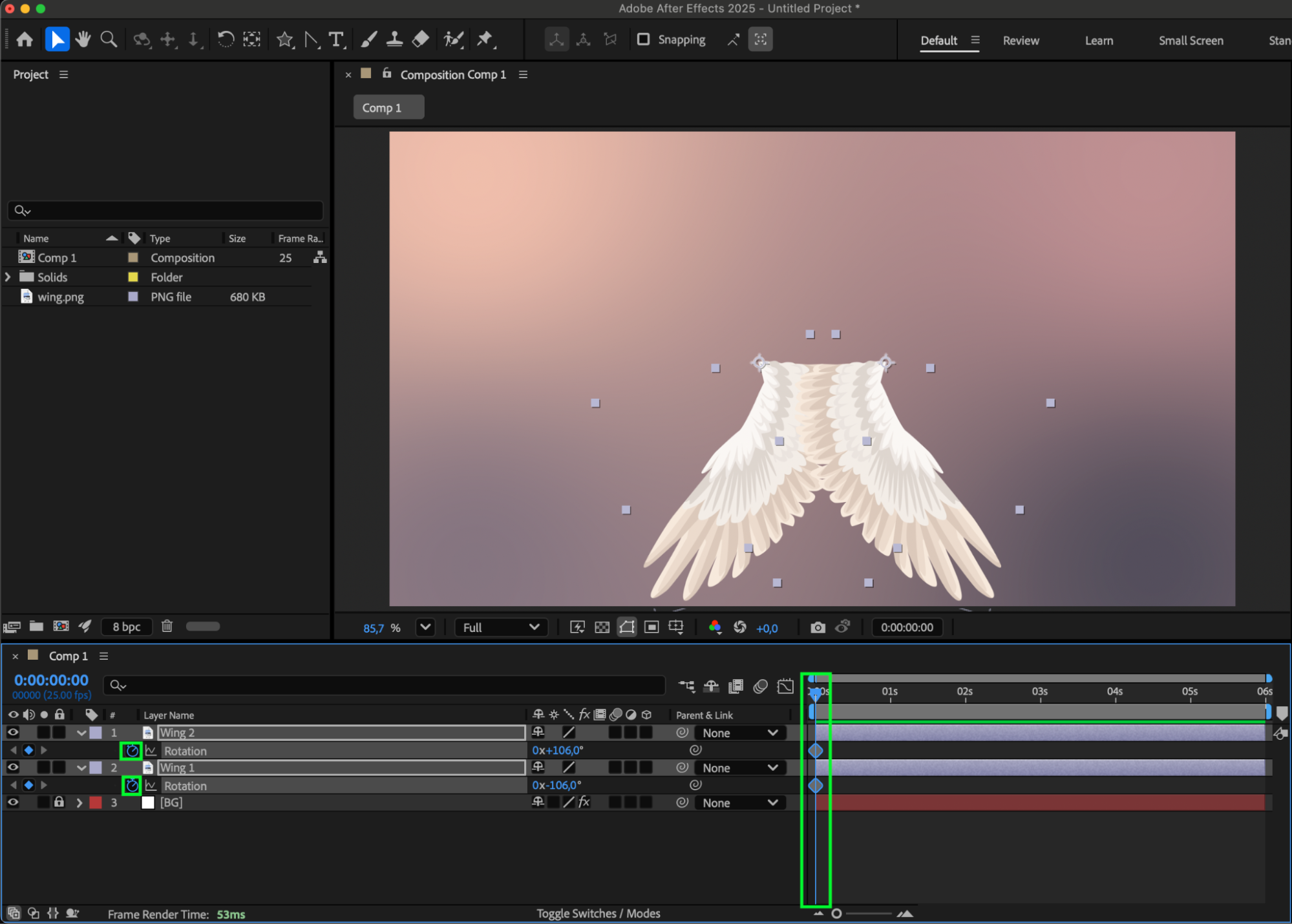
12.Keyframe Rotation:
Move the time indicator forward and create a keyframe of the wings in the spread position.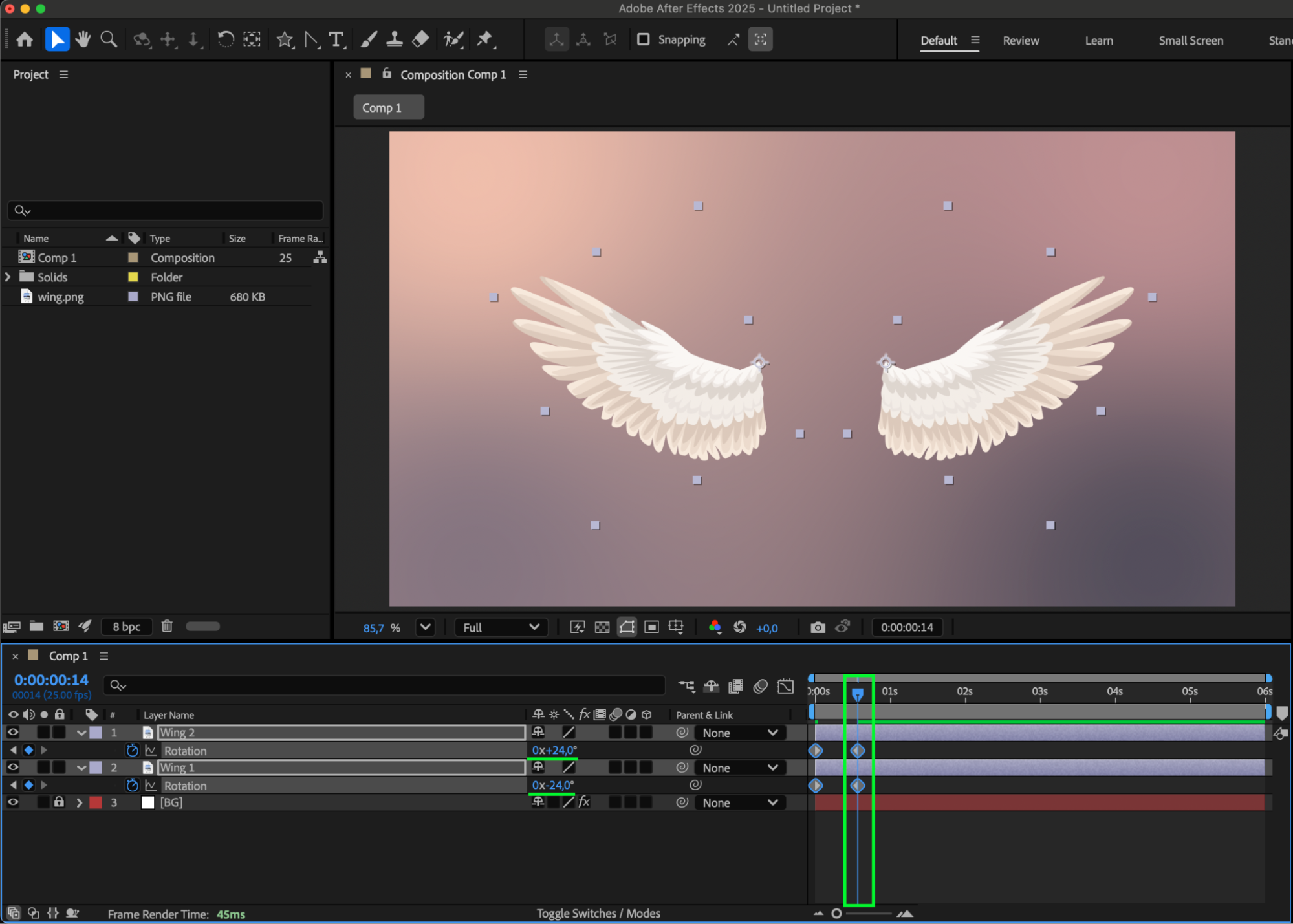 13,Copy and Paste Keyframes:
Copy the first keyframe for both layers and paste them at the end of the second keyframes. 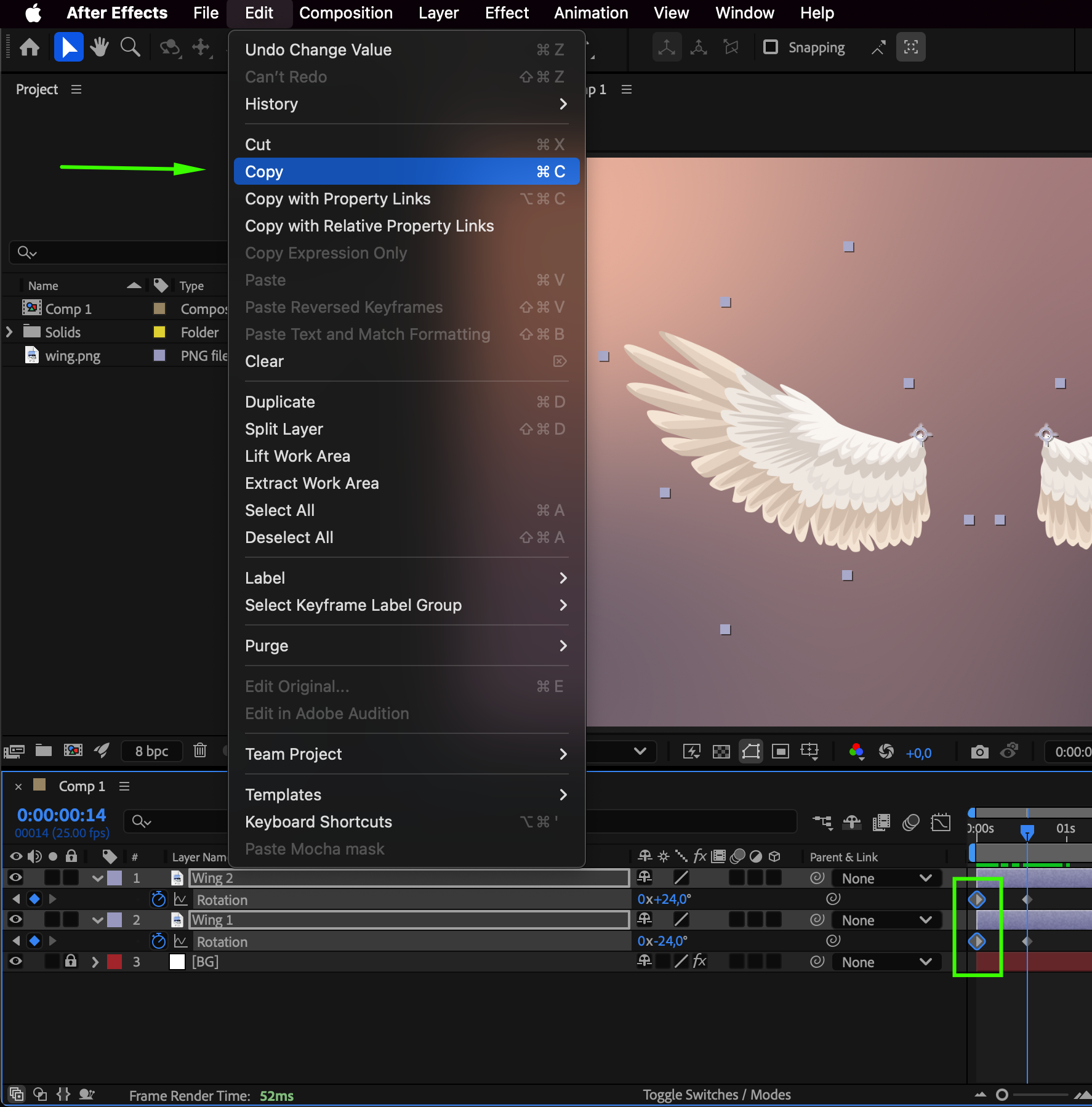
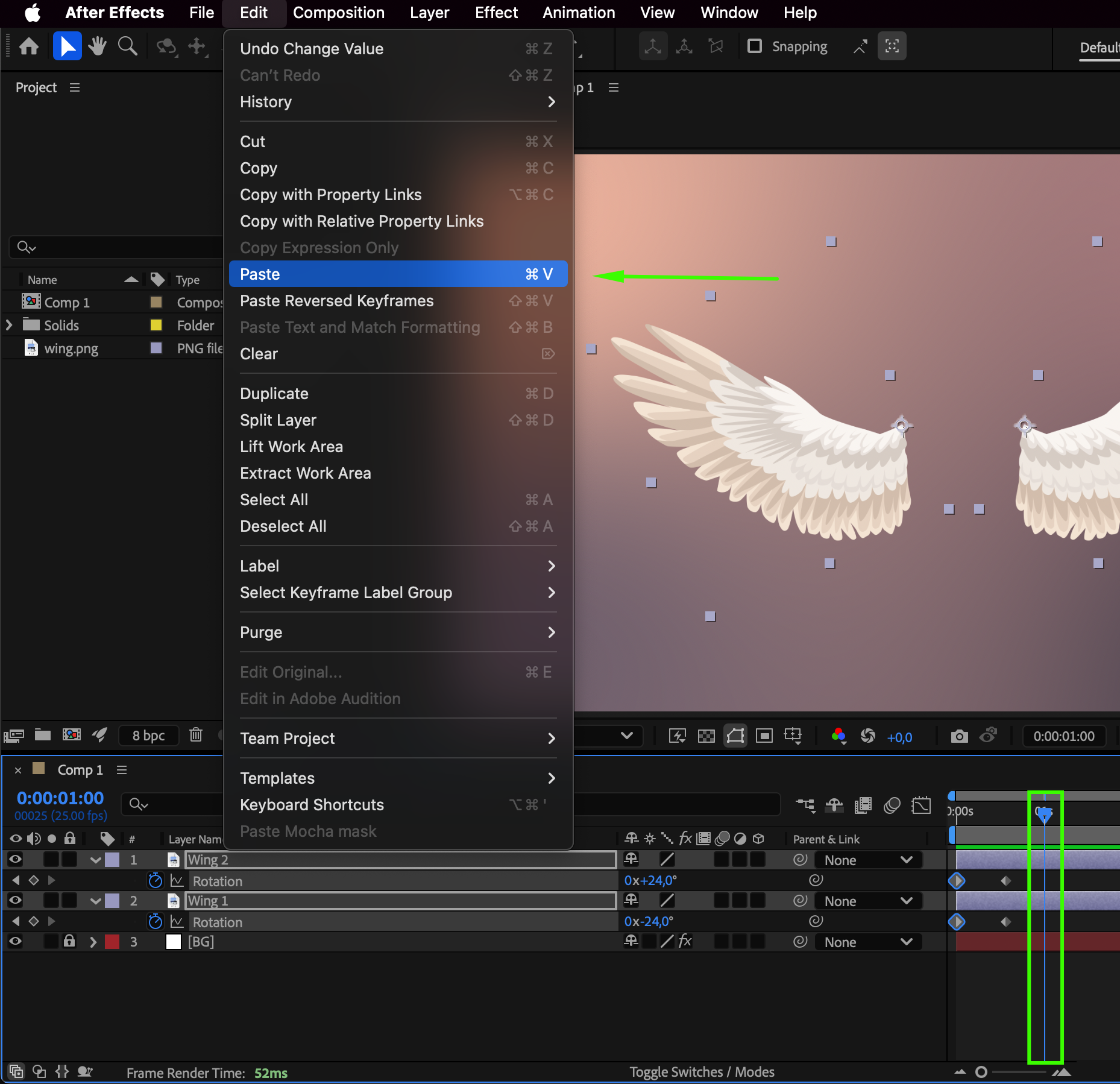 14.Move the work area end slider:
Move the work area end slider to the end of the third keyframe.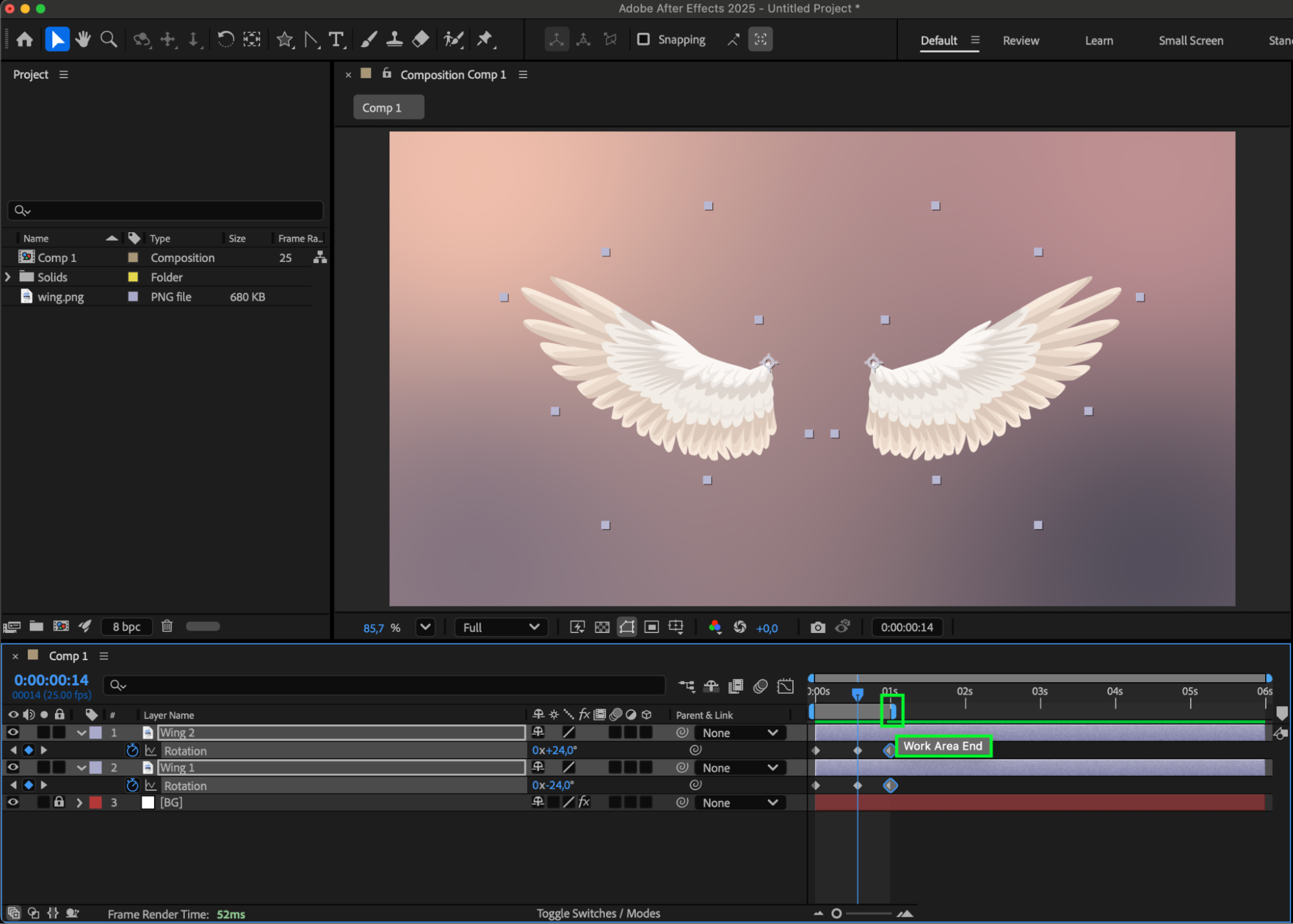 15.Apply Easy Ease to Keyframes:
Select all keyframes, right-click, go to “Keyframe Assistant,” and choose “Easy Ease” for smoother animation.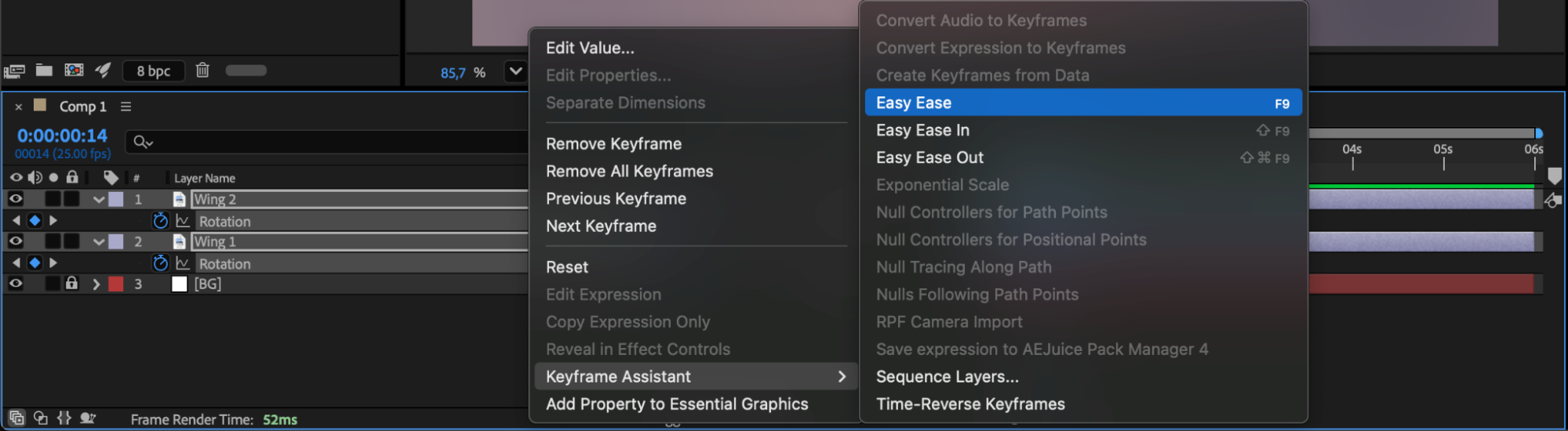 16.Enable Motion Blur:
Turn on “Enable Motion Blur” for both layers to add realism to the wing movement.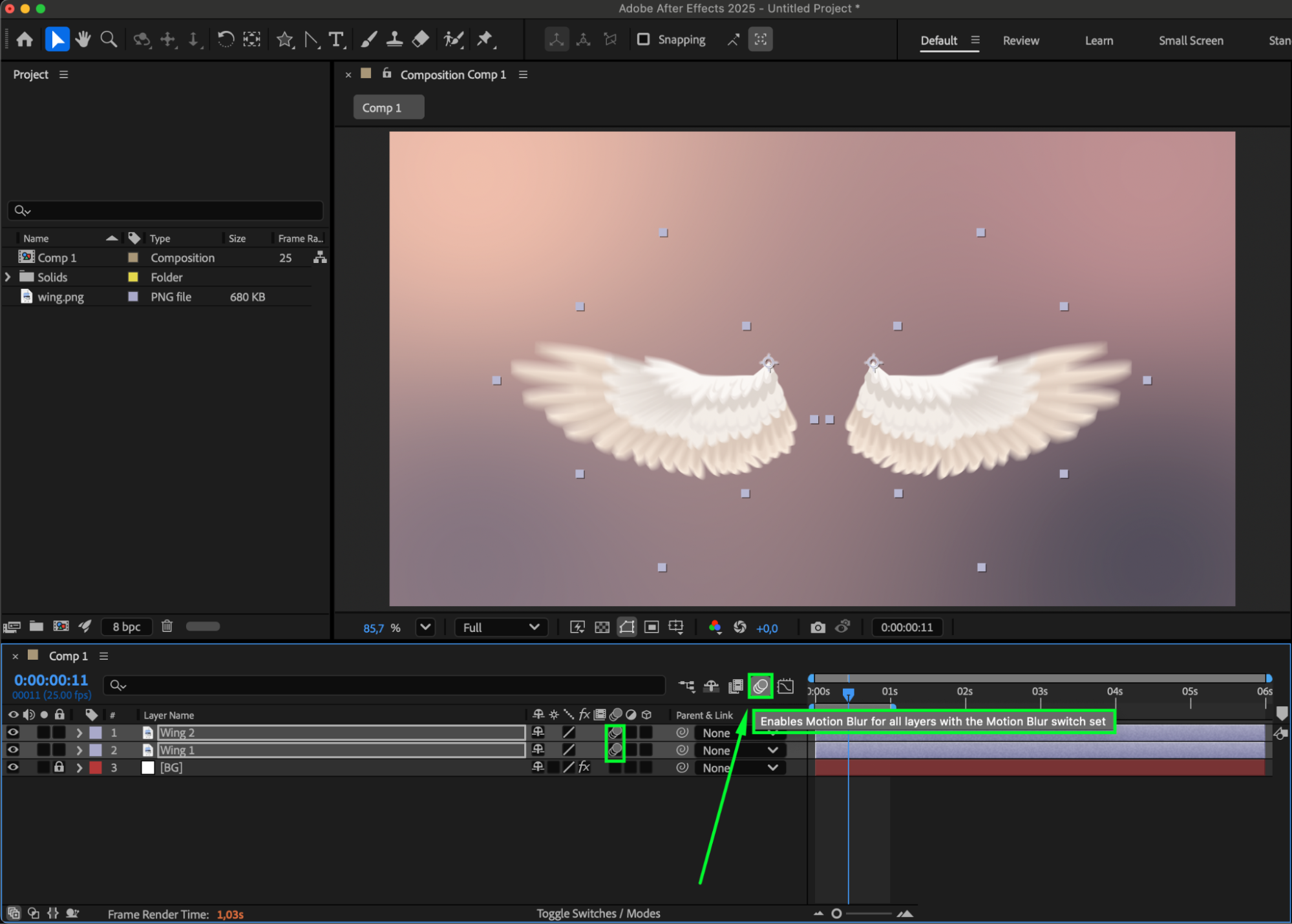 17.Apply Looping Expression to Rotation:
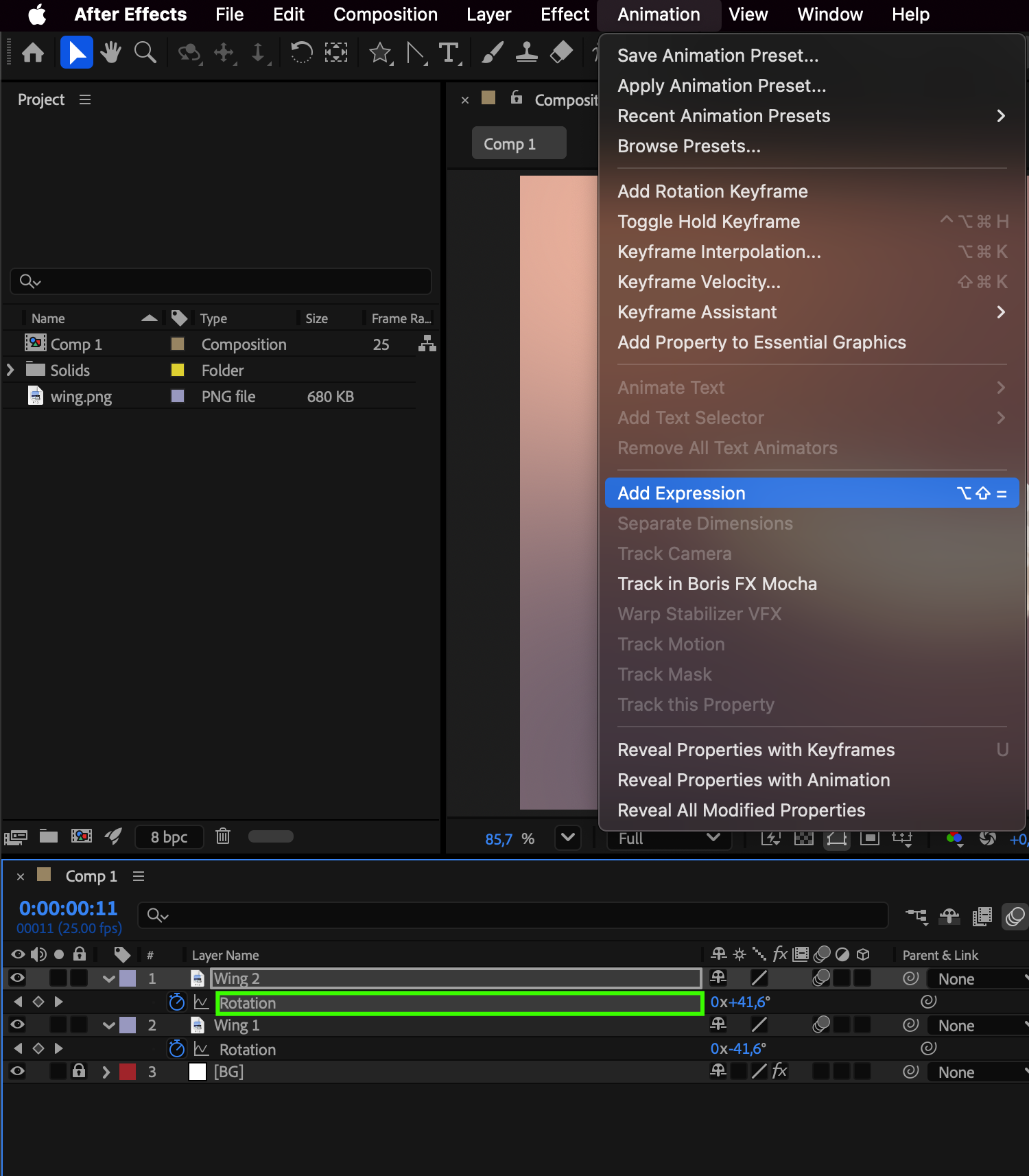
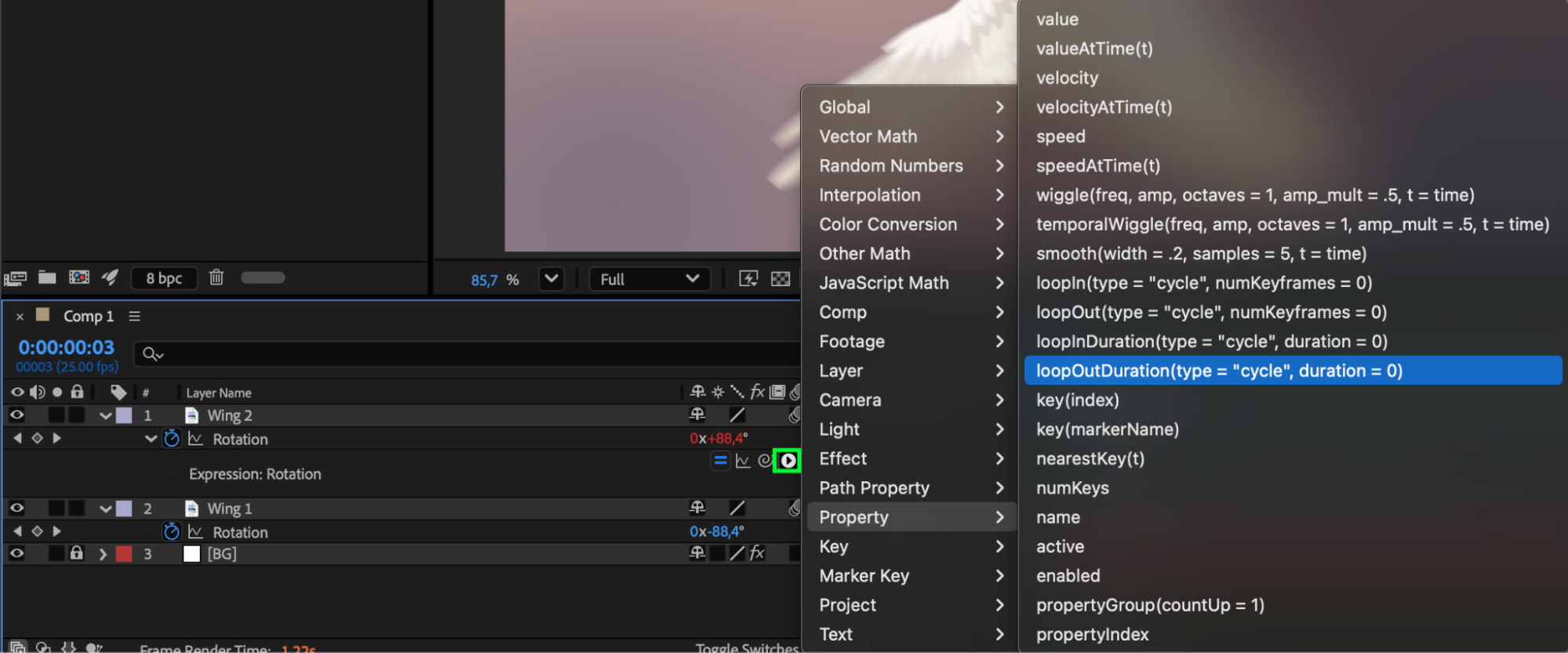
Click on the Rotation parameter and add an expression. In the line that appears, click the triangle and from the resulting submenu select property > loopoutduration.
 18.Adjust Work Area for Extended Animation:
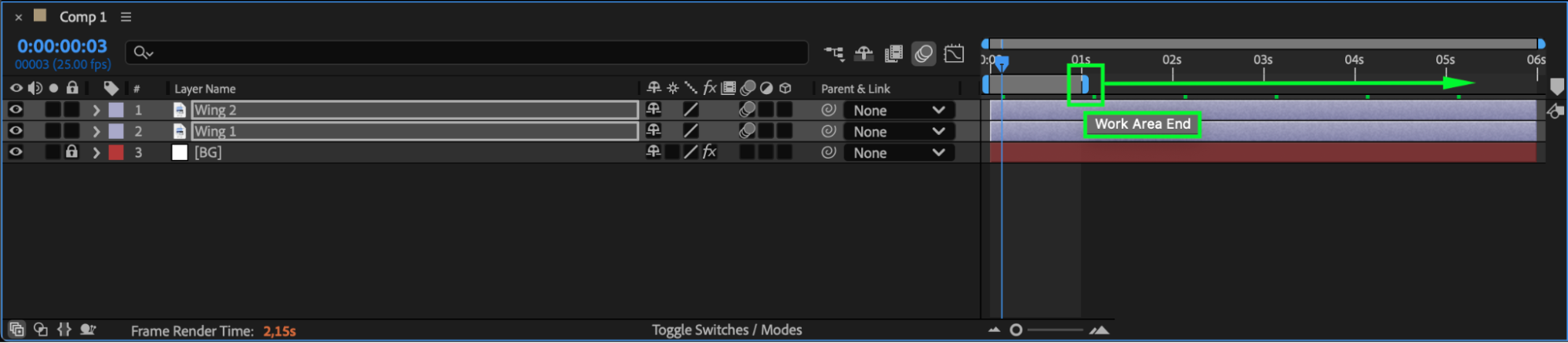
Move the work area end slider to the middle of the composition for a longer.
 19.Preview and Save:
Use the preview to ensure correctness and save your project. Enjoy your lifelike wing animation!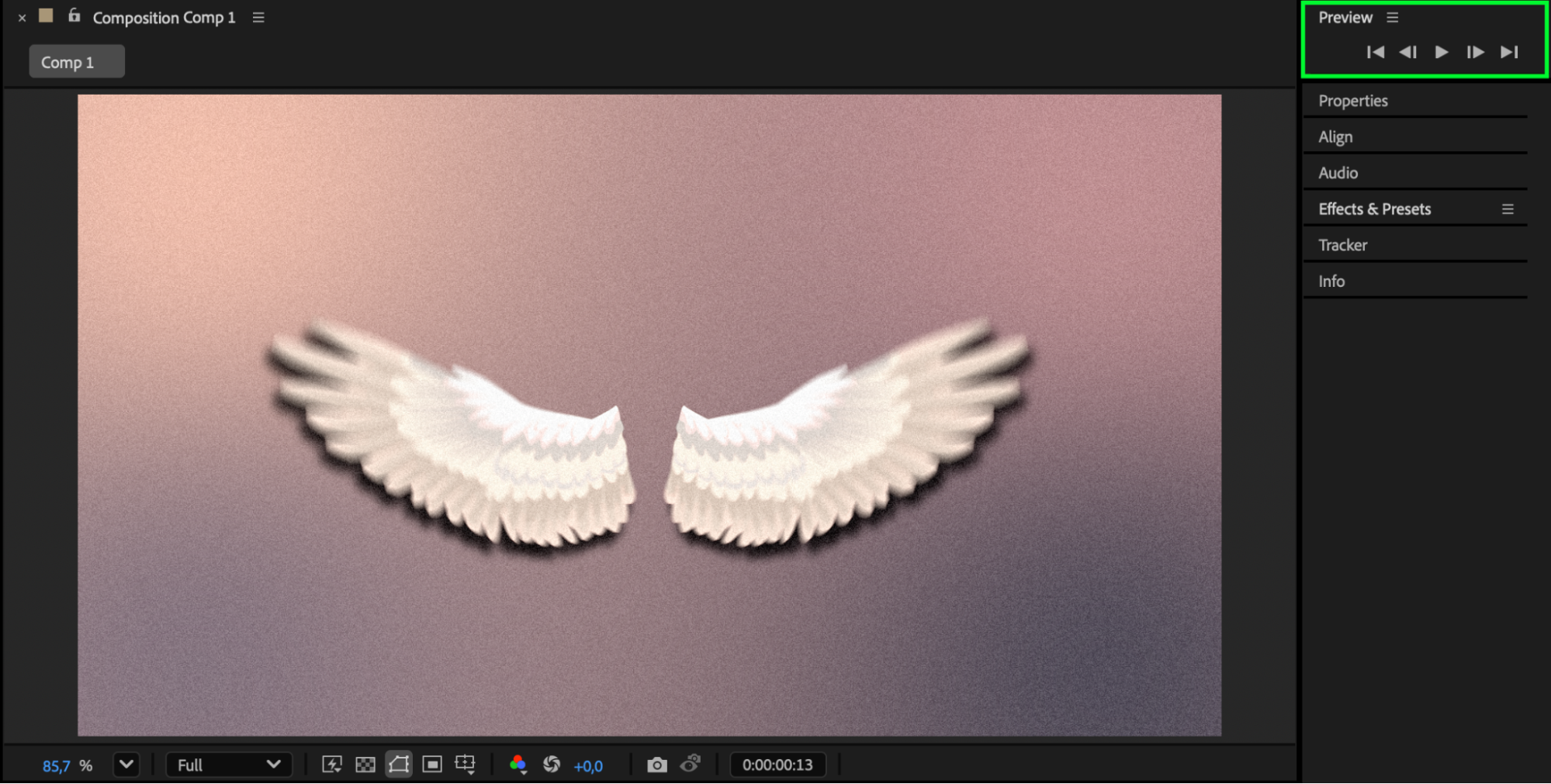
Conclusion:
Congratulations! You have successfully mastered the art of wing animation in After Effects. Armed with newfound knowledge, you can now infuse your projects with enchanting and realistic wing movements. Embrace the magic, explore the possibilities, and let your creativity soar to new heights. Happy animating!
Our Bestsellers
Our Bestsellers


