
Mastering Zoom Animation in After Effects
Unlocking Animation Magic: A Guide to Zooming in After Effects
Now that you have a good understanding of the basics, let’s dive into the step-by-step process of animating zoom in After Effects. Follow these simple instructions to create stunning zoom animations:
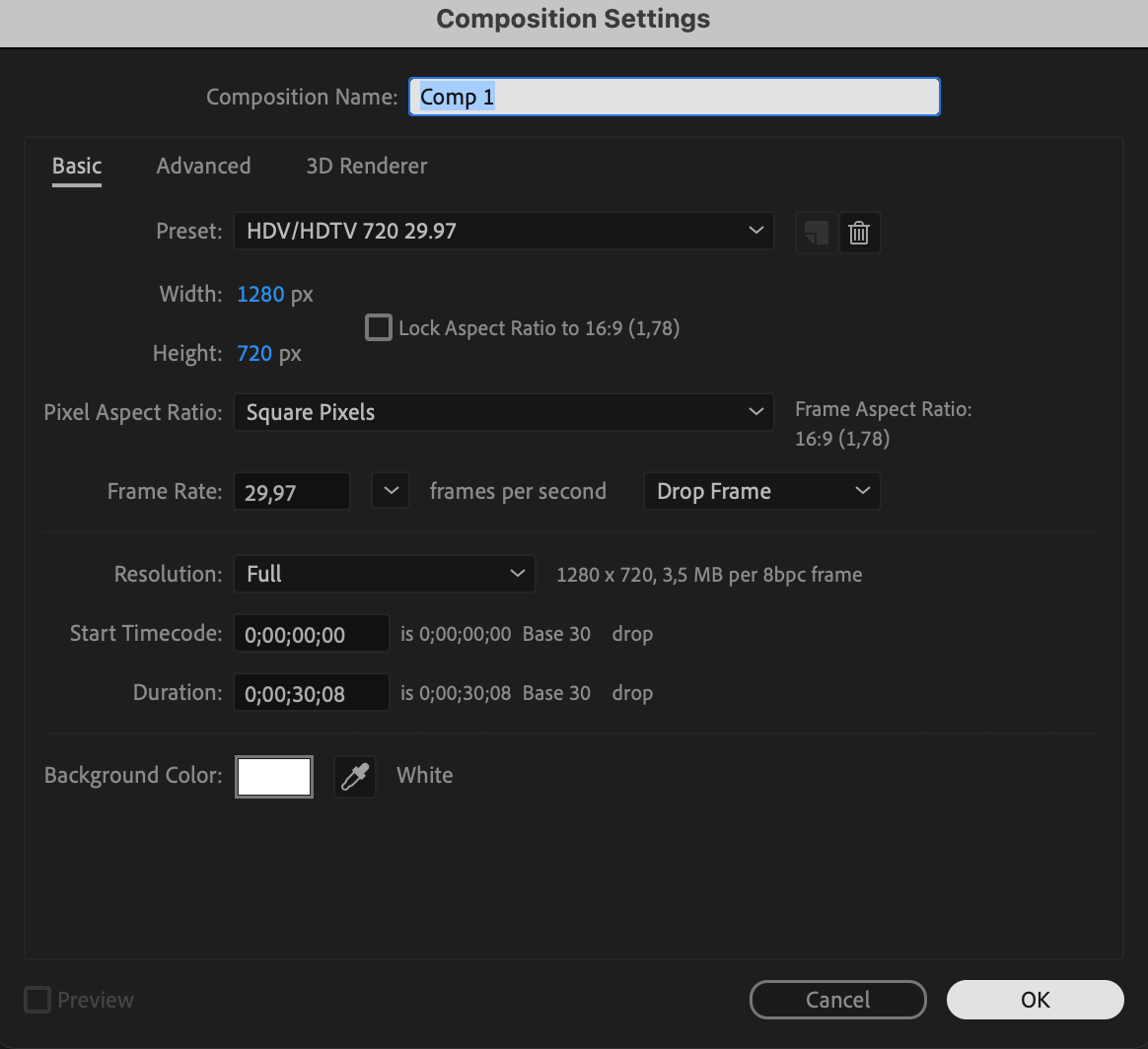
1. Open After Effects: Start by opening After Effects and creating a new composition. Set the desired resolution, frame rate, and duration for your animation.
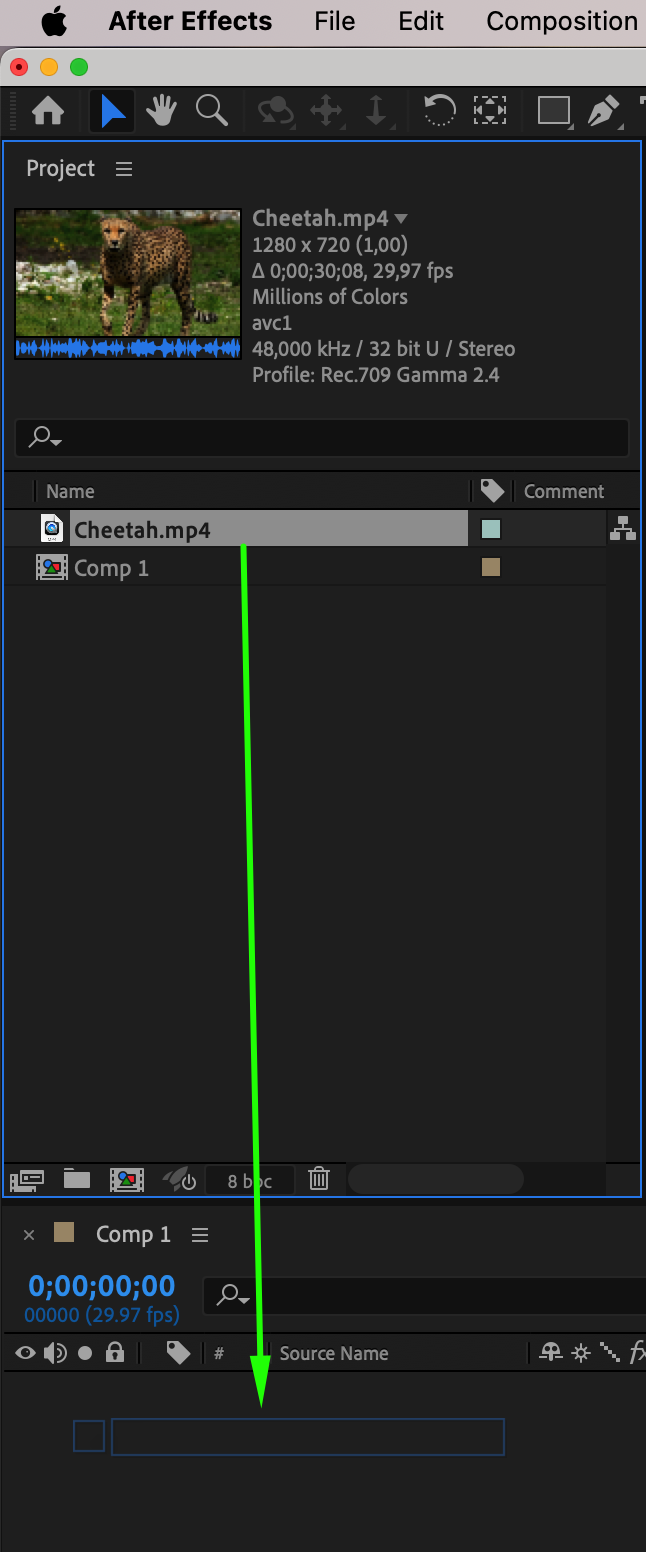
 2. Import Your Footage or Graphics: Next, import the footage or graphics you want to apply the zoom effect to. Drag and drop them into your composition timeline, arranging them in the desired order or hierarchy.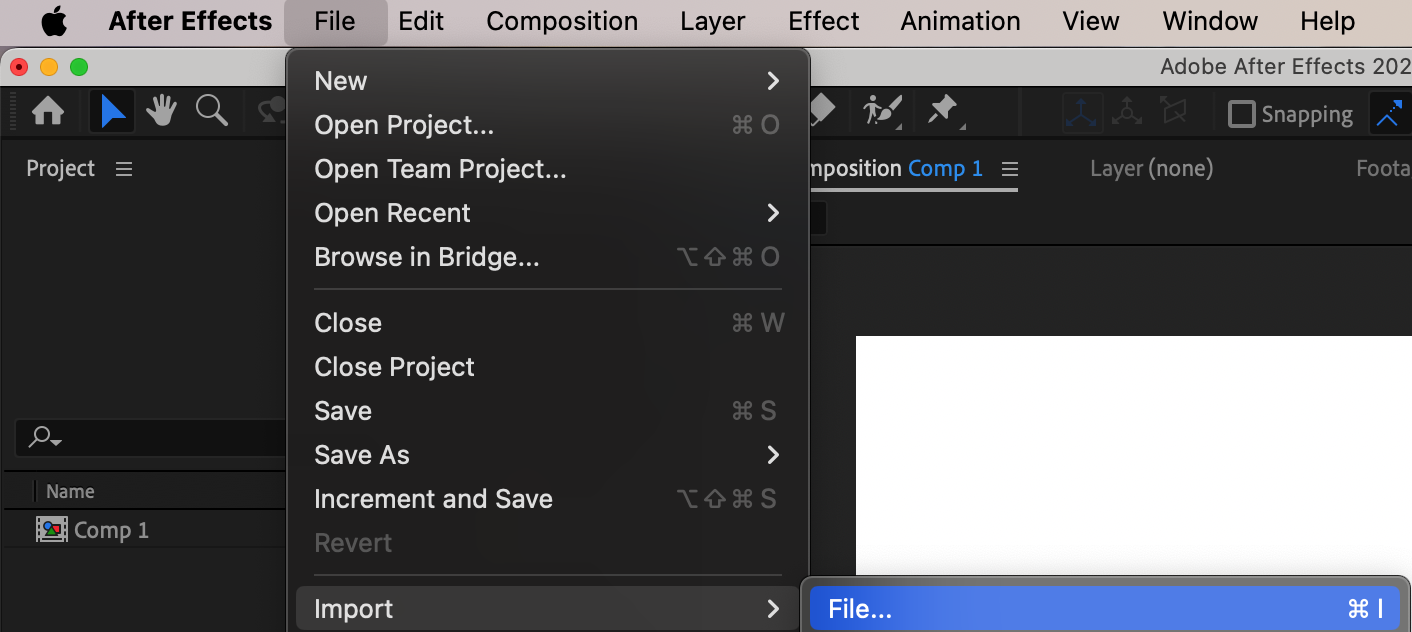
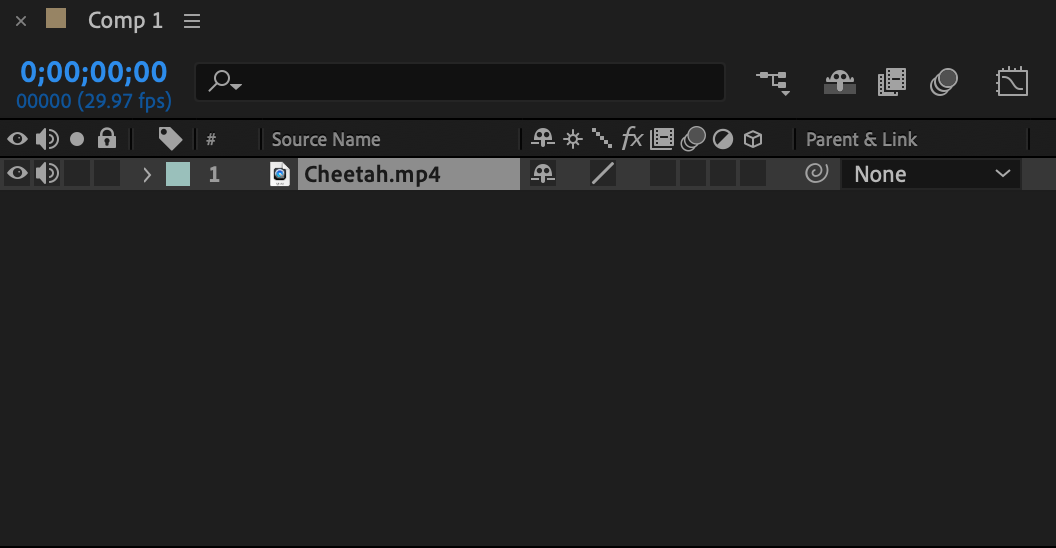
 3. Select the Layer: Click on the layer you want to apply the zoom effect to. Make sure the layer is selected in the timeline.
4. Set Keyframes: Open the Transform properties of the selected layer. Locate the Scale property and click the stopwatch icon next to it. This sets the first keyframe for the scale property at the current time.
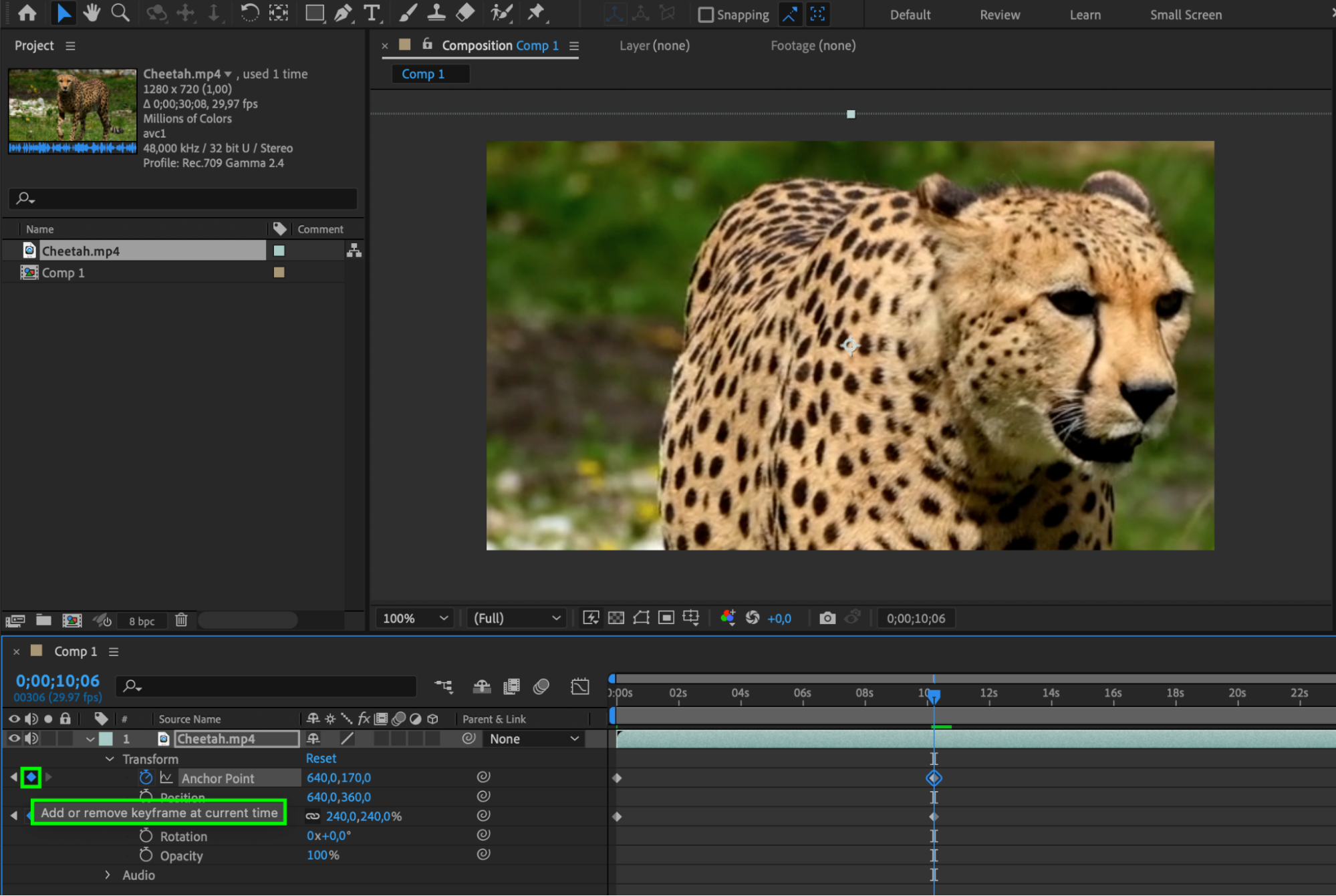
5. Adjust the Scale Property: Move the playhead to the desired time in the timeline where you want the zoom effect to reach its maximum. Increase the value of the Scale property to zoom in on the layer. You can adjust the scale by either dragging the value sliders or typing in a specific value.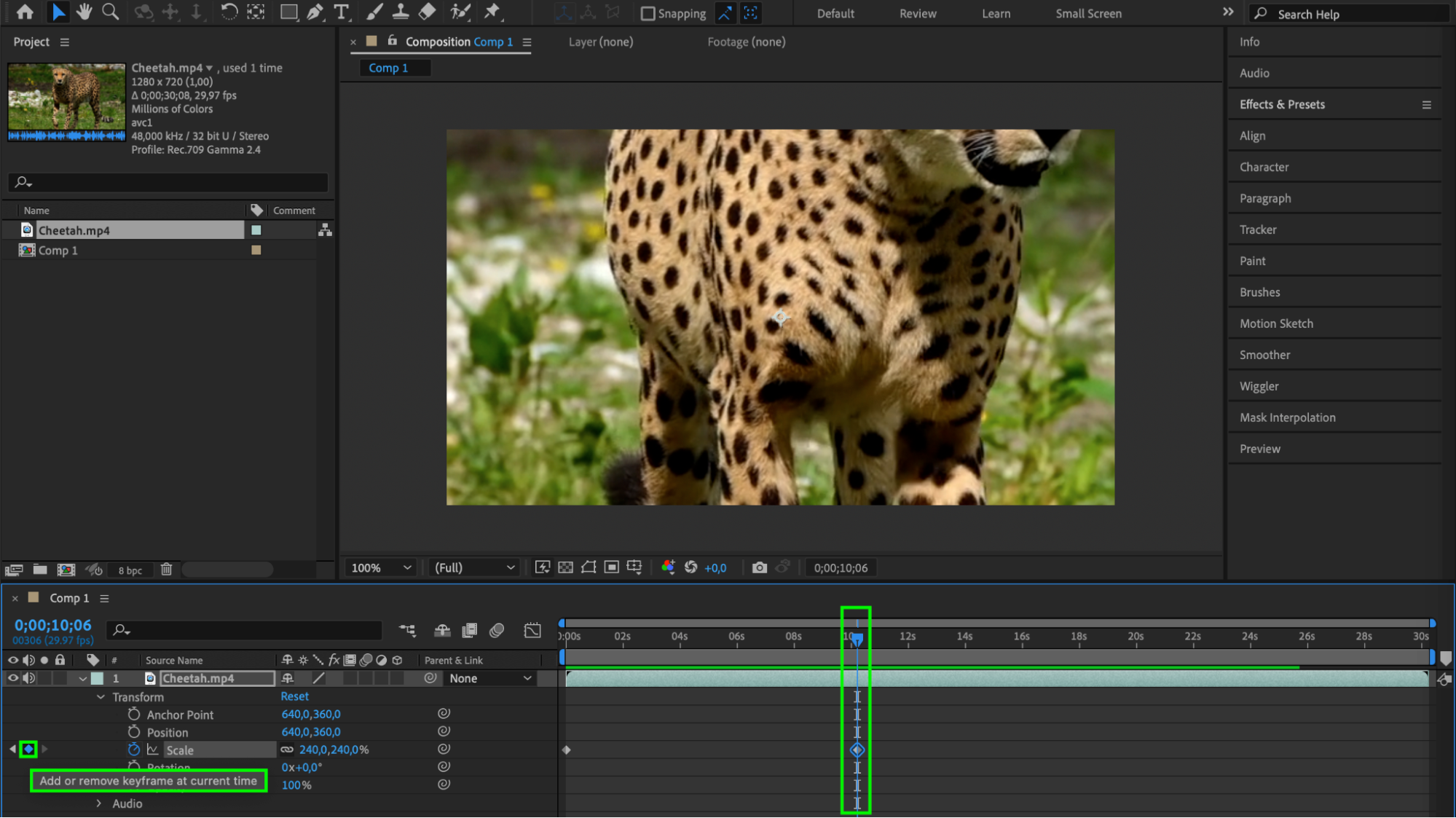 6. Use the anchor point (optional): If you want the zoom to be applied to a specific object, use keyframes for the anchor point and adjust the scene zoom accordingly.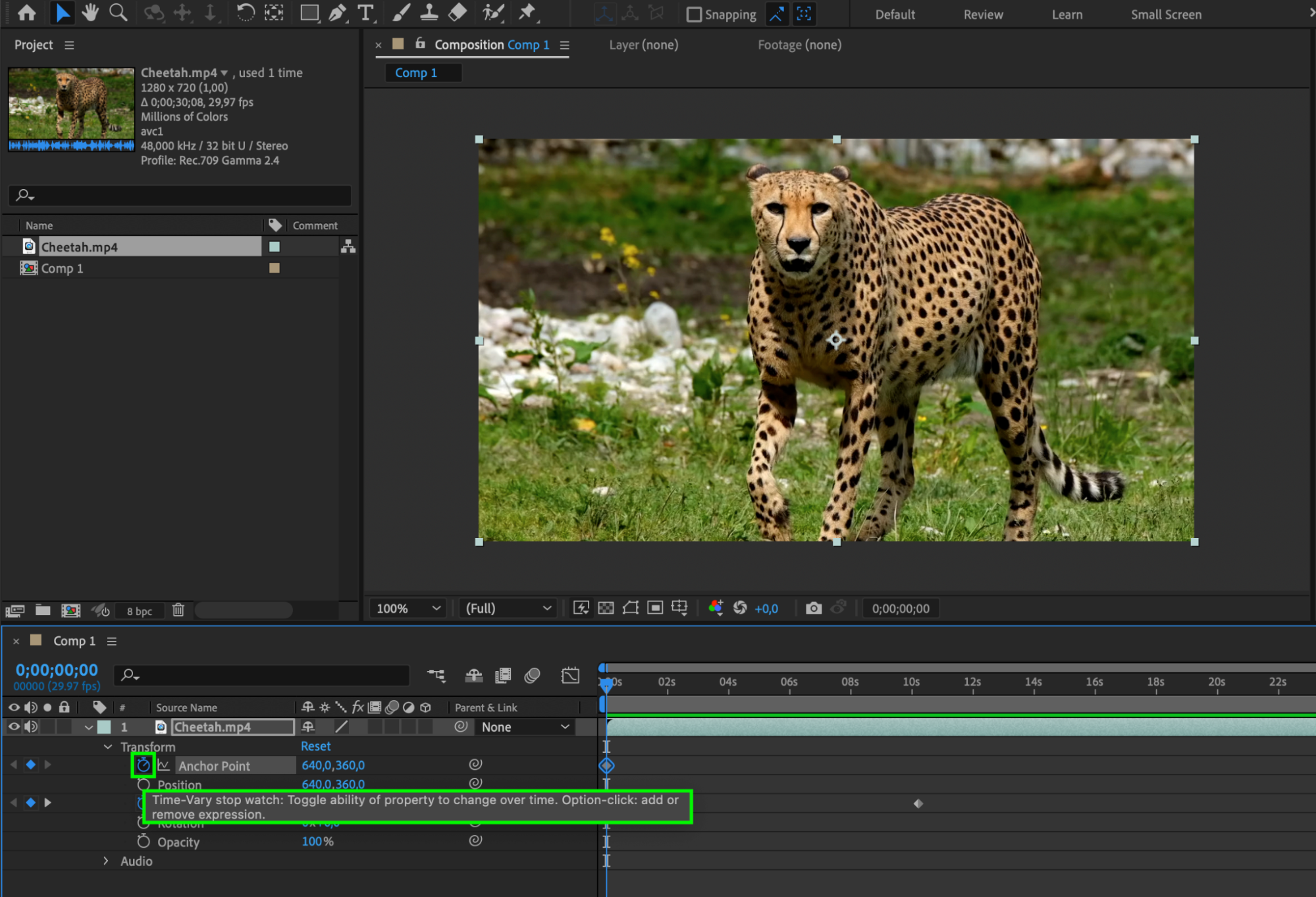
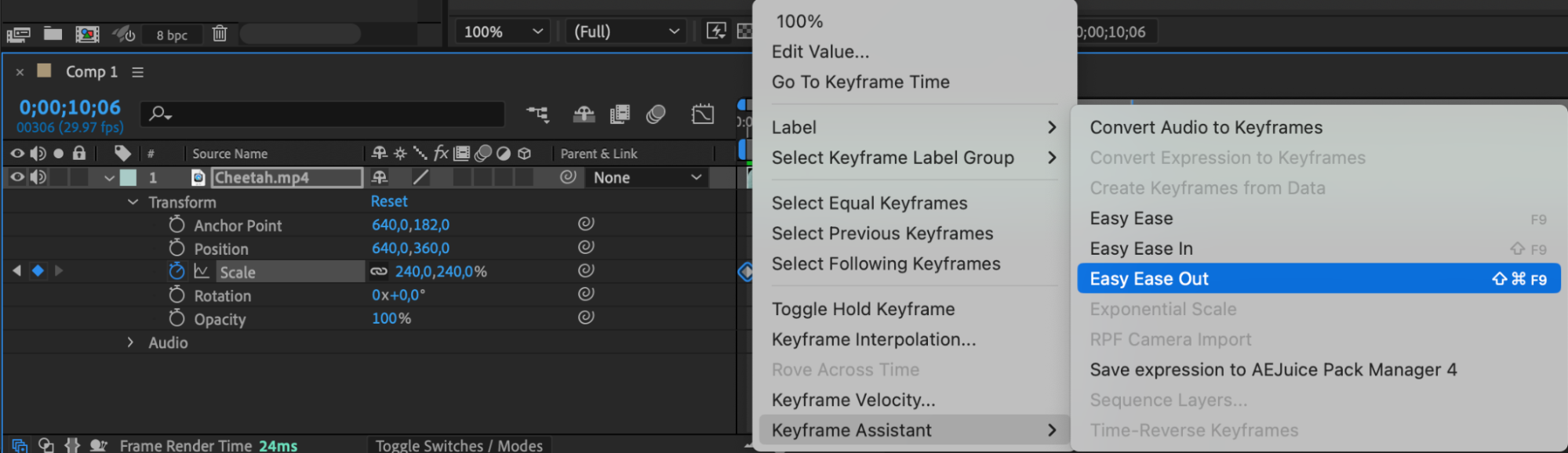
 7. Apply Easing: To add a natural motion to your zoom animation, apply easing to the keyframes. Right-click on the first keyframe and select Ease Out, then right-click on the second keyframe and select Ease In. This will create a smooth and realistic zoom effect.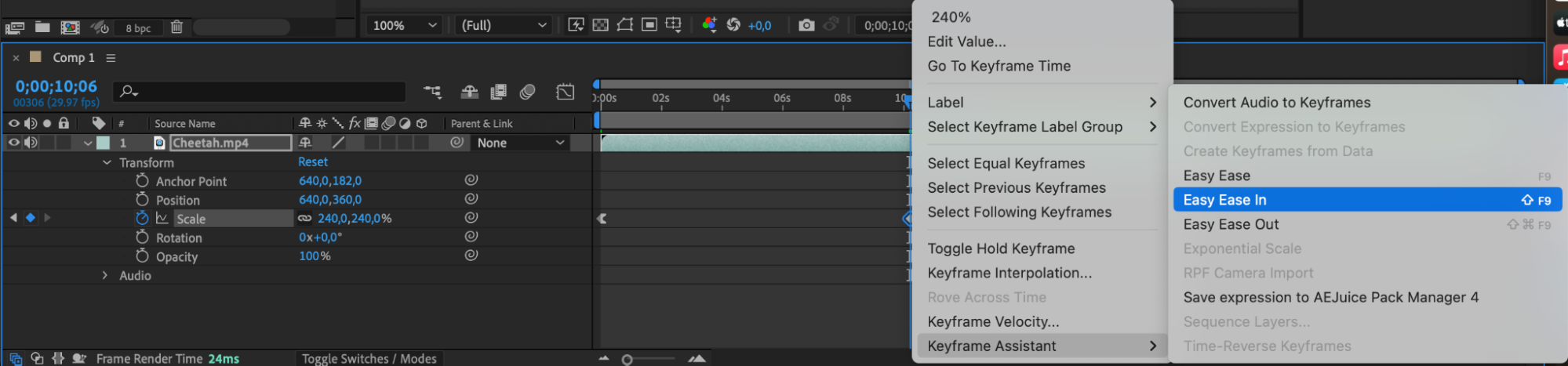
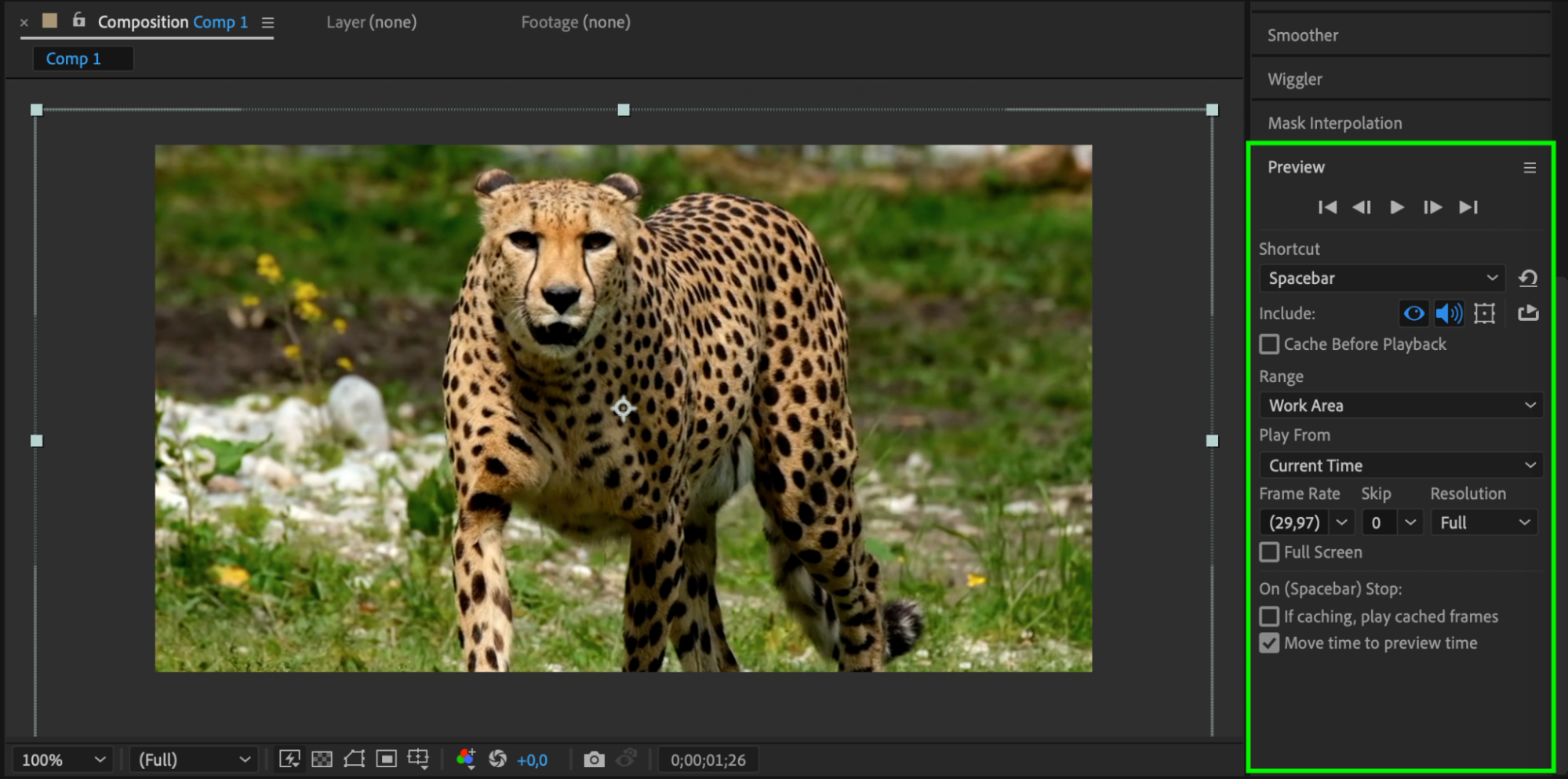
 8. Preview Your Animation: Before finalizing your animation, preview it to see how it looks. Press the spacebar to play the animation in the After Effects preview panel. Make any necessary adjustments to the timing or easing to achieve the desired effect.
 9. Render and Export: Once you are satisfied with the animation, it’s time to render and export your project. Go to the Composition menu, select Add to Render Queue, and choose your desired output settings. Click Render to export your animated zoom effect.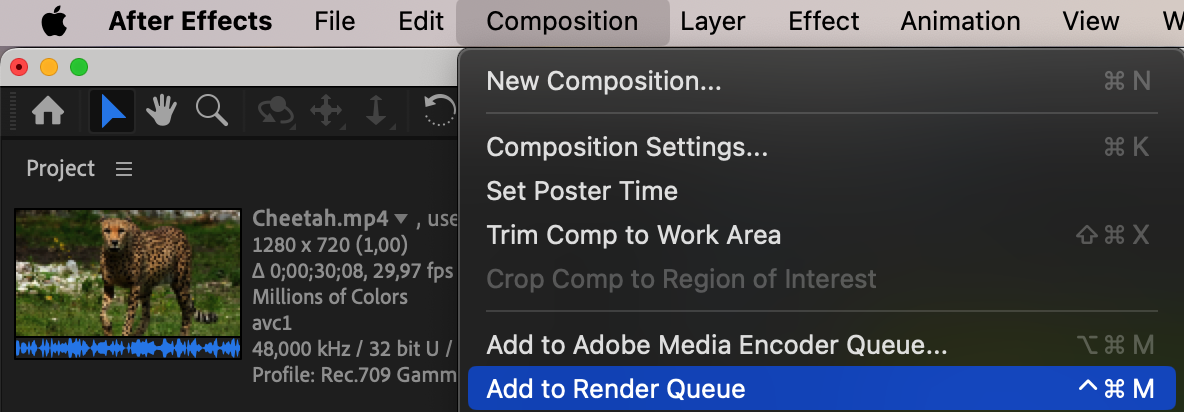
 Conclusion
And there you have it! By following these steps, you can easily animate zoom in After Effects and create dynamic and captivating visual effects. Experiment with different settings, timings, and easing options to achieve the desired result.
Remember, practice makes perfect, so keep experimenting and refining your skills to become a master of animating zoom in After Effects. Happy zooming!
Our Bestsellers
Our Bestsellers


