
“Unlocking Creativity: A Guide to Changing Solid Colors in After Effects”
“Dive into the World of Solid Layer Customization”
Solid layers play a crucial role in your video projects in After Effects, and being able to change their color easily can greatly enhance your compositions. Let’s take a deep dive into how you can customize the color of solid layers to match your vision and create visually appealing designs.
Changing the color of solid layers in After Effects is a fundamental skill that every designer should master. With just a few simple steps, you can transform the look and feel of your compositions, whether you’re aiming to match a specific color scheme, add visual interest, or achieve a particular effect. Let’s walk through the process together so you can elevate your motion graphics projects to the next level.
Steps to Change Solid Color in After Effects:
1. Locate Solid Layer:
To begin, identify the specific solid layer within your After Effects composition that you intend to modify. This could be a layer representing a background, graphic element, or any other visual component.
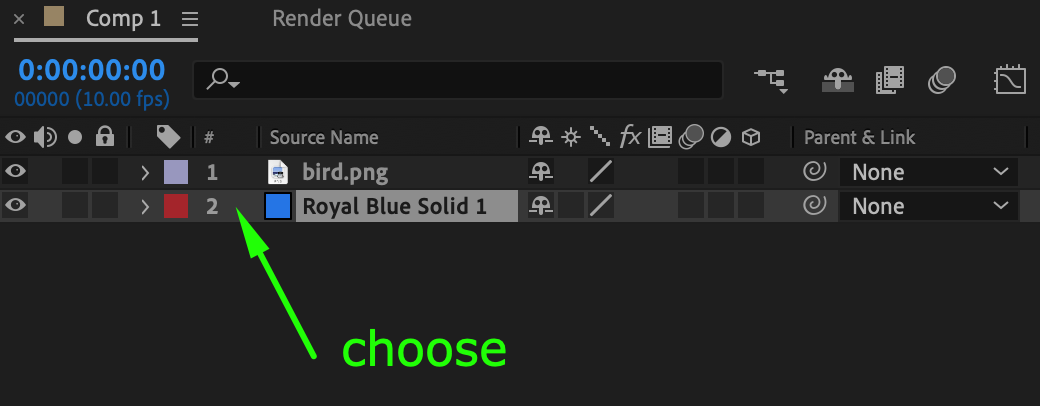
2. Open Solid Settings:
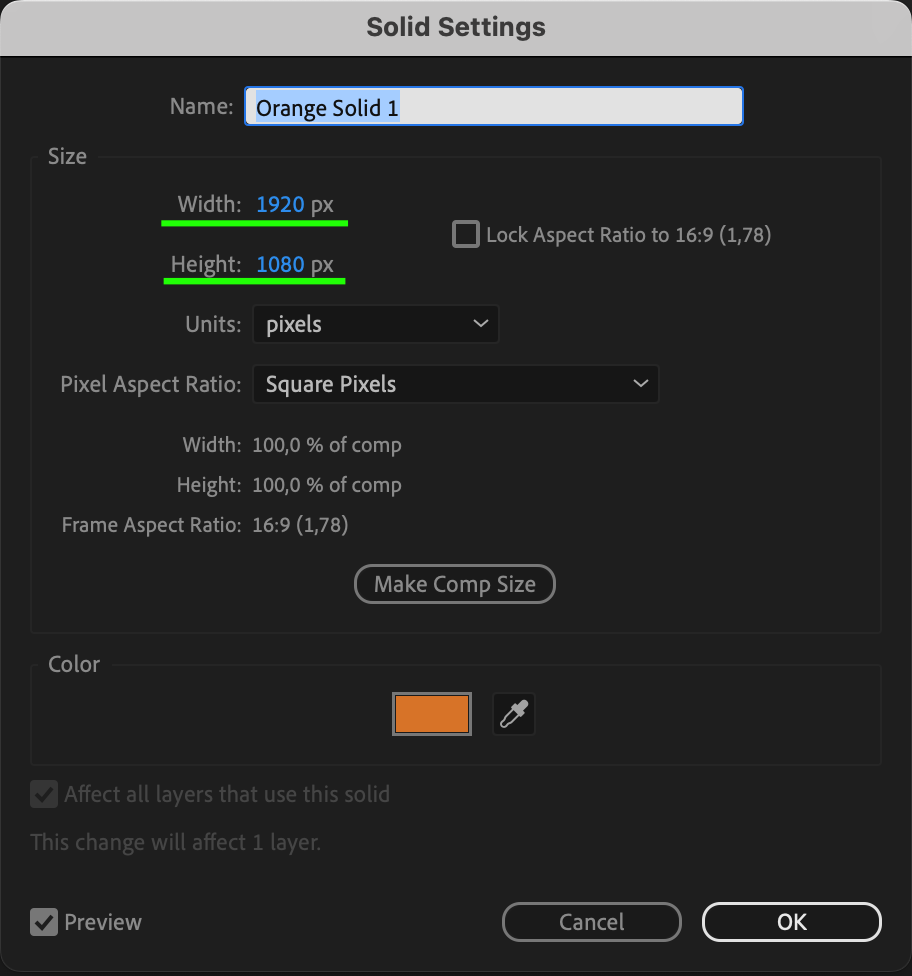
Once you’ve pinpointed the target solid layer, proceed to open the Solid Settings dialog box. This can be achieved by selecting the layer, navigating to the top menu bar, clicking on “Layer,” and then choosing the “Solid Settings” option.
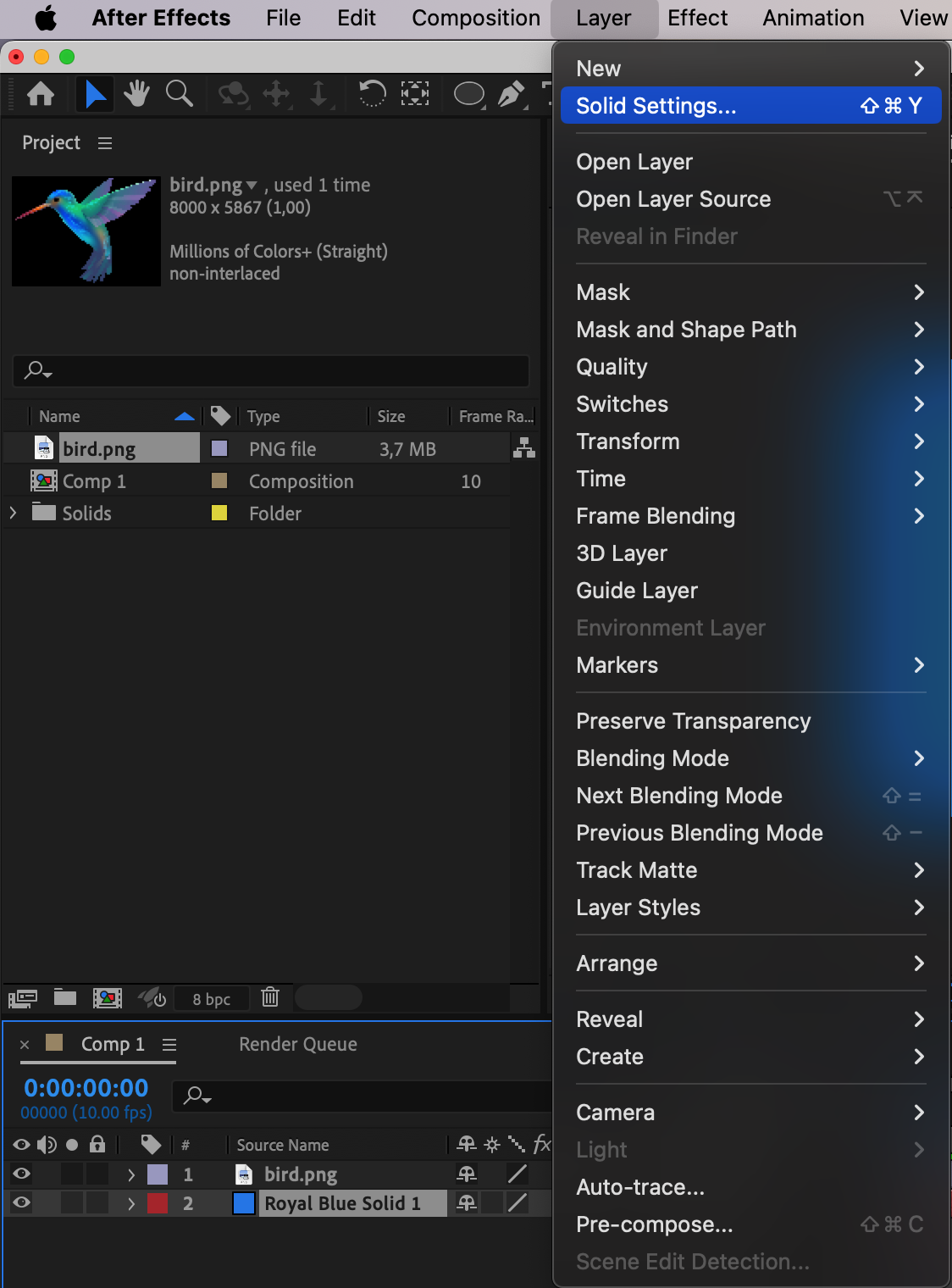
3. Access Color Options:
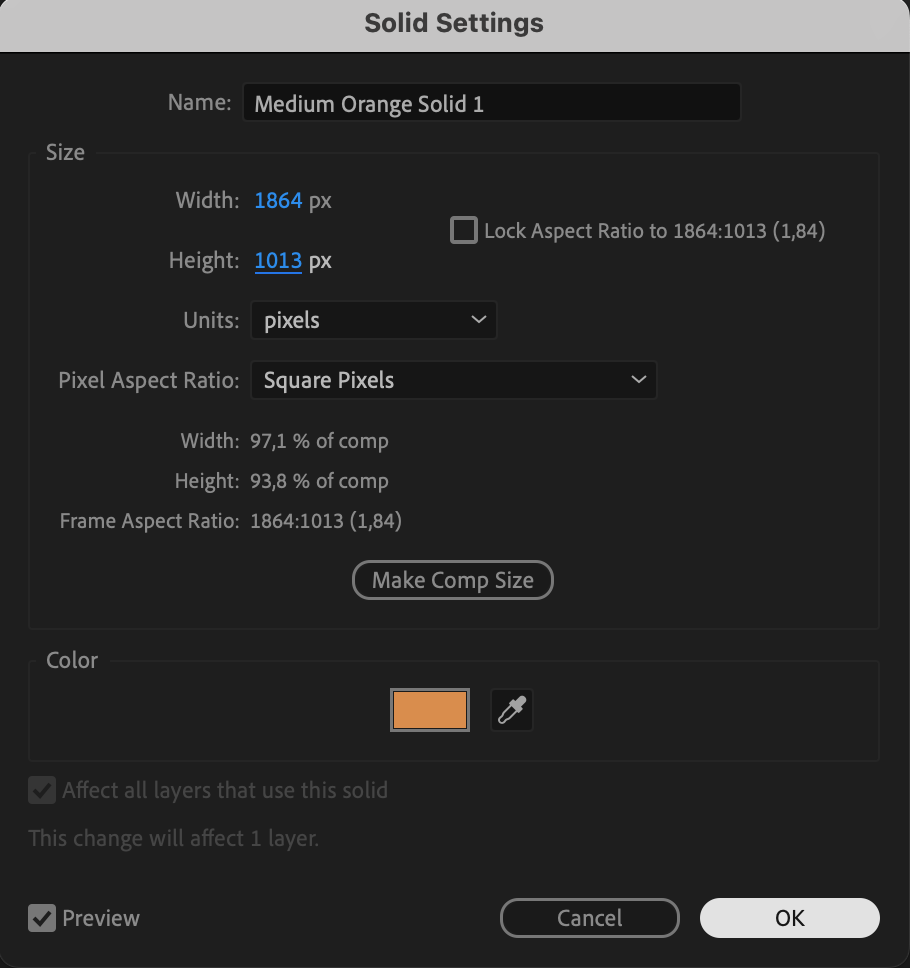
Within the Solid Settings dialog box, focus on the color section. Click on the color swatch or use the color picker to access a spectrum of color options. This step lays the foundation for transforming the hue of the solid layer.
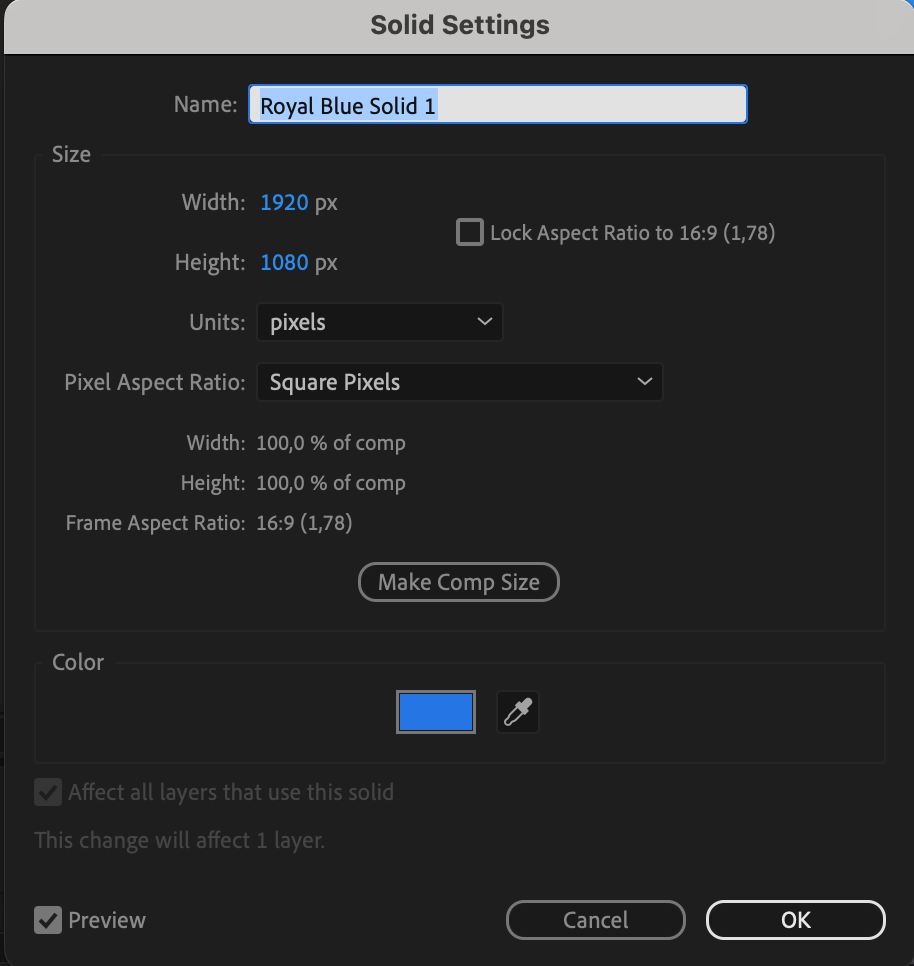
4. Choose New Color:
Select a new color that aligns with your creative vision from the available color options. This step empowers you to bring a fresh and visually appealing hue to the solid layer, enabling dynamic changes in your composition.
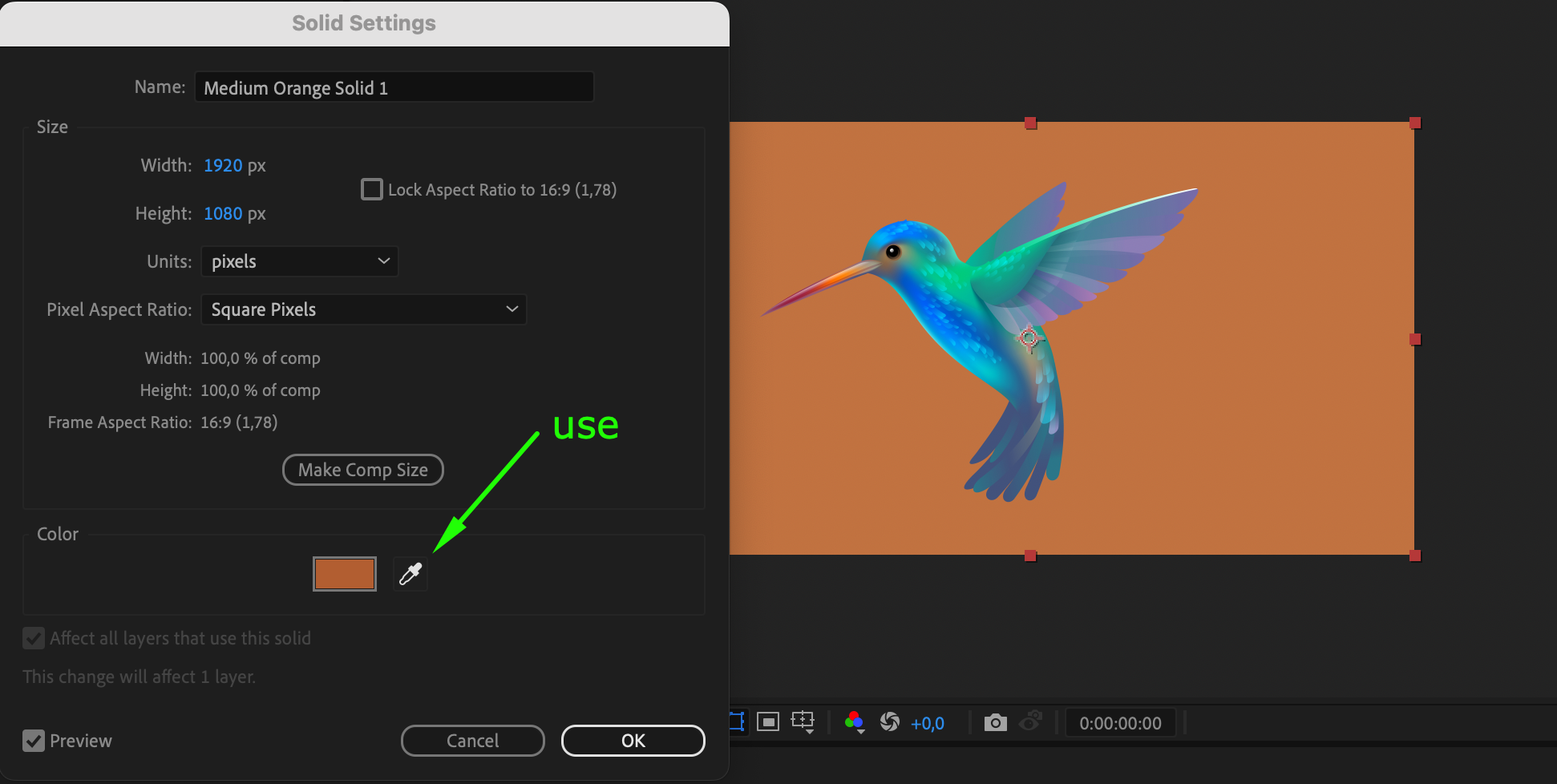
5. Adjust Additional Properties:
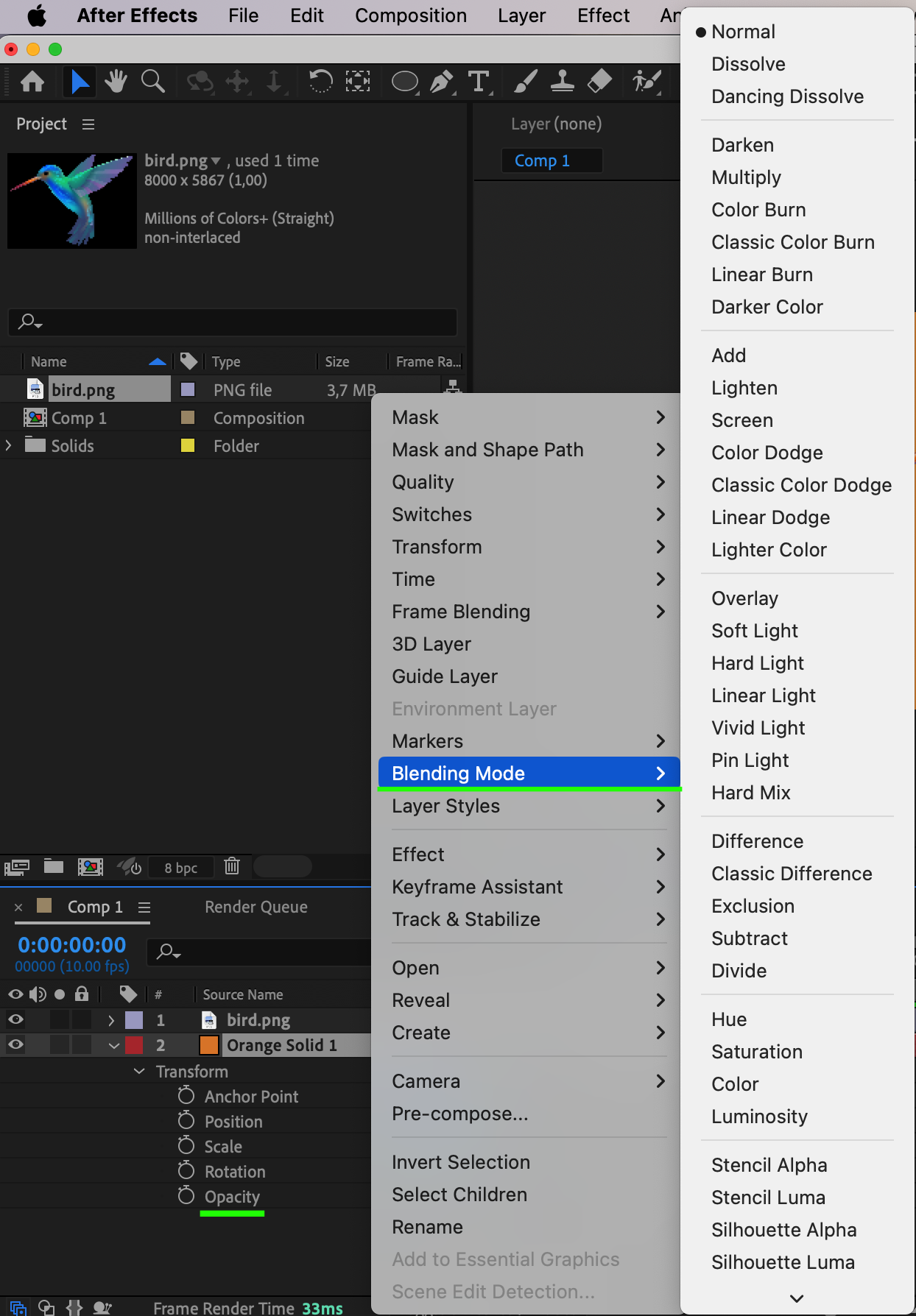
Beyond color, fine-tune the appearance of the solid layer by experimenting with additional properties. This includes adjusting width, height, opacity, and blending mode, allowing for comprehensive customization to achieve the desired visual impact.
6. Experiment and Refine:
Embrace experimentation by playing around with various settings. This phase encourages a creative exploration of different combinations, ensuring that you refine the color and properties until the solid layer perfectly complements your overall composition.
7. Apply Changes:
Once satisfied with the adjustments, click “OK” to apply the color changes to the solid layer. Witness an instant transformation as the chosen color is implemented, breathing new life into your composition.
Conclusion:
In conclusion, mastering the art of changing solid colors in After Effects provides a powerful tool for elevating your motion graphics projects. These steps empower you to not only modify colors but also to create vibrant designs, transforming ordinary compositions into extraordinary visual experiences. Unleash your creativity through color customization and take your projects to new heights with After Effects.
Our Bestsellers
Our Bestsellers


