
Introduction: Mastering Frame Rate Adjustment in After Effects
In the dynamic world of video editing, mastering frame rate adjustments is essential for achieving the desired visual impact. Adobe After Effects offers a seamless process to modify frame rates, empowering creators to enhance the fluidity and timing of their compositions. Whether it’s syncing footage, creating captivating animations, or refining motion graphics, understanding how to manipulate FPS in After Effects unlocks a realm of creative possibilities.
How to Change Frame Rate (FPS) in After Effects
Step 1: Open the Project
Open your project in Adobe After Effects.
Step 2: Import the File
Select “File” > “Import” and choose the file you want to modify.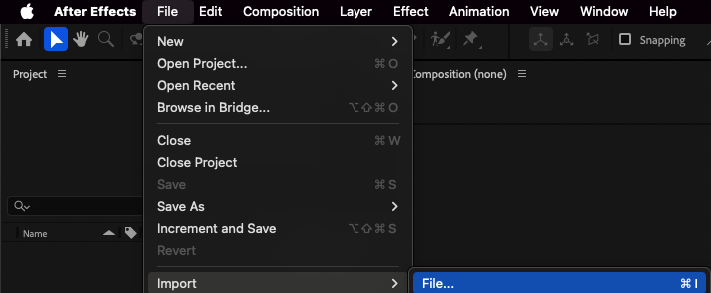
Step 3: Create or Open the Composition
Drag the file onto the timeline panel or expand the folder where your project is stored in After Effects. Double-click on the composition to open it.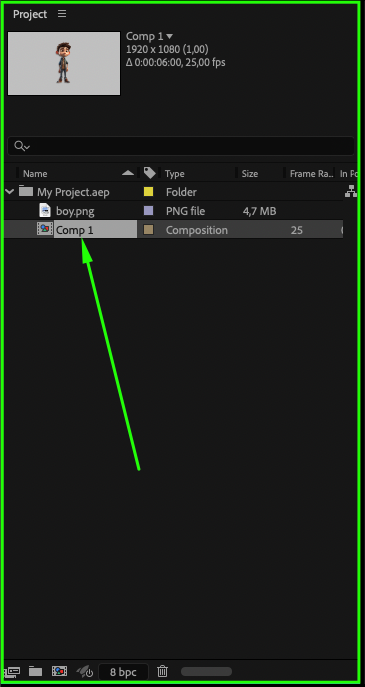 Step 4: Composition Settings
Choose “Composition” > “Composition Settings”. Step 5: Adjust the FPS
In the composition settings window, locate the “Frame Rate” (FPS) parameter and change the value to your desired frame rate. For example, if your video was shot at 24 FPS and you want to change it to 30 FPS, enter 30.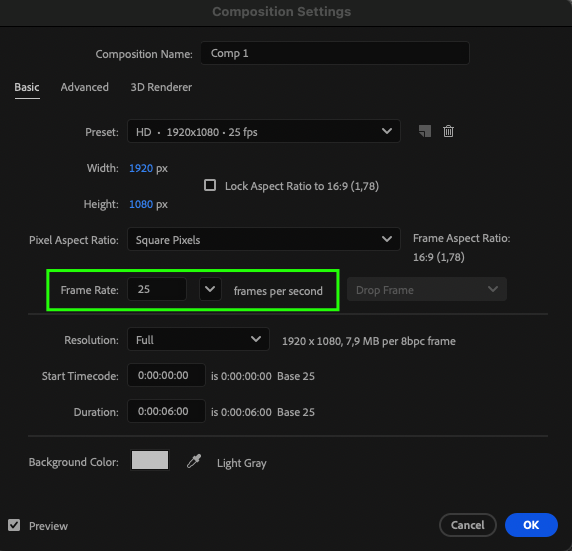 Step 6: Apply Changes
Click “OK” to apply the changes.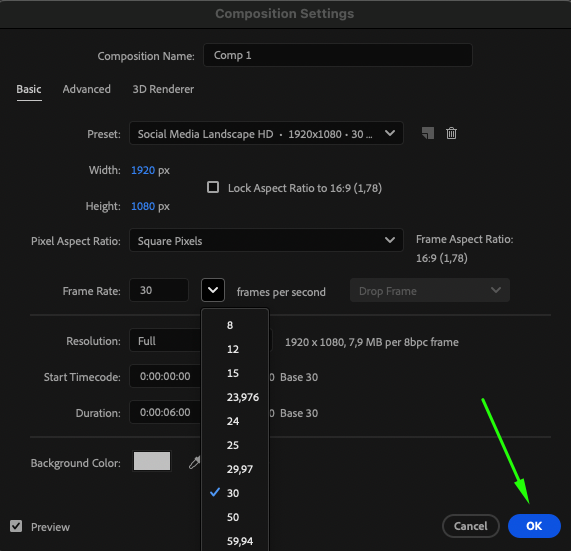
Step 7: Verify the Result
After making the changes, you can check the result on the timeline panel.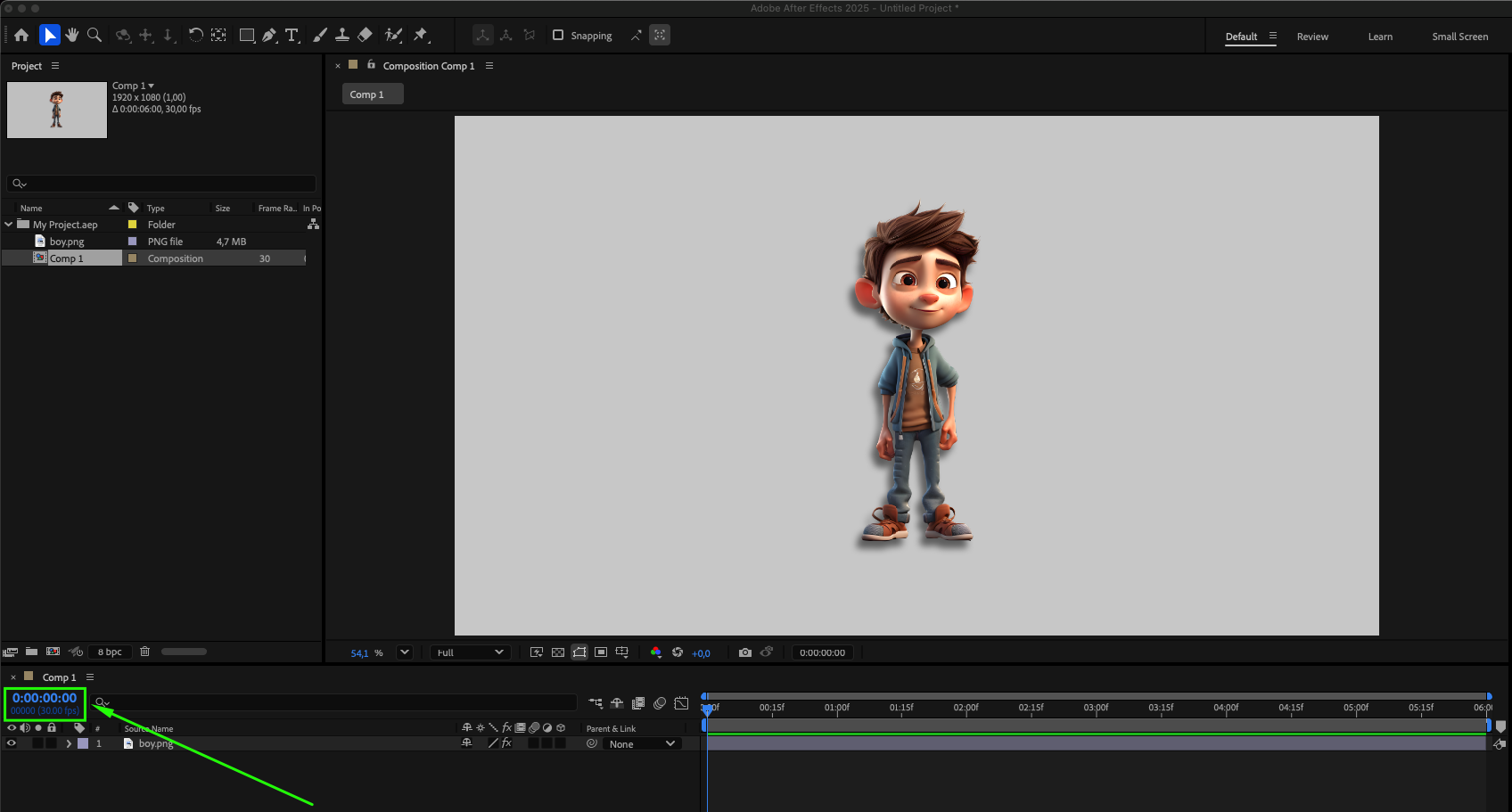
Now, your composition will play back at the new frame rate. Note that changing the FPS may affect the video’s duration and its playback smoothness.
Conclusion: Harnessing the Power of Frame Rate Adjustment
In conclusion, the ability to change frame rates in After Effects is a fundamental skill for video editors and motion graphics artists alike. By following the straightforward steps outlined above, you can seamlessly adapt frame rates to suit your creative vision, ensuring smooth playback and precise timing in your compositions. Embrace the versatility of After Effects and explore the endless opportunities that frame rate adjustment offers for elevating your visual storytelling.
Our Bestsellers
Our Bestsellers


