
How to Replace an Image in an After Effects Template
Introduction
Using After Effects templates can save time, but knowing how to replace images is essential for customization. This guide walks you through the process of locating image placeholders, importing new images, and adjusting them within the template.
Step 1: Download and Open the Template
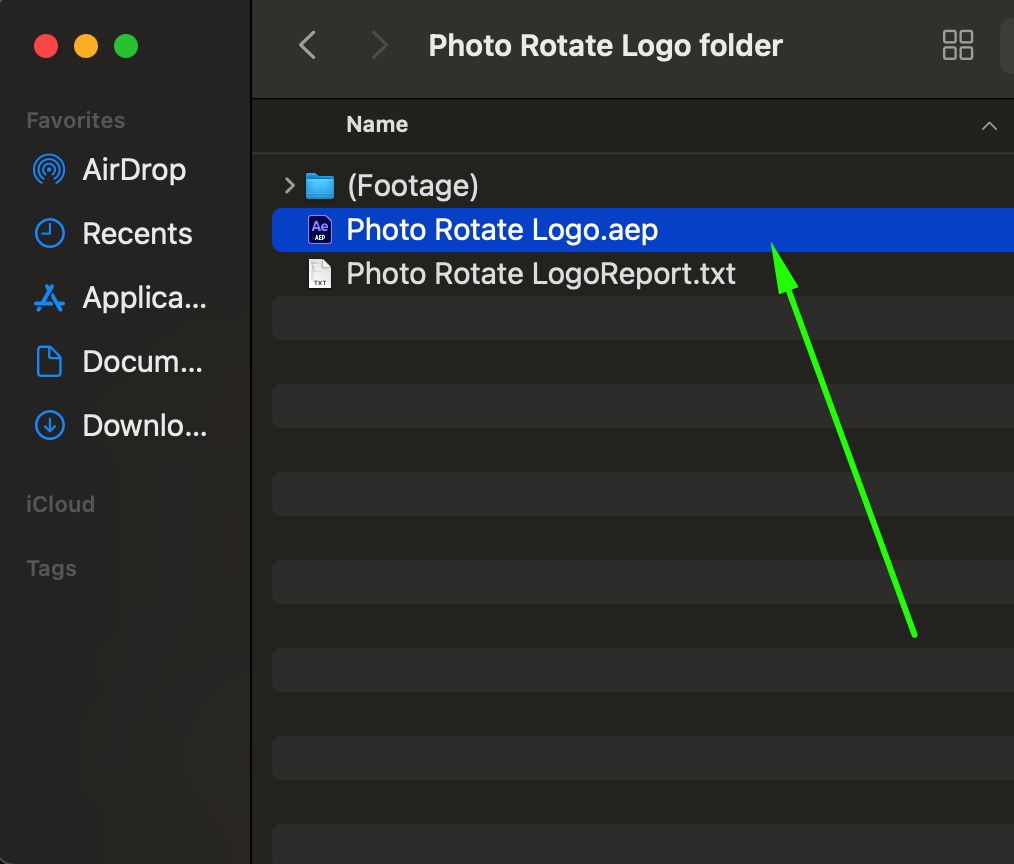
Find and download an After Effects template that includes images. Most templates come in a ZIP file, so extract it first. Locate the .aep file and double-click to open it in After Effects.
Step 2: Locate the Main Composition
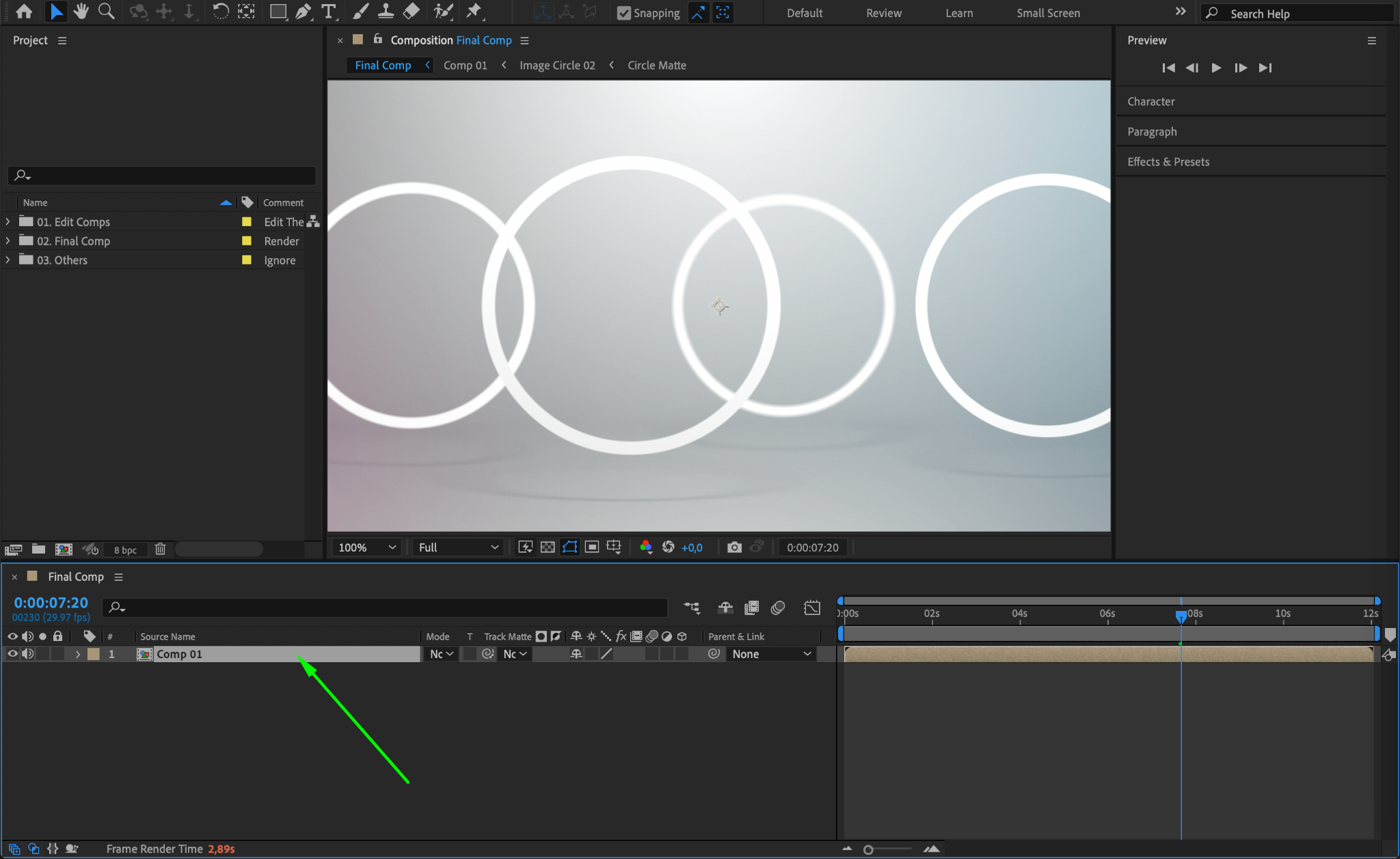
After opening the template, you’ll see the After Effects workspace. Look for a composition named “Final Comp” or “Main Comp” in the Timeline Panel. Double-click it to reveal all layers inside.
Step 3: Find Image Placeholders
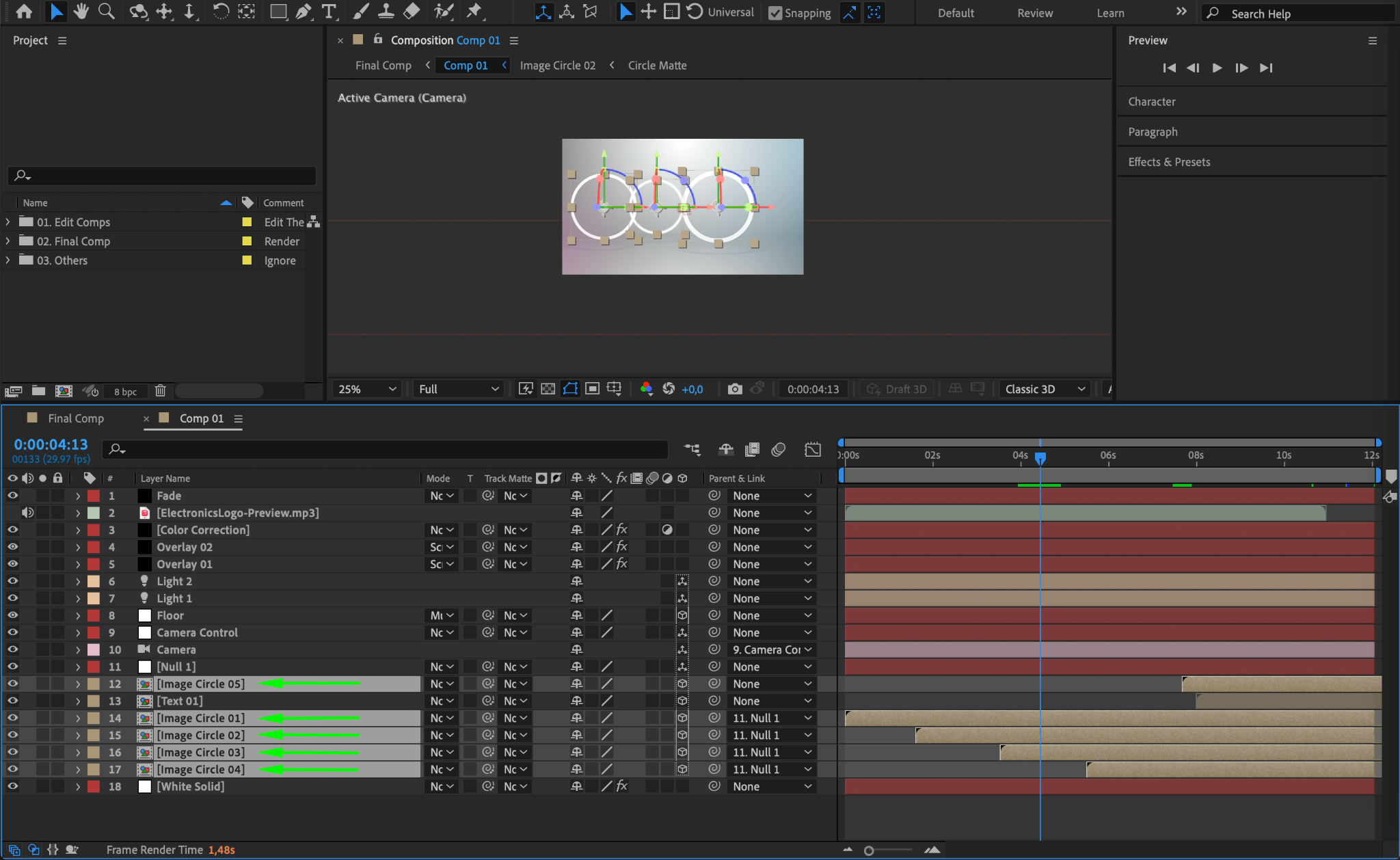
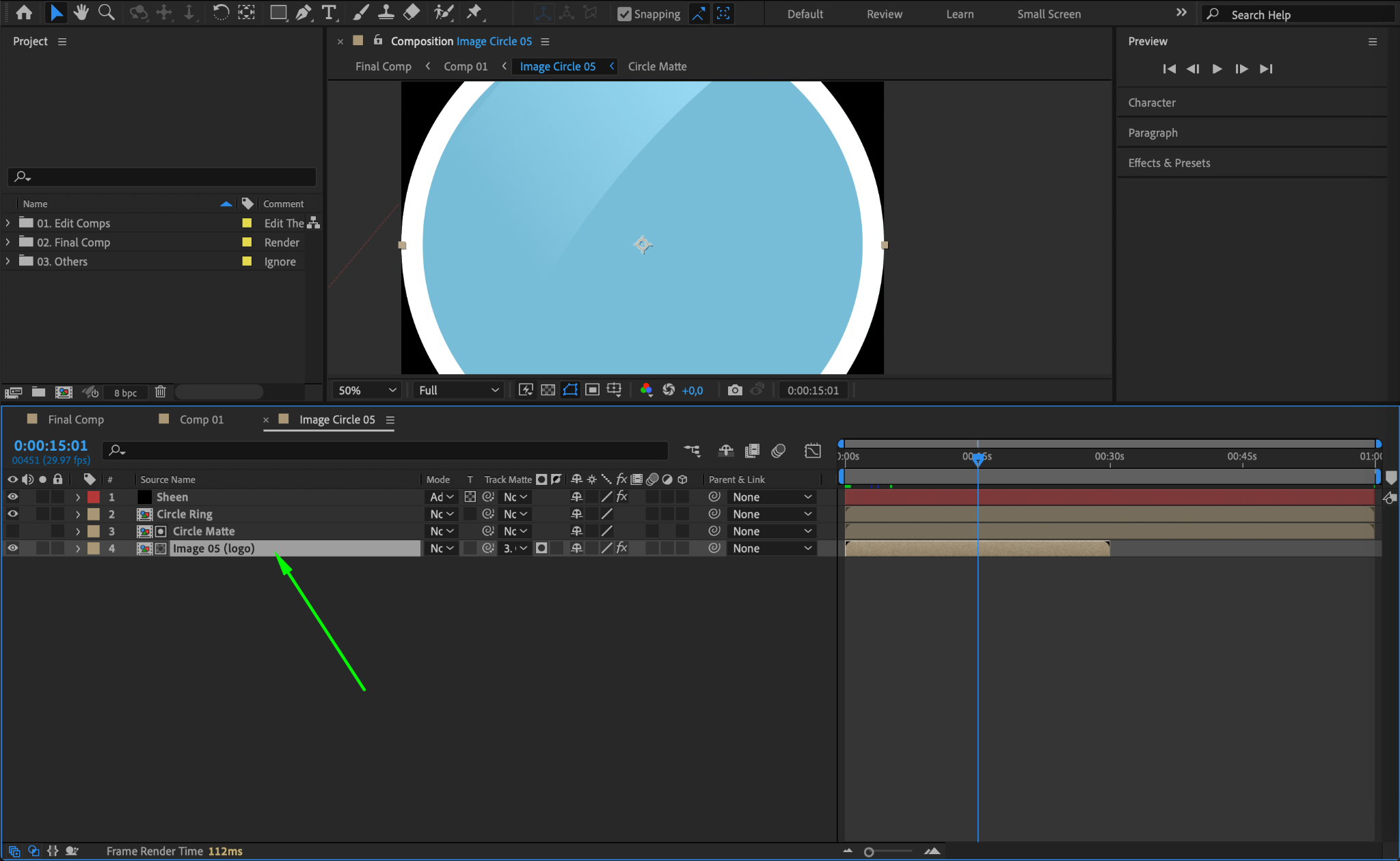
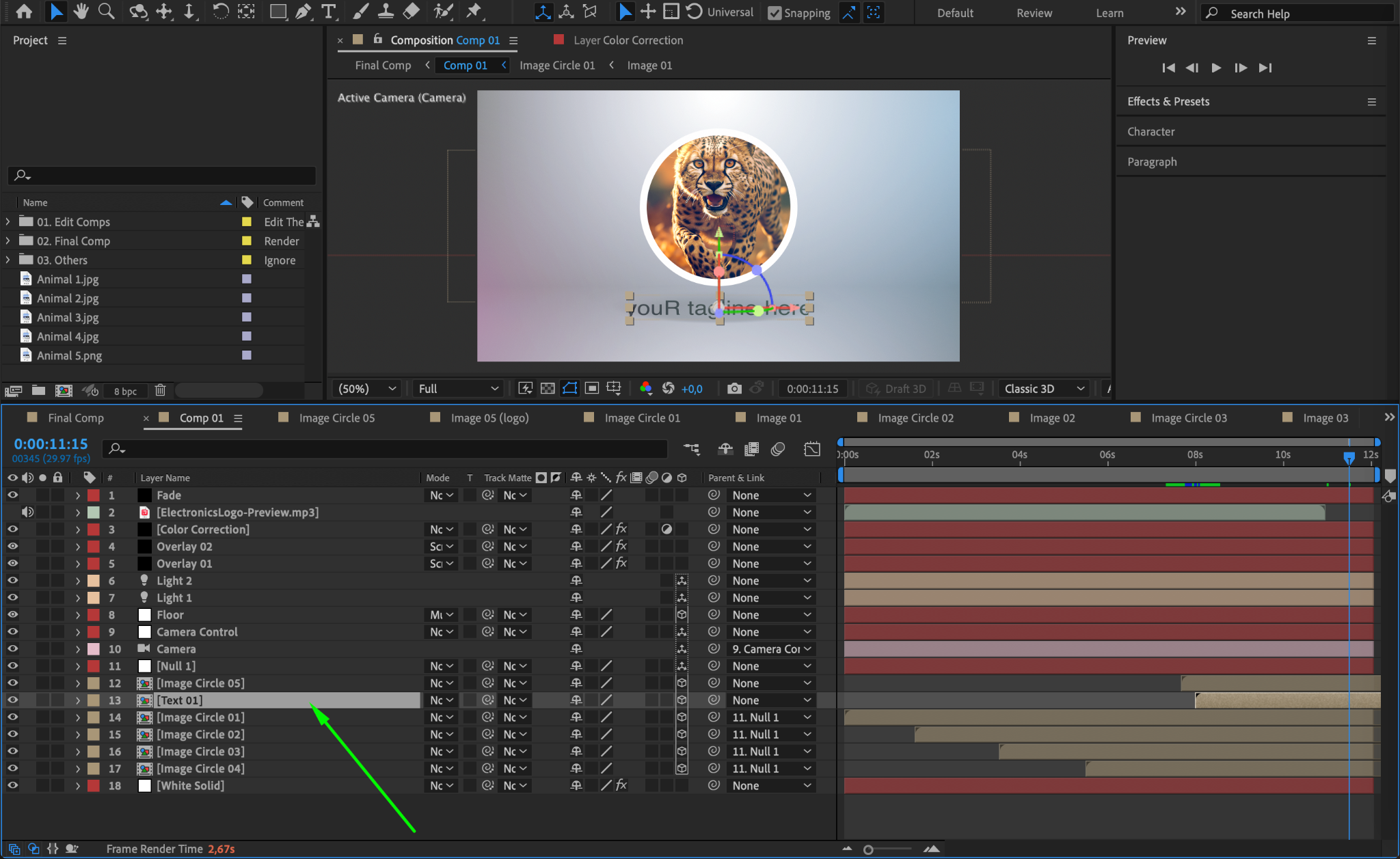
Inside the main composition, look for pre-made compositions labeled “Image_01,” “Image_02,” or similar. Double-click each one to open its contents. Sometimes, these placeholders are inside a folder named “Image Folder” or “Image (Logo).” Keep expanding until you see an image layer or an empty placeholder.
Step 4: Import Your Image
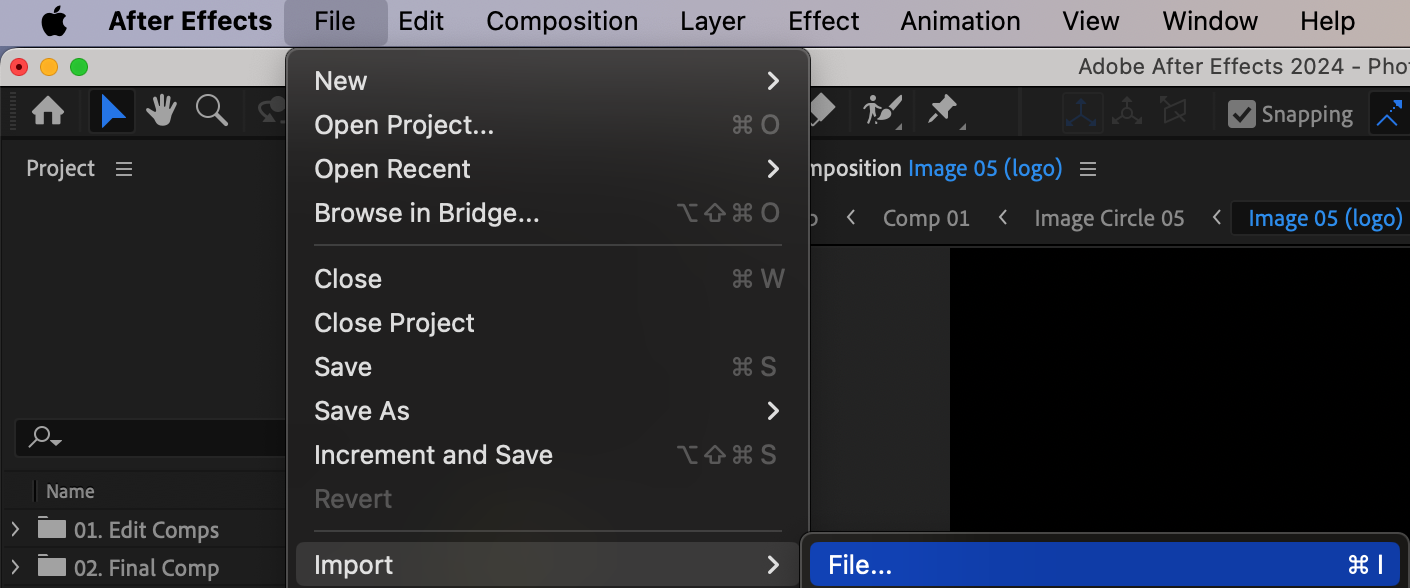
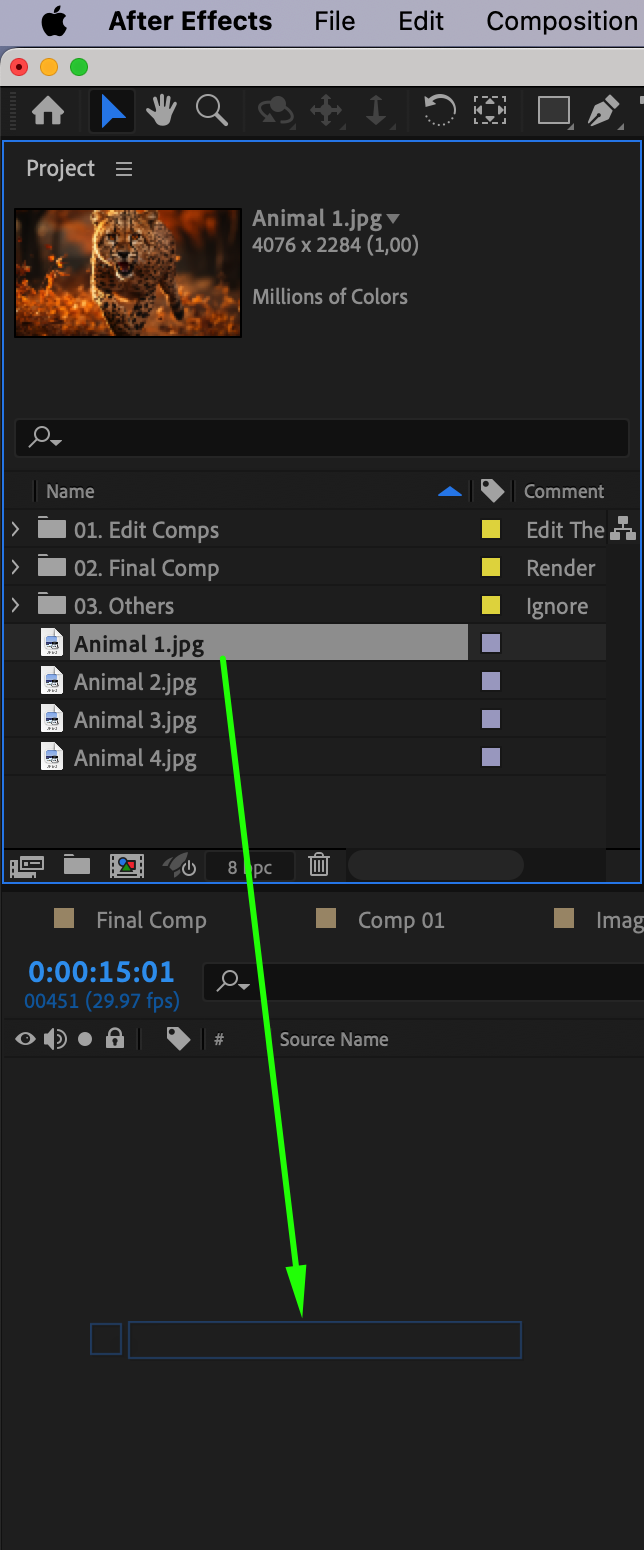
If there’s an image layer, delete it. If the composition is empty, go to File > Import > File, then select and import your new image into the Project Panel. Drag the new image into the placeholder composition.
Step 5: Adjust Image Size and Position
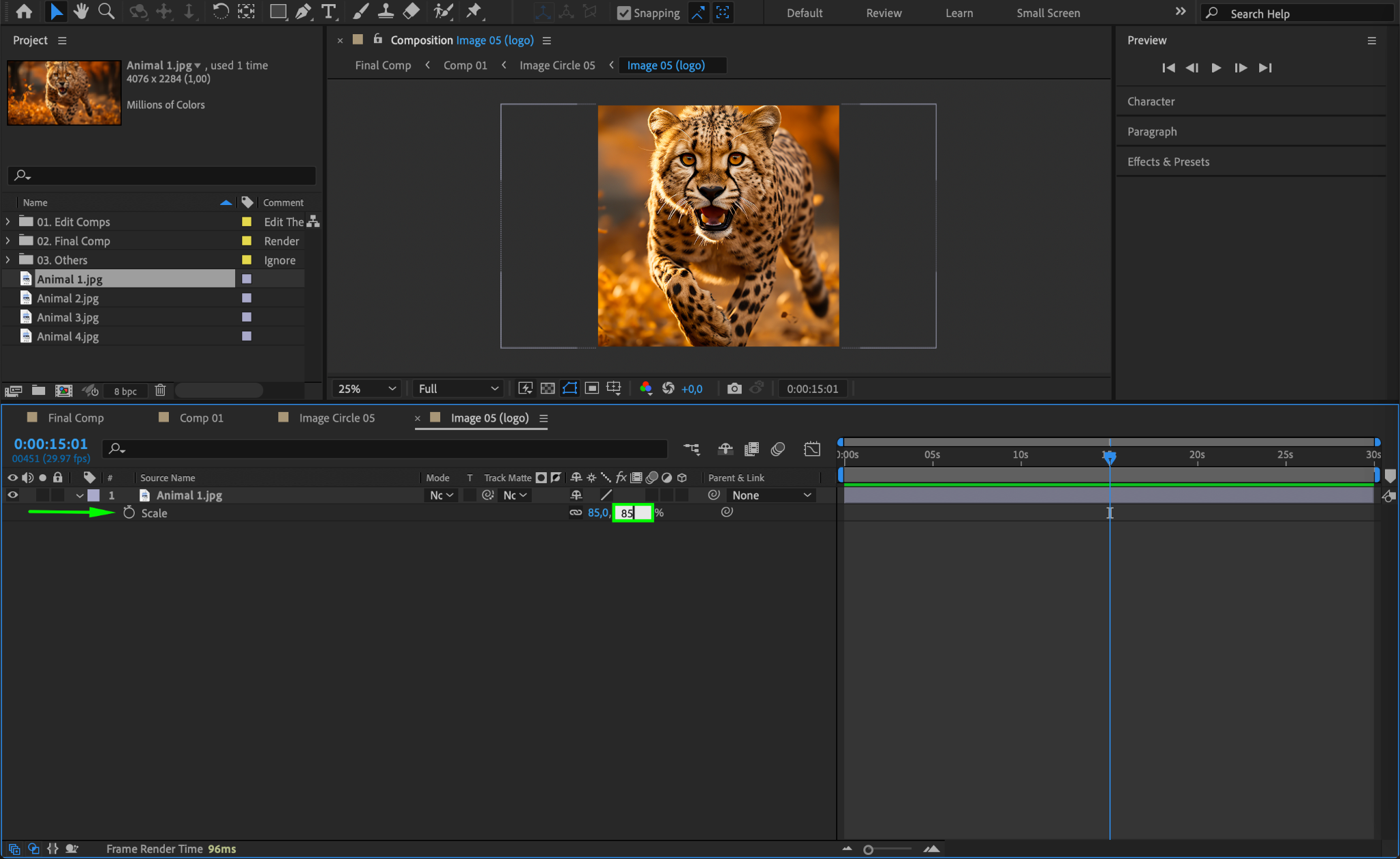
With your new image in the placeholder composition, press “S” to adjust its Scale and “P” to move it into position. Use the selection tool to fine-tune the placement. If needed, apply effects from the Effects & Presets panel.
Step 6: Repeat for Other Image Placeholders
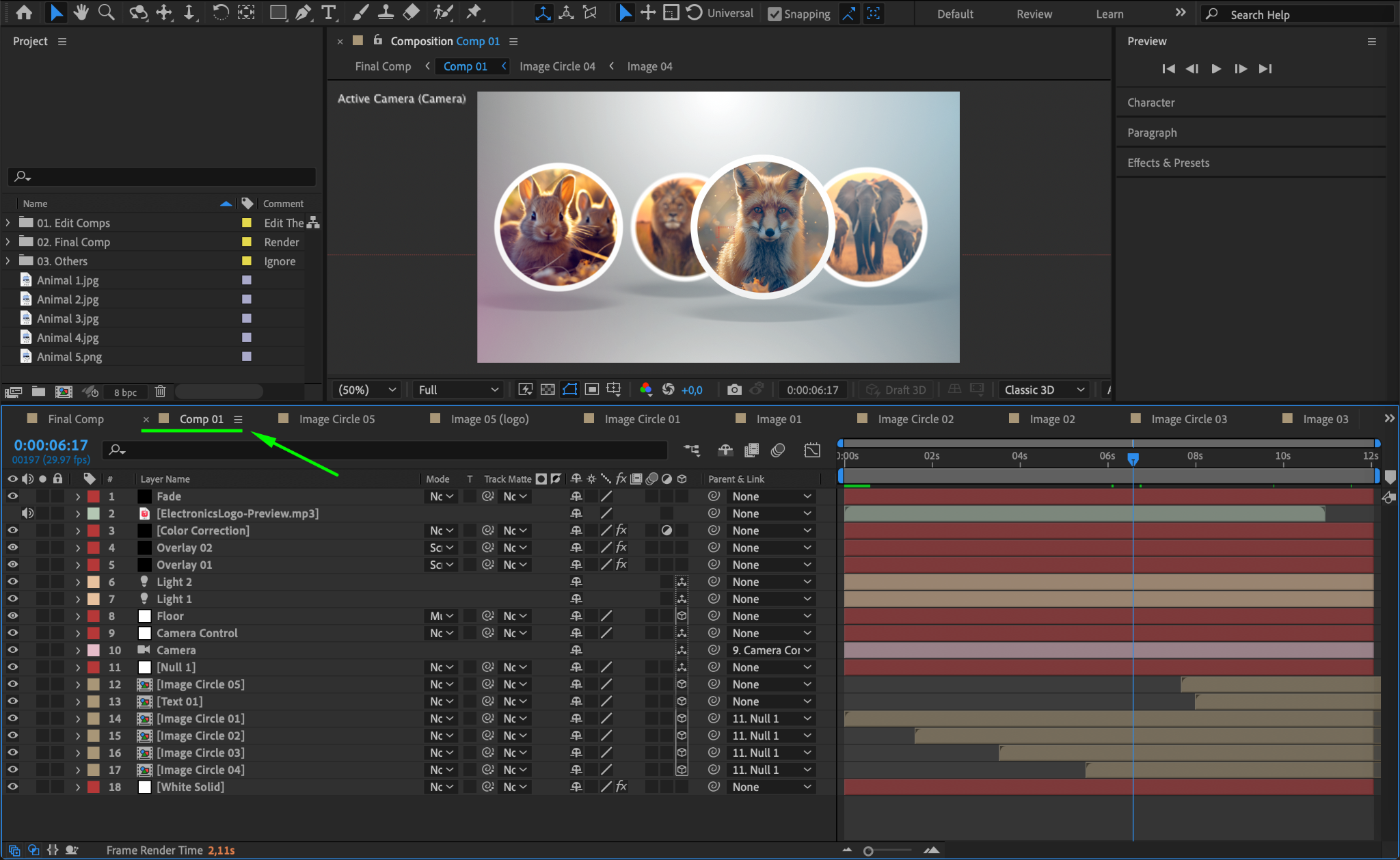
Repeat the process for every image placeholder in the template. Once done, return to the Main Comp to see how your images appear in the final animation.
Step 7: Edit Other Elements (Optional)
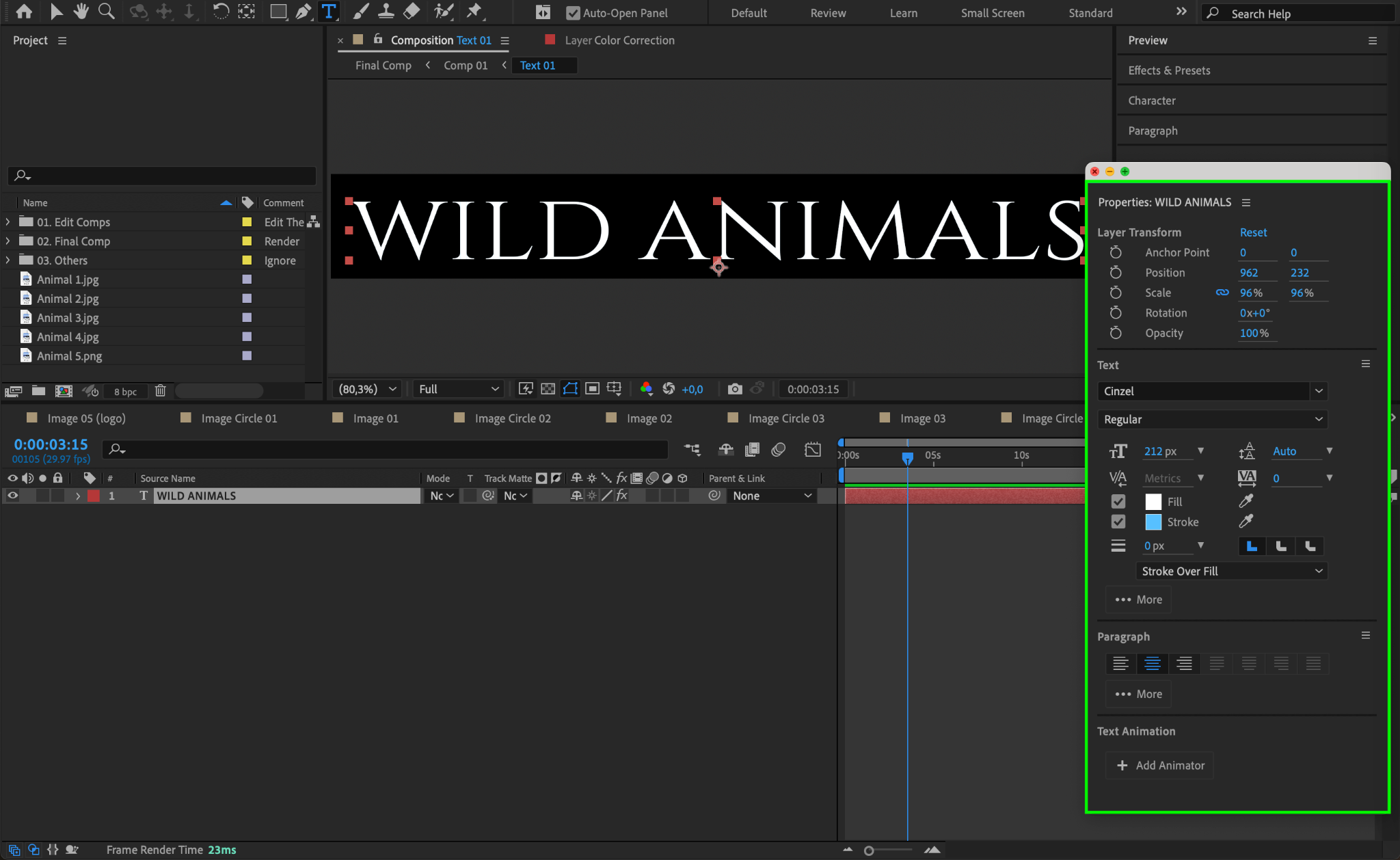
Most templates also include editable text. To change text, find the Text composition, double-click it, and edit the text layer. Use the Properties Panel to adjust font, size, and color.
Step 8: Preview the Animation
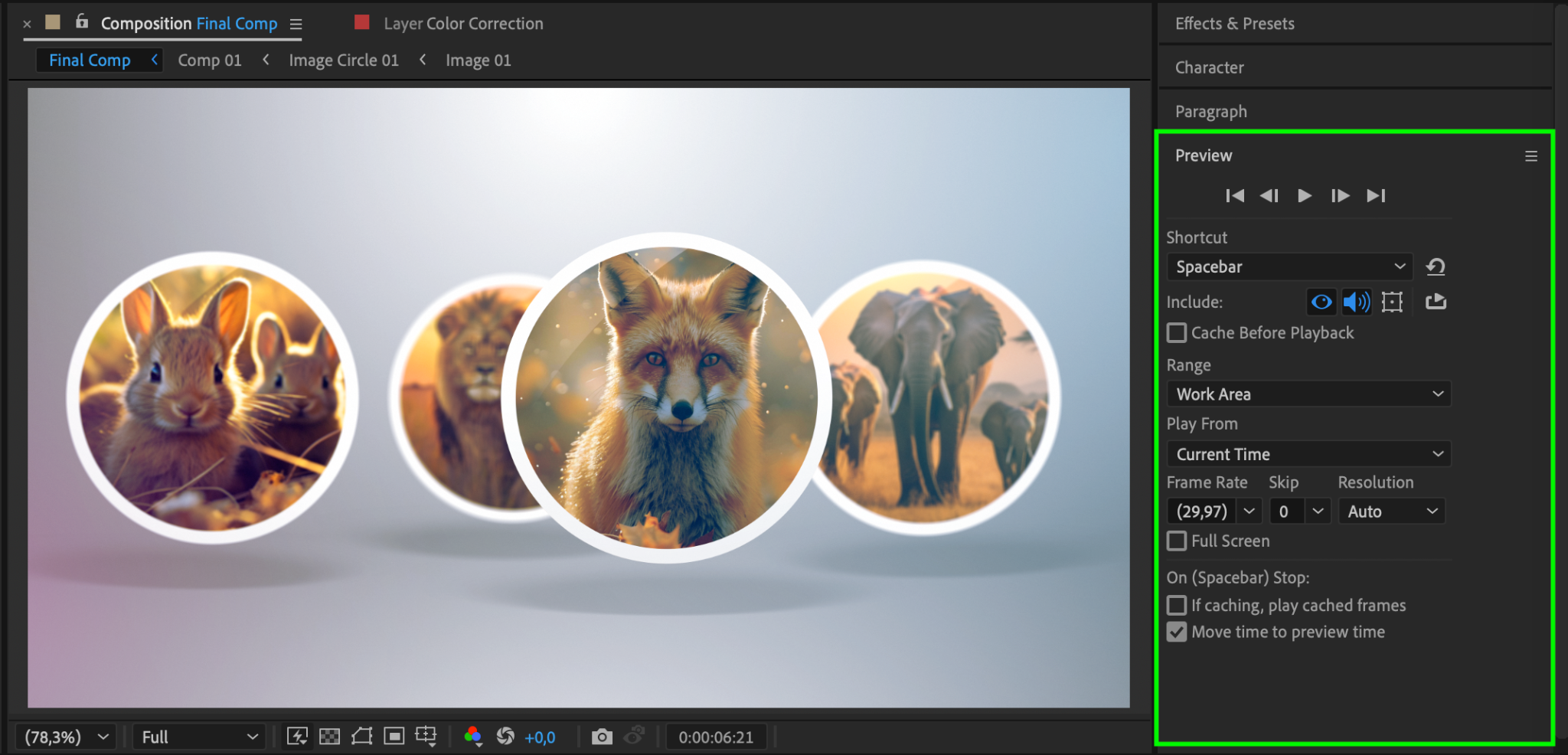
Return to the Main Comp and press the Spacebar to preview your animation. Make sure all images fit correctly and that the template elements work as expected.
Step 9: Render the Final Video
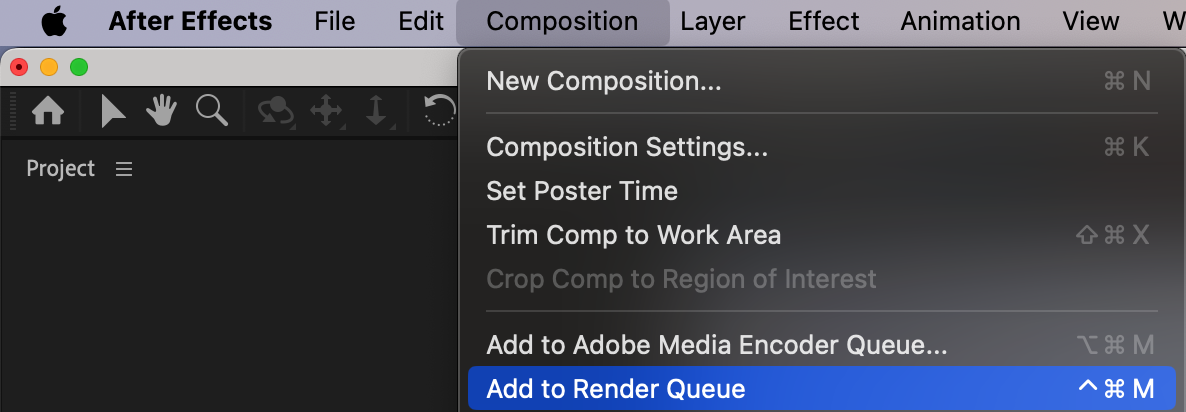
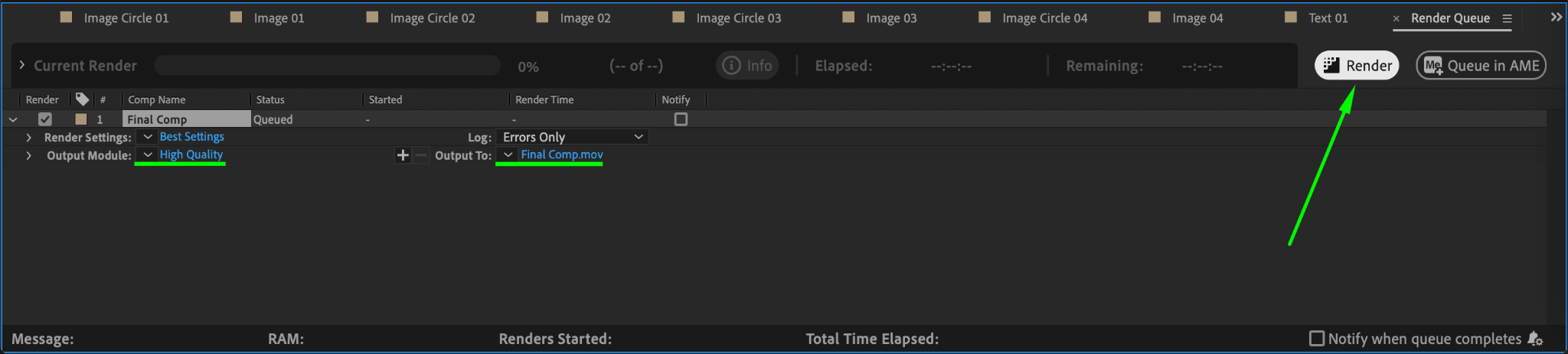
Once everything looks good, go to Composition > Add to Render Queue, choose your preferred settings, and click Render to export the video.
Conclusion
Replacing images in an After Effects template is simple when you know where to find placeholders. By following these steps, you can customize any template with your own images and make it unique.
Our Bestsellers
Our Bestsellers


