
Guide to Switching from the Rectangle Tool to the Ellipse Tool in After Effects
Introduction to Creating Circles Using Shape Tools in After Effects
In Adobe After Effects, switching from the Rectangle tool to the Ellipse tool lets you create perfect circles or ovals in your project. Whether you’re designing animated shapes, masks, or layered compositions, understanding how to use these tools efficiently can add variety and creativity to your work. This guide will show you the steps to transition from rectangles to circles with ease in After Effects.
Step 1: Select the Shape Tool from the Toolbar
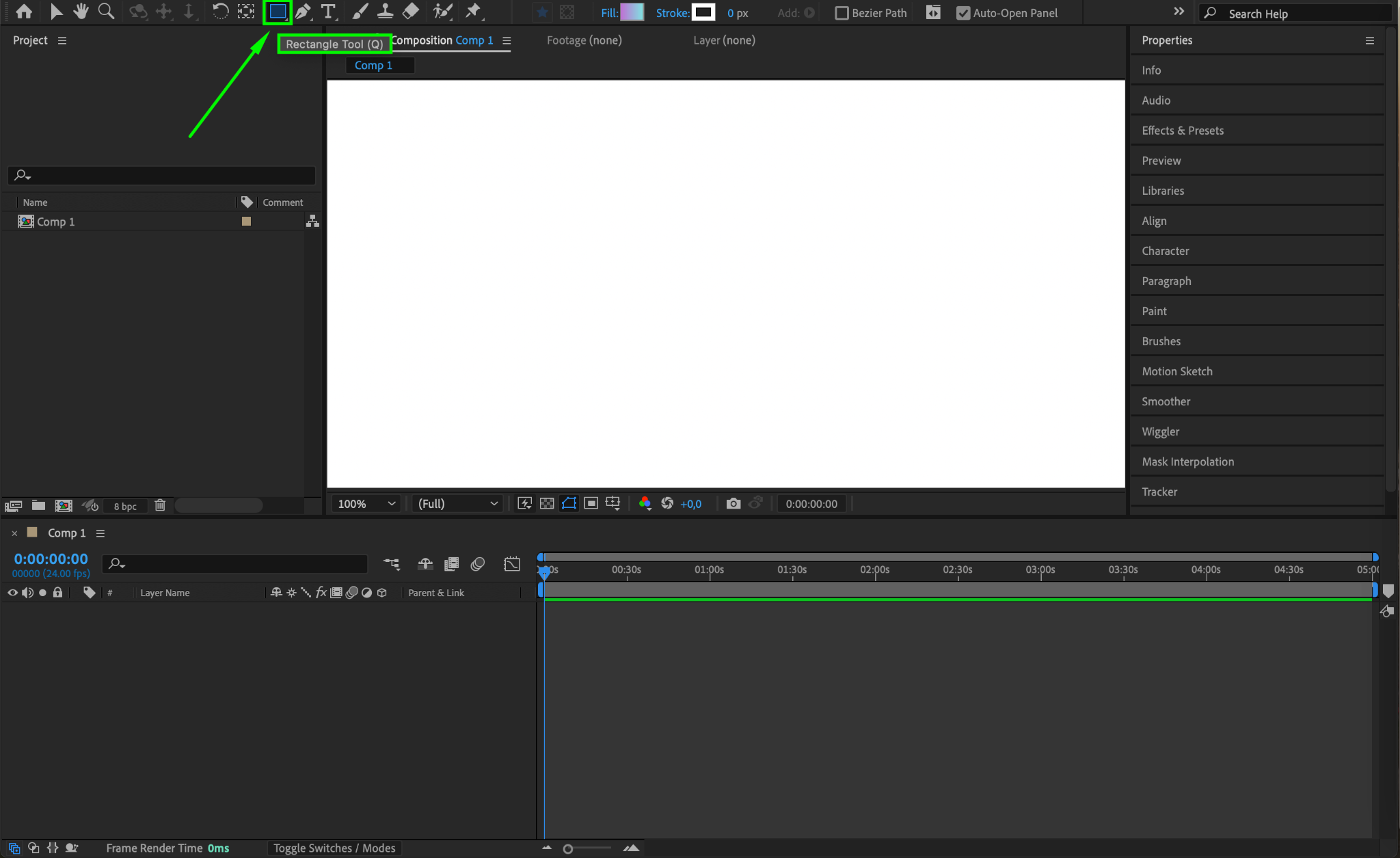
To start, navigate to the Toolbar at the top of After Effects. Look for the Rectangle Tool icon – it is the default shape tool. If you already see an icon for the Rectangle Tool, clicking and holding on it will reveal more shape options. This selection method allows you to easily switch between different shape tools.
Step 2: Choose the Ellipse Tool
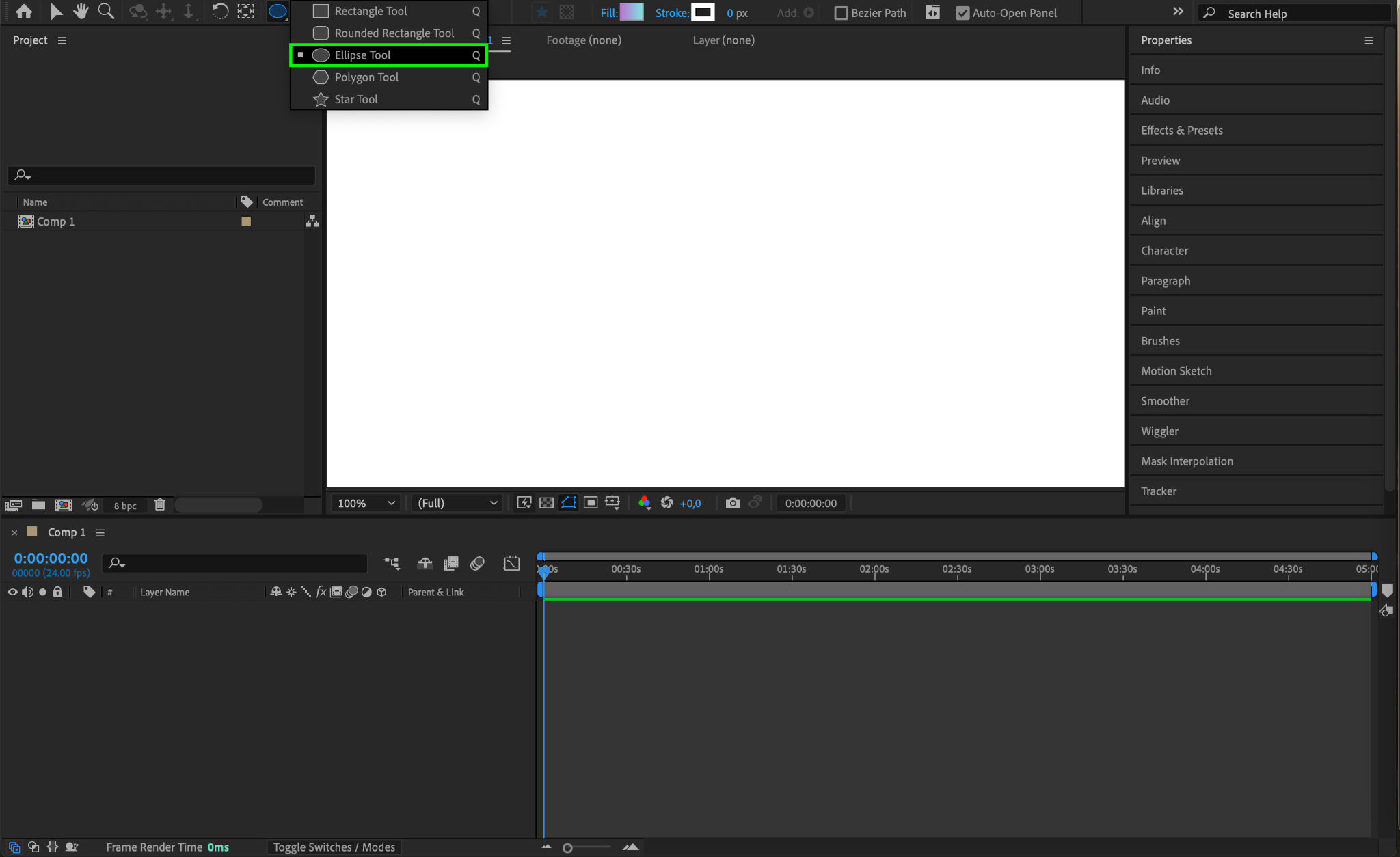
When you click and hold on the Rectangle Tool icon, a dropdown menu will appear, showing various shape tools, including the Ellipse Tool. Select the Ellipse Tool to switch from the Rectangle Tool. This action will allow you to draw circles and ellipses instead of rectangles.
Step 3: Draw a Circle Shape on Your Composition
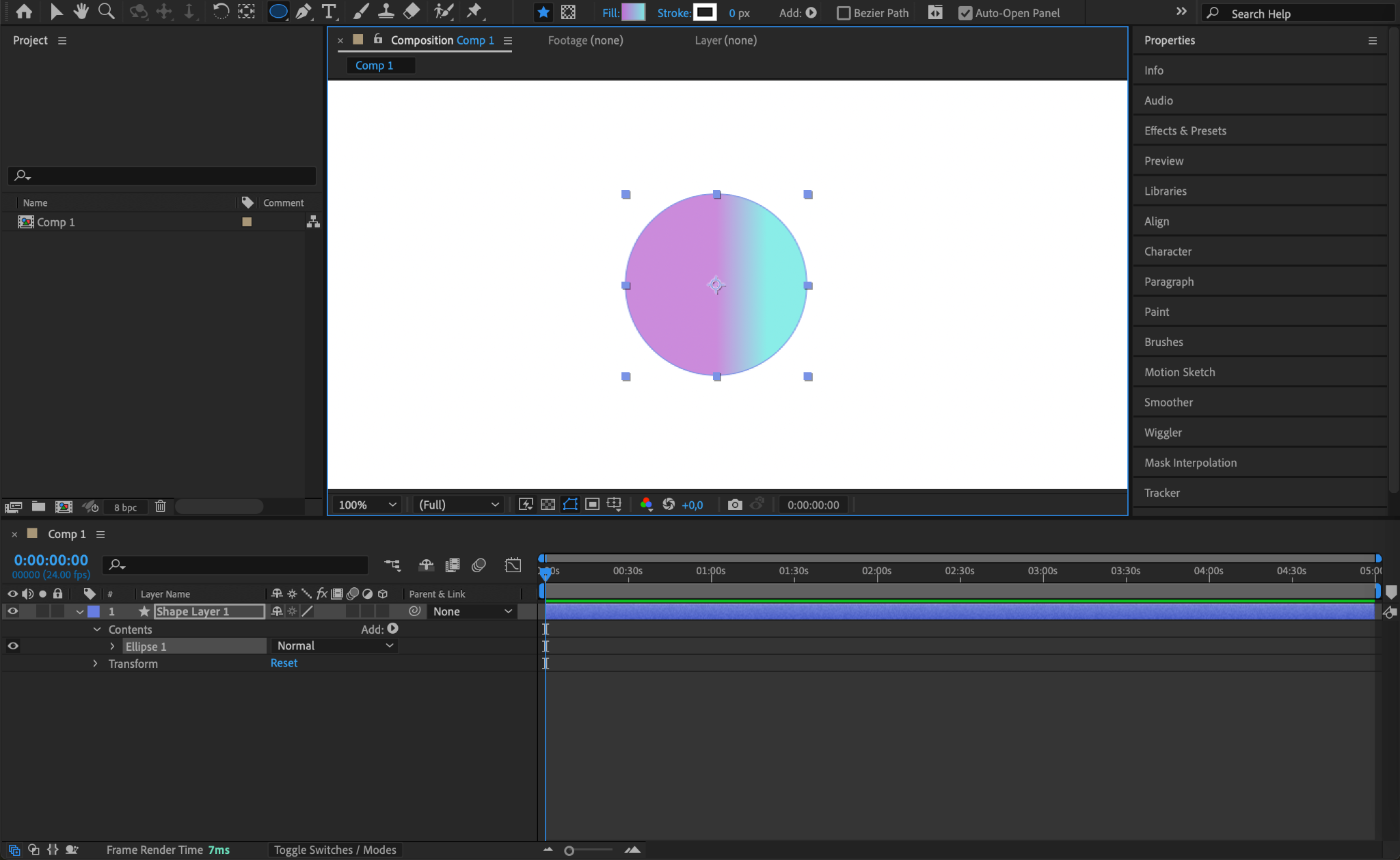
To draw a perfect circle, click and drag on your composition while holding down the “Shift” key. Holding “Shift” ensures that the ellipse maintains equal width and height, forming a perfect circle. If you want an oval shape, release the “Shift” key and continue dragging to adjust the dimensions freely.
Step 4: Adjust the Circle’s Properties in the Timeline
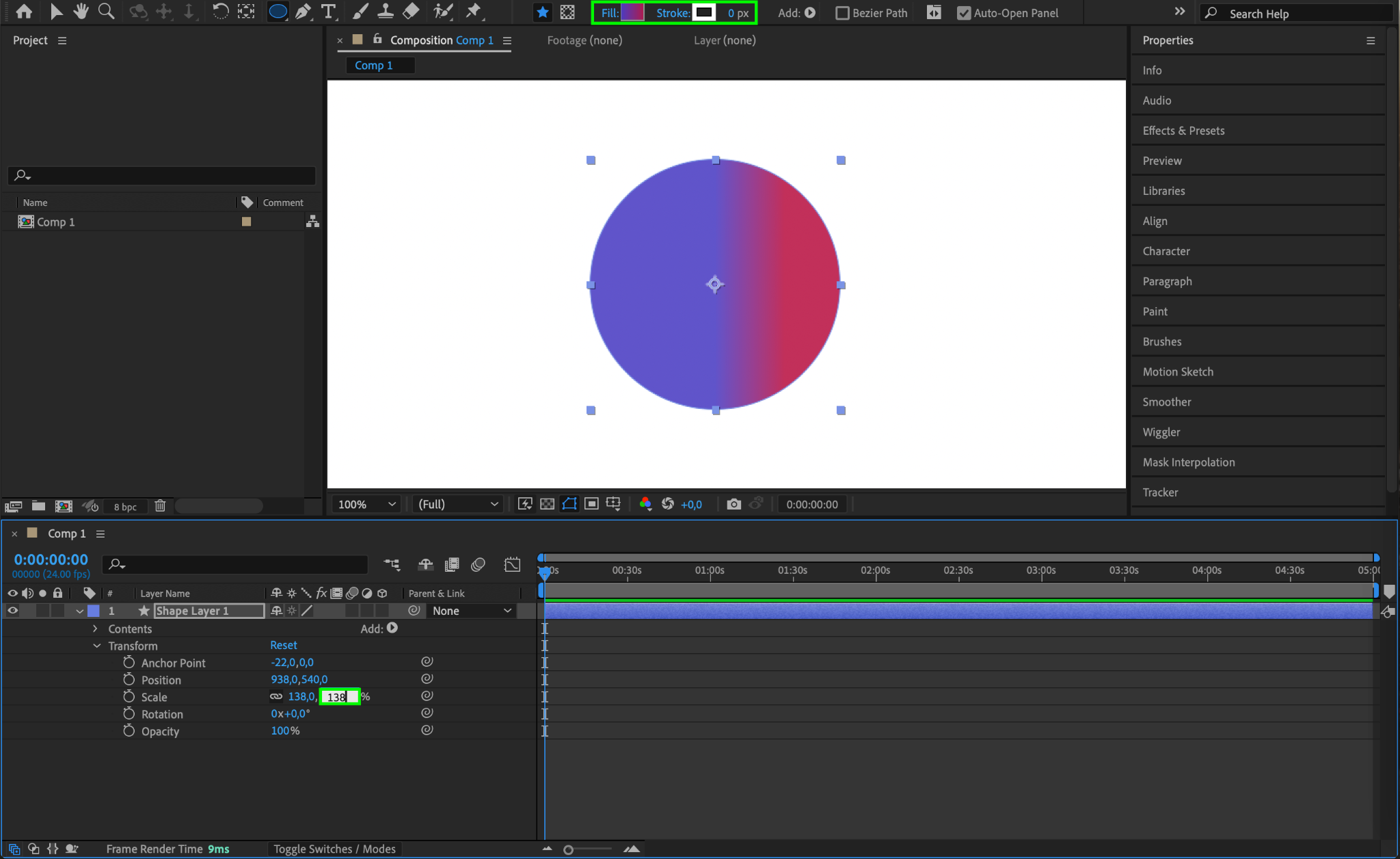
Once your circle is drawn, you can adjust its size, color, and position. Open the Contents section in the Timeline panel, then access the Transform options for further adjustments. This flexibility allows you to customize your shape to fit your design requirements.
Step 5: Add Effects or Animations to the Circle
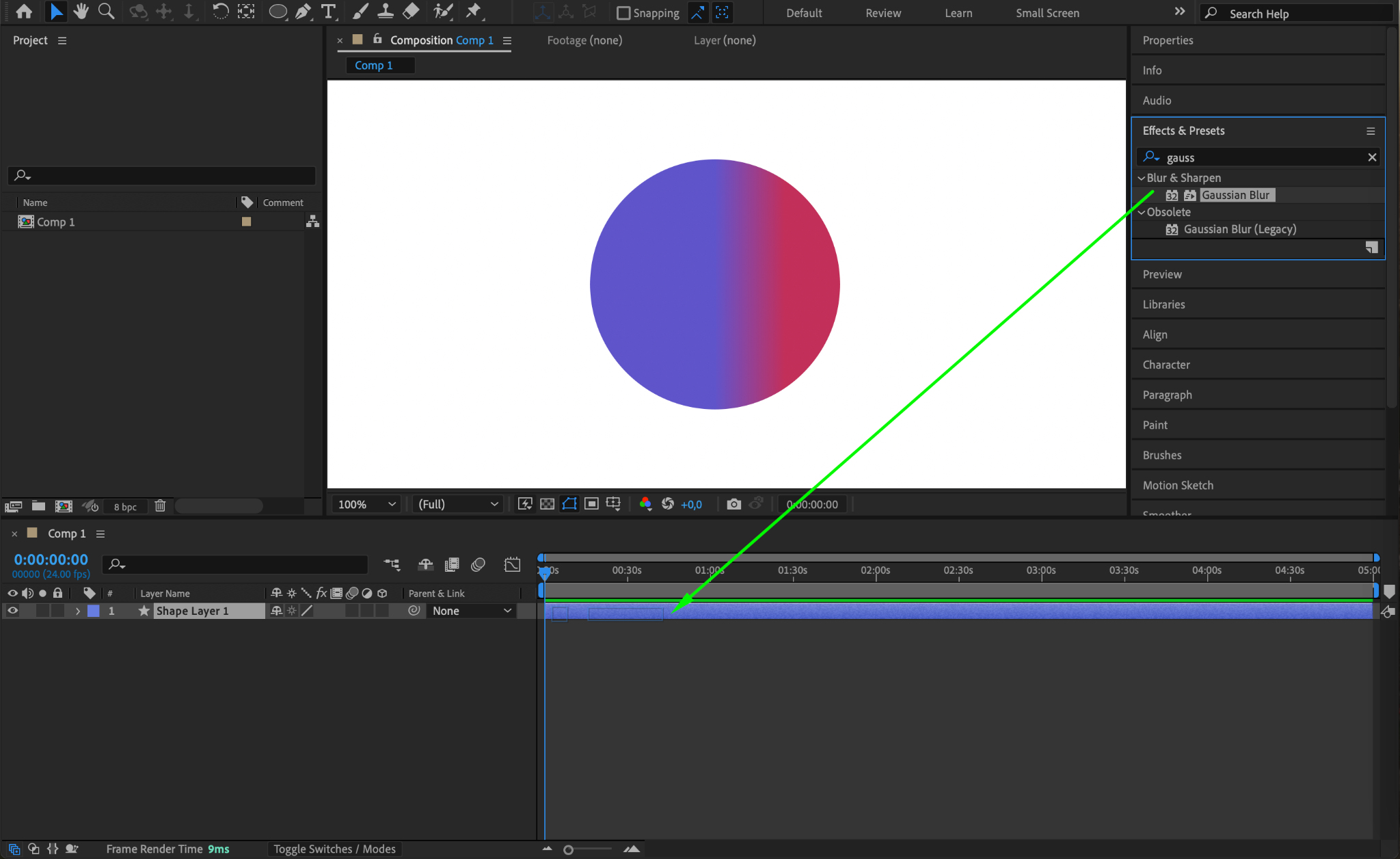
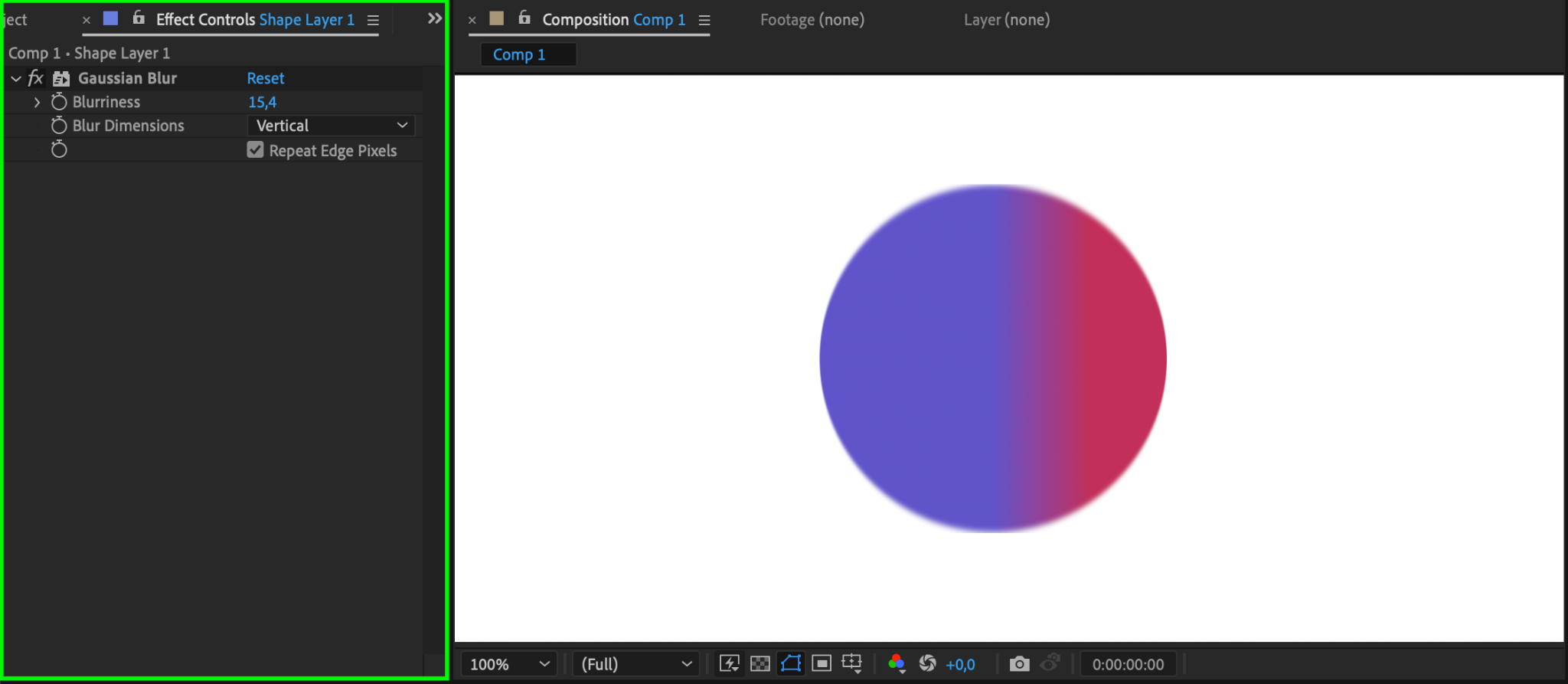
With the circle shape created, you can apply effects or animations to enhance your design. Select your circle layer, then go to Effects & Presets to add color adjustments, blurs, or motion. Using these effects, you can bring more visual interest to your circle within the composition.
Step 6: Save Your Project
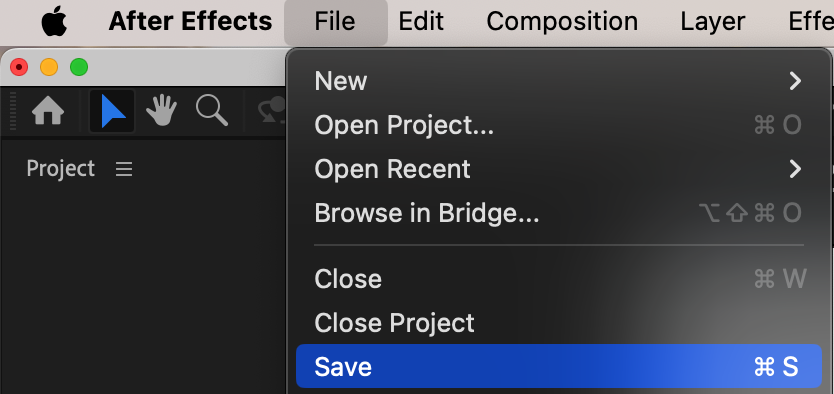
After completing the shape design, remember to save your project by going to File > Save. This step ensures that all your edits, including the new shape, are saved, protecting your work from potential data loss.
Conclusion
Creating circles in After Effects is a simple yet essential skill for adding variety to your compositions. By switching from the Rectangle Tool to the Ellipse Tool, you gain the ability to create dynamic shapes that enhance your project’s visual appeal. Experimenting with different shapes, colors, and animations can make your compositions more engaging and professional.
Our Bestsellers
Our Bestsellers


