
Introduction to Save Locations in After Effects
In Adobe After Effects, you can control where your project files, autosaves, and rendered videos are stored. Setting a clear save location helps you stay organized and avoid losing files. Whether you want to save to a specific folder, external drive, or cloud storage, After Effects gives you full control over where everything is stored.
Step 1: Choose a Save Location for Your Project
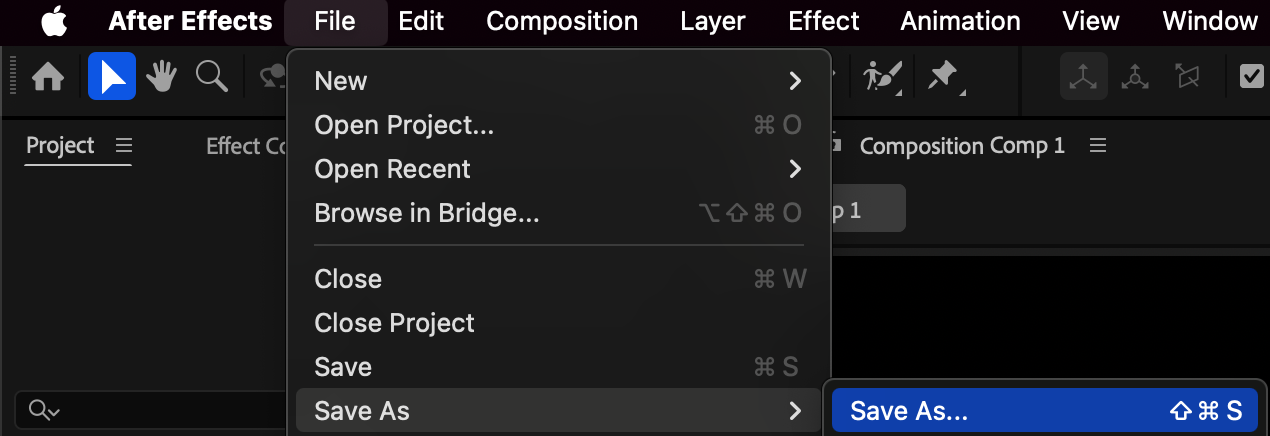
When you first create a project, go to File > Save As > Save As…. A file browser window will open — navigate to the folder where you want to keep your project. Give your file a clear name and click Save.
If you’ve already saved the project but want to move it elsewhere, go to File > Save As > Save As… again, and choose a new folder. This will create a copy in the new location, keeping your original file intact.
Step 2: Change the Autosave Folder Location
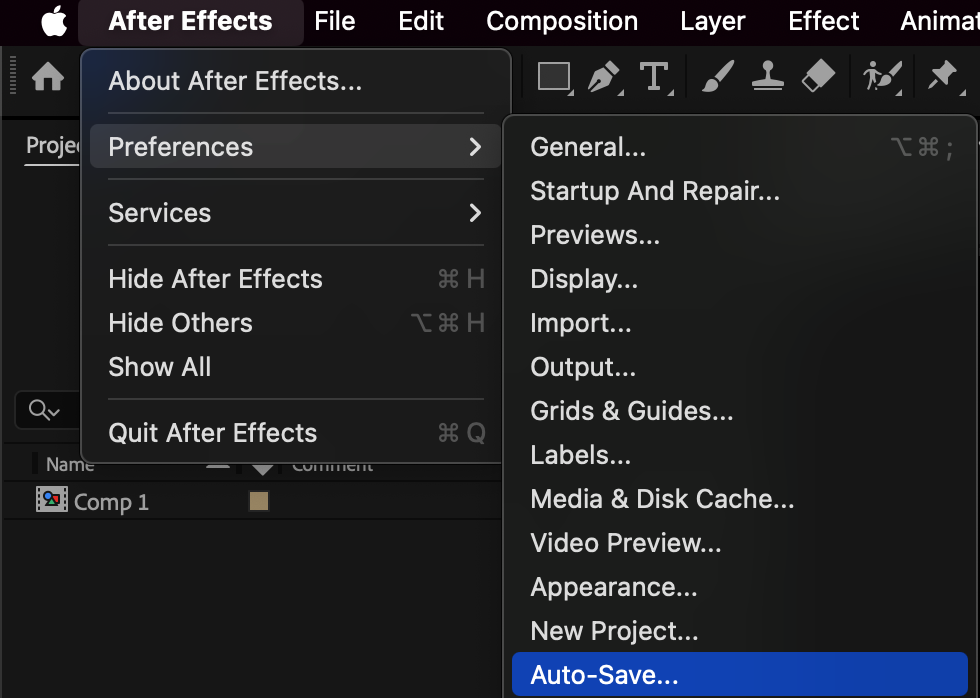
Go to Edit (Windows) / After Effects (Mac) > Preferences > Auto-Save.
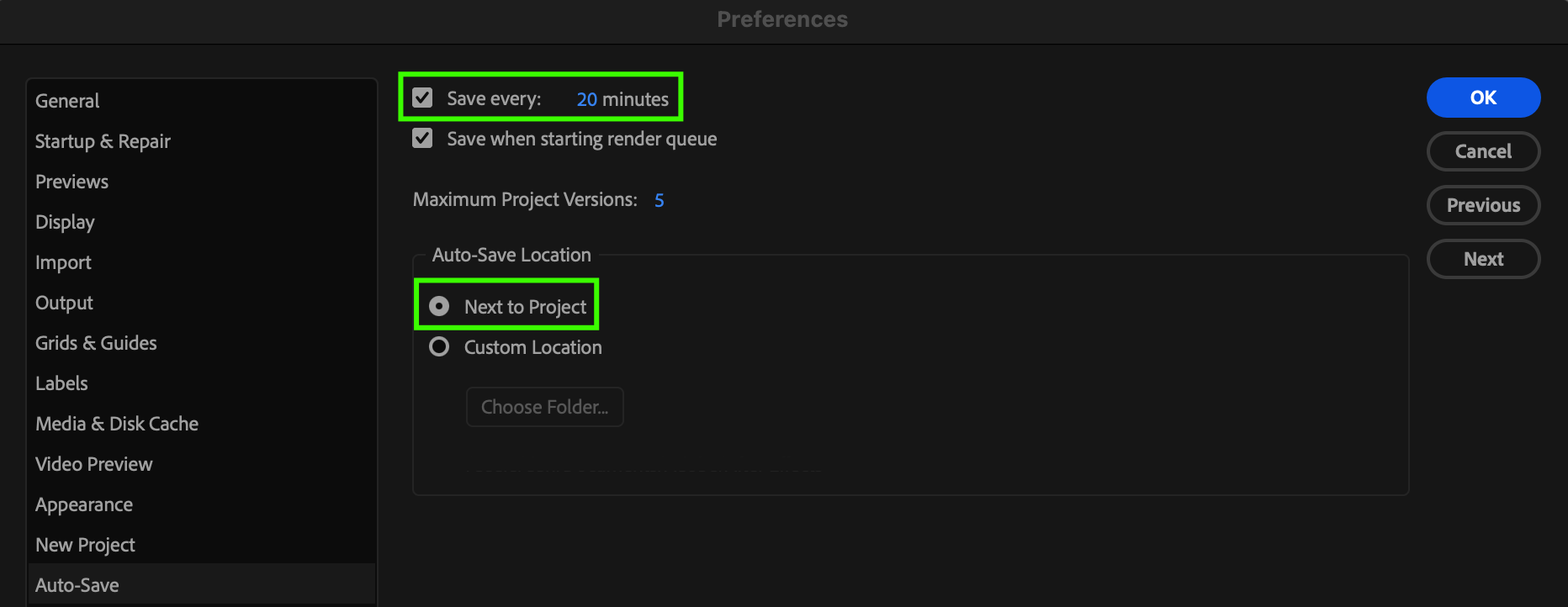
Enable Automatically Save Projects if it’s not already checked, and set the Save Every interval — for example, every 20 minutes.
You can also choose where autosaves are stored: either Next to Project (in the same folder as your project) or select a Custom Location to save them elsewhere.
When you’re done, click OK to confirm your settings.
 Step 3: Change the Output Location for Renders
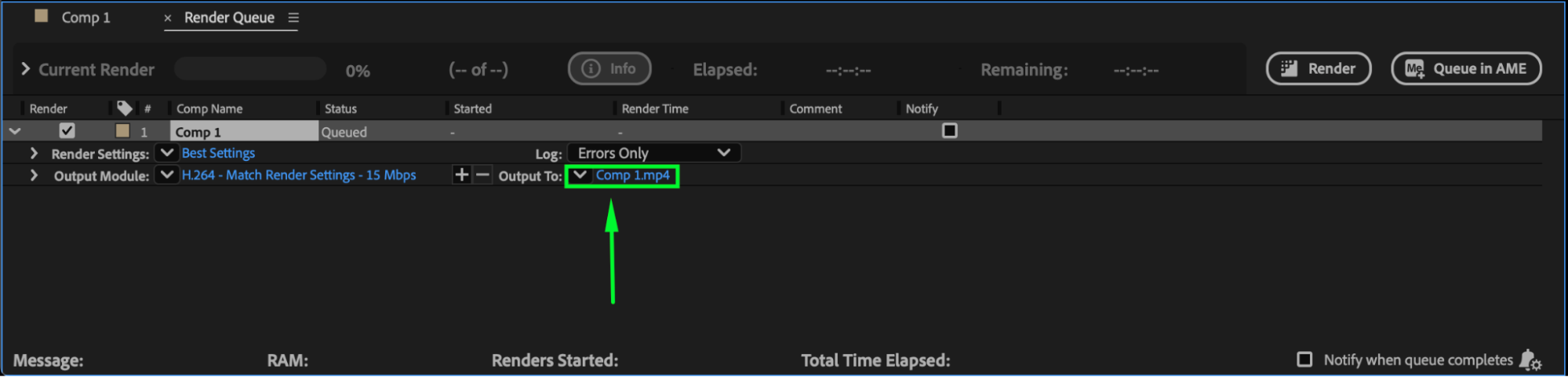
When you’re ready to export your composition, go to Composition > Add to Render Queue.
In the Render Queue panel, click the Output To field (next to your composition name). Choose a new folder or drive where you want your rendered video to be saved. Click Save, then start the render.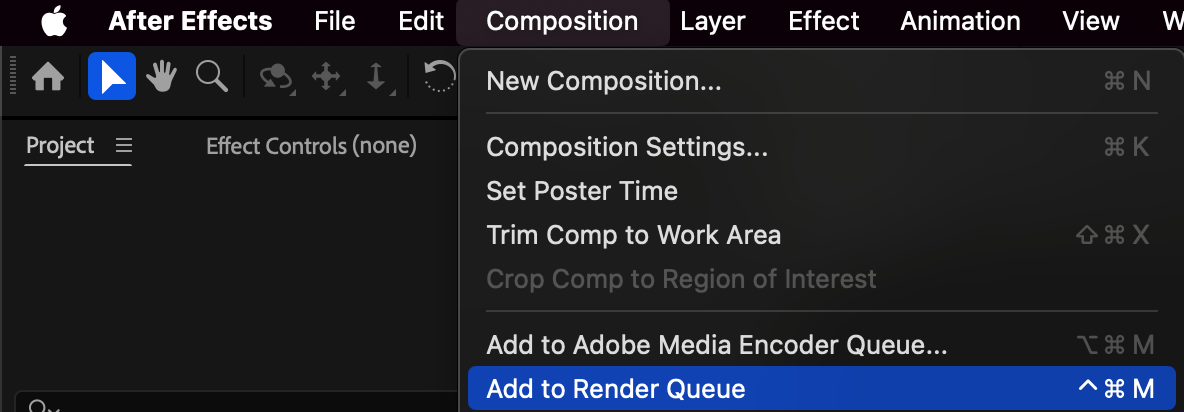
Step 4: Keep Your Project Organized
To keep your workflow tidy, create separate folders such as:
/Projects – for main project files
/Renders – for exported videos
/Autosaves – for backups
This organization helps you locate files quickly and prevent confusion between different project versions.
Conclusion
Changing the save location in After Effects is simple but essential for an organized workflow. By setting custom paths for your project, autosaves, and renders, you can ensure your files are stored safely and systematically — making it easier to manage complex projects and avoid accidental loss.
Our Bestsellers
Our Bestsellers


