
Clearing the Render Queue in After Effects
Managing Your Render Queue for a Smoother Workflow
Clearing the render queue in After Effects is essential for keeping your workspace organized and ensuring optimal performance. Whether you’re switching projects or need to remove outdated render items, following these steps will help you manage your render queue efficiently.
Step 1: Open the Render Queue
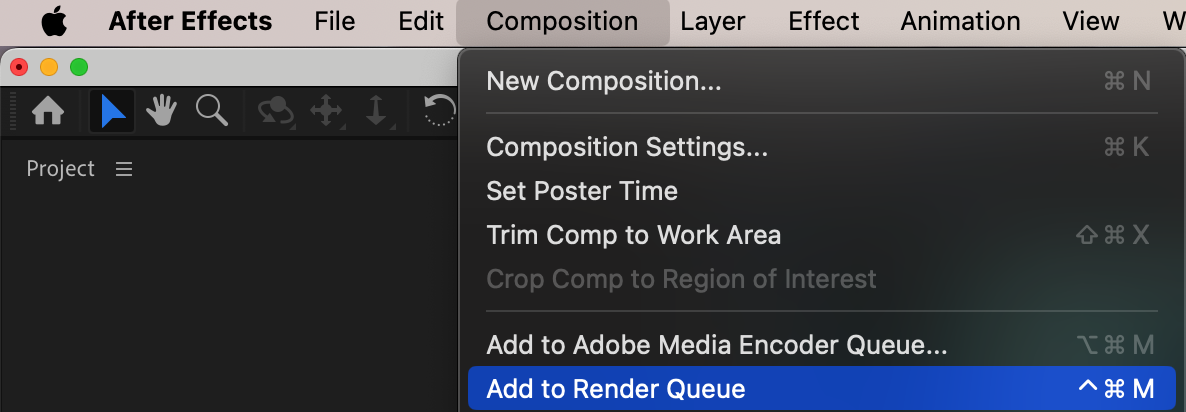
In After Effects, go to Composition > Add to Render Queue or simply open the Render Queue panel from the bottom of the interface. This panel displays all the compositions you’ve queued for rendering and provides an overview of current and past renders.
Step 2: Select Render Queue Items
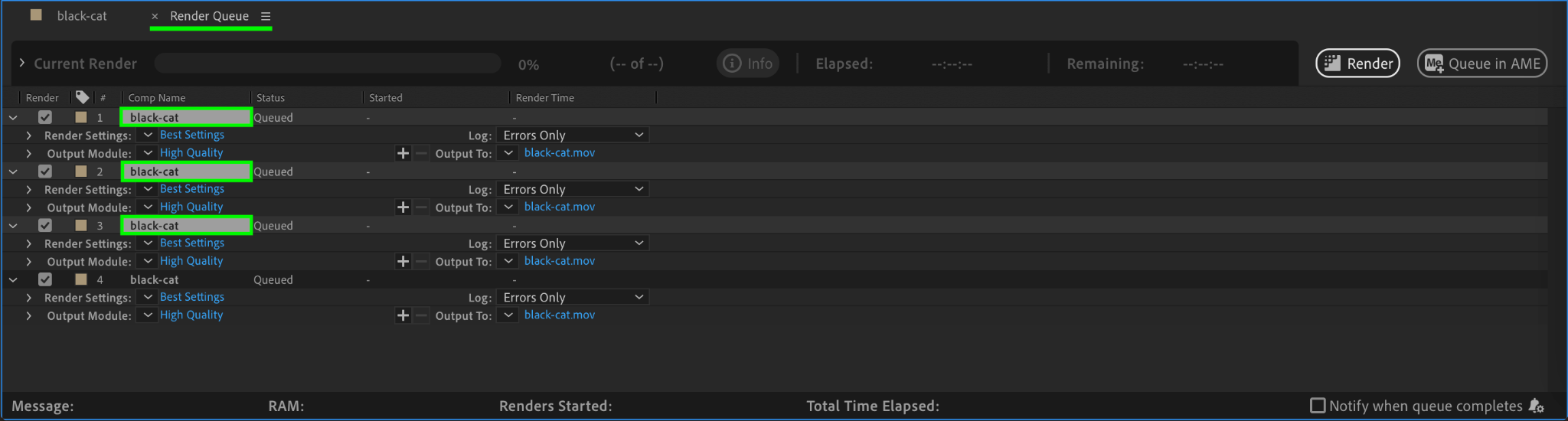
Click on any render item in the Render Queue panel to select it. To select multiple items, hold Shift and click on each item, or press Ctrl/Cmd + A to select all queued items. This allows you to manage several render items at once.
Step 3: Clear the Render Queue
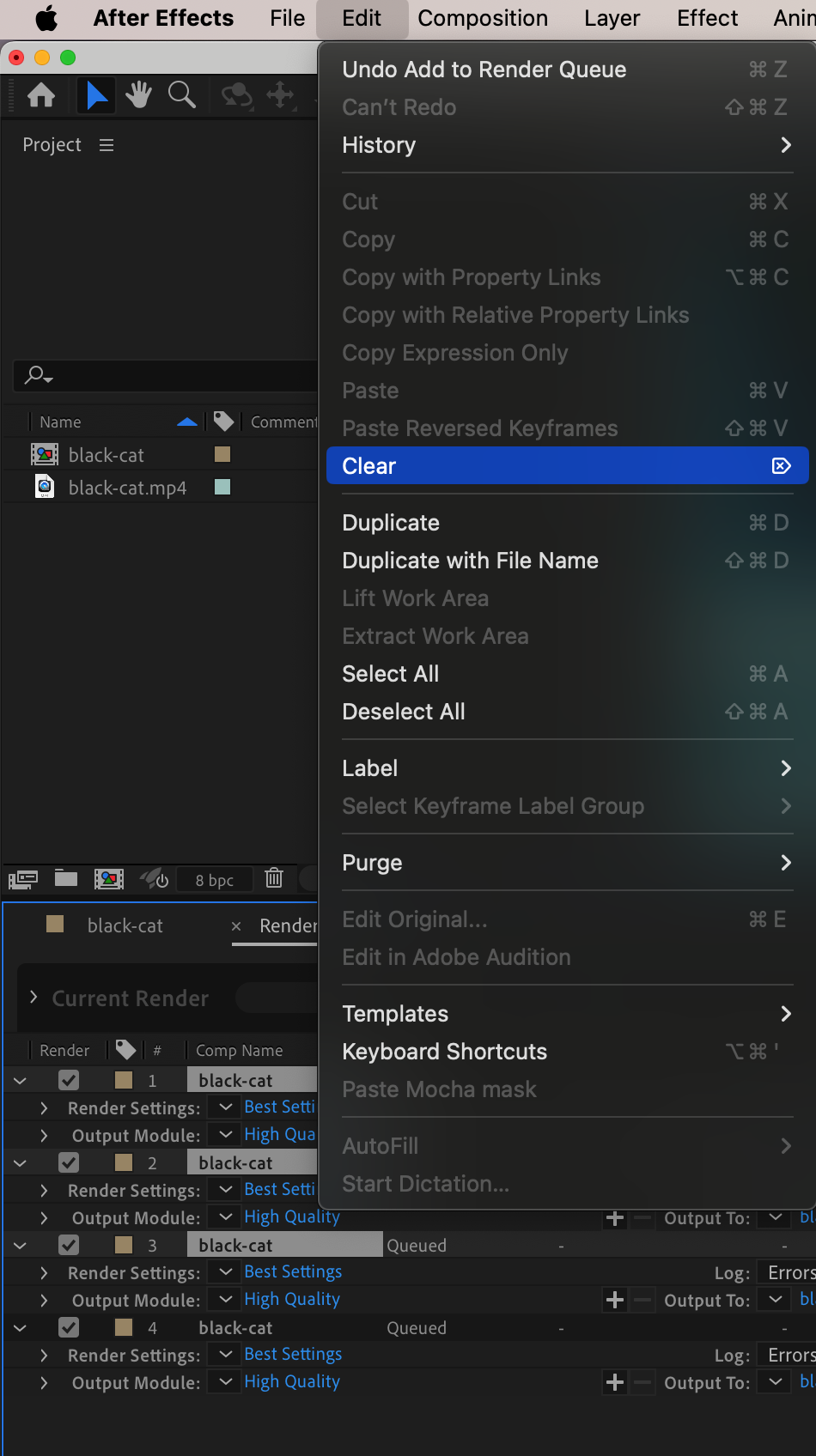
Once your items are selected, go to the Edit menu and choose Clear, or simply press the Delete key. This will remove the selected render items, freeing up space and ensuring that only relevant projects remain in the queue.
Step 4: Confirm and Organize
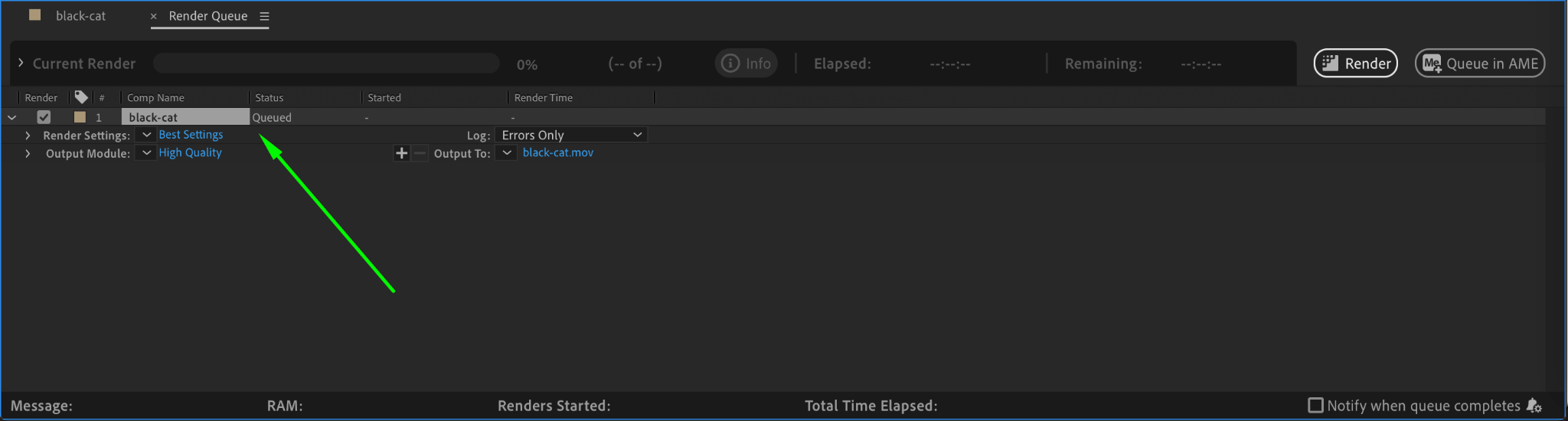
After clearing, review the Render Queue panel to ensure that only the render jobs you intend to keep are present. This step helps maintain an organized workspace and prevents accidental rendering of outdated projects.
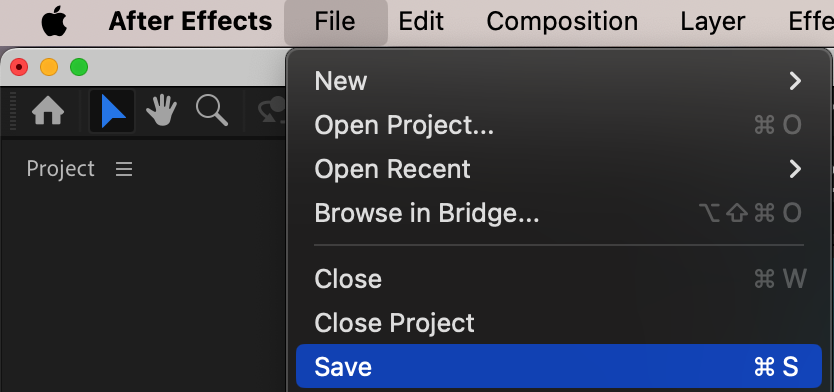
Step 5: Save Your Project
Finally, save your project by going to File > Save to ensure that your settings and changes in the render queue are preserved for future work.
Conclusion
Clearing the render queue in After Effects is a simple yet vital task for maintaining a smooth workflow. By removing unnecessary render items and organizing your queue, you can free up system resources and keep your project workspace tidy. This ensures you can focus on creating and rendering high-quality animations efficiently.
Our Bestsellers
Our Bestsellers


