
How to Merge Sound Files with Video in Adobe After Effects
Introduction to Combining Audio with Video
Combining multiple sound files with a video in Adobe After Effects is useful when you’re working on complex edits like voiceovers, background music, and sound effects. Although After Effects is not a dedicated audio editor, you can still synchronize and export your video with combined sound layers effectively. This guide walks you through each step to achieve a clean, unified result.
Step 1: Import Your Video and Audio Files
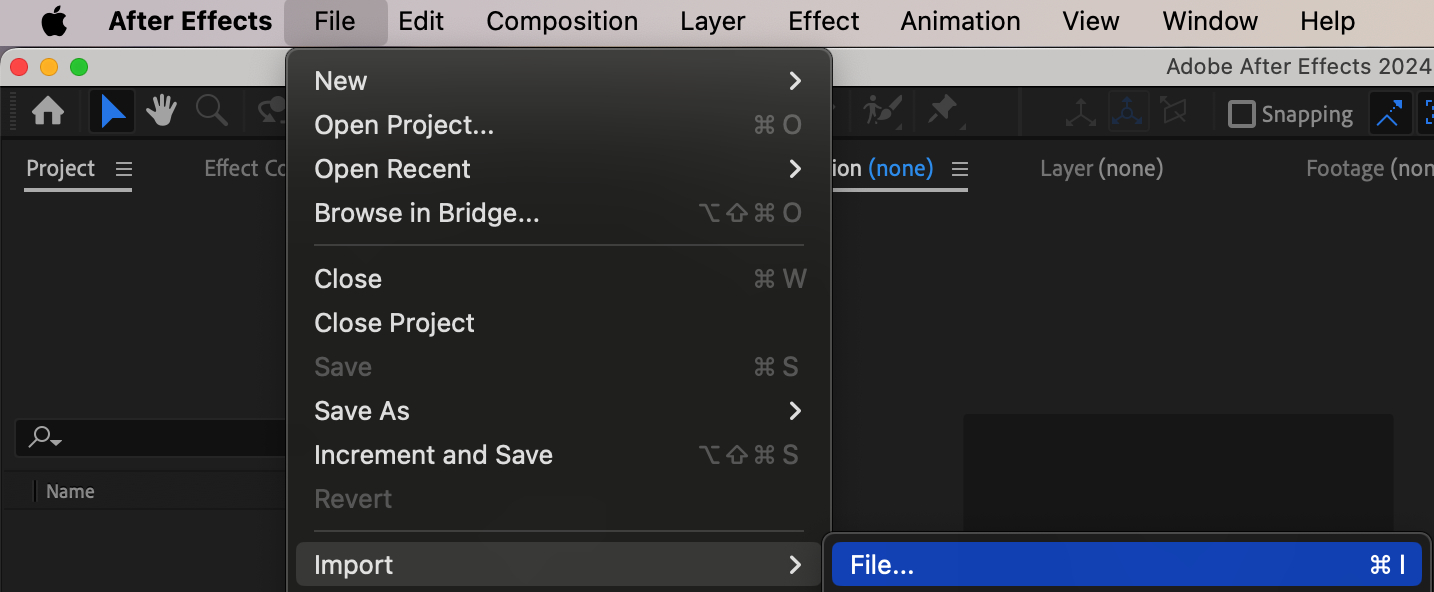
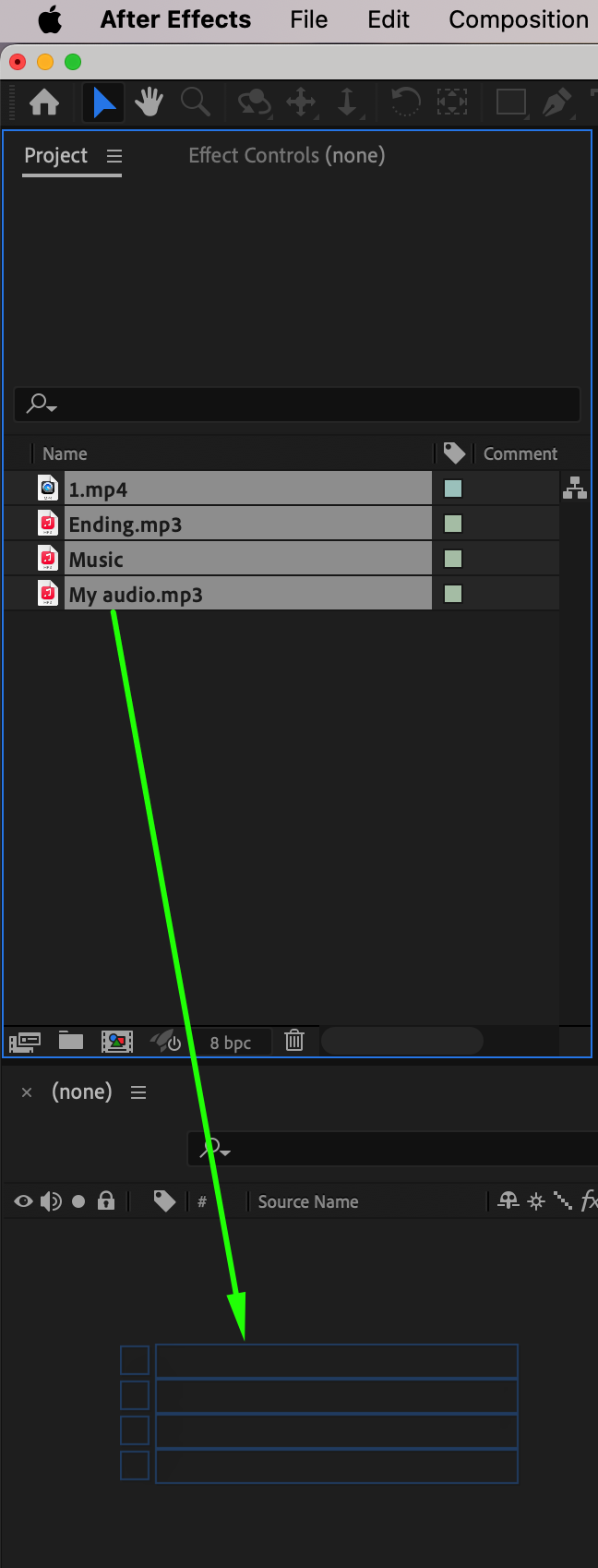
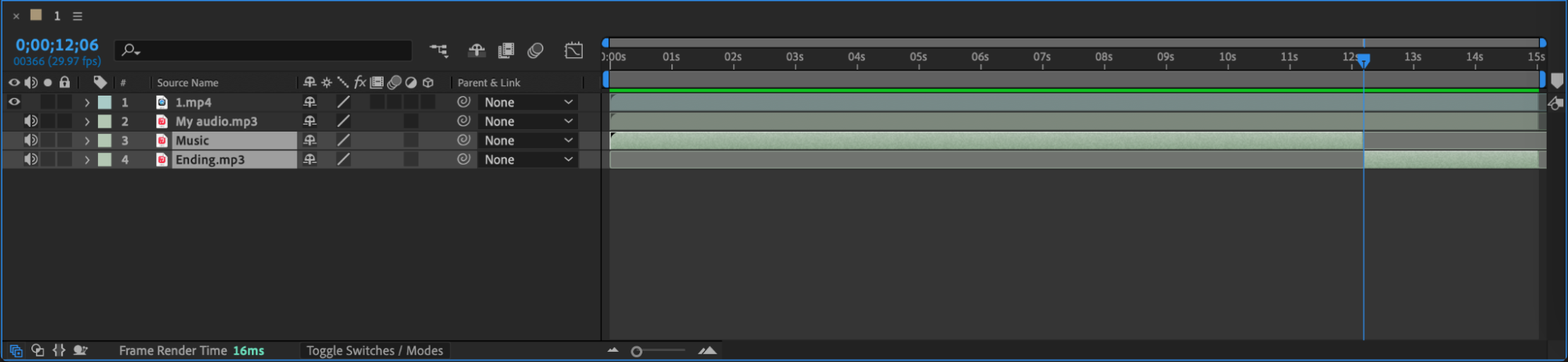
Go to File > Import > File and select your video along with the audio files you want to use. You can select multiple files at once. After importing, drag your video to the timeline to create a new composition. Then, drag your audio files under the video layer.
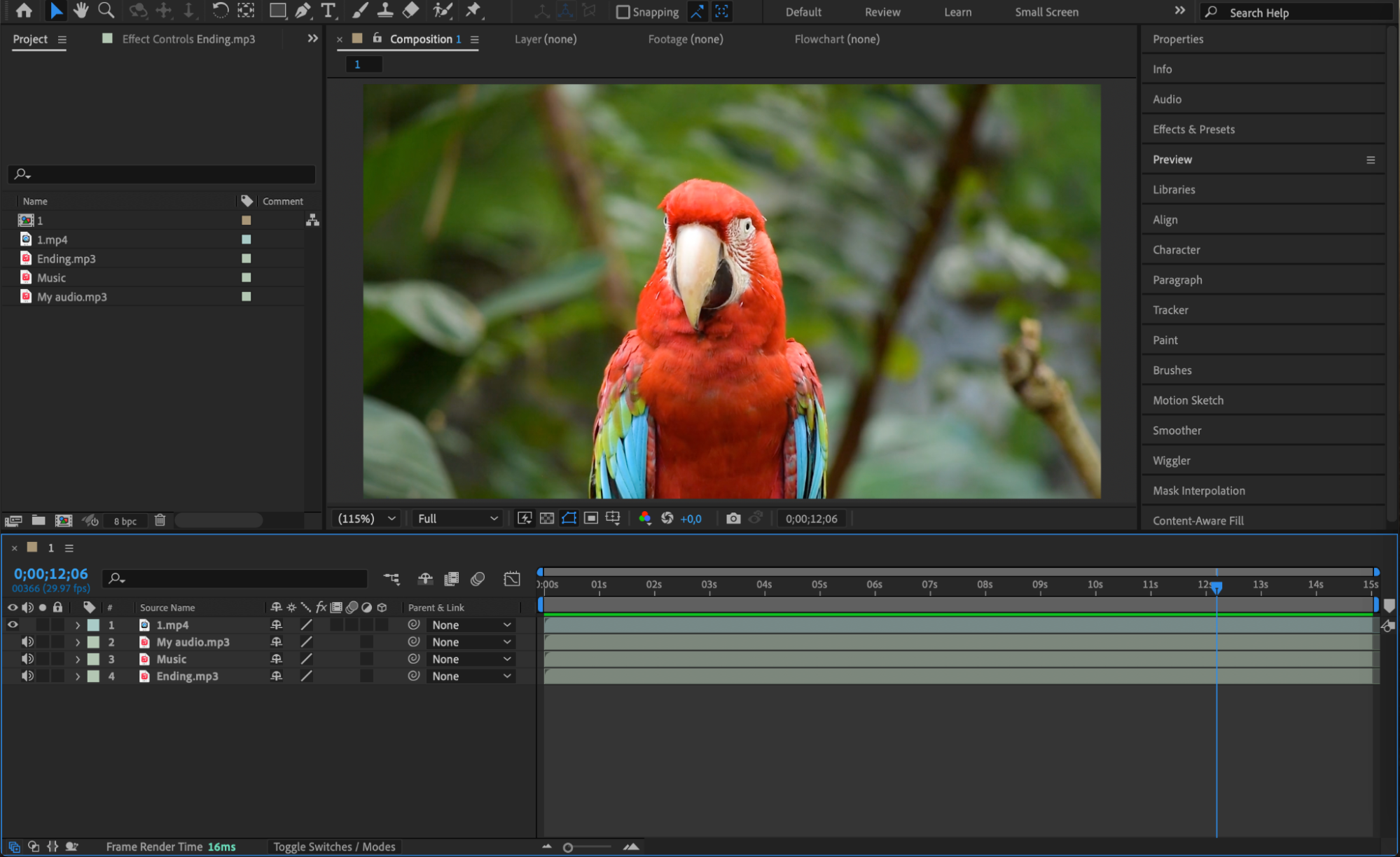 Step 2: Arrange and Trim Audio Clips on the Timeline
Position each audio layer where it should start playing. Use the Split Layer command (Edit > Split Layer or press Ctrl+Shift+D / Cmd+Shift+D) to cut a layer at the current time indicator. Select and delete any unnecessary parts of the audio. This allows you to keep only the parts you want and sync them correctly with the video.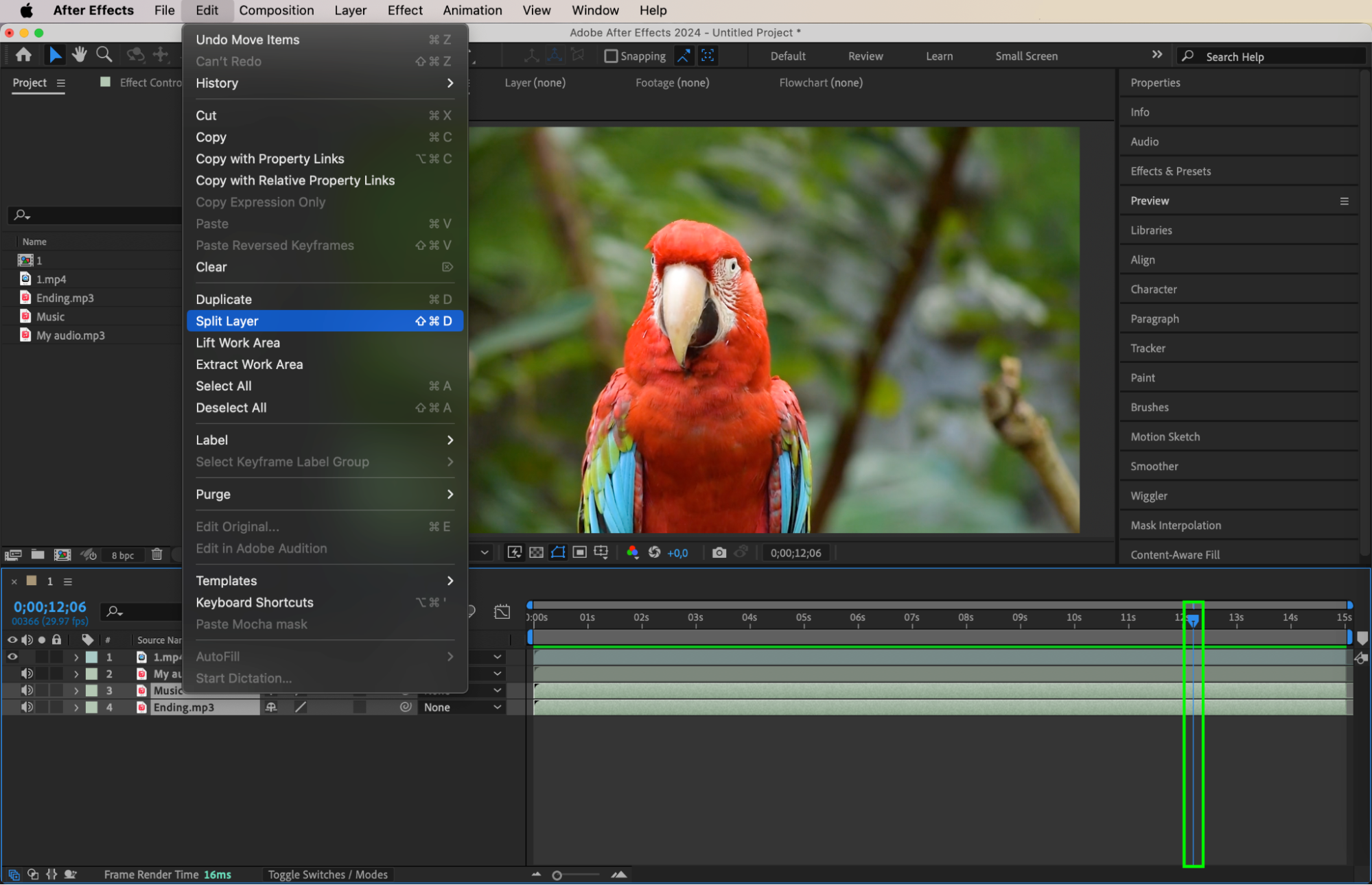
Step 3: Adjust Volume and Add Fade Effects
Select an audio layer and press “L” to reveal its audio levels. Press L twice (LL) to view the waveform, which helps with precise syncing. Animate the Audio Levels property to create fade-ins and fade-outs—for example, from -70 dB (silent) to 0 or +12 dB (full volume). This makes your audio transitions smoother and more professional.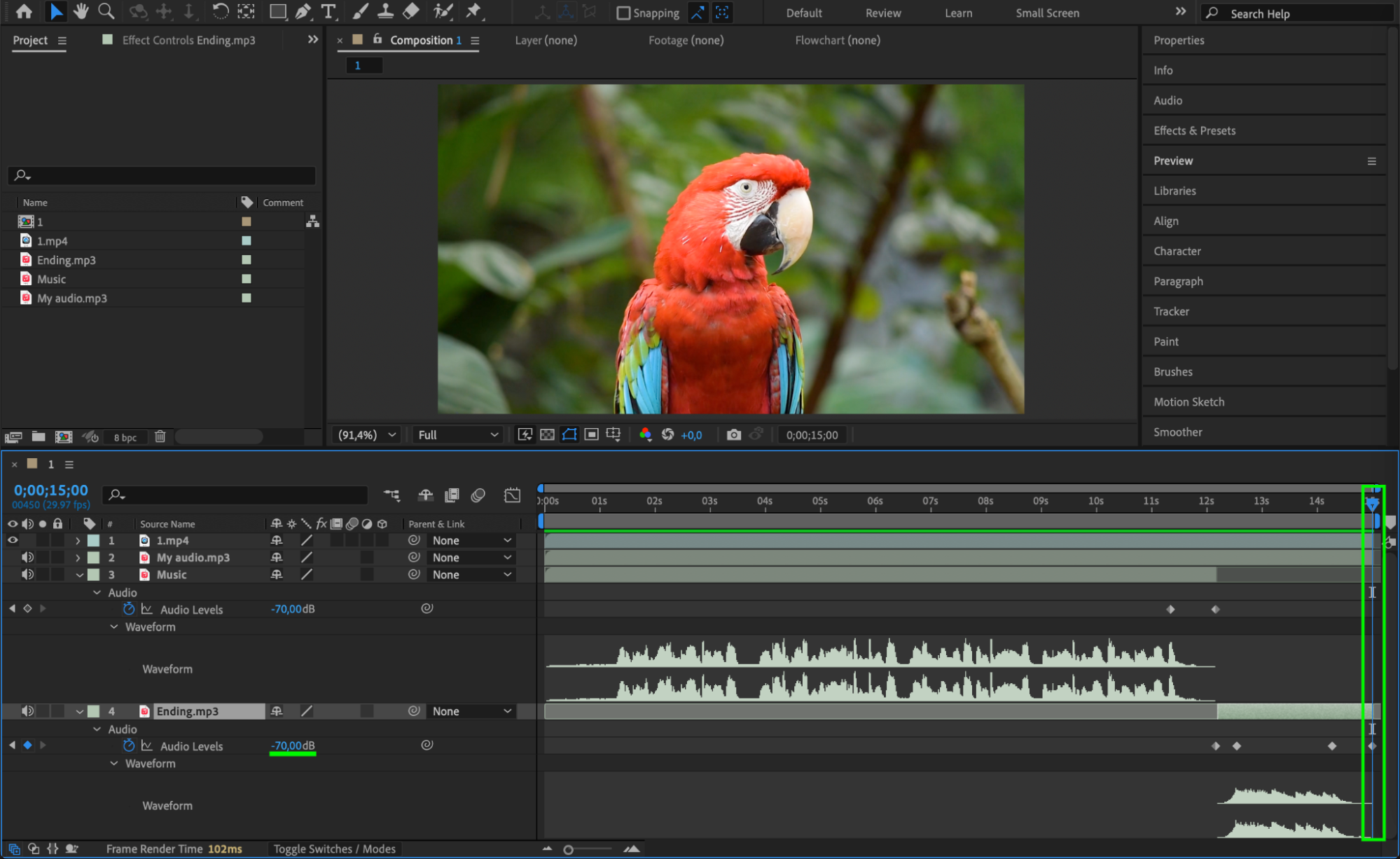 Step 4: Preview the Final Composition
Press the spacebar to preview your timeline with video and audio together. Listen carefully and check if everything is in sync. If needed, move layers slightly to correct timing. Use headphones for better audio accuracy.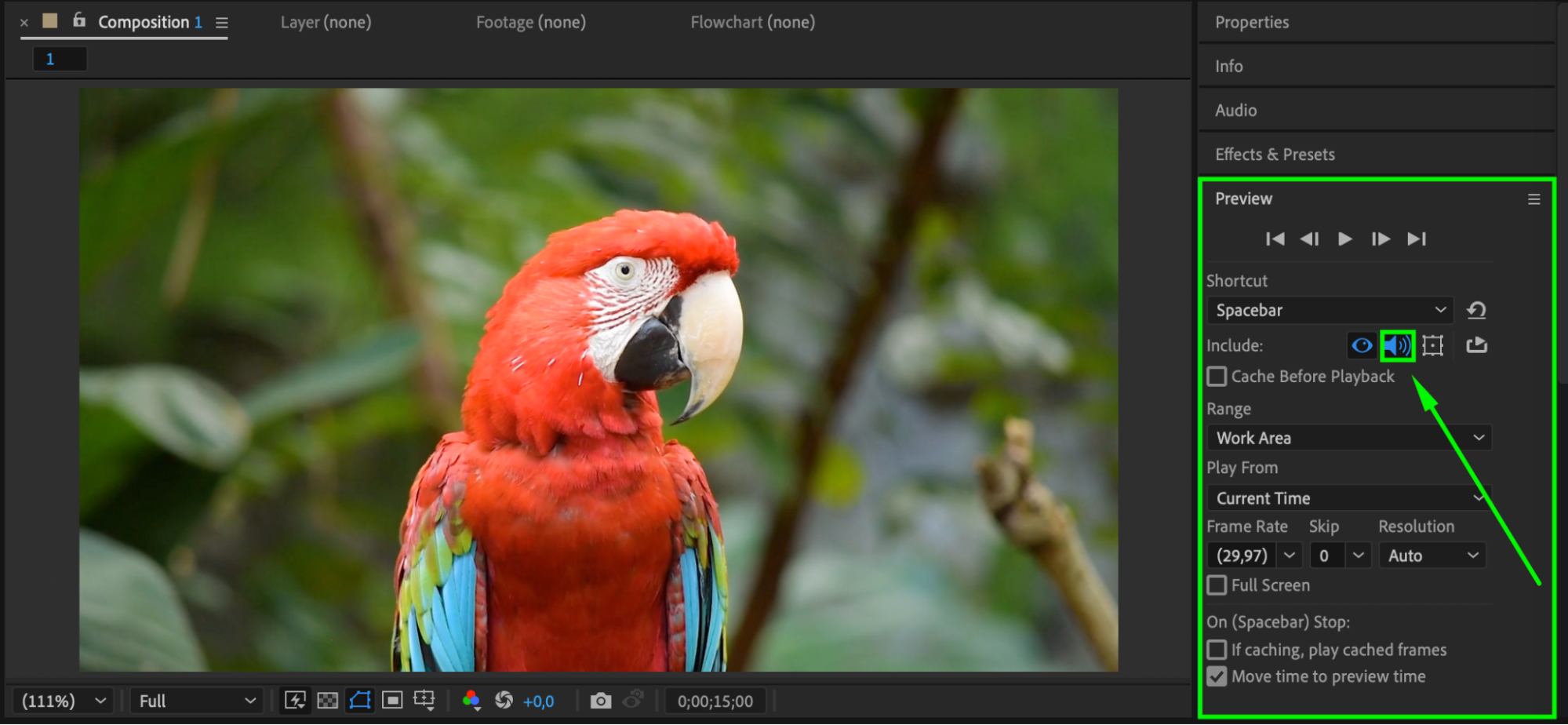
Step 5: Export with Combined Audio and Video
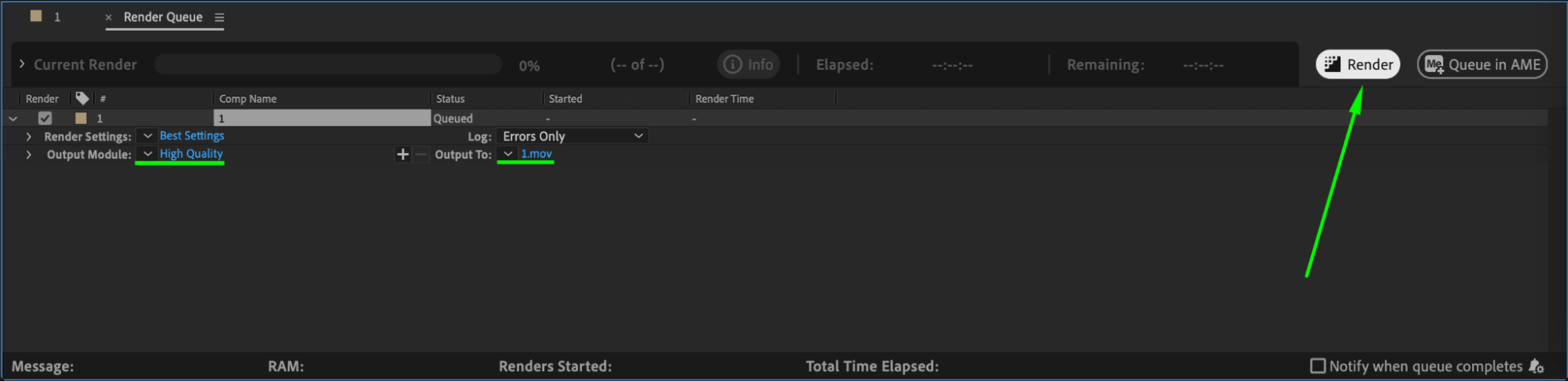
Go to Composition > Add to Render Queue or Add to Adobe Media Encoder Queue. In the render settings, make sure Audio Output is enabled. Choose your desired format (like H.264) and export. Your final file will include the video and all combined sound layers.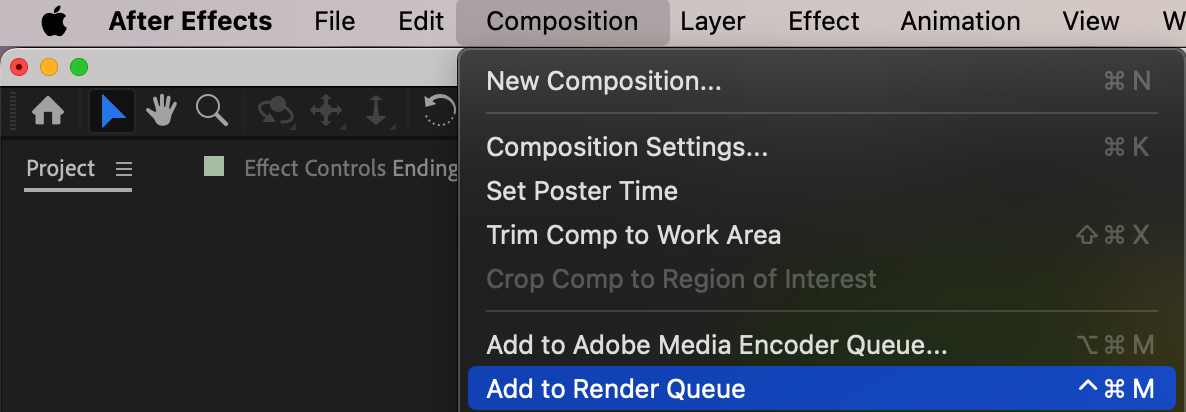
Conclusion
Combining multiple audio files with video in After Effects is simple once you understand how to layer, sync, and export your sound. While After Effects isn’t a full-featured audio editor, it still allows for precise control over when and how your audio plays alongside your visuals. For more complex sound editing, you can also prepare the audio mix in Adobe Audition and import it as a single track.
Our Bestsellers
Our Bestsellers


