
Introduction to Stereo and Mono Audio
Stereo audio contains two separate channels — left and right — which can create a sense of space or direction in sound. Mono audio, on the other hand, combines both channels into a single one, making it ideal for voiceovers, consistent sound levels, or simpler video projects. In this guide, you’ll learn how to convert a stereo track to mono in After Effects using the built-in Stereo Mixer effect.
Step 1: Import Your Audio File
Go to File > Import > File and choose the audio file you want to use. Drag the imported file onto your Timeline so you can start working with it.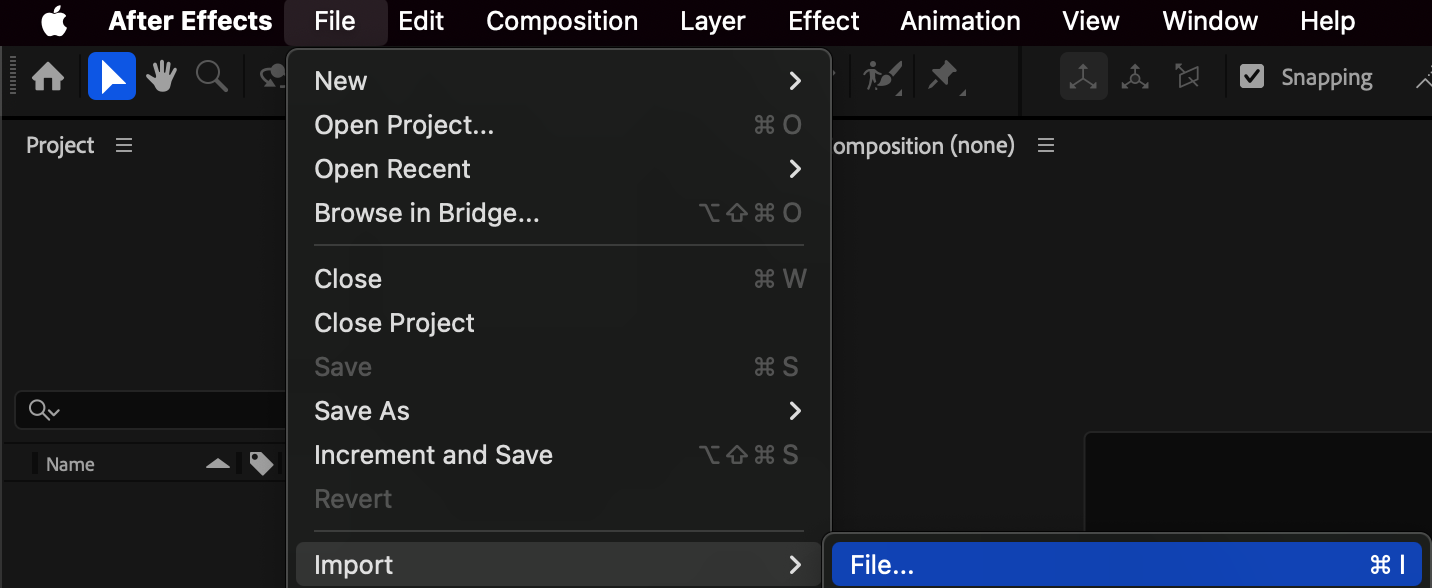
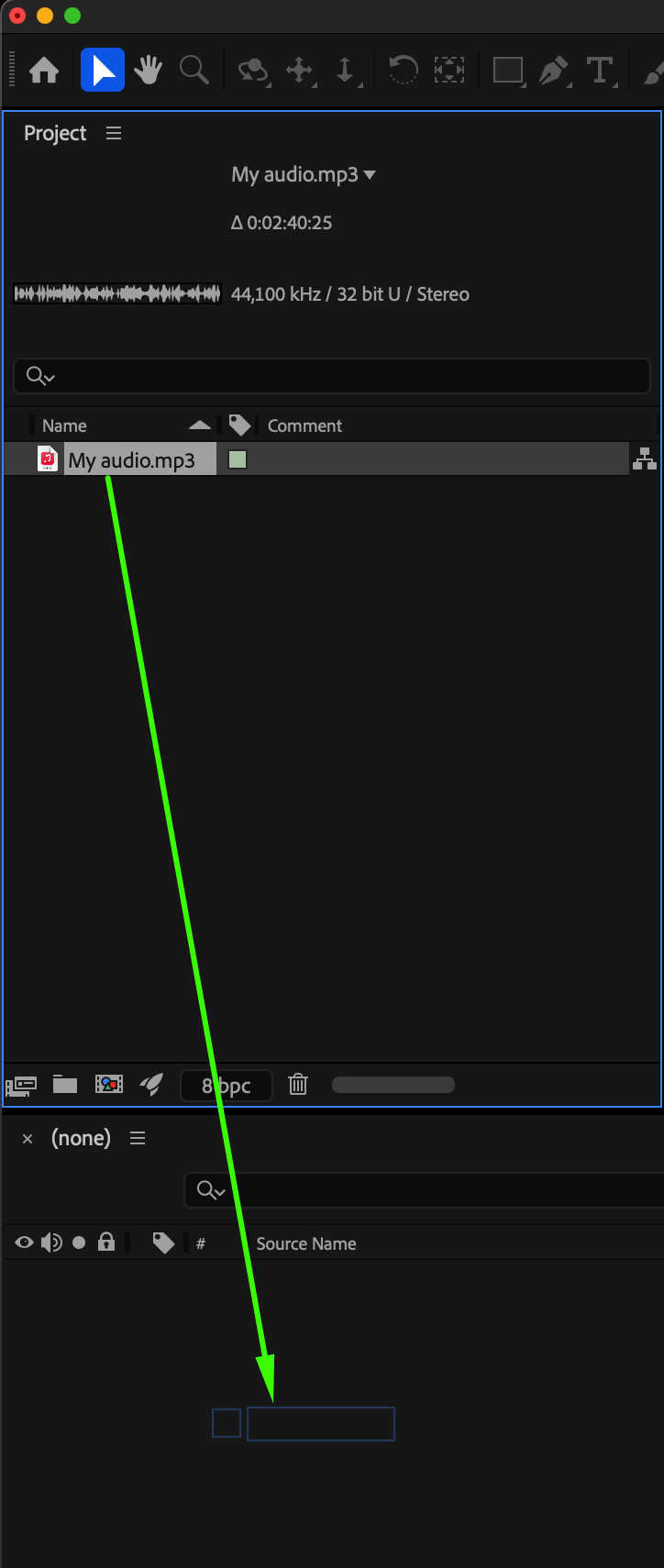
Step 2: View Audio Waveforms
Select your audio layer and press “L” to reveal the audio levels. Press “LL” to open the Waveform view. You’ll notice two distinct waveforms — the upper one for the left channel and the lower one for the right channel.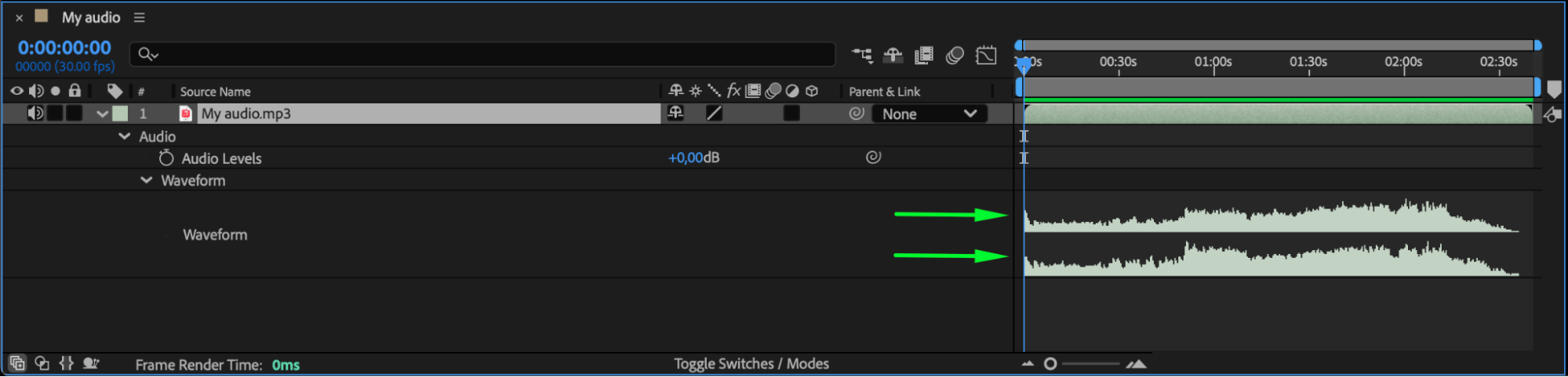 Step 3: Apply the Stereo Mixer Effect
Open the Effects & Presets panel and search for Stereo Mixer. Drag and drop it onto your audio layer in the Timeline. This effect lets you control how much of each channel (left and right) contributes to the final sound.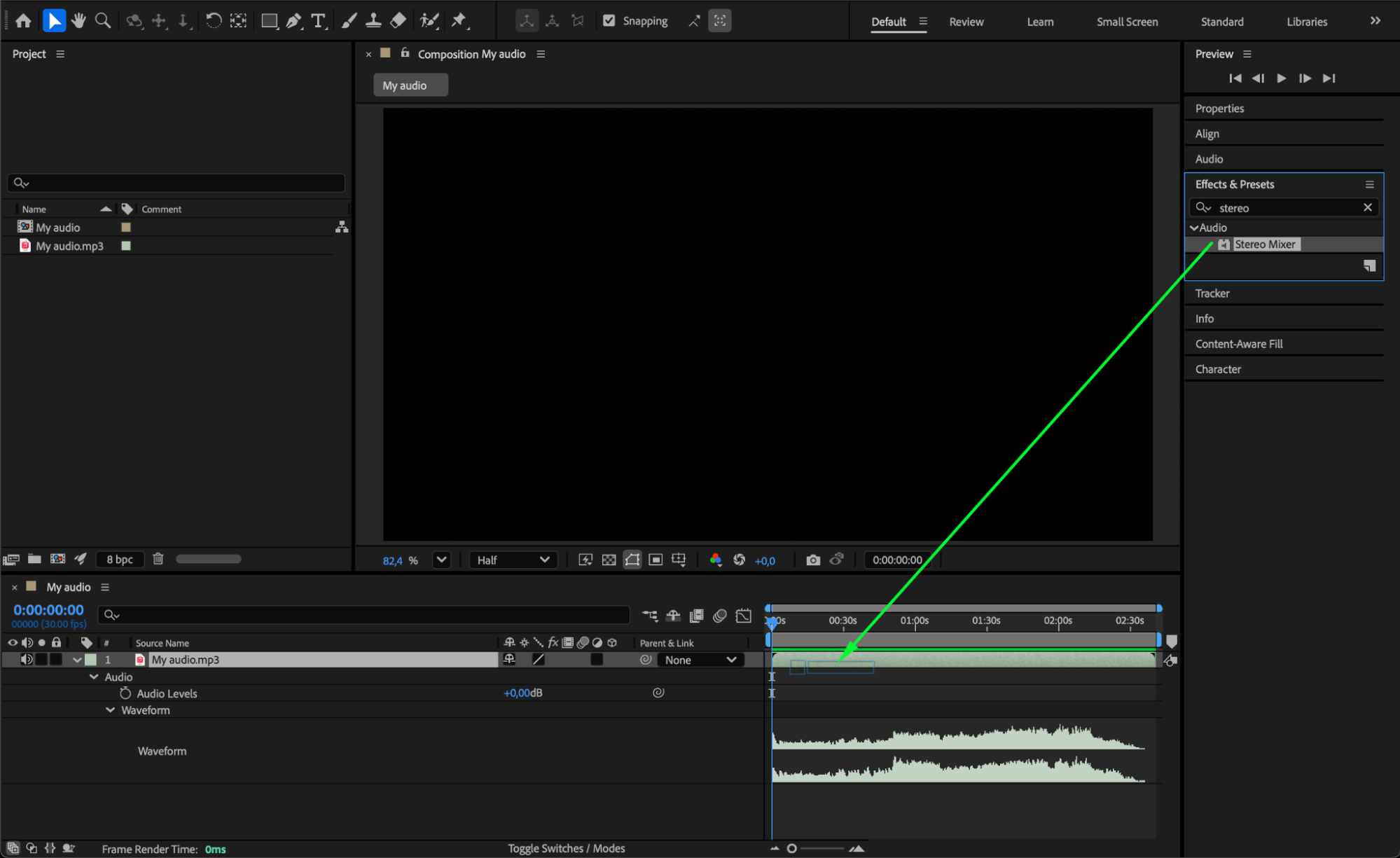
Step 4: Adjust Left and Right Levels
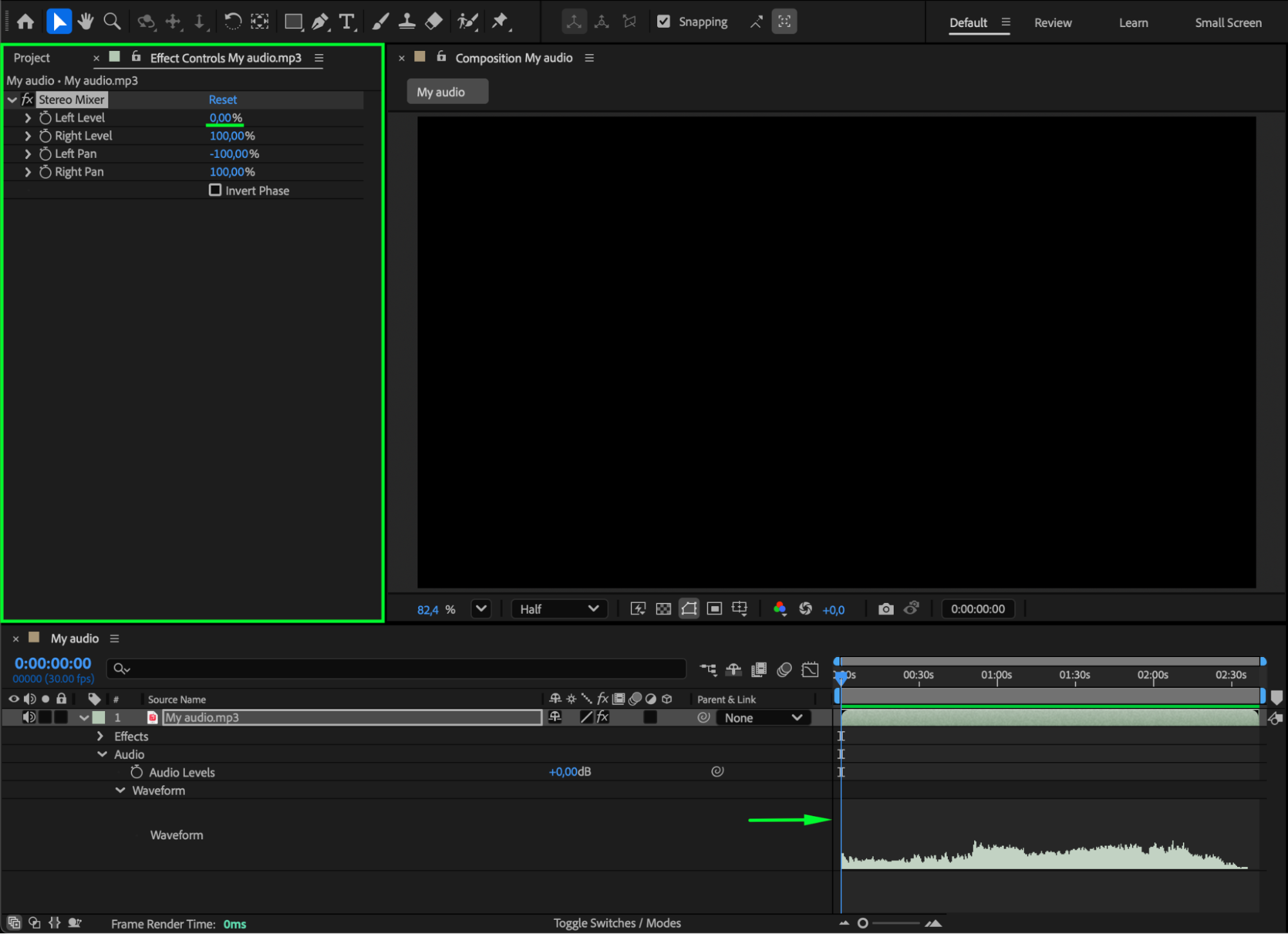
In the Effect Controls panel, you’ll see two parameters: Left Level and Right Level.
Set Left Level to 0 to remove the left channel — you’ll see the upper waveform disappear.
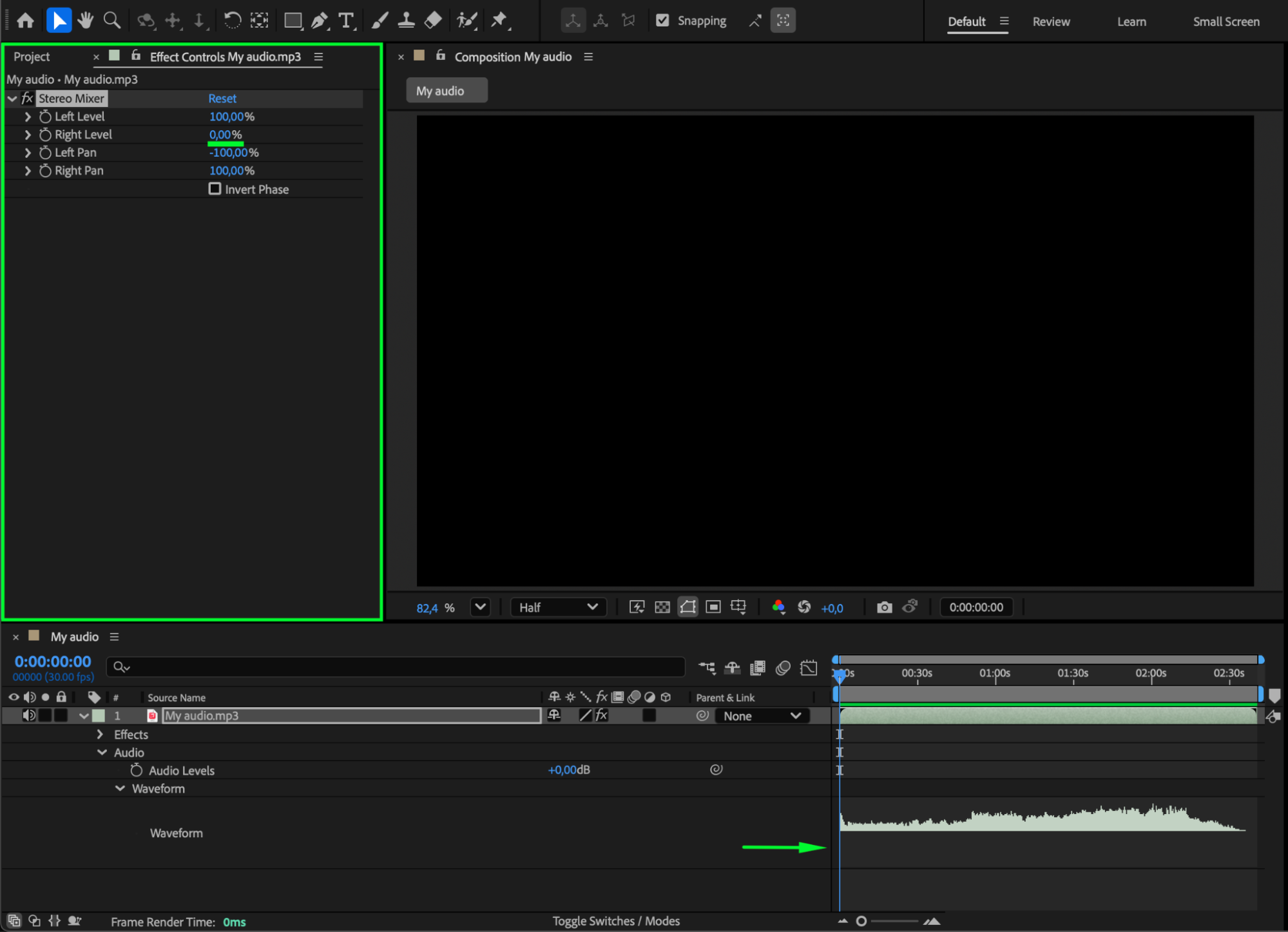
Set Right Level to 0 to remove the right channel — you’ll see the lower waveform disappear.
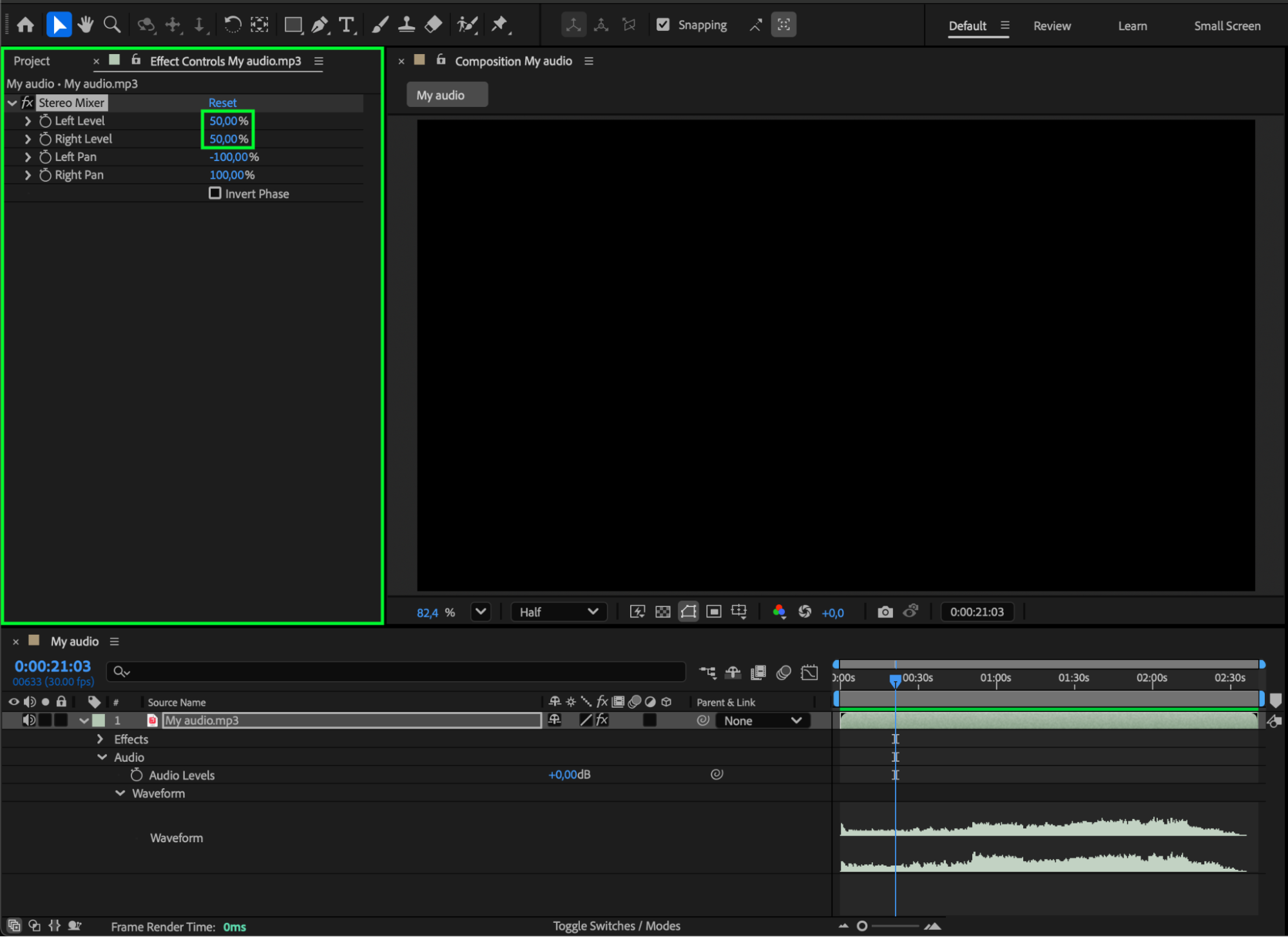
To create a true mono sound, set both Left Level and Right Level to 50. This balances the left and right channels evenly into a single audio output.
 Step 5: Preview and Check the Sound
Press the Spacebar to play the composition and preview your audio. Make sure the sound plays evenly from both sides and that your speakers or headphones are on. Adjust the levels if needed to fine-tune the balance.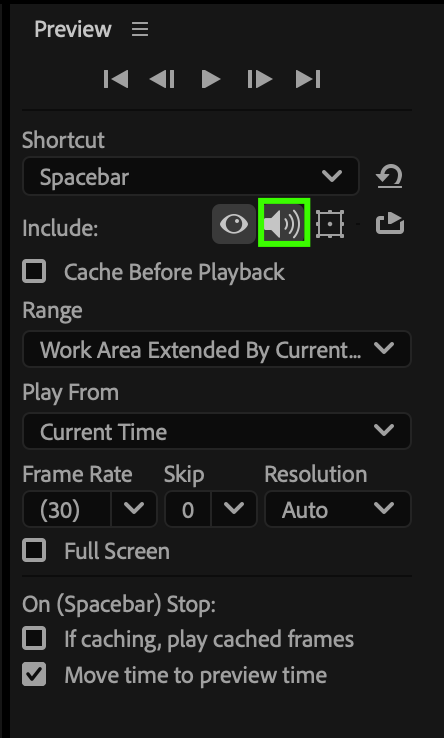 Conclusion
Converting stereo to mono in After Effects is quick and simple with the Stereo Mixer effect. It helps ensure consistent audio levels and prevents imbalance between left and right channels — perfect for podcasts, interviews, or videos where clear, centered sound is key.
Our Bestsellers
Our Bestsellers


