
Master the Art of Copying and Pasting Keyframes in After Effects
Boost Your Animation Efficiency with Keyframe Techniques
Do you find yourself spending too much time manually adjusting keyframes in After Effects? Well, I have some good news for you! In this guide, I’m going to show you how to easily copy and paste keyframes in After Effects, saving you time and making your workflow more efficient.
Keyframes are essential for creating animations in After Effects. They define the properties of a layer at specific points in time. However, if you have multiple layers and want to replicate an animation across them, duplicating keyframes can be a tedious task.
But don’t worry, After Effects has a simple and effective solution. You can easily copy and paste keyframes, allowing you to quickly apply animations from one layer to another. Whether it’s a complex motion or a simple adjustment, mastering this technique will make your life easier and help you create polished animations.
Let’s dive into the step-by-step process of copying and pasting keyframes in After Effects. By the end of this guide, you’ll have the knowledge to effortlessly transfer keyframes between layers, boosting your efficiency and speeding up your workflow.
Step-by-Step Guide: Copying and Pasting Keyframes
Step 1: Select the Desired Layer
Click on the layer in the timeline panel that contains the keyframes you wish to copy.
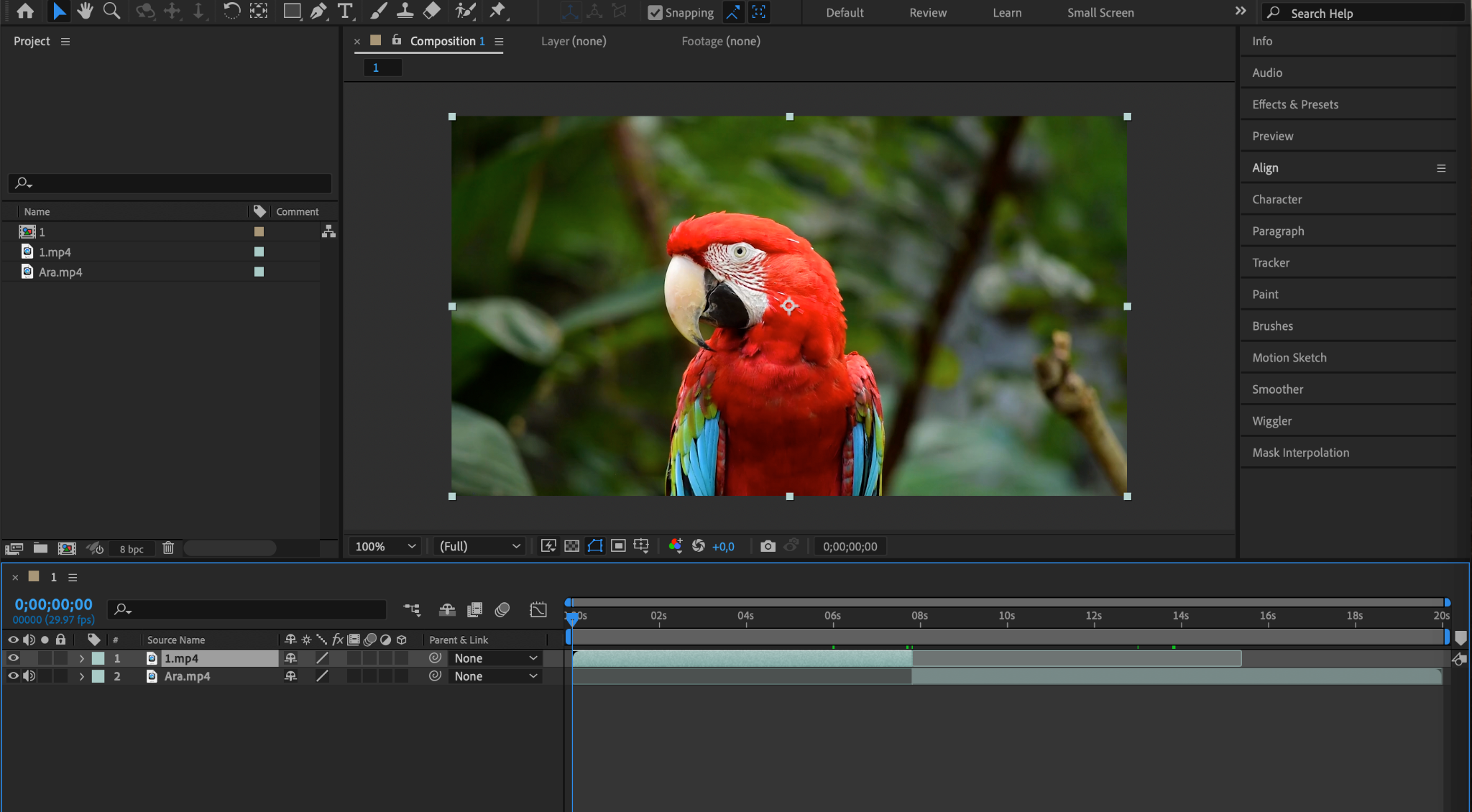
Step 2: Access Keyframes
Press “U” to reveal all keyframes on the selected layer.

Step 3: Select the Keyframes to Copy
Choose the keyframes you want to copy by clicking on the property for which the keyframes were created. This will select all keyframes for that property. You can also hold down the Shift key to select multiple keyframes individually.


Step 4: Copy the Keyframes
Once you’ve selected the keyframes, right-click on them and choose “Copy” from the context menu. Alternatively, use the shortcut “Ctrl/Cmd + C”.
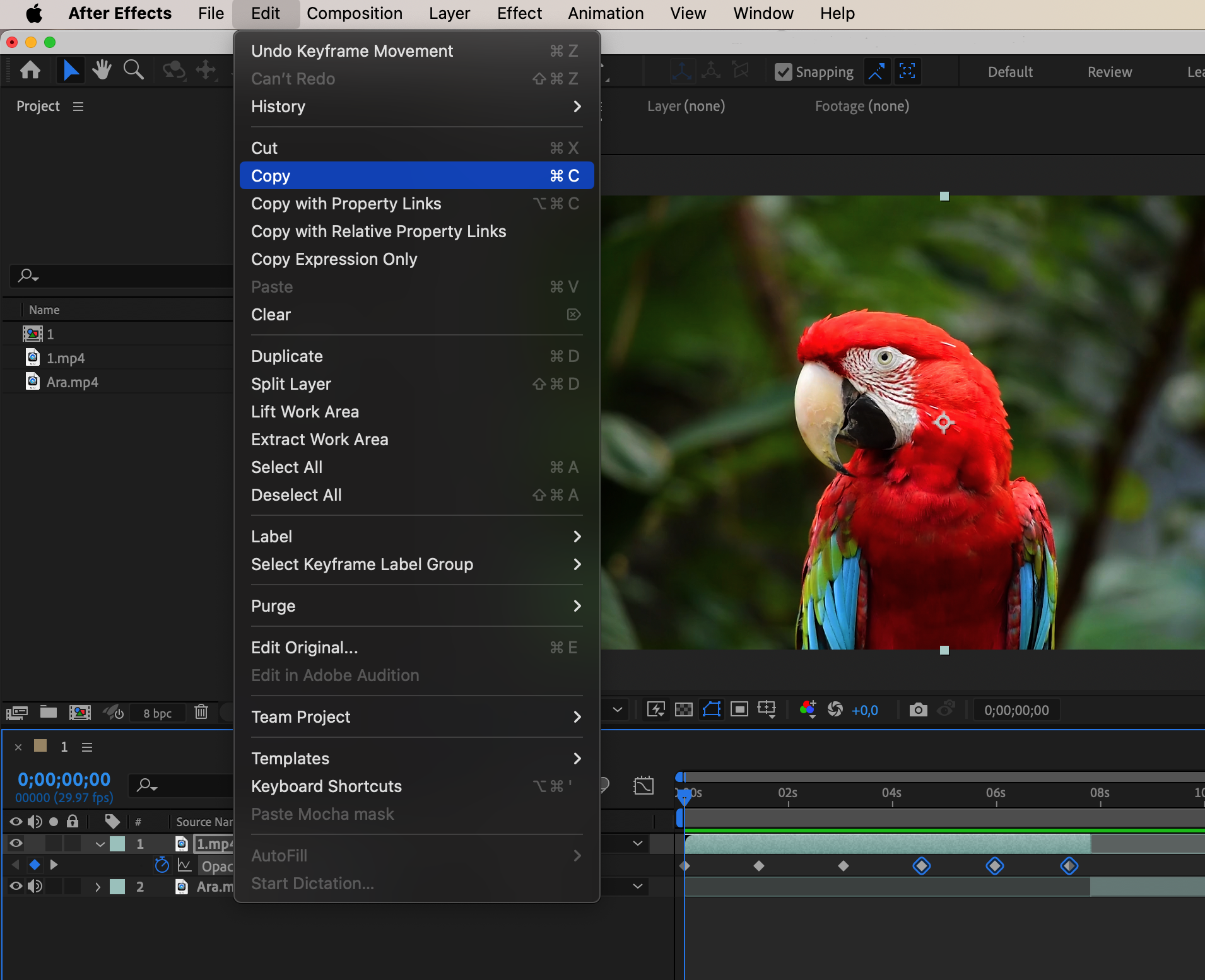
Step 5: Select the Destination Layer
Select the layer where you want to paste the keyframes. Ensure that the current time indicator is positioned at the desired point in time on the timeline.
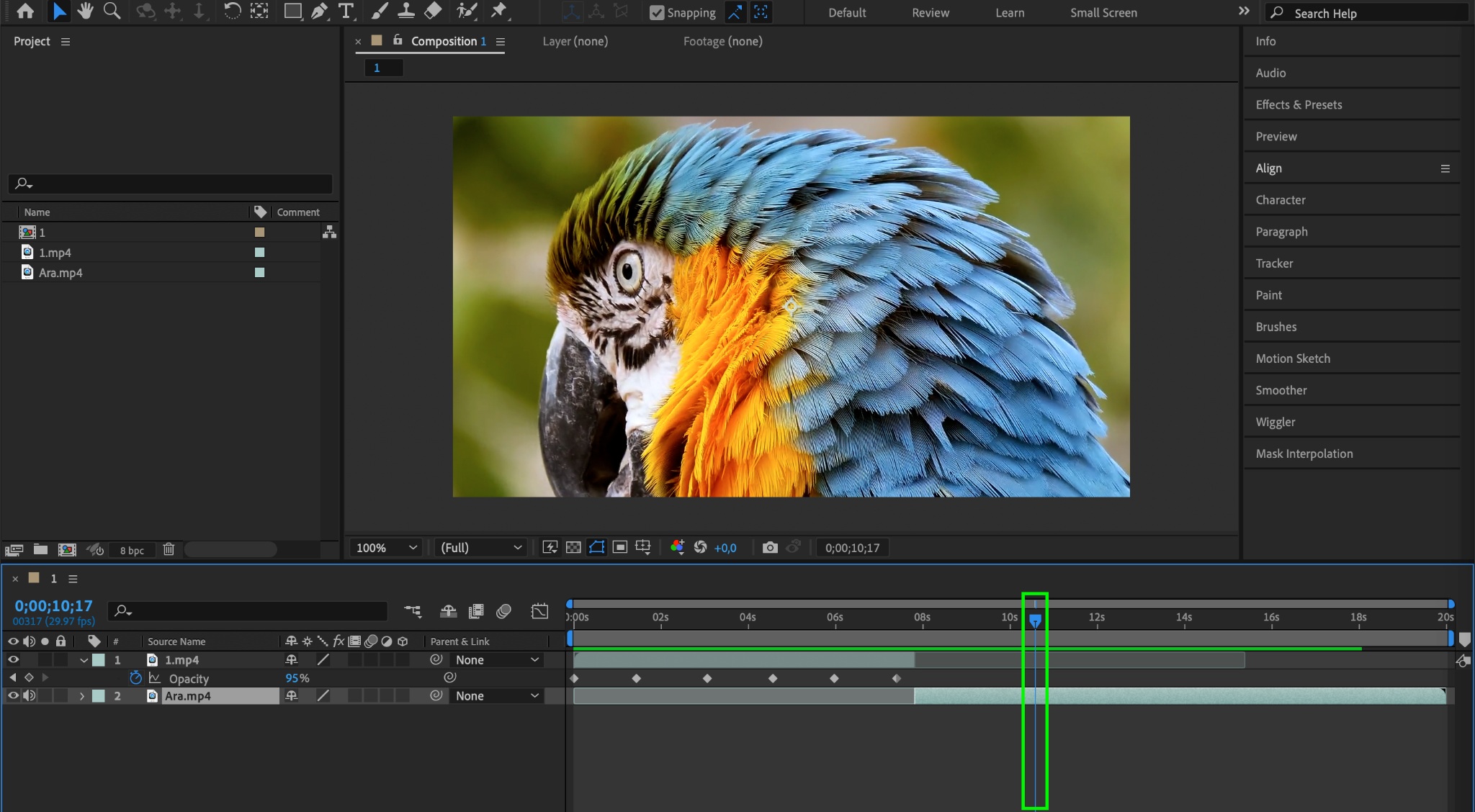
Step 6: Paste the Keyframes
Right-click on the destination layer and choose “Paste” from the context menu. Or, use the shortcut “Ctrl/Cmd + V”.
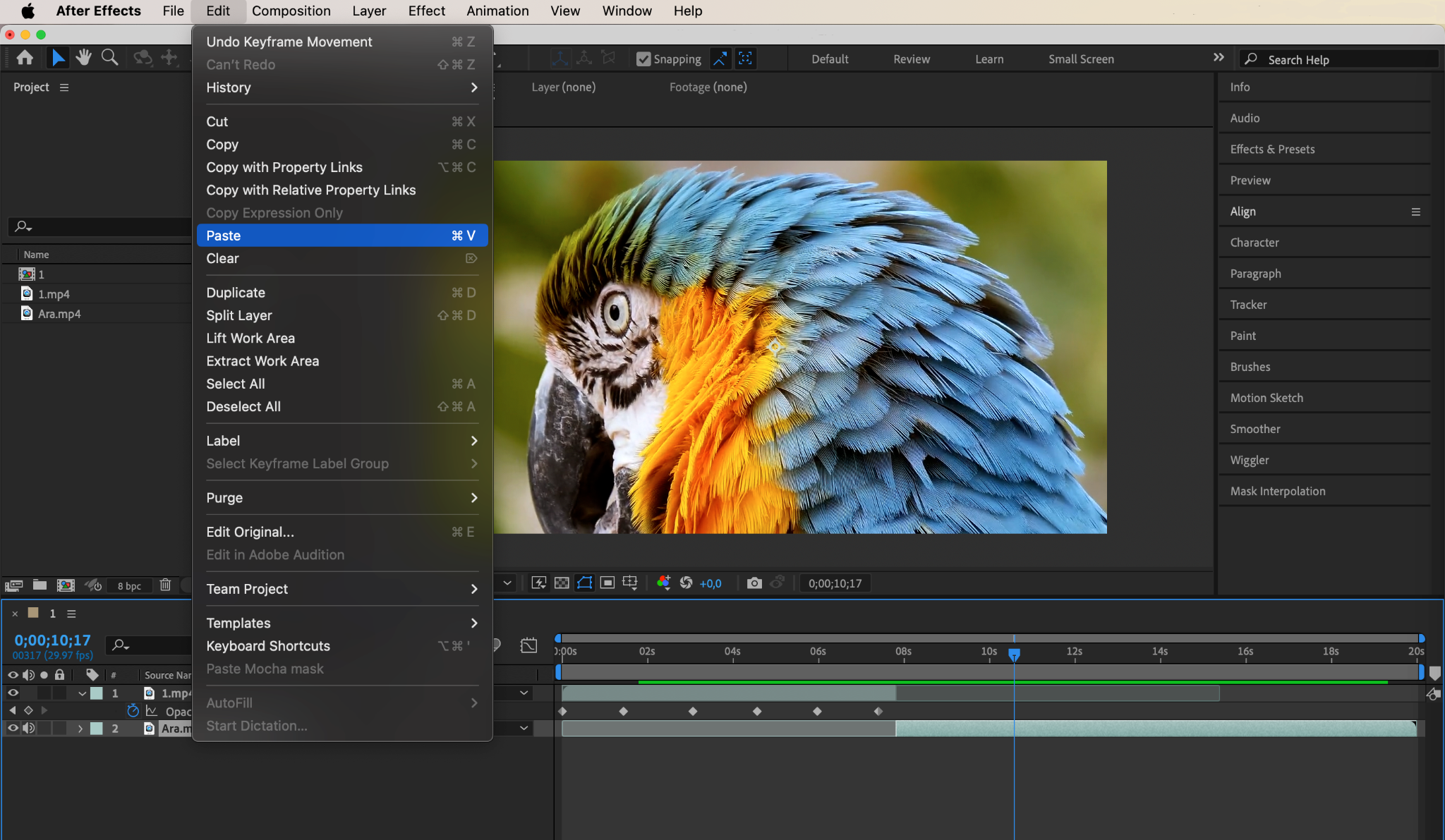
That’s it! The keyframes you copied will now be pasted onto the selected layer at the current time indicator position.

Conclusion
Copying and pasting keyframes in After Effects is a powerful technique that allows you to quickly apply animations and effects across multiple layers. Whether you’re working on complex motion graphics or subtle adjustments, mastering this technique will greatly enhance your ability to create stunning visuals.
So, start using the copy and paste keyframe technique in After Effects and elevate your animation workflow to new heights. Say goodbye to manual adjustments and hello to efficiency and speed!
Our Bestsellers
Our Bestsellers


