
Creating a 360° Video in After Effects
Introduction: Turning a 360° Image into a Dynamic Video
A 360° image is a flat panoramic image that can be wrapped into a spherical environment, creating an immersive effect. In After Effects, you can animate a virtual camera to move through this environment, simulating real video motion. This technique is widely used in virtual tours, VR content, and creative storytelling. In this guide, you’ll learn how to import a 360° image, apply the correct effects, and animate a camera to create a smooth 360° video.
Step 1: Import a 360° Image
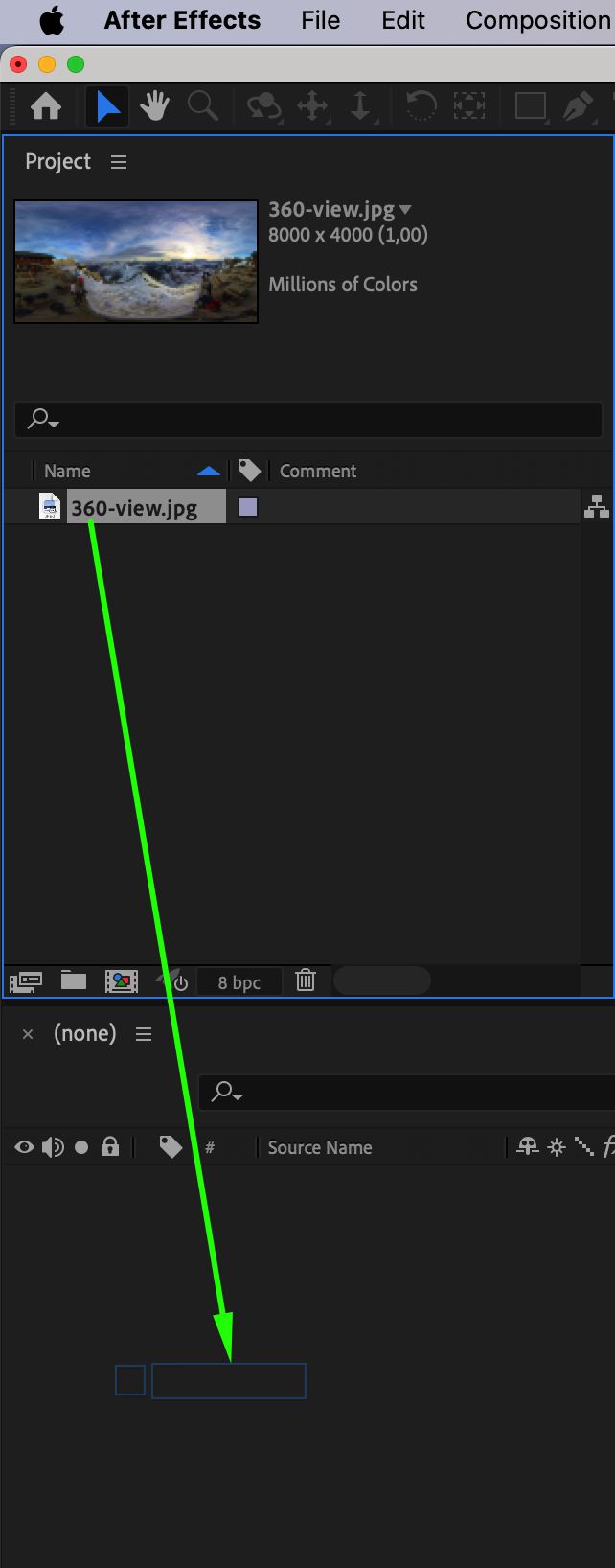
Go to File > Import > File and select your 360° image. Drag it into the Timeline Panel to automatically create a composition with matching settings.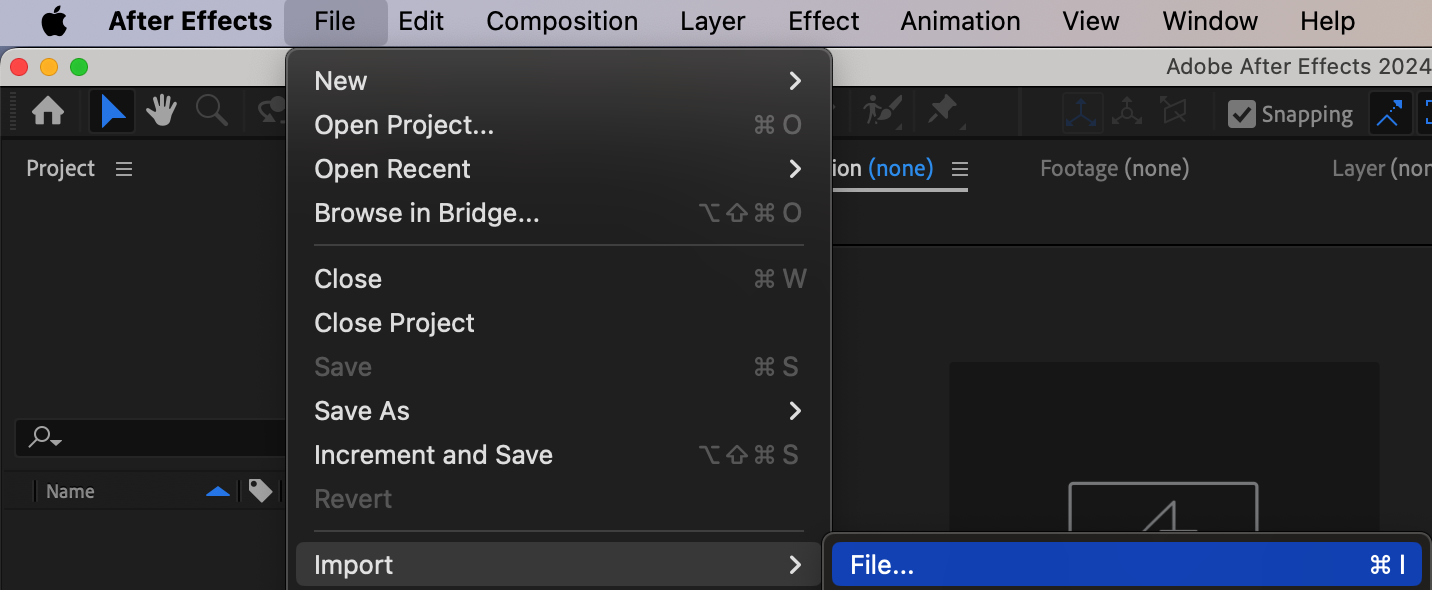
Step 2: Apply the Environment Effect
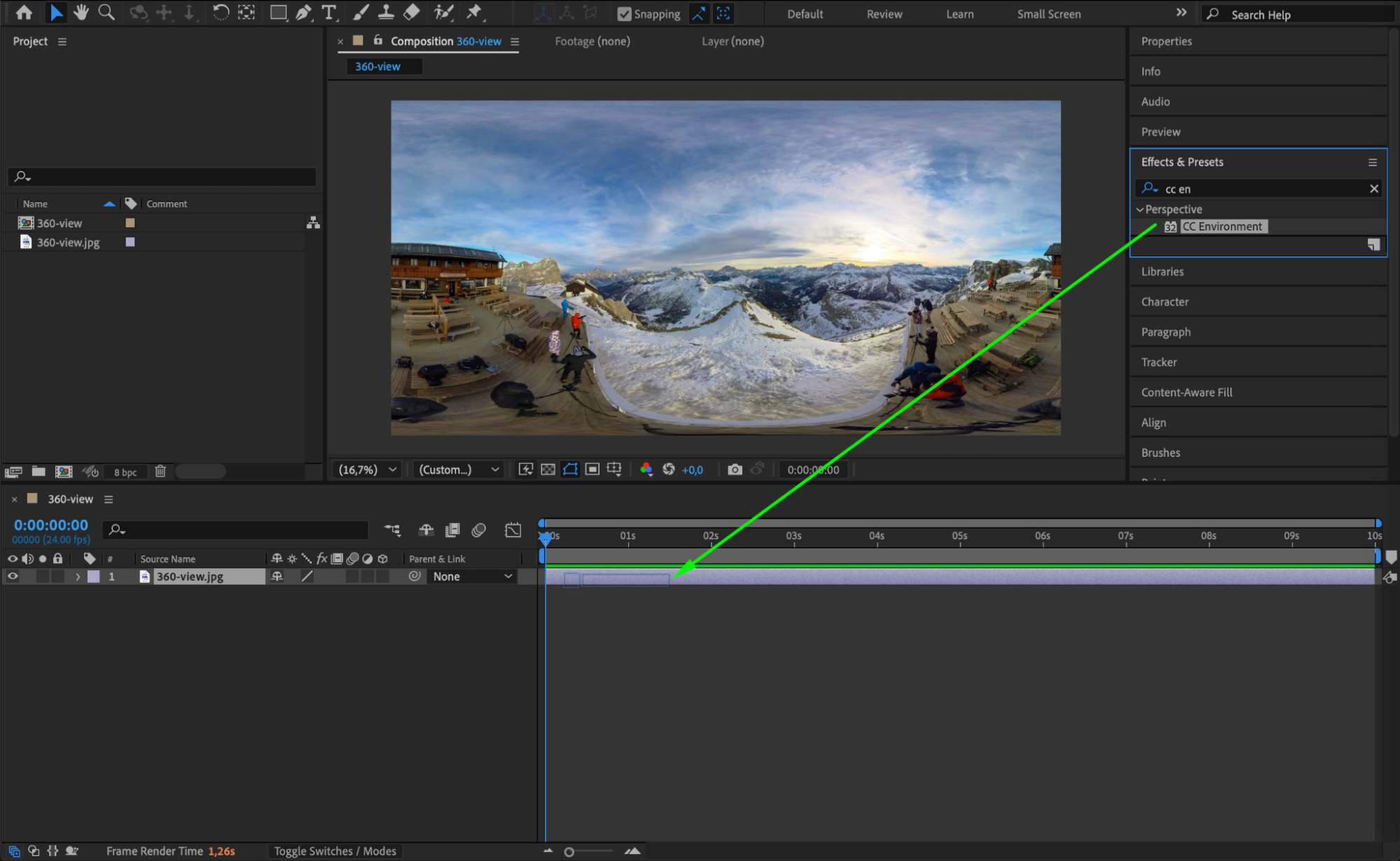
Open the Effects & Presets Panel and search for CC Environment. Drag and drop the effect onto your 360° image layer. This will wrap the image into a spherical environment, making it compatible with a virtual camera.
Step 3: Create a Camera
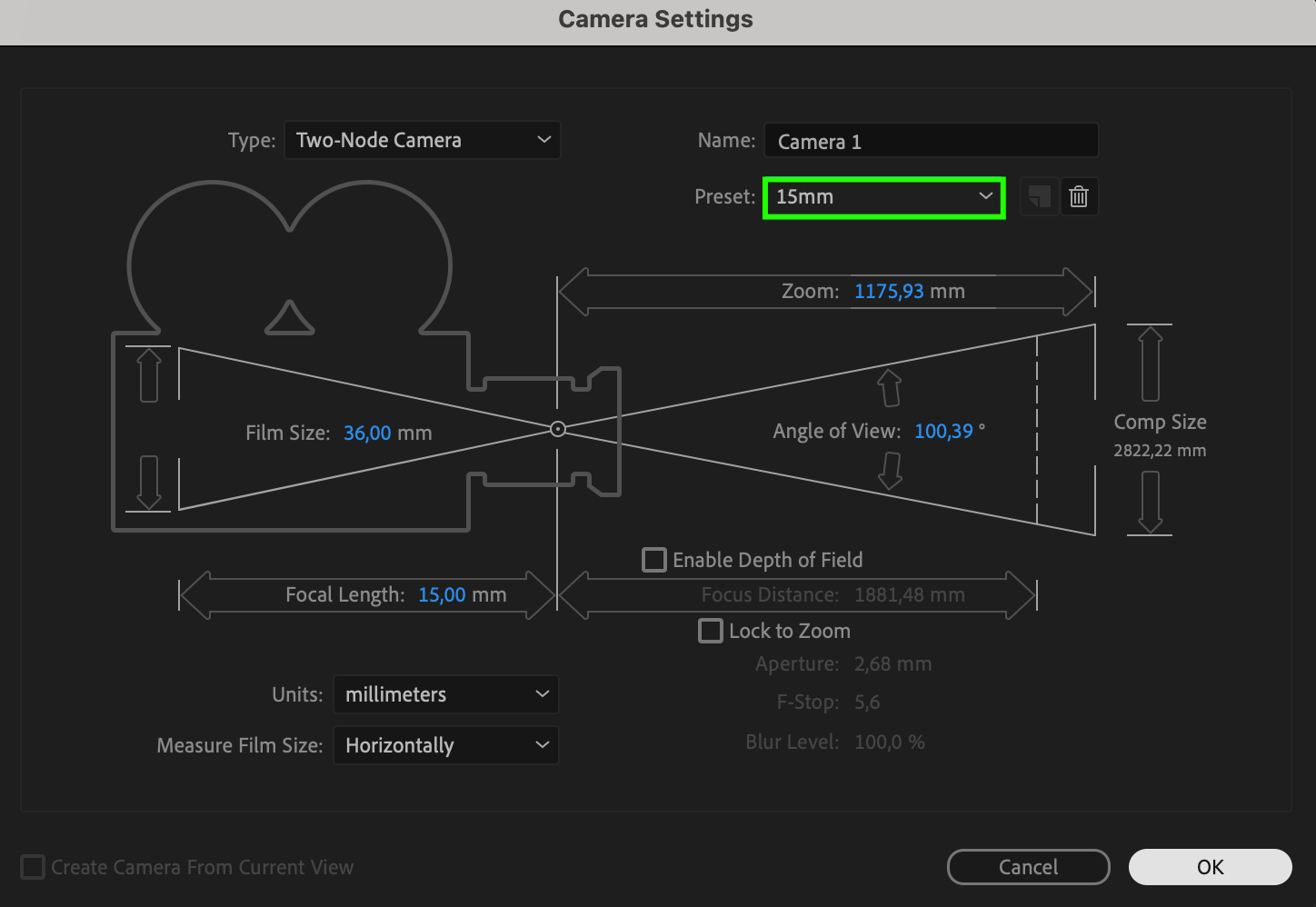
Go to Layer > New > Camera and choose 15mm as the preset. This camera will allow you to simulate movement inside the 360° scene.

 Step 4: Enable Orbit Tool for Navigation
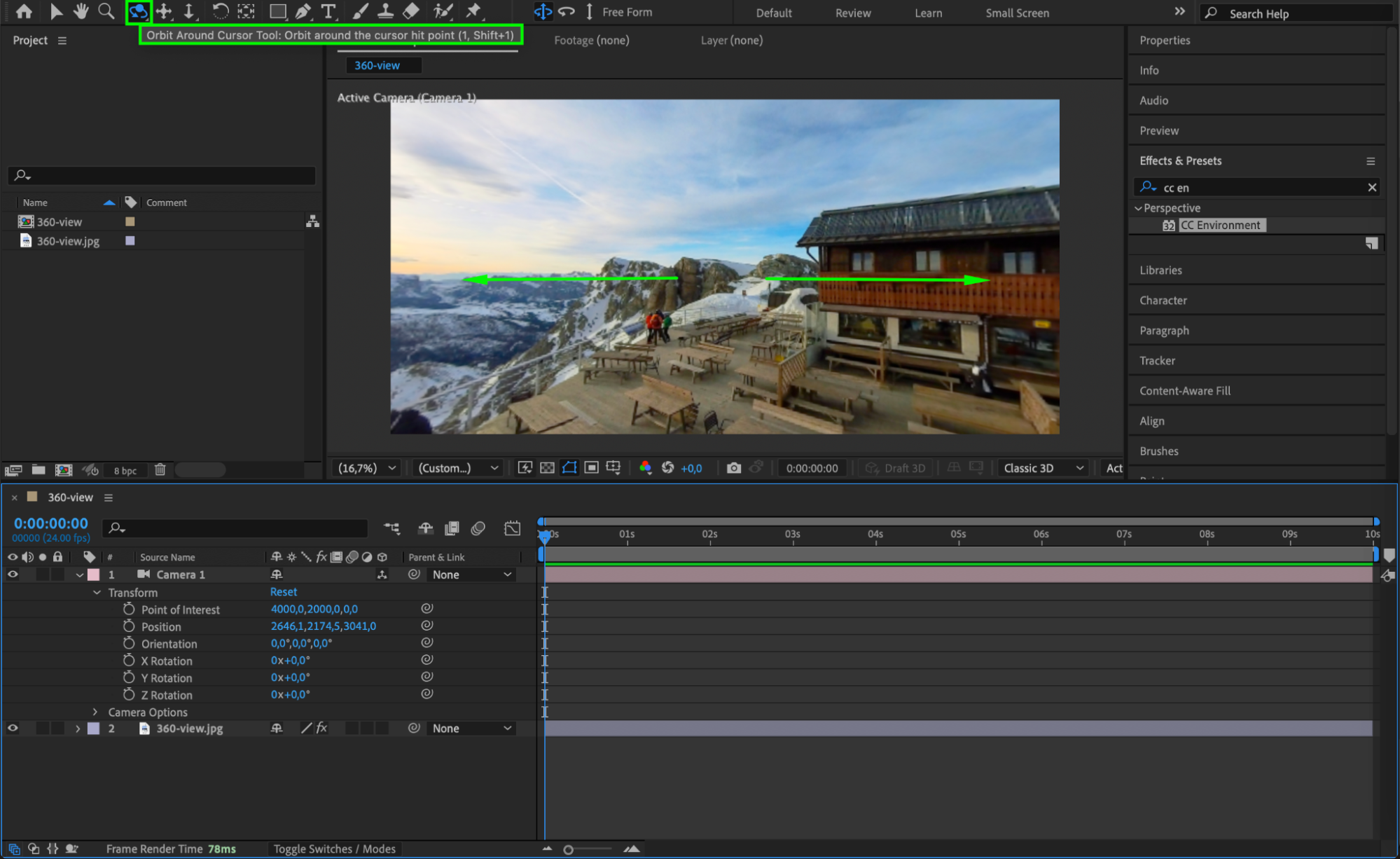
Select the Orbit Around Cursor Tool by pressing “1” or “Shift + 1”. Use this tool to rotate the view inside your 360° environment, ensuring that the effect is working correctly.
 Step 5: Animate Camera Movement
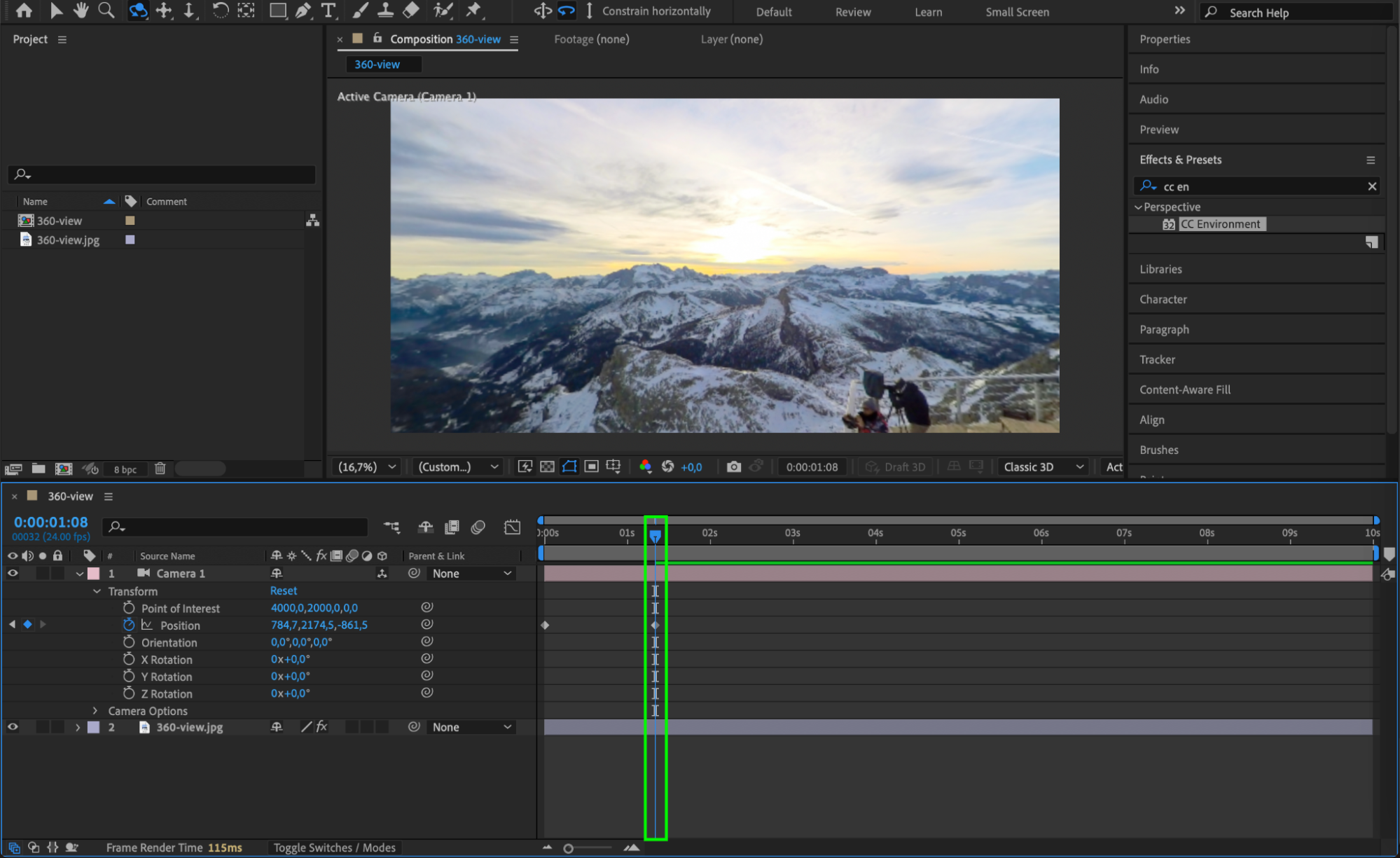
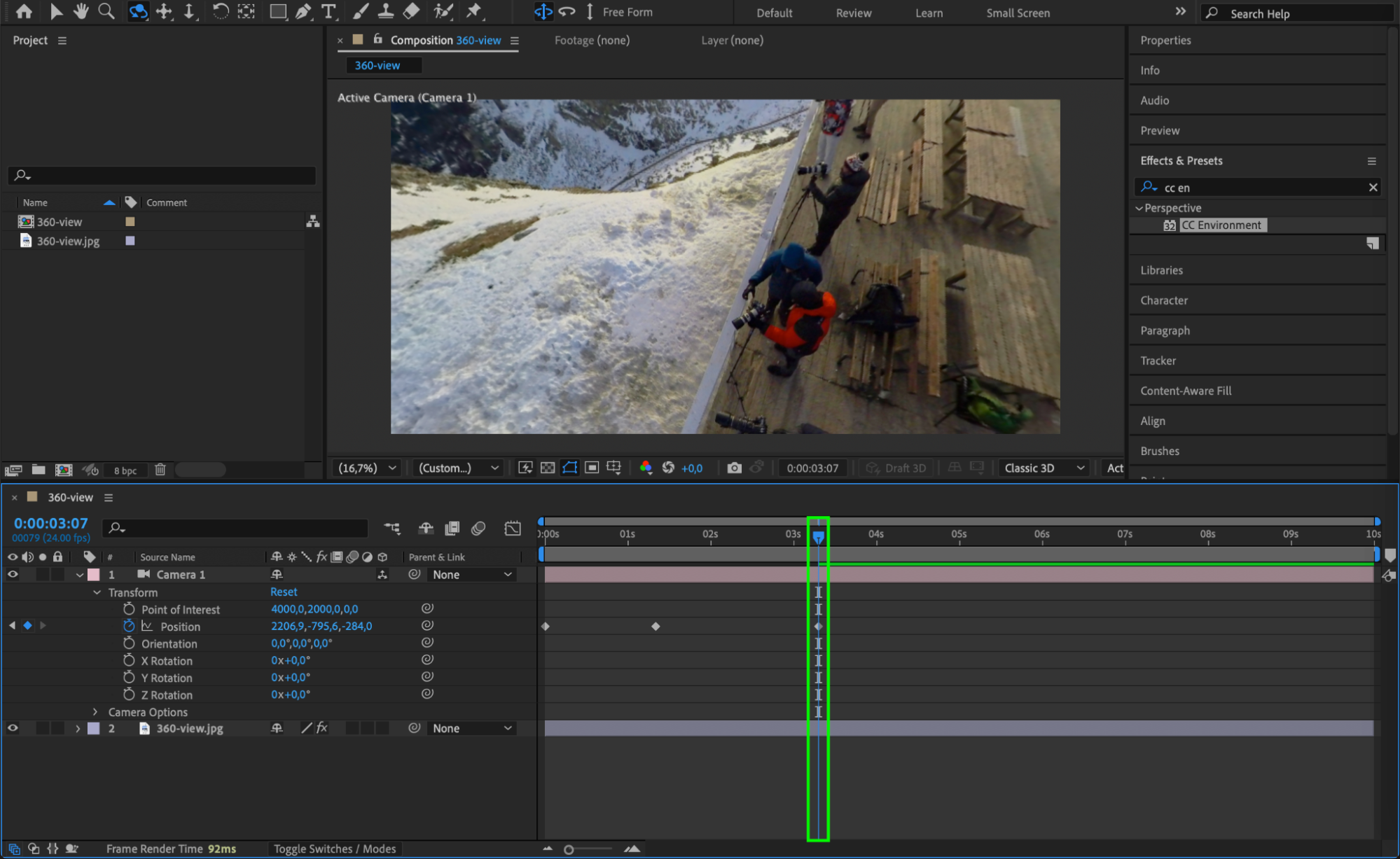
Expand the Camera Layer Properties and locate the Position parameter. Move the Current Time Indicator (CTI) to the starting frame, enable keyframing, and adjust the position. Move the CTI forward and change the position again to create smooth camera movement that simulates a real video capture.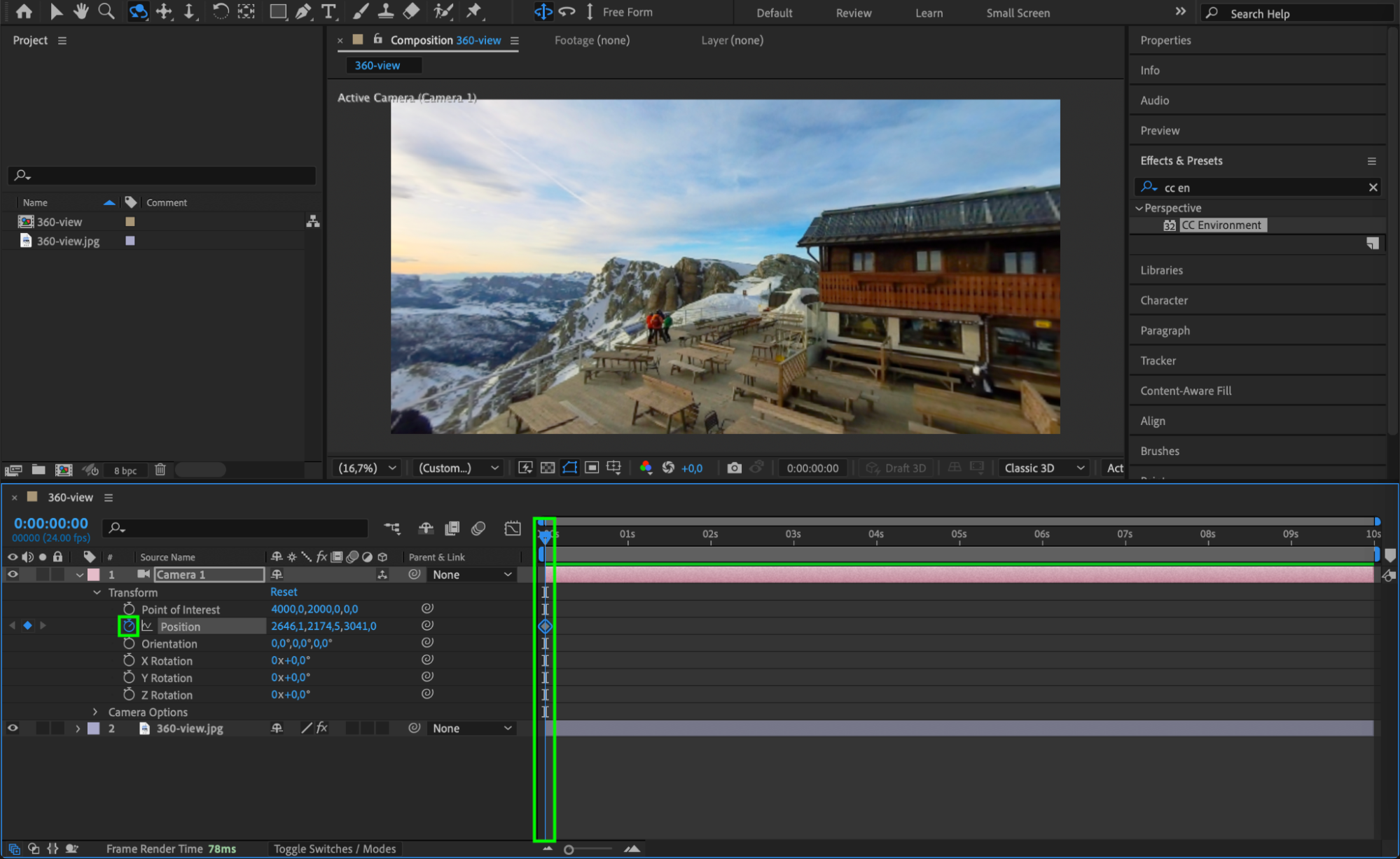
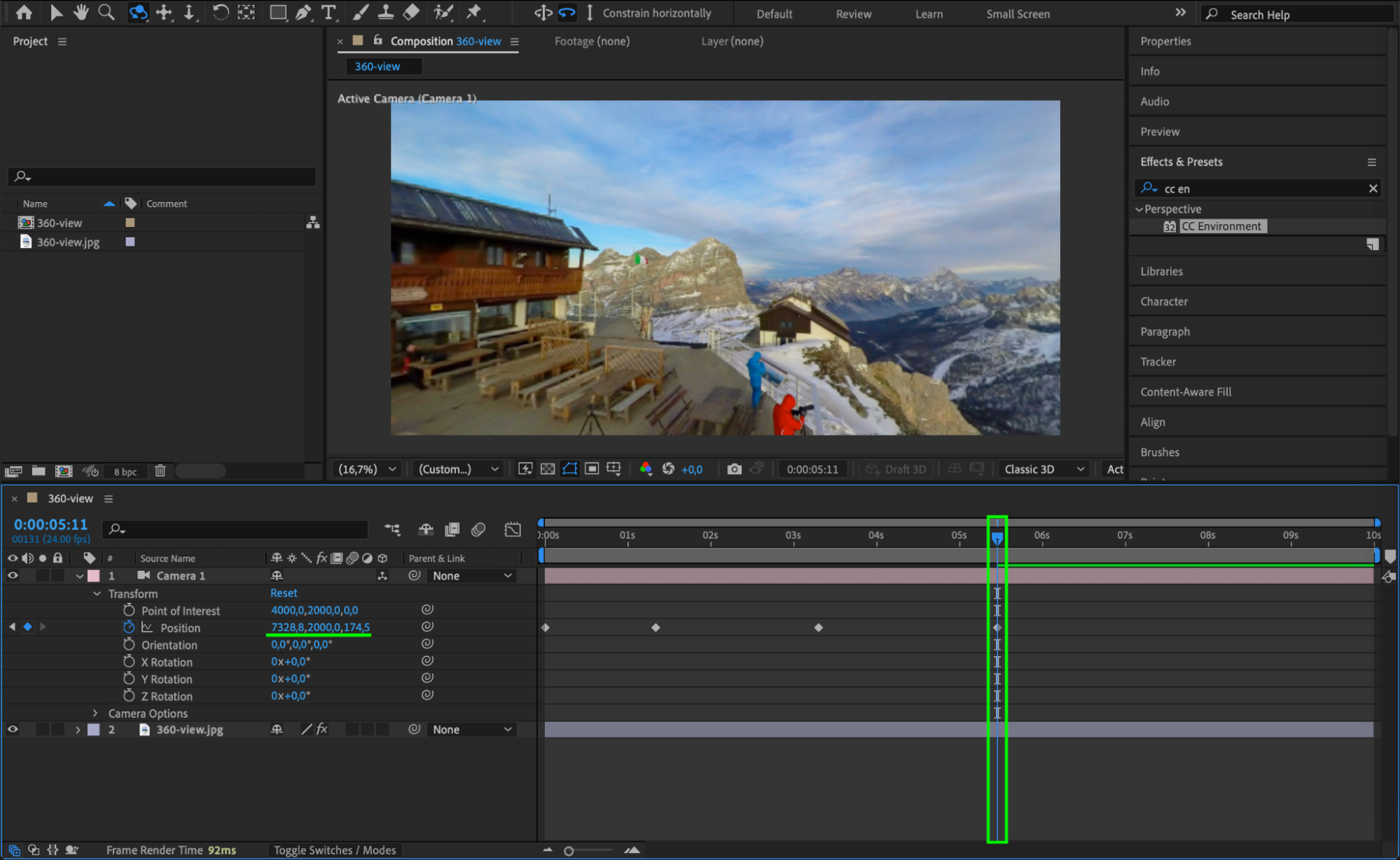
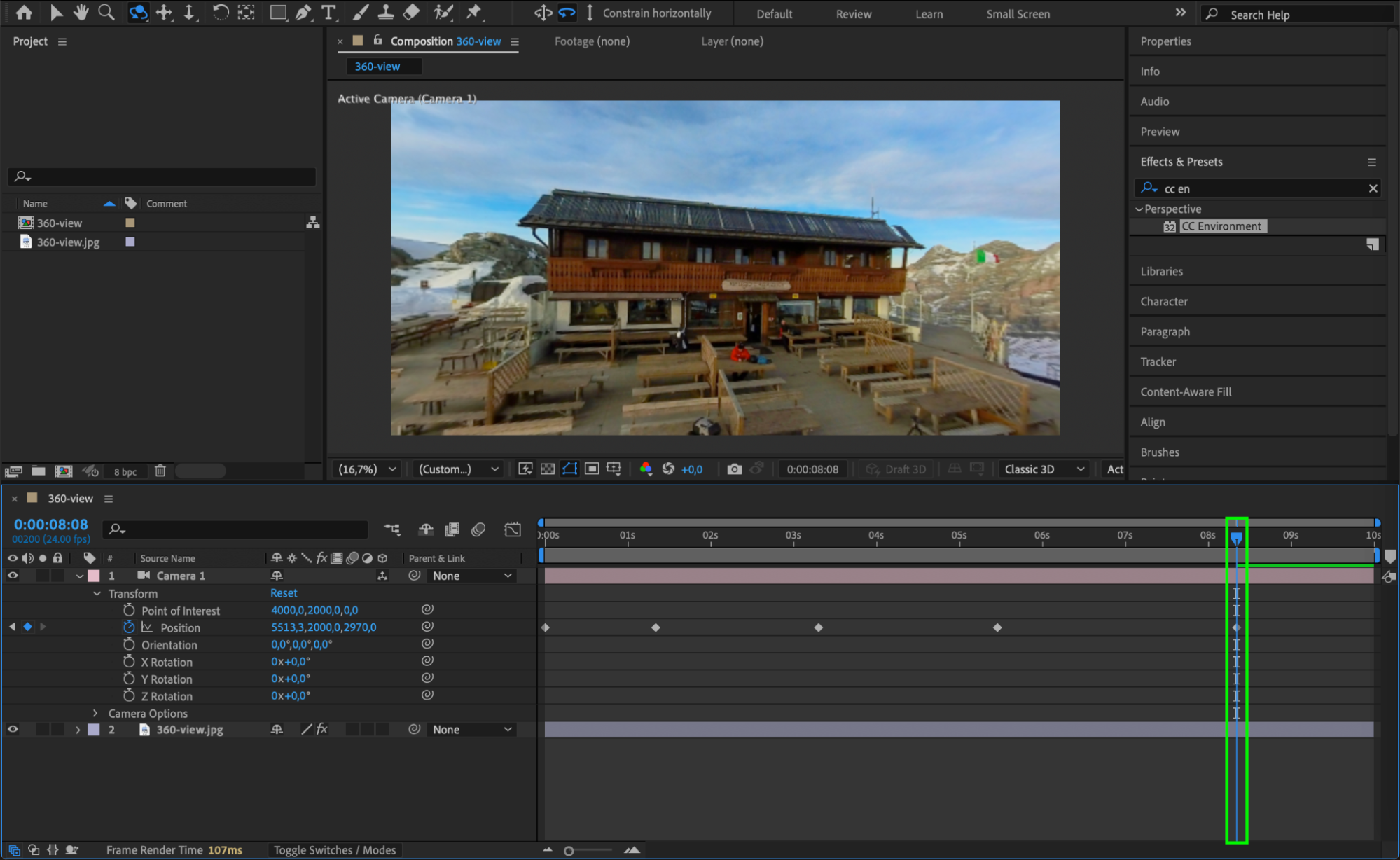
Step 6: Smooth Keyframe Motion
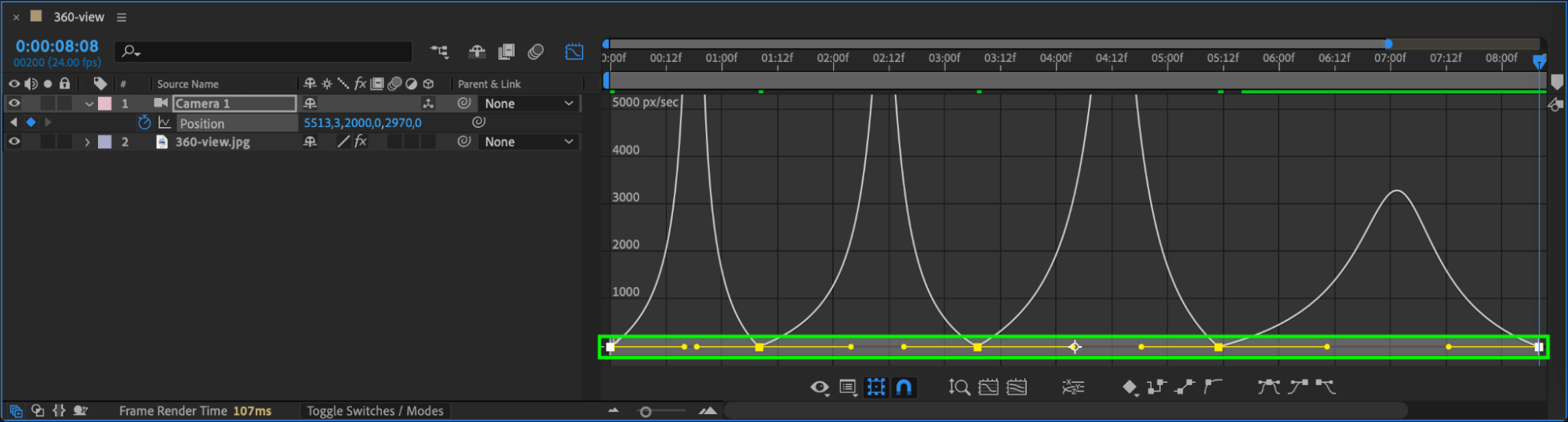
Select all keyframes in the Timeline, then right-click and choose Keyframe Assistant > Easy Ease. Open the Graph Editor to adjust curves for smoother motion transitions.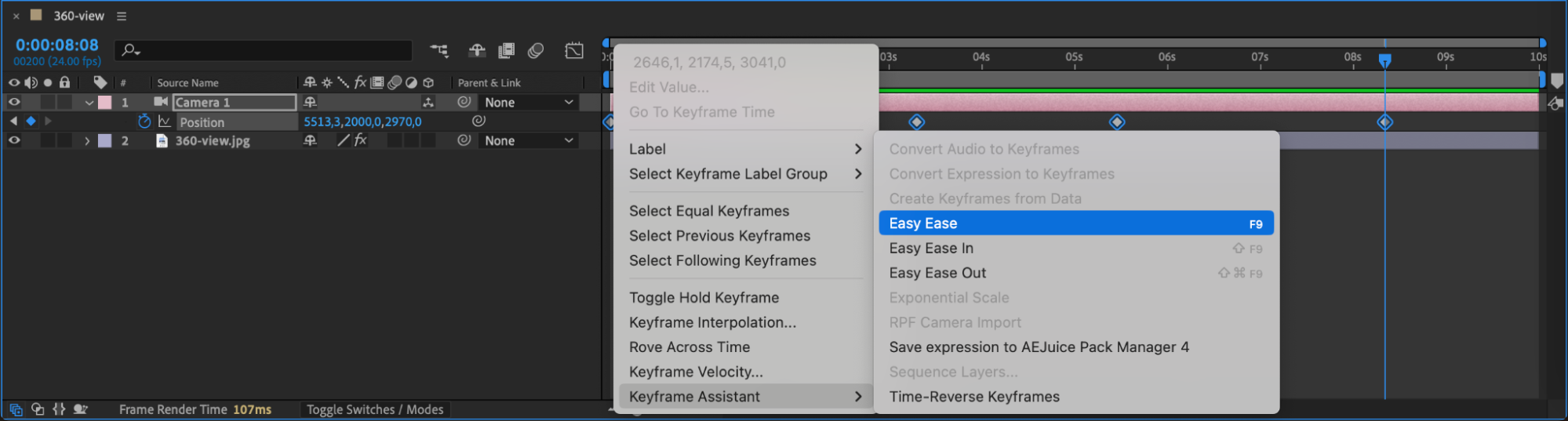
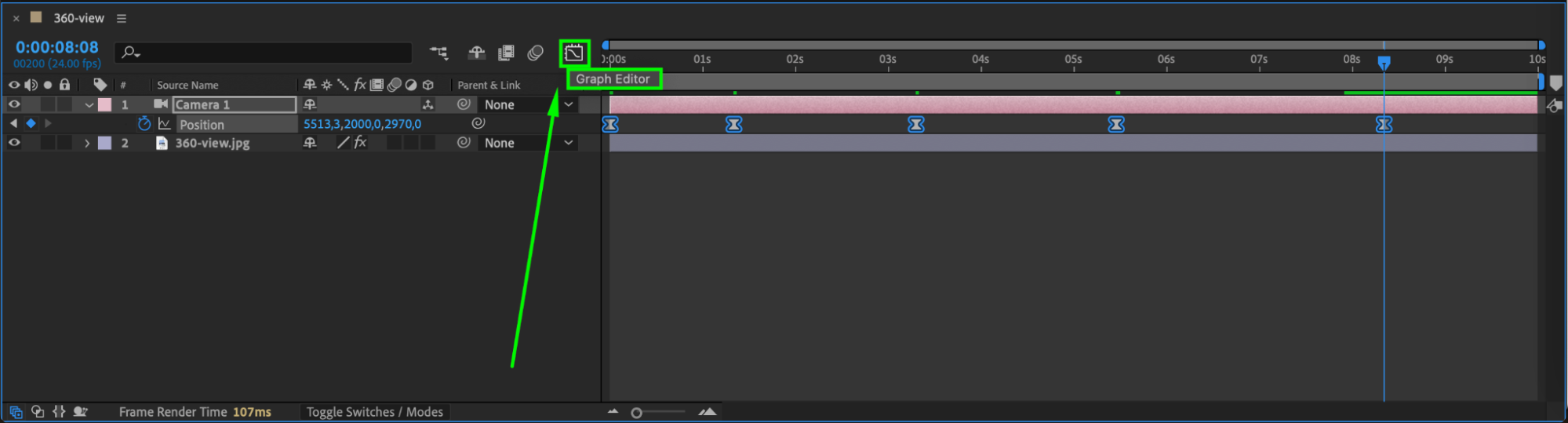
Step 7: Preview the Animation
Press Spacebar or go to Preview Panel to check the animation. Make any necessary adjustments to the camera movement or keyframes for a more natural feel.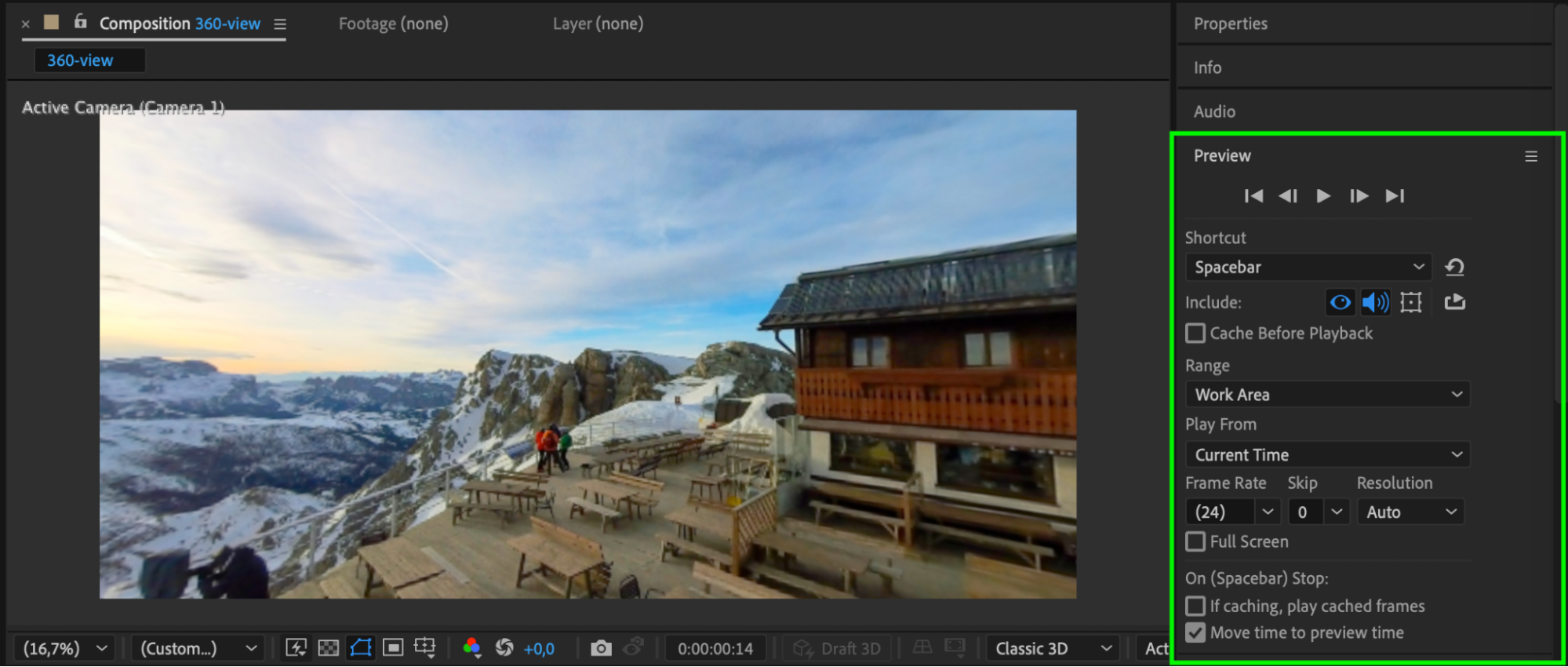 Step 8: Render the Video
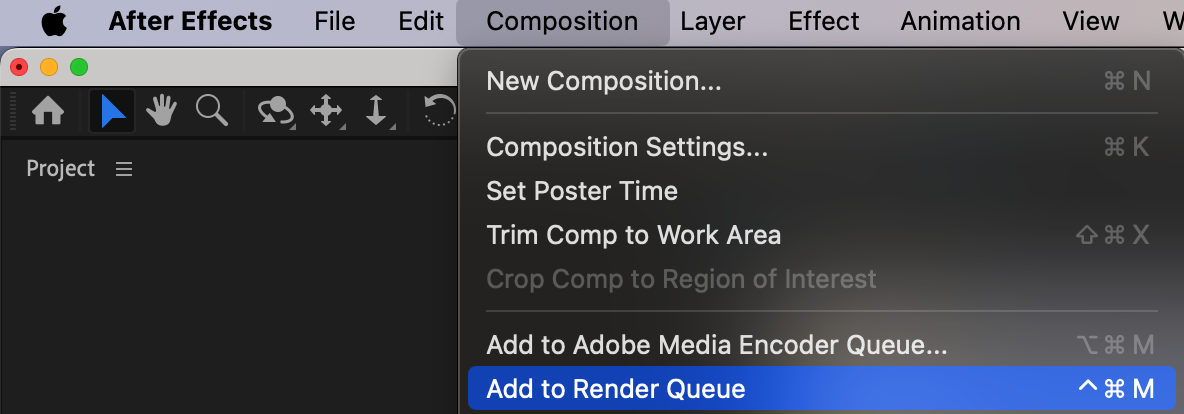
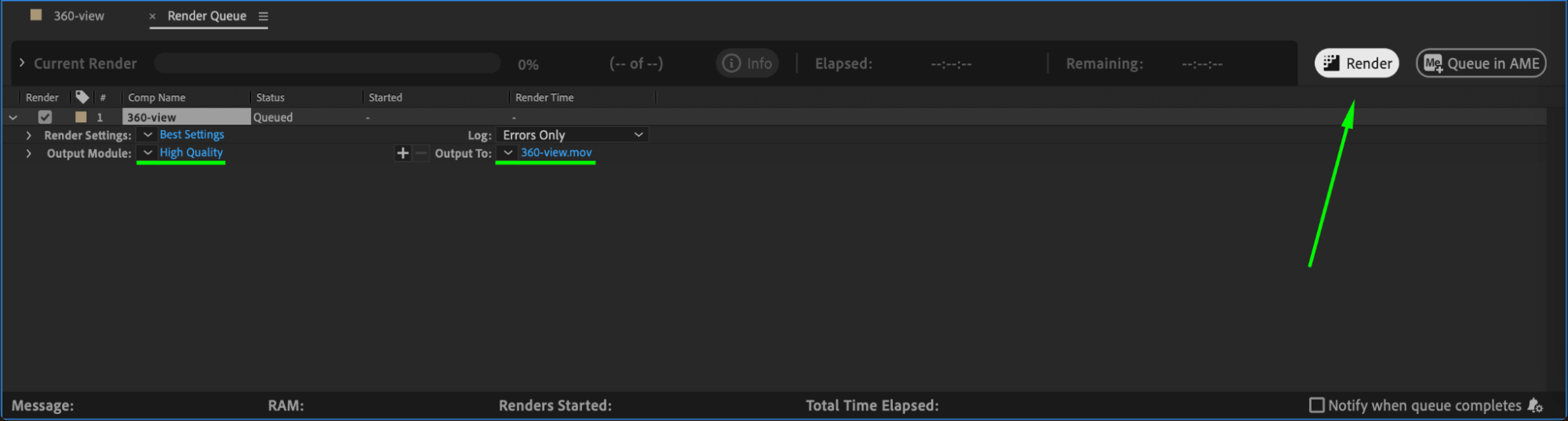
Once satisfied, go to Composition > Add to Render Queue. Choose the appropriate output format and click Render to export your 360° video.
Conclusion
By using a 360° image, CC Environment effect, and a virtual camera, you can create an immersive animated video in After Effects. This technique is useful for VR projects, panoramic presentations, or creative storytelling.
Our Bestsellers
Our Bestsellers


