
Step-by-Step Guide to Creating a Shine Effect in After Effects
Introduction: Add Depth and Glow to Your Projects
Creating a shine effect in After Effects adds a vibrant, dynamic look to your visuals. This effect uses glow, shadows, and subtle animation to enhance the depth and realism of an image or object. Follow these steps to achieve a polished shine effect.
Step 1: Set Up a New Composition
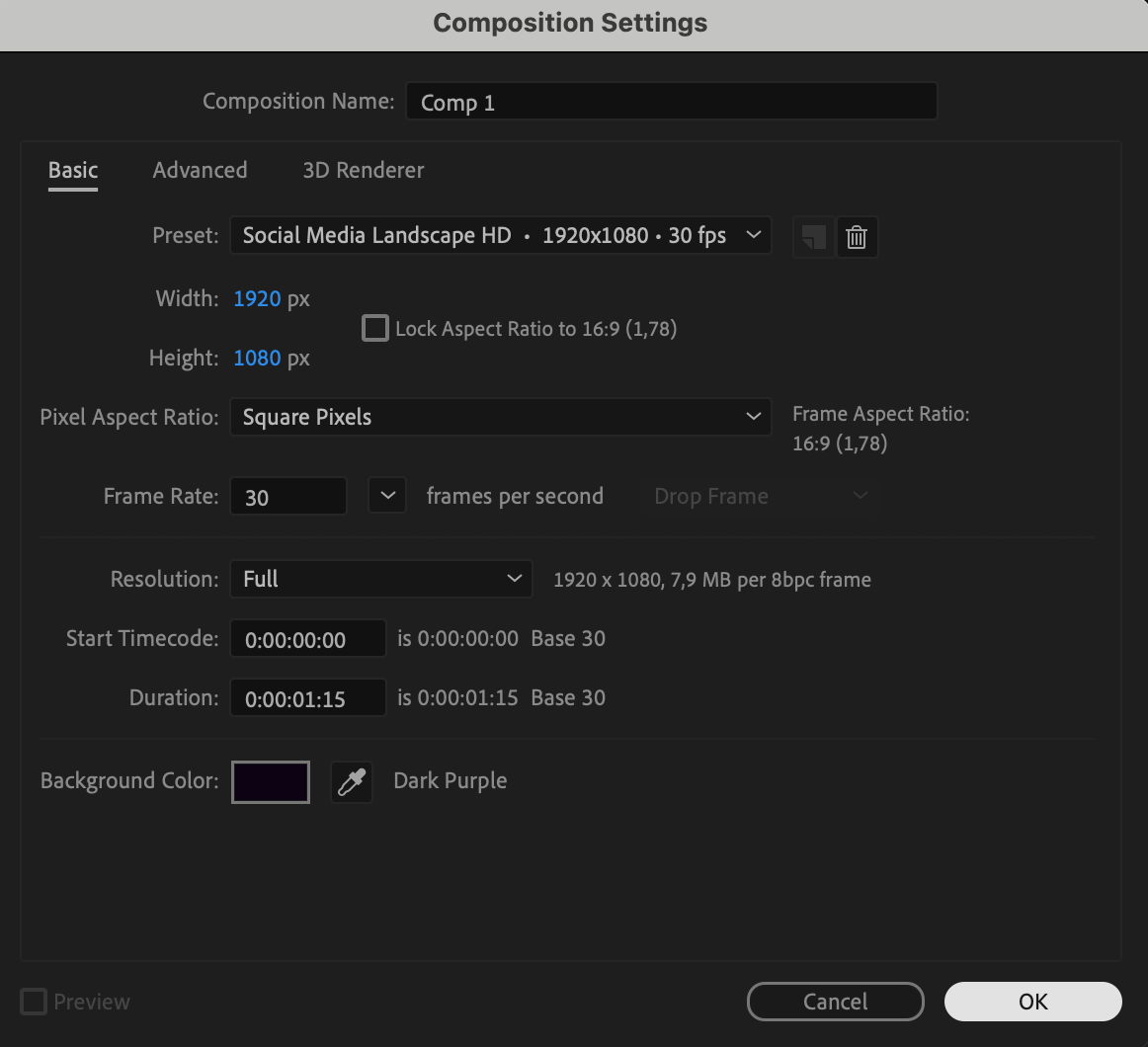
Start by creating a new composition. Go to Composition > New Composition and set the background color to a dark purple. Adjust the resolution and frame rate to fit your project requirements. A darker background enhances the shine effect.
 Step 2: Import Your Image or File
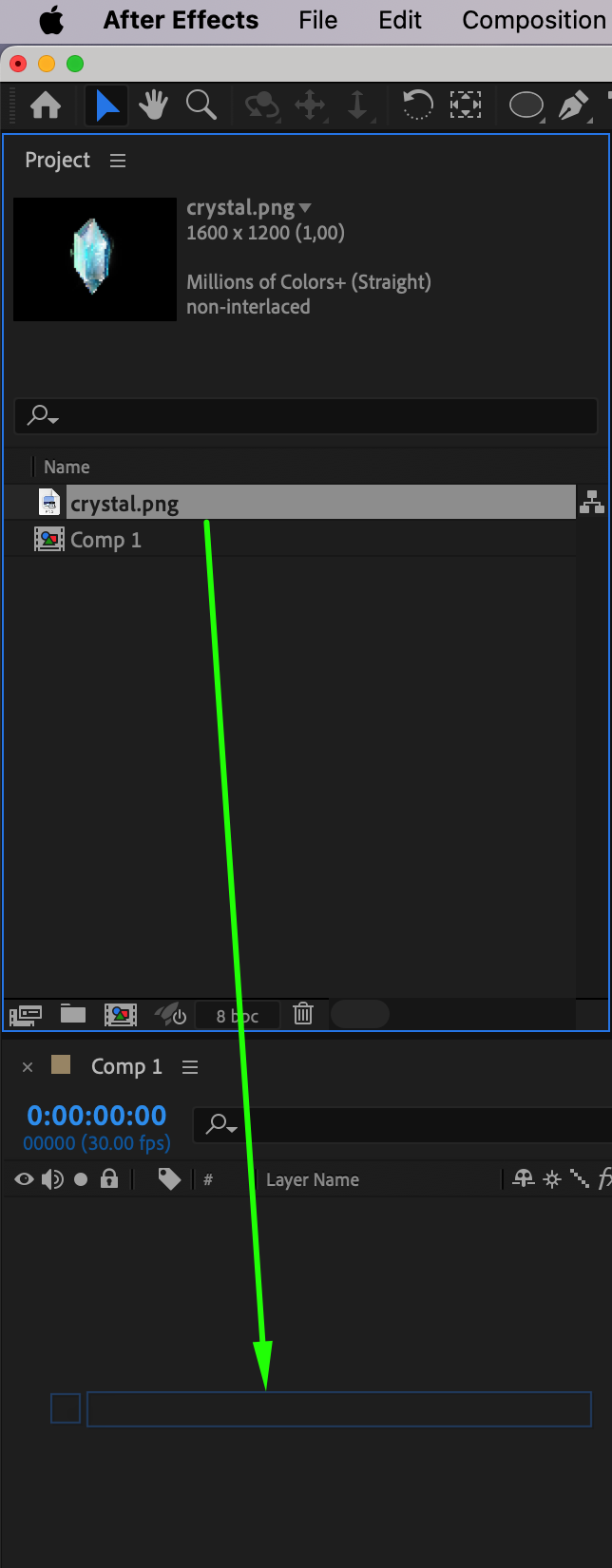
Import the image or object you want to apply the shine effect to. Go to File > Import > File, select your file, and drag it onto the Timeline. Position it at the center of your composition.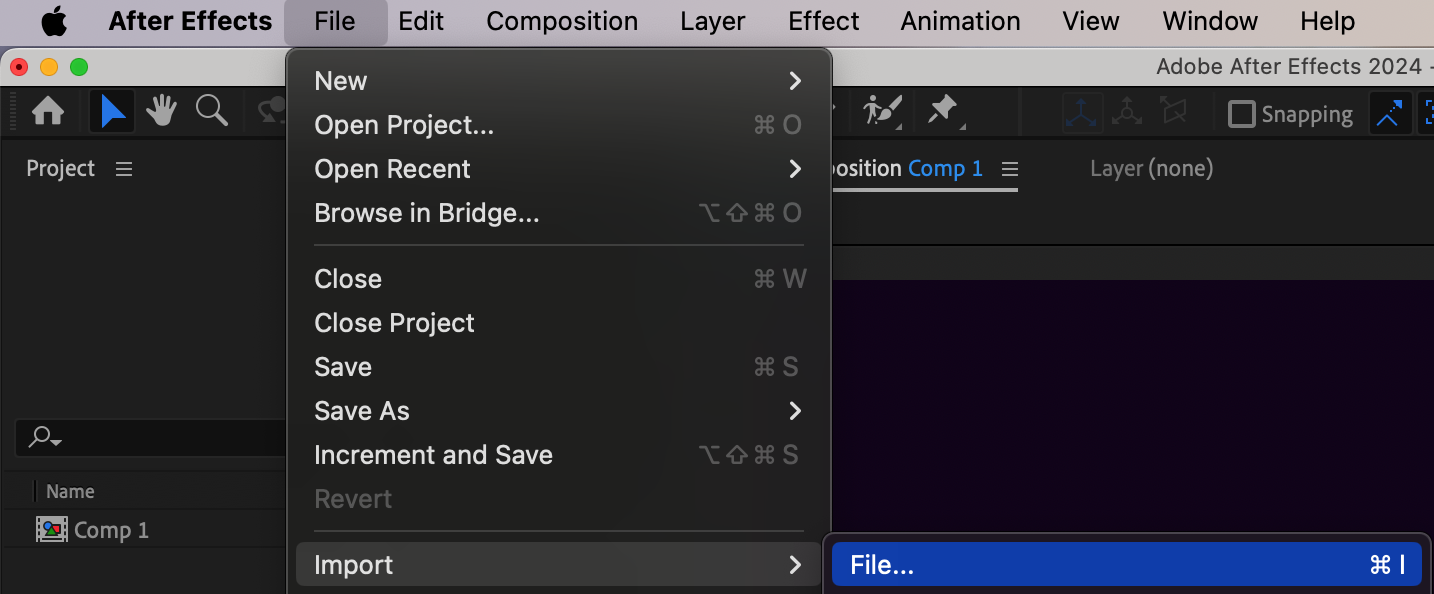
 Step 3: Apply Dimension and Shadows
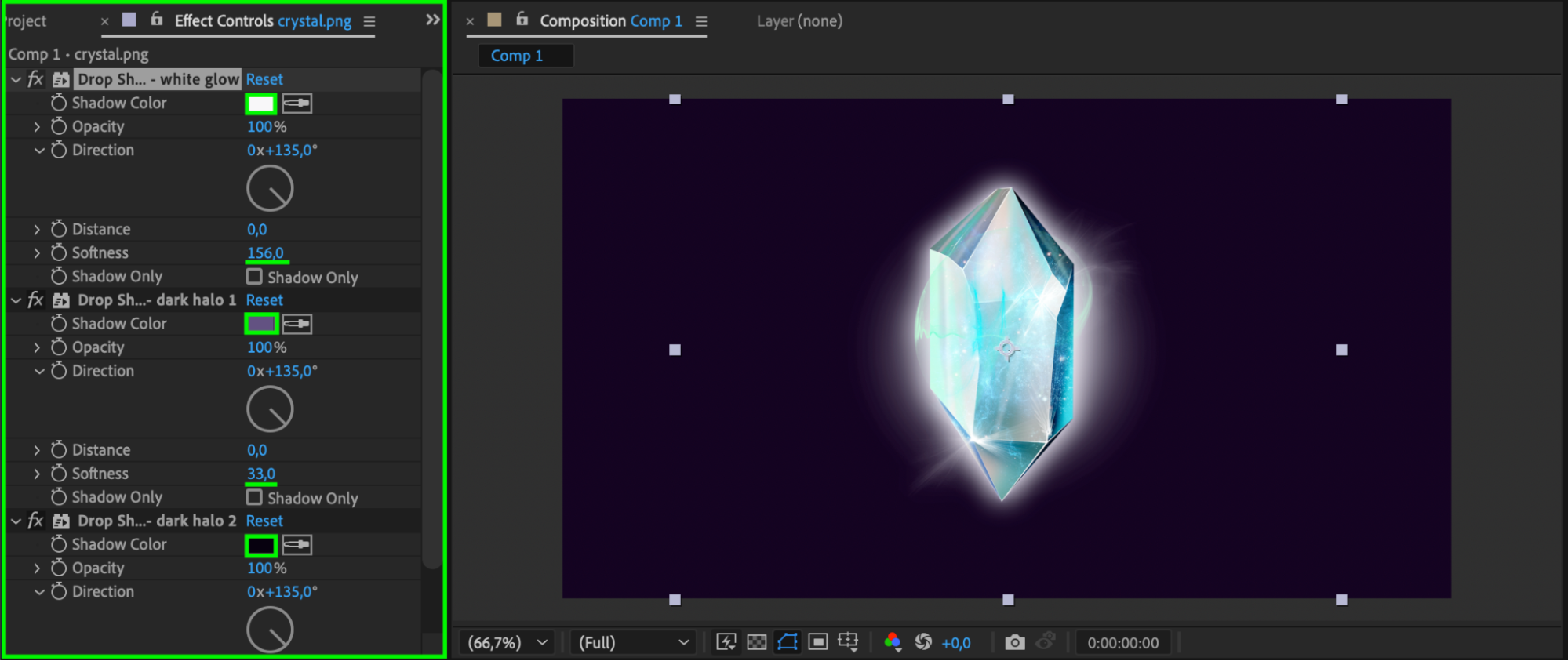
From the Effects & Presets panel, drag the Dimension – Glow + Shadow effect onto your file. Navigate to the Effect Controls panel and configure the shadow settings as follows:
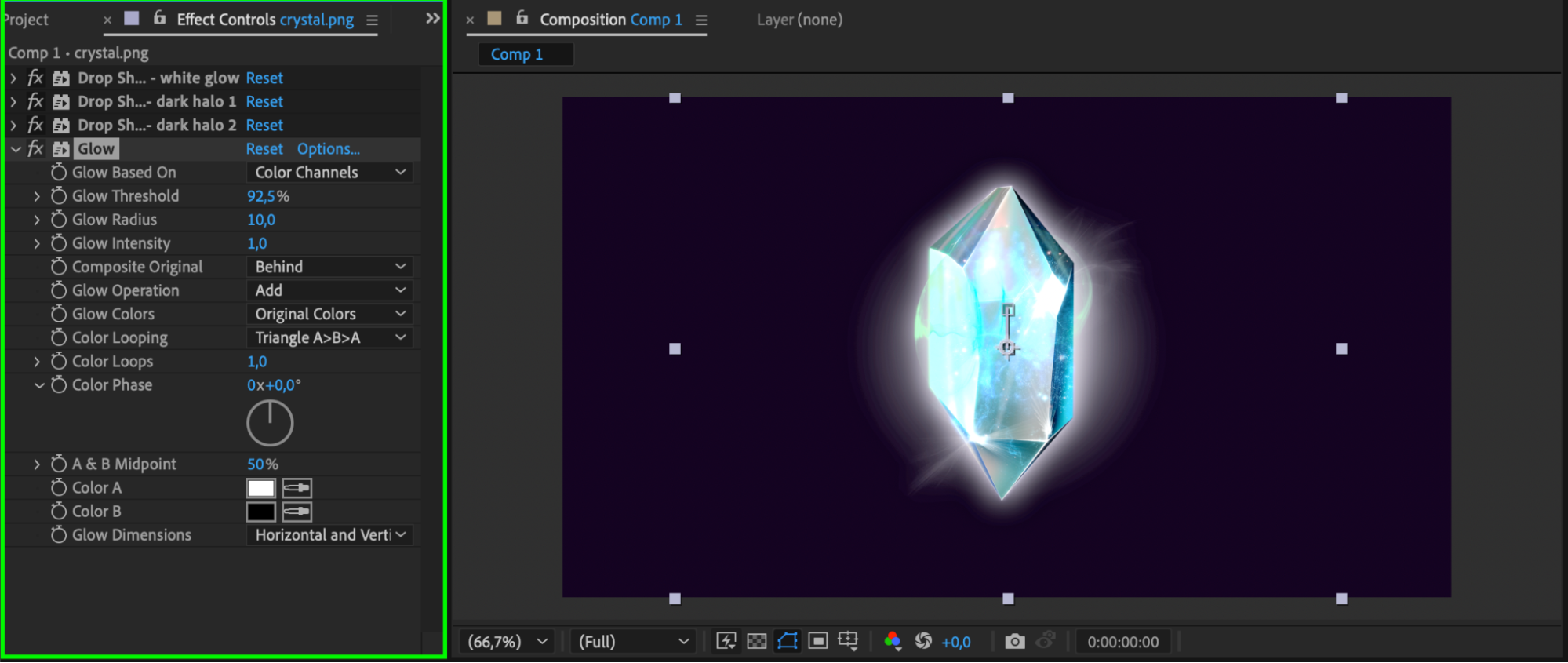
Drop Shadow White: Set the color to white and adjust the softness to 156.
Drop Shadow Dark 1: Use a light purple color with a softness of 33.
Drop Shadow Dark 2: Choose a dark purple color with a softness of 143.
These shadows will give your object a layered, glowing appearance.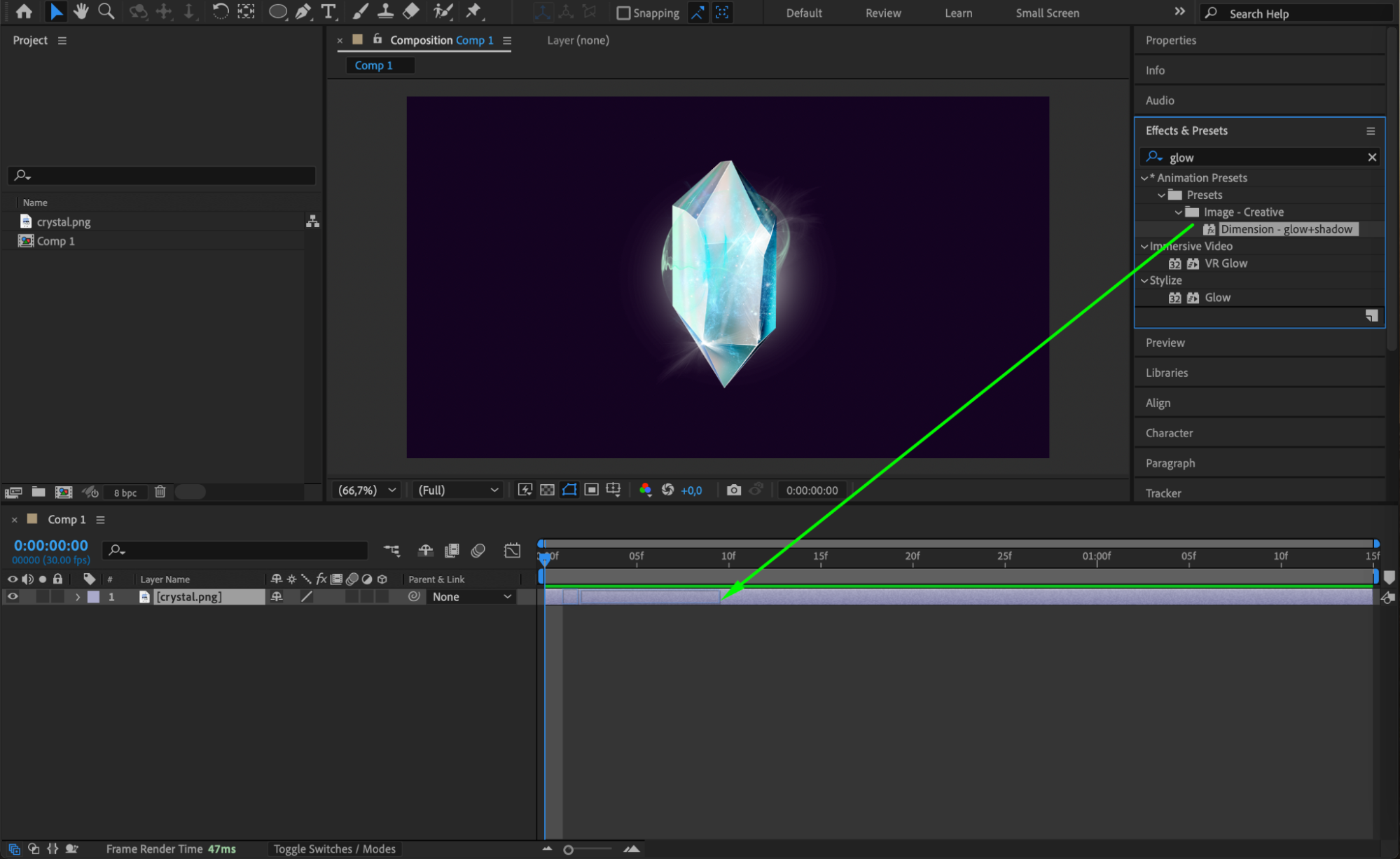
 Step 4: Animate Position and Shadow Opacity
To create a dynamic shine effect, animate the position of the layer and the opacity of the shadows:
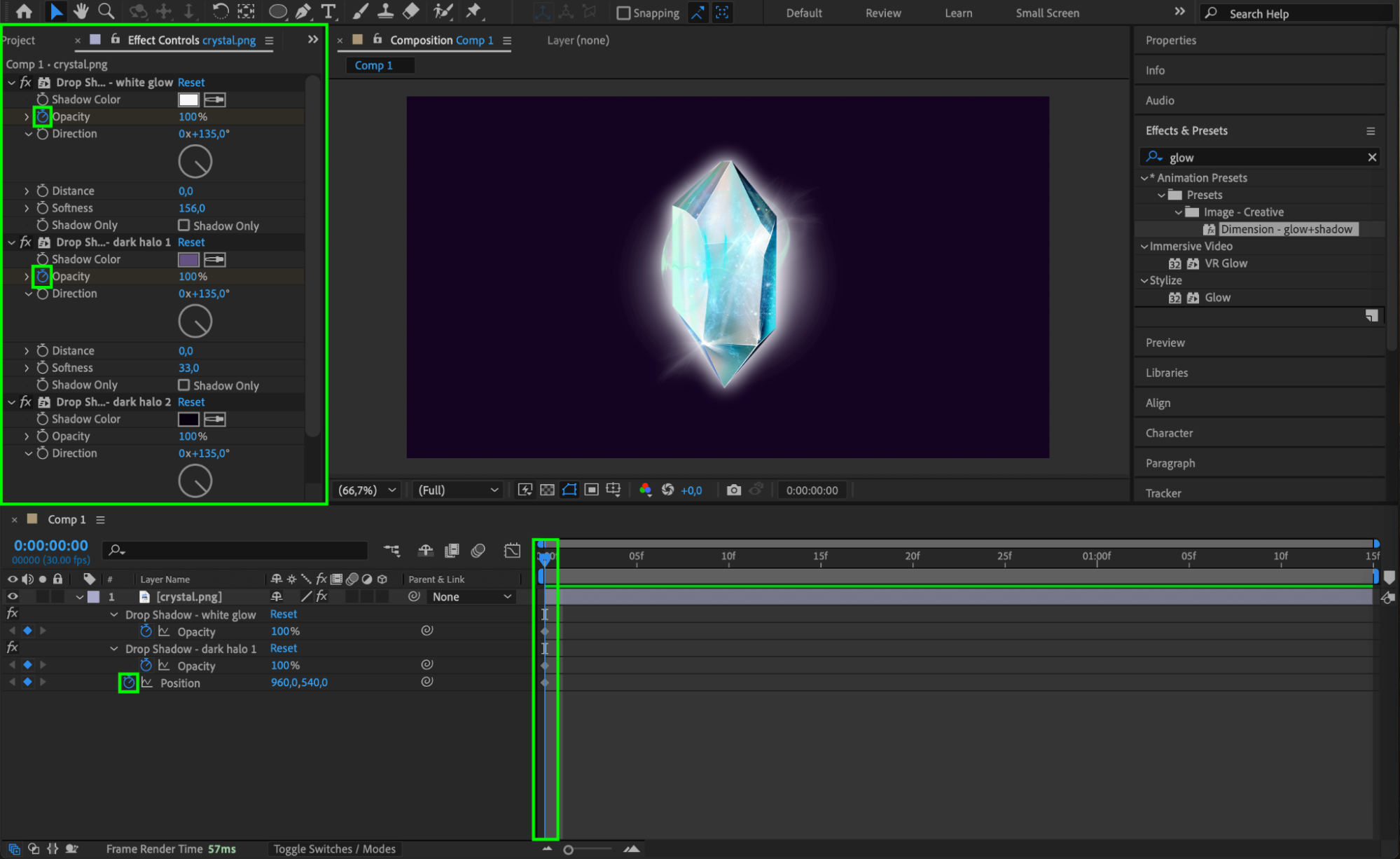
Set Keyframes at the Start:
Move the CTI (Current Time Indicator) to the beginning of the Timeline.
Select your layer, then in the Timeline Panel, click the stopwatch icon next to Position to create a keyframe for the layer’s position.
In the Effect Controls Panel, click the stopwatch icons next to Opacity for White Shadow and Dark Shadow 1 to create starting keyframes for these parameters.
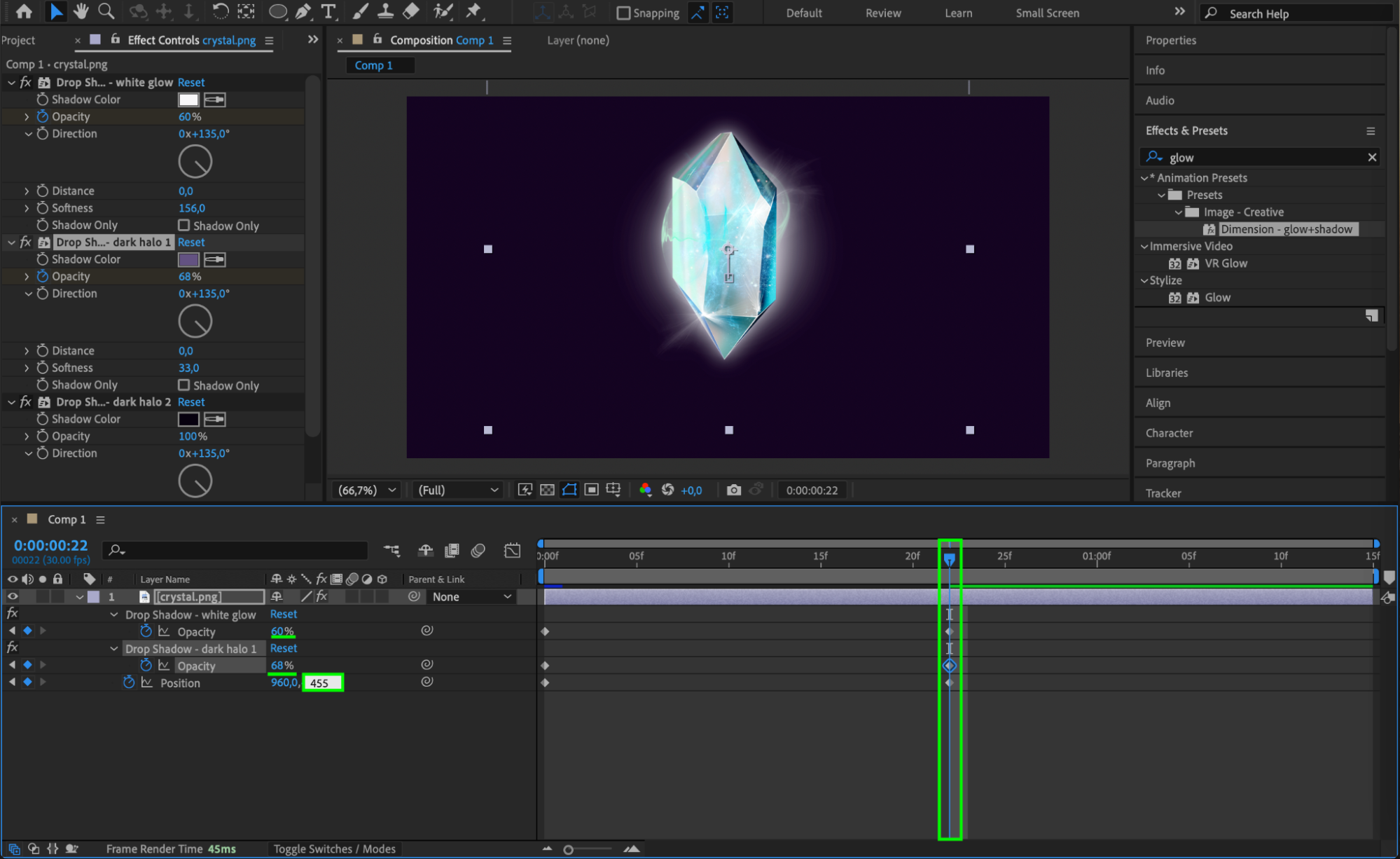
Adjust Keyframes in the Middle:
Move the CTI to the middle of the Timeline.
Adjust the Position so that the layer rises slightly.
Lower the Opacity values:
Set Opacity White Shadow to 60.
Set Opacity Dark Shadow 1 to 68.
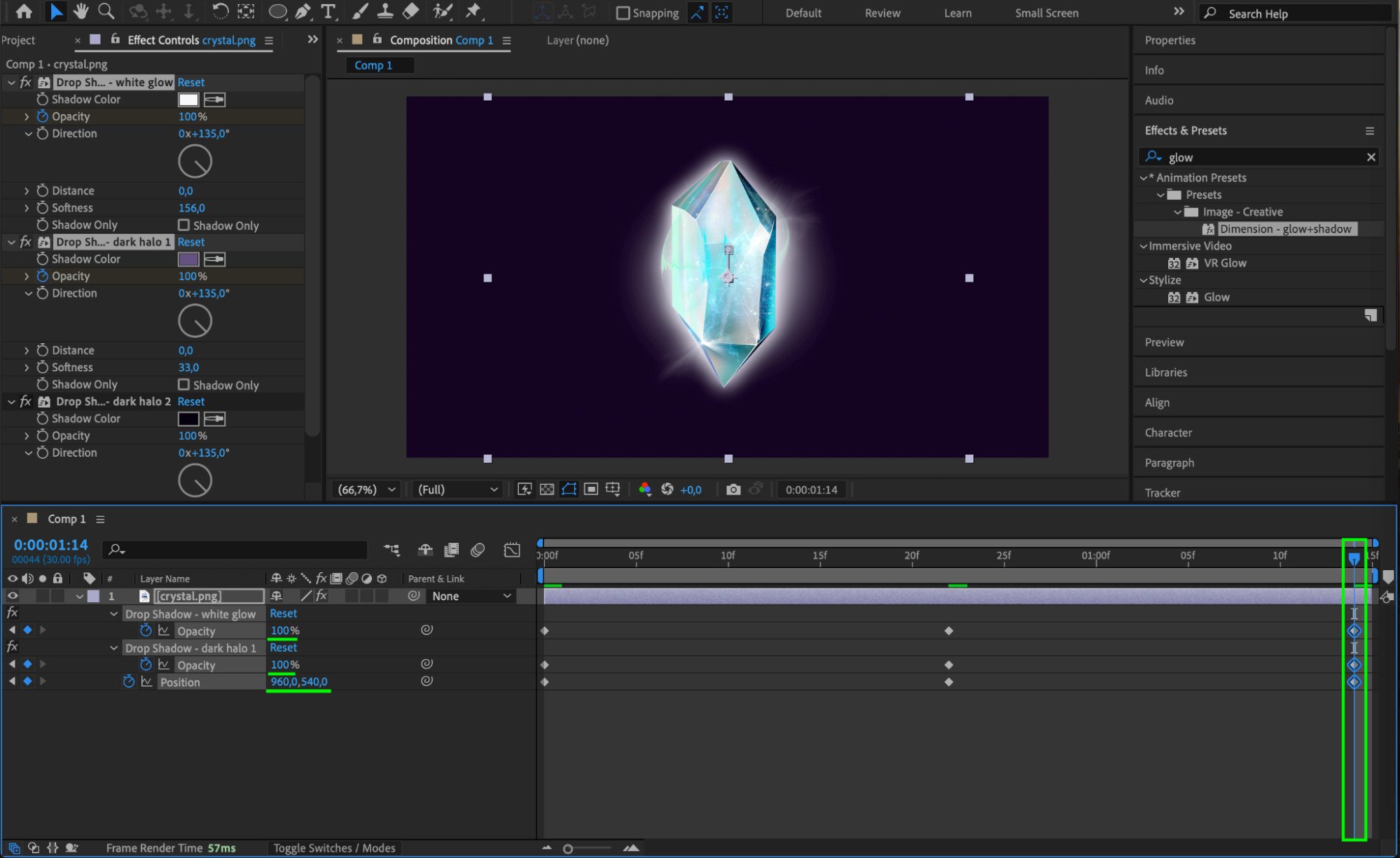
Return to Original Values at the End:
Move the CTI to the end of the Timeline.
Set the Position and Opacity values back to their original keyframe settings from the beginning.
This animation will create a smooth movement and dynamic shine effect as the object subtly rises and fades.
 Step 5: Add the Glow Effect
Drag the Glow effect from the Effects & Presets panel onto your layer. In the Effect Controls panel, adjust the Glow Threshold to enhance the internal glow of the object. Fine-tune this parameter until you achieve the desired brightness and softness.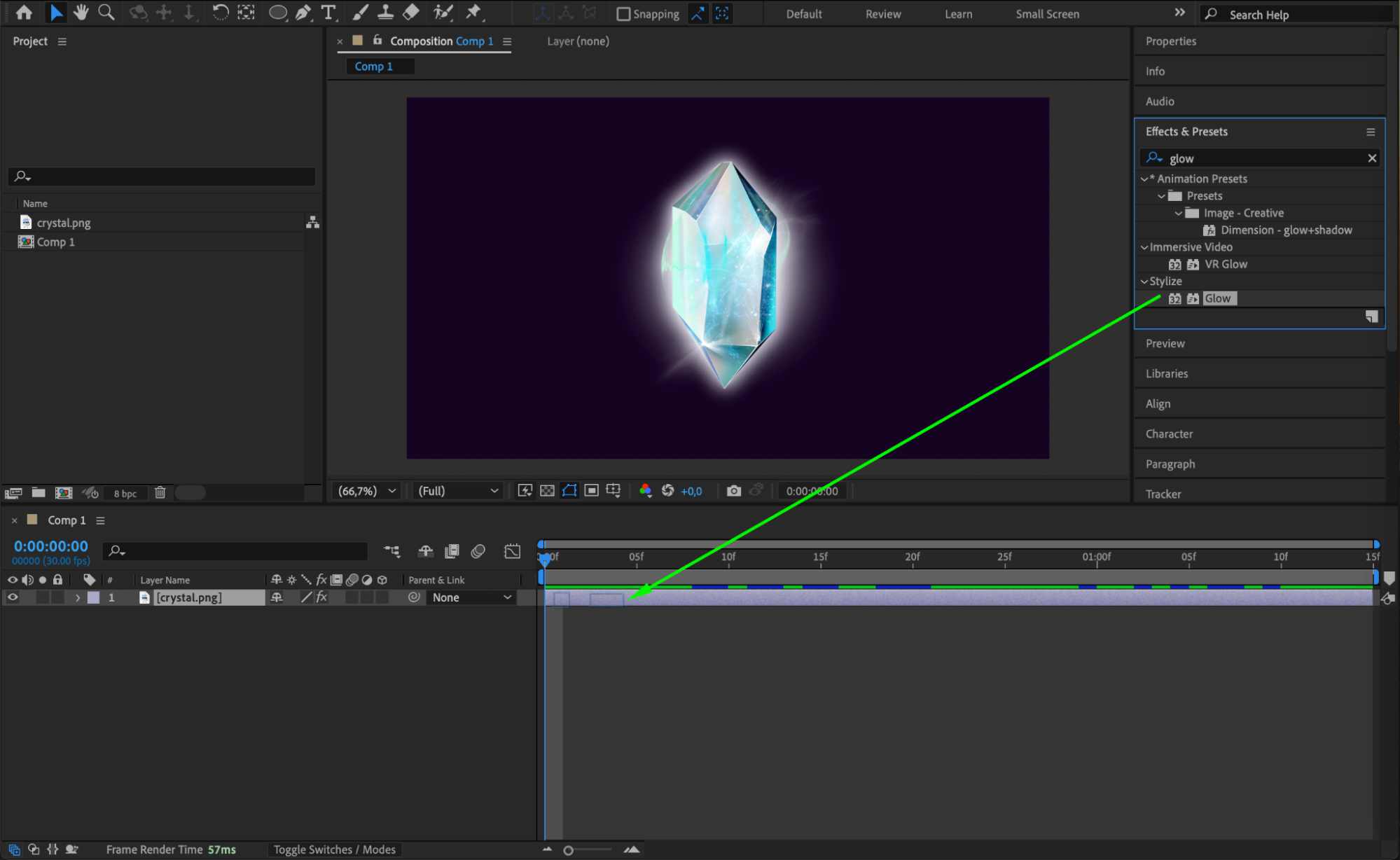
Step 6: Preview Your Work
Press the Spacebar to preview the animation. Ensure the shadows and glow create a smooth, seamless shine effect. Make any necessary adjustments to the animation or effect parameters.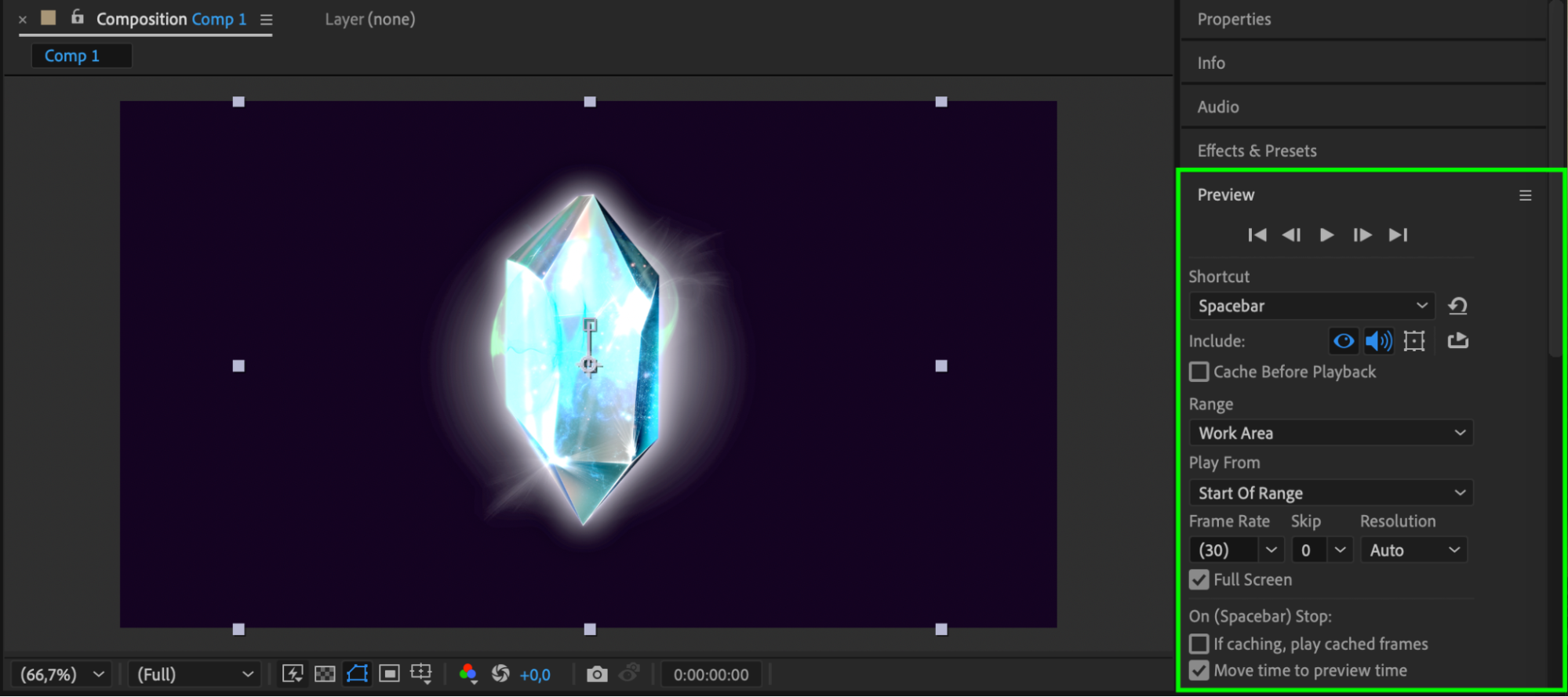
Step 7: Render Your Composition
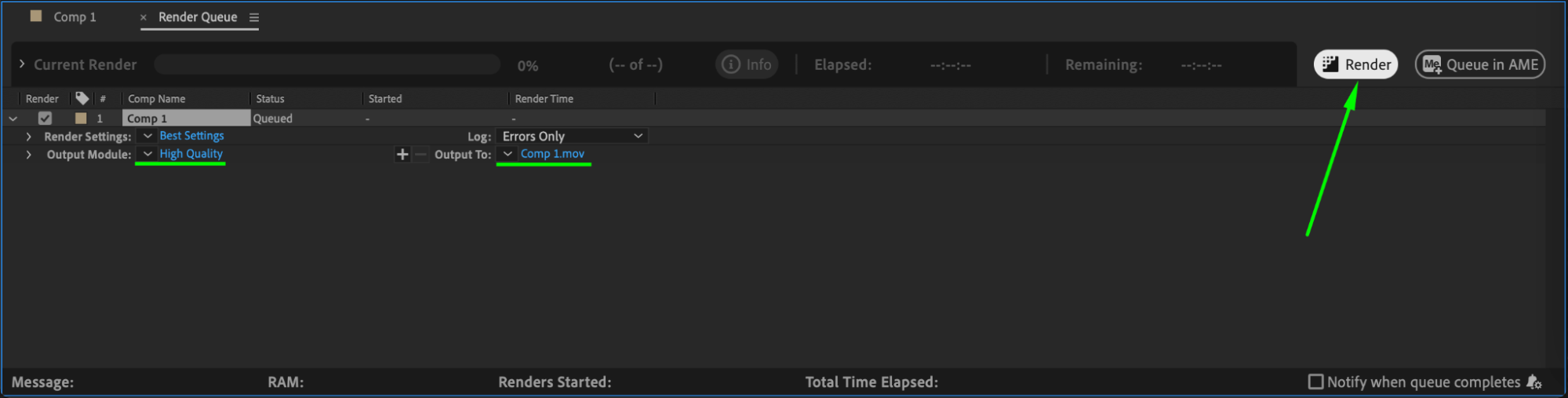
Once you’re satisfied, render your project to save it as a video file. Go to Composition > Add to Render Queue, select your preferred output format, such as H.264, and click Render.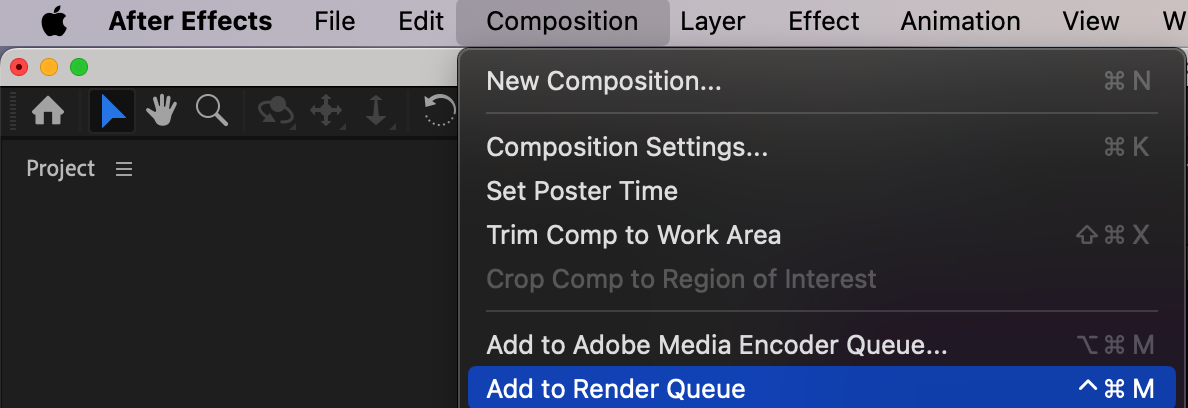
Conclusion
The shine effect is a simple yet powerful technique to add dynamic depth to your visuals. By combining shadow layers, glow effects, and animation, you can achieve a polished, professional look. Experiment with different colors, softness levels, and glow settings to customize the effect for your project.
Our Bestsellers
Our Bestsellers


