
Learn how to create stunning audio visualizers using AEJuice’s pack inside Premiere Pro — perfect for music videos, podcasts, and YouTube.
How to Make Dynamic Audio Visualizers in Premiere Pro
Introduction – Why Use Audio Visualizers?
Audio visualizers add movement and energy to your videos by reacting to the beat of your sound. They’re especially popular in music promotion, podcasts, and YouTube content. With AEJuice’s Audio Visualizer pack, you can easily create animated, customizable waveforms that sync perfectly with your audio — no After Effects required.
Step 1: Open AEJuice Pack Manager
In Premiere Pro, go to Window > Extensions > AEJuice Pack Manager 4. This will open the plugin panel where you can browse and manage your AEJuice packs. Step 2: Download the Audio Visualizer Pack
In the AEJuice Pack Manager, scroll to find the Audio Visualizer pack. If it’s not installed yet, click on it to download. Once downloaded, you’ll have access to all included visualizer templates.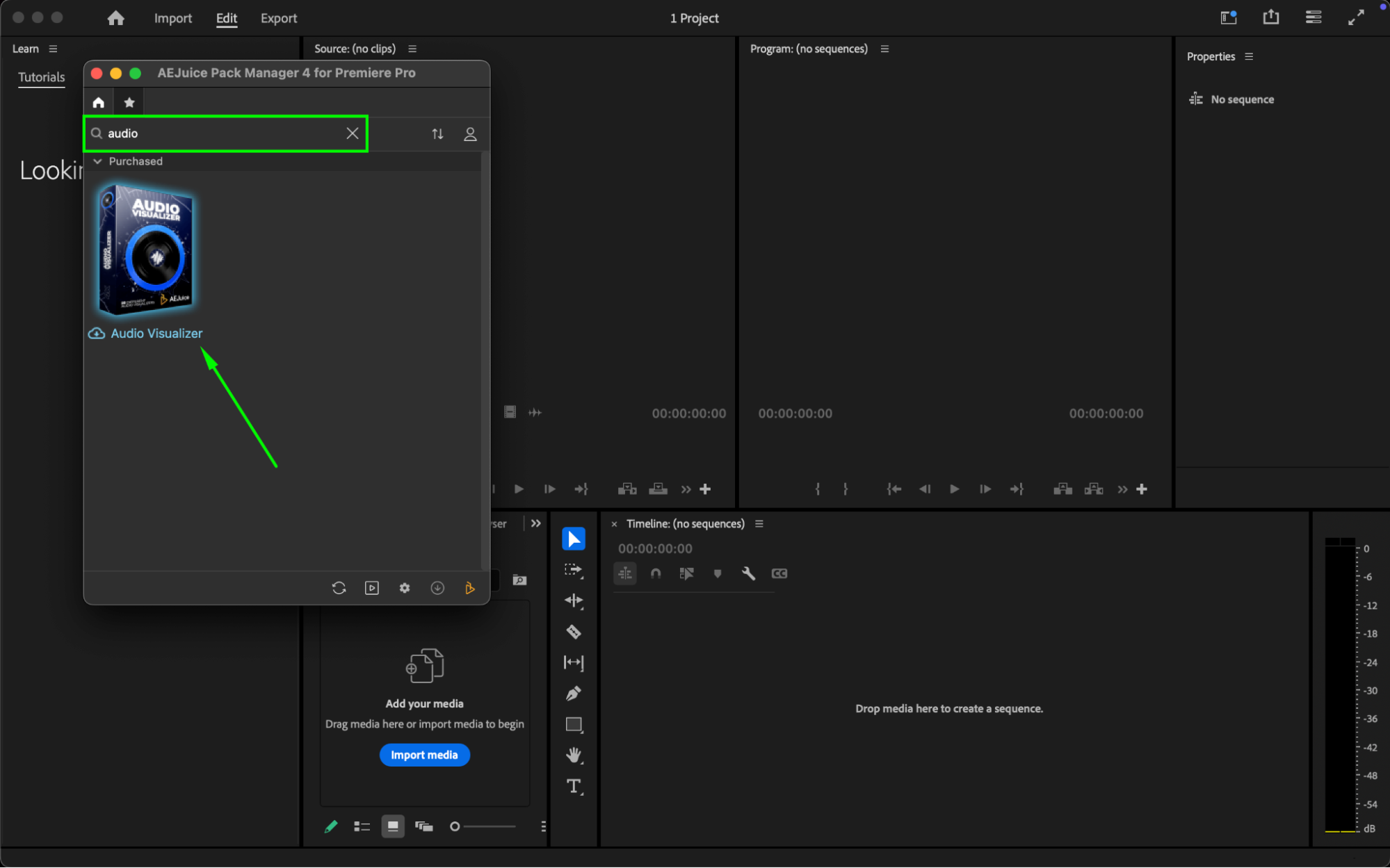
Step 3: Choose and Import a Template
Browse through the pack and choose a visualizer style you like. When you click on it, a pop-up will appear asking you to select an audio file from your computer. Choose your file and click Open to continue. The visualizer will be imported into your timeline automatically.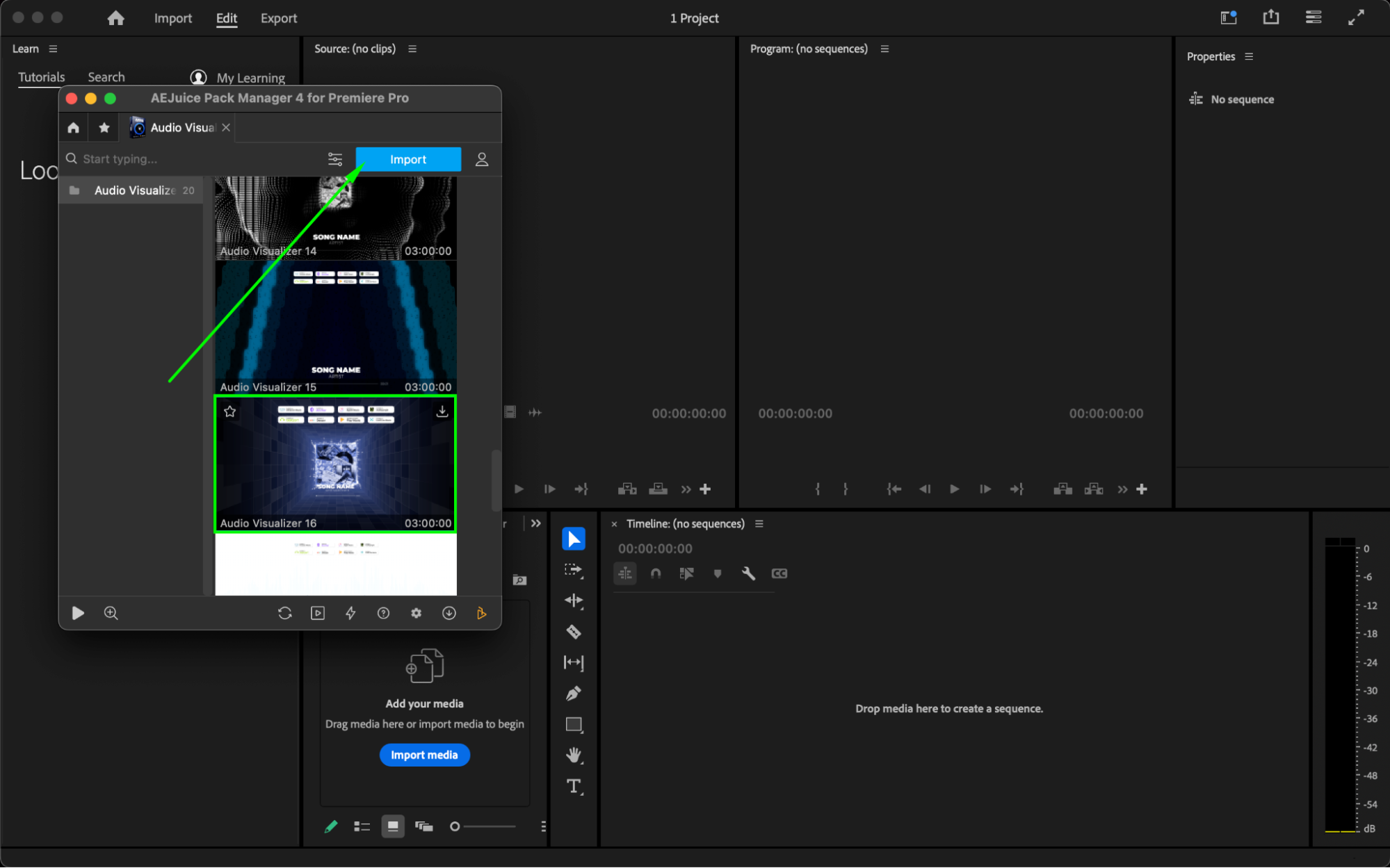 Step 4: Customize the Visualizer
Select the imported visualizer layer in your timeline. Then open the Essential Graphics panel and go to the Edit section (or use the Properties panel). Here, you can:
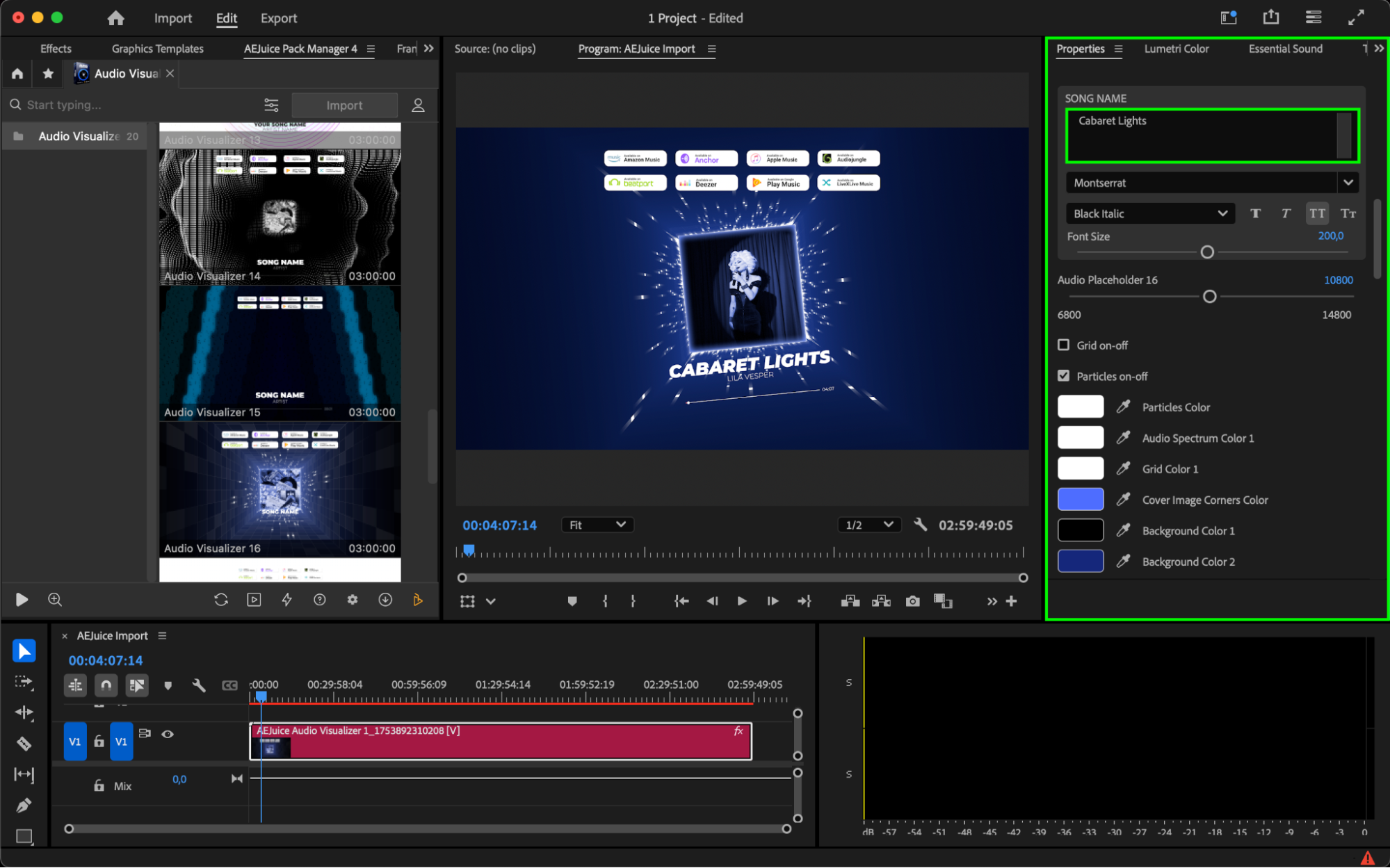
Change the text, font, and size.
Adjust template colors to match your branding.
Click the three-line icon next to the cover image or placeholder, then choose “Replace from Finder” to upload your logo, artwork, or album cover.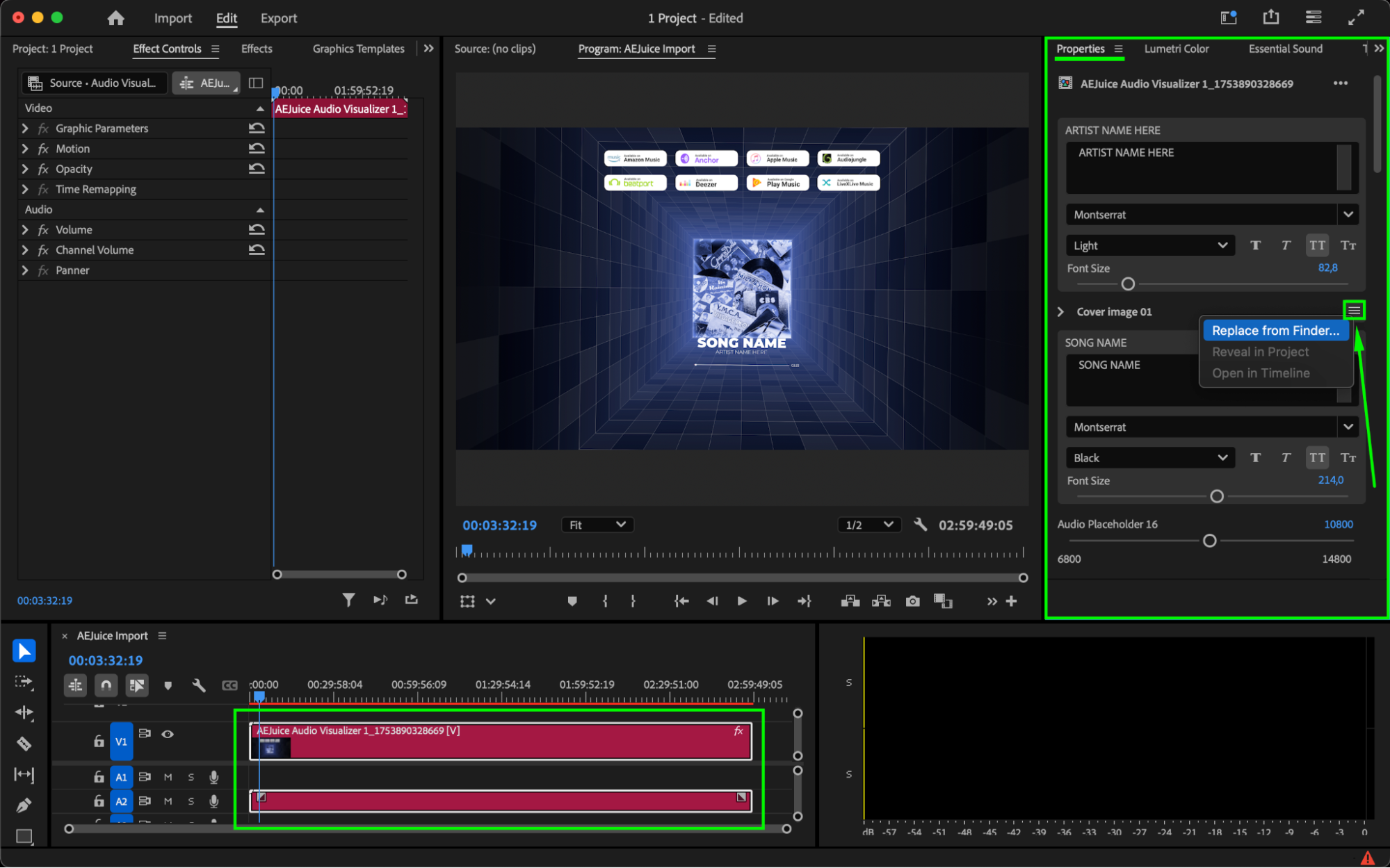
Step 5: Preview and Finalize
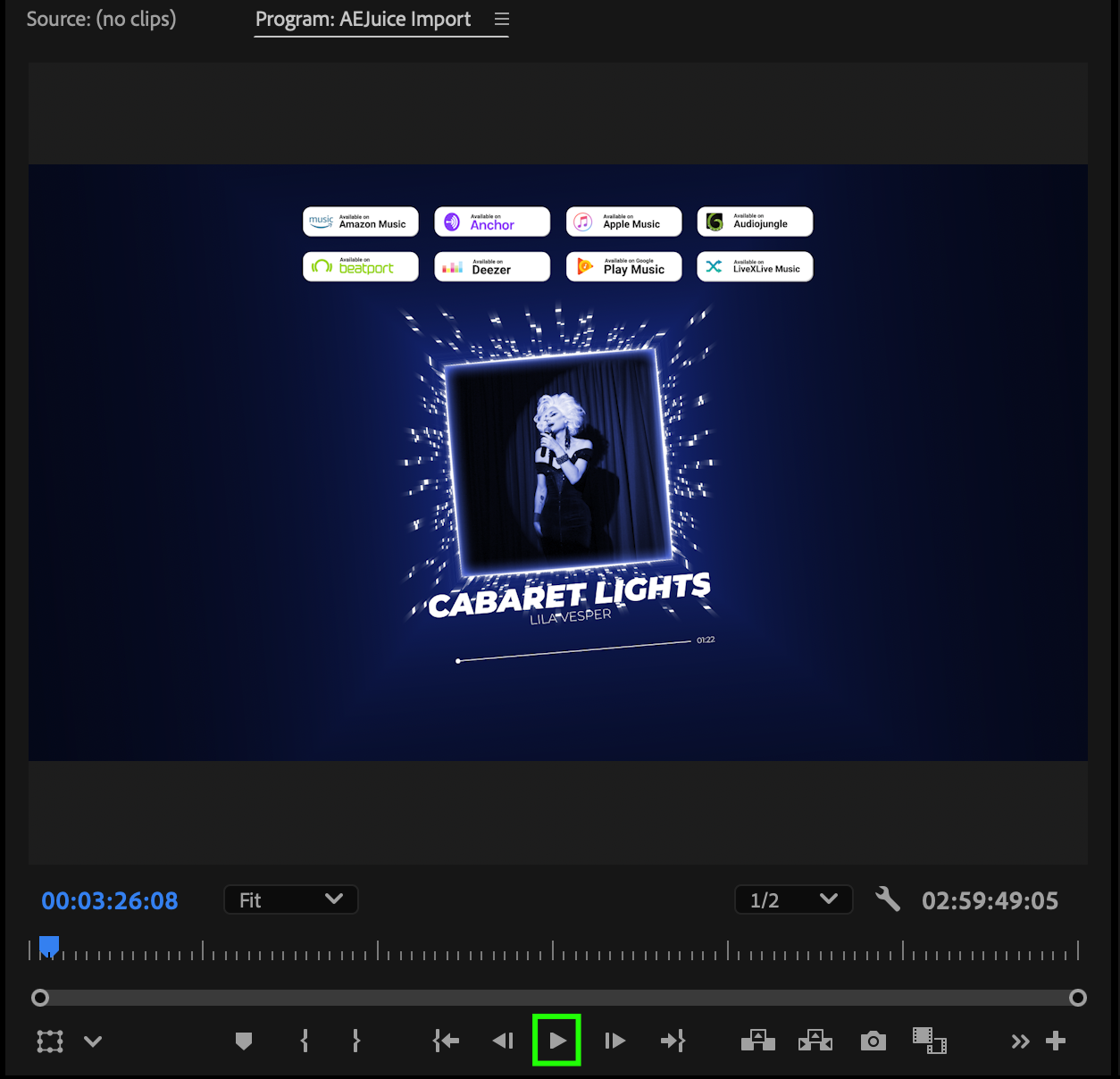
Press Spacebar to preview your animation. Fine-tune any elements if needed.
 Conclusion
AEJuice’s Audio Visualizer pack is one of the best tools for turning sound into stunning visuals. Whether you’re creating content for YouTube, a podcast, or a music release, this tutorial gives you a fast and flexible way to make your audio stand out.
Our Bestsellers
Our Bestsellers


