
Learn how to design glitch kinetic typography using AEJuice packs in After Effects with this step-by-step tutorial.
Create Stunning Glitch Kinetic Typography in After Effects
Introduction to Glitch Typography Animation
Glitch kinetic typography is a bold and energetic style of animated text, perfect for music videos, promos, and modern motion graphics. With AEJuice’s Glitch Kinetic Typography Pack, creating these animations is fast and simple. This tutorial will show you how to import, customize, and animate glitch text like a pro — even if you’re new to After Effects.
Step 1: Create a New Composition
Open After Effects and go to Composition > New Composition. Set your resolution (for example, 1920×1080), frame rate, and duration depending on your project needs.
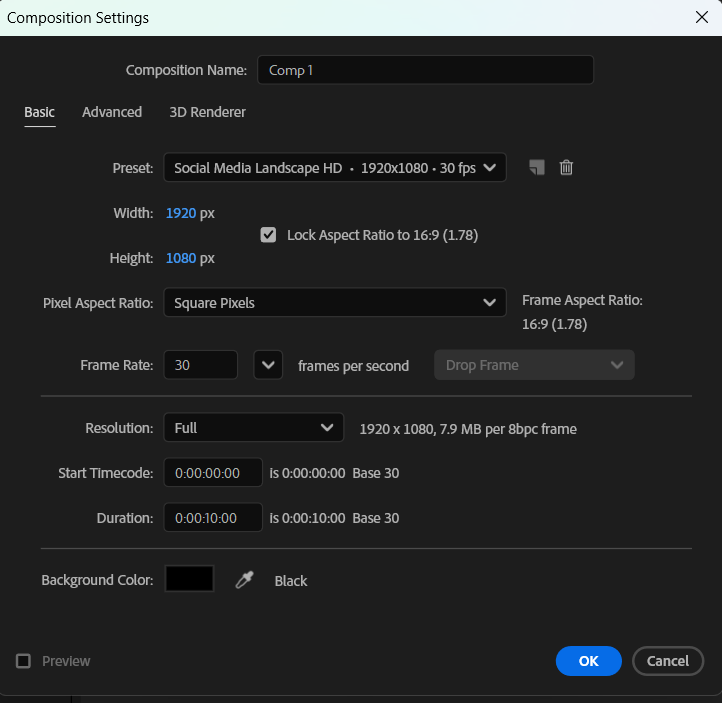 Step 2: Open AEJuice Pack Manager
Go to Window > AEJuice Pack Manager 4 to open the plugin panel. This is where you can browse all AEJuice products you’ve installed, including glitch typography and other animation packs.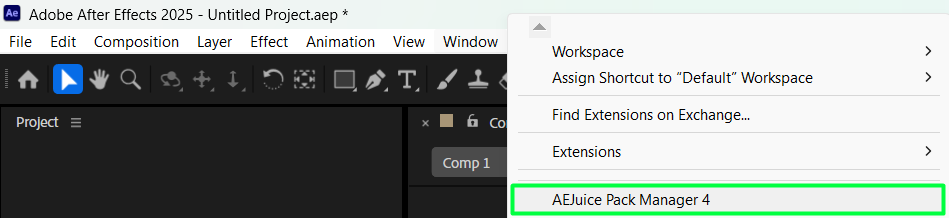
Step 3: Download the Glitch Kinetic Typography Pack
Inside Pack Manager, find the Glitch Kinetic Typography Pack. If you haven’t installed it yet, click the pack to download it. After it’s installed, you’ll be able to browse through various pre-animated glitch templates.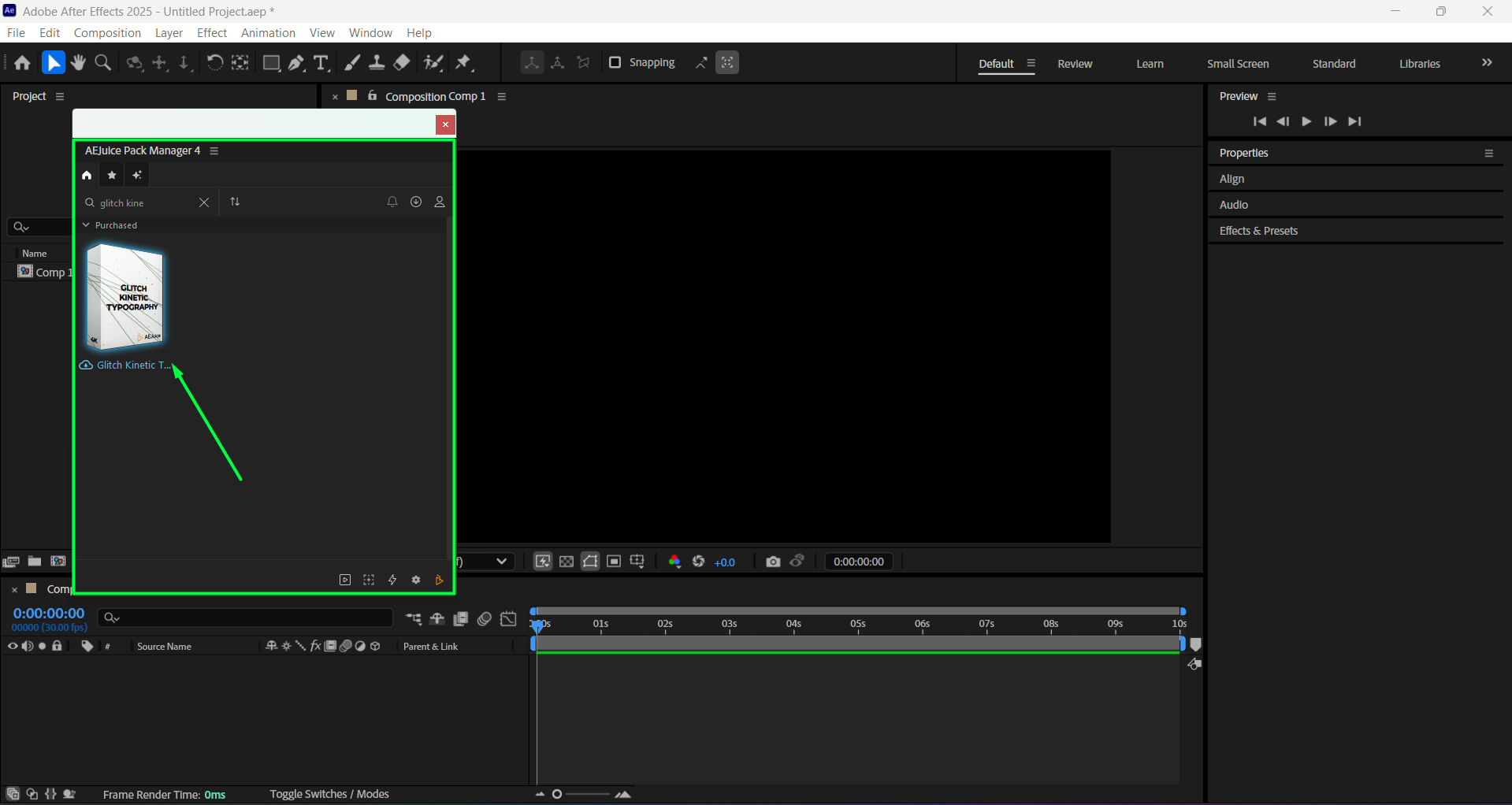 Step 4: Choose and Import a Template
Scroll through the pack to find a template that fits your video’s vibe — something sharp, fast, and glitchy. Once you find it (for example, Scene 02), click on it to import it into your timeline. It will appear as a pre-composition.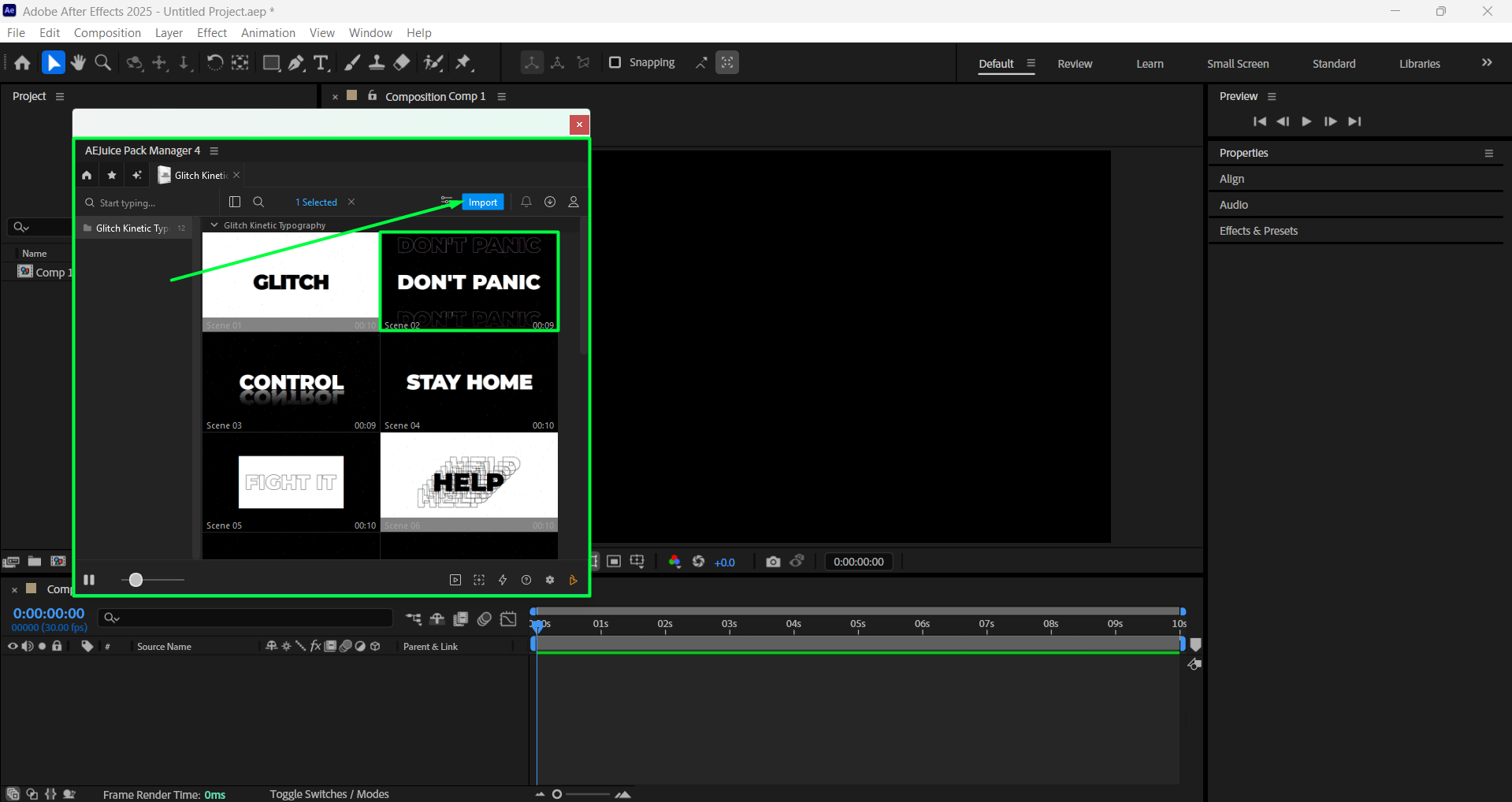 Step 5: Customize the Glitch Template
Click on the imported pre-comp layer in the timeline. Then, in the AEJuice Pack Manager 4 panel, click the Edit button (represented by three sliders). This will open a customization panel where you can adjust settings like text, font, size, position, background color, and fine-tune the dirt and glitch effects.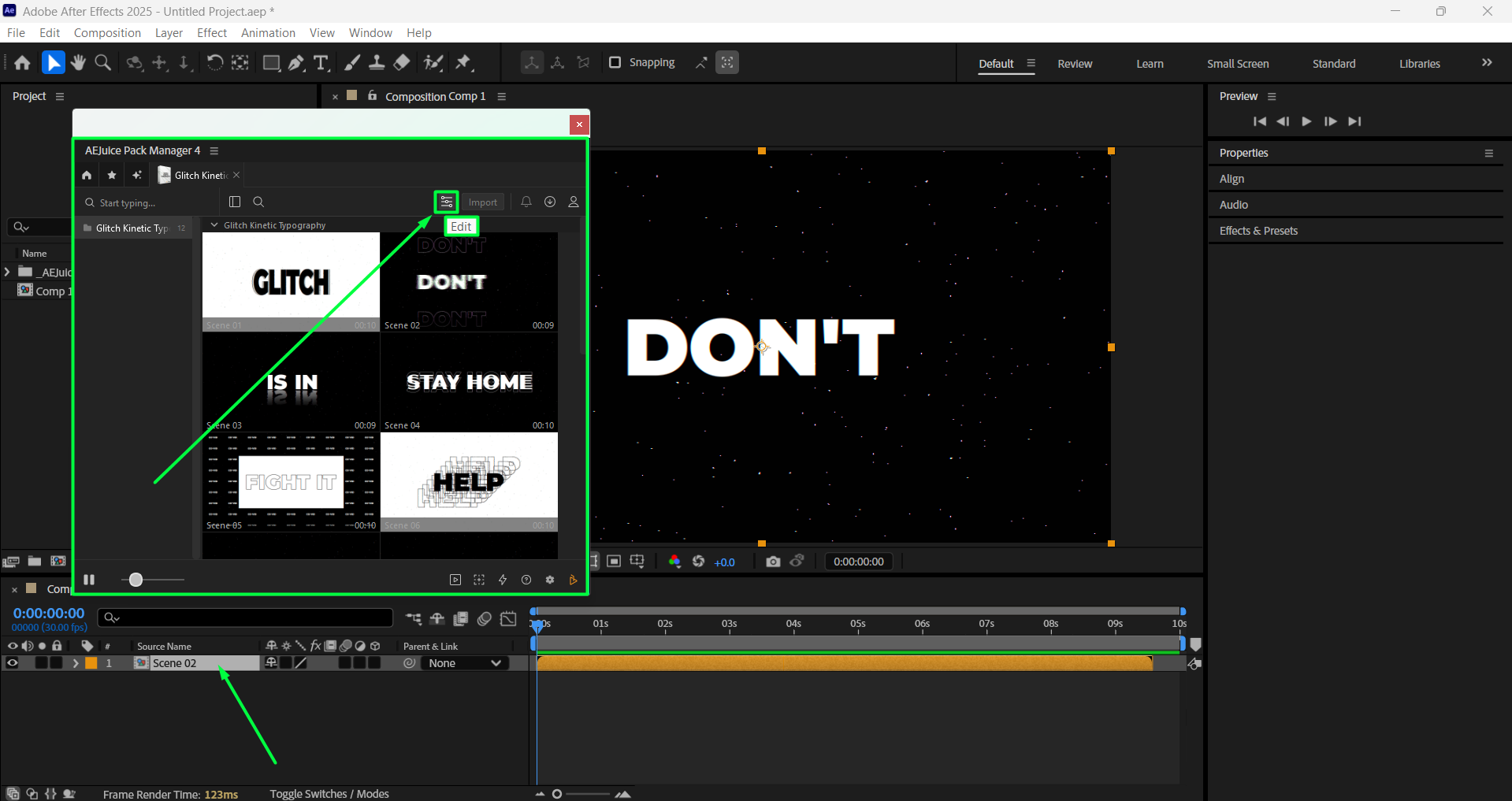
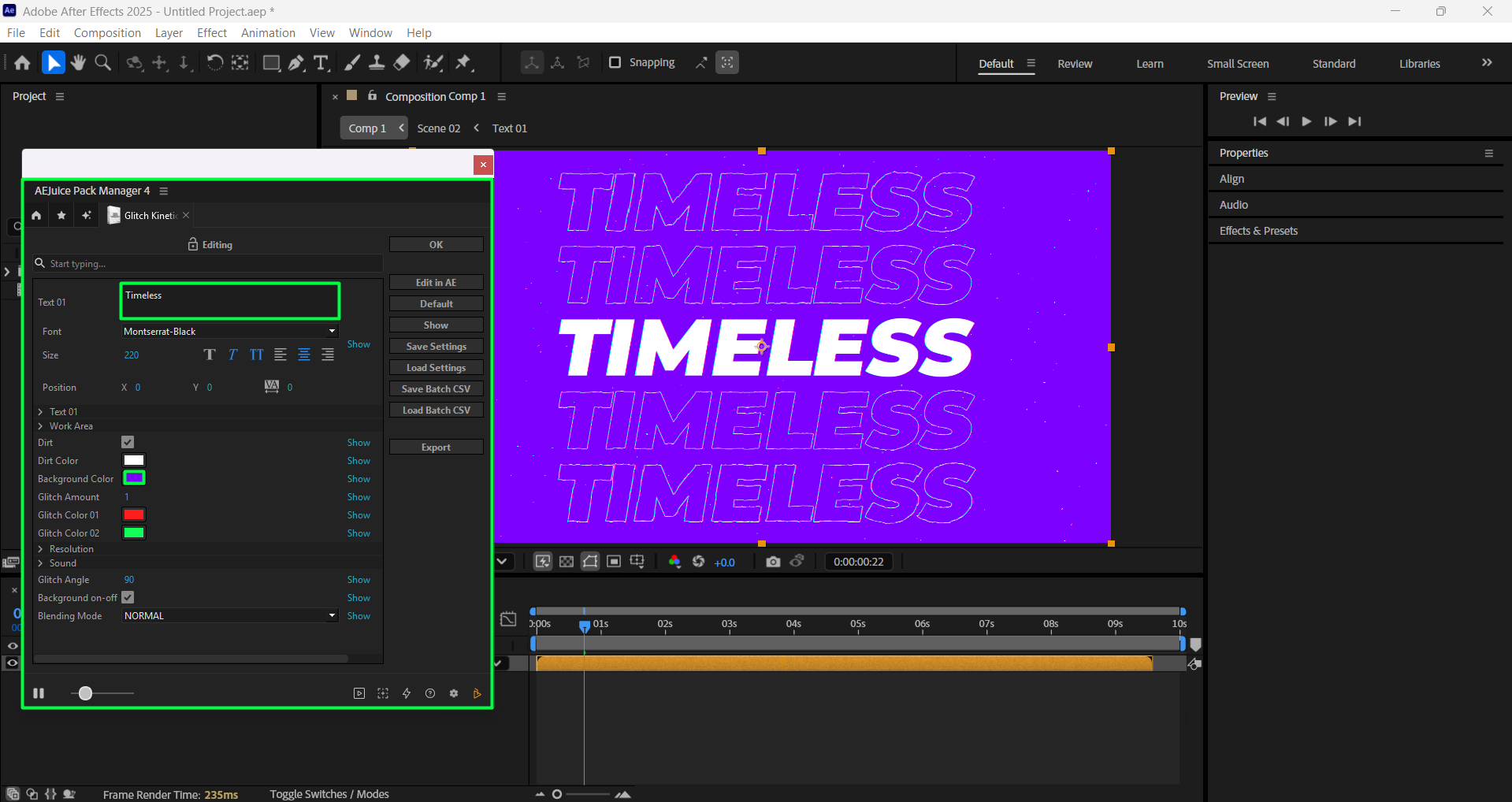
Step 6: Add a Background Footage (Optional)
If you want to add a video or image as a background, place your footage layer below the pre-comp in the timeline. Then, in the Editing panel, uncheck the “Background On/Off” box to make the background of the template transparent.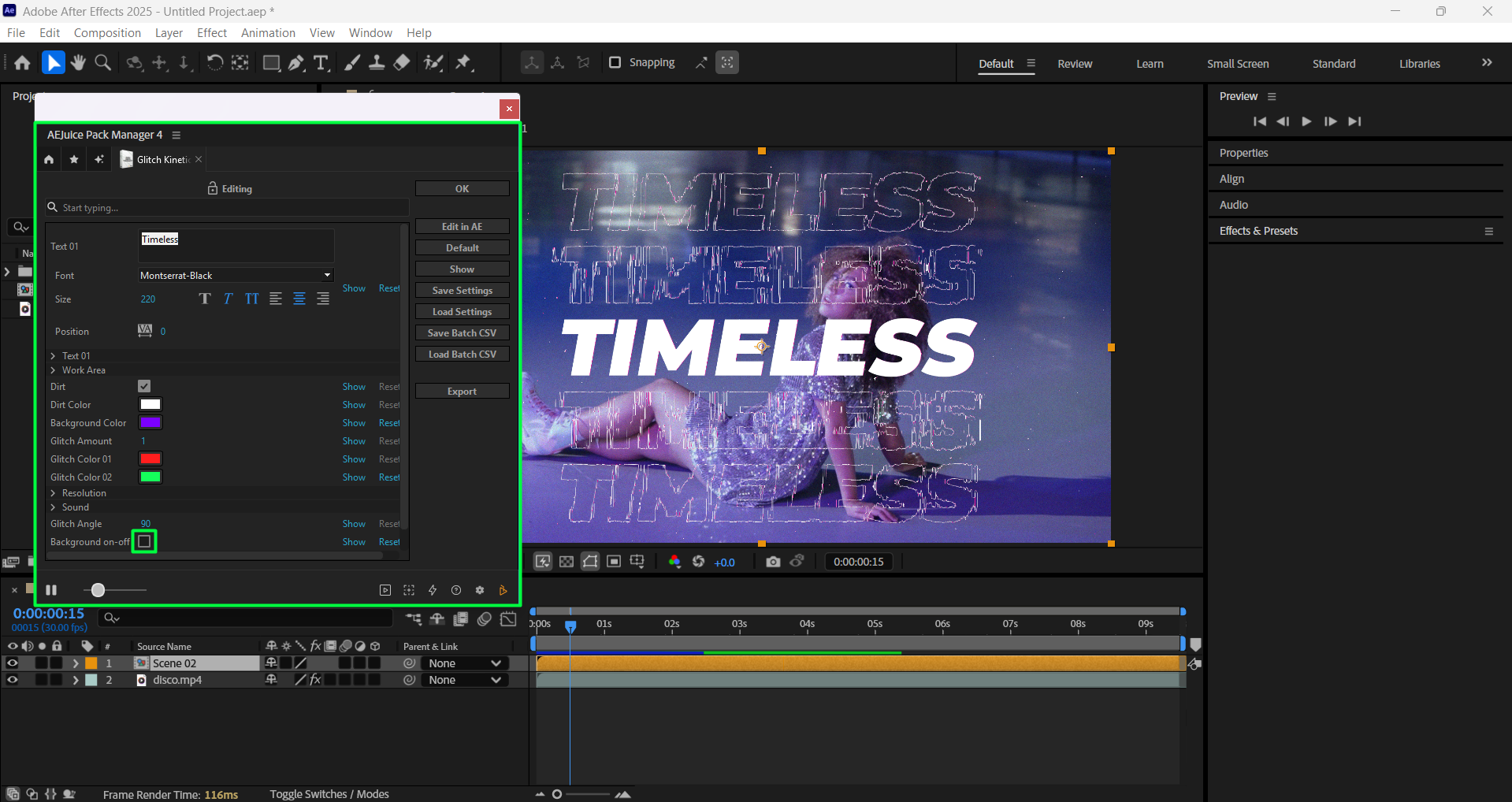 Step 7: Preview and Export
Hit the Spacebar to preview your animation. Once you’re happy, go to Composition > Add to Render Queue or Add to Adobe Media Encoder to export your finished glitch typography.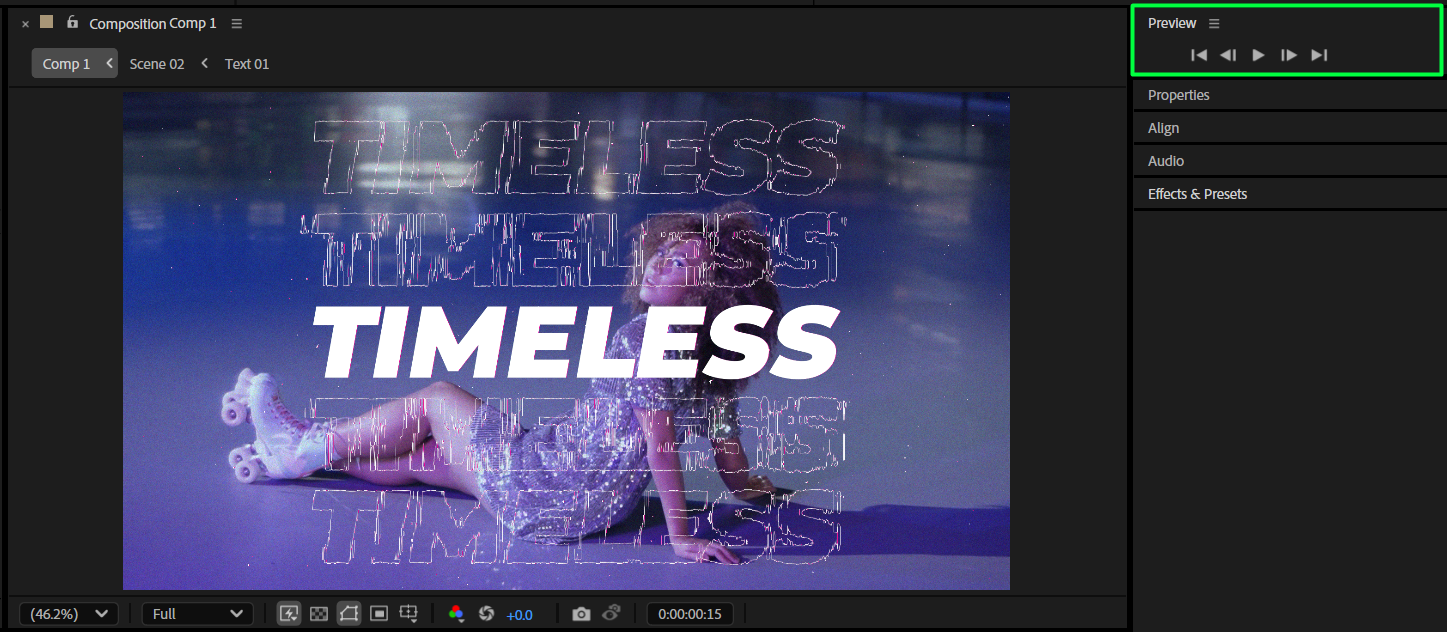 Conclusion
Creating glitch kinetic typography in After Effects has never been easier thanks to tools like AEJuice Pack Manager. With ready-made templates, all you need to do is customize the text, colors, and positioning to match your project. Whether you’re working on a music video, tech promo, or cyberpunk montage, glitch text animation brings energy and edge to your motion graphics. Experiment with styles, layer effects, and timing to make your titles stand out.
Our Bestsellers
Our Bestsellers


