
Creating a Red Eyes Effect in After Effects
Introduction
Adding a red eyes effect in After Effects is a simple yet powerful way to enhance characters in horror scenes, fantasy projects, or sci-fi visuals. This guide will show you how to use masks, blending modes, and effects to achieve a glowing red eye effect.
Step 1: Open Your Project
Launch After Effects and open the project where you want to apply the red eyes effect. Make sure you have a video or image where the eyes are clearly visible.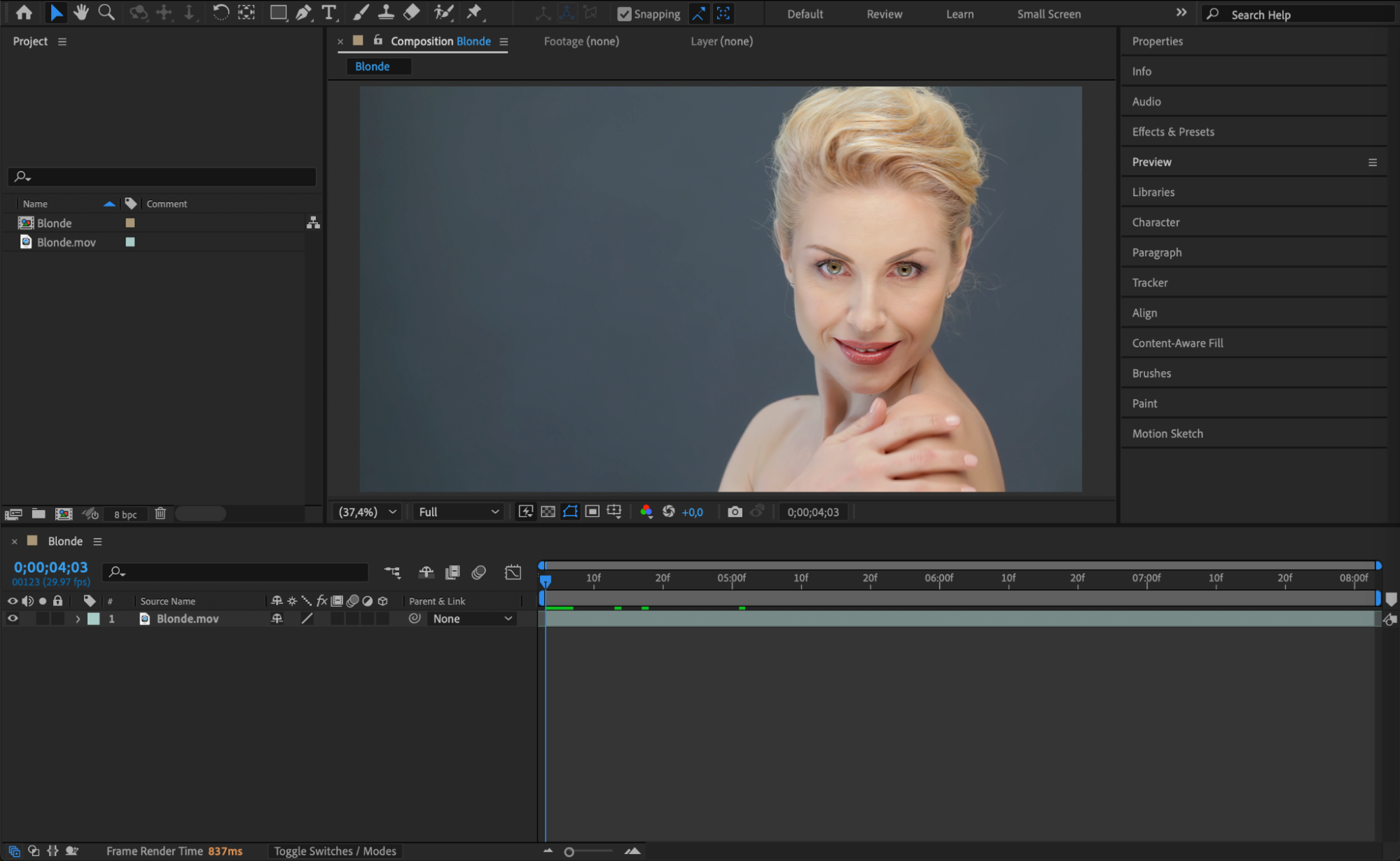 Step 2: Create an Adjustment Layer
Go to Layer > New > Adjustment Layer. This layer will allow you to apply effects without modifying the original footage.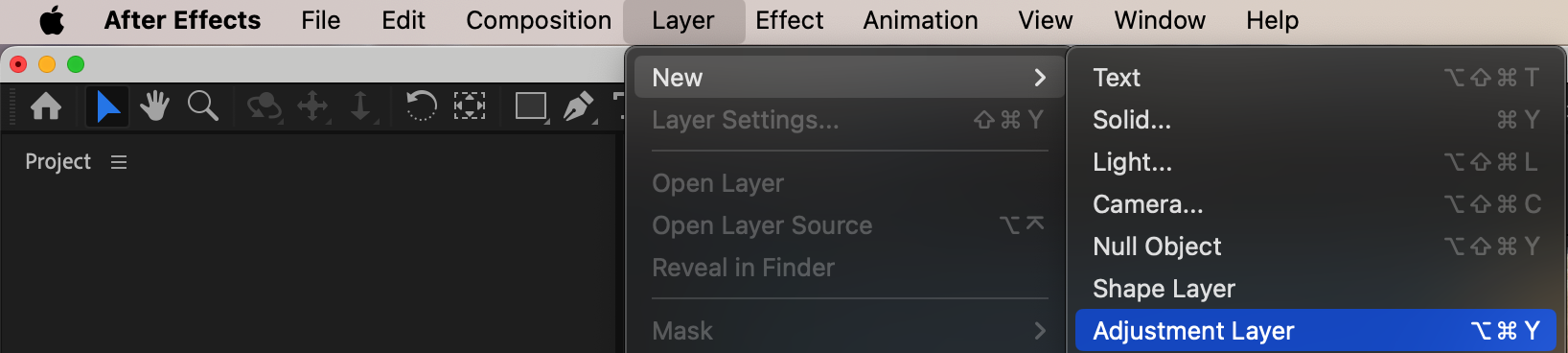 Step 3: Mask the Eyes
Select the Pen Tool (G) and carefully draw masks around both eyes to create a scary effect or around the irises for a colored contact lens effect. In the Mask settings, set Mask Mode to Add and Mask Feather to 2-4 pixels for a softer edge.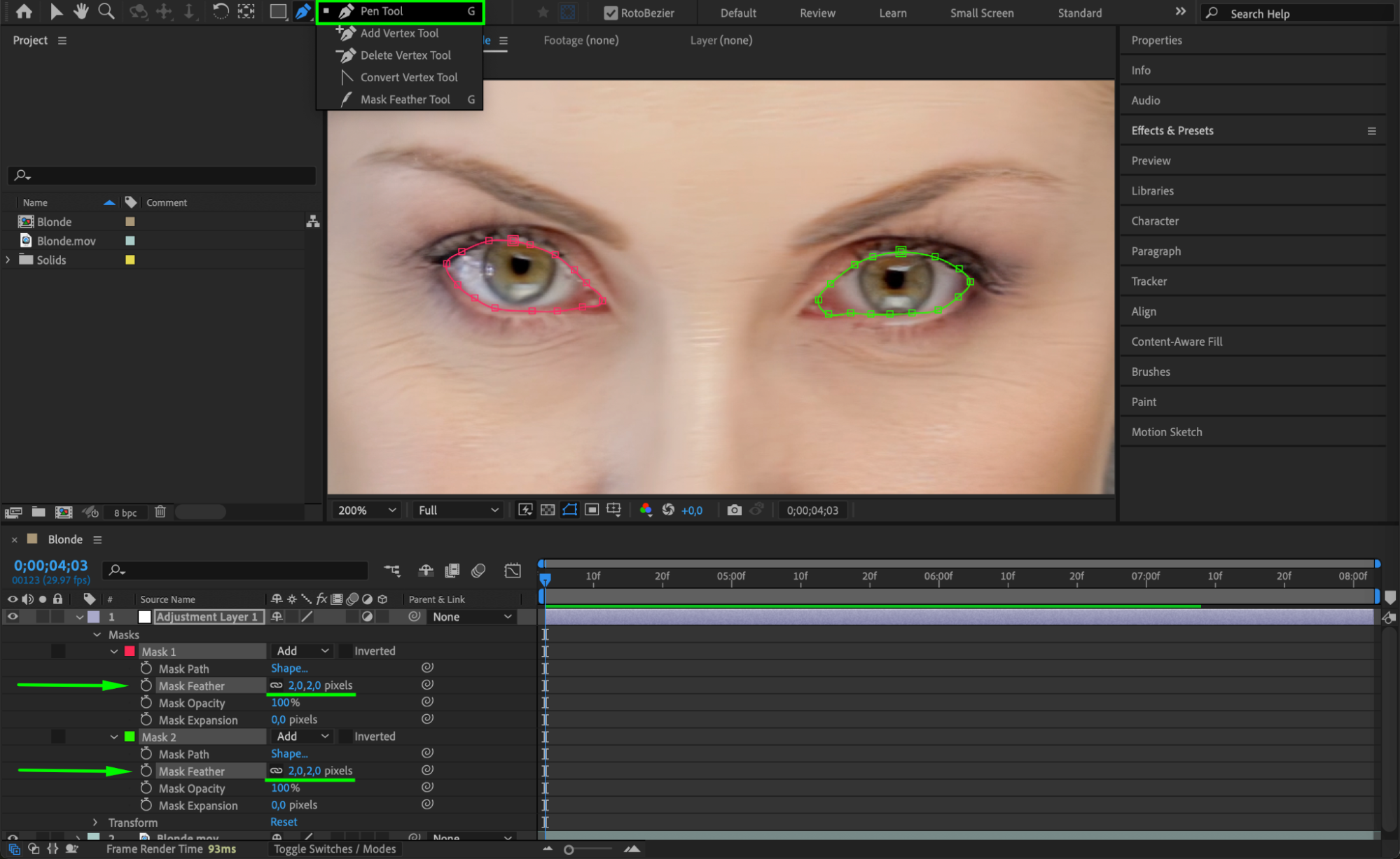
Step 4: Animate the Mask (Optional)
If the subject’s eyes move or blink in the video, you may need to animate the Mask Path. To do this, enable keyframes by clicking the stopwatch next to Mask Path, then adjust the mask position frame by frame as needed.
Step 5: Apply the Fill Effect
Go to the Effects & Presets panel, search for Fill, and apply it to the adjustment layer. 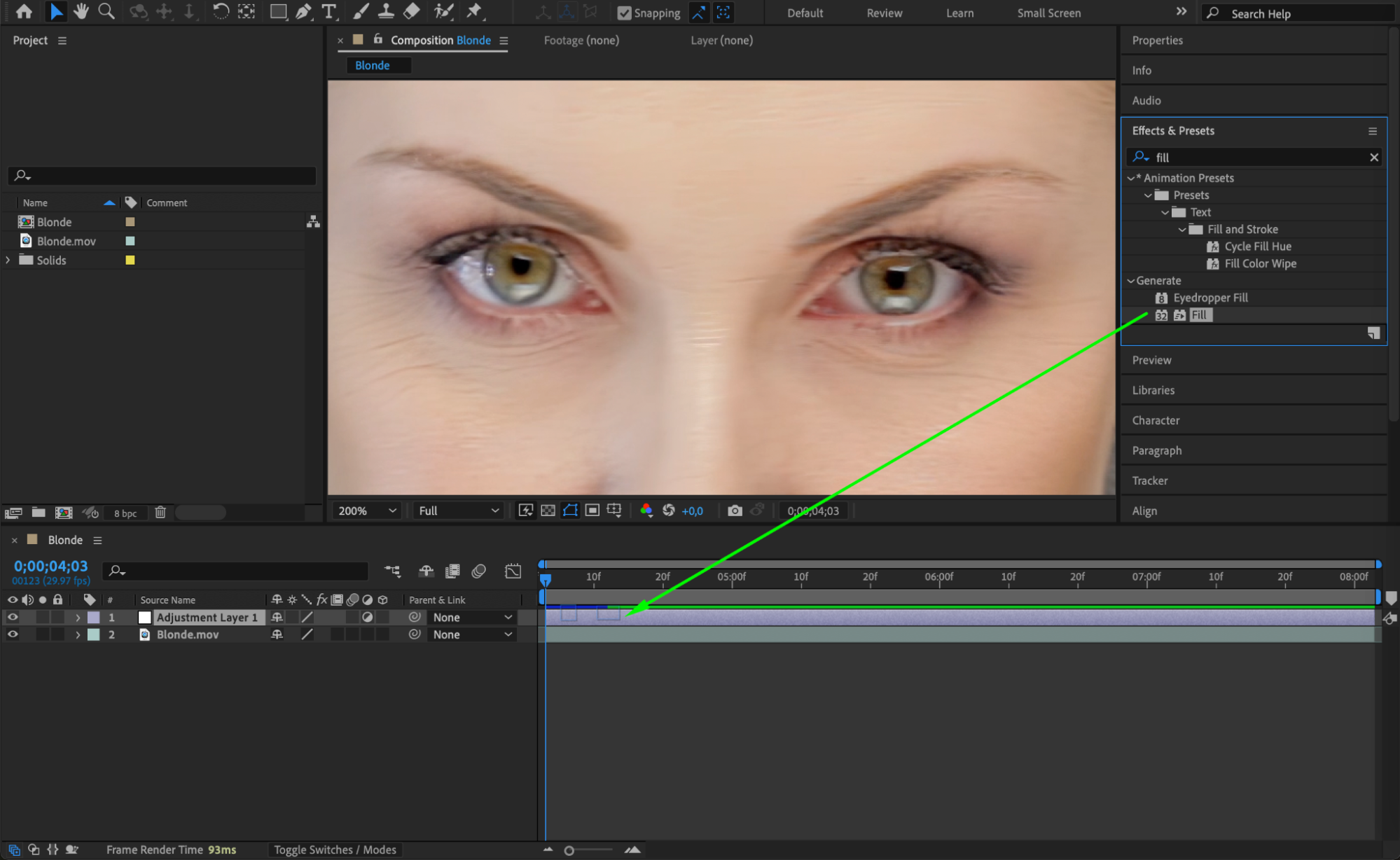
Step 6: Adjust the Blending Mode
Select the adjustment layer and change its Blend Mode to Multiply in the Modes Panel. This helps blend the red color naturally with the eyes, making it look more integrated into the scene.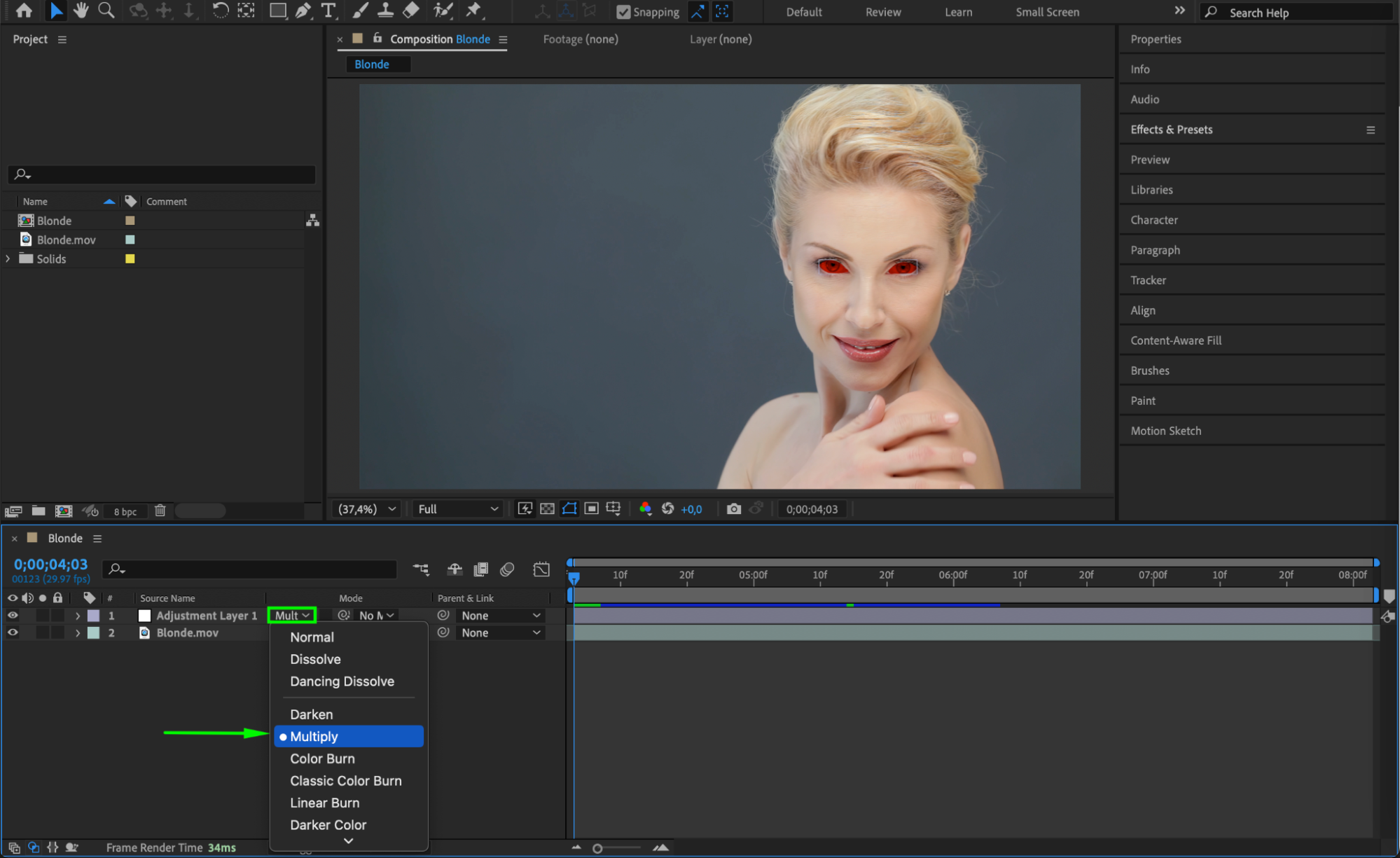
Step 7: Preview the Effect
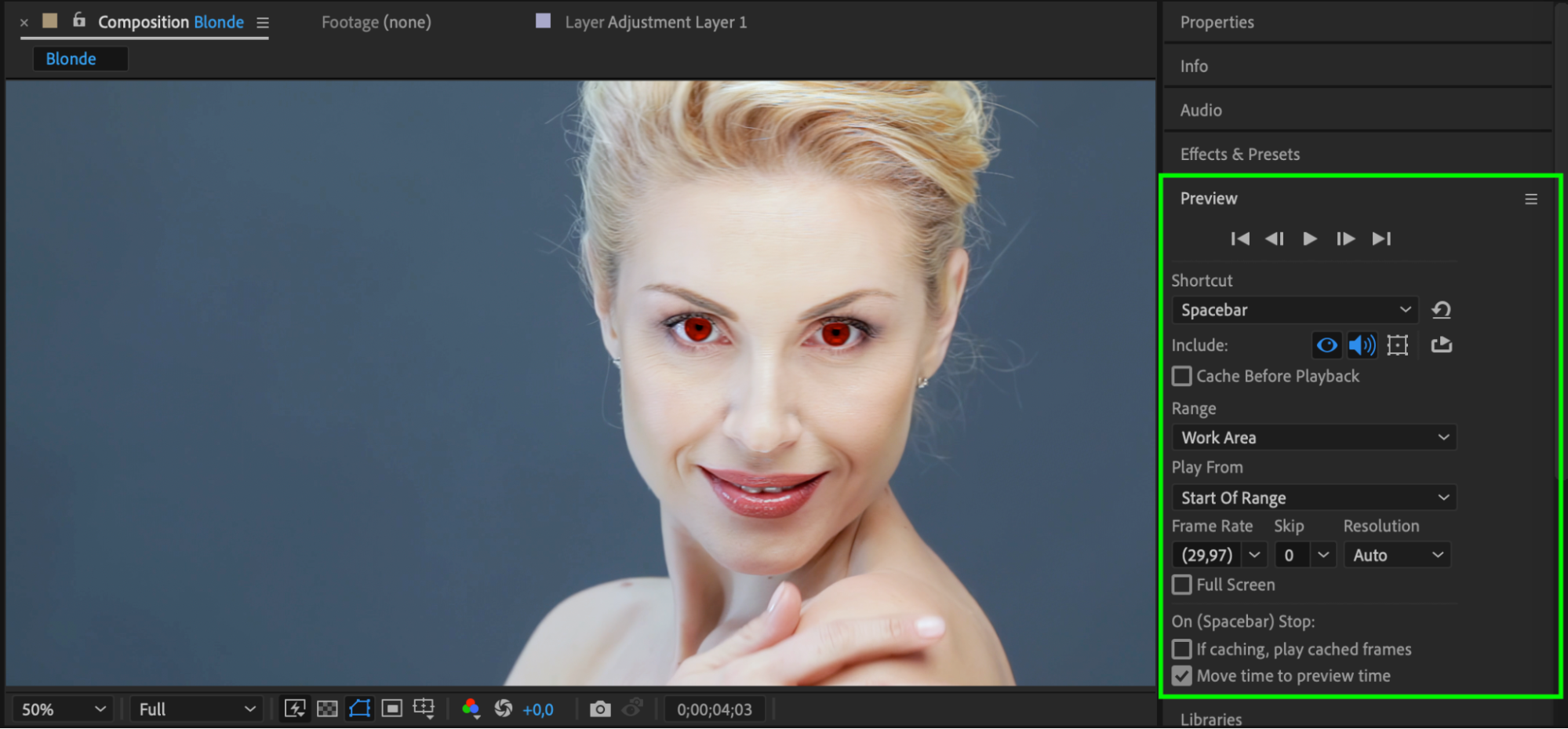
Press the Spacebar to preview the animation. If needed, fine-tune the Mask Feather, Opacity, or Color for a more realistic look.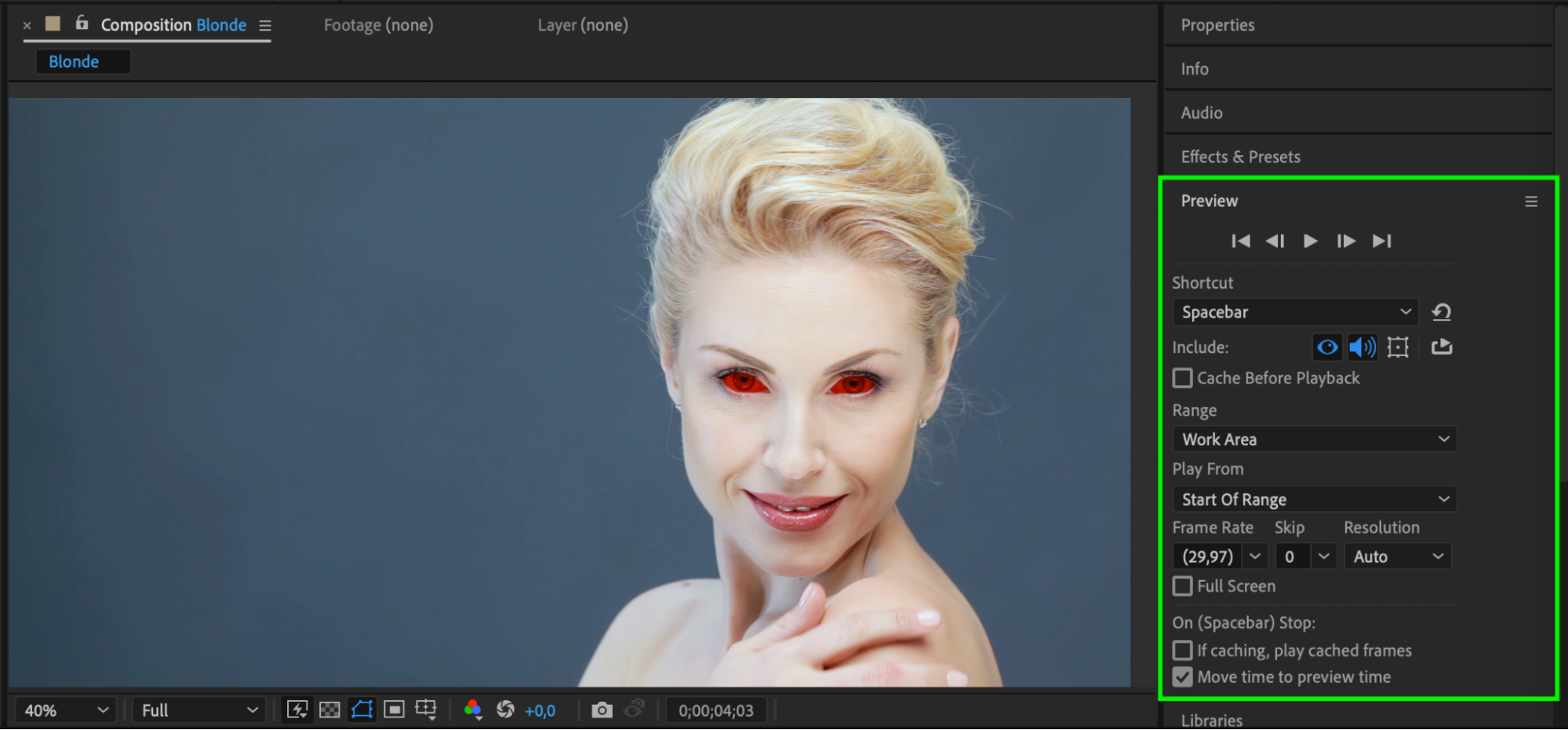
 Step 8: Render the Final Effect
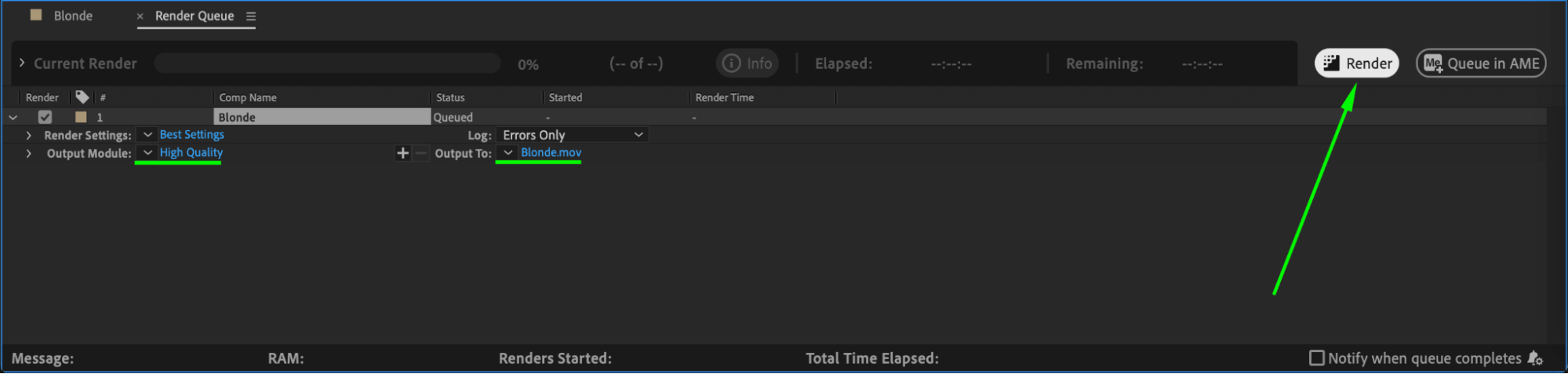
Once satisfied, go to Composition > Add to Render Queue, choose your desired format, and render the final video.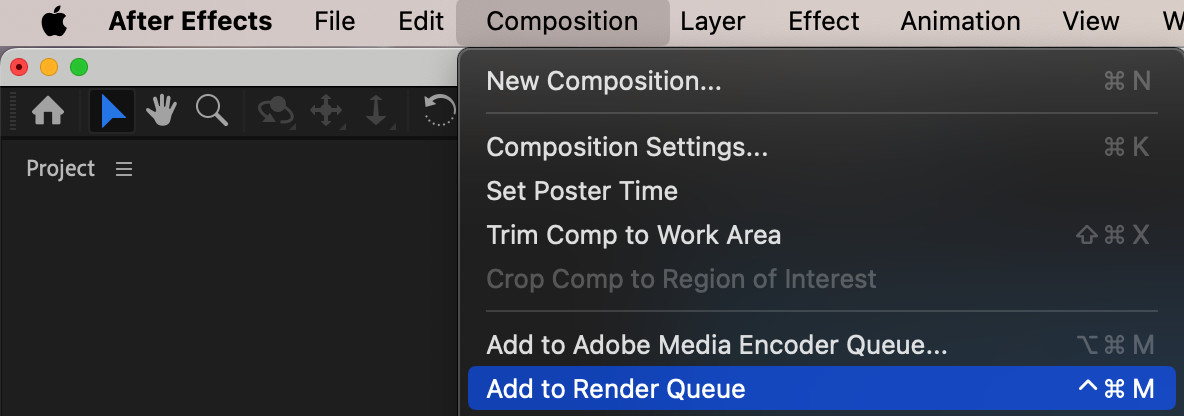
 Conclusion
By using masks, adjustment layers, and blending modes, you can create a realistic or supernatural red-eye effect in After Effects. This method is perfect for horror, fantasy, or sci-fi projects where glowing or enhanced eyes add to the character’s impact. Experiment with different colors and effects to achieve various styles!
Our Bestsellers
Our Bestsellers


