
Learn how to create animated history timelines in After Effects using the AEJuice History Timeline Constructor pack for documentaries and educational videos.
Designing Engaging History Timeline Animations in After Effects
Introduction to Using History Timeline Constructor for Educational Content
Bringing historical moments to life is a powerful way to engage viewers. Whether you’re creating content for a documentary, presentation, or educational video, animated timelines can help communicate complex information in a clear, visual way. In this tutorial, you’ll learn how to use the AEJuice History Timeline Constructor pack in After Effects to build dynamic, professional timeline animations without starting from scratch.
Step 1: Create a New Composition
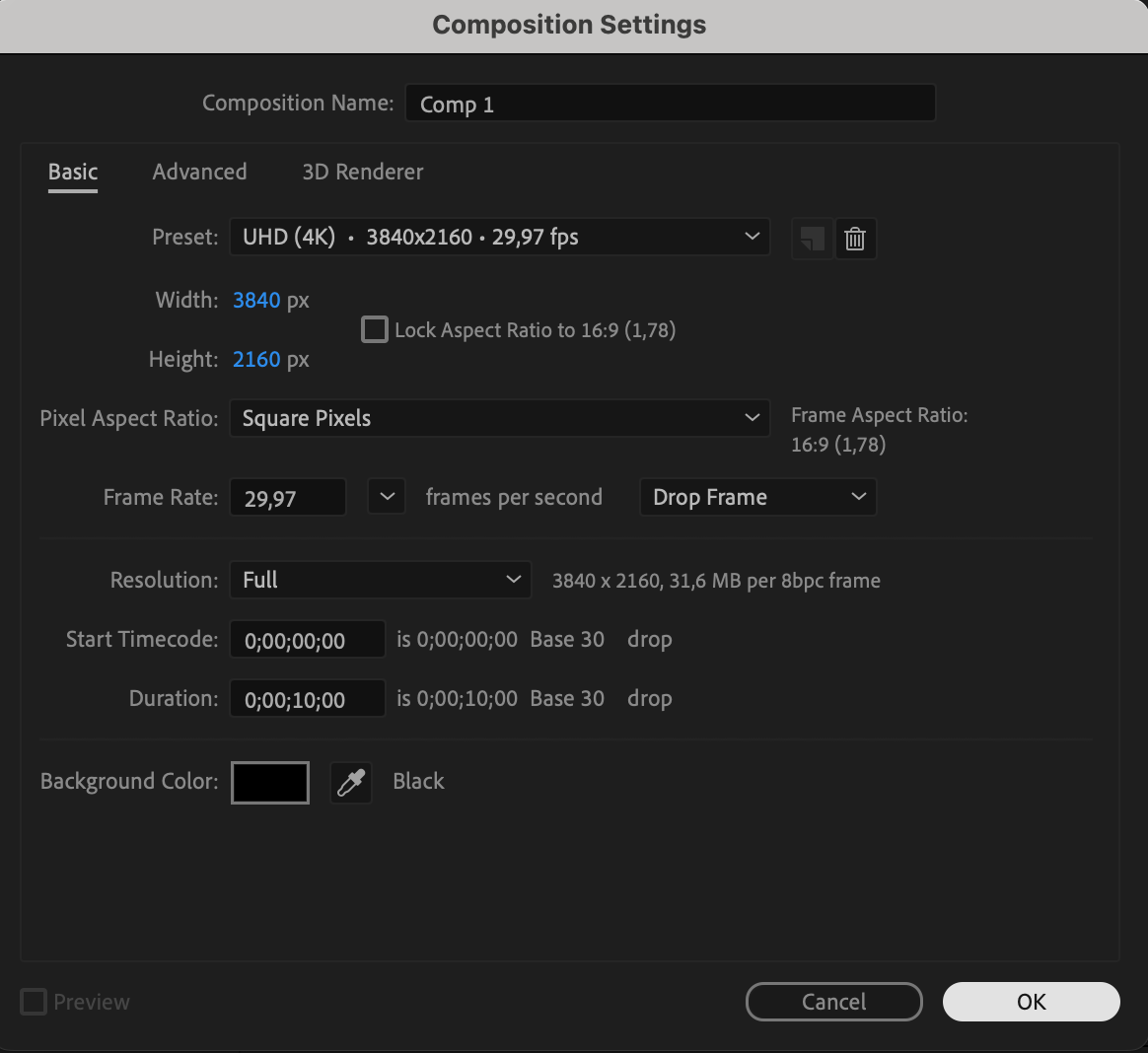
Start by launching After Effects and creating a new composition (Composition > New Composition). Set your desired resolution and duration to match your project. This will serve as the main canvas for your timeline.
Step 2: Open AEJuice Pack Manager
Navigate to Window > AEJuice Pack Manager 4 to open the AEJuice plugin panel. This is where all your AEJuice packs and effects are stored and managed. Step 3: Download the History Timeline Constructor Pack
Inside the Pack Manager, locate the History Timeline Constructor pack. If it’s not yet downloaded, click on it and wait for the download to finish. Once downloaded, you’ll have access to a range of pre-built animated timeline effects.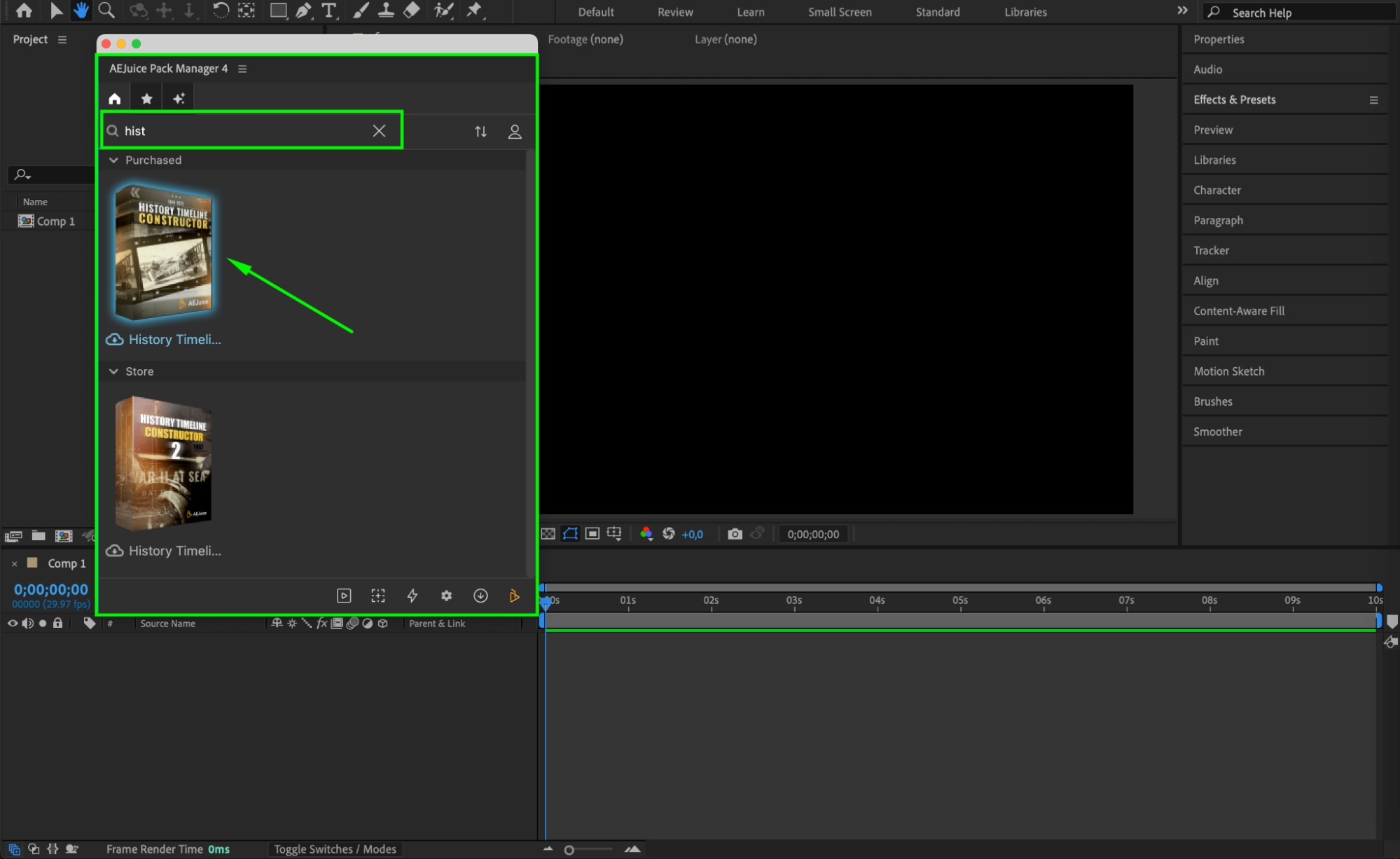 Step 4: Choose and Import a Template
Browse through the pack and select a timeline layout that fits your story style. Once you find one you like, click on it, then press Import. The animation will appear in your timeline as a new pre-comp.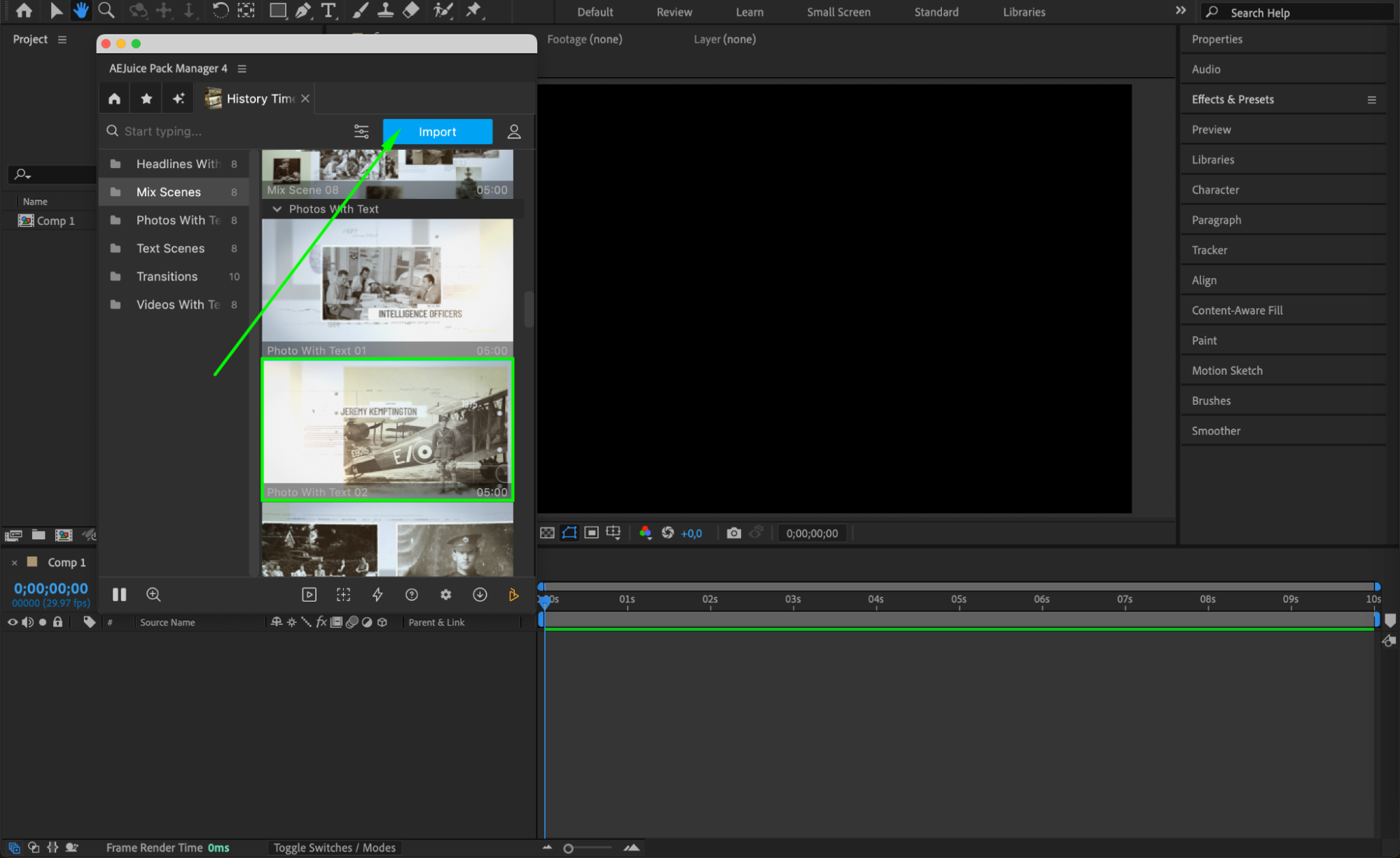
Step 5: Customize the Timeline
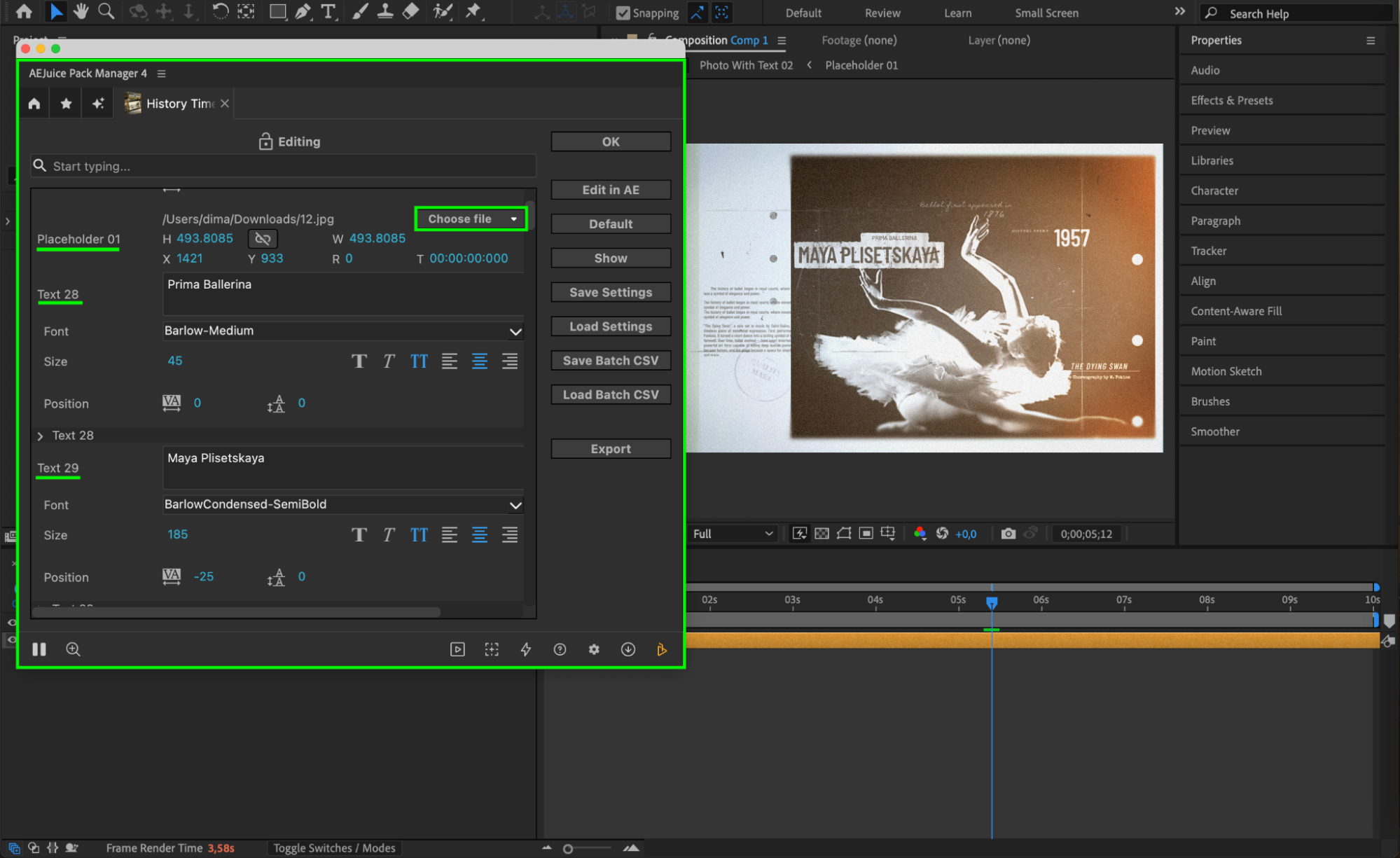
Click on the pre-comp layer to select it. Then click the Edit button (represented by three sliders) in the AEJuice panel. From here, you can easily change text content, font, size, and even update placeholder images by clicking Choose File to upload your own visuals. You can also adjust timeline animation settings like duration, layout, and background design — giving you full creative control.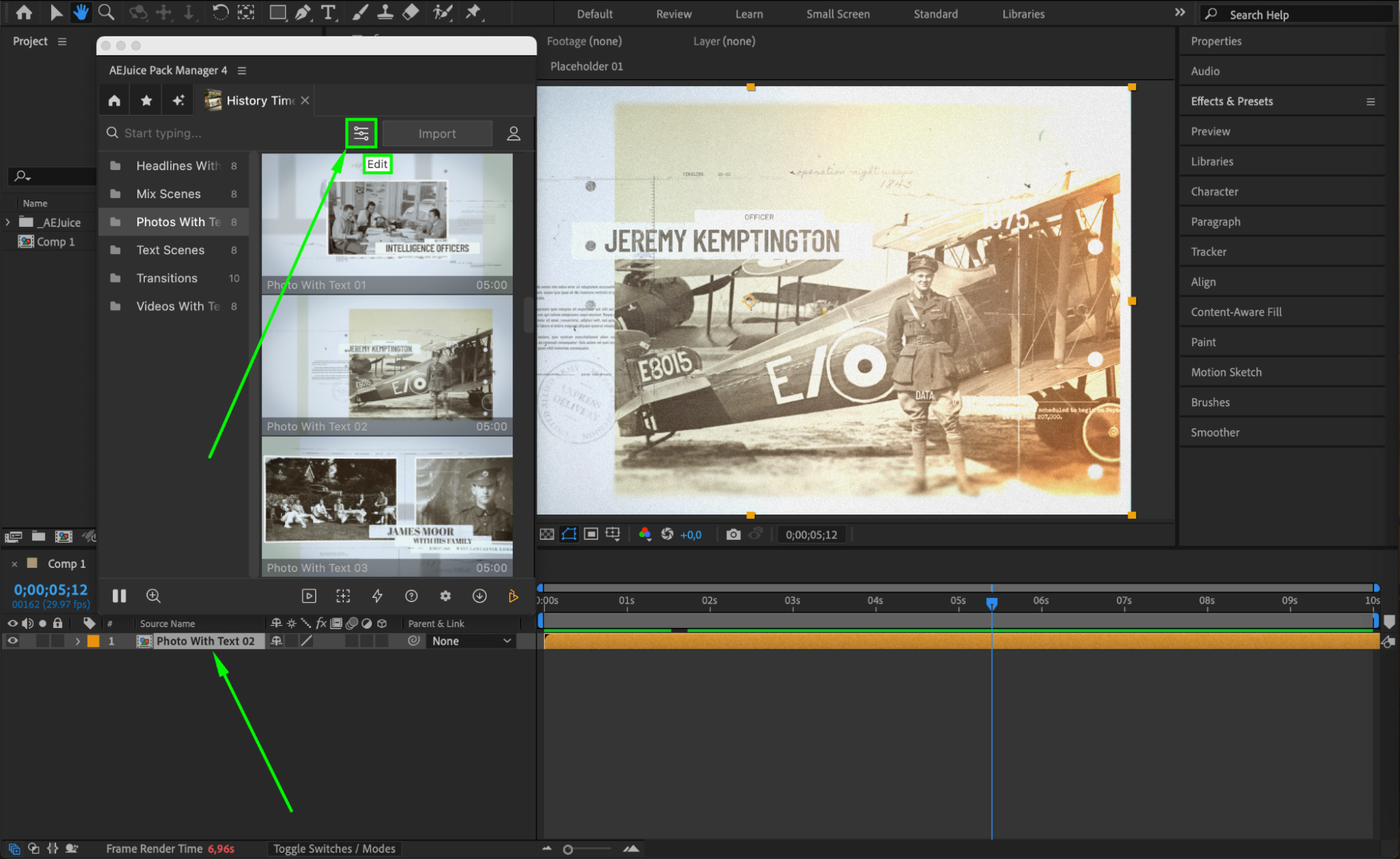
 Step 6: Preview and Final Touches
Press the Spacebar to preview your animated timeline in real time. Make final adjustments to animations, image placement, or text alignment to ensure everything flows smoothly and clearly.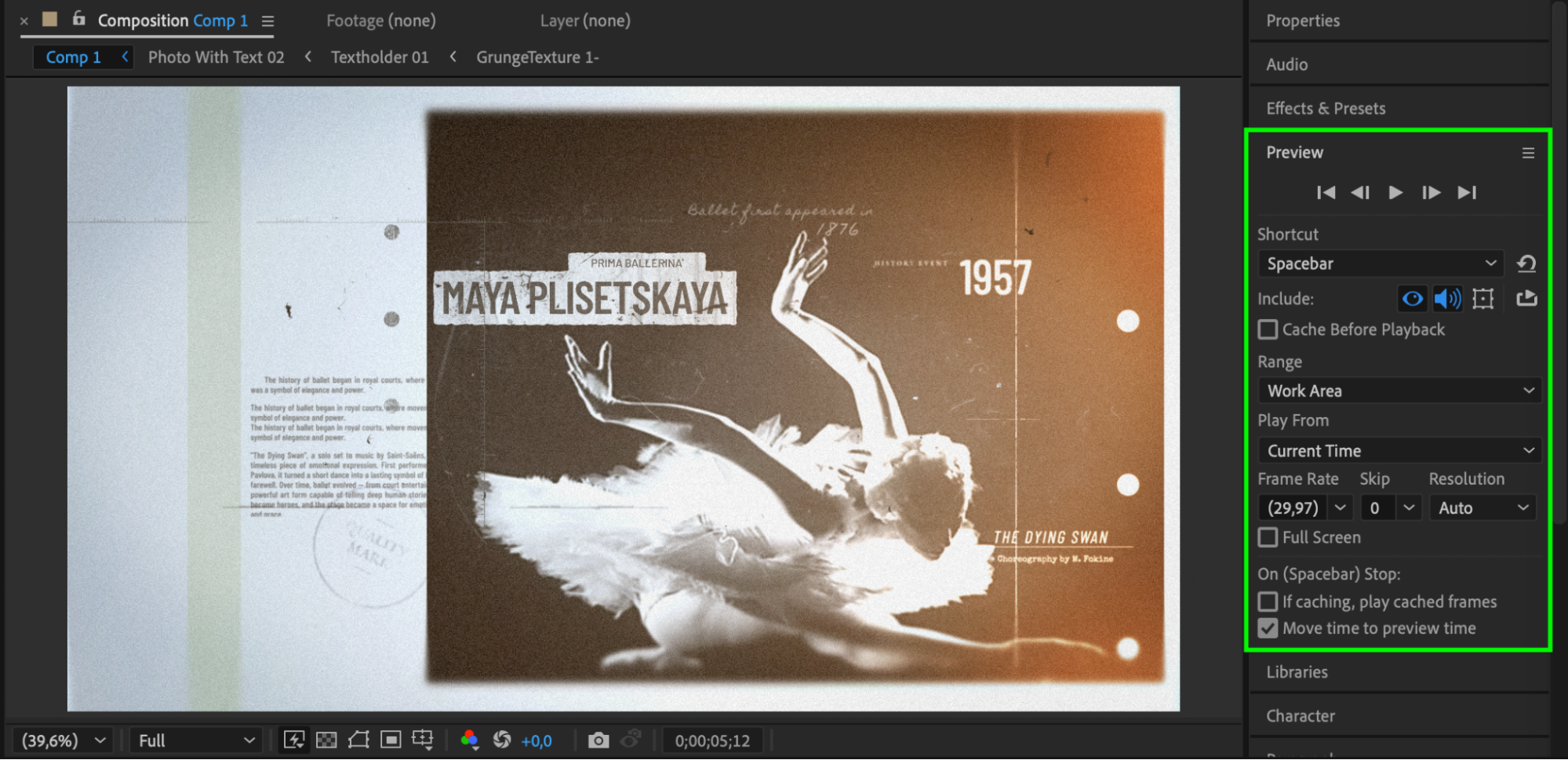 Conclusion
With the History Timeline Constructor, creating professional animated timelines is fast and flexible. Whether you’re telling the story of an artist, a historical event, or a company’s evolution — this tool makes it easy to deliver visual storytelling that’s both informative and compelling.
Our Bestsellers
Our Bestsellers


