
Learn how to create modern, professional-looking titles in After Effects using AEJuice Modern Titles Pack. Perfect for sleek intros and promos.
Creating Clean and Modern Title Animations in After Effects
Introduction to Using Stylish Titles in Your Video Projects
Modern titles are a key element of polished video content. Whether you’re editing a promo, corporate video, or YouTube intro, strong typography can instantly elevate the viewer’s experience. In this modern titles tutorial, you’ll learn how to quickly apply and customize templates from the AEJuice Modern Titles Pack — one of the best modern title templates for video editing.
Step 1: Import Your Footage
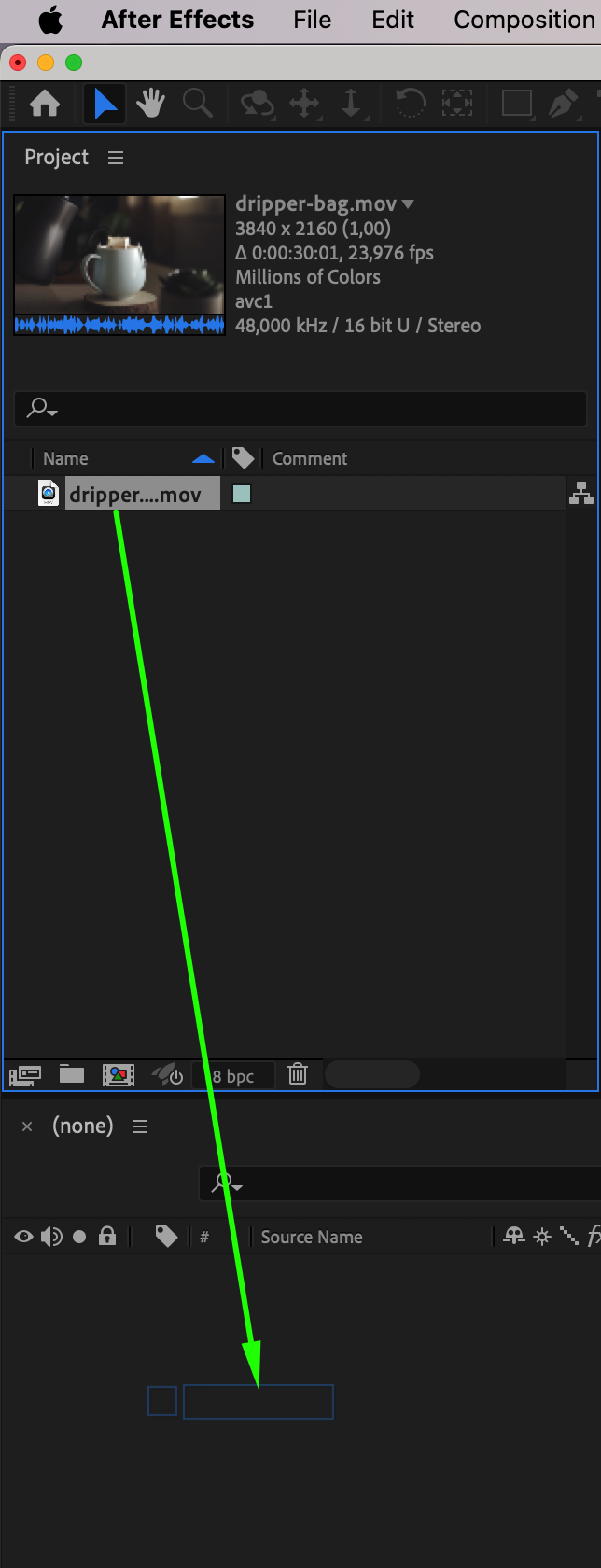
Open After Effects and go to File > Import > File to bring in your video clip. Drag it into the timeline to create a new composition. This will be your main scene where you’ll add and adjust your modern titles.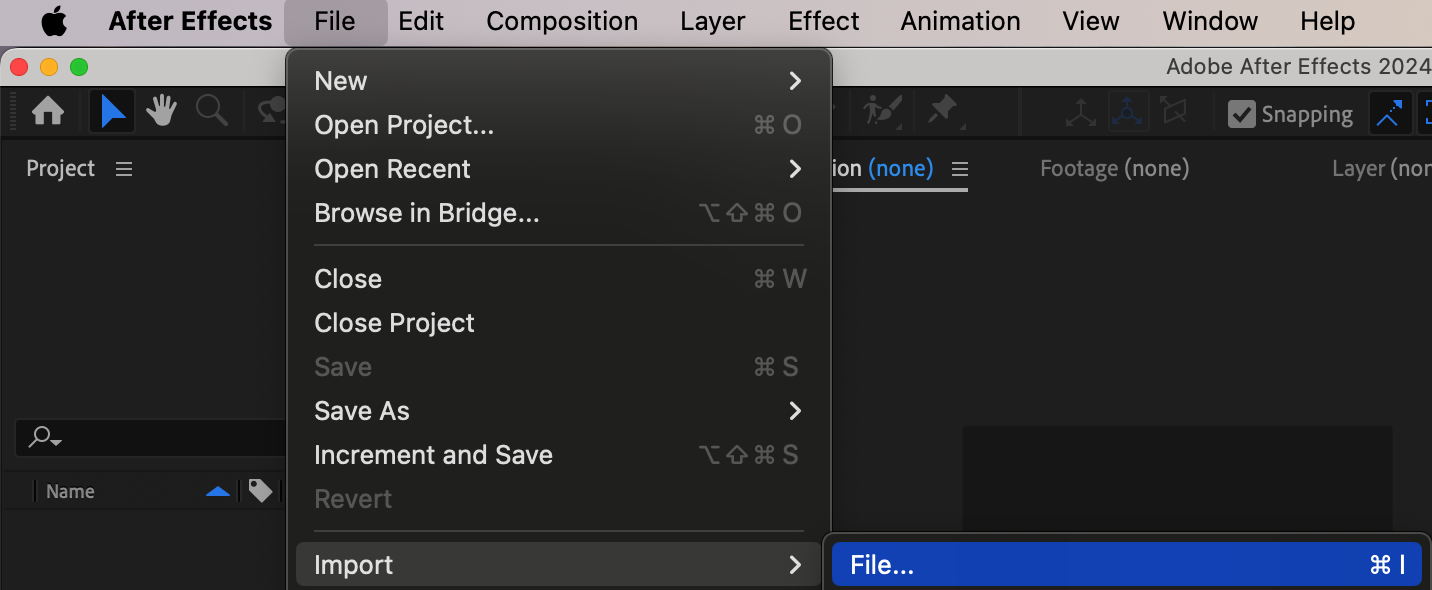
Step 2: Open AEJuice Pack Manager
Navigate to Window > AEJuice Pack Manager 4 to open the plugin panel. This panel gives you access to all your AEJuice packs and templates. Make sure you are logged in to ensure access to all installed products. Step 3: Download the Modern Titles Pack
Inside the Pack Manager, scroll to find Modern Titles or use the search bar. Click the pack and download it if it’s not already installed. Once downloaded, the templates will become available for preview and use.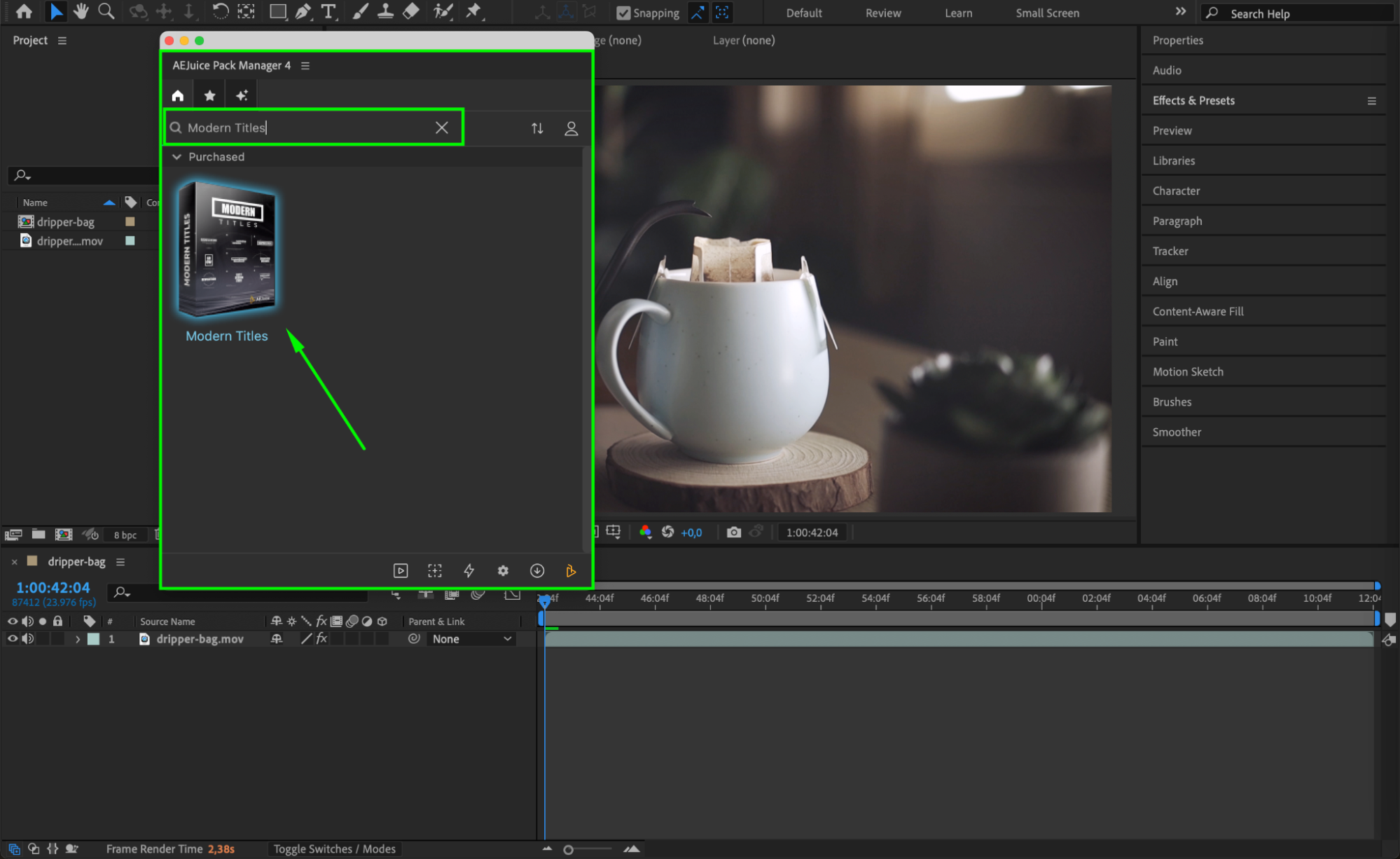
Step 4: Choose and Import a Template
Browse through the title templates and pick one that matches your project style. When ready, select the template and press Import. It will appear in your timeline as a pre-comp layer, ready for customization.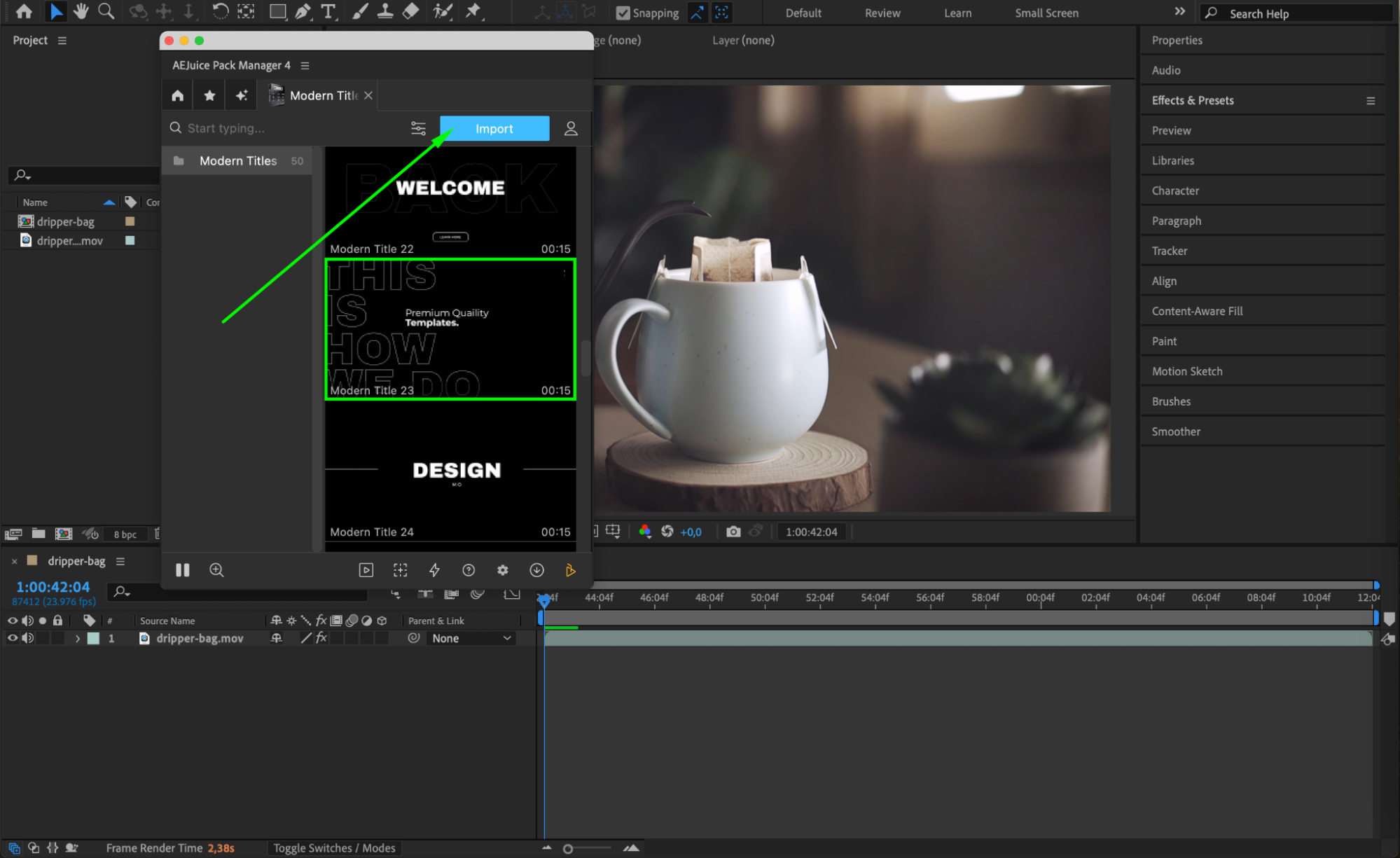 Step 5: Customize the Title Design
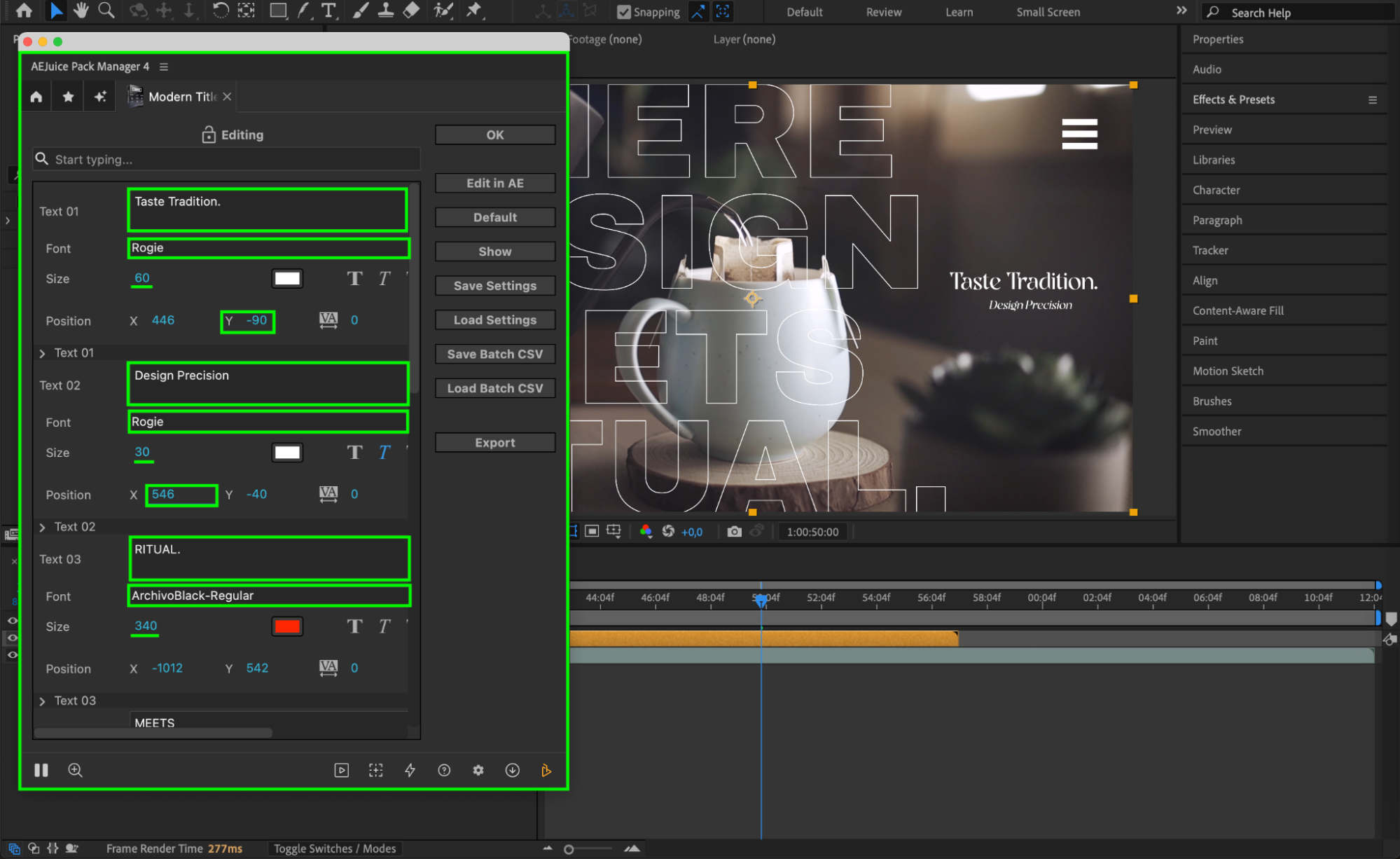
Click on the imported pre-comp layer in your timeline. In the AEJuice panel, click the Edit button (icon with three sliders). This opens the customization panel where you can adjust text content, font, size, position, and color. Modify each field to match your project’s branding and tone.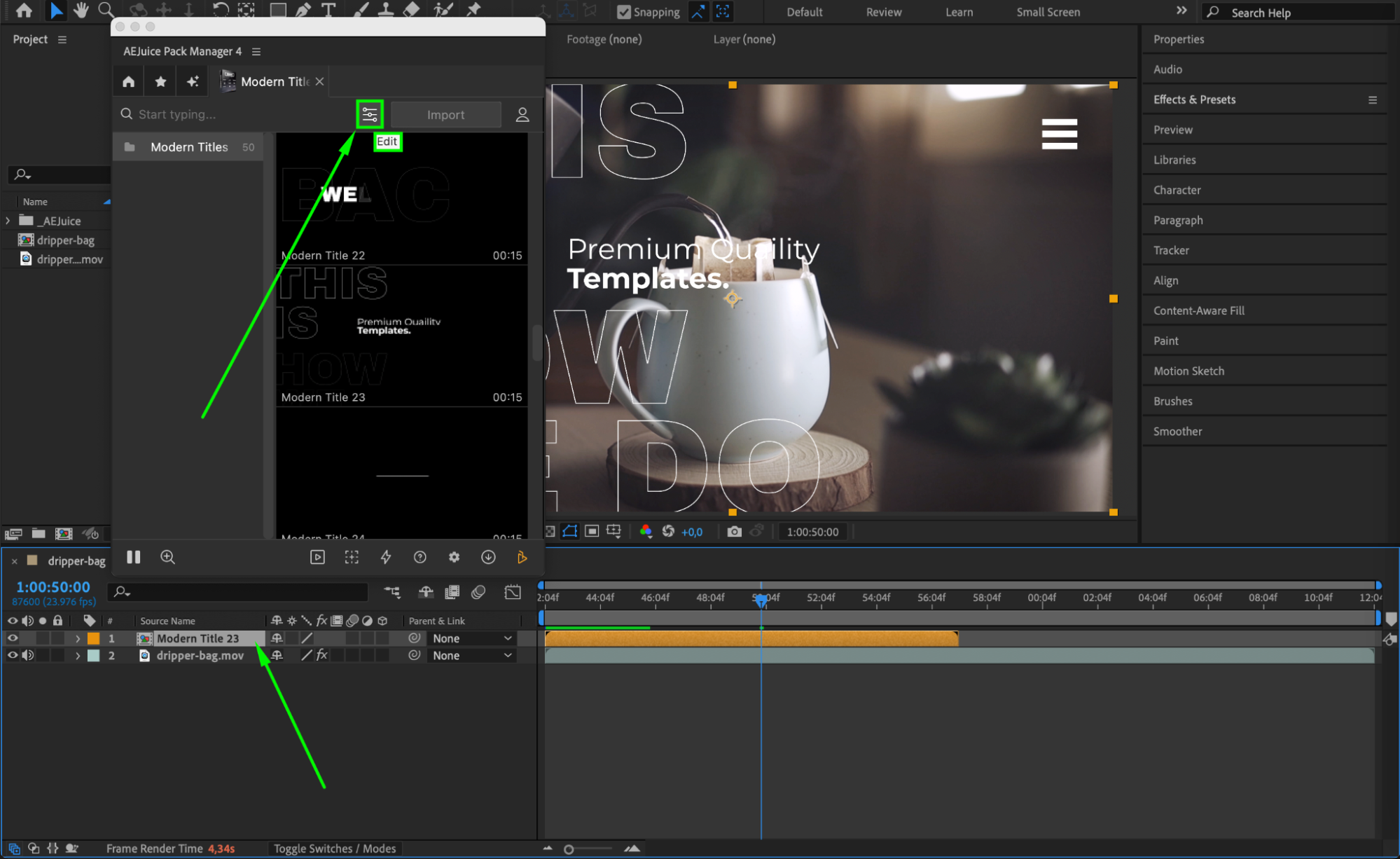
Step 6 (Optional): Use Masking for Creative Layouts
To add a creative twist, use the Pen Tool (G) to draw a mask around the object or person you want to highlight. Then, set the Mask Mode to Subtract so the title appears behind the subject, adding depth and focus to your layout.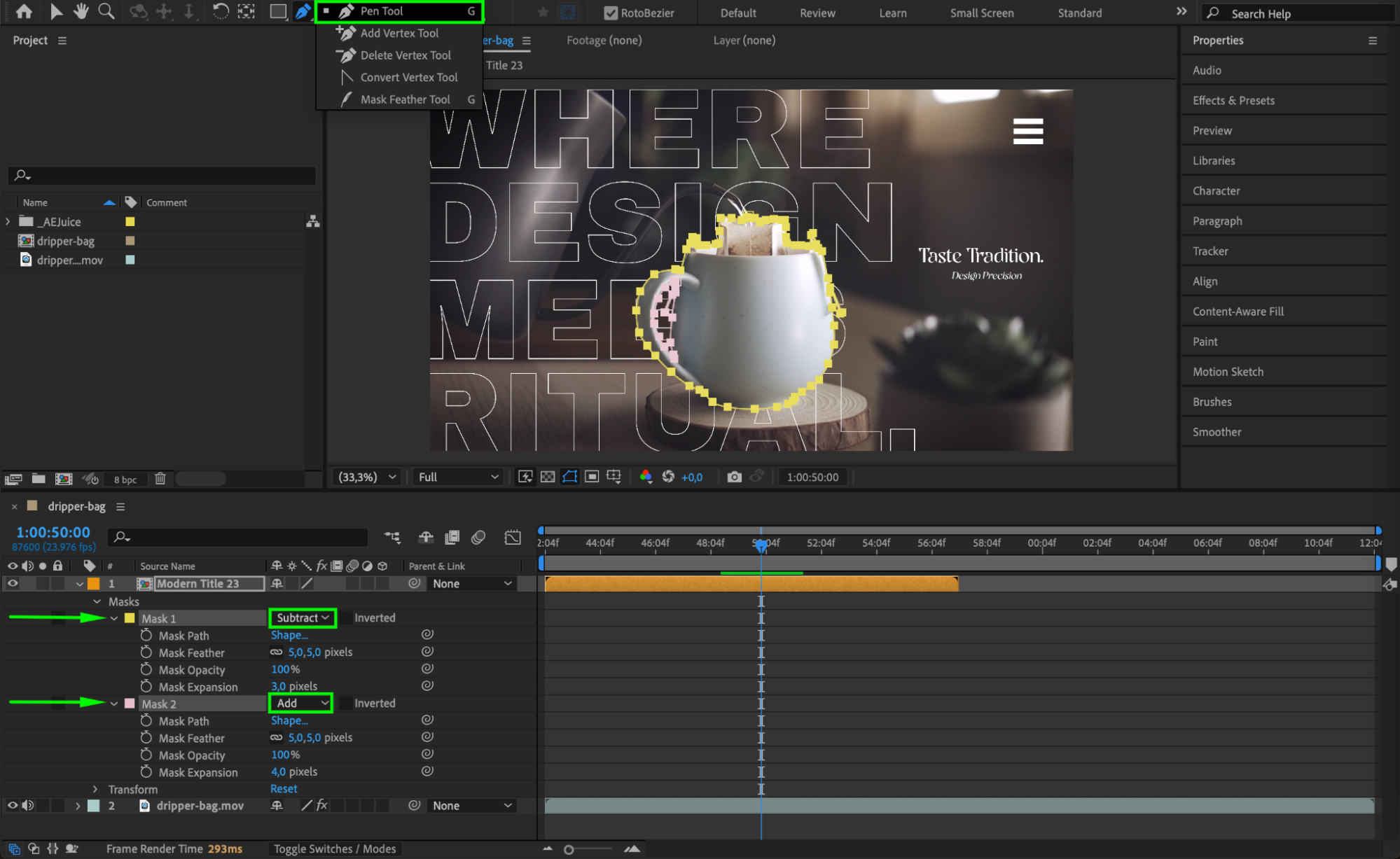 Step 7: Preview and Finalize
Press the Spacebar to preview your animated title. Make any final adjustments to position, opacity, or motion blur for a more refined look. Once you’re satisfied, you’re ready to render or export your video.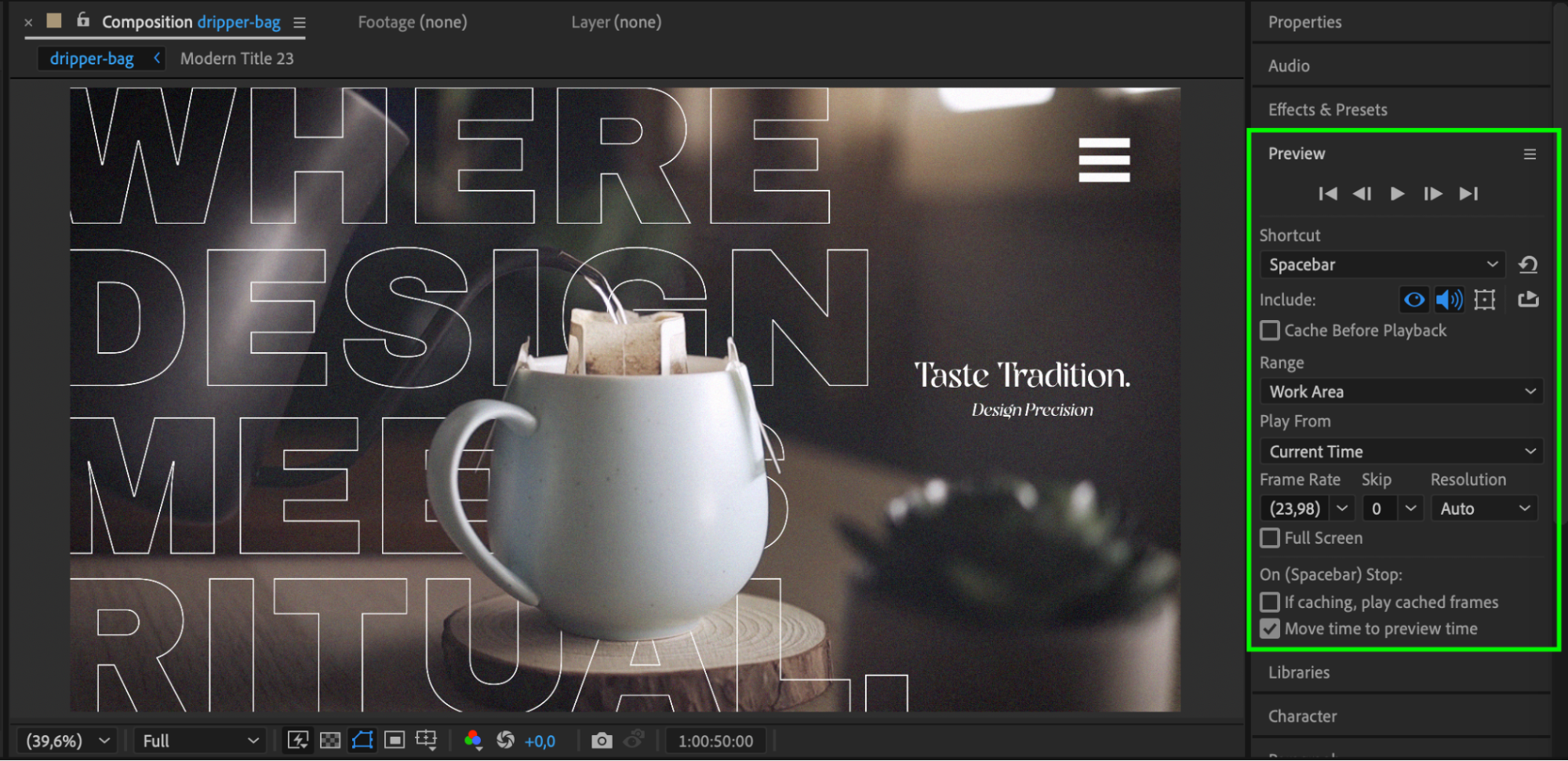 Conclusion
Modern title templates make it easy to create clean, engaging typography without spending hours on animation. AEJuice’s Modern Titles Pack offers stylish presets that are perfect for editors looking to upgrade their visuals quickly. Try it out and make your next project stand out with professional motion design.
Our Bestsellers
Our Bestsellers


