
A Guide to Docking Panels in After Effects
Introduction to Docking Panels in After Effects
Arranging and docking panels in After Effects helps keep your workspace organized and maximizes efficiency. Docking panels allows you to customize the layout based on your editing needs, making it easier to access frequently used tools. This guide will show you how to dock, move, and organize panels effectively in After Effects.
Step 1: Open the Desired Panel
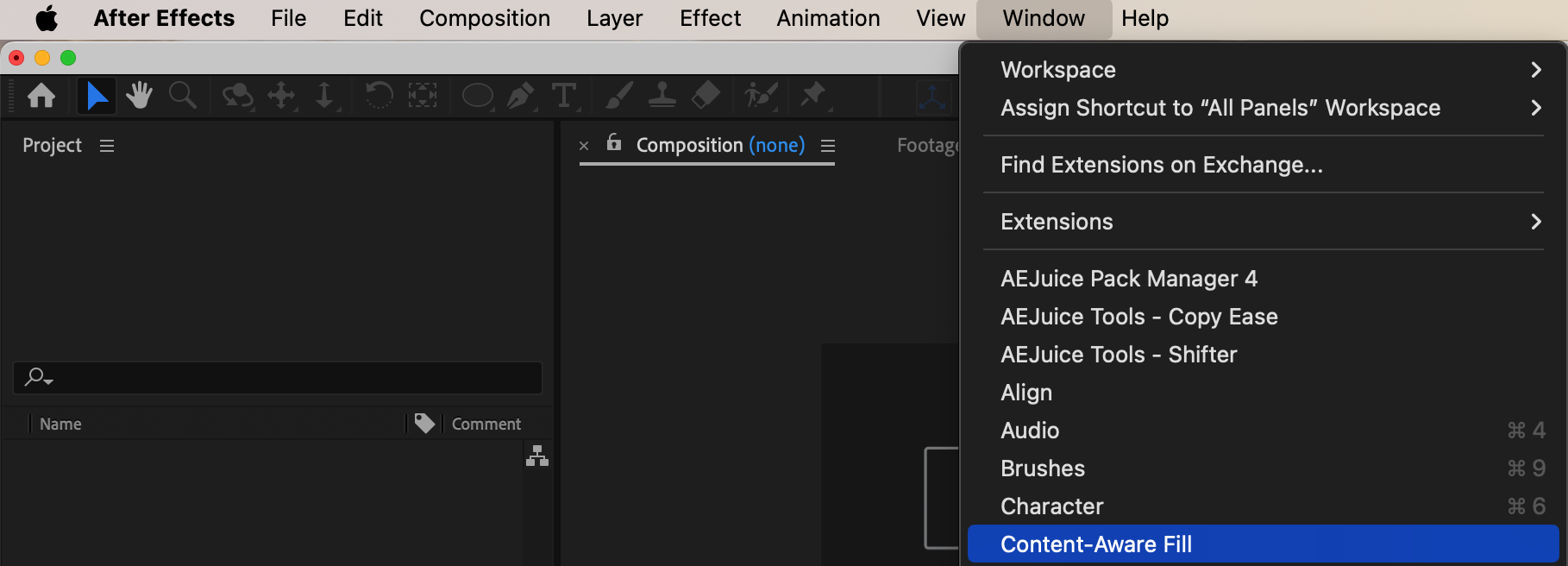
To begin, open the panel you want to dock, such as the Timeline, Effects & Presets, or Project panel. If it’s not already visible, go to the Window menu and select the panel from the list. Once open, the panel will be a floating window within your workspace, ready for docking.
Step 2: Click and Drag the Panel
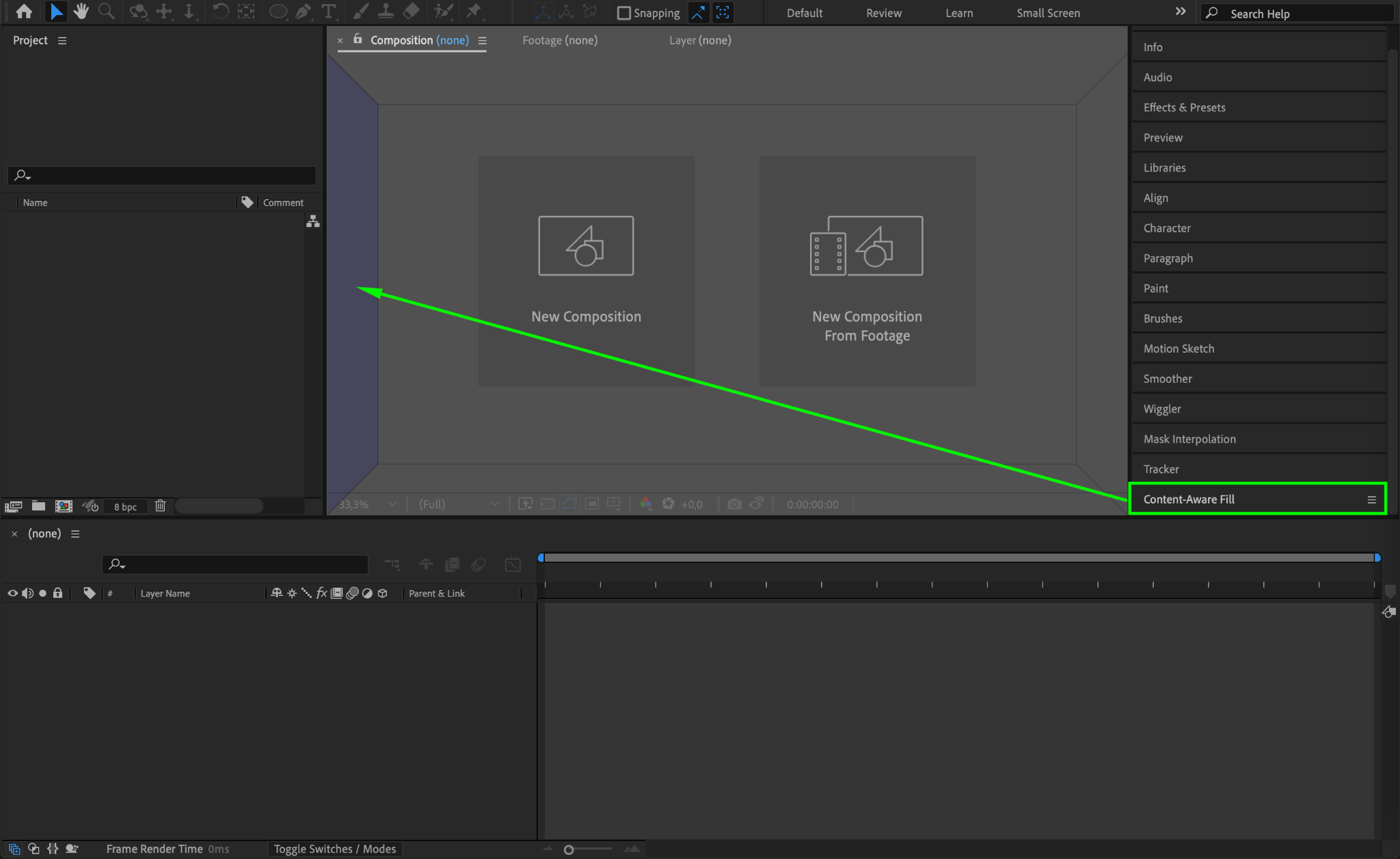
To dock the panel, click on its tab at the top and drag it toward the location where you want it docked within the interface. As you move the panel around, you’ll see highlighted zones indicating possible docking locations, such as above, below, or beside other panels. This feature allows you to preview potential positions before you release the panel.
Step 3: Drop the Panel in the Docking Zone
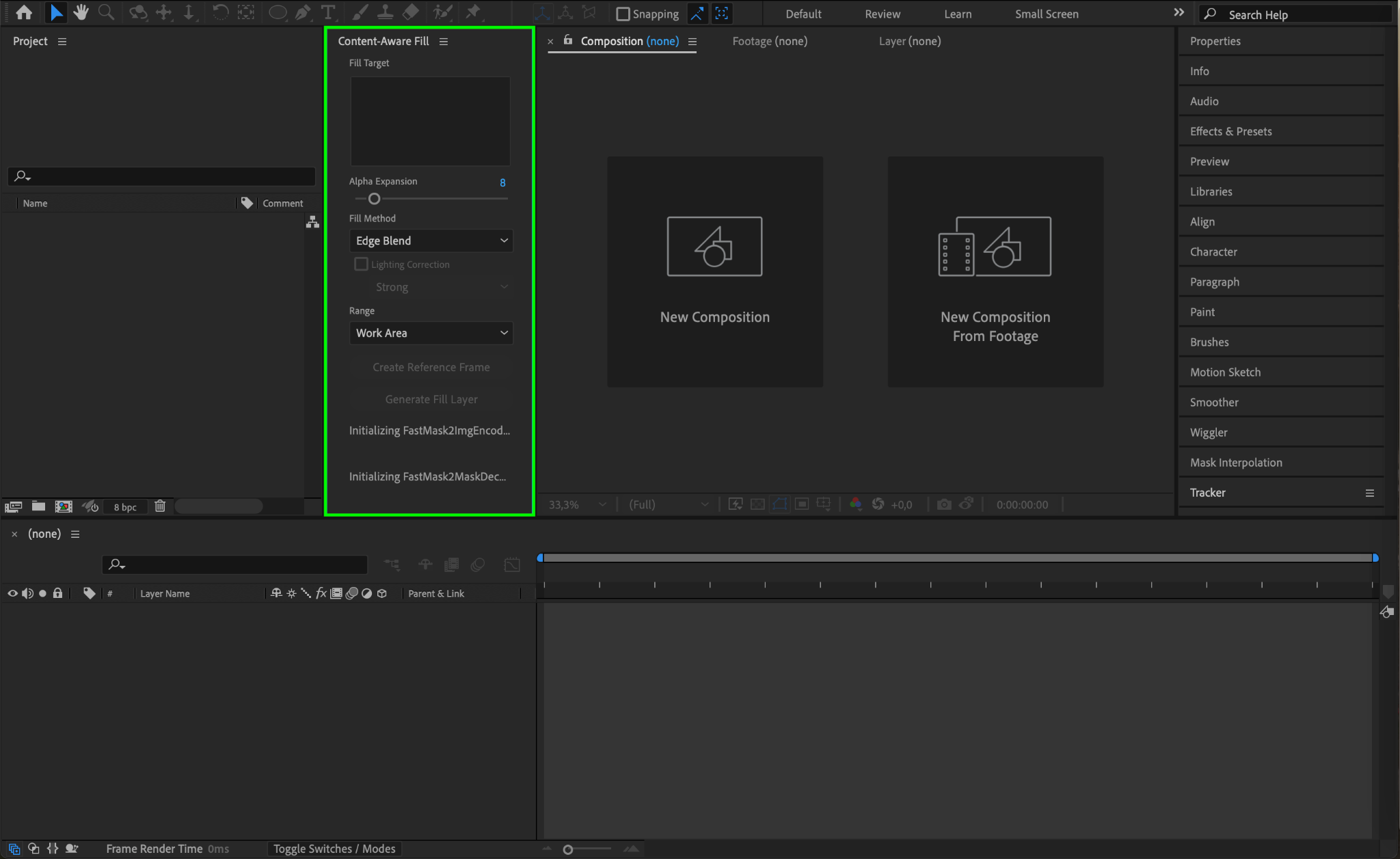
Once you’ve found the ideal spot, release the mouse button to drop the panel into the highlighted docking zone. The panel will snap into place, aligning with other panels in your layout. You can resize the panel by dragging its edges to adjust it within the overall layout.
Step 4: Arrange and Customize Your Workspace
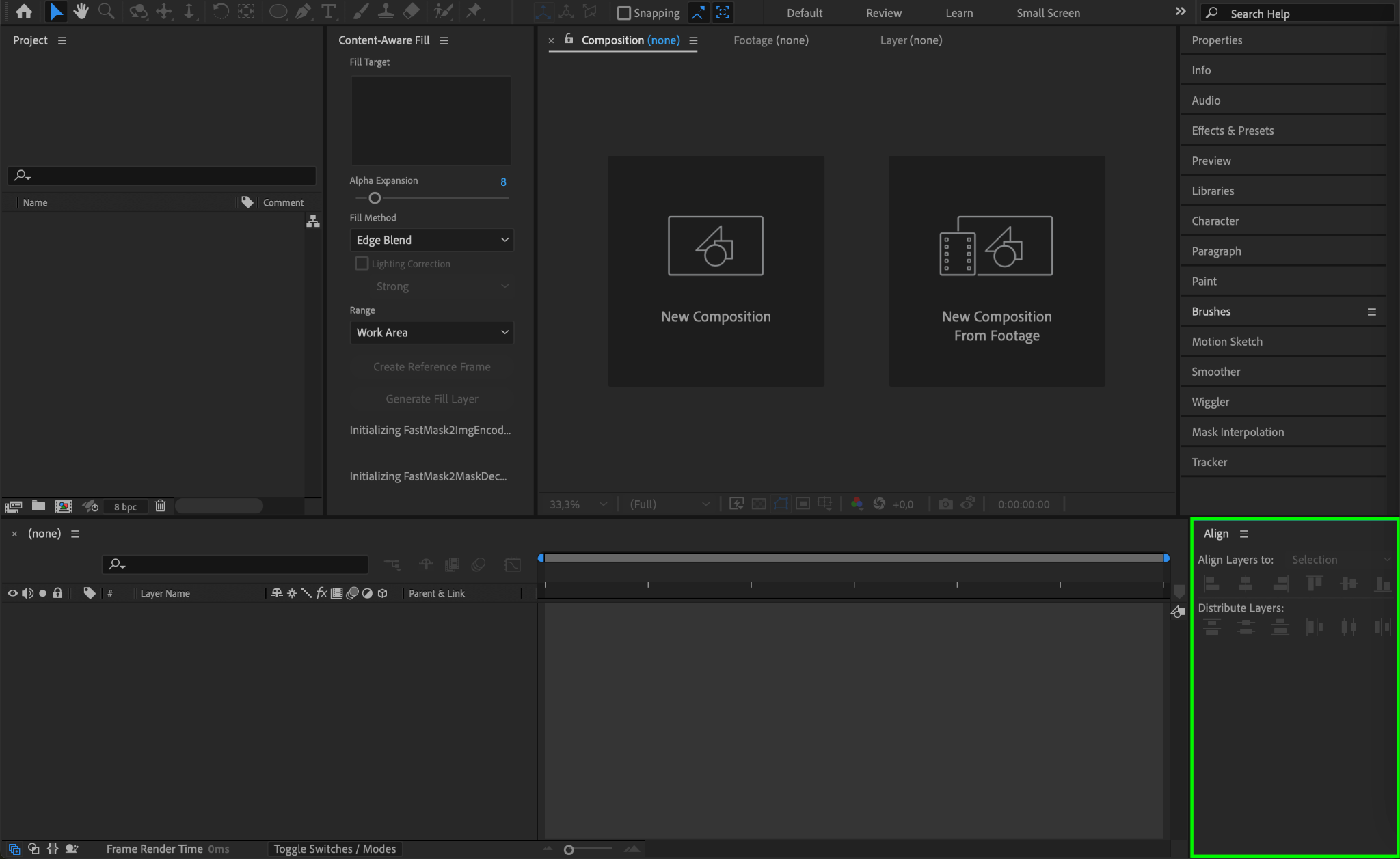
Continue dragging and docking additional panels to build a layout that suits your workflow. After Effects lets you layer multiple panels into a tabbed configuration or side-by-side for quicker access. This flexibility enables you to create a workspace that matches your editing style and needs.
Step 5: Save Your Custom Workspace
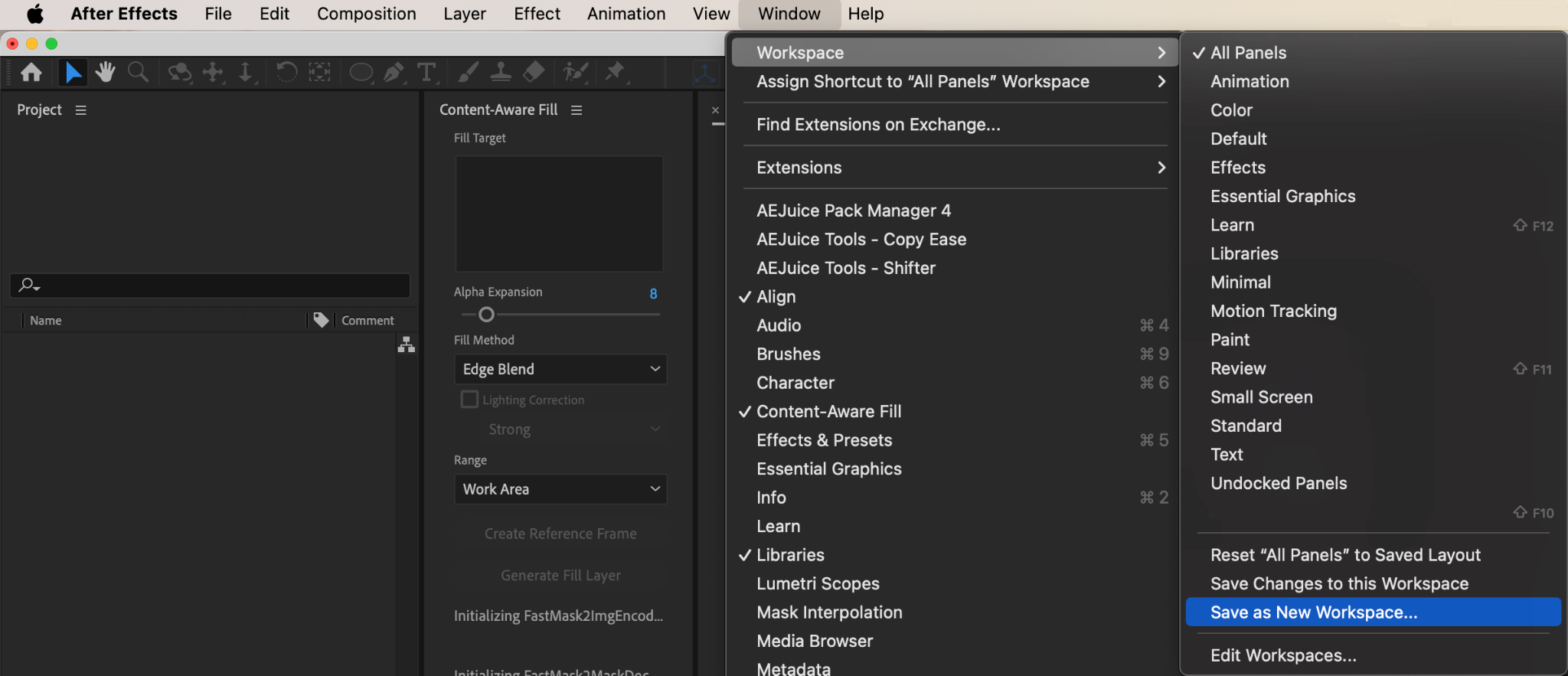
After arranging the panels, you can save your custom layout for easy access in future projects. Go to Window > Workspace > Save as New Workspace. Name your workspace and save it. Now, you can quickly switch to this customized workspace anytime you open After Effects, keeping your setup consistent and efficient.
Conclusion
Docking panels in After Effects is a straightforward way to personalize your workspace and streamline your workflow. By organizing and saving a custom workspace, you can focus more on your project and spend less time searching for tools. Enjoy a cleaner, more efficient After Effects environment tailored to your needs.
Our Bestsellers
Our Bestsellers


