
Editing the Graph in After Effects for Smoother Animations
Introduction to the Graph Editor
The Graph Editor in After Effects allows you to fine-tune animations by adjusting the speed and motion of keyframes. Instead of linear movements, you can create smooth transitions, ease in and out effects, and custom animation curves. Editing the graph helps achieve more professional and natural motion.
Step 1: Open the Graph Editor
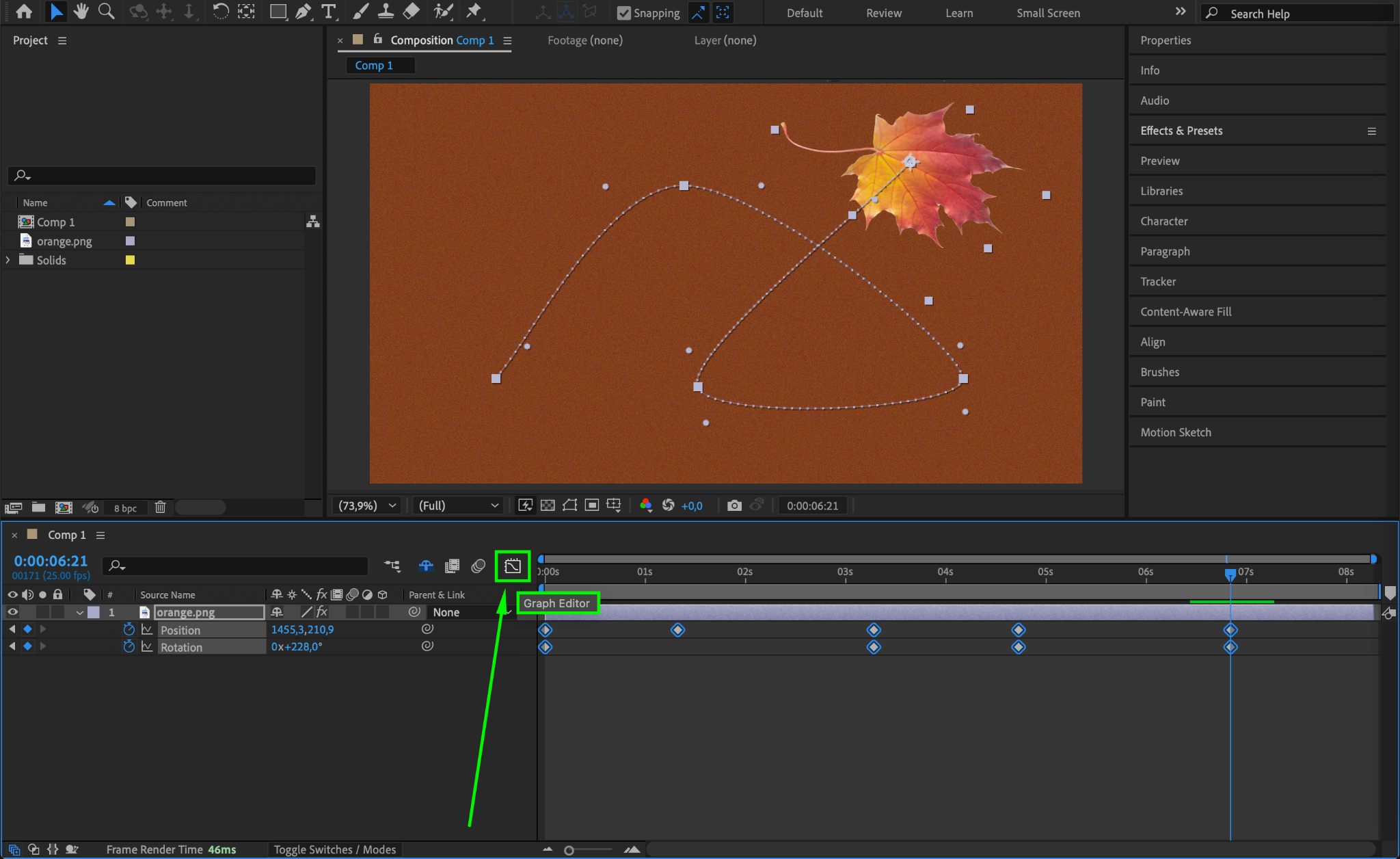
To access the Graph Editor, select your animated property (such as Position, Scale, or Opacity) and click on the Graph Editor button in the Timeline panel. This will switch from the standard keyframe view to the graph view, where you can edit speed and motion curves.
Step 2: Choose Between Speed Graph and Value Graph
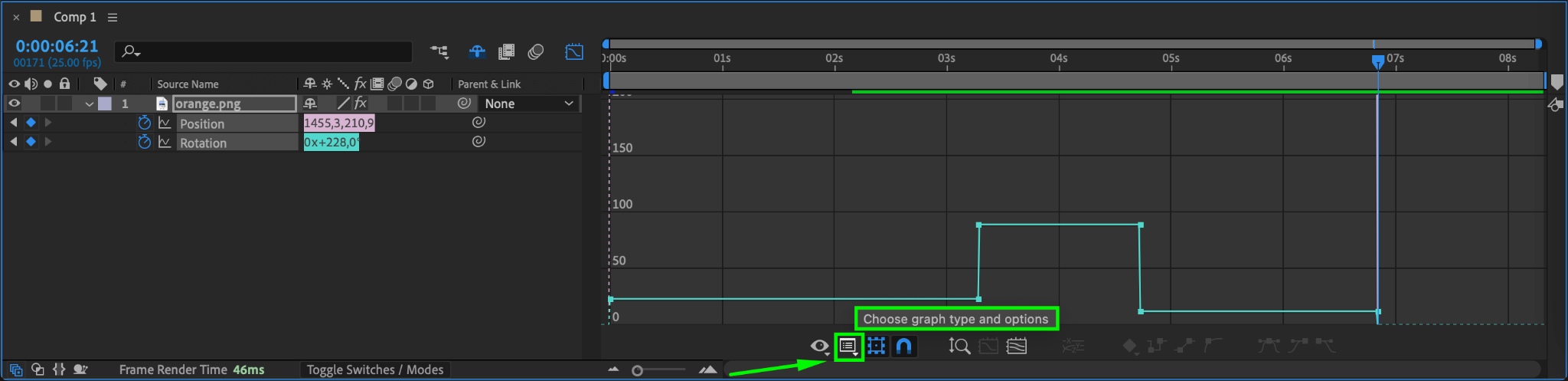
After Effects provides two types of graphs:
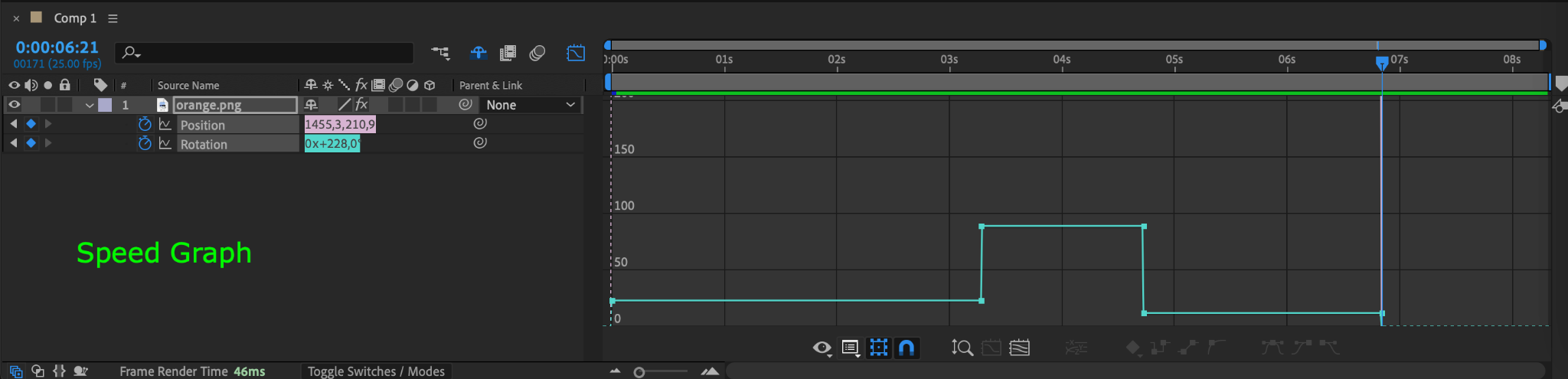
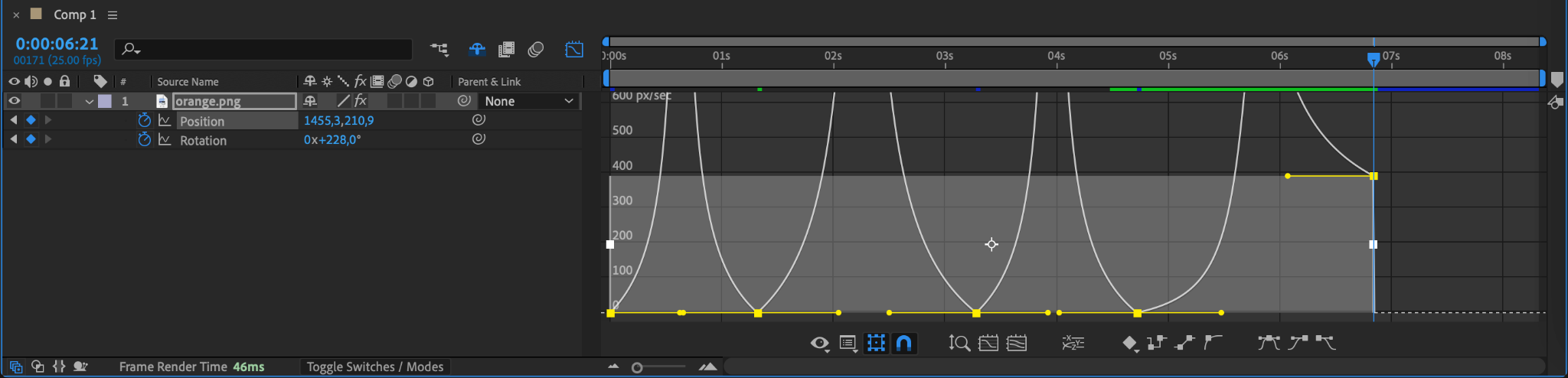
Speed Graph – Shows changes in animation speed over time. Higher peaks mean faster movement, while flat sections indicate pauses.
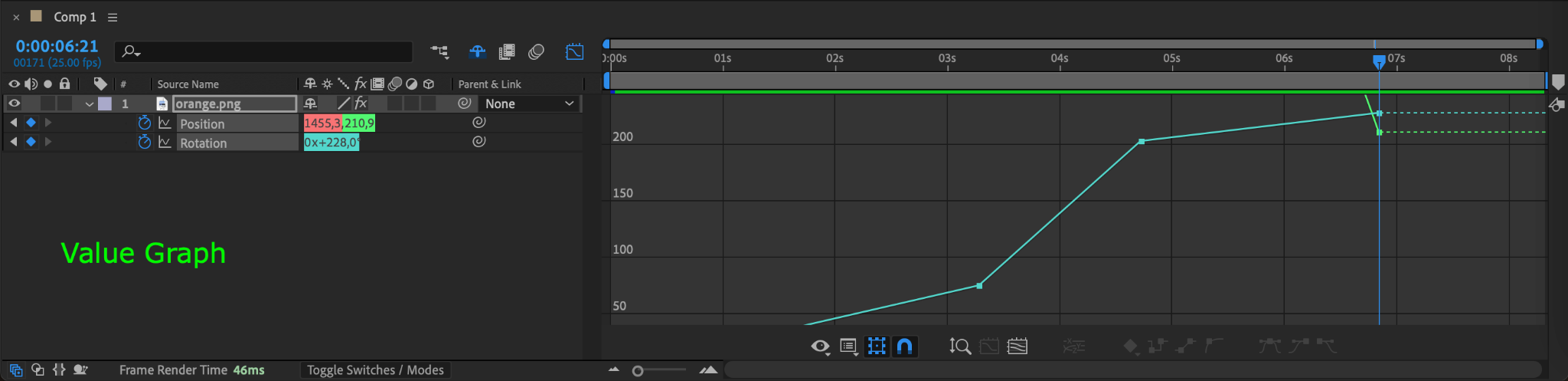
Value Graph – Displays how values (such as position or scale) change over time. Steeper curves indicate faster transitions.
Choose the graph that best suits your animation style. If unsure, start with the Speed Graph for basic motion adjustments.
Step 3: Adjust Keyframe Easing
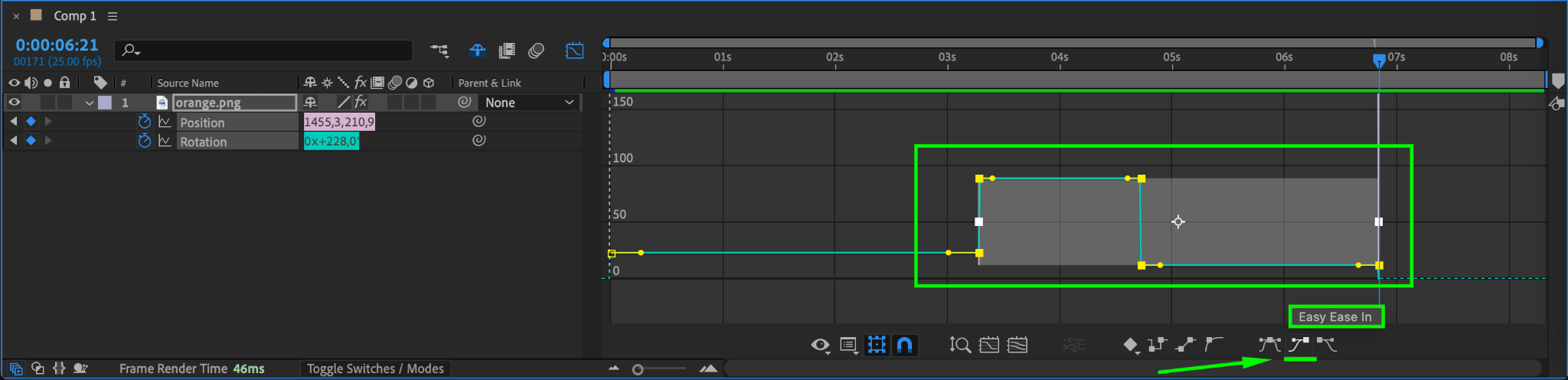
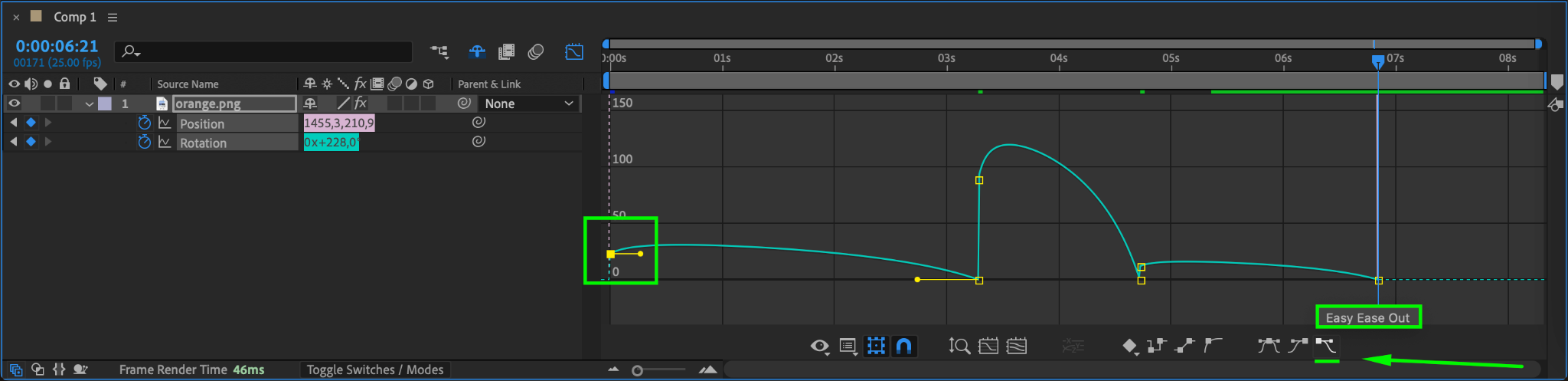
To smooth out animations, select keyframes and adjust their bezier handles in the Graph Editor.
Drag handles outward for a slower start or end (ease in/out).
Adjust the curve shape to create a natural motion flow.
You can also right-click a keyframe and select Keyframe Assistant > Easy Ease for automatic smoothing.
Step 4: Modify Speed for Better Timing
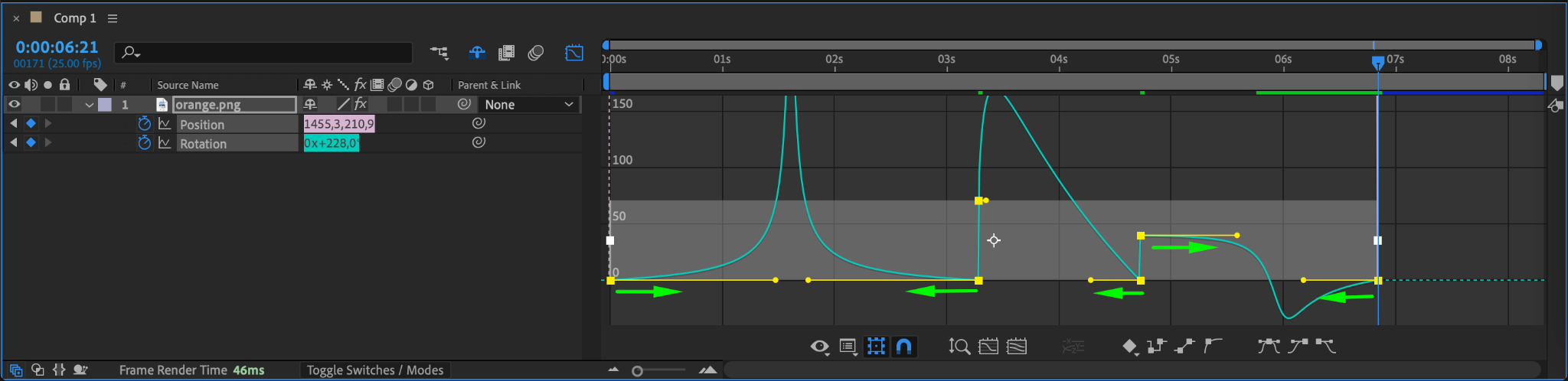
If using the Speed Graph, adjust peaks and valleys to fine-tune acceleration and deceleration. For example:
A sharp peak means a sudden fast movement.
A gradual slope results in a more natural transition.
This step is essential for refining the feel of your animation.
Step 5: Preview and Refine
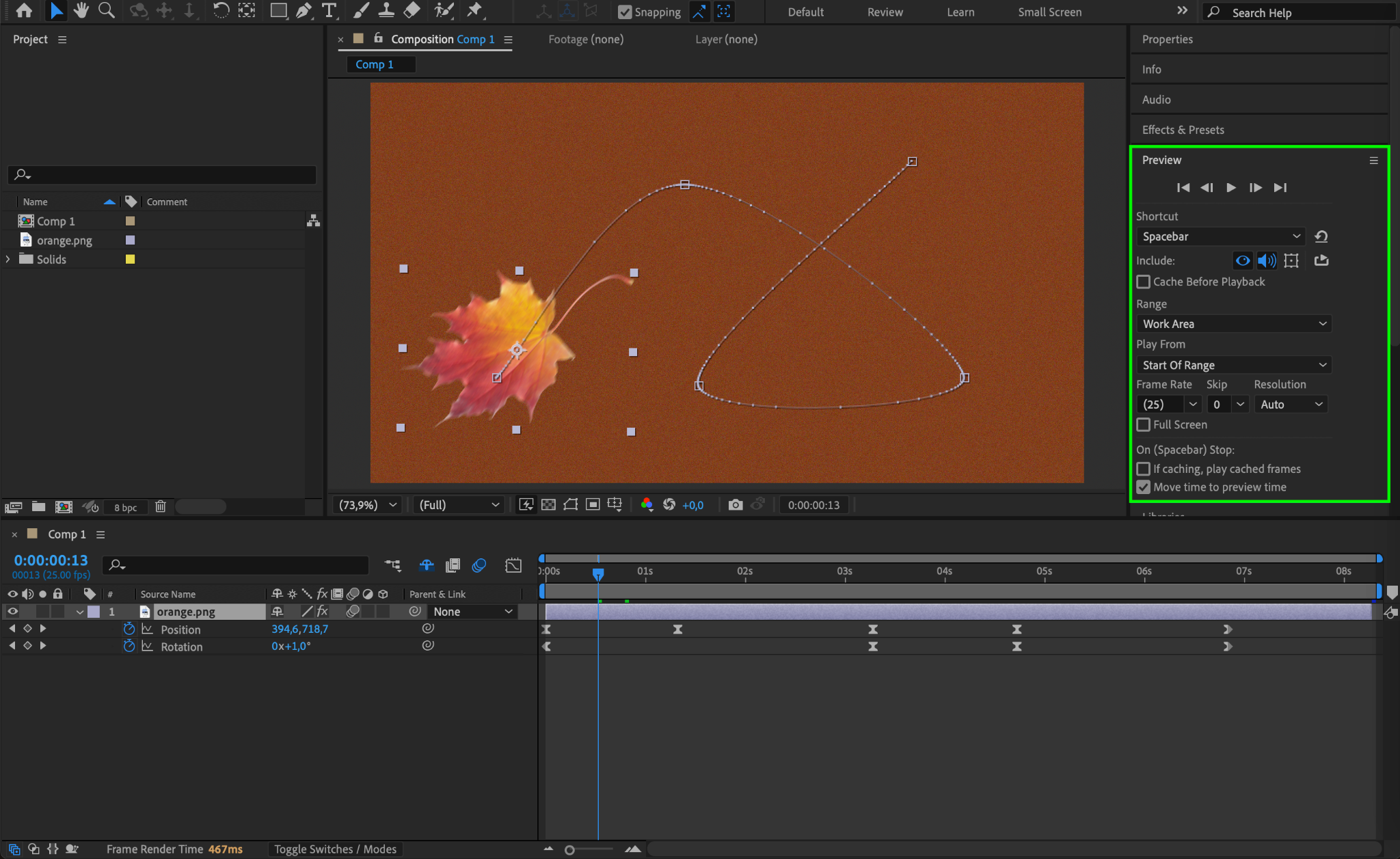
After making adjustments, play back your animation using Spacebar or the Preview panel. If needed, tweak the curves until the motion feels right. Small refinements can make a big difference in achieving professional-looking animations.
Conclusion
Editing the Graph in After Effects allows you to refine animations by controlling speed and easing. By using the Graph Editor, adjusting curves, and fine-tuning keyframe timing, you can create smoother, more dynamic motion for your projects. Experiment with different graph settings to achieve the perfect look!
Our Bestsellers
Our Bestsellers


