
Understanding and Exiting 3D Mode in Your Project
When working with 3D layers in After Effects, you may sometimes need to switch back to 2D mode for simpler editing or to fix unexpected behavior. Exiting 3D mode is simple and can help streamline your workflow, especially if your project doesn’t require 3D features anymore. Here’s how to do it step by step.
Step 1: Locate the 3D Layer Switch
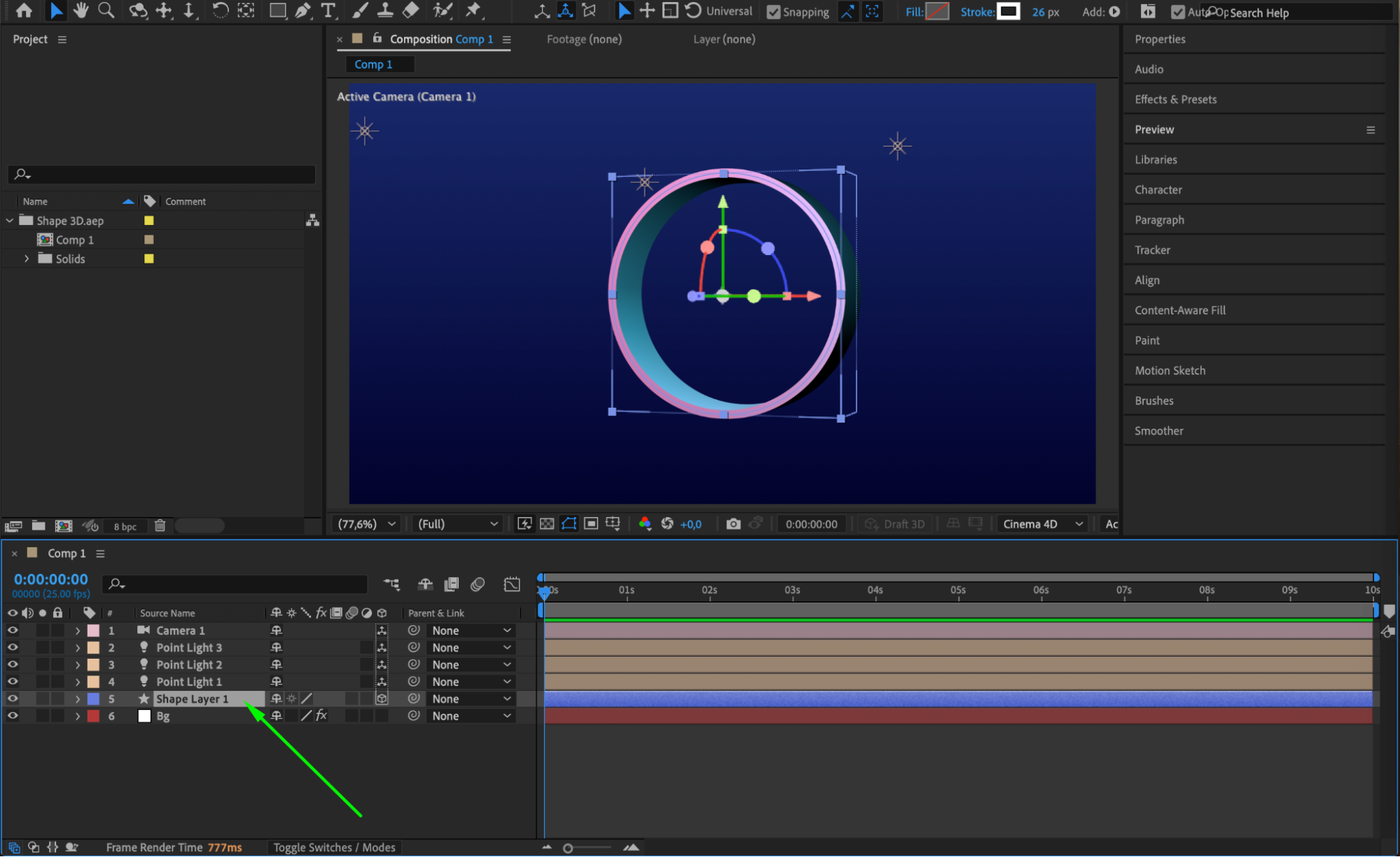
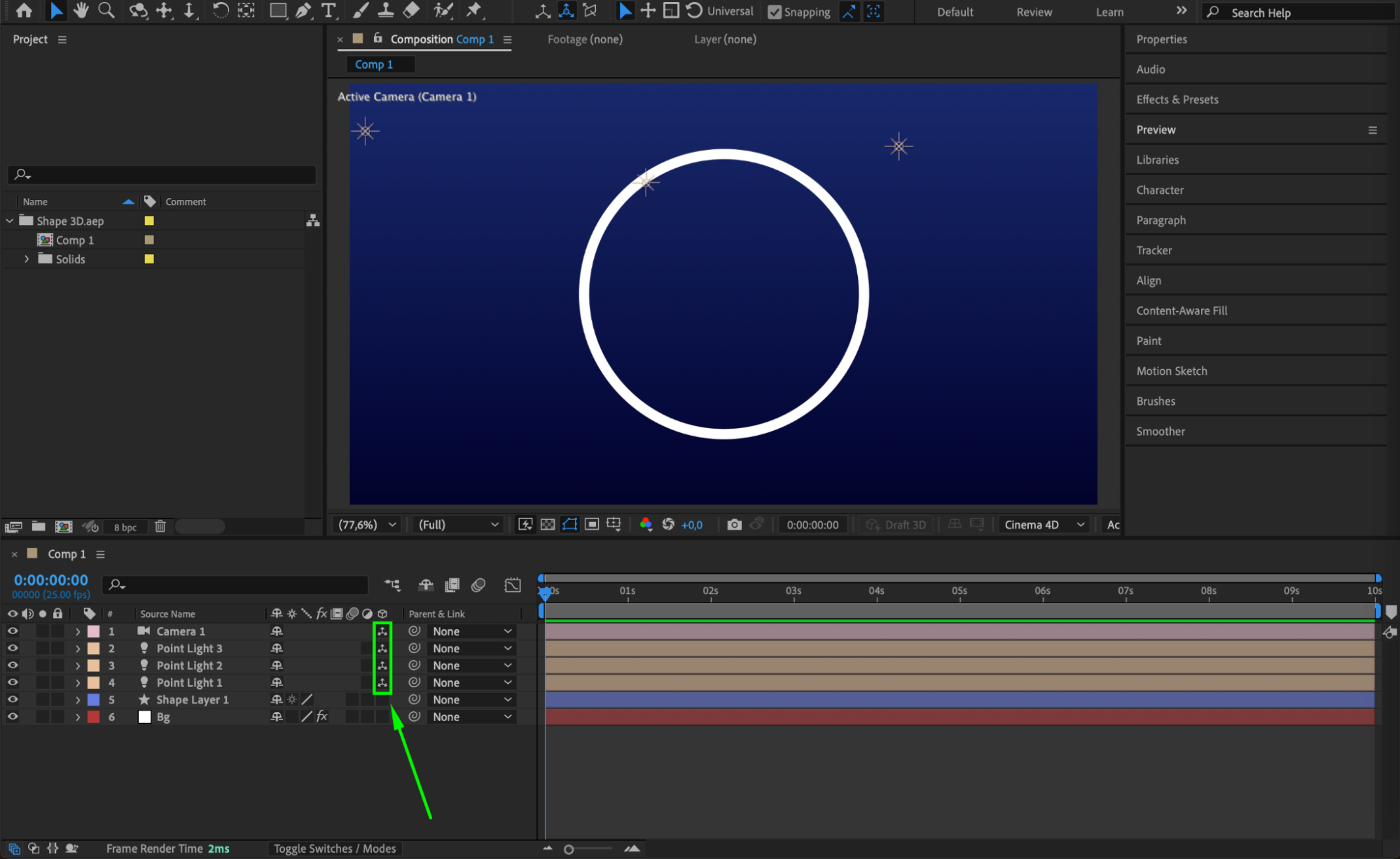
Select the layer in your timeline that you want to change. Look for the 3D Layer switch, which is represented by a small cube icon next to the layer name. If you don’t see it, click the Toggle Switches/Modes button at the bottom of the timeline panel to show layer switches.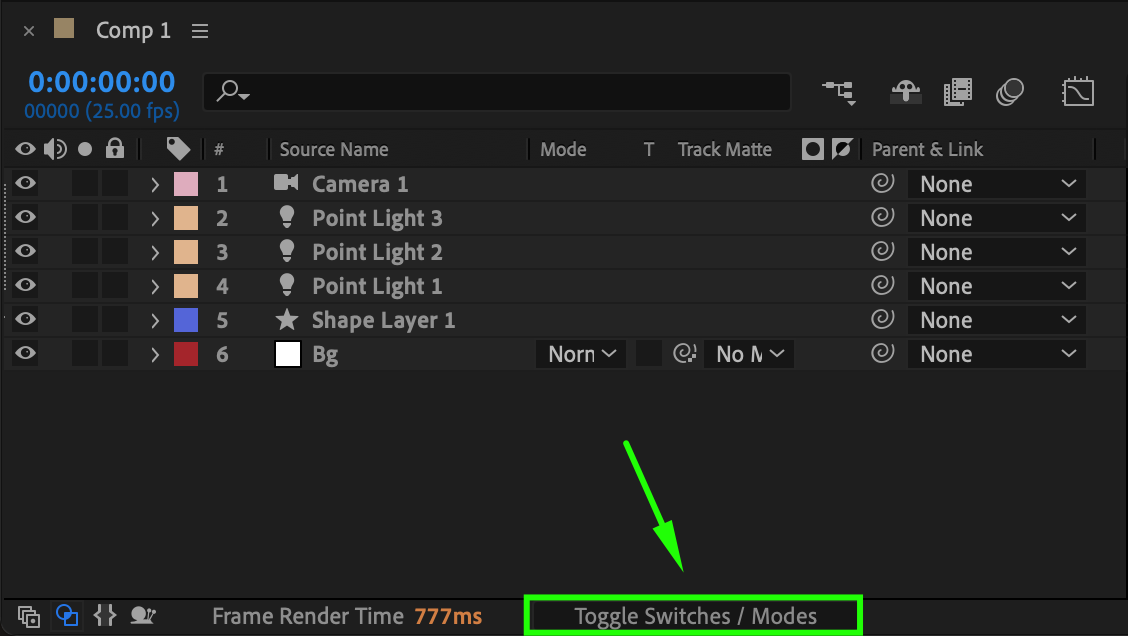
Step 2: Disable the 3D Switch
Click the cube icon to turn it off. Once the cube is no longer highlighted, the layer will return to 2D mode. This disables 3D transformations like X, Y, and Z rotation and position in 3D space. The layer will now only respond to 2D adjustments.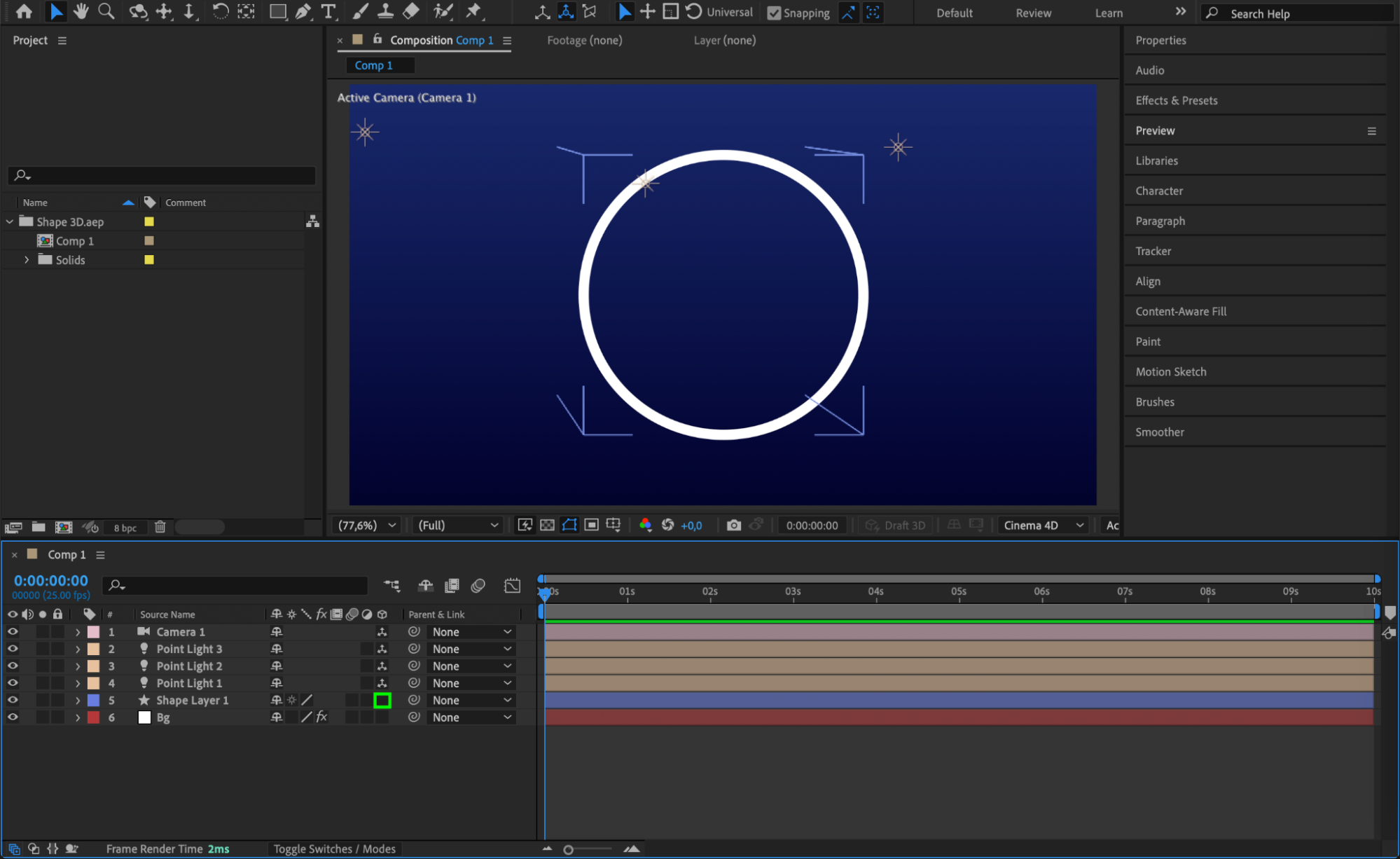 Step 3: Use 2D Viewports
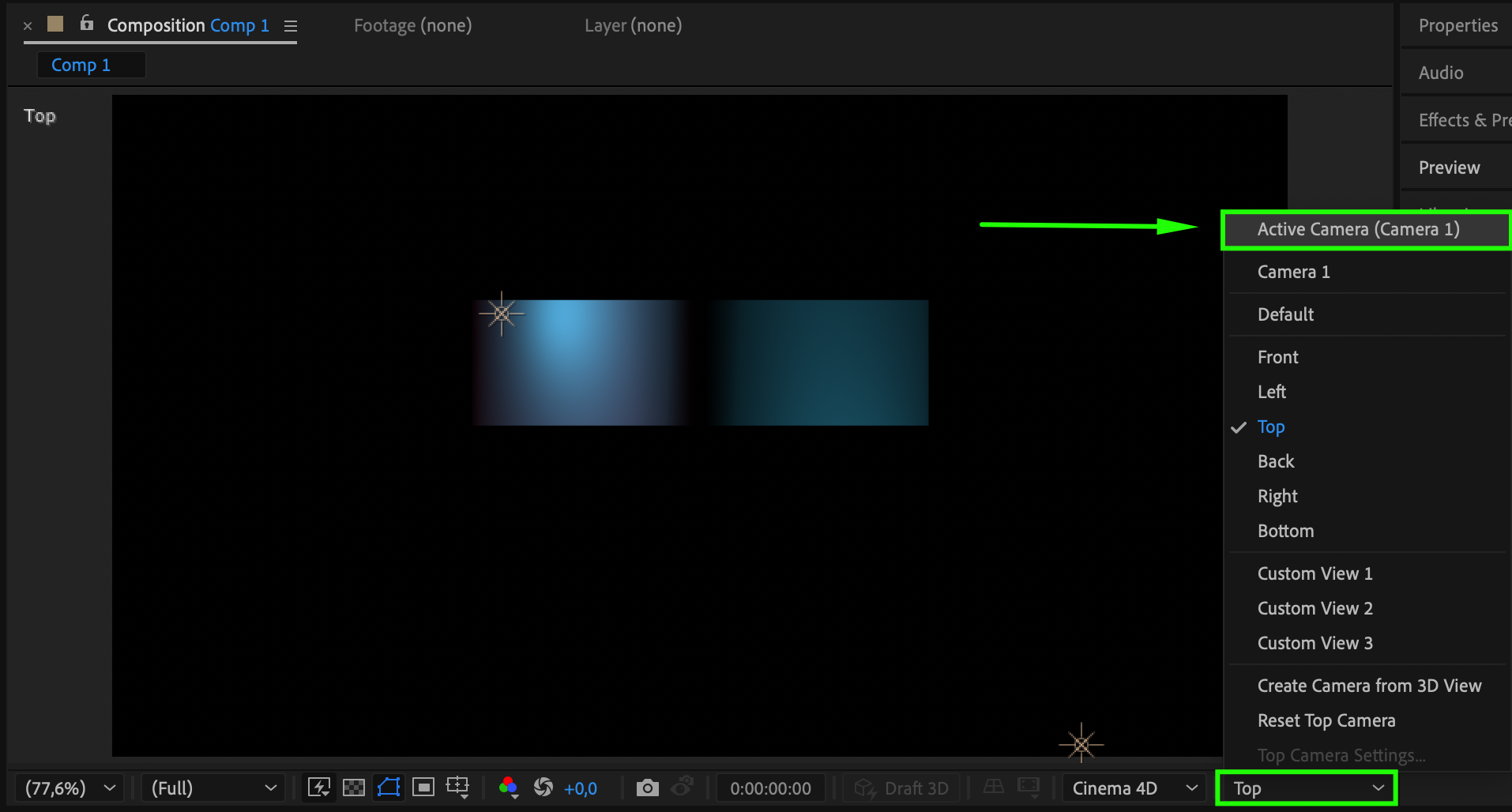
To avoid confusion, switch your composition view back to “Active Camera” and make sure you’re not in any custom 3D views like “Top,” “Left,” or “Custom View 1.” This ensures you’re seeing the scene from a standard 2D perspective.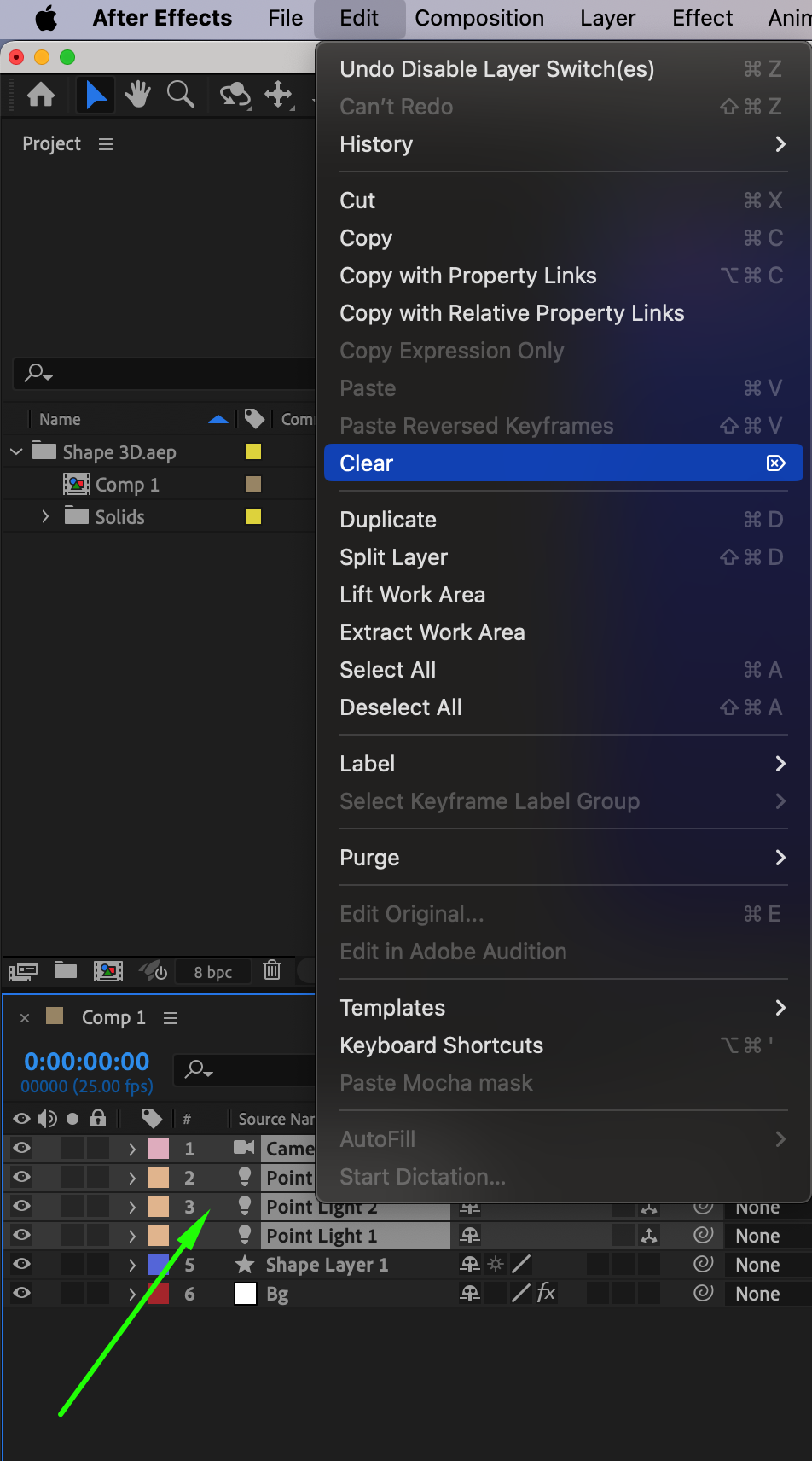

Step 4: Check for Active 3D Cameras or Lights
If your composition still looks like it’s in 3D, make sure there are no active 3D Cameras or Lights in the comp. Go to the Timeline panel, and if you see camera or light layers, either delete them or disable their visibility to return to a pure 2D environment.
Step 5: Reset Any 3D Effects or Depth Controls
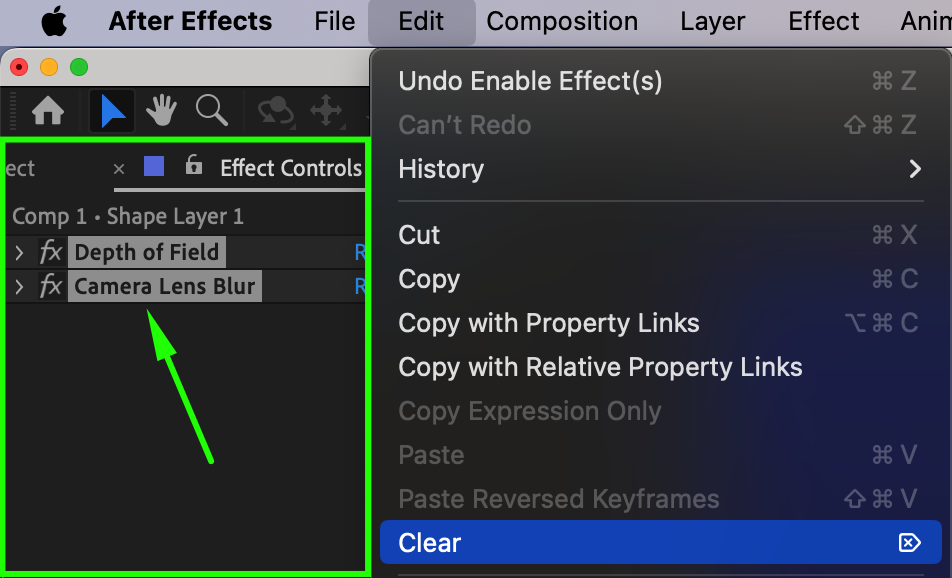
If you used 3D effects like Depth of Field or camera blur, go to the Effect Controls panel and disable or reset them. Some effects continue to behave like 3D even after layers are switched to 2D.
Conclusion
Exiting 3D mode in After Effects is as simple as turning off a layer switch, but it’s also important to check your cameras, lights, and effects to fully return to a 2D workspace. This can make your project easier to manage and more efficient to render when 3D is no longer needed.
Our Bestsellers
Our Bestsellers


