
Exporting an Image Sequence in After Effects
Introduction
Exporting an image sequence in After Effects allows you to save each frame of your animation as a separate image file. This is useful for creating high-quality sequences, applying post-processing in other software, or using animations in game engines. In this guide, we will show you how to export an image sequence step by step.
Step 1: Prepare Your Composition
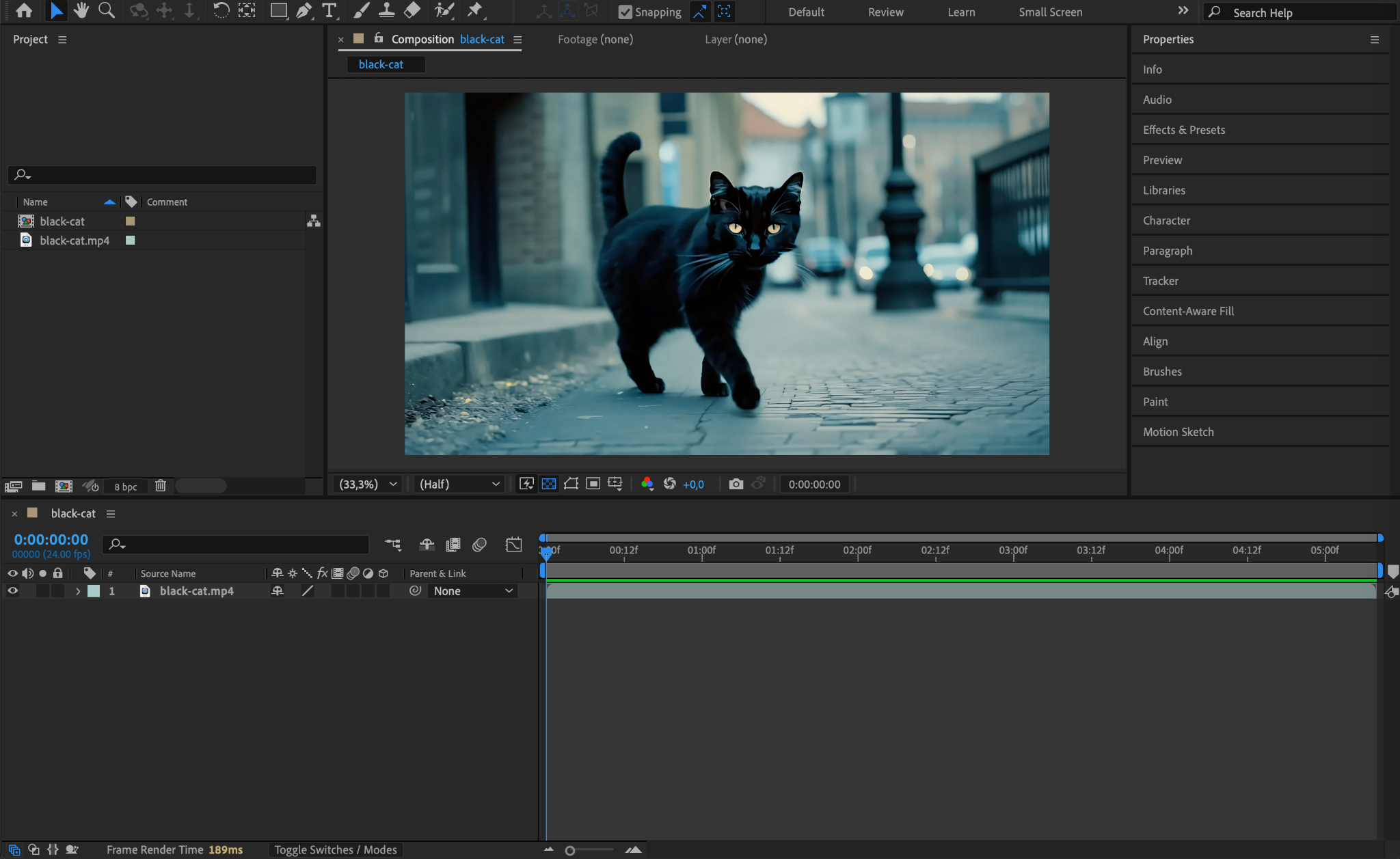
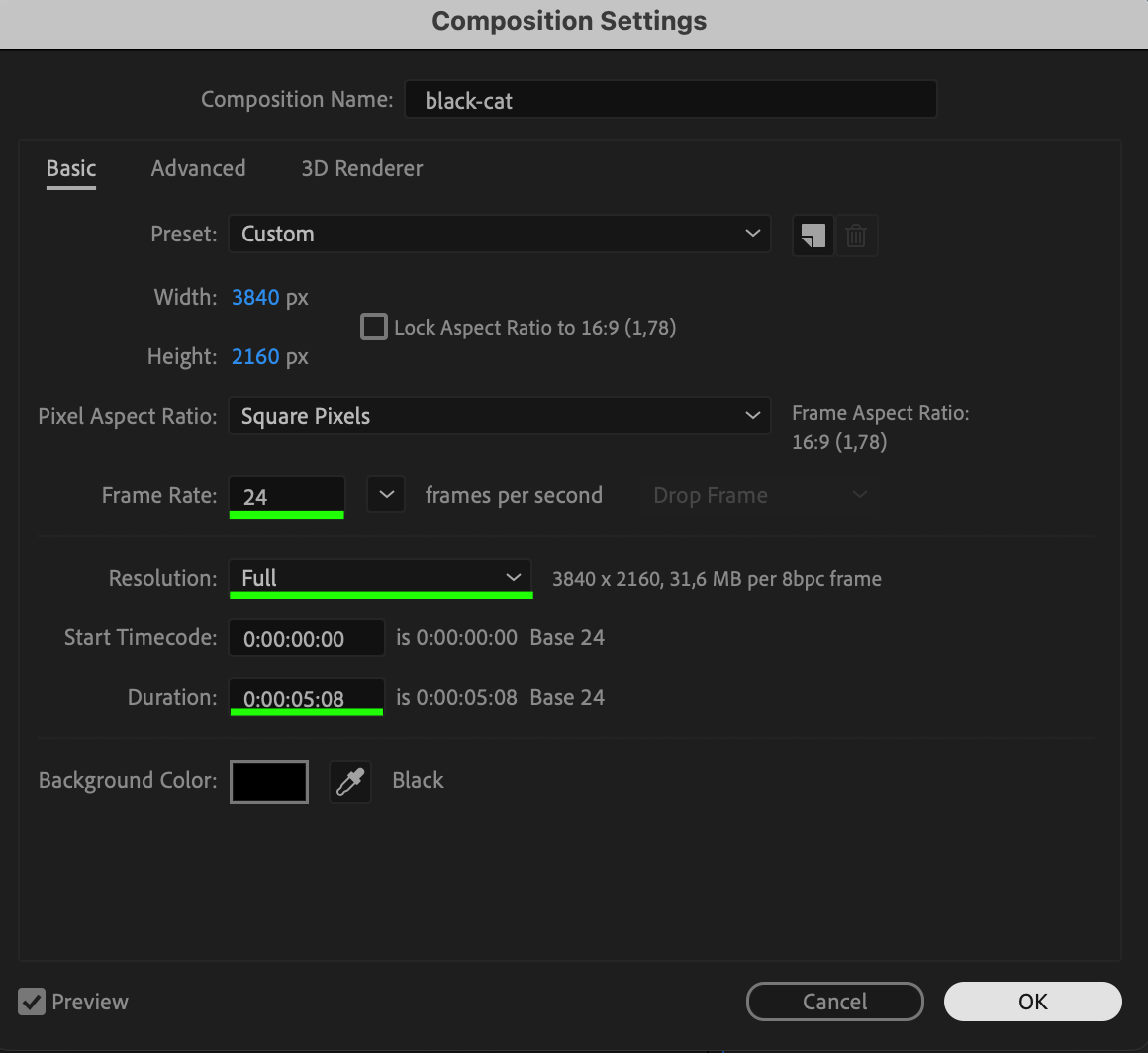
Make sure your composition is finalized and ready for export. Set the resolution, frame rate, and duration according to your needs. If you need transparency, check that the Transparency Grid (checkerboard icon in the Composition panel) is enabled.

Step 2: Open the Render Queue
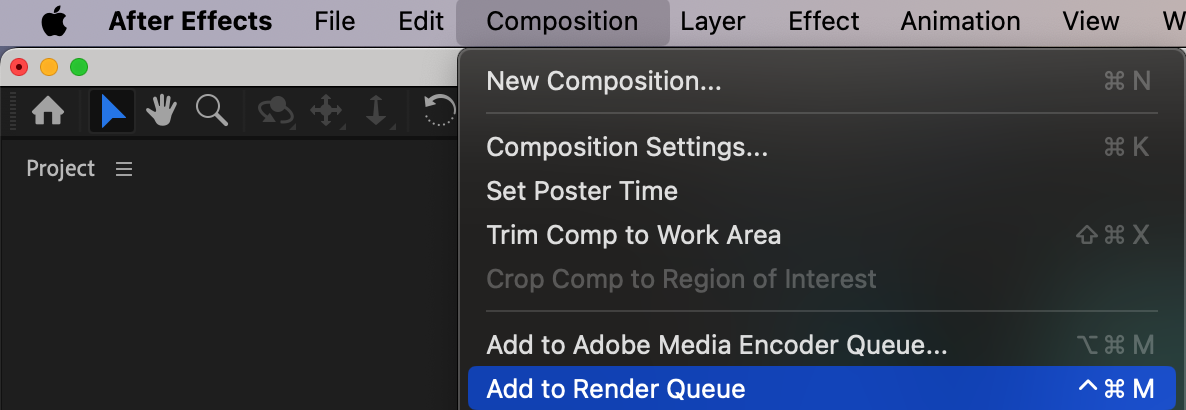
Go to Composition > Add to Render Queue. This will open the Render Queue panel, where you can configure the export settings.
Step 3: Choose the Image Sequence Format
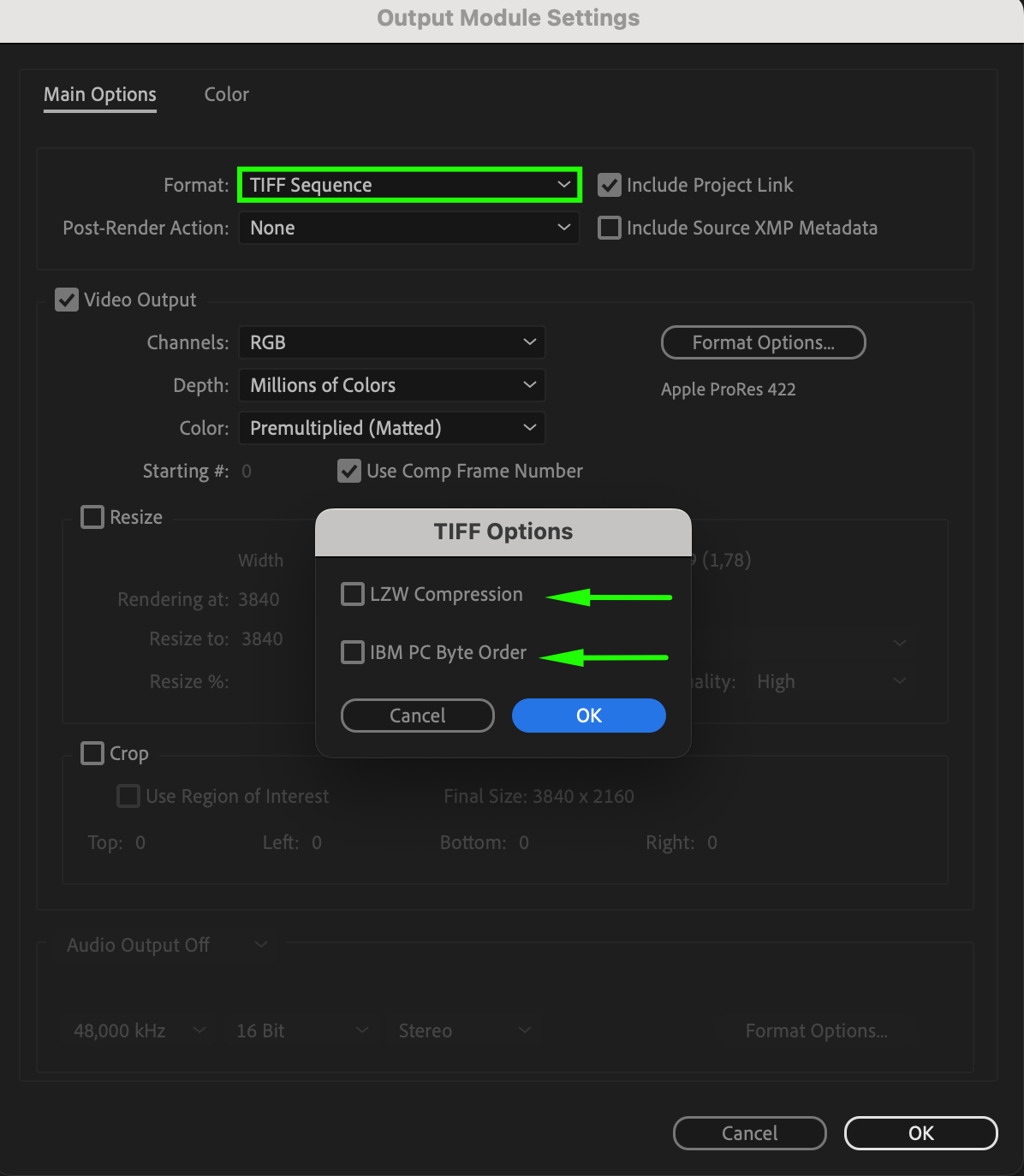
Click on the Output Module to open format settings. Select an image sequence format such as PNG Sequence, JPEG Sequence, TIFF Sequence, or OpenEXR Sequence, depending on your quality and transparency needs.
PNG or TIFF – Supports transparency (alpha channel).
JPEG – Smaller file size but no transparency.
OpenEXR – Best for high-quality 3D compositing.
Step 4: Adjust Output Settings
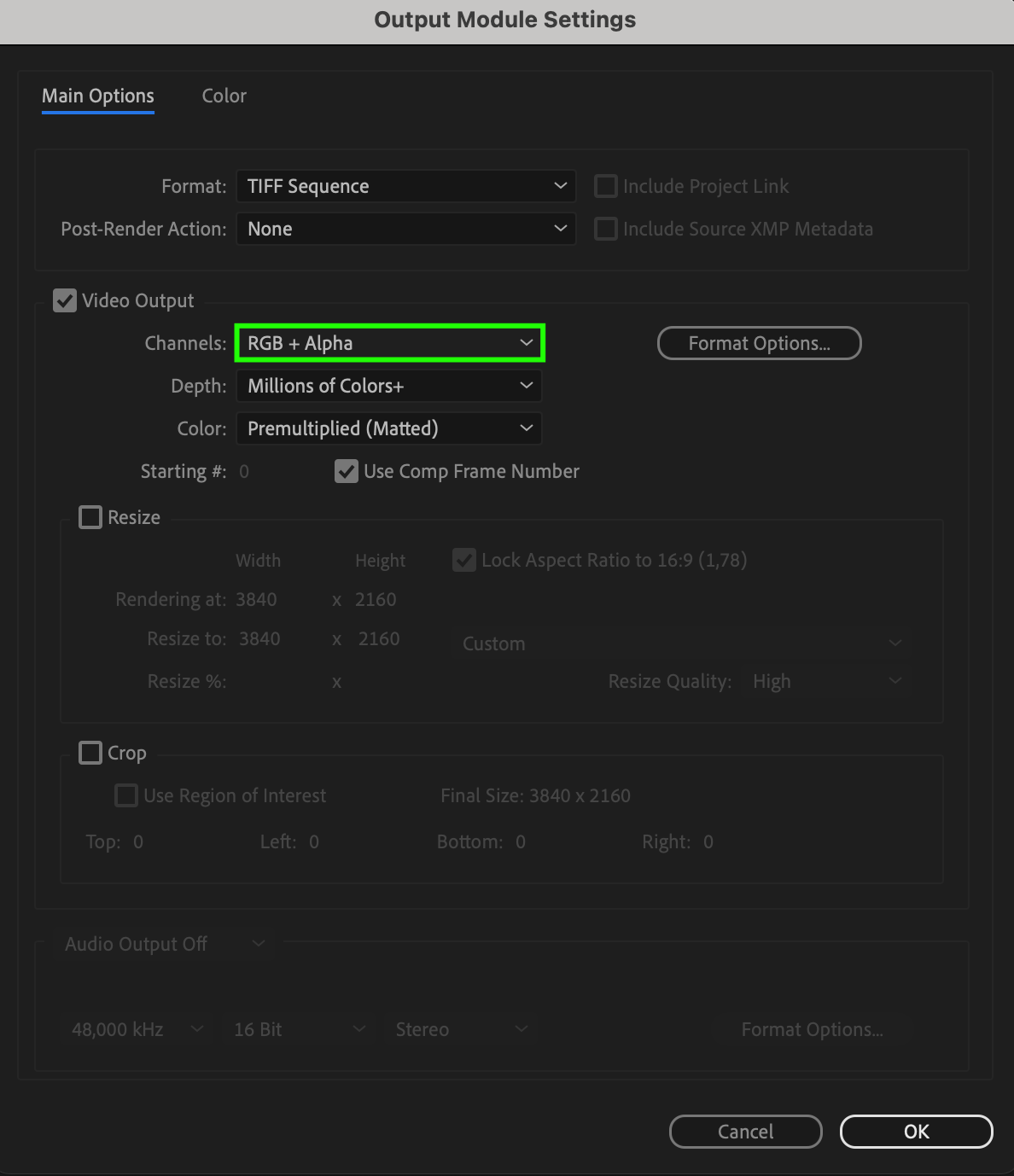
If you need transparency, select RGB + Alpha in the color settings. This will ensure that your exported images include transparency data. Adjust other settings as needed, such as bit depth and compression.
Step 5: Set the Output Folder
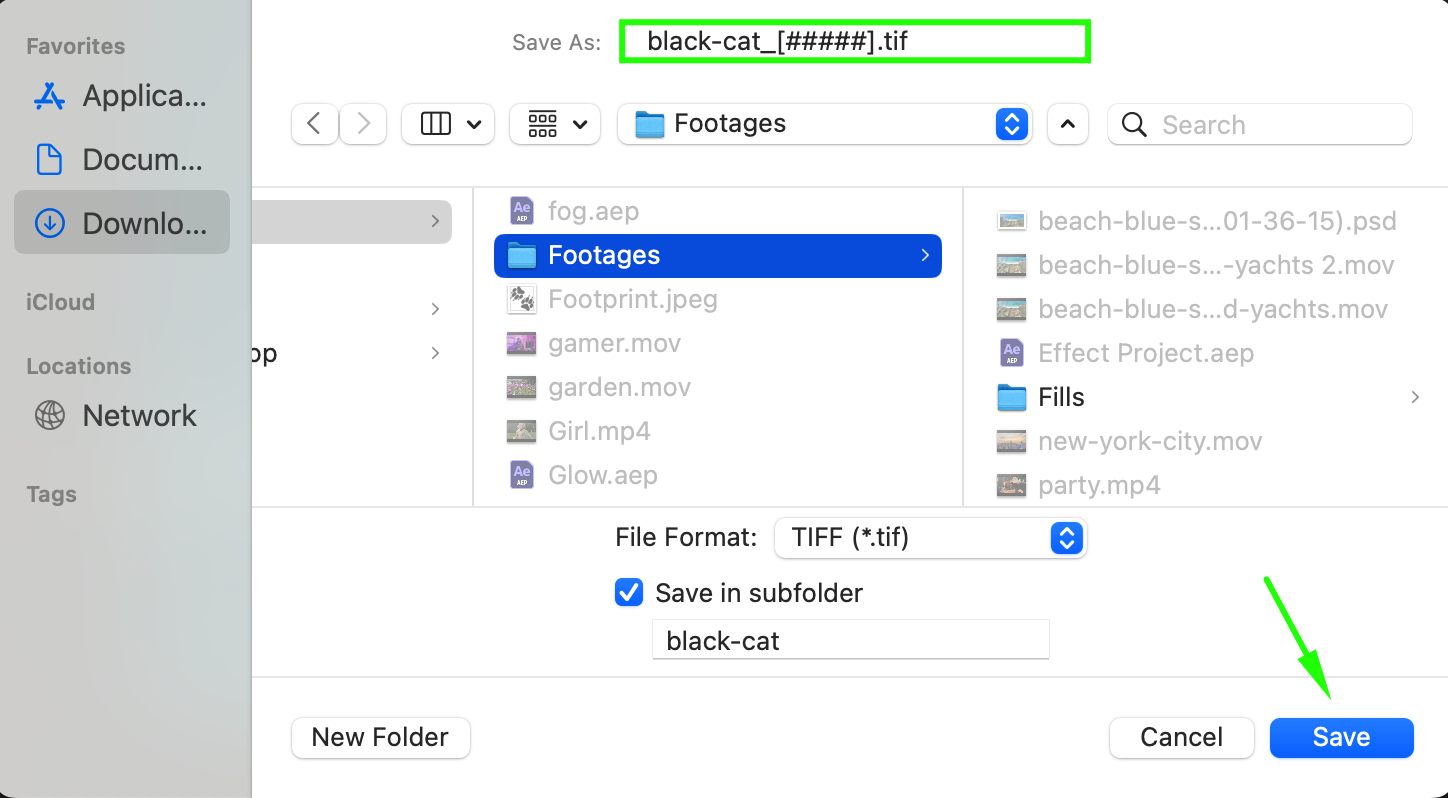
Click on Output To and select a folder where the image sequence will be saved. After Effects will automatically number the images in sequential order (e.g., image_0001.png, image_0002.png, etc.).
Step 6: Render the Image Sequence
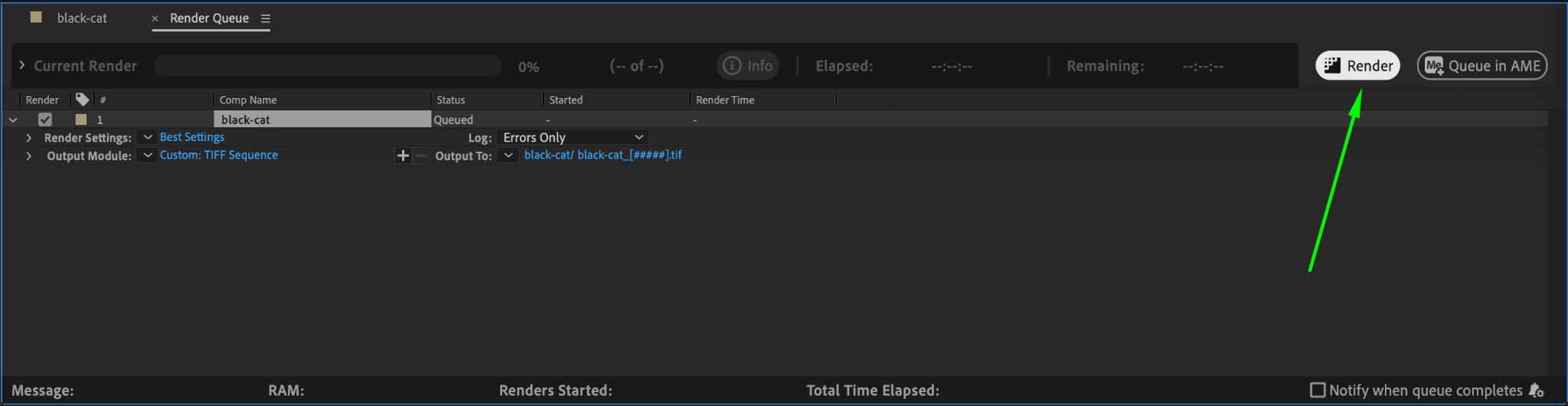
Click Render to start the export process. After Effects will generate a separate image for each frame of the composition. Depending on your settings, this process may take some time.
Conclusion
Exporting an image sequence in After Effects is a simple process that allows you to save animations as individual frames for further editing or integration into other projects. By following these steps, you can ensure high-quality exports in the format that best suits your needs.
Our Bestsellers
Our Bestsellers


