
Best Ways to Export Small File Sizes from After Effects
Introduction
When exporting videos from After Effects, file sizes can become large, making it difficult to upload or share them efficiently. However, by adjusting export settings, compression, and format options, you can significantly reduce the file size while maintaining good quality.
Step 1: Use the Right Format
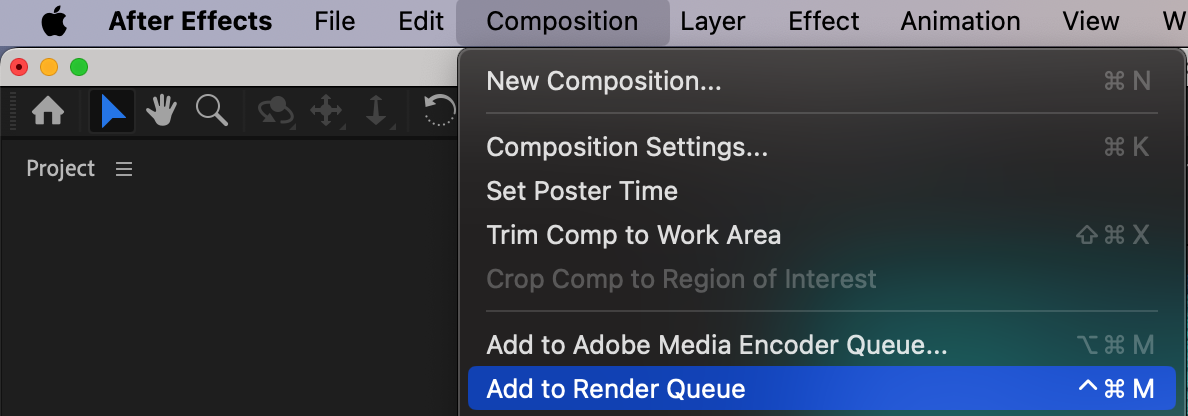
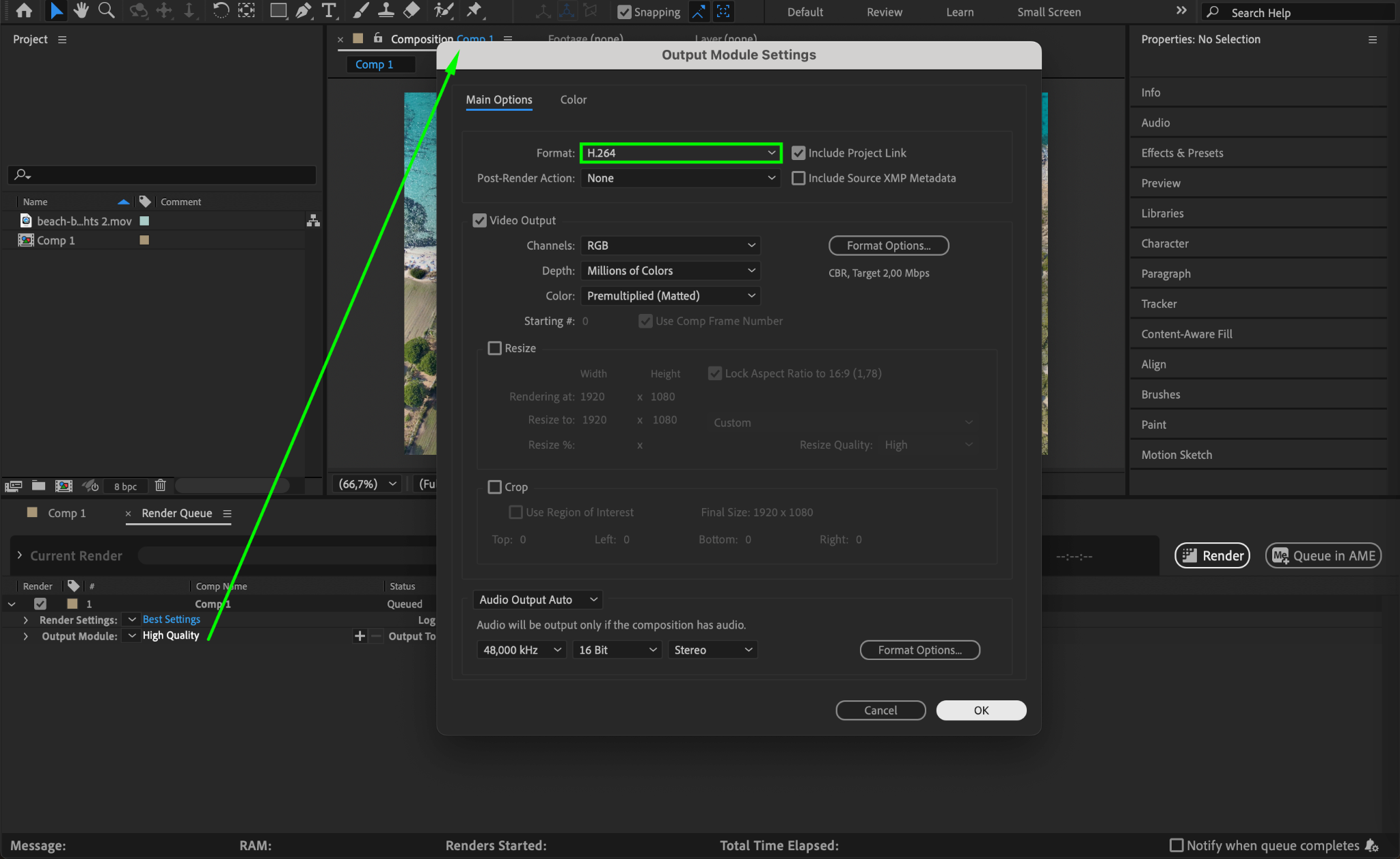
Choosing the correct format is key to keeping file sizes small. H.264 (MP4) is one of the best formats for compression while maintaining visual quality. Go to Composition > Add to Render Queue, then click on the Output Module and select H.264 as the format.
Step 2: Adjust Bitrate Settings
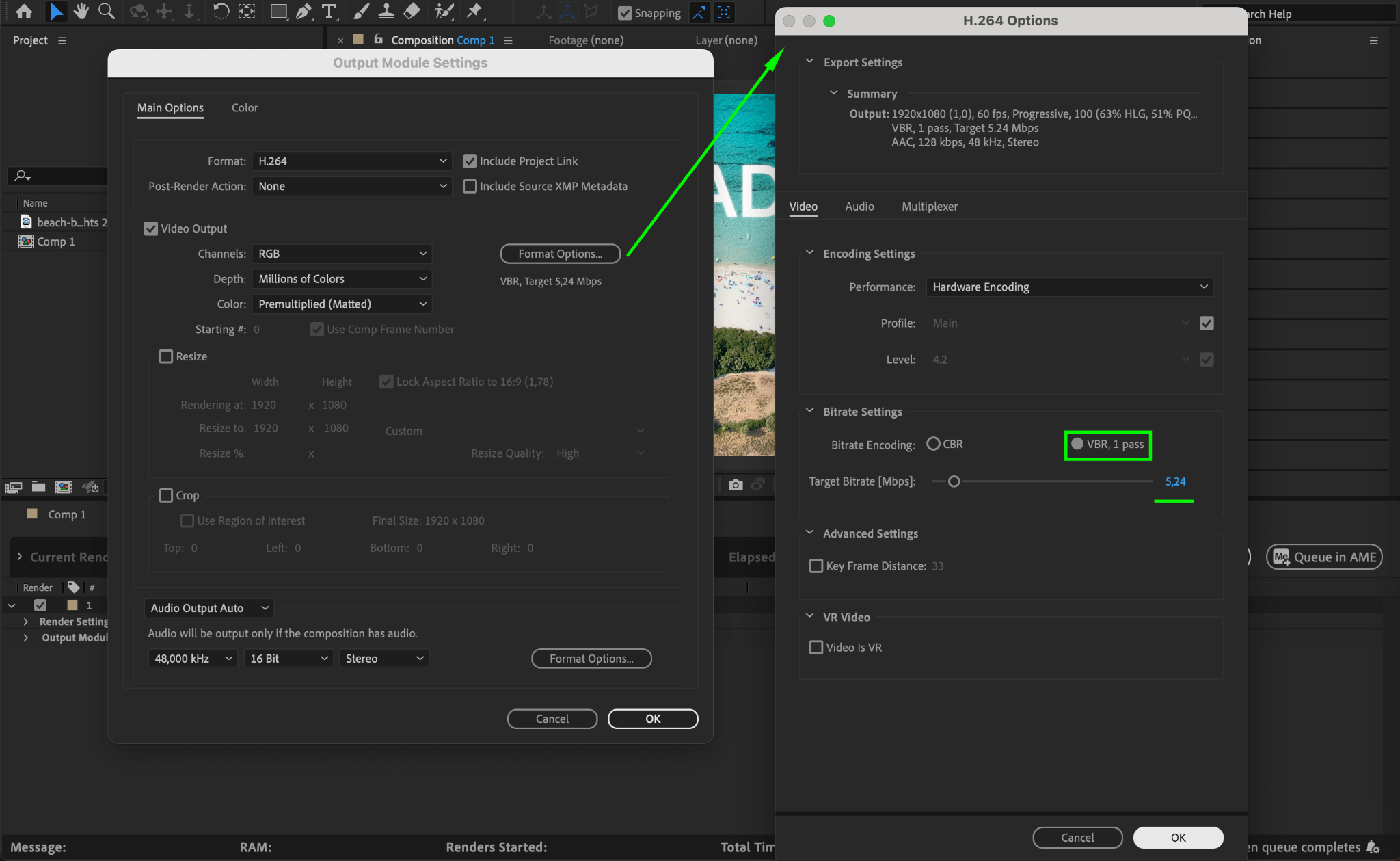
In the Render Queue, go to Format Options and adjust the Bitrate Encoding settings. Choose VBR (Variable Bit Rate) instead of CBR (Constant Bit Rate). Set:
Target Bitrate: 4–8 Mbps (for standard HD)
Maximum Bitrate: 10–12 Mbps (for high-quality export)
Lower bitrates reduce file size but may affect quality, so test different values based on your needs.
Step 3: Optimize Resolution and Frame Rate
Higher resolutions and frame rates increase file size. If possible:
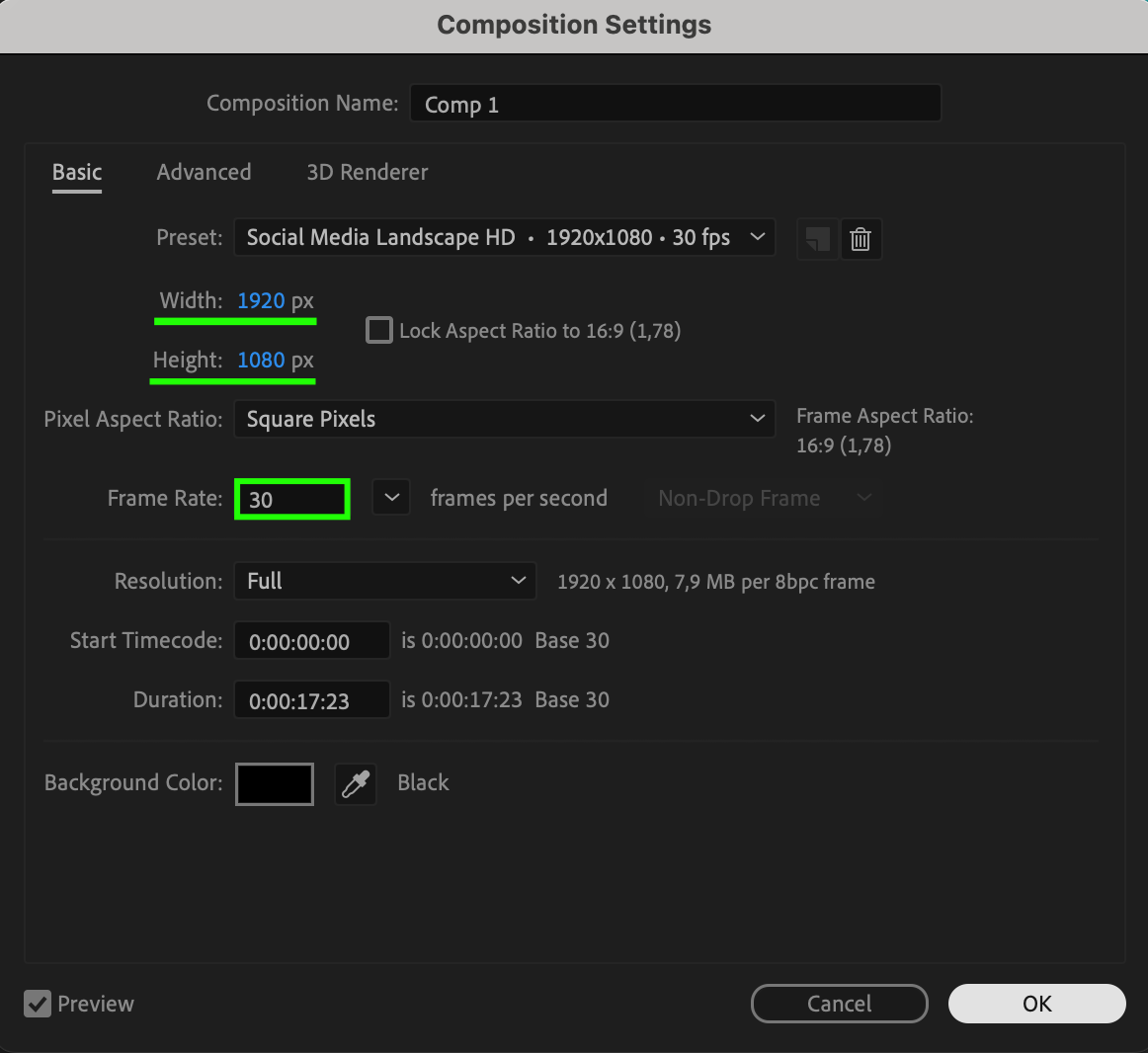
Reduce Resolution to 1080p instead of 4K.
Lower the Frame Rate to 24 or 30 fps instead of 60 fps (if smooth motion is not required).
These adjustments can significantly reduce file size without noticeable quality loss.
Step 4: Trim Unnecessary Parts
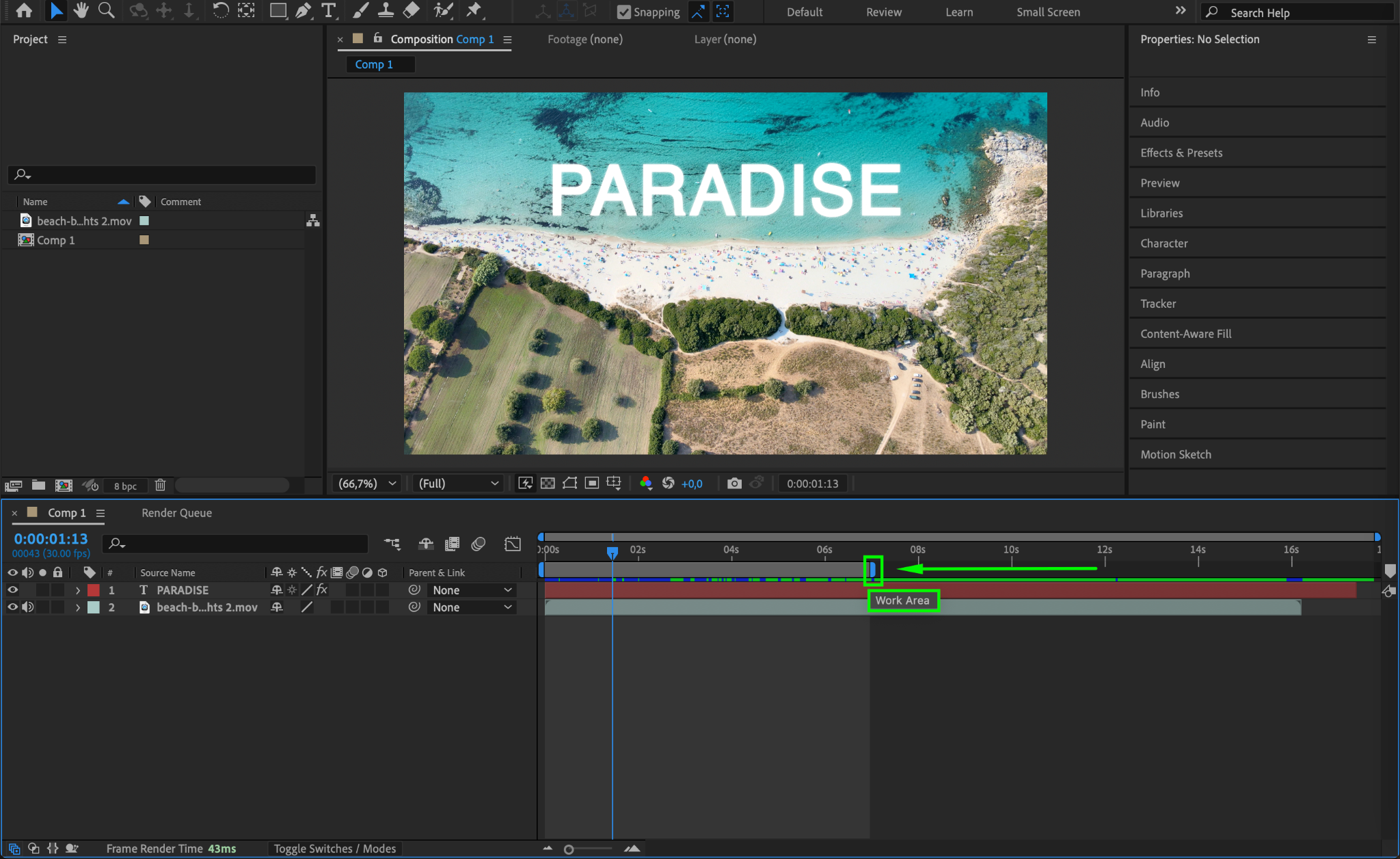
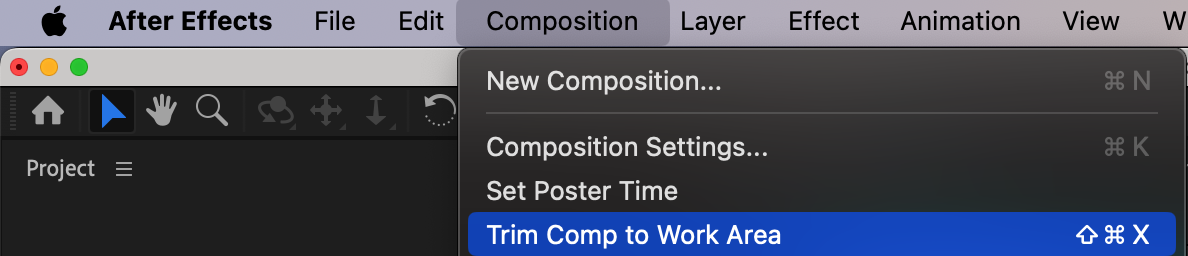
If your composition has extra footage that is not needed, trim it before exporting. Go to the Timeline, set the Work Area, and choose Composition > Trim Comp to Work Area to remove unwanted frames.
Step 5: Enable Render Optimization
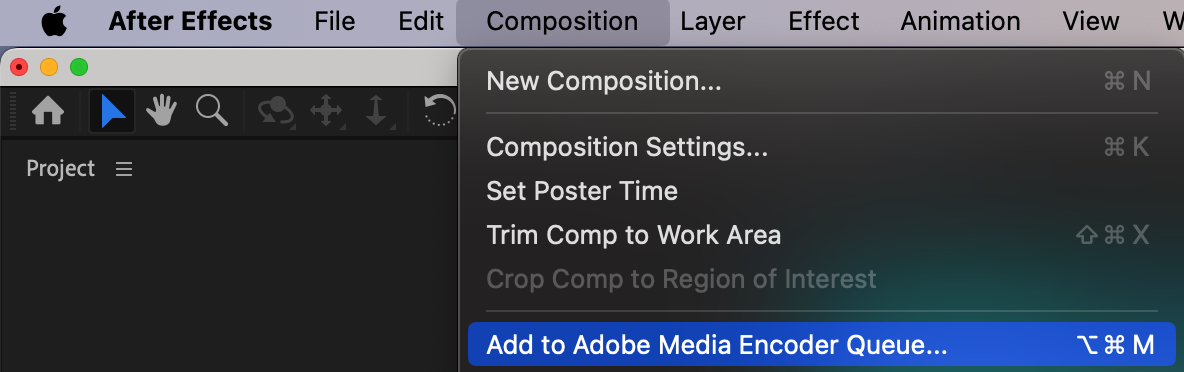
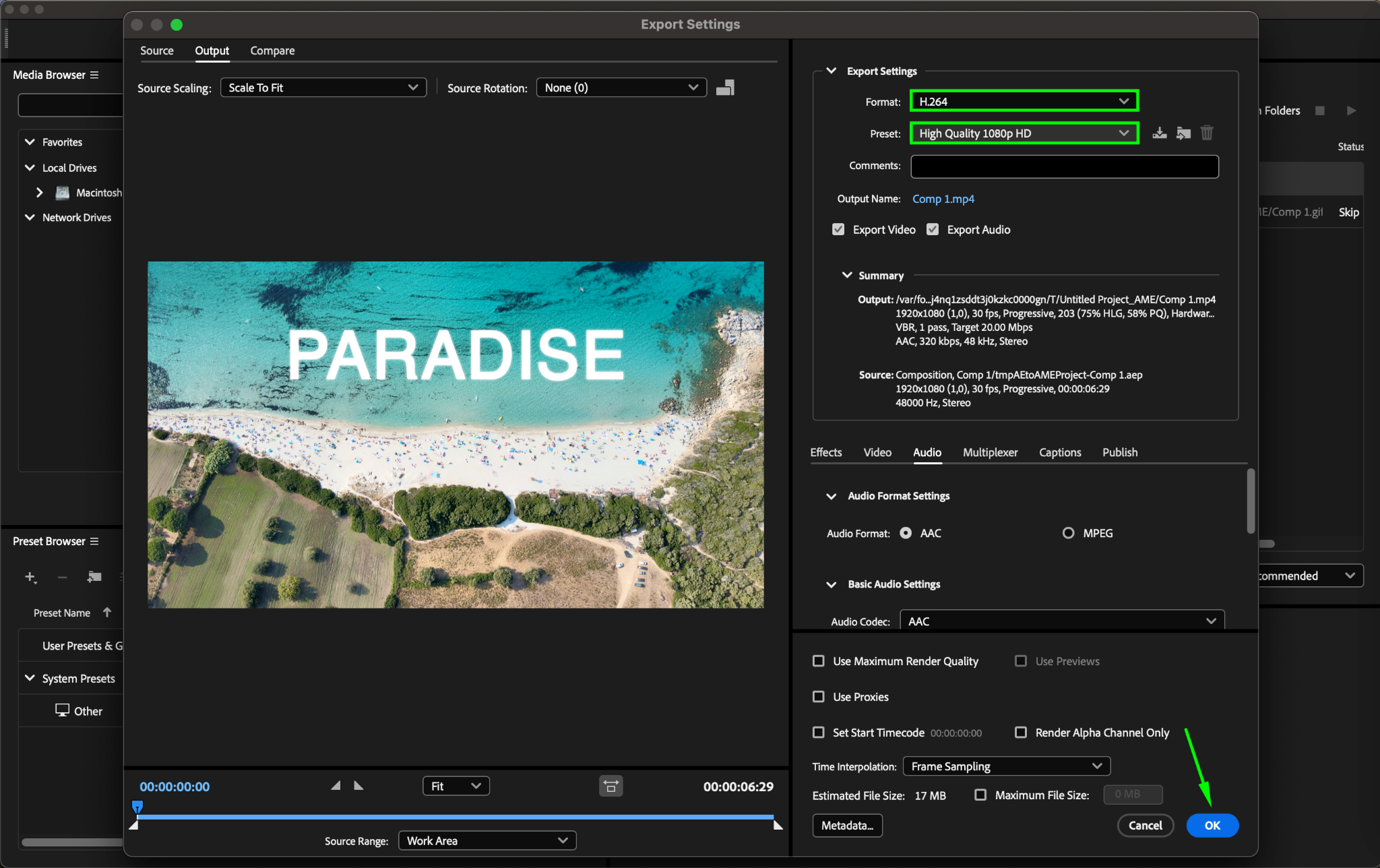
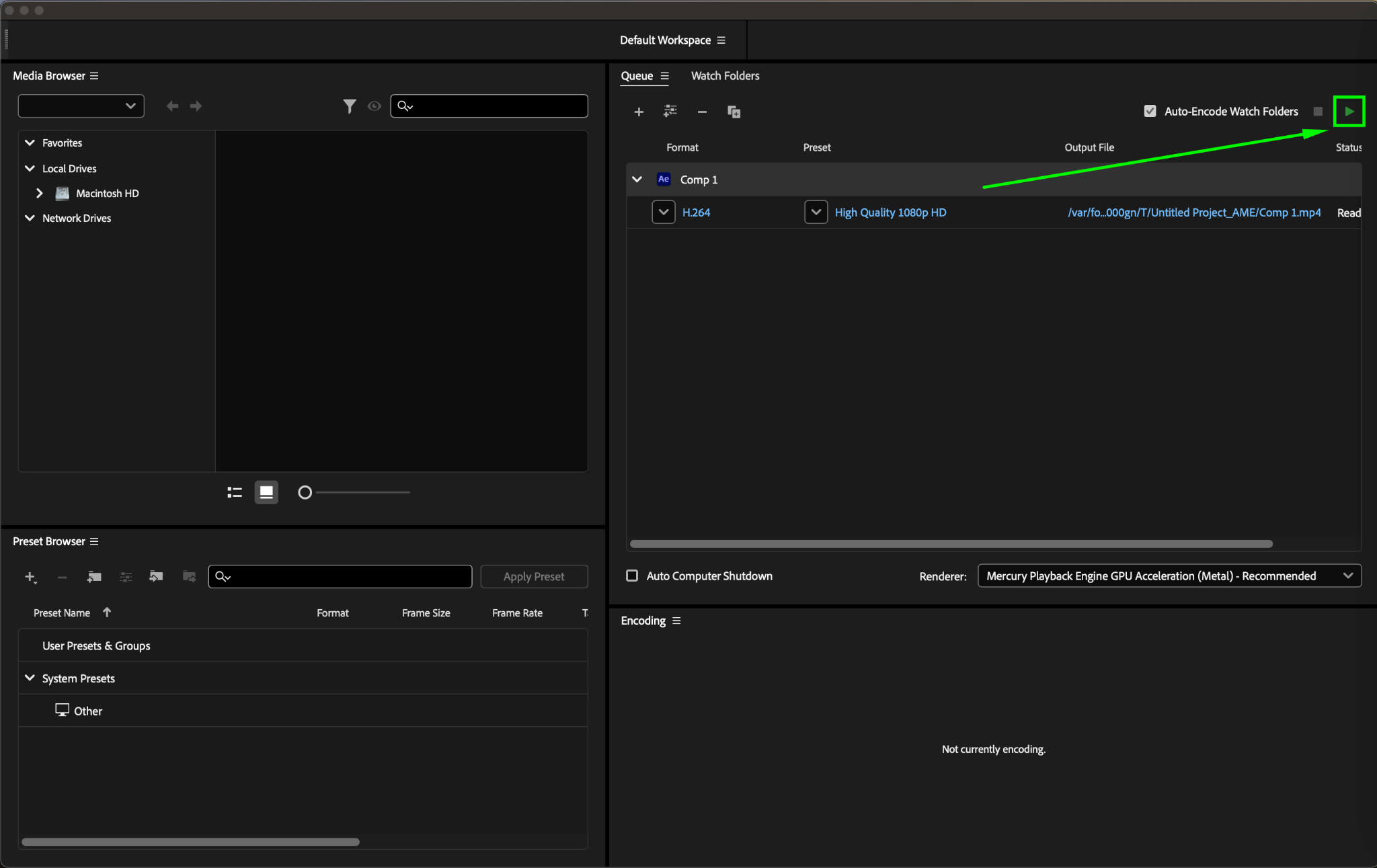
For smaller file sizes, use Media Encoder instead of the Render Queue. Go to Composition > Add to Adobe Media Encoder Queue, select H.264, and choose the “High Quality 1080p HD” preset (or a lower quality preset if needed). This will automatically apply optimal compression settings for reduced file size.
Step 6: Reduce Audio File Size (If Needed)
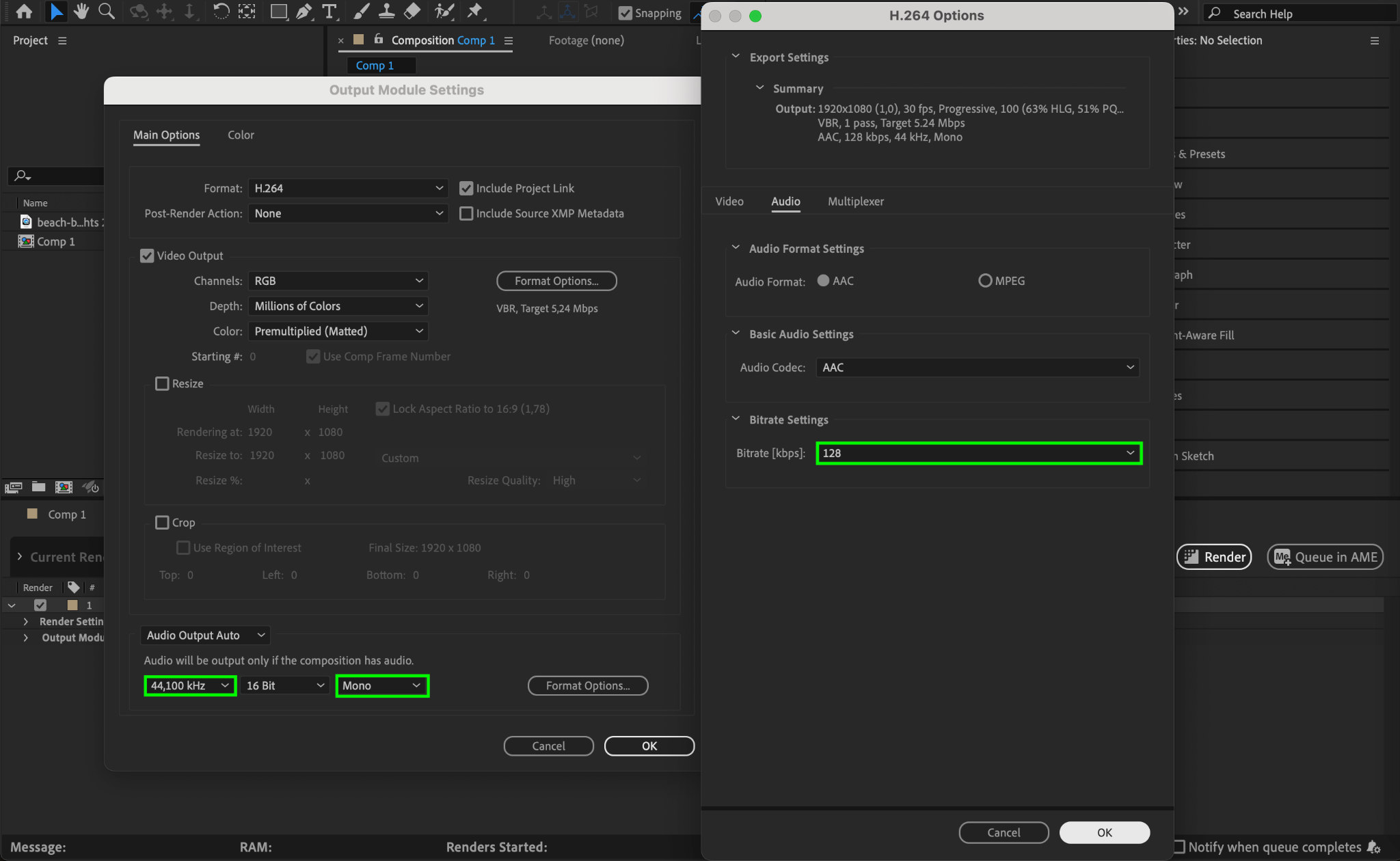
If your video has audio, adjust the settings to reduce file size:
Sample Rate: 44.1 kHz instead of 48 kHz
Bitrate: 128 kbps instead of 320 kbps
Channels: Mono instead of Stereo (if high-quality sound is not required)
Step 7: Preview and Export
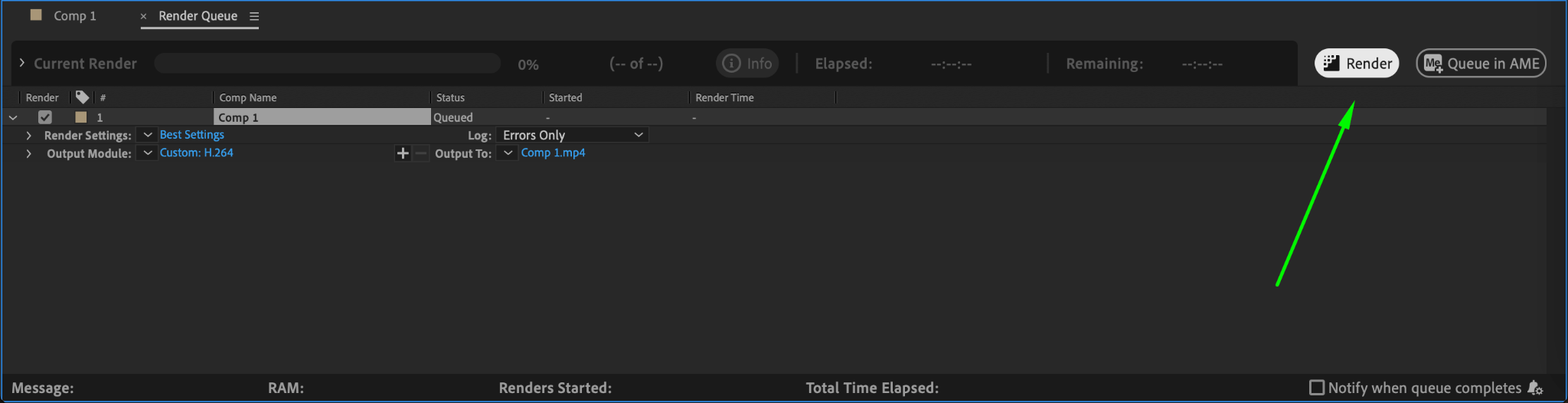
Before exporting, preview your settings to ensure the quality meets your needs. Once everything looks good, start the render and check the final file size. If needed, adjust bitrate or resolution further to reduce size.
Conclusion
By selecting the right format, adjusting bitrate, optimizing resolution, and using Media Encoder, you can export high-quality videos from After Effects while keeping file sizes small. These steps help ensure faster uploads, smoother playback, and better storage management without sacrificing too much quality.
Our Bestsellers
Our Bestsellers


