
Export Transparent MP4 Files in After Effects
Mastering the Art of Exporting Transparent MP4 Videos
Are you trying to export transparent MP4 videos from After Effects and struggling to keep the alpha channel intact for transparent backgrounds? This guide has everything you need to successfully export transparent MP4 files in After Effects. It’s essential to maintain transparency for overlaying elements on different backgrounds or combining them with other footage seamlessly.
Transparency in videos allows underlying layers to show through, enhancing creativity and aesthetics. By removing solid backgrounds, you can create visually engaging content that captivates your audience. Understanding how to export transparent MP4 files is crucial for preserving the integrity of your compositions in After Effects.
To export transparent MP4 videos in After Effects, follow these steps:
Step 1: Open your project in Adobe After Effects.
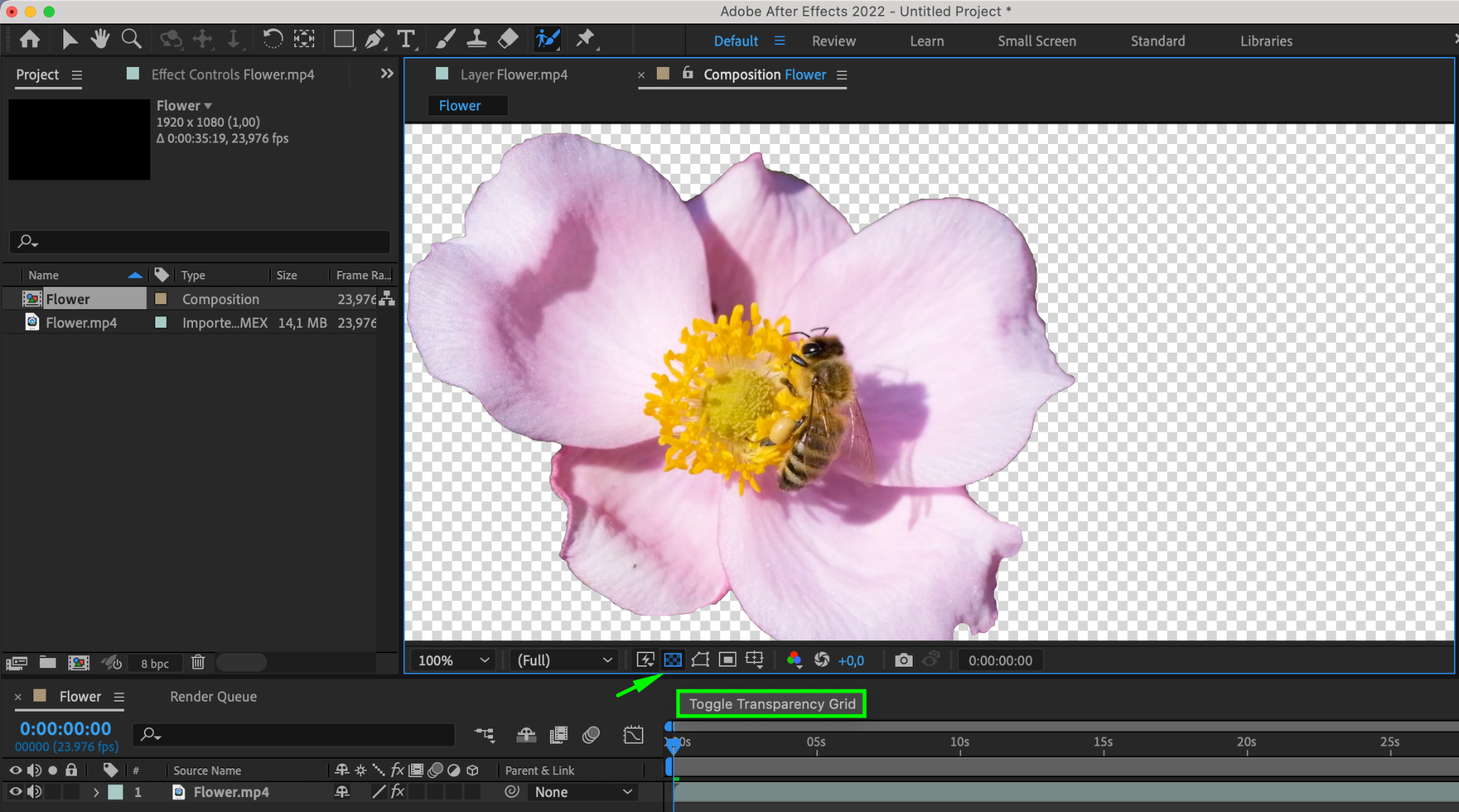
Step 2: Create or import a composition containing elements with a transparent background. Make sure the “Toggle Transparency Grid” button is enabled to ensure the background is transparent.
Step 3: Navigate to the “Composition” menu and select “Add to Adobe Media Encoder Queue.”

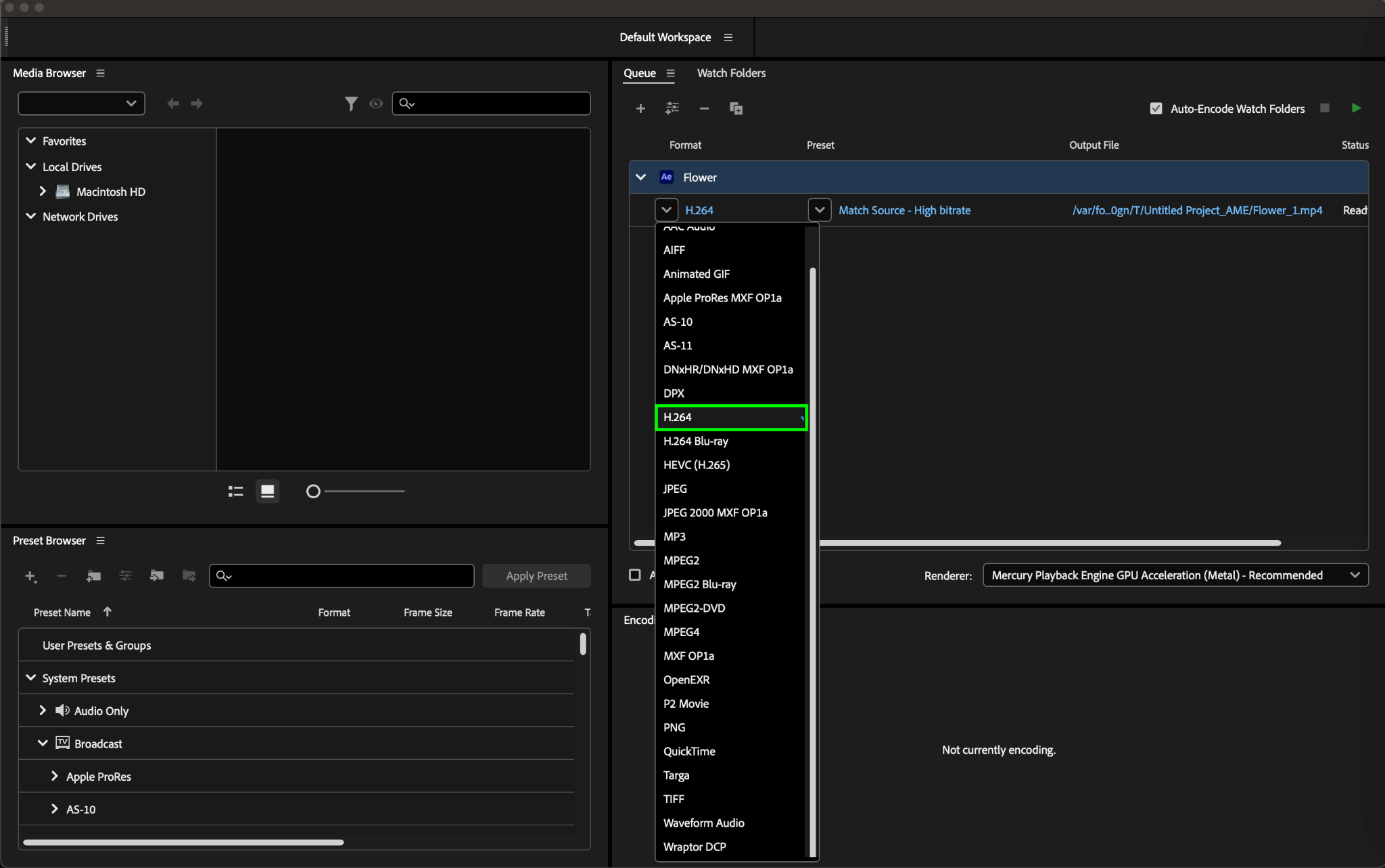
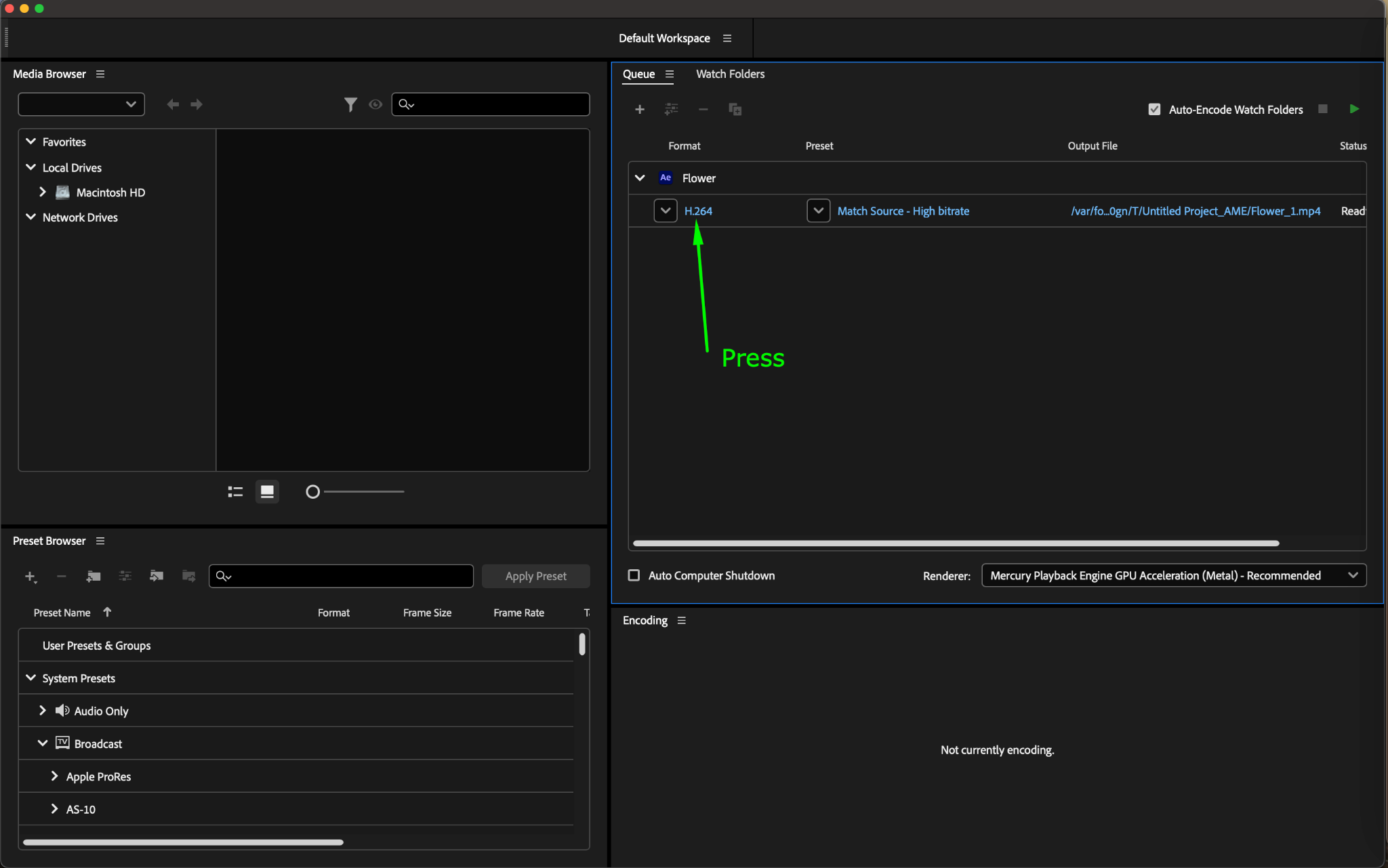
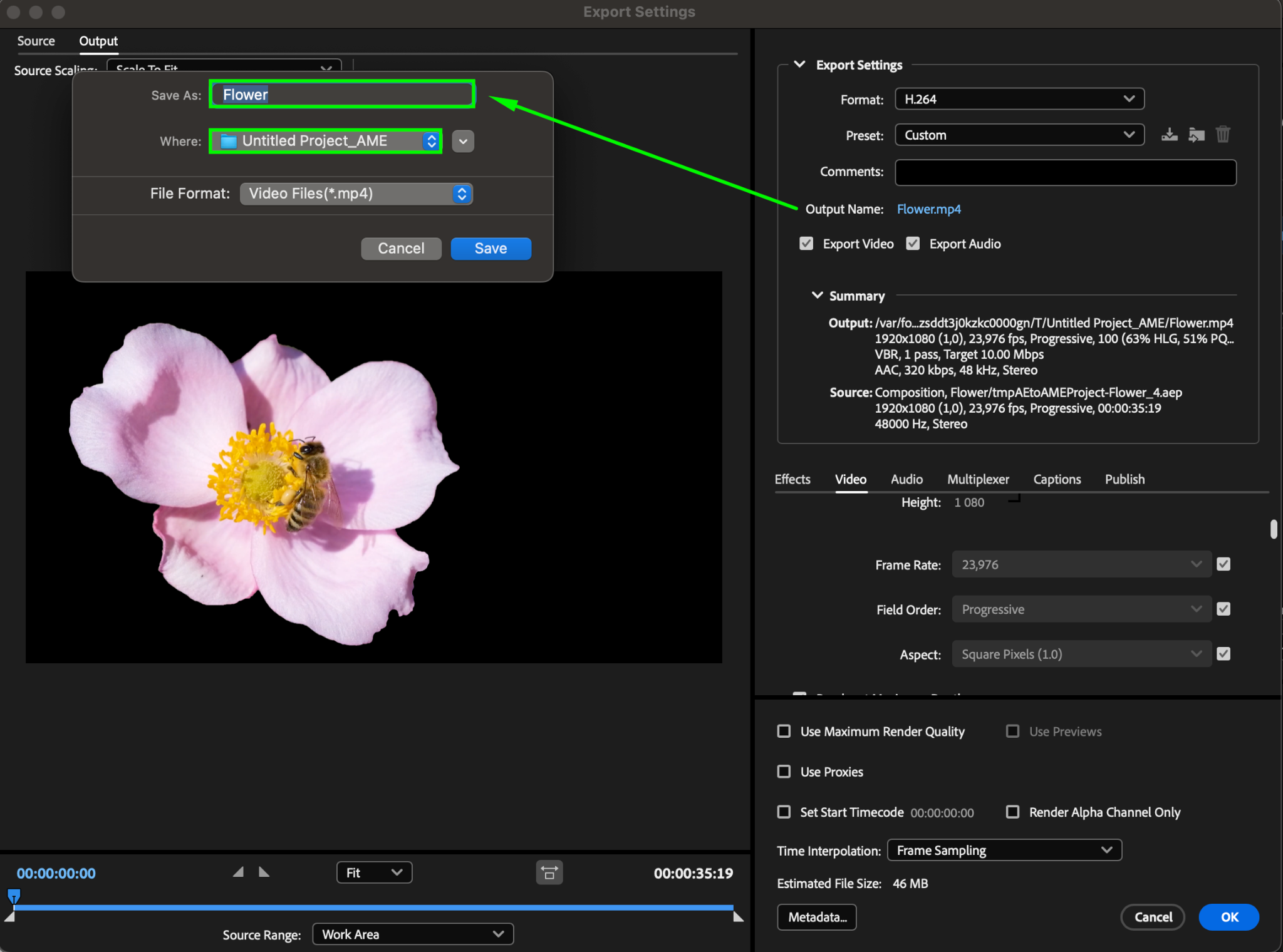
Step 4: In Adobe Media Encoder, choose the “H.264” format for encoding the video into MP4.
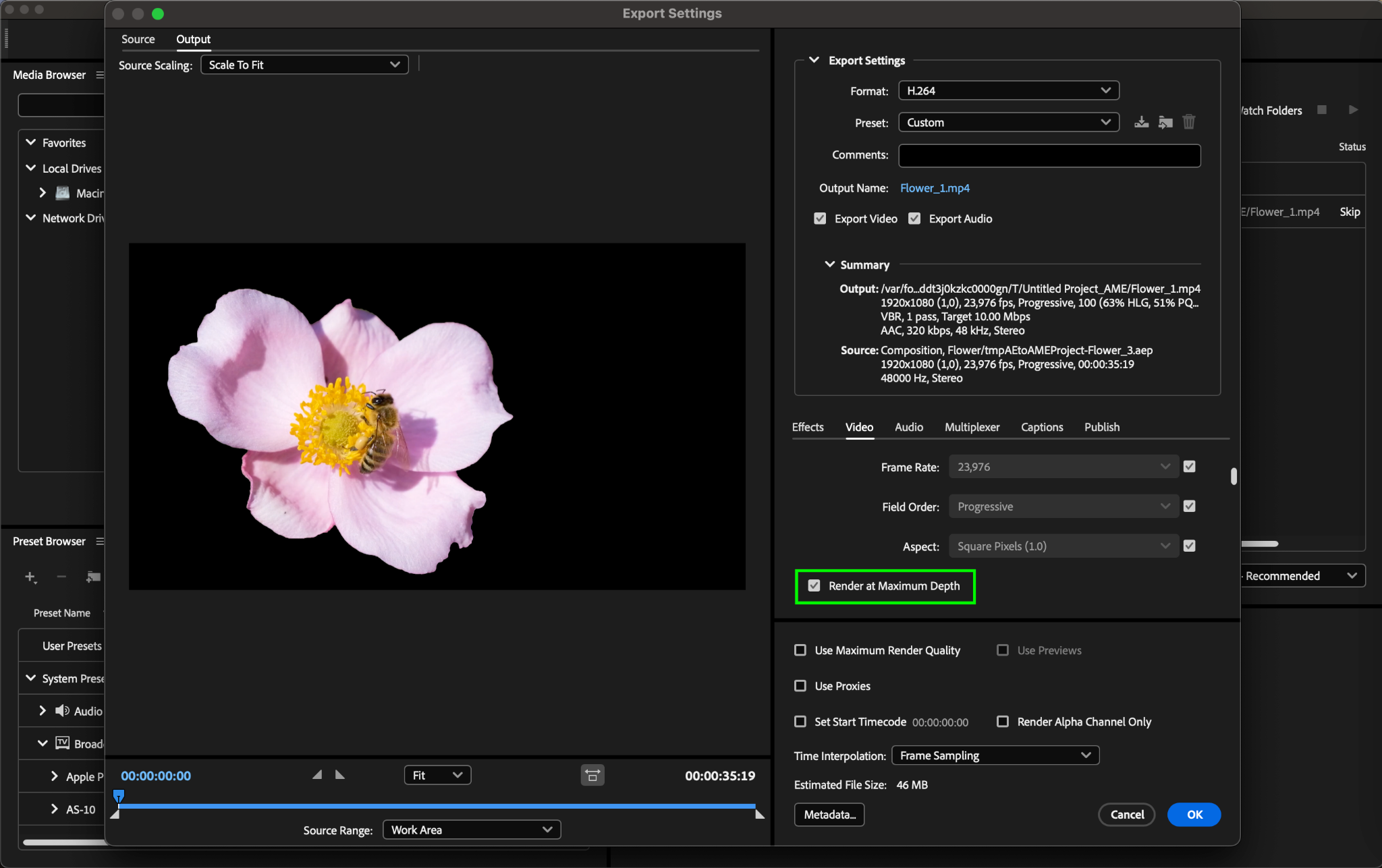
Step 5: In the “Video Settings” section, ensure that the “Render at Maximum Depth” option is enabled.
Step 6: In the “Output Name” section, select the destination where your MP4 file will be saved.
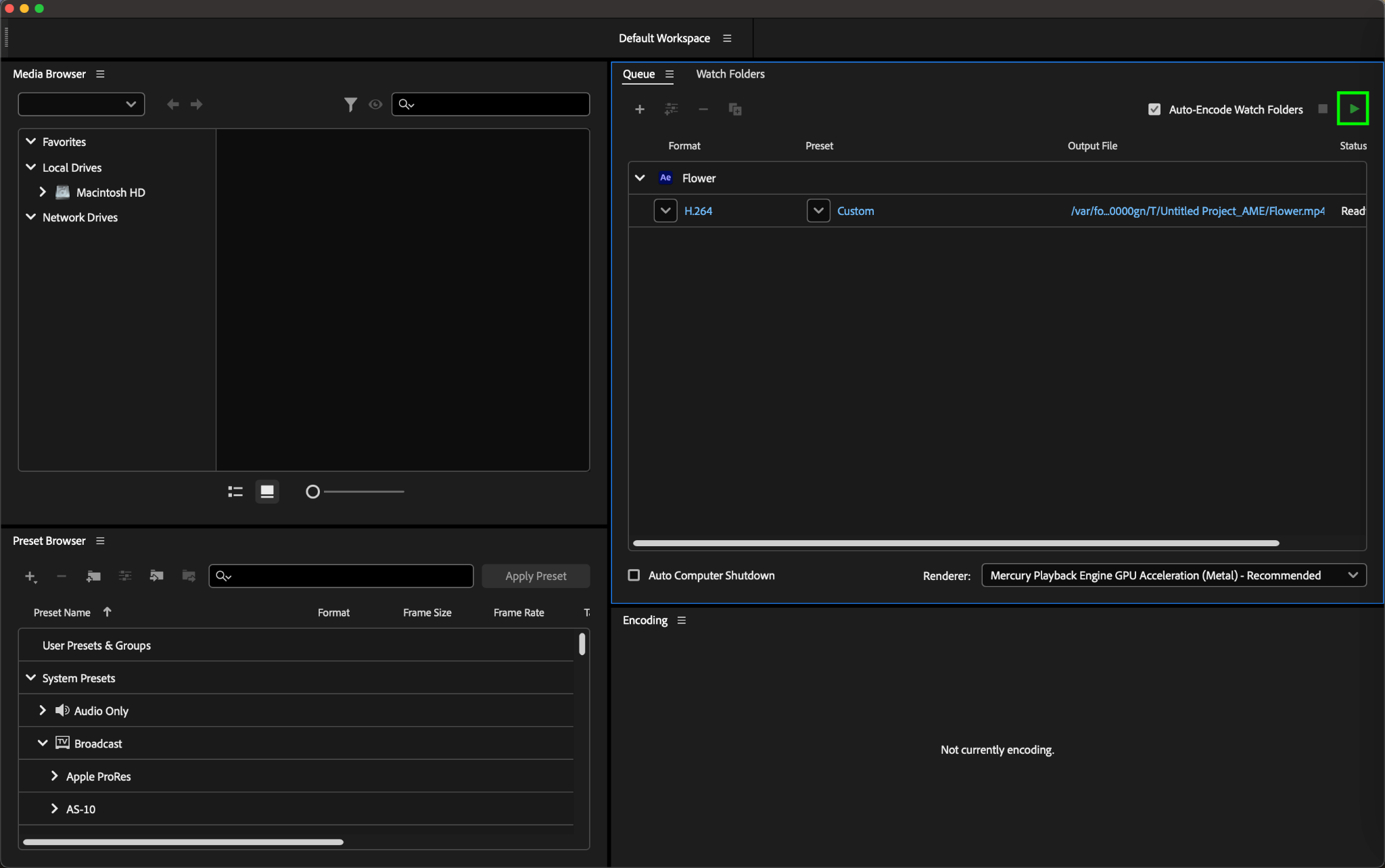
Step 7: Click the “Start Queue” button to begin the export process.
Upon completion, you will receive an MP4 file with the video encoded in H.264, supporting alpha channel transparency. Please note that not all players and applications may correctly play videos with transparent backgrounds. It is recommended to use professional video editing or playback software such as Adobe Premiere Pro or VLC Media Player for verification.
Conclusion
By mastering the art of exporting transparent MP4 videos in After Effects and leveraging transparency creatively, you can enhance the visual impact of your video projects. Embrace transparency as a powerful tool in visual content creation to create captivating videos that resonate with your audience.
Our Bestsellers
Our Bestsellers


