
Mastering Video Export in After Effects
Navigating the Video Export Process
Exporting videos in After Effects is essential for sharing your visual creations with the world. In this guide, we’ll explore the step-by-step process of exporting videos in After Effects, covering essential settings, techniques, and best practices to optimize your workflow and achieve professional-quality results.
Step 1: Understand Export Settings
Before diving into the export process, it’s crucial to understand the various settings in After Effects. Selecting the right format, codec, frame rate, and resolution ensures compatibility and maintains the quality of your videos across different platforms and devices.

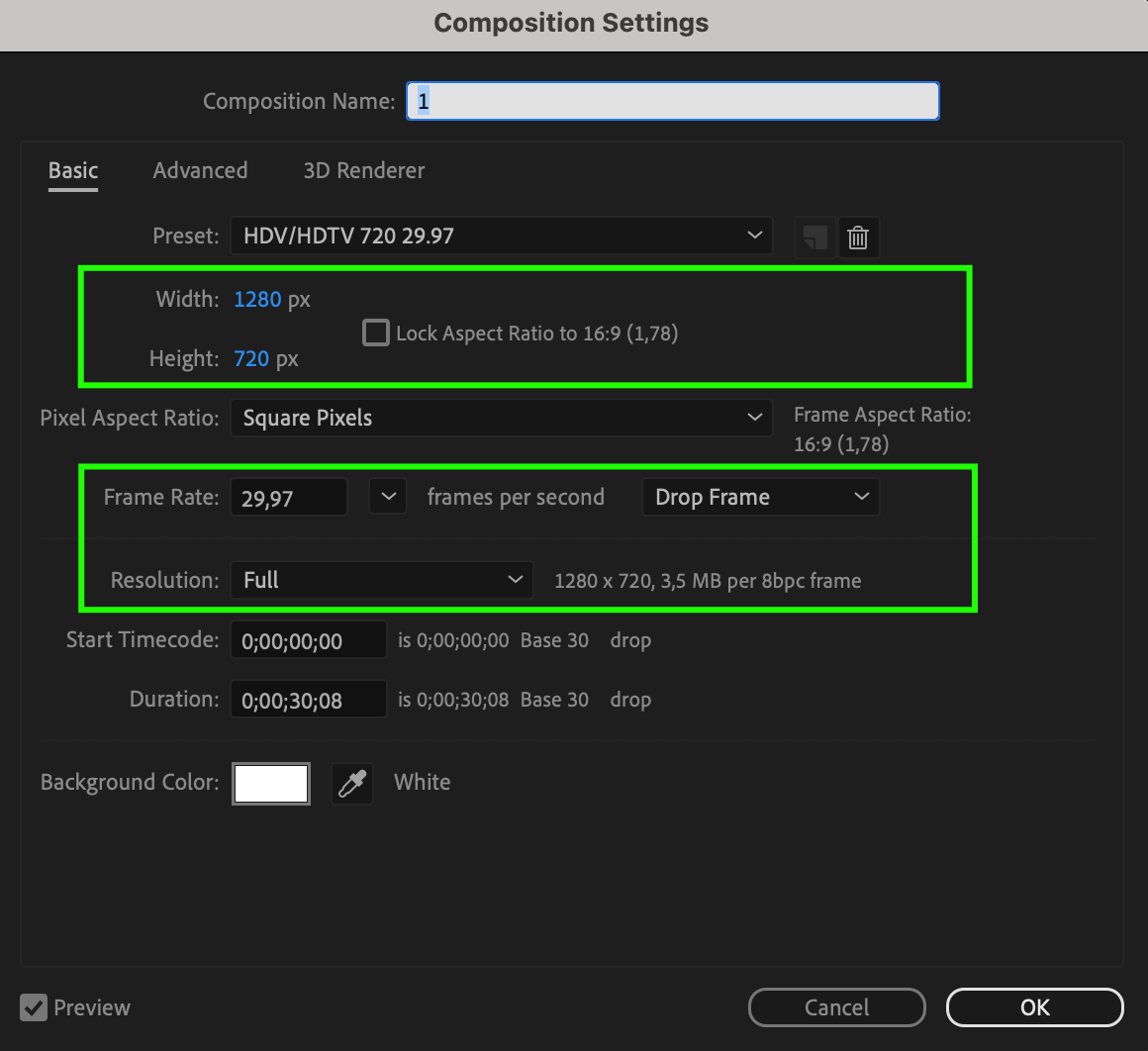
Step 2: Prepare Your Composition
Before exporting, ensure your composition is set up correctly for optimal results. Double-check the timeline, effects, and any other elements to ensure they are in place and functioning as intended. Additionally, utilize the Preview feature to preview your composition and check for any errors or issues before proceeding with the export. This allows you to make necessary adjustments and ensure your video looks as intended before rendering.
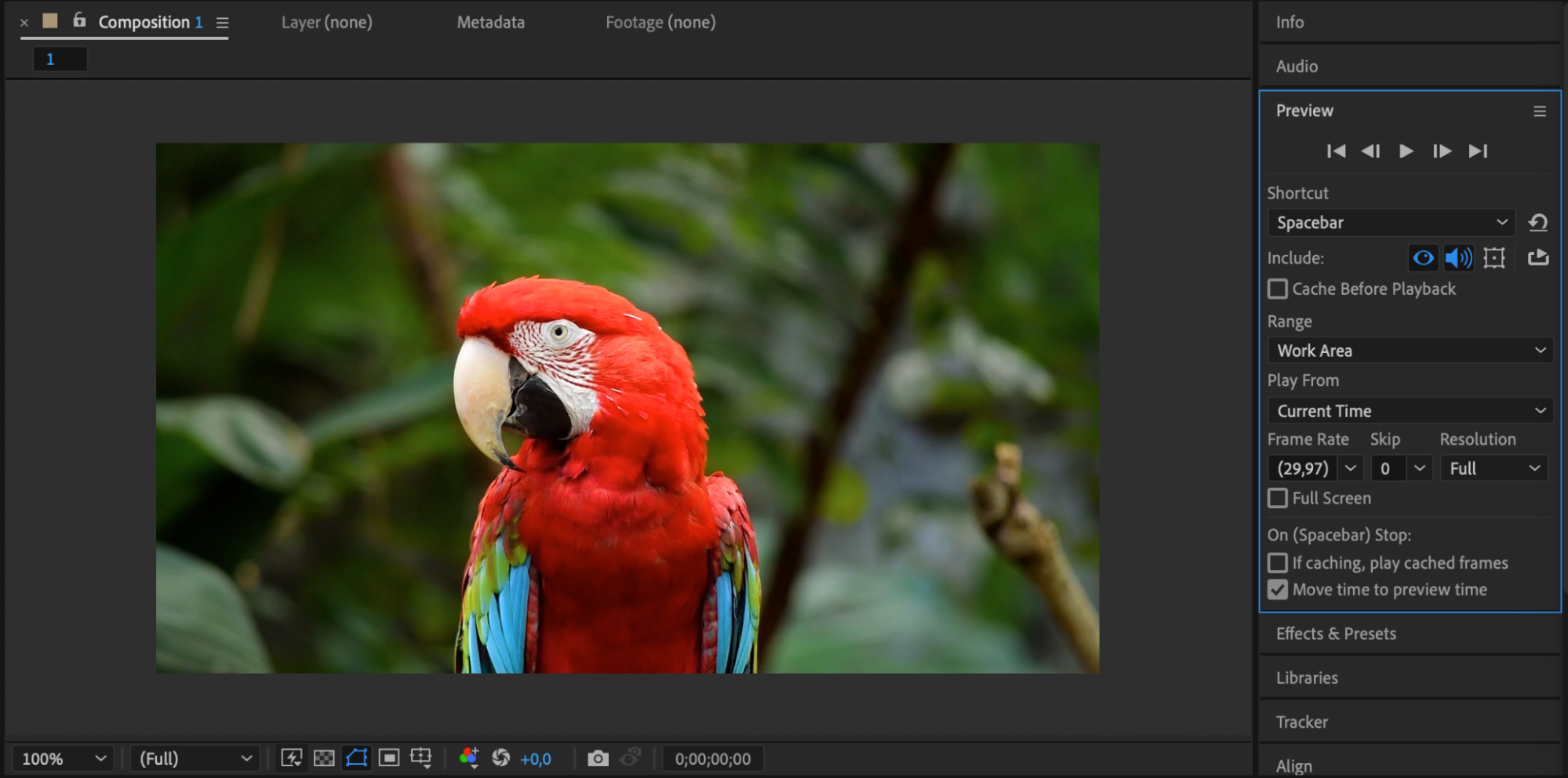
Step 3: Configure Export Settings
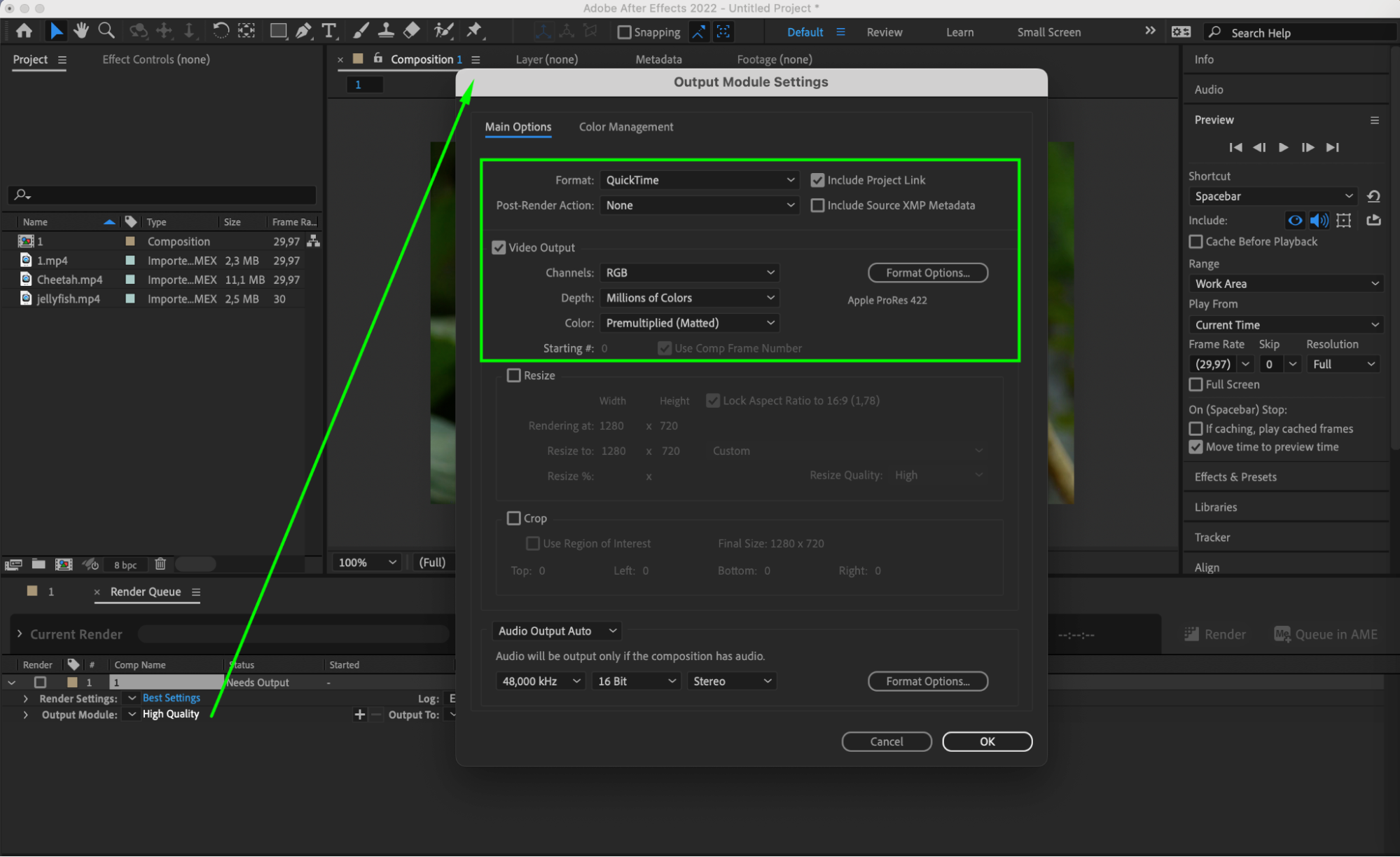
Add your composition to the Render Queue and configure the output module to match your project’s requirements. Adjust settings such as format, codec, resolution, and frame rate to optimize your video export.
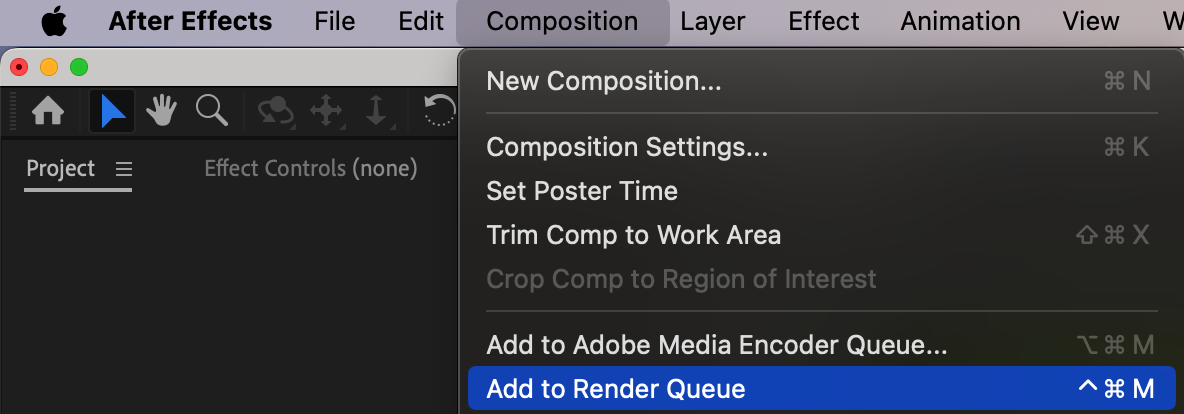
Step 4: Choose Output Location and File Name
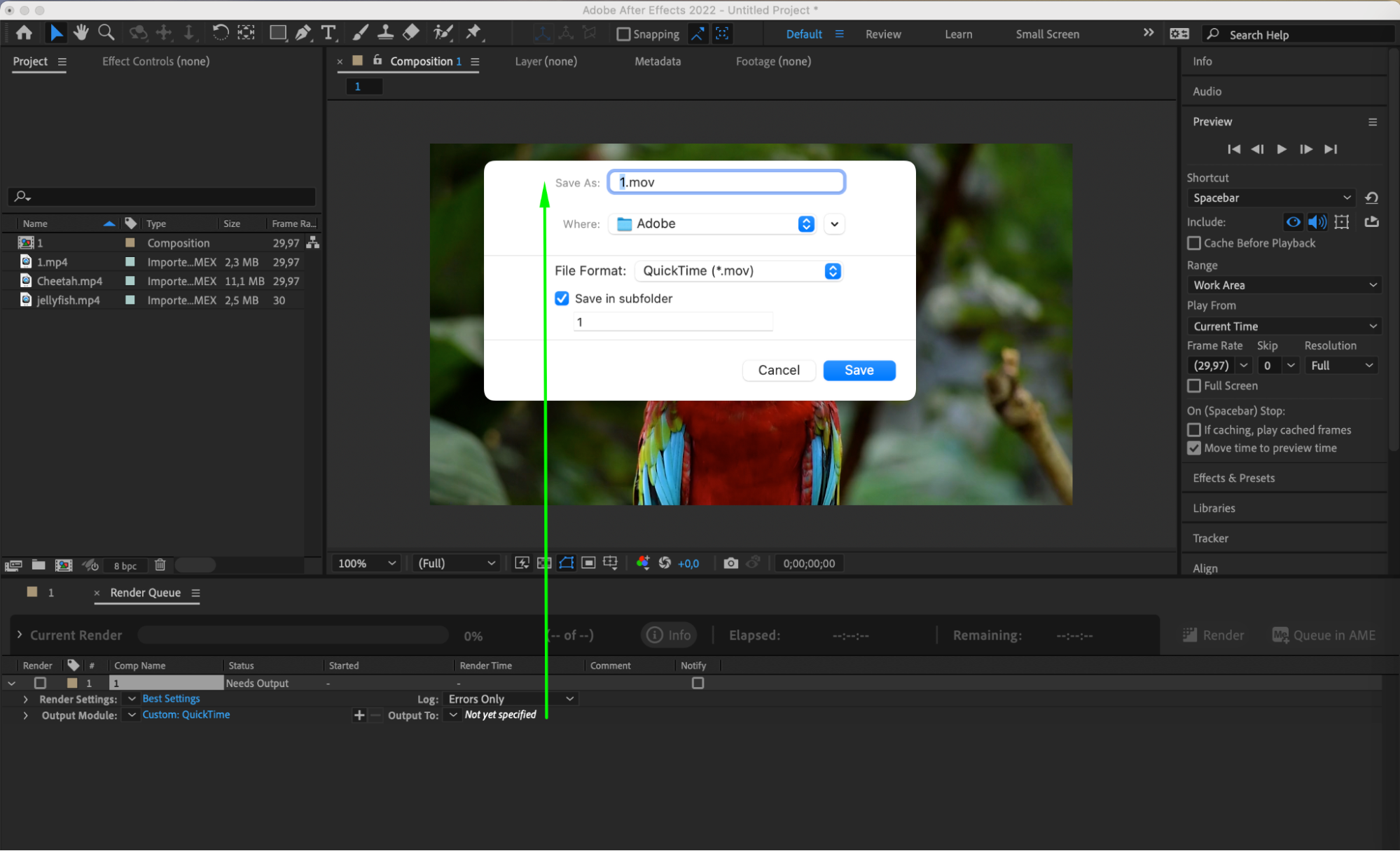
In the Output Module Settings panel, specify the location where you want to save the exported video and provide a suitable file name. Ensure to select a destination that is easily accessible and organized for future reference. Additionally, consider including relevant details in the file name to maintain clarity and organization in your project files.
Step 5: Initiate the Export Process
Once you’re satisfied with your composition and settings, initiate the export process by clicking the Render button in the Render Queue. After Effects will start rendering your video based on the specified settings, creating a high-quality output ready for sharing.

Step 6: Optimize Your Workflow
Explore advanced techniques and best practices to optimize your export workflow. Customizing render settings, leveraging hardware acceleration, and organizing project assets efficiently can streamline your workflow and improve the quality of your video exports.
Conclusion: Elevate Your Video Export Process
Mastering the art of exporting videos in After Effects is essential for sharing your creative vision with the world. By following this comprehensive guide and incorporating best practices into your workflow, you can create visually stunning videos that captivate your audience and showcase your creative talent. So, whether you’re a seasoned pro or just starting out, get ready to export your videos with confidence and precision in After Effects.
Our Bestsellers
Our Bestsellers


