
Fixing the Unbalanced Unlock Error in After Effects
Understanding the Unbalanced Unlock Issue
The “Unbalanced Unlock” error in After Effects usually occurs due to corrupted project files, plugin conflicts, or memory allocation issues. This error can cause unexpected crashes or prevent smooth workflow. Below are step-by-step solutions to fix it.
Step 1: Restart After Effects
Before making any changes, close After Effects and restart the program. Sometimes, a simple restart can resolve temporary glitches causing the error.
Step 2: Check for Plugin Conflicts
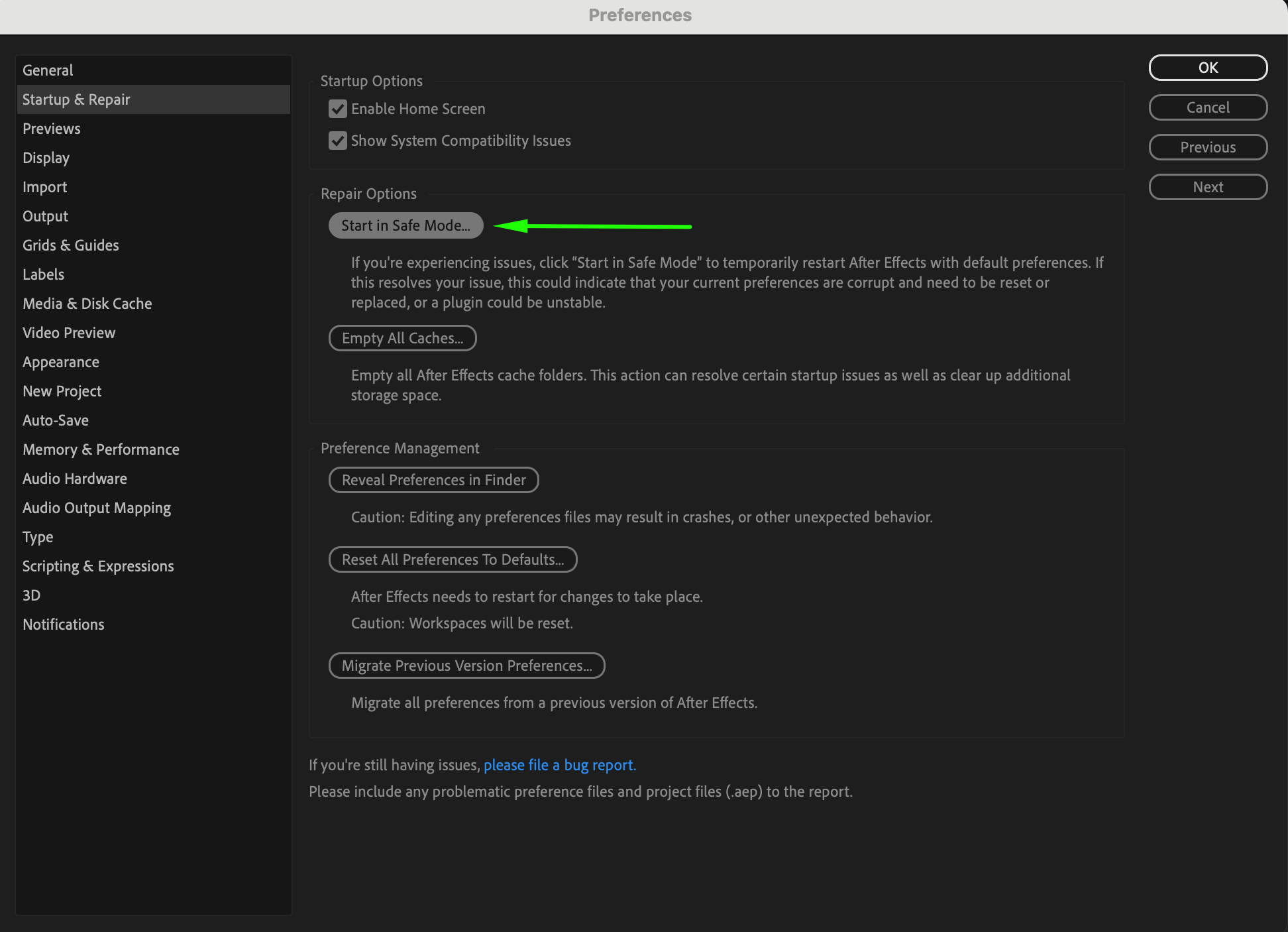
Third-party plugins can sometimes cause instability in After Effects. If you recently installed a plugin and are experiencing issues, try disabling it. To do this, go to Edit > Preferences > Startup & Repair (Windows) or After Effects > Settings > Startup & Repair (Mac). Then, click the Start in Safe Mode button to launch After Effects with all plugins disabled. If the error disappears, you may need to remove or update the problematic plugin.
Step 3: Clear Cache and Memory
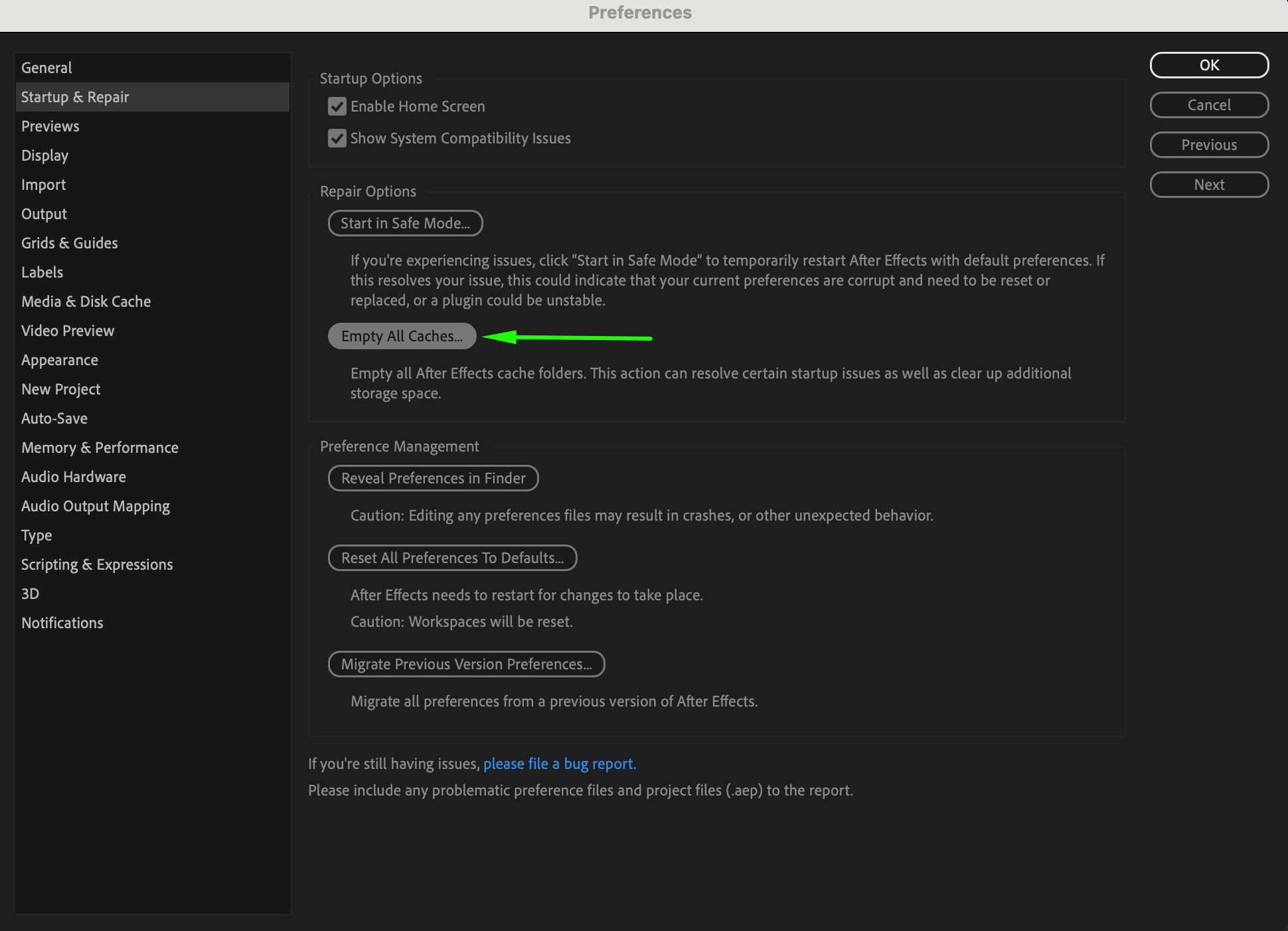
Clearing the cache can help free up memory and improve performance. Navigate to Edit > Preferences > Startup & Repair (Windows) or After Effects > Settings > Startup & Repair (Mac). Click the Empty All Caches button, then restart After Effects to apply the changes.
Step 4: Reset Preferences
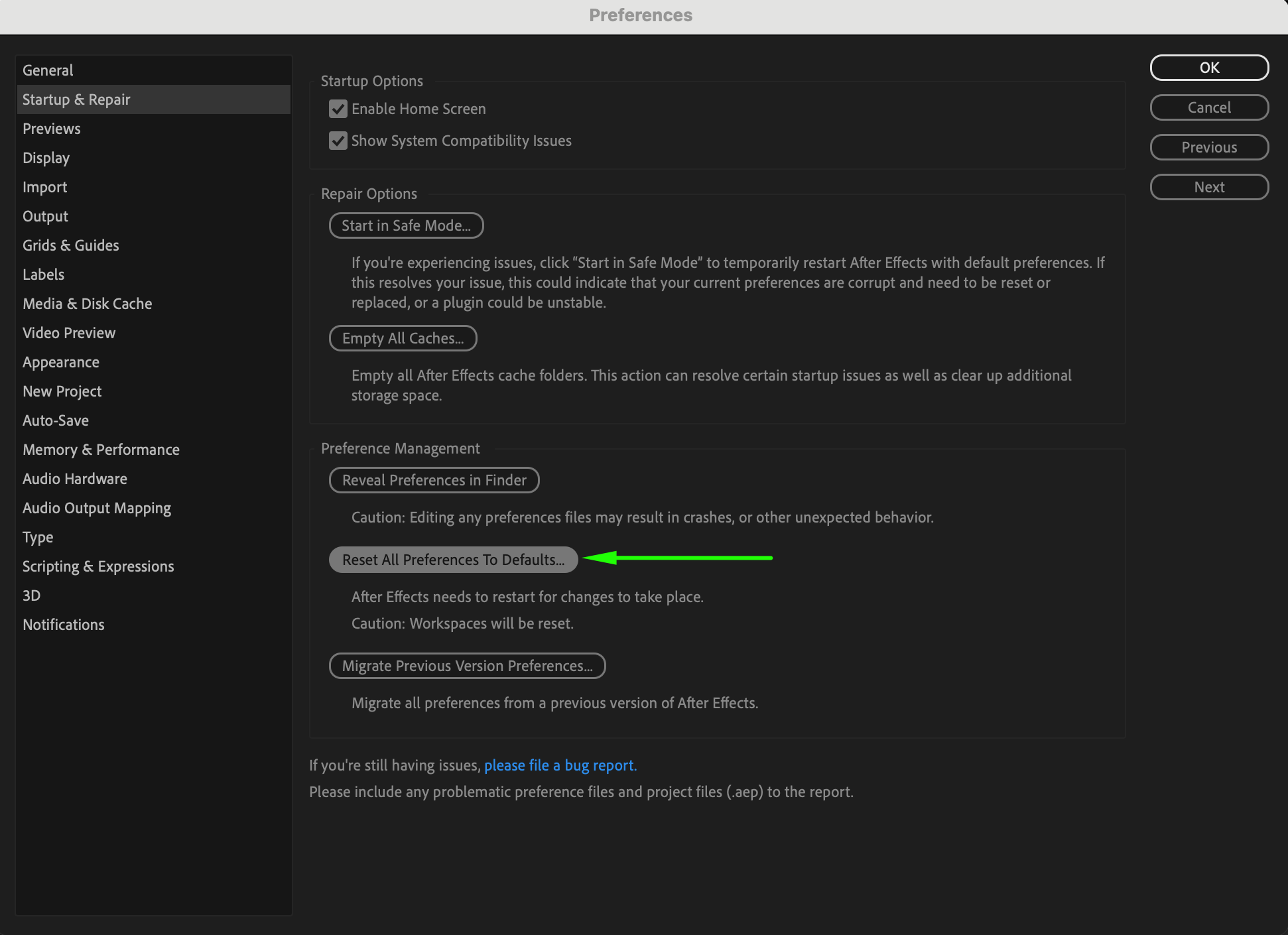
Corrupt preferences can lead to unexpected errors. To reset them, go to Edit > Preferences > Startup & Repair (Windows) or After Effects > Settings > Startup & Repair (Mac). Click the Reset All Preferences to Default button. This will restore After Effects to its default settings, potentially fixing any issues caused by corrupted preferences.
Step 5: Allocate More RAM to After Effects
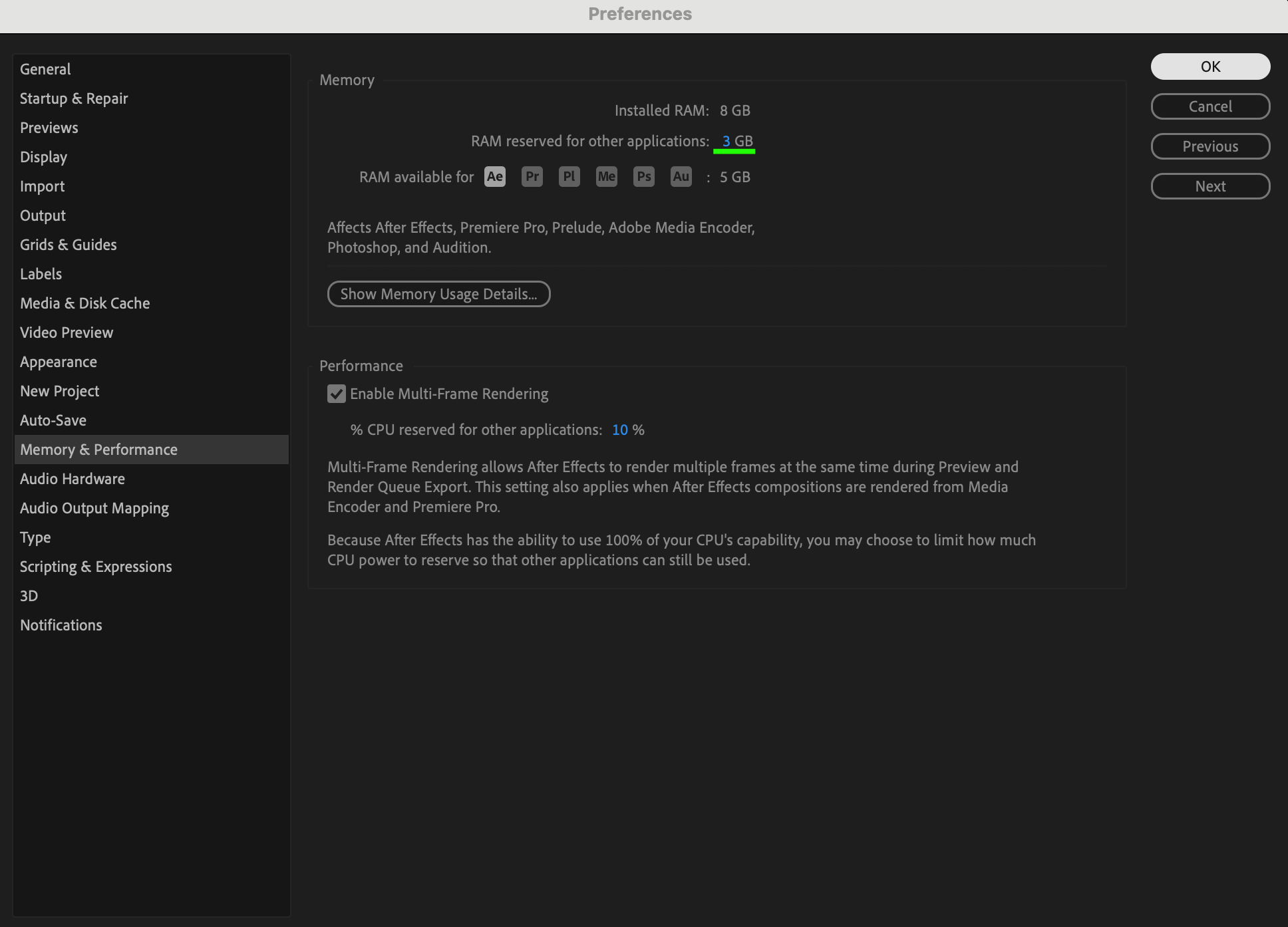
If After Effects lacks sufficient RAM, it may cause instability. Increase RAM allocation via Edit > Preferences > Memory & Performance (Windows) or After Effects > Settings > Memory & Performance (Mac) and adjust the available RAM for AE.
Step 6: Check for Software Updates
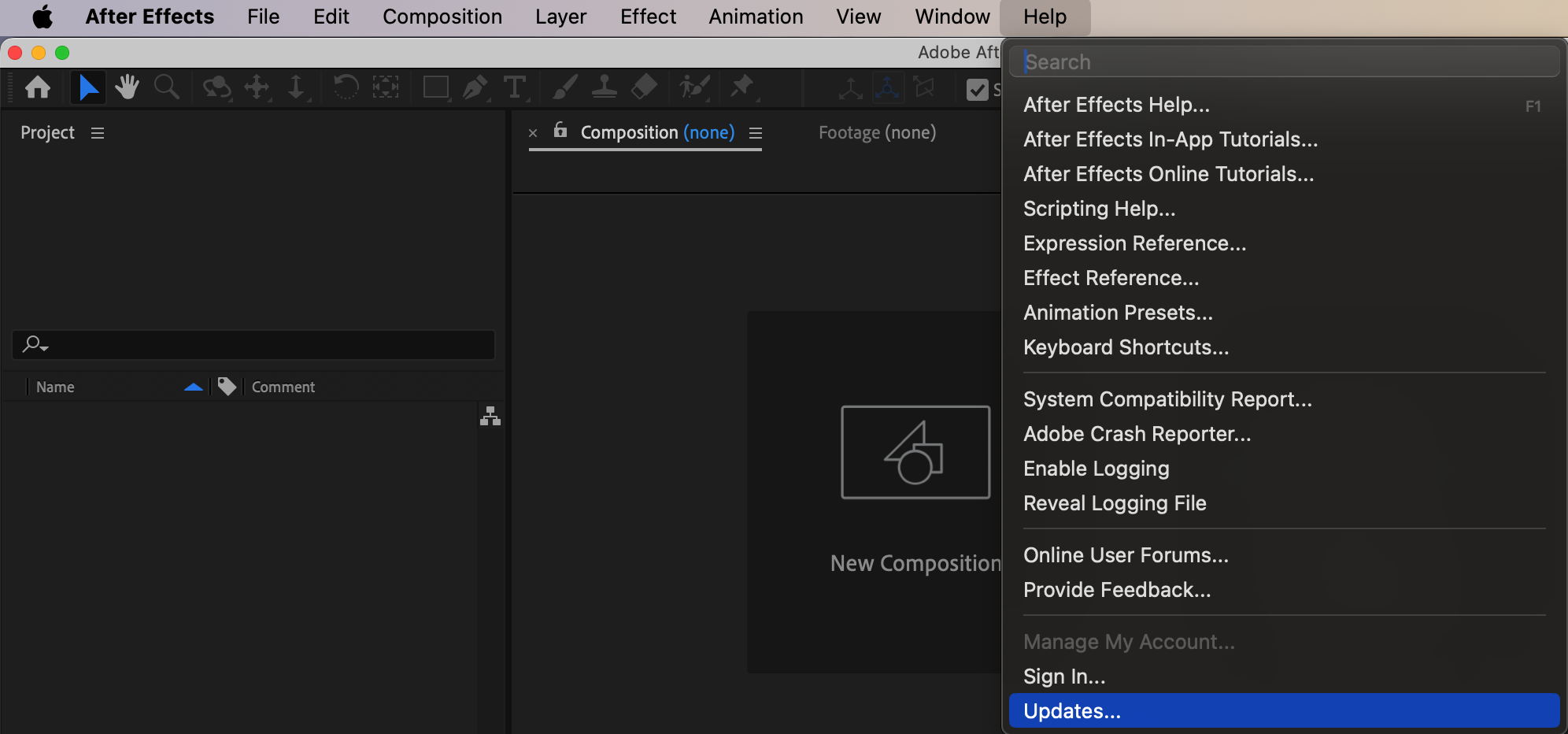
Ensure you are using the latest version of After Effects. Go to Help > Updates in After Effects or update via the Creative Cloud application. Bug fixes in newer versions can resolve stability issues.
Step 7: Reinstall After Effects
If the problem continues, try reinstalling After Effects. Uninstall it via Adobe Creative Cloud, then download and install the latest version from Adobe’s official website.
Step 8: Contact Adobe Support
If none of the solutions work, contact Adobe Support or check community forums for additional troubleshooting help.
Step 9: Preview and Test
After applying these fixes, test your project to ensure the issue is resolved. Work on a test composition to verify stability before continuing with your main project.
Conclusion
The “Unbalanced Unlock” error can be frustrating, but following these steps should help you troubleshoot and fix the issue. Regularly updating software, managing plugins, and optimizing memory settings can prevent future errors in After Effects.
Our Bestsellers
Our Bestsellers


