
How to Flip Text in After Effects Step by Step
Introduction
Flipping text in After Effects can add a dynamic effect to your animations. By using per-character 3D animation, you can create smooth and professional-looking text flips. Follow this guide to learn the process step by step.
Step 1: Create a New Composition
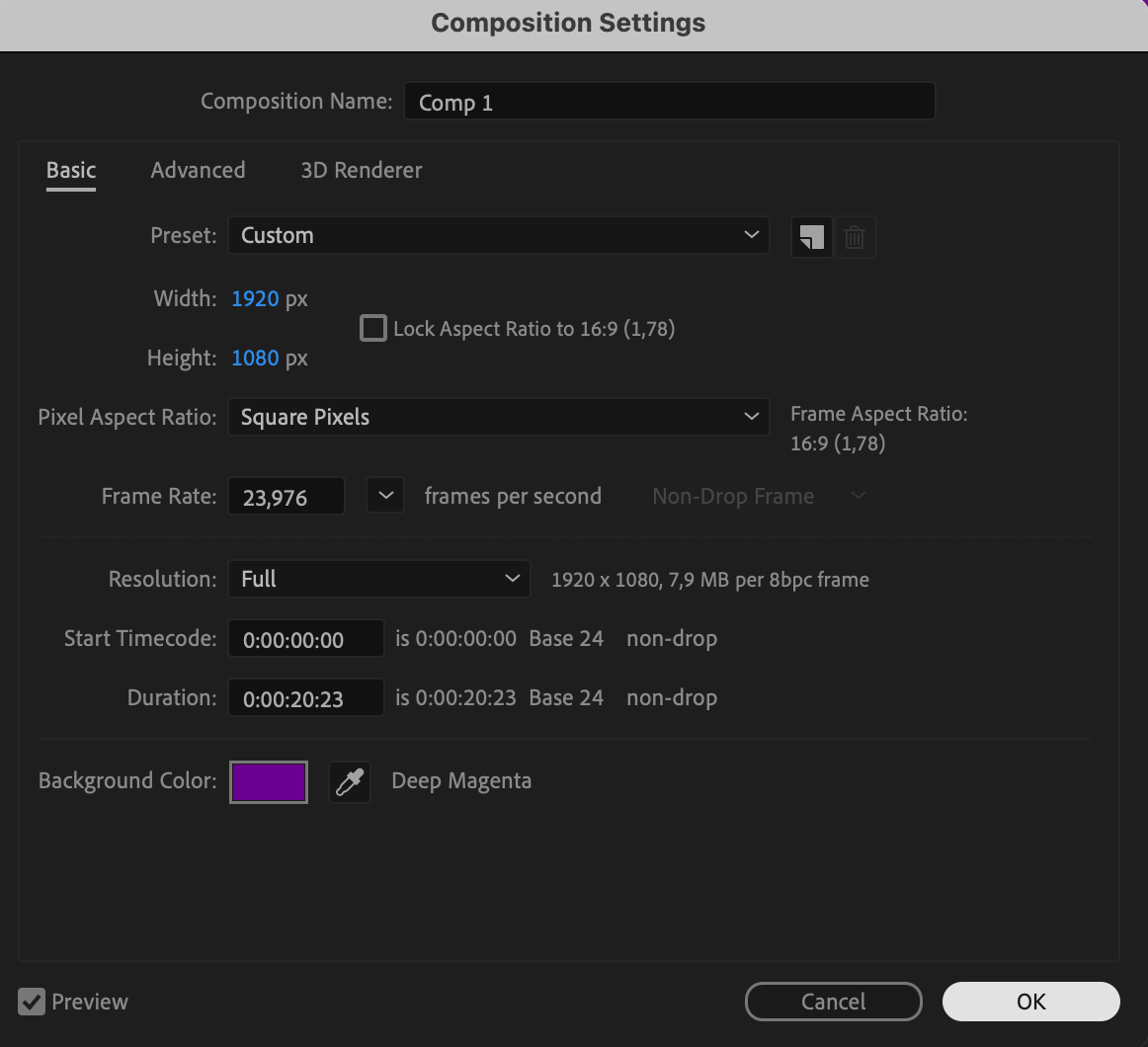
Start by creating a new composition. Go to Composition > New Composition and set your desired resolution, frame rate, and duration. Click OK to confirm.
 Step 2: Add Text Using the Type Tool
Select the Type Tool (Ctrl/Cmd + T) and click on the composition to type your text. Customize the font, size, and color in the Properties panel to match your design.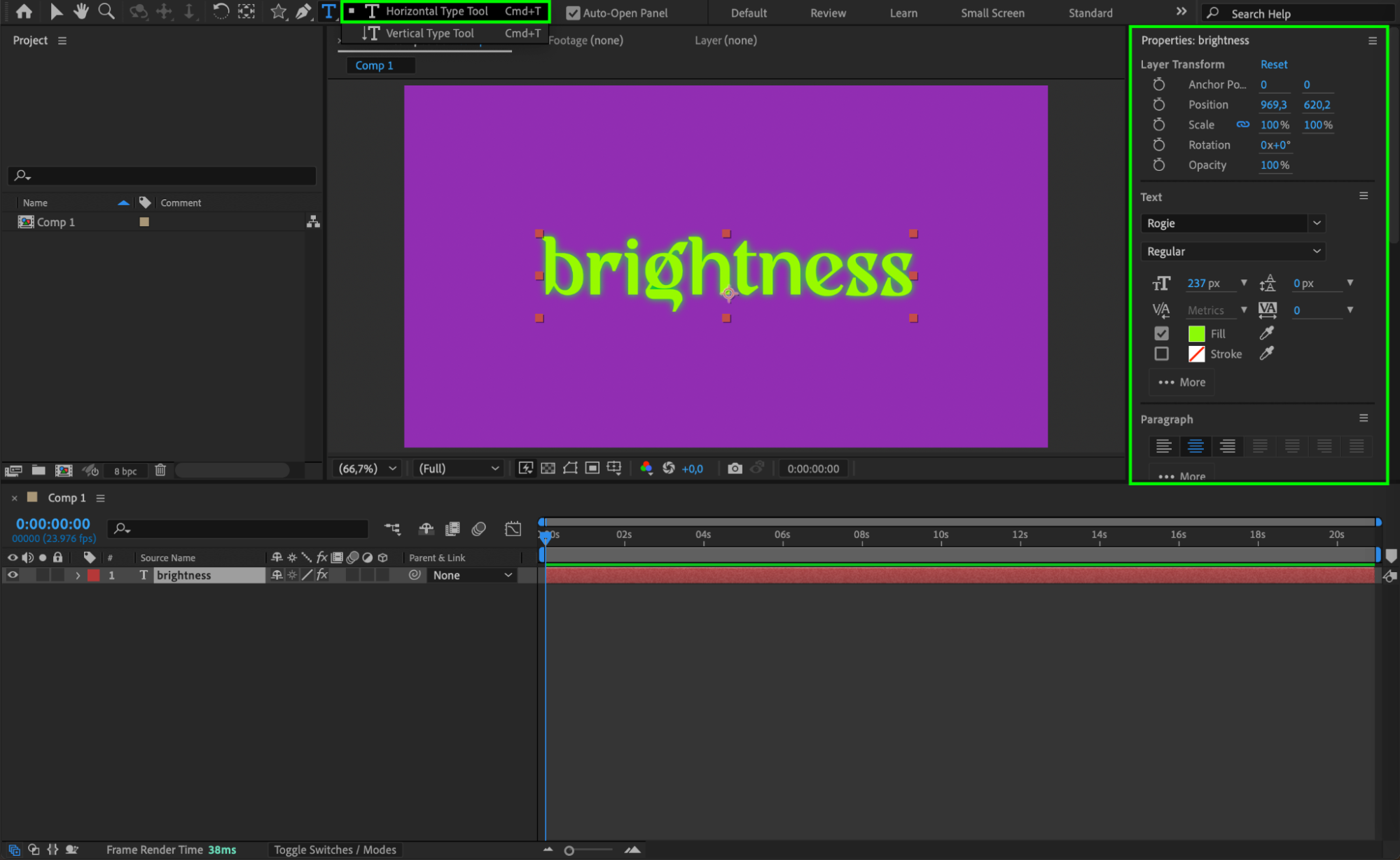 Step 3: Align the Text to the Center
To ensure the text is perfectly centered, use the Align panel. Click on Align Horizontally and Align Vertically to place the text in the middle of the composition.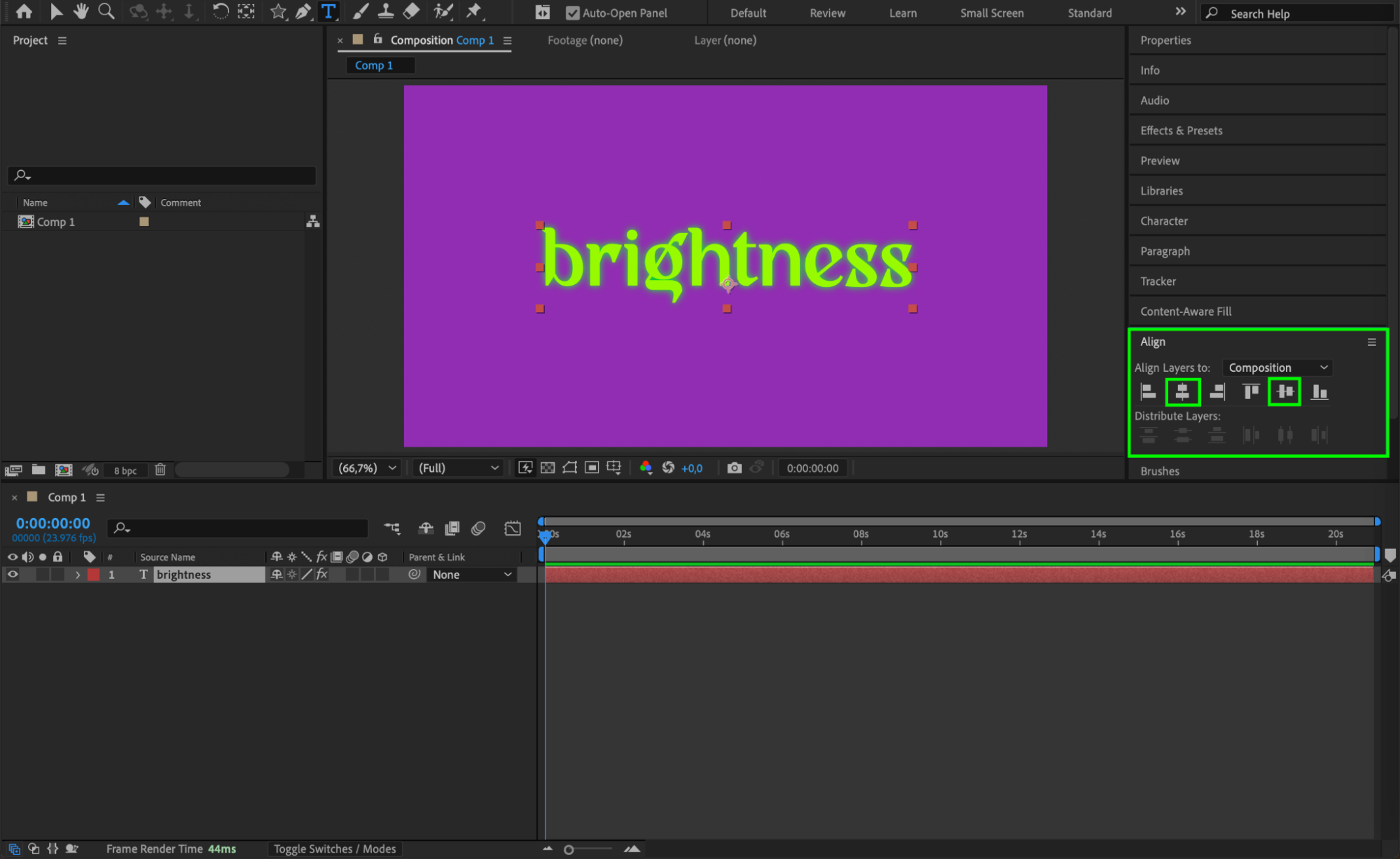 Step 4: Enable Per-Character 3D Animation
Expand the text layer properties. Click on the Animate button next to the Text section and select Enable Per-Character 3D. This allows each letter to animate individually in 3D space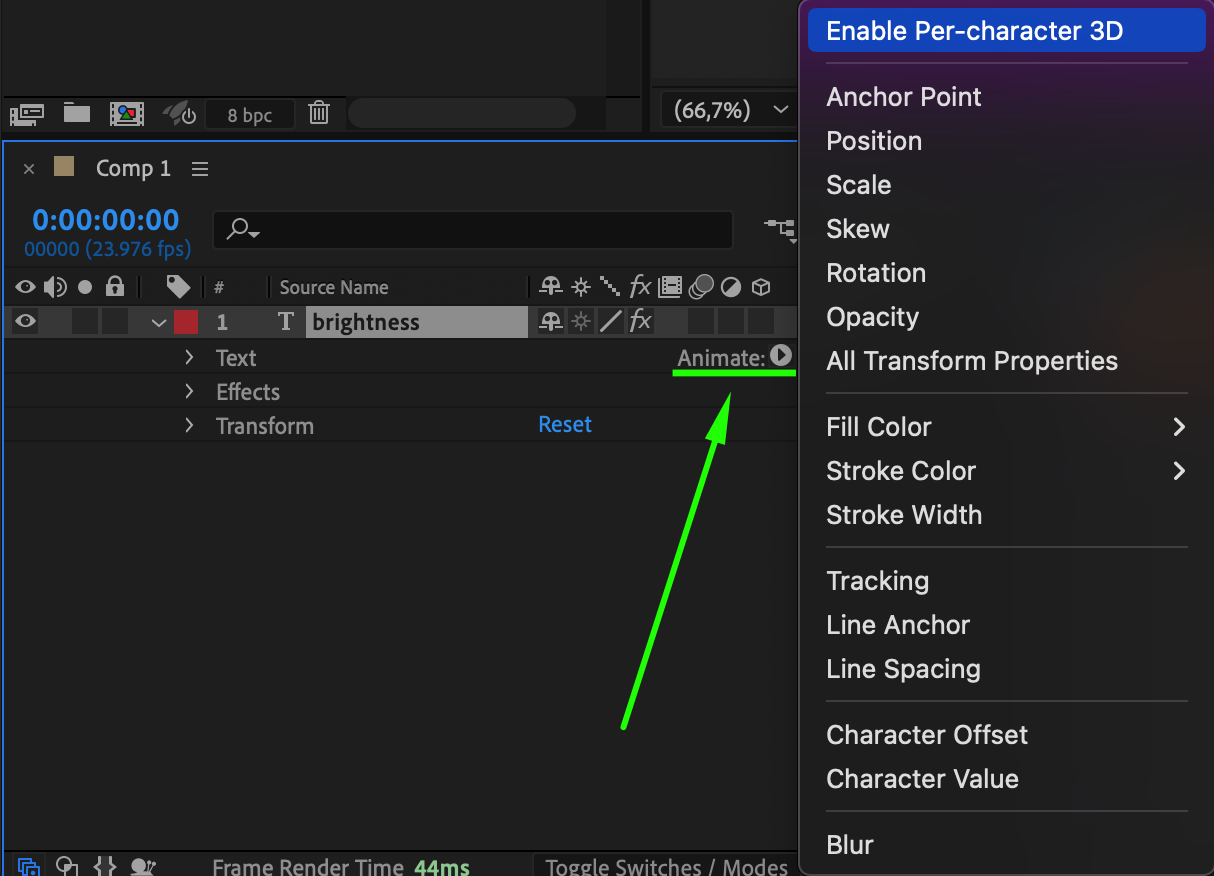 Step 5: Add Rotation Animation
Expand the text layer properties again. Click on Animate and select Rotation. This will allow you to animate the text flip effect.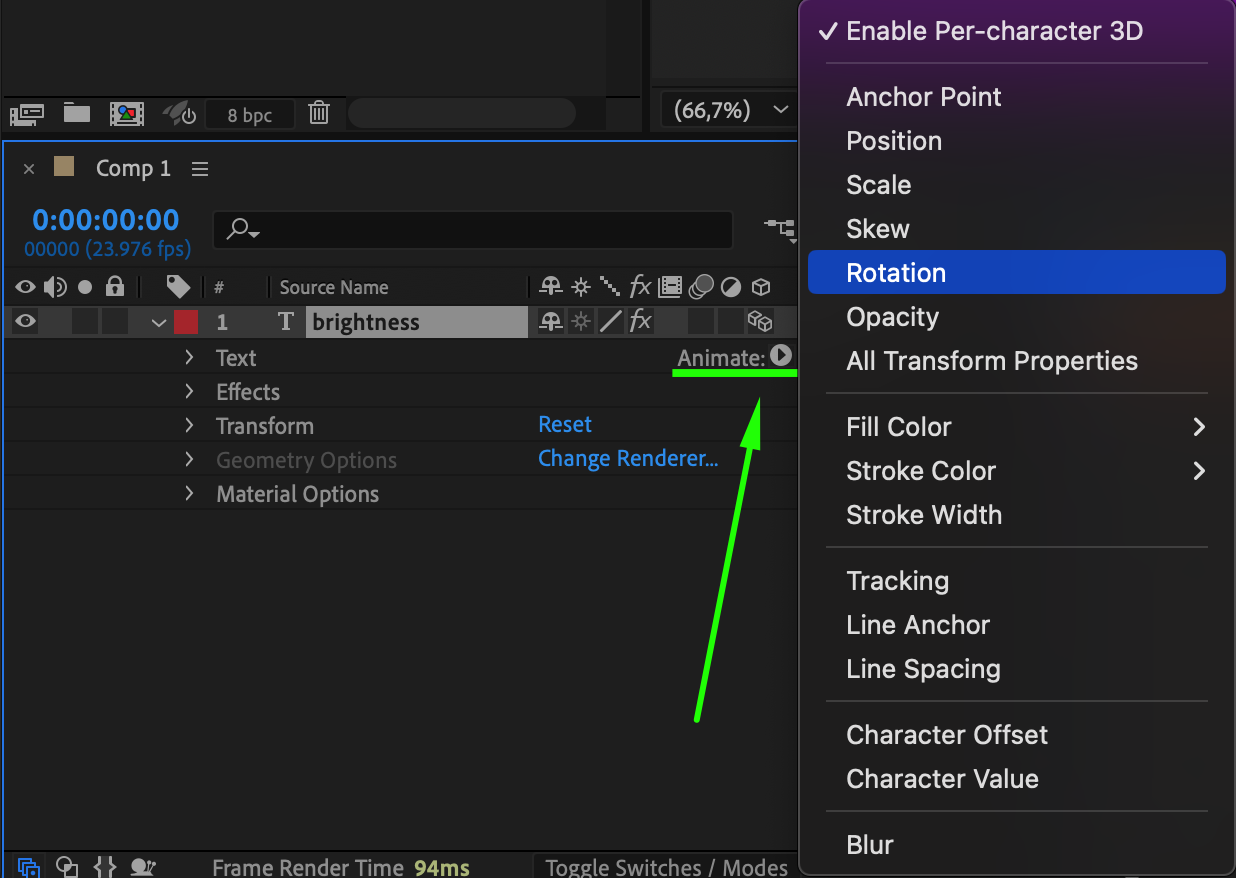 Step 6: Add Opacity Property
Next to Animator 1, click the Add button, then go to Property > Opacity. This step helps create a smooth transition effect by fading in the flipped text.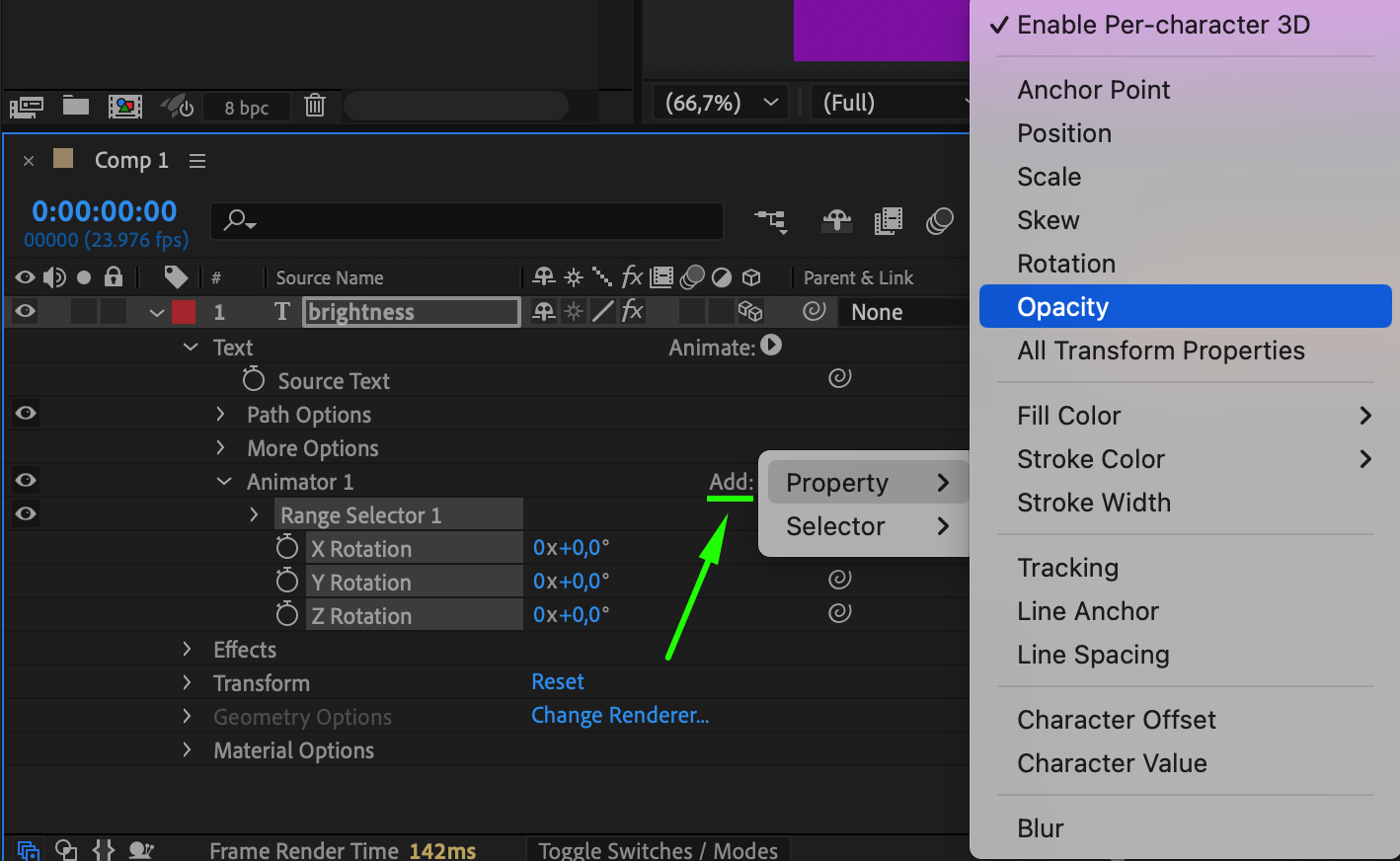 Step 7: Adjust Rotation and Opacity Settings
Set Opacity to 0.
Set Y Rotation (or X/Z Rotation, depending on the desired flip effect) to 90°.
Set Offset to -100%, then click on the Stopwatch icon to add a keyframe.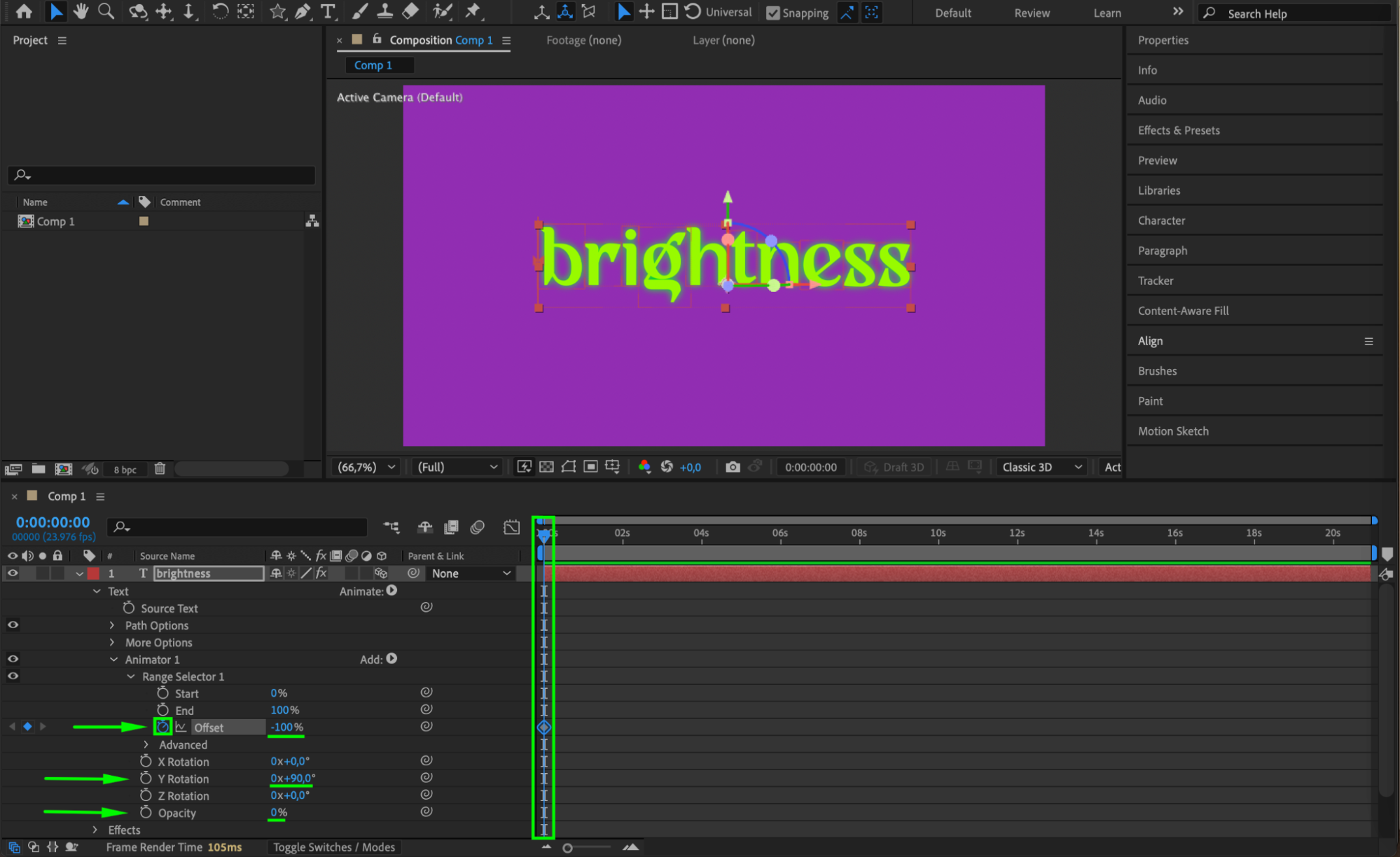 Step 8: Animate the Flip Effect
Move the CTI (Current Time Indicator) forward in the timeline. Then, adjust the Offset to 100% and set the Shape to Ramp Up.
Set Ease High to 50.
Set Ease Low to 50 for a smoother motion.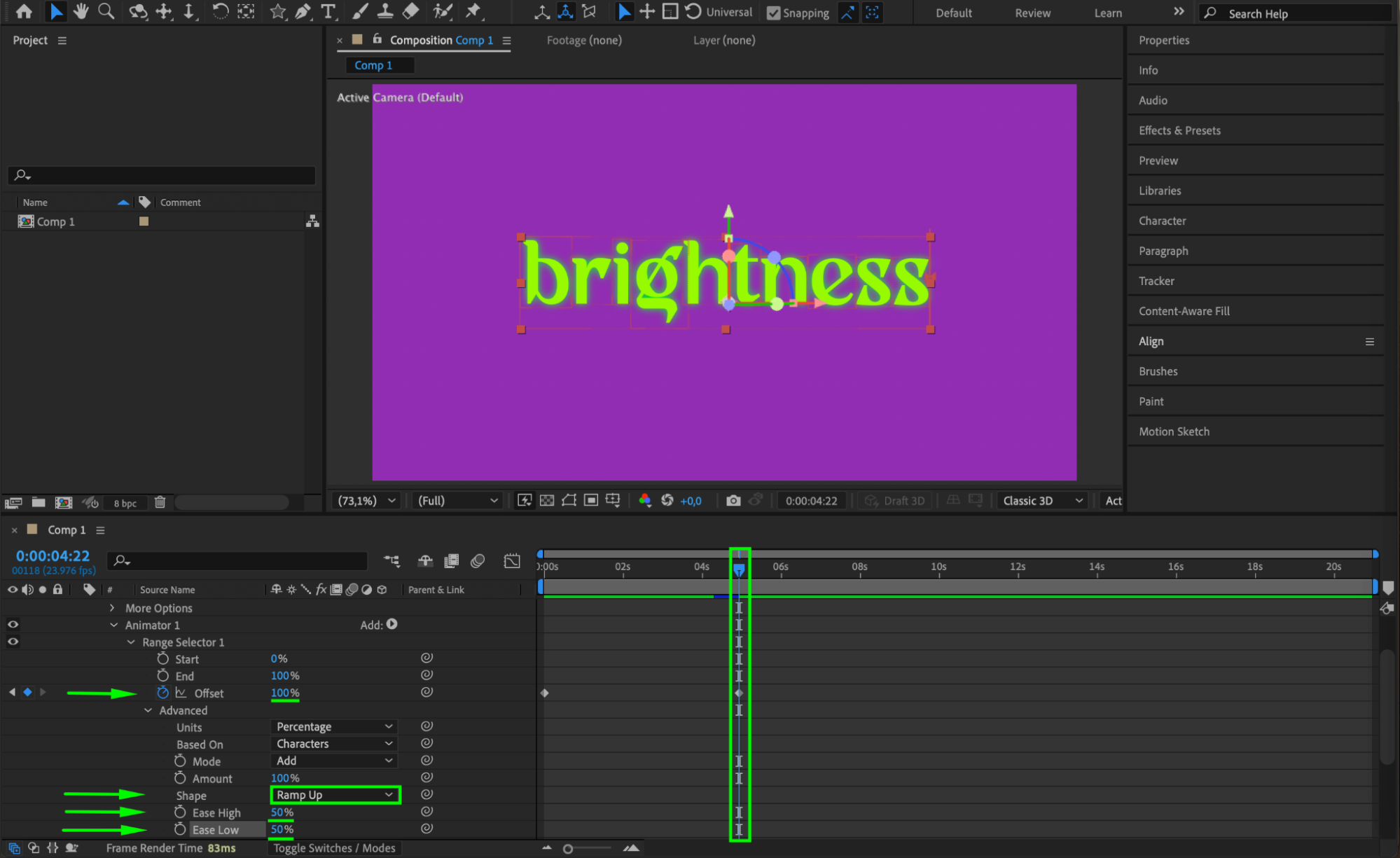 Step 9: Enable Motion Blur
To make the flip effect look more natural, enable Motion Blur for the text layer by clicking the Motion Blur icon in the Timeline panel.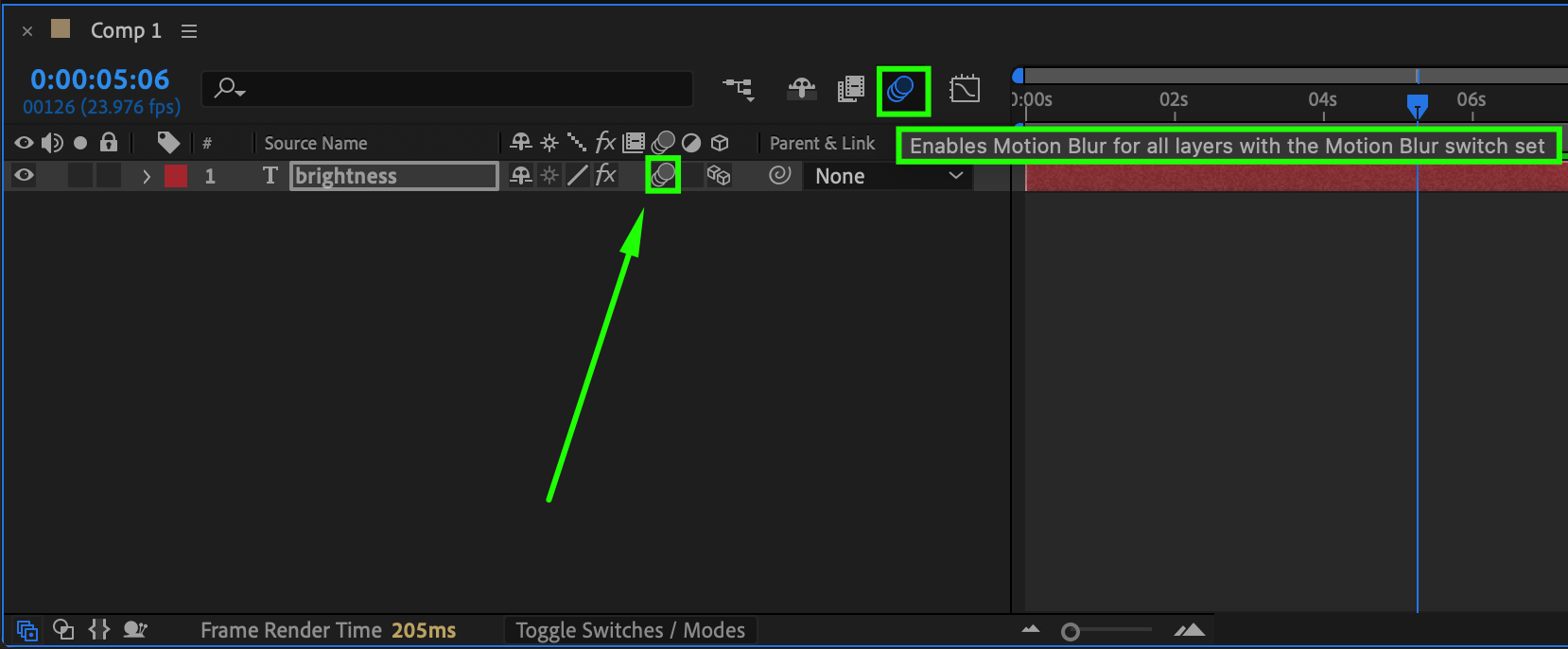 Step 10: Preview the Animation
Press Spacebar to preview the animation and check if the text flip effect looks smooth. Adjust keyframes if needed.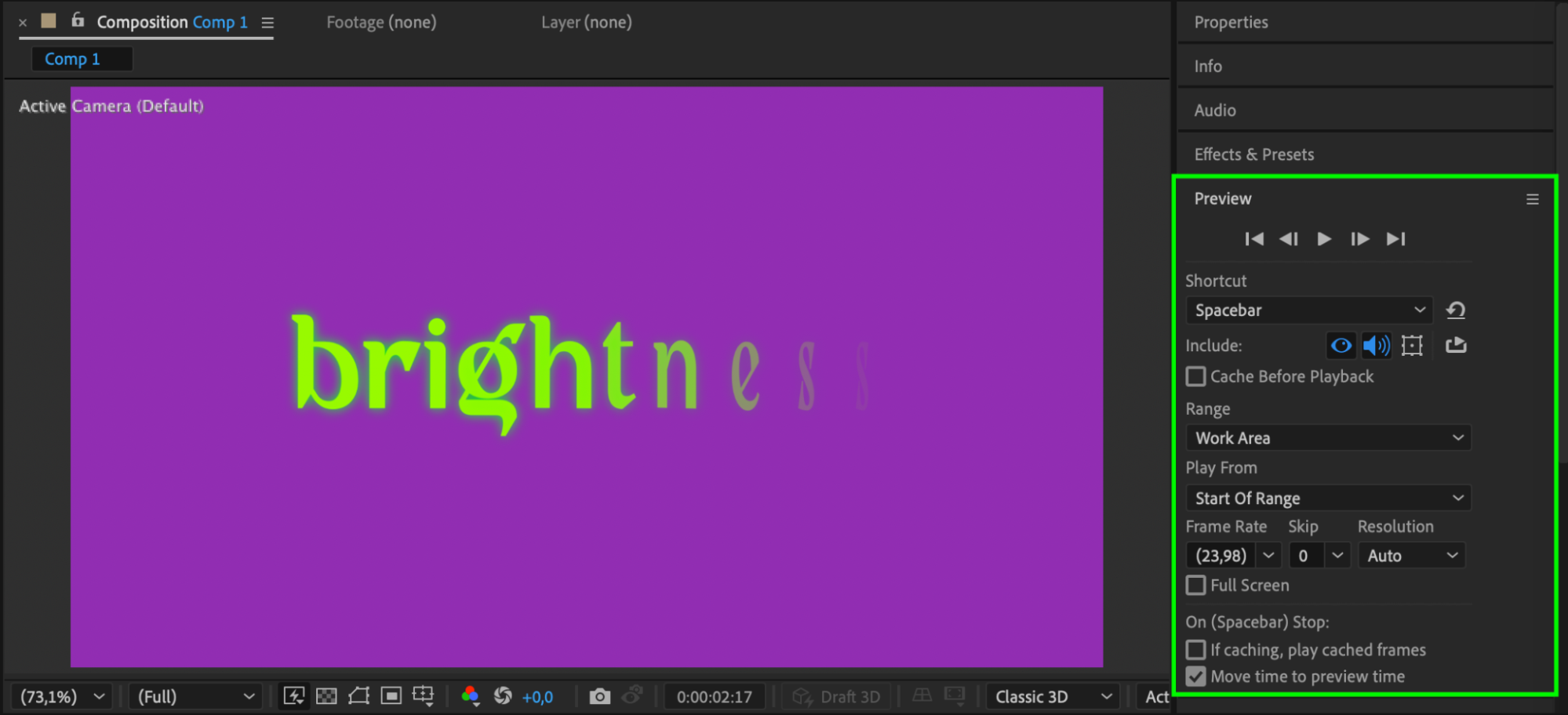 Step 11: Render the Final Animation
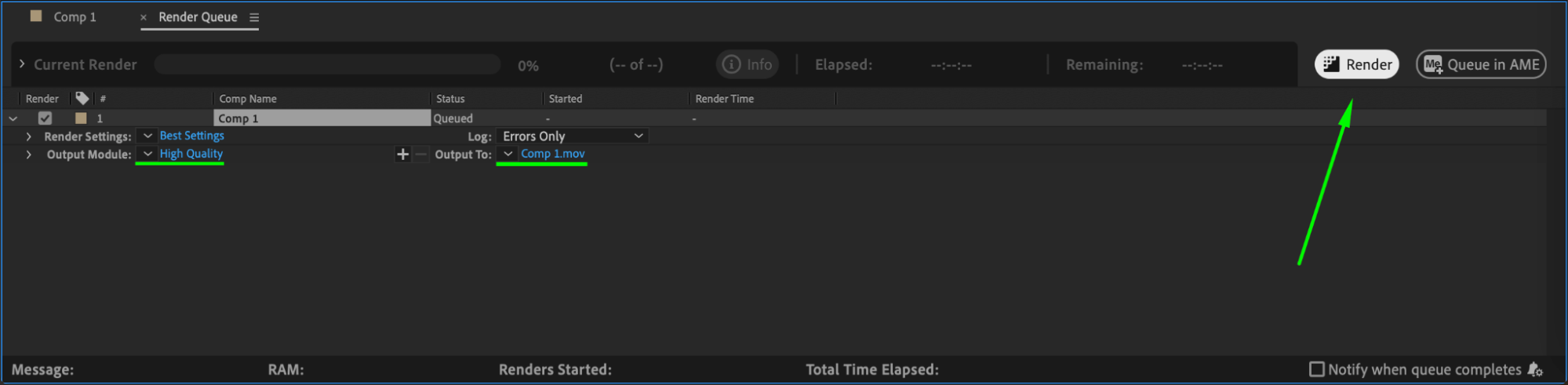
Once satisfied, go to Composition > Add to Render Queue, choose your preferred settings, and click Render to export your animation.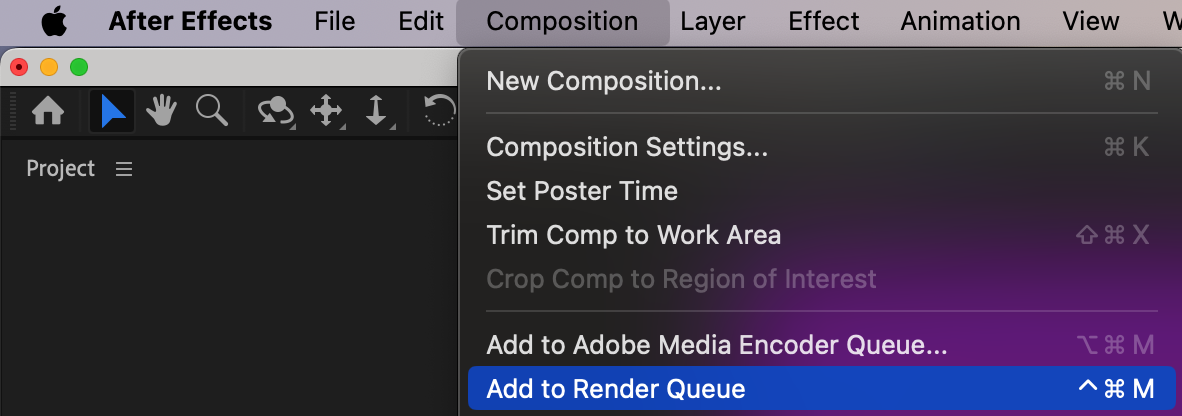
 Conclusion
By following these steps, you can create a smooth and dynamic text flip effect in After Effects. Experiment with different rotation axes and timing adjustments to customize the effect to your needs.
Our Bestsellers
Our Bestsellers


