
How to Achieve Accurate Motion Tracking in Adobe After Effects
Introduction
Accurate motion tracking is essential when you want to attach elements to moving objects in your footage — like text, graphics, or special effects. Adobe After Effects offers built-in tools that can help you track movement frame-by-frame. This guide shows how to use the Tracker panel effectively and improve your results with a few key adjustments.
Step 1: Prepare Your Footage
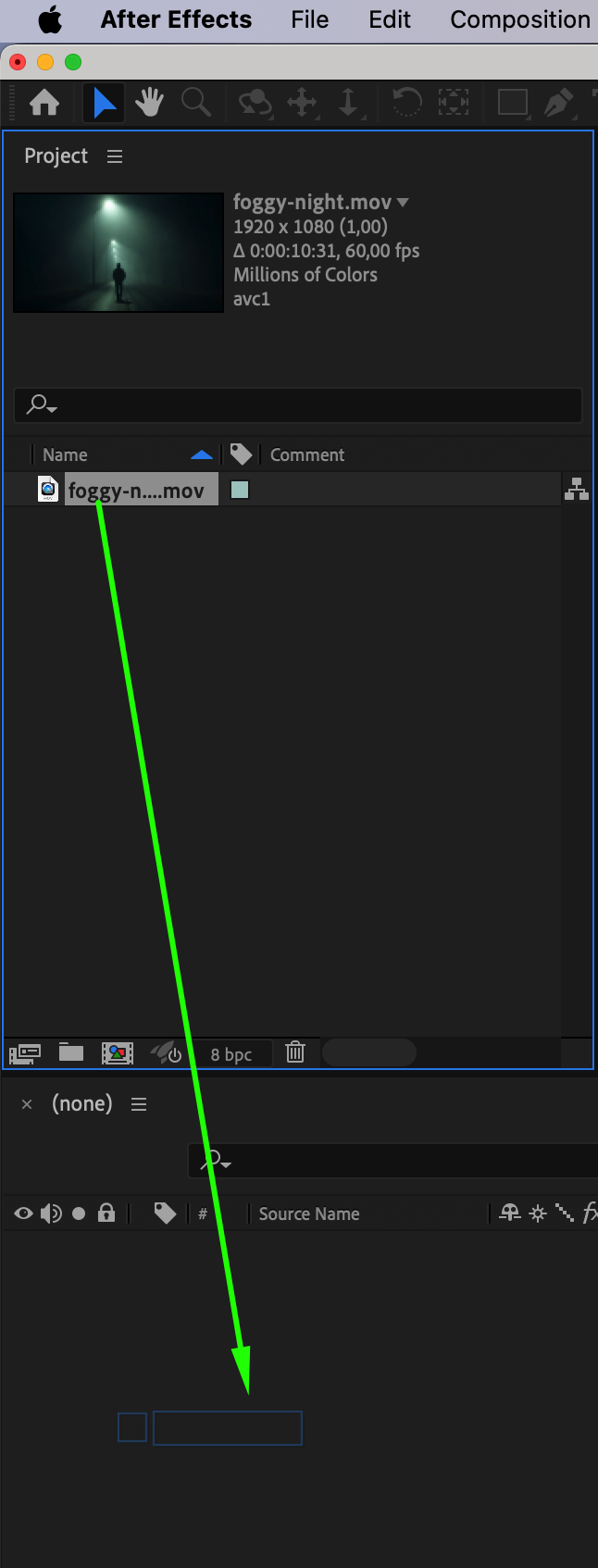
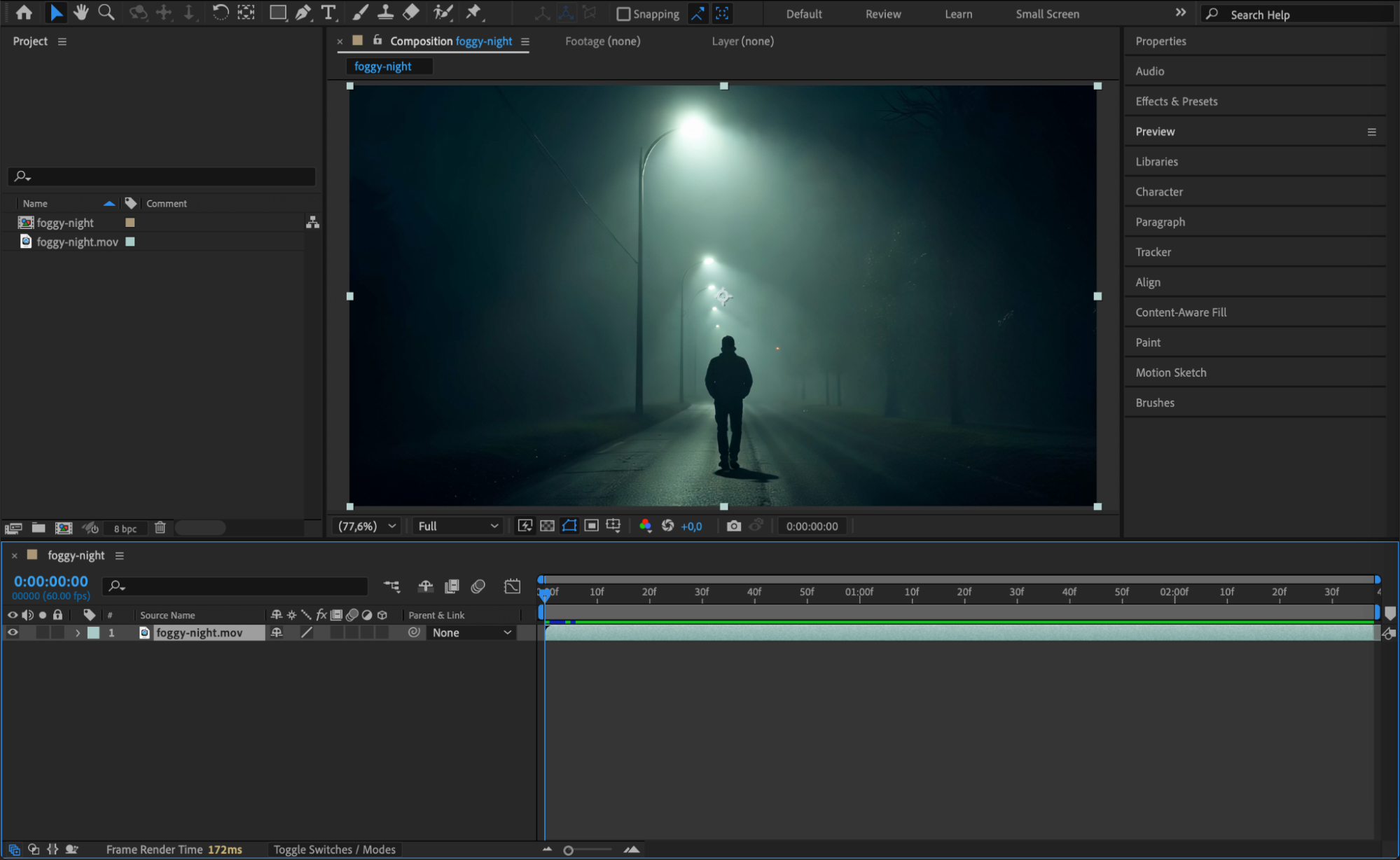
Import your video file into After Effects by going to File > Import > File. Drag it onto the timeline and select the clip. Make sure the footage is high quality and has clear contrast in the area you want to track. Blurry or low-resolution videos may reduce tracking accuracy.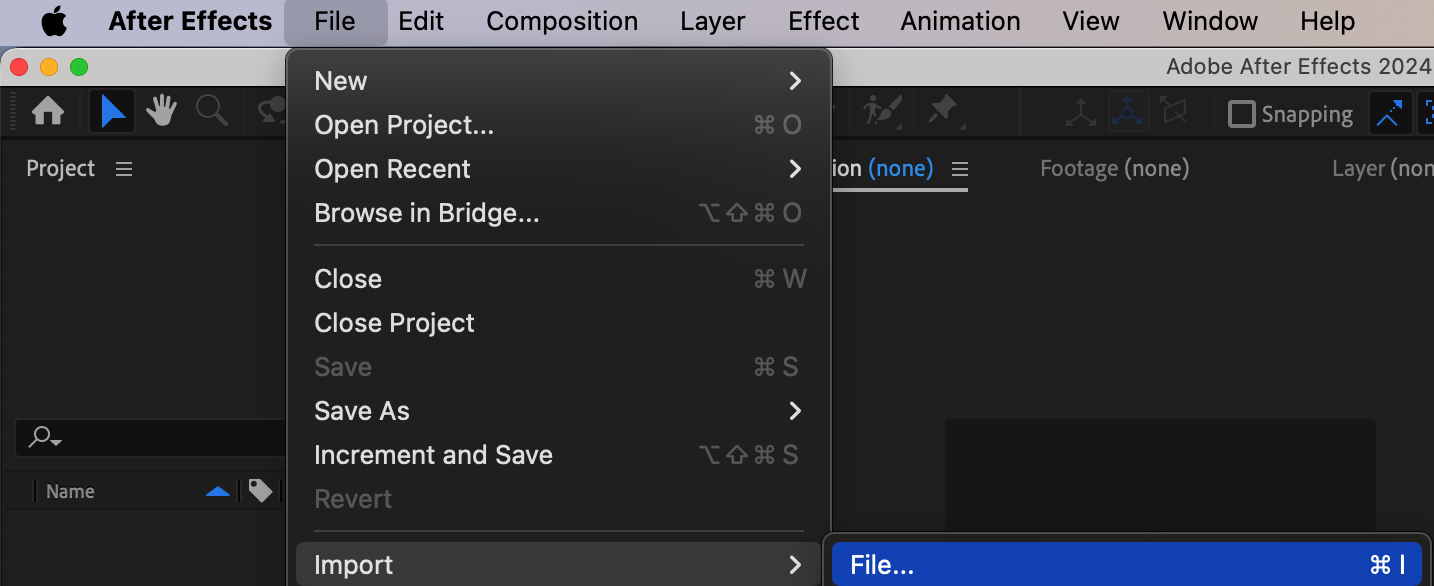
Step 2: Open the Tracker Panel
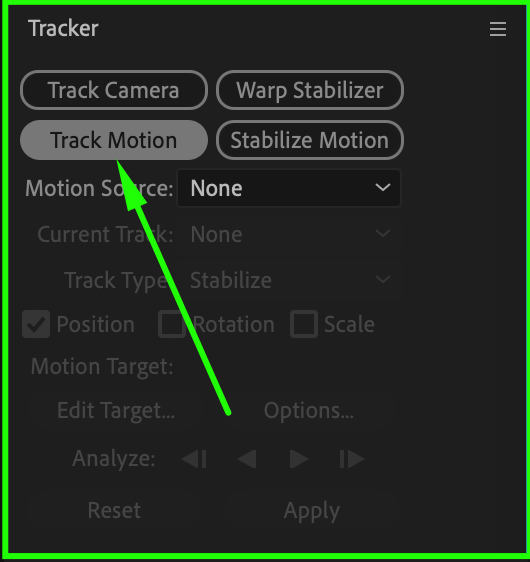
Go to Window > Tracker to open the Tracker panel. With your footage layer selected, click Track Motion. This will open the layer in a new layer viewer window and place a track point on the screen.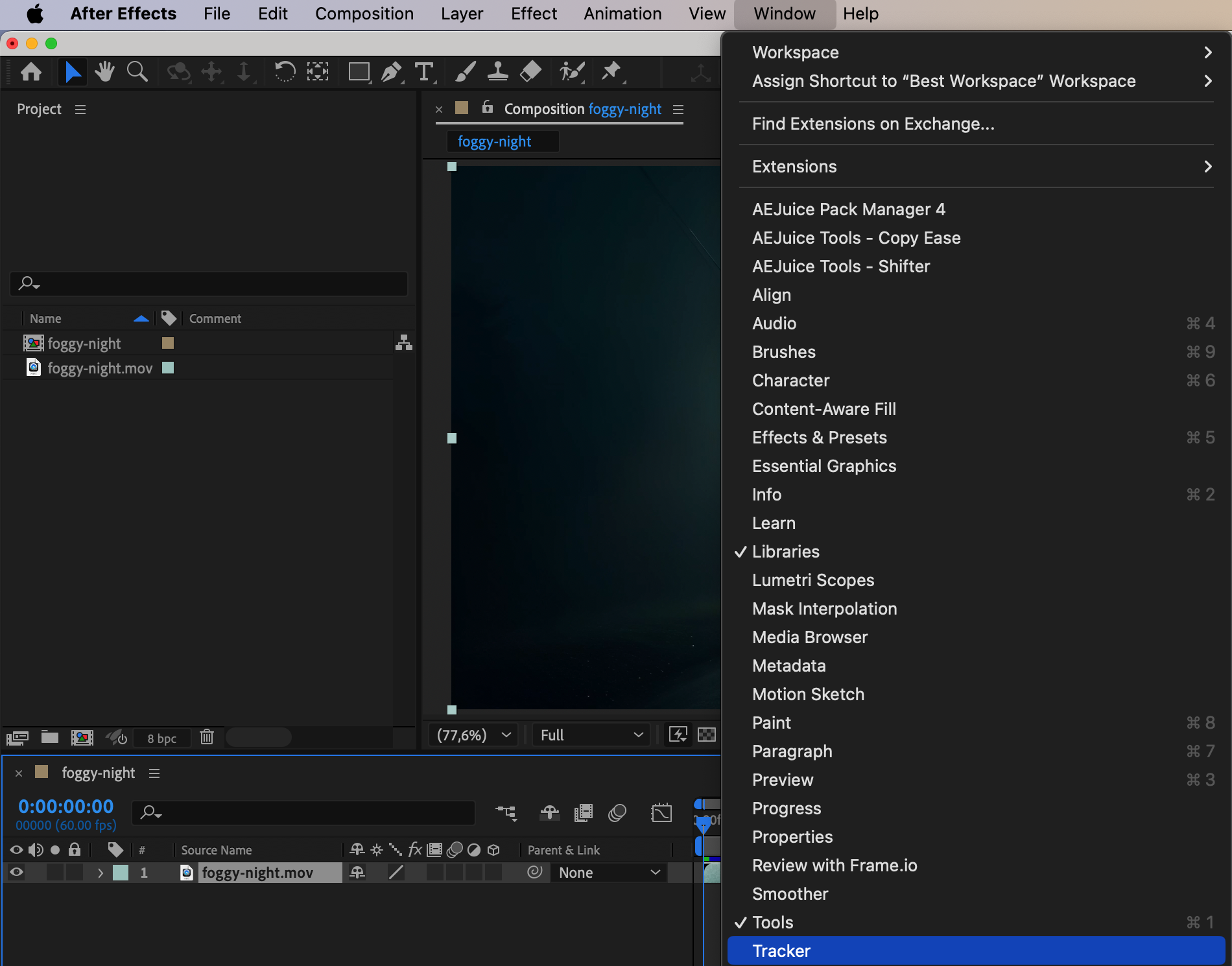
 Step 3: Set Track Point Carefully
In the layer viewer, adjust the Track Point. Position the inner box on a high-contrast area (like a sharp edge or corner) and the outer box around it for the search area. The more unique and consistent the area, the better the tracking.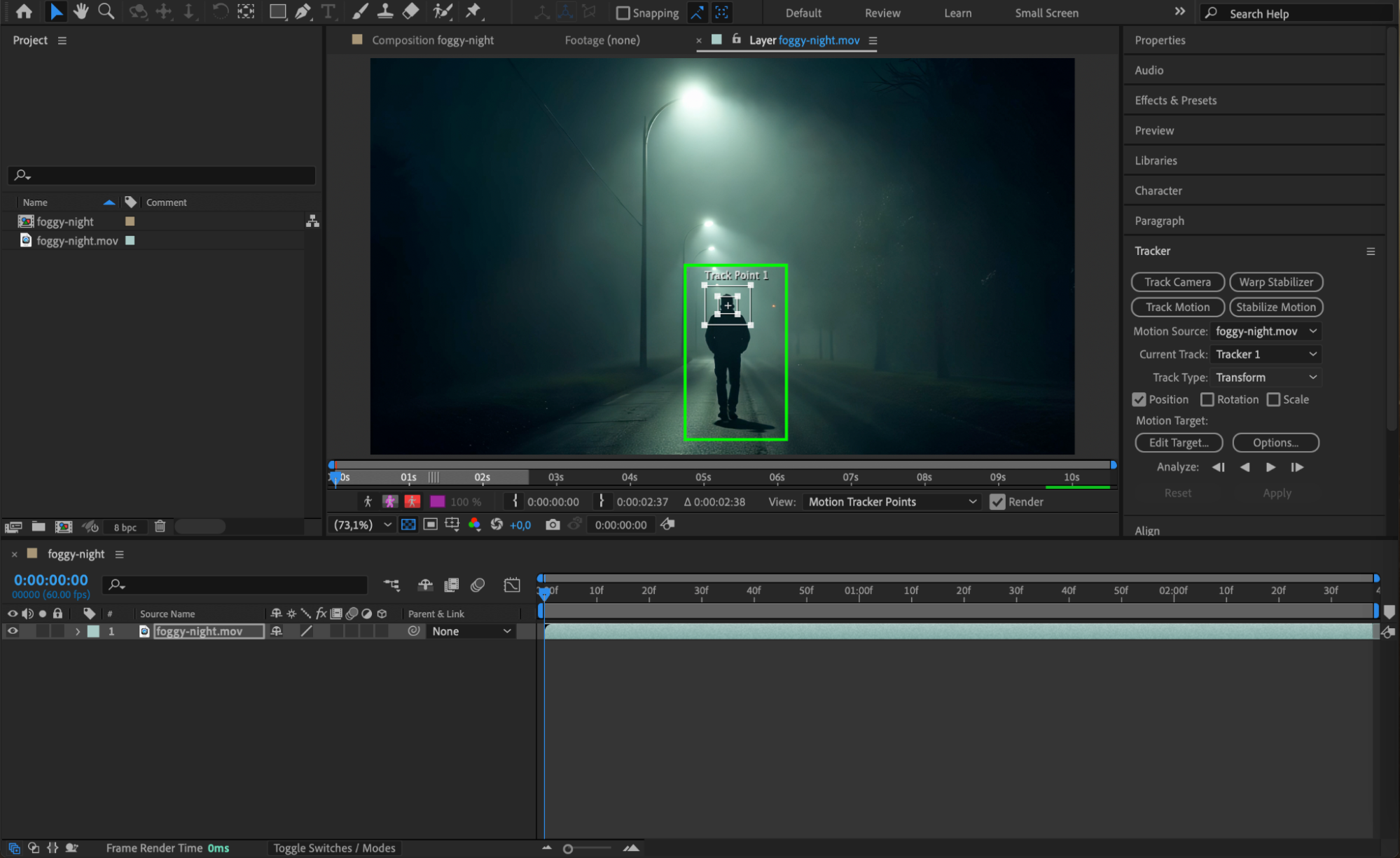 Step 4: Analyze Forward
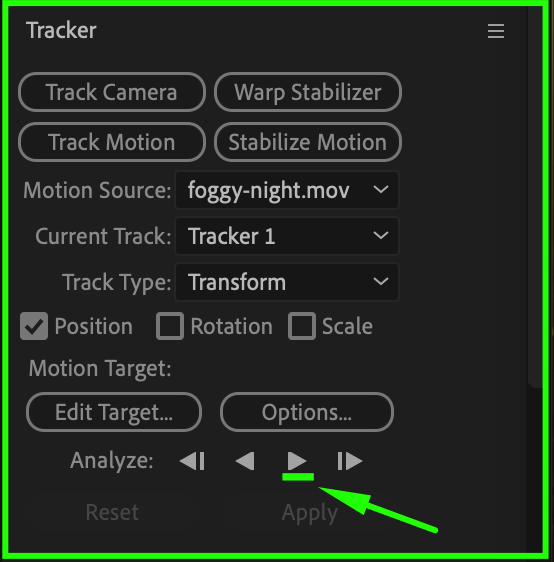
Click the Play (Analyze Forward) button in the Tracker panel to start the tracking process. After Effects will analyze the motion and move the track point automatically frame-by-frame. Watch carefully to make sure the point stays on target.
Step 5: Fix Drift (If Needed)
If the tracking point drifts or slips, pause the analysis, go back to the frame where it lost accuracy, manually reposition the track point, and continue analyzing. This helps maintain accuracy across the whole clip.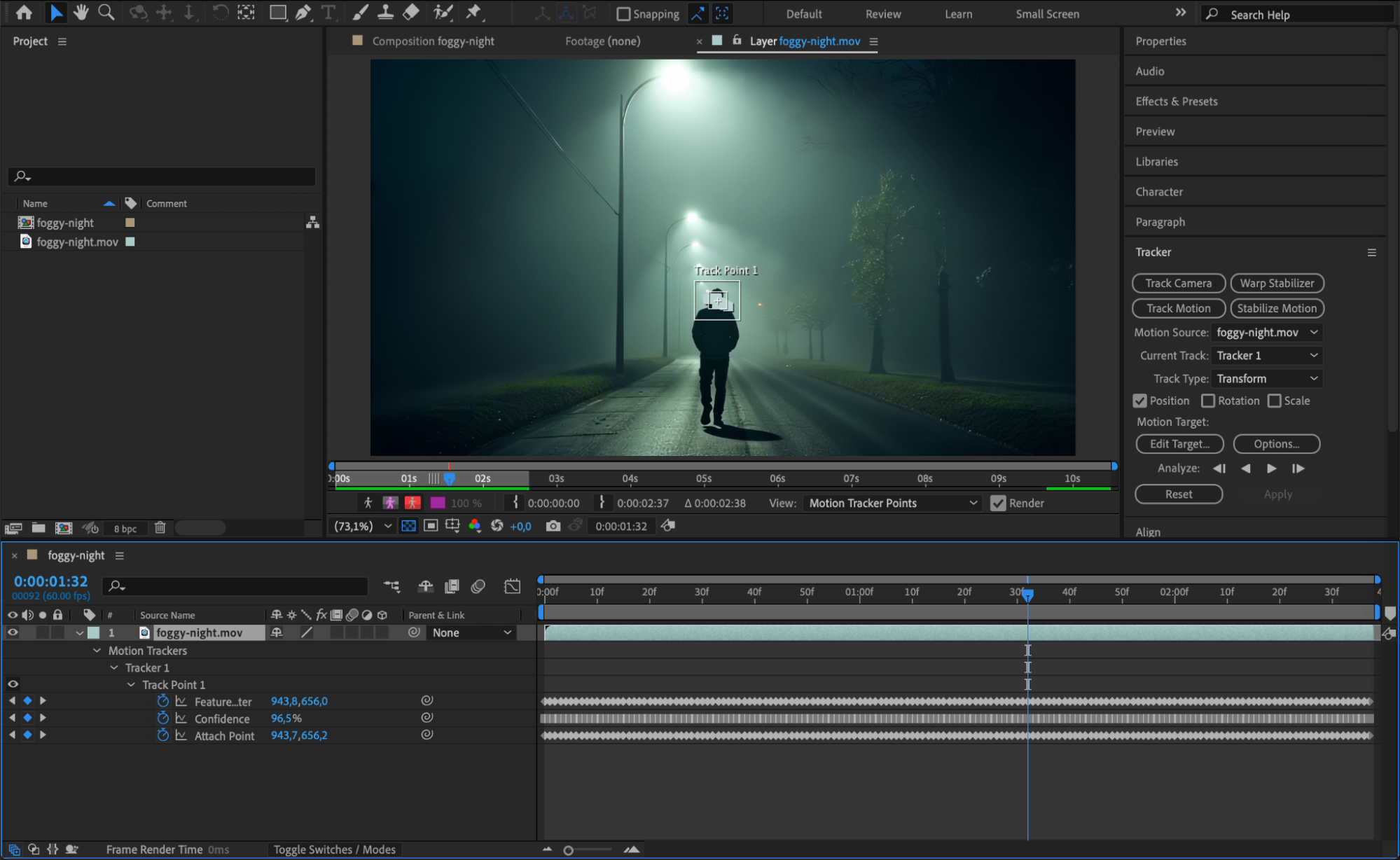
Step 6: Apply Tracking to a Null Object
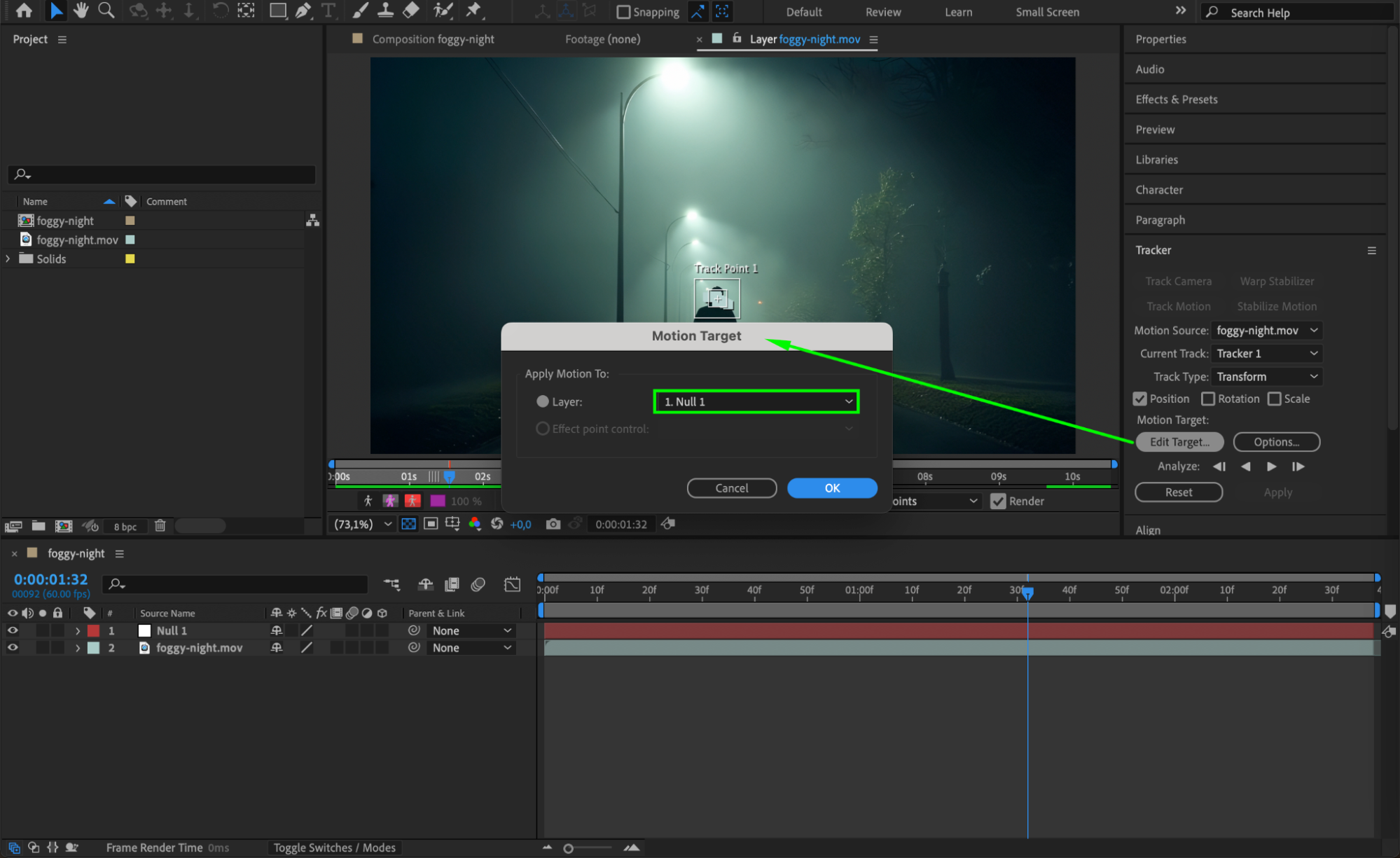
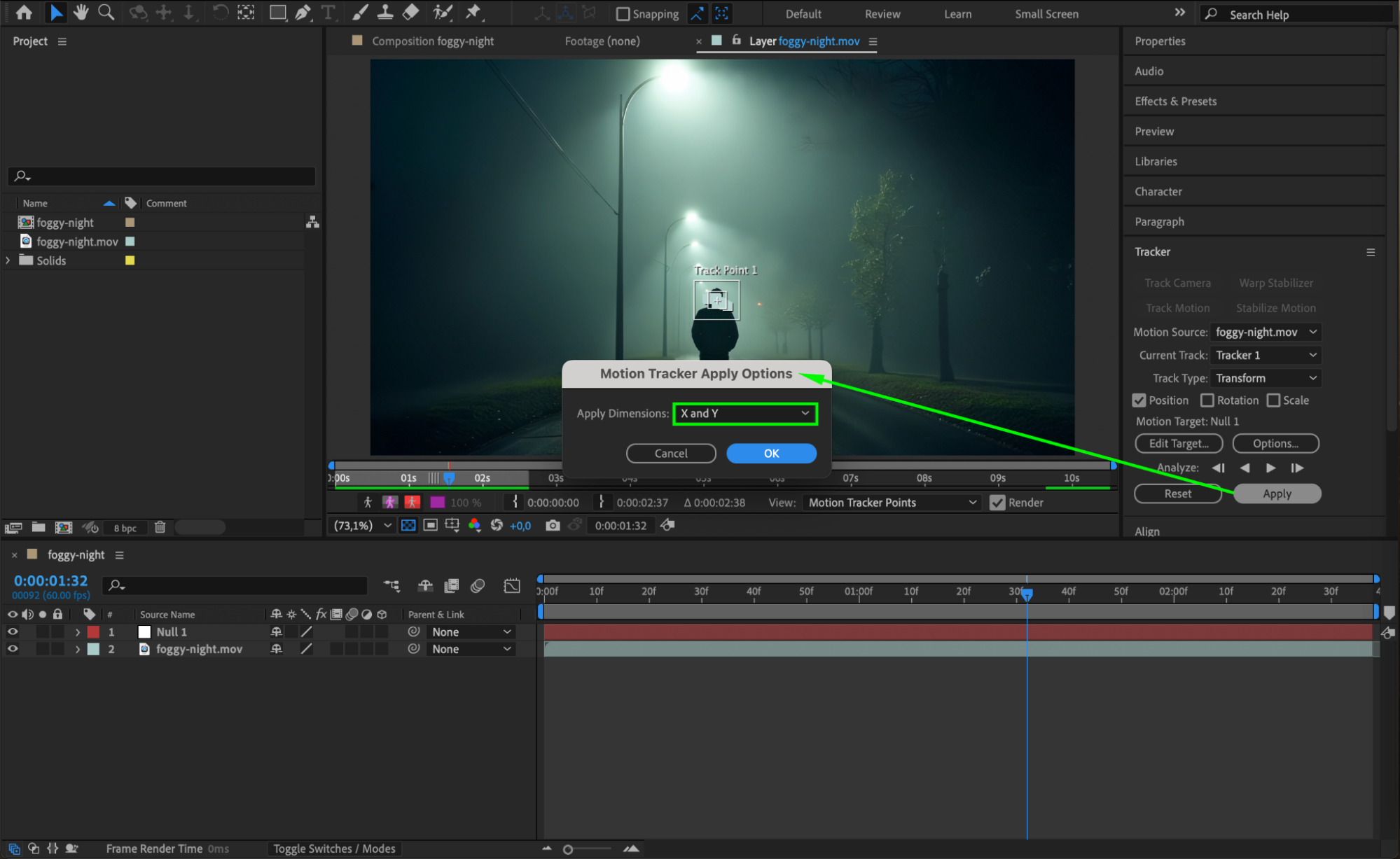
Create a new Null Object (Layer > New > Null Object). In the Tracker panel, click Edit Target, select the Null Object, then click Apply. Choose X and Y dimensions to transfer the tracking data. Now the null object follows the motion accurately.
Step 7: Attach Graphics or Effects
Parent any graphic or text layer to the Null Object using the pick whip. These elements will now follow the tracked movement. This method keeps your visual elements locked to the motion of the footage.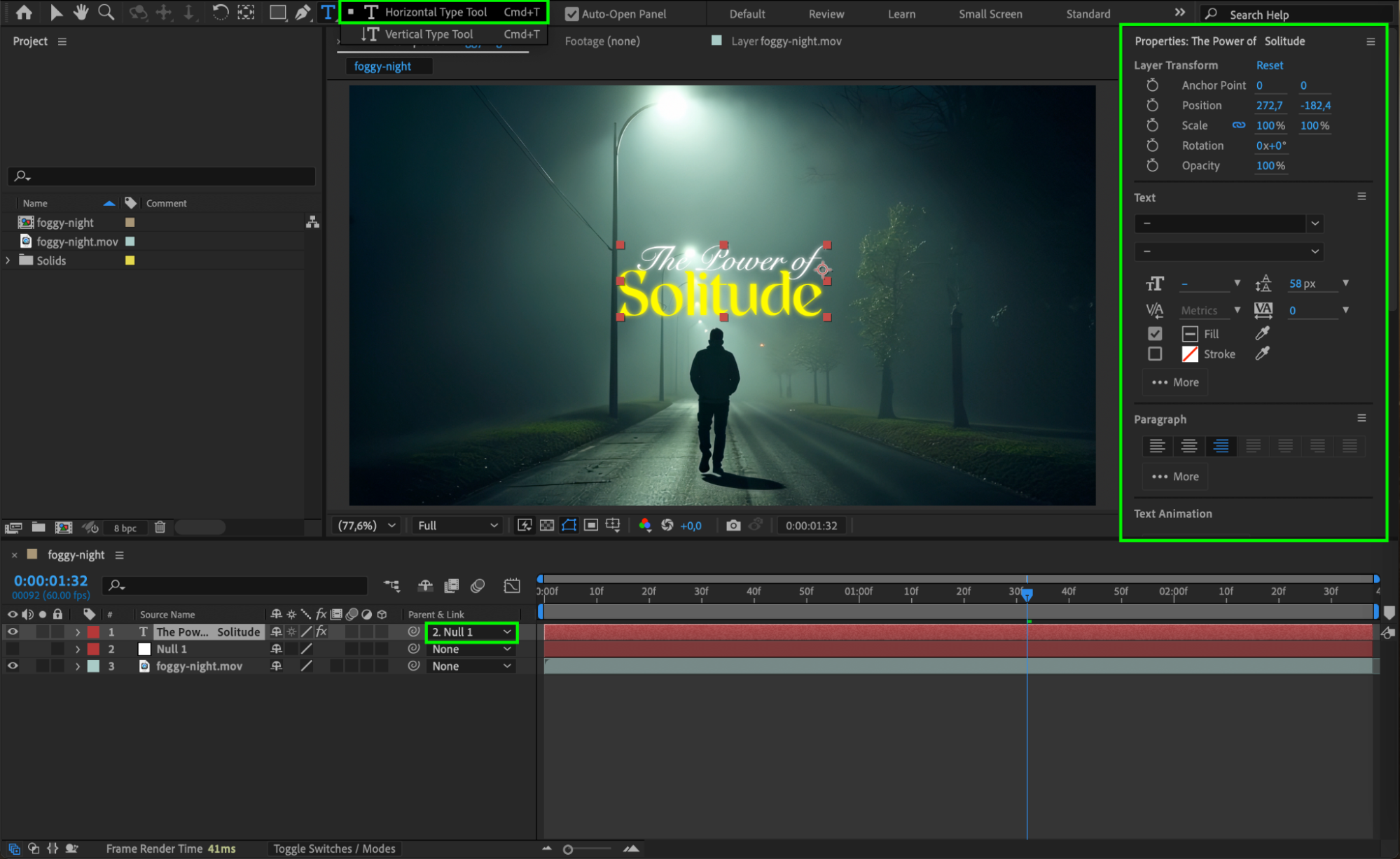
Step 8: Refine and Smooth Motion (Optional)
If the motion feels too jittery, you can smooth it. Select the null layer, press “U” to reveal keyframes, and apply the Smoother tool (Window > Smoother) or use Keyframe Interpolation to ease motion. You can also apply expressions like smooth() to reduce noise.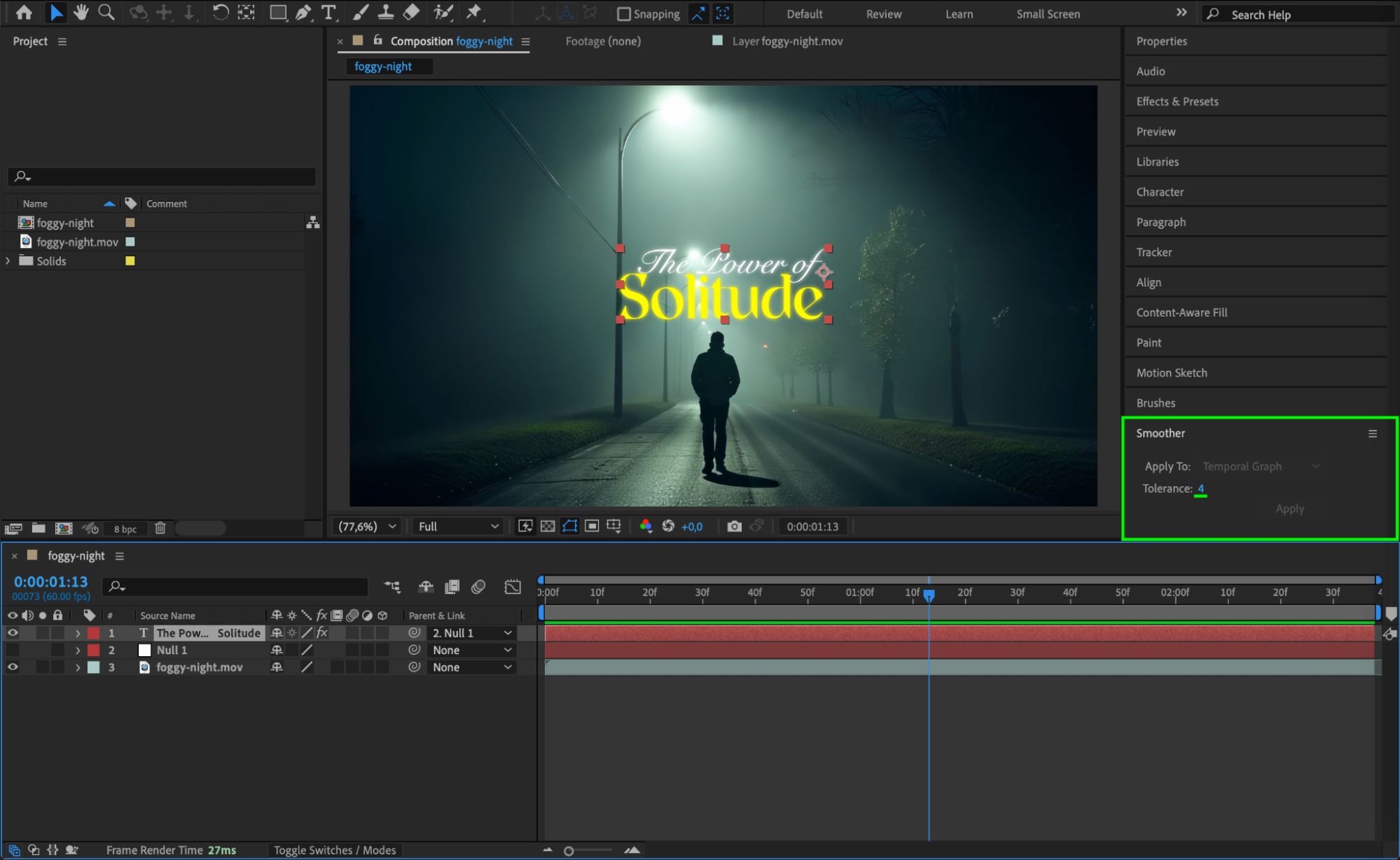
Conclusion
Accurate motion tracking in After Effects relies on clean footage, good contrast, and careful setup of track points. By using the Tracker panel and Null Object metho
Our Bestsellers
Our Bestsellers


