
How to Restore the Timeline Panel in After Effects
Why the Timeline Panel Disappears and How to Fix It
The Timeline panel in After Effects is essential for editing, managing layers, and applying effects. If it disappears due to accidental changes in the workspace or interface settings, you can easily bring it back. This guide will show you step-by-step methods to restore the Timeline panel and prevent it from disappearing again.
Step 1: Check If the Timeline Panel is Hidden
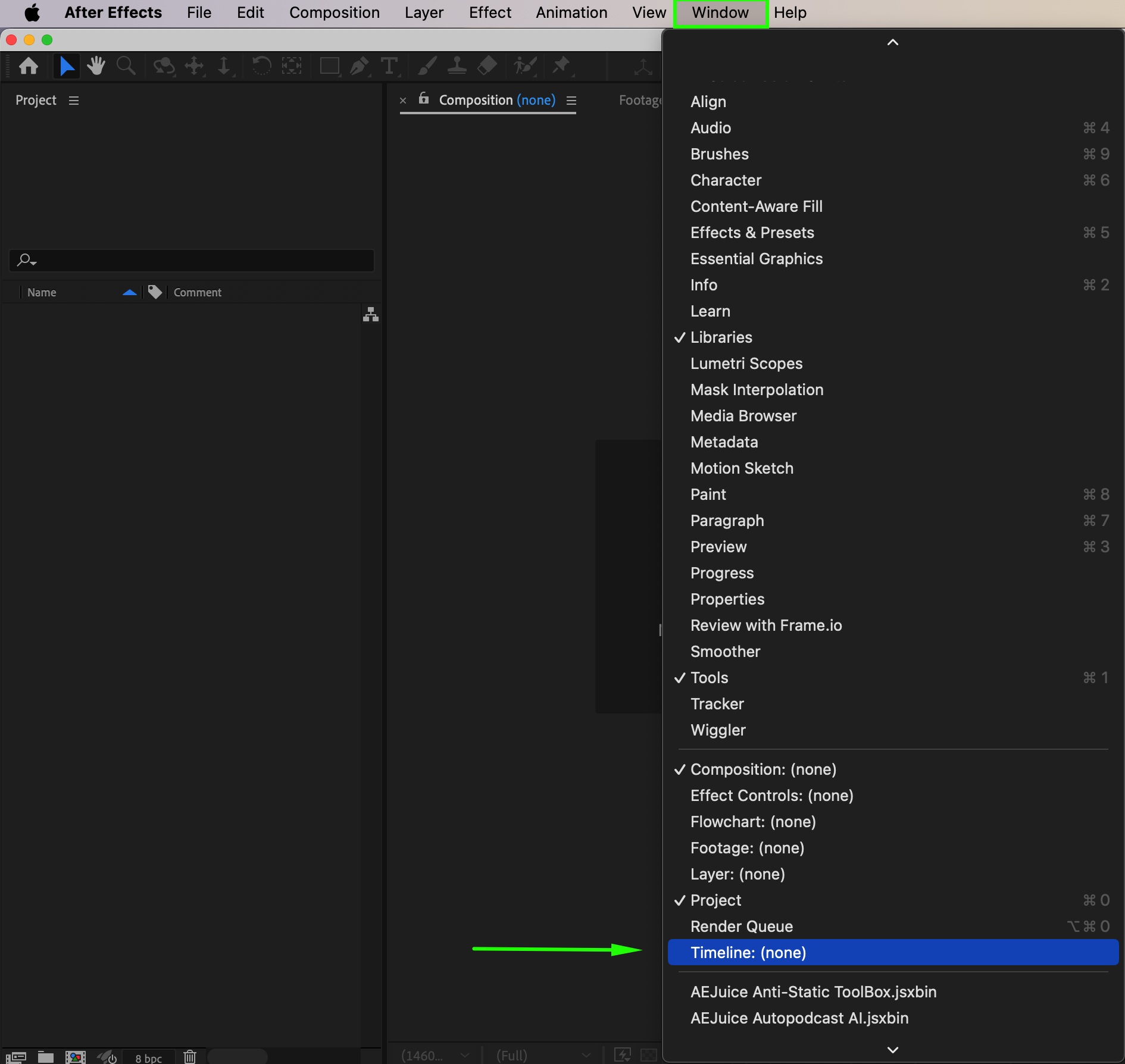
Sometimes, the Timeline panel is simply minimized or closed. Go to Window > Timeline and make sure it is checked. If it is unchecked, click on it to bring it back to the interface.
Step 2: Reset the Workspace Layout
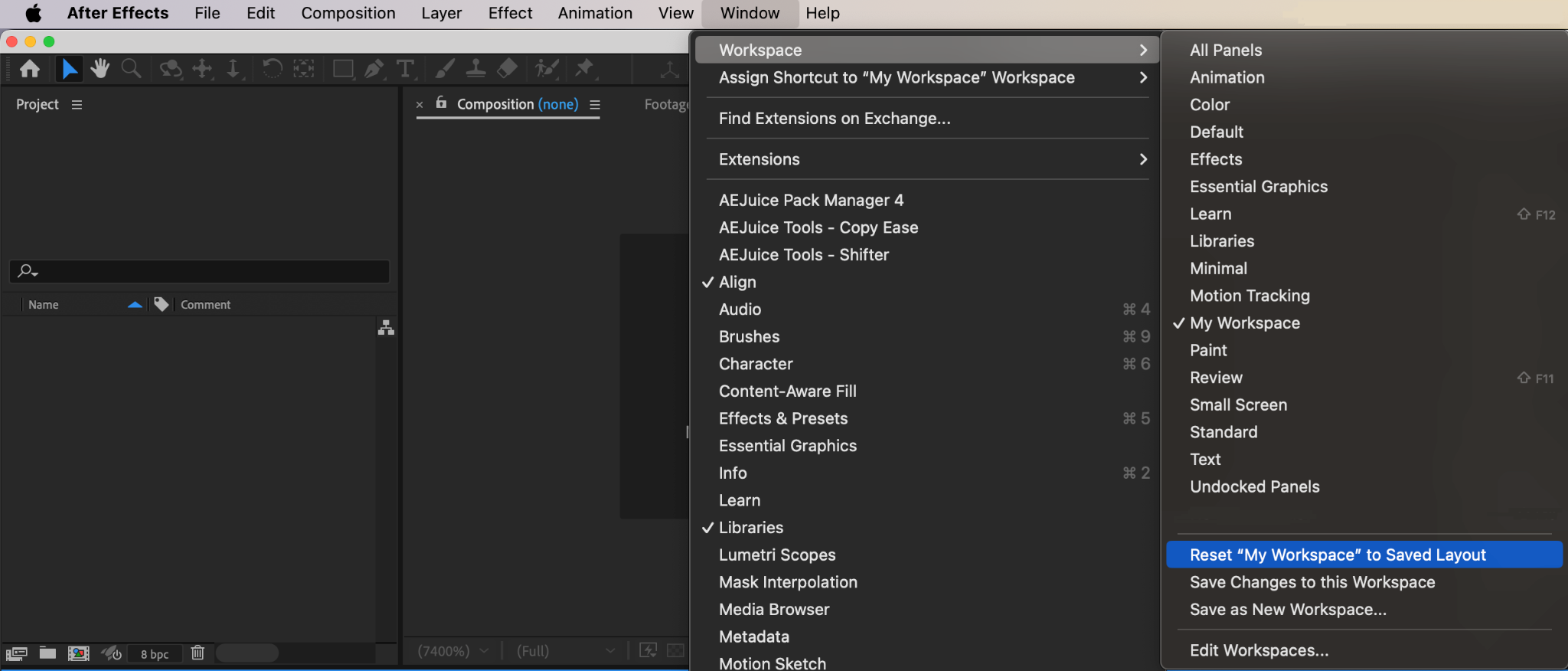
If you still can’t see the Timeline panel, reset the workspace. Go to Window > Workspace > Reset [Your Workspace Name]. This will restore the default layout and bring back missing panels.
Step 3: Open a Composition to Activate the Timeline
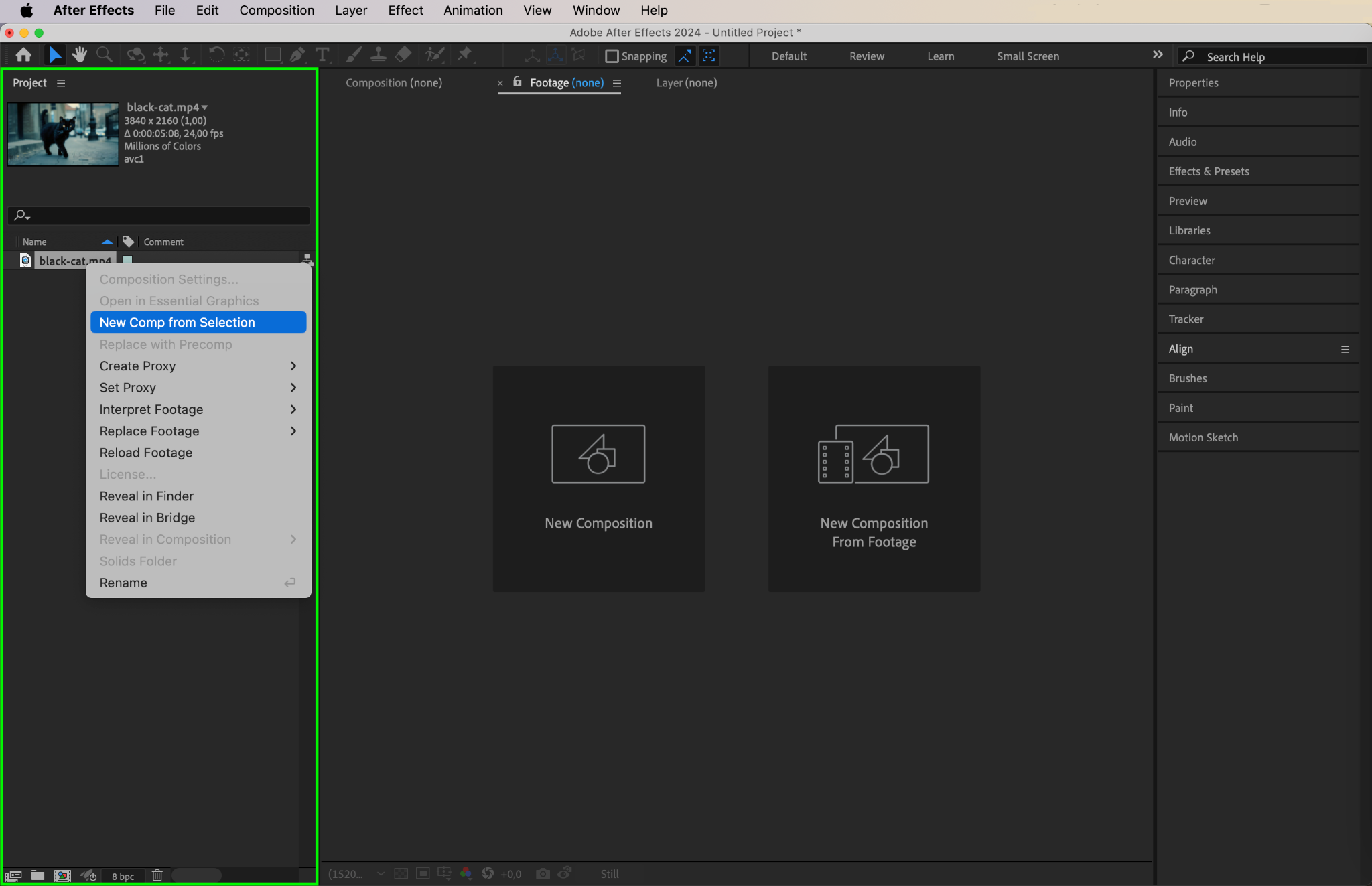
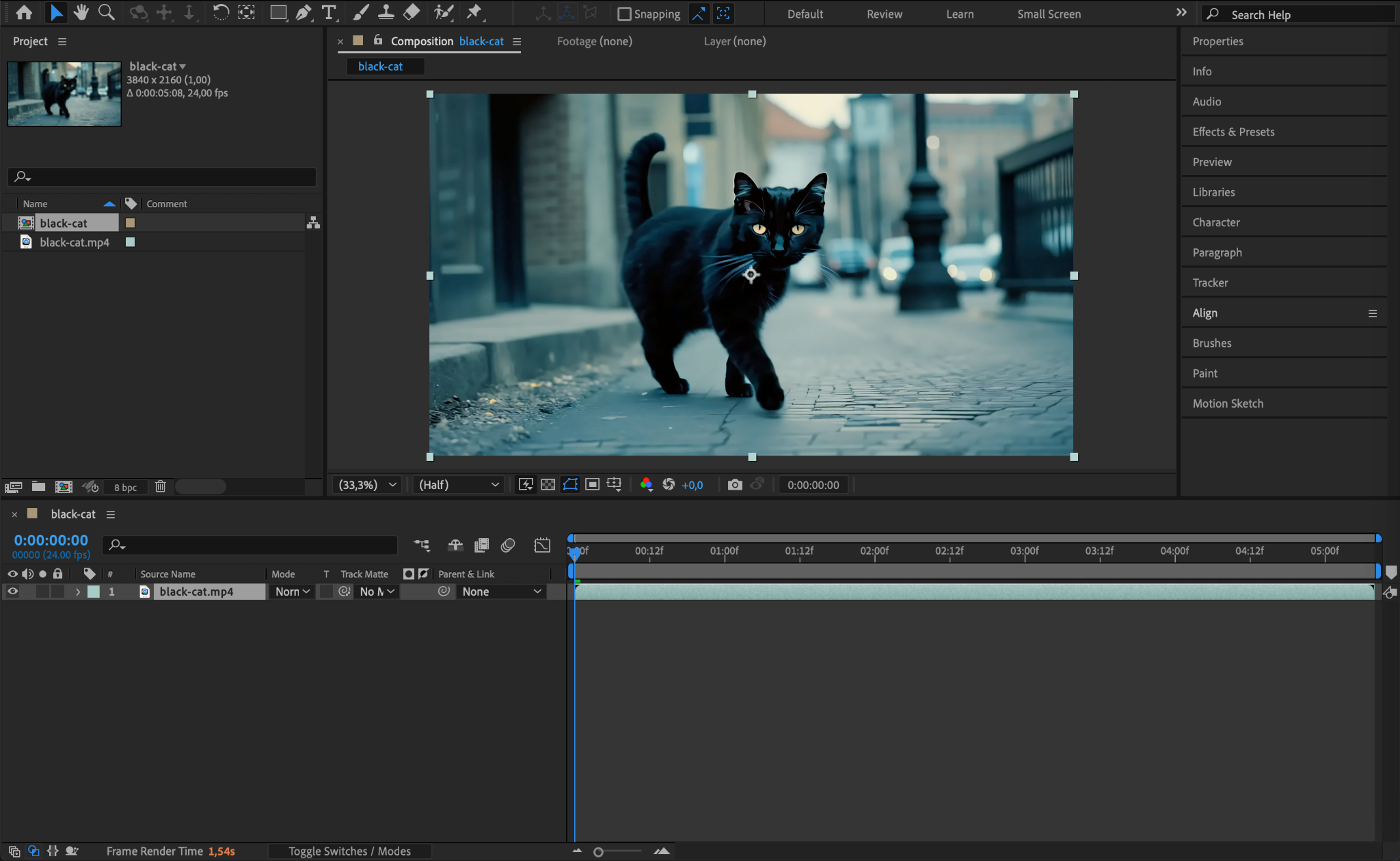
The Timeline panel may not appear if no composition is open. Check if you have a composition in the Project Panel. If not, create a new one by going to Composition > New Composition. Once a composition is active, the Timeline panel should reappear.
Step 4: Dock the Timeline Panel Properly
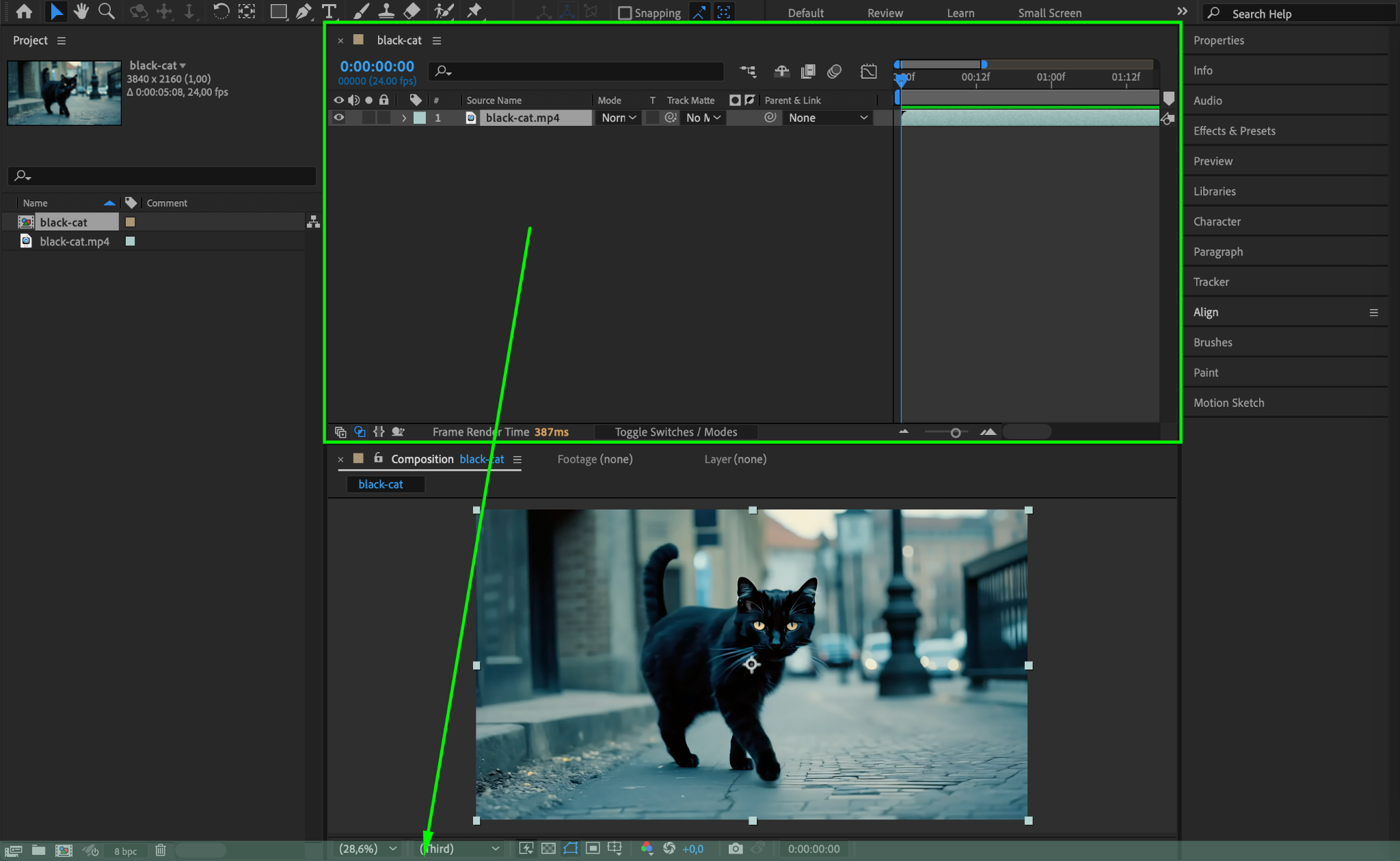
If the Timeline panel is detached or floating, you can dock it back into place. Click and drag the panel to the bottom of the screen until you see a blue highlight, then release it to snap it into position.
Step 5: Switch to the Standard Workspace
Sometimes, custom workspaces cause panels to disappear. Go to Window > Workspace > Default to switch to the standard layout, which ensures that the Timeline panel is visible.

Step 6: Restart After Effects
If none of the above methods work, close After Effects and restart it. This can refresh the workspace and restore any missing panels.
Step 7: Reinstall After Effects (If Necessary)
As a last resort, if the Timeline panel is still missing after multiple attempts, consider reinstalling After Effects. Go to Adobe Creative Cloud, uninstall After Effects, and reinstall it to reset all settings.
Conclusion
Losing the Timeline panel in After Effects can be frustrating, but restoring it is simple. By checking the Window menu, resetting the workspace, and ensuring a composition is open, you can quickly bring it back and continue working on your projects without interruption.
Our Bestsellers
Our Bestsellers


