
Introduction to Setting a Dark Tone
Creating a dark mood in your film is not just about lowering brightness — it’s about building atmosphere. Adobe After Effects gives you the tools to change the emotional tone of your footage through color grading, shadows, vignettes, and contrast. In this guide, you’ll learn simple techniques to create a moody, cinematic look that feels dramatic, serious, or mysterious.
Step 1: Prepare Your Footage
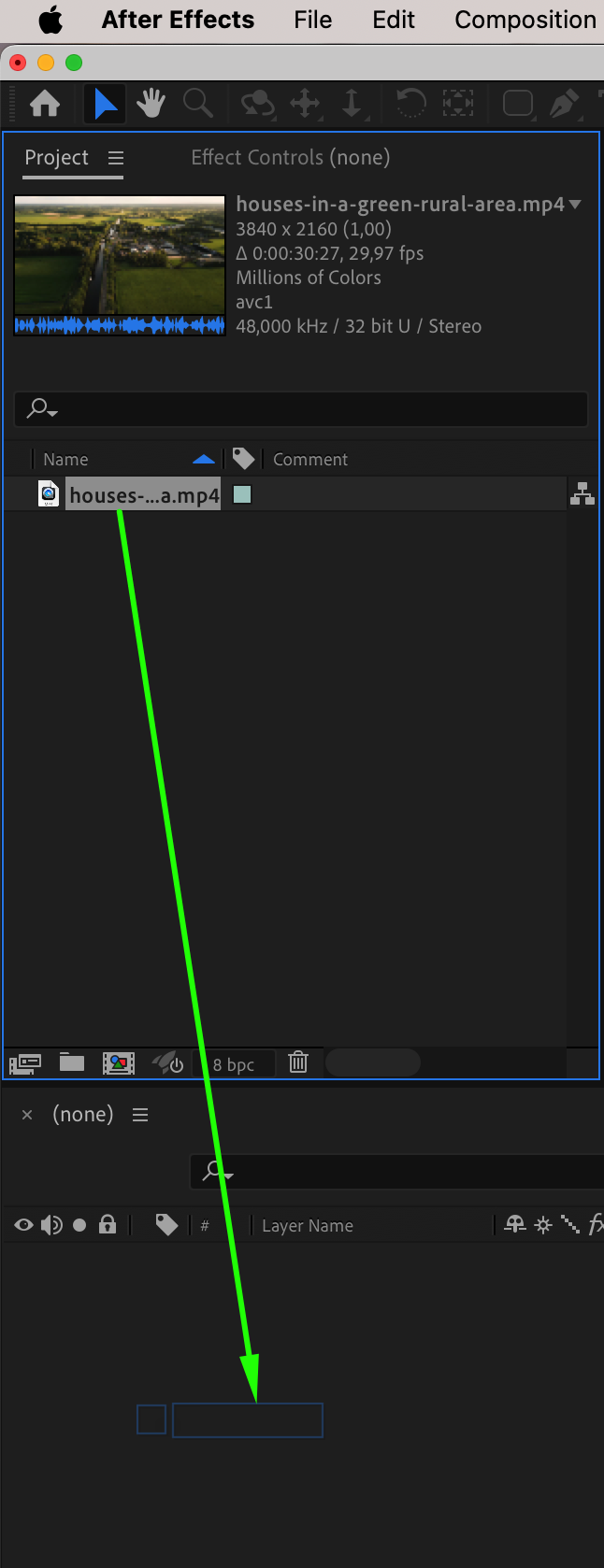
Import your clip by going to File > Import > File, then drag it to the timeline inside a new composition. Make sure your footage is properly exposed and in focus before adding effects, as it will give you more control during the grading process.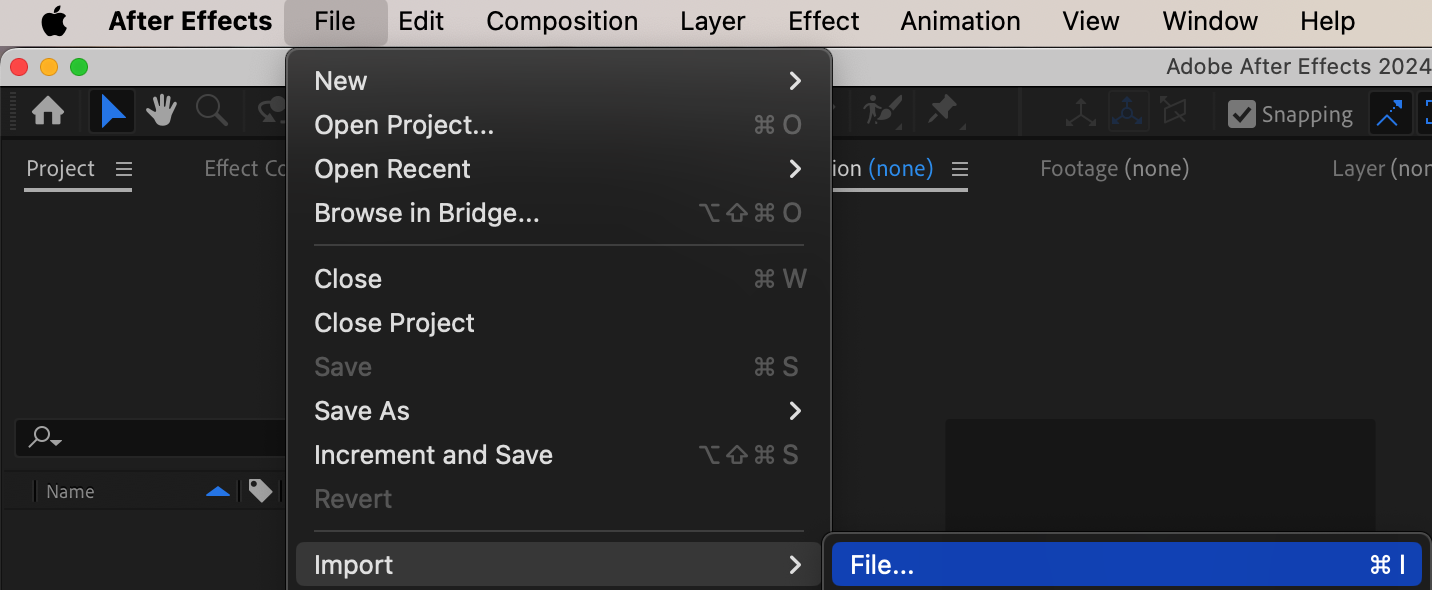
Step 2: Apply Lumetri Color for Grading
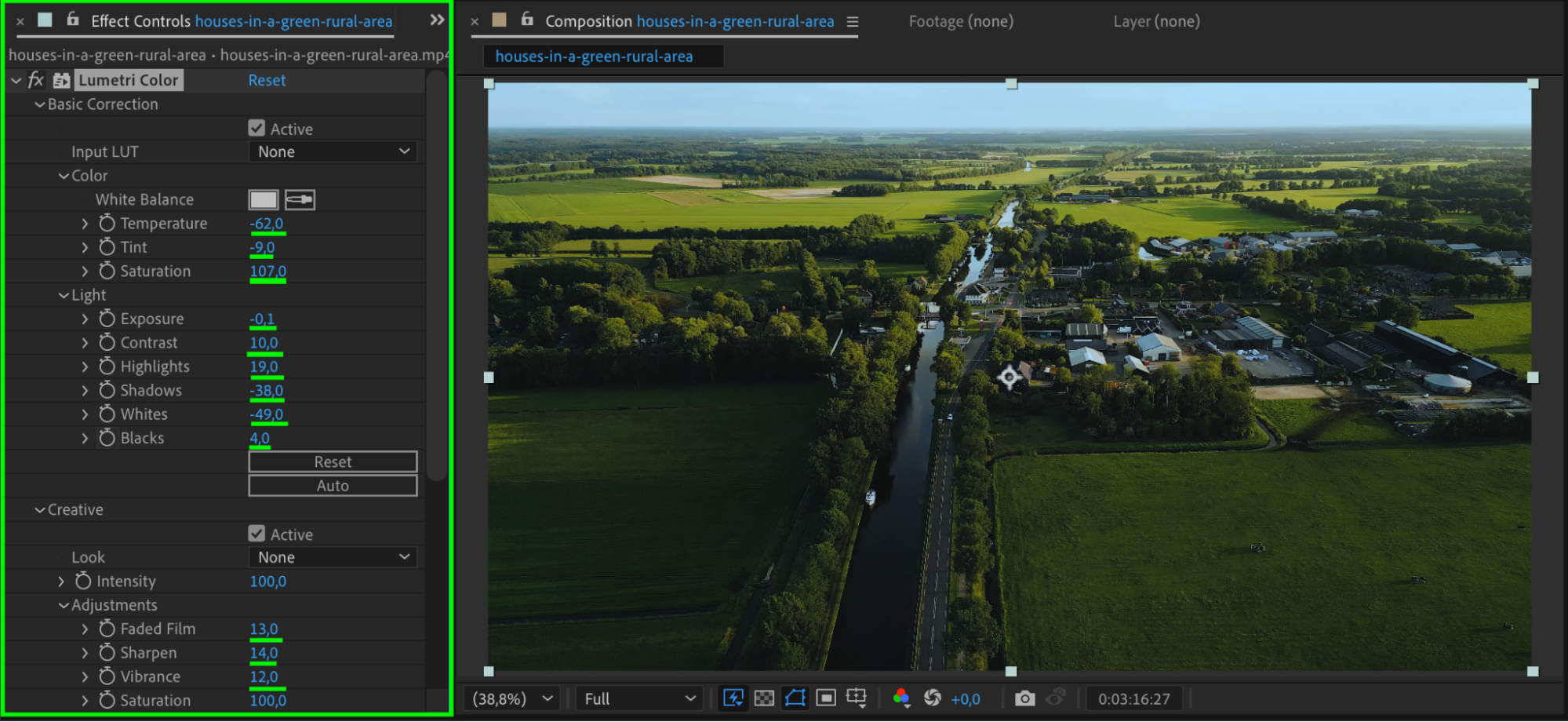
Select your clip and go to Effect > Color Correction > Lumetri Color. In the Basic Correction section, reduce the Exposure slightly and increase Contrast. Lower Highlights and increase Shadows to get richer midtones. In the Creative tab, you can also apply a LUT or adjust Faded Film and Sharpen settings for a more cinematic style.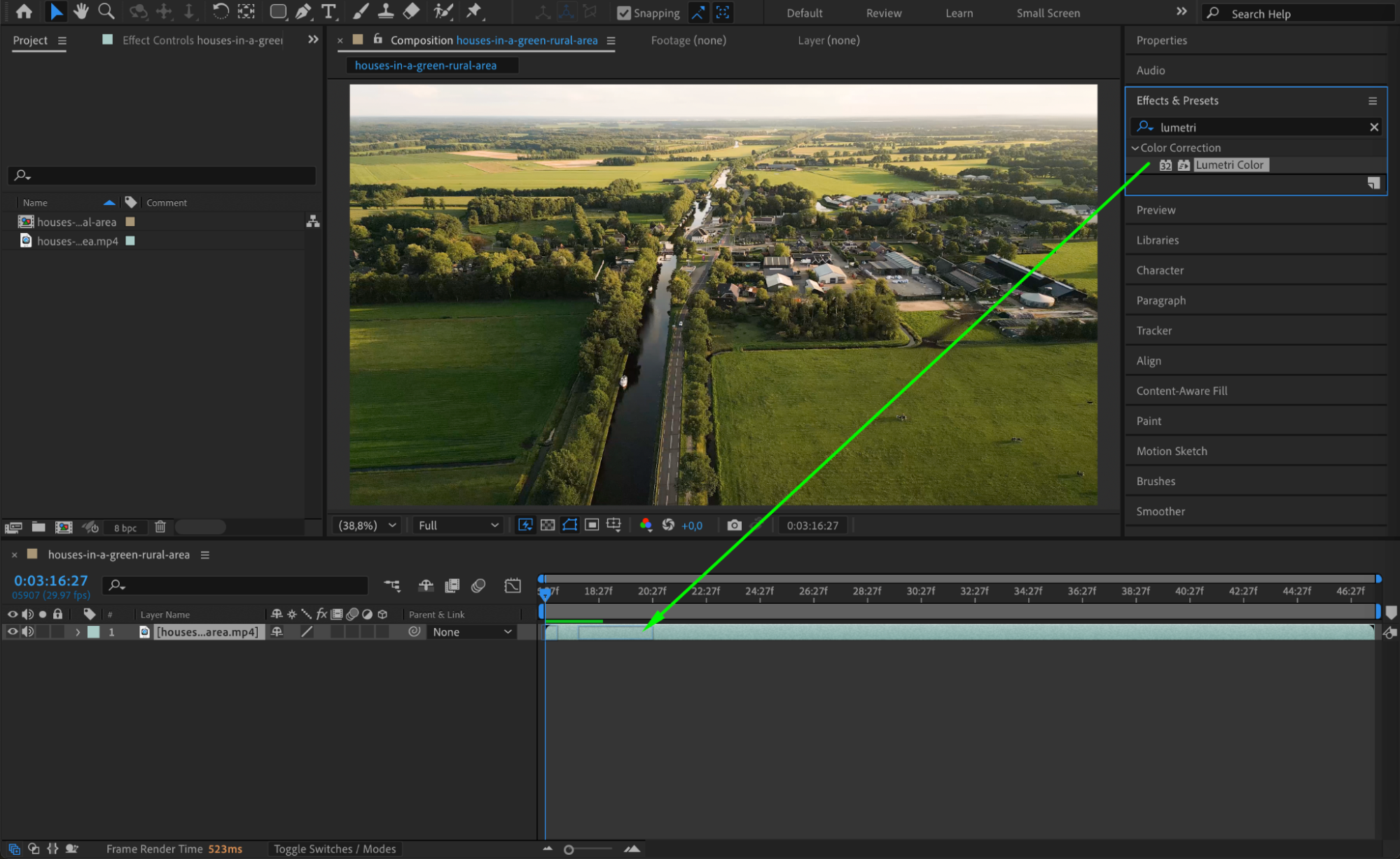
 Step 3: Shift the Color Tone
Still inside Lumetri Color, go to the Color Wheels & Match section. Adjust the Shadows wheel toward blue or teal and the Midtones slightly toward green or purple. This cools down the image and creates a moody, unsettling atmosphere that’s commonly seen in thrillers or dramas.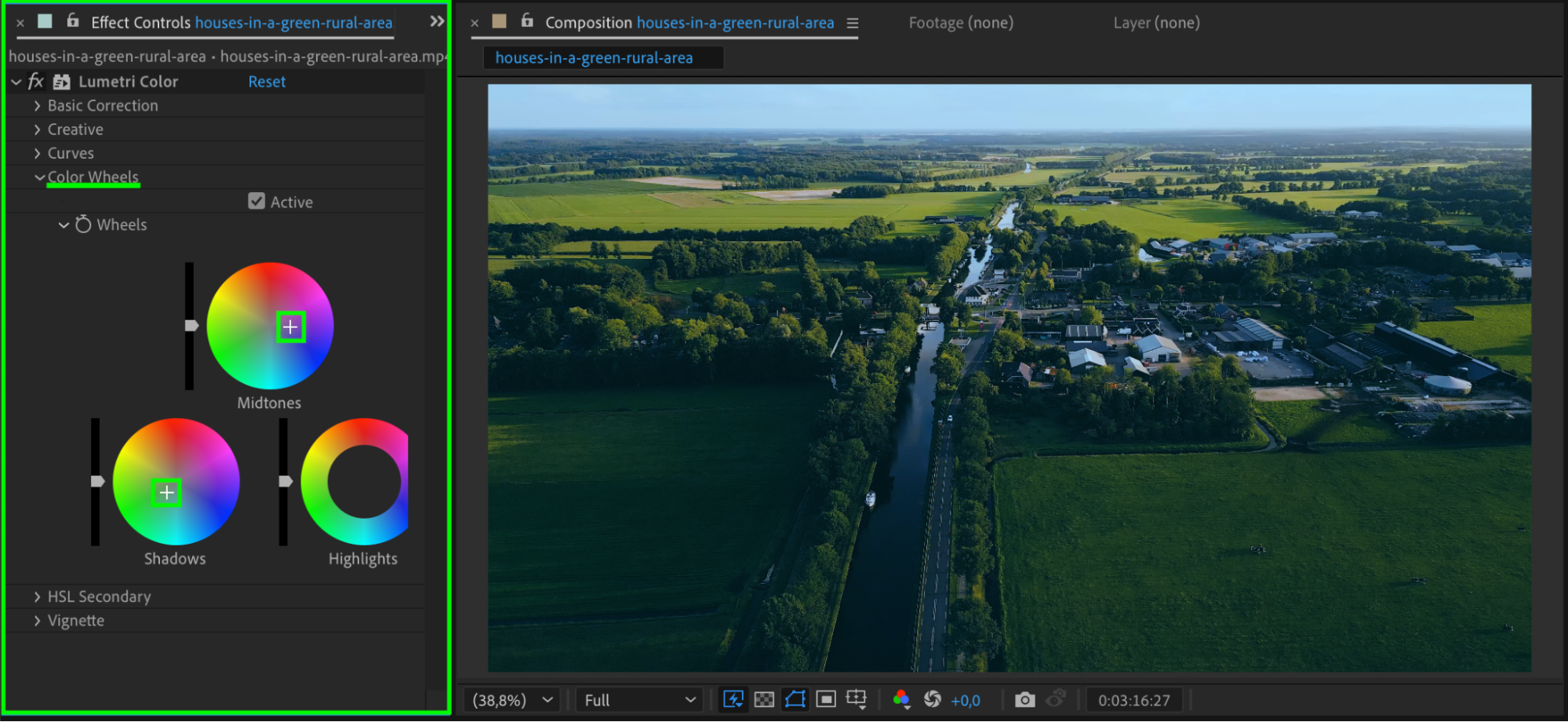
Step 4: Add a Vignette
To draw attention to the center of your frame and darken the edges, scroll to the Vignette section in Lumetri Color. Reduce the Amount, then adjust Midpoint, Roundness, and Feather to fine-tune the look. A soft vignette adds depth and focus, enhancing the overall dark tone.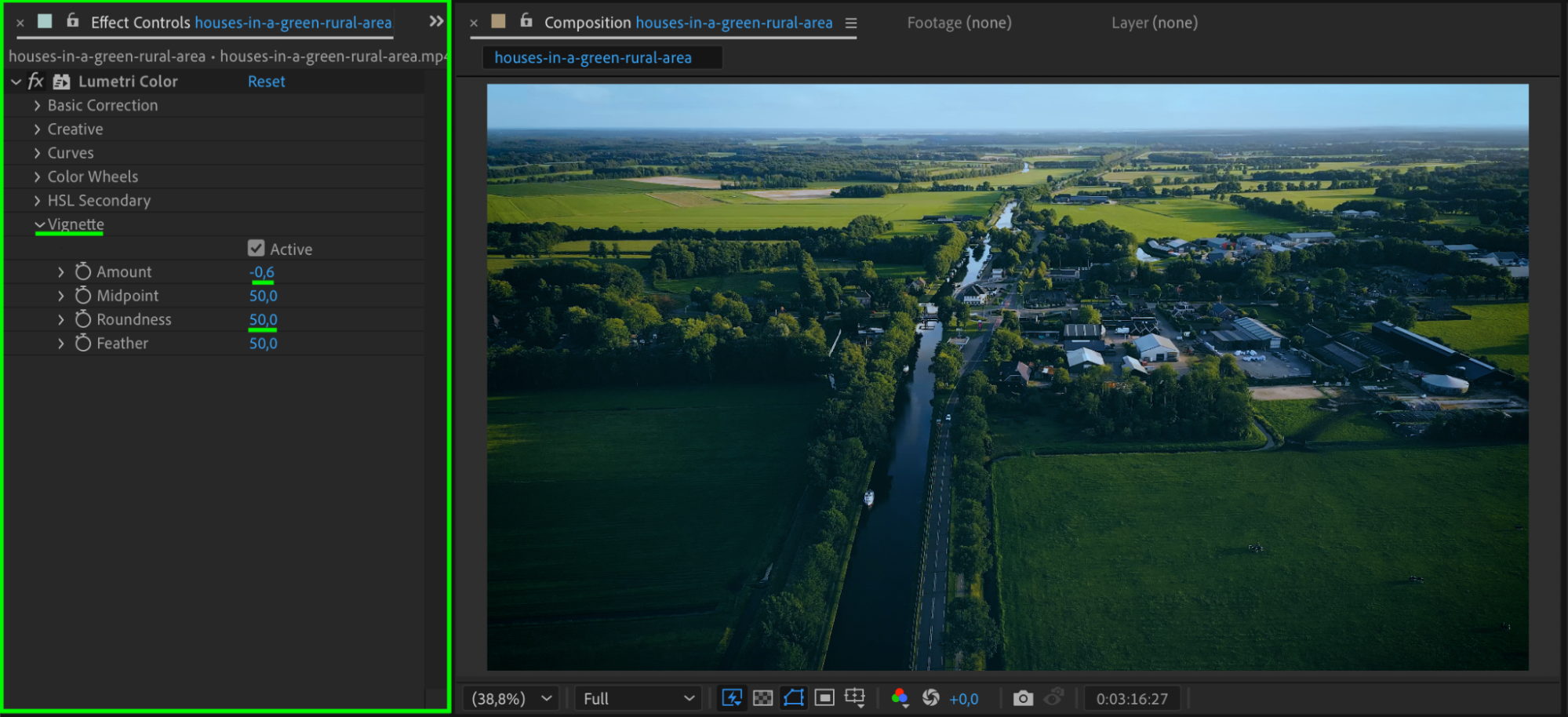 Step 5: Add Noise and Blur for Grit
Apply Add Grain or Noise to simulate film grain. This adds a gritty texture that works well with dark moods. Optionally, you can use Gaussian Blur with a very low value to slightly soften the image and create a more dreamlike or vintage tone.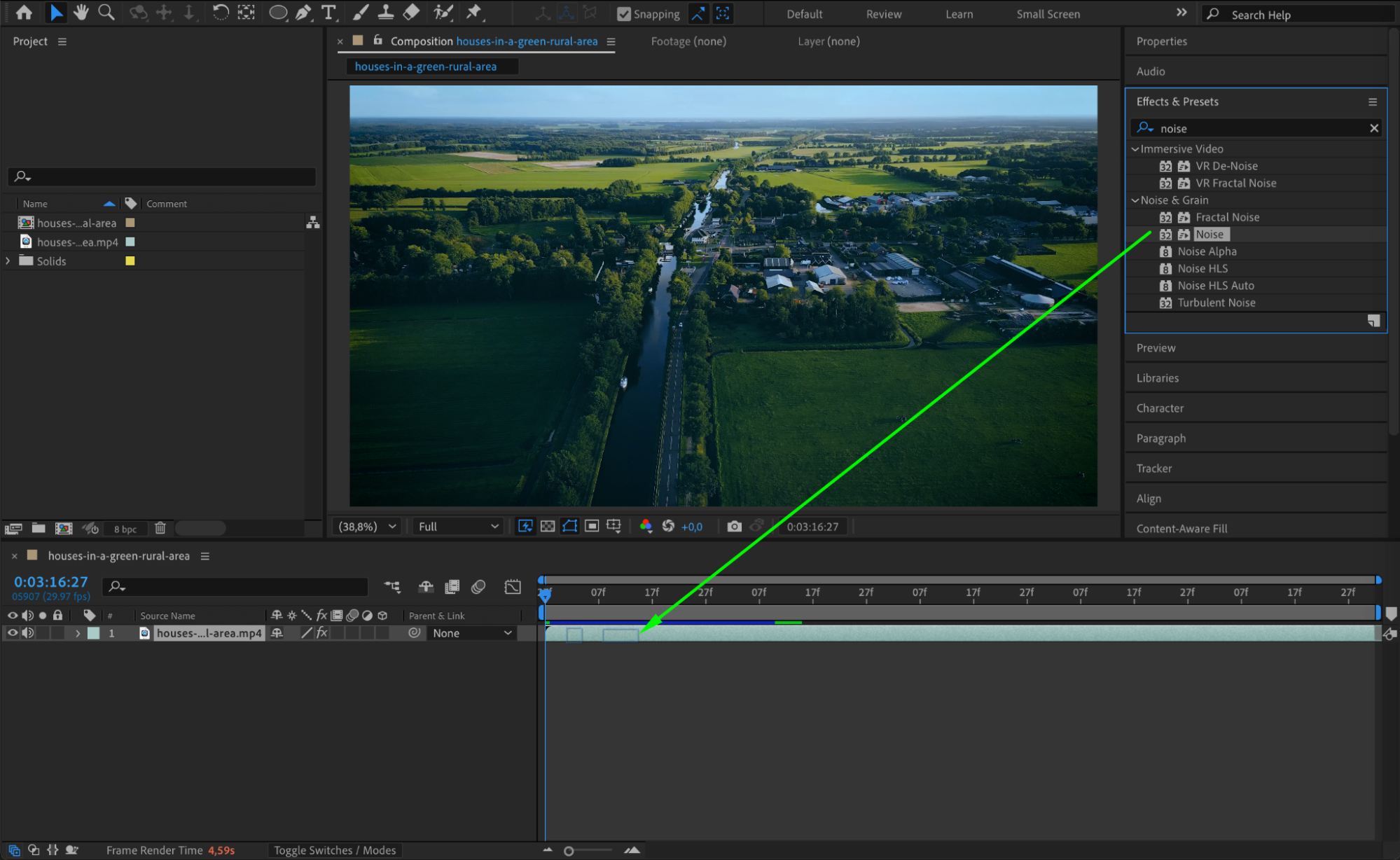
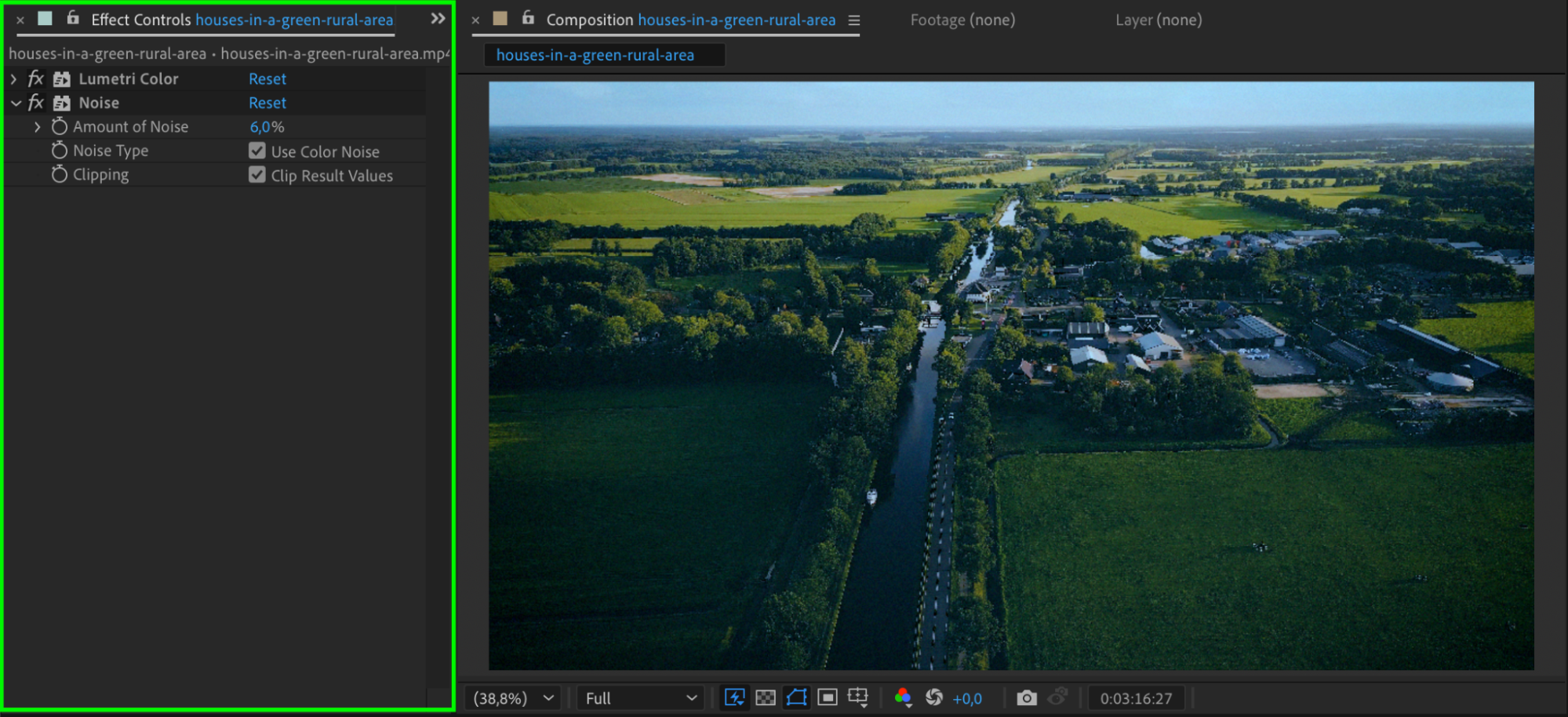 Step 6: Preview and Refine
Press the Spacebar to preview your scene. Watch how the shadows and color tone affect the mood. Adjust the Lumetri settings or mask feathering until the scene feels natural but dark and emotionally charged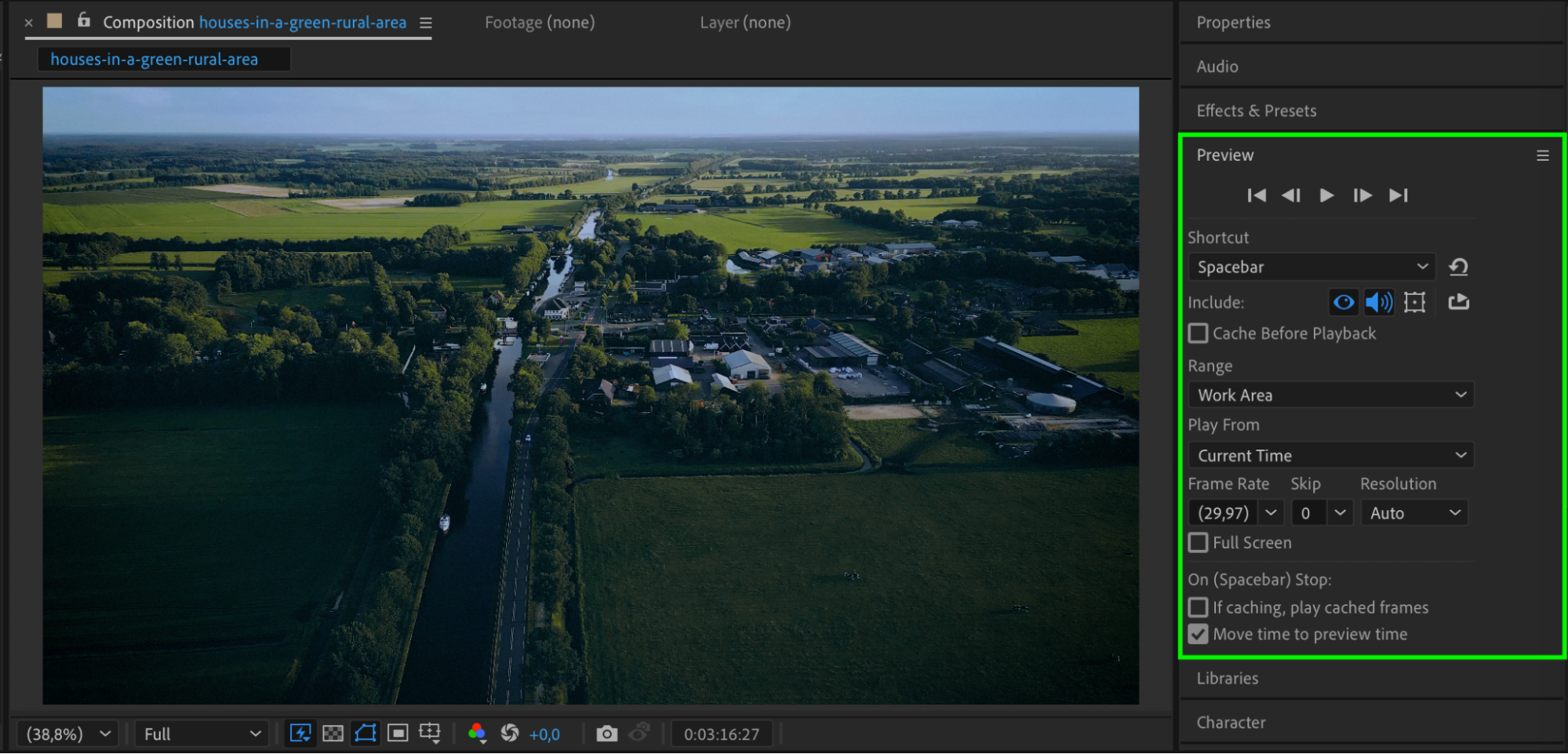
Conclusion
Setting a dark mood in After Effects is about balancing light, color, and shadow. By adjusting contrast, tones, and focus areas, you can dramatically shift the emotional feel of your scene. These simple yet powerful techniques will help you create a professional, cinematic atmosphere in any project.
Our Bestsellers
Our Bestsellers


