
A Complete Guide to Masking Green Screens in After Effects
Introduction: Why Masking Green Screens is Essential
Green screens are widely used in video production for creating composite shots. After Effects provides powerful tools for removing green screens and blending your subject seamlessly into a new background. This guide will walk you through the process of masking, keying, and refining green screen footage for professional results.
Step 1: Import Your Footage
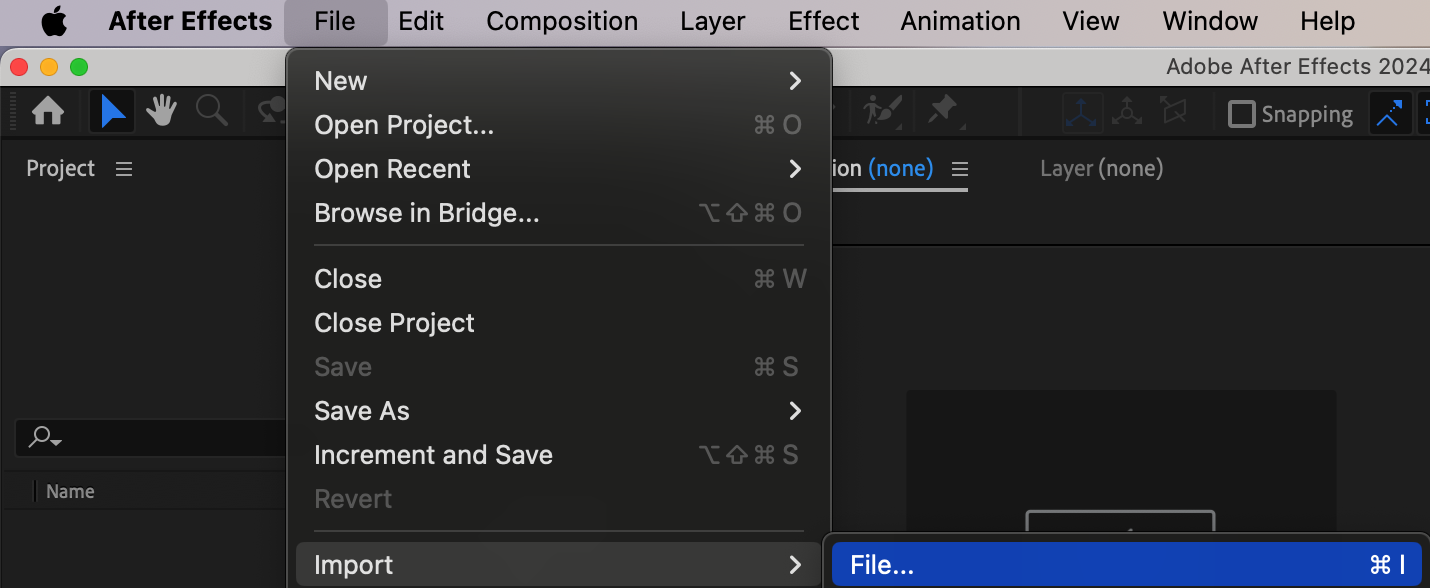
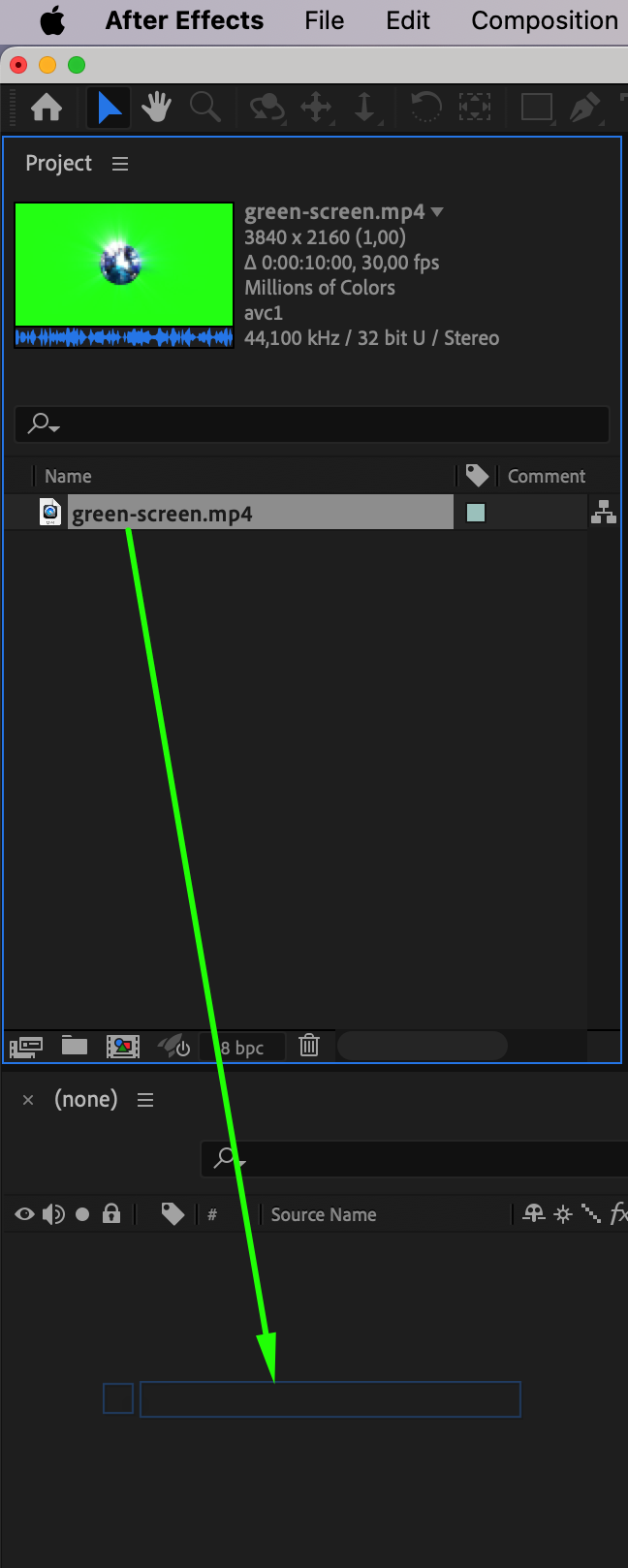
Begin by importing the green screen footage into After Effects. Navigate to File > Import > File, select your video file, and click “Open.” Drag the imported footage from the Project panel to the timeline to create a composition. This sets up your workspace for editing.
Step 2: Create a Mask Around the Subject
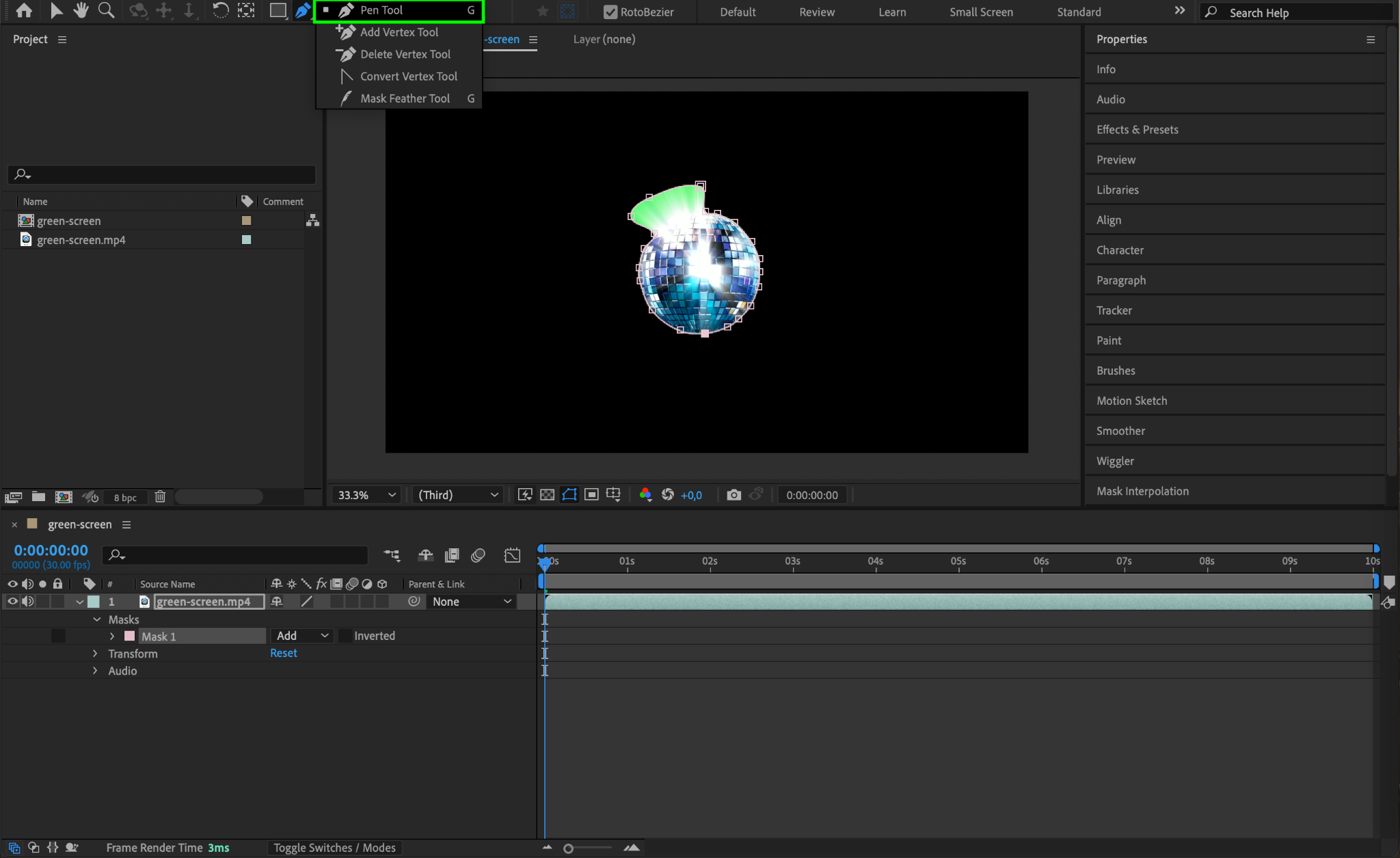
To focus on the subject, create a mask to exclude unnecessary parts of the green screen. Select the footage layer in the timeline, then use the Pen Tool (shortcut: G) to draw a mask around the subject. This helps reduce the area for keying, improving accuracy and performance. Ensure the mask mode is set to Add in the timeline.
Step 3: Apply the Keylight Effect
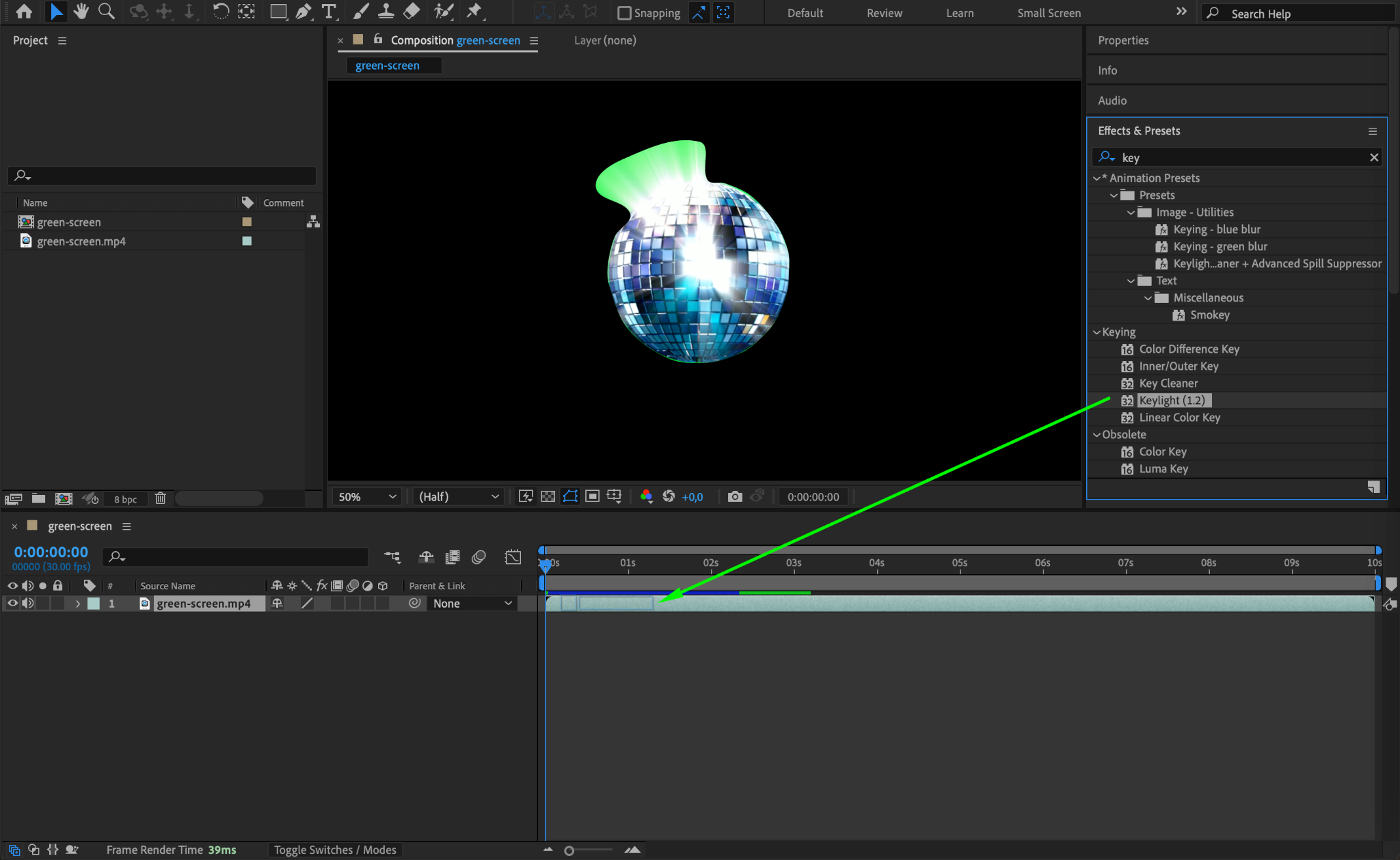
In the Effects & Presets panel, search for “Keylight (1.2).” Drag the effect onto the footage layer. Keylight is a robust tool for removing green screens, and it will help eliminate the background while preserving details in the subject.
Step 4: Select the Screen Color
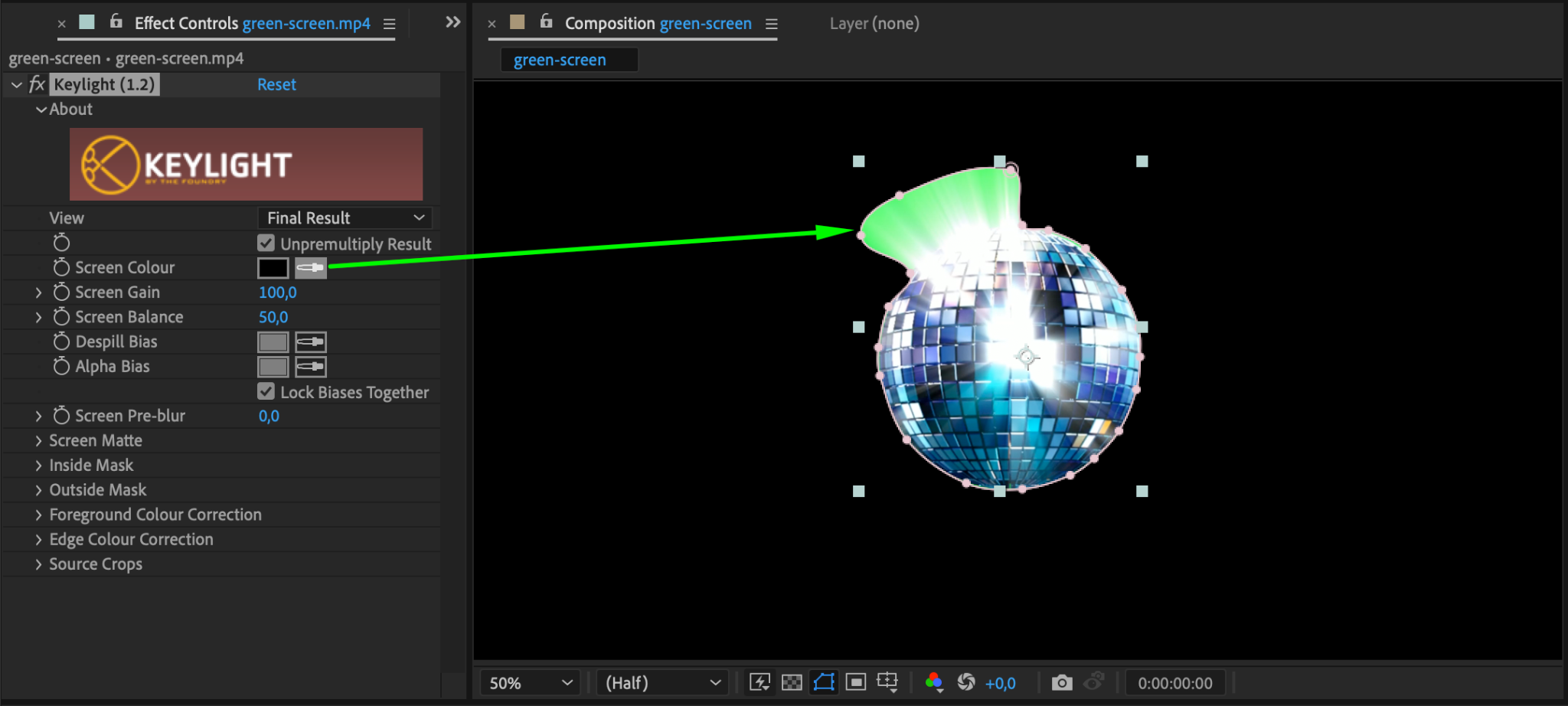
In the Effect Controls panel, click the eyedropper tool next to Screen Color and click on the green area of your footage. The green background should disappear, leaving only the subject visible. If needed, adjust the Screen Gain and Screen Balance sliders to refine the initial keying.
Step 5: Refine the Keying
To remove any leftover green spill or artifacts:
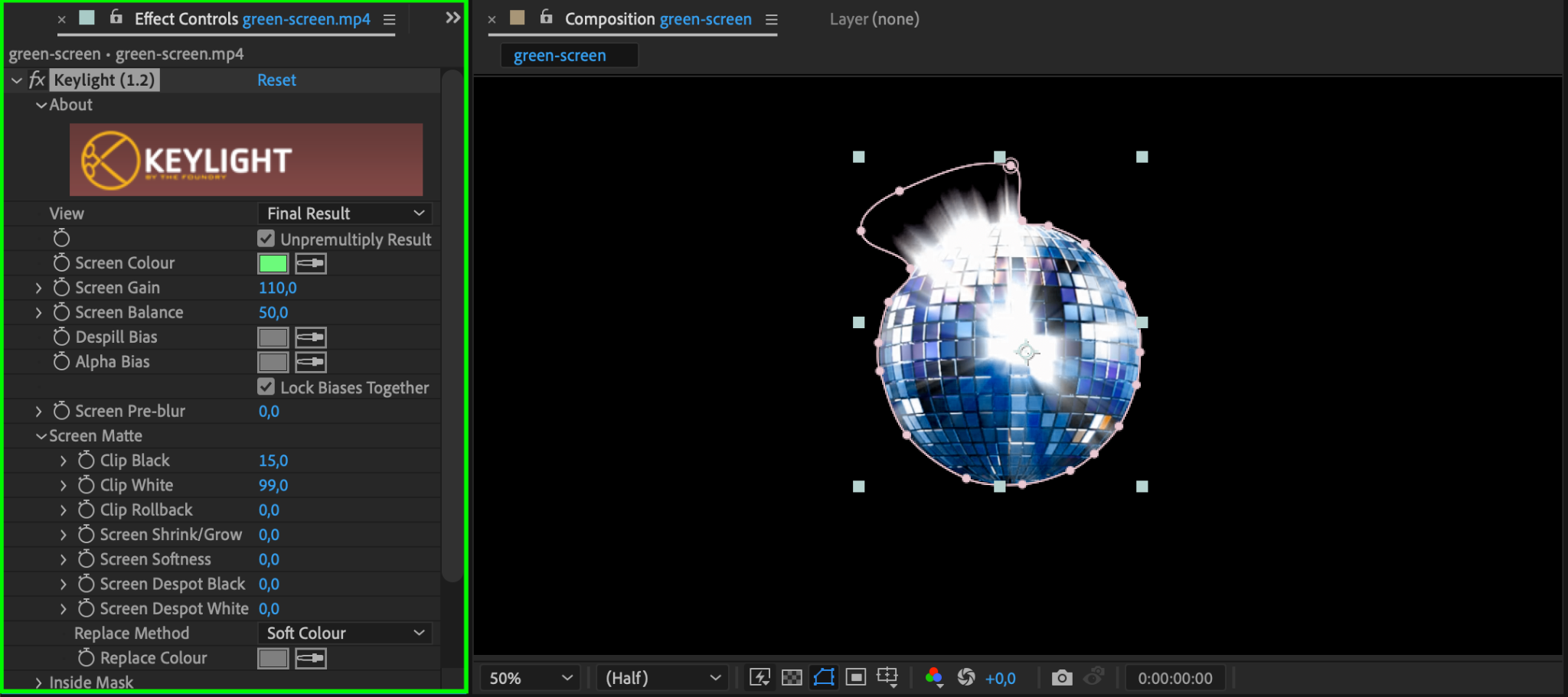
Navigate to the Screen Matte options in the Effect Controls panel.
Adjust the Clip Black and Clip White sliders to enhance the edges of your subject.
This step ensures clean and professional keying.
Step 6: Feather the Mask Edges
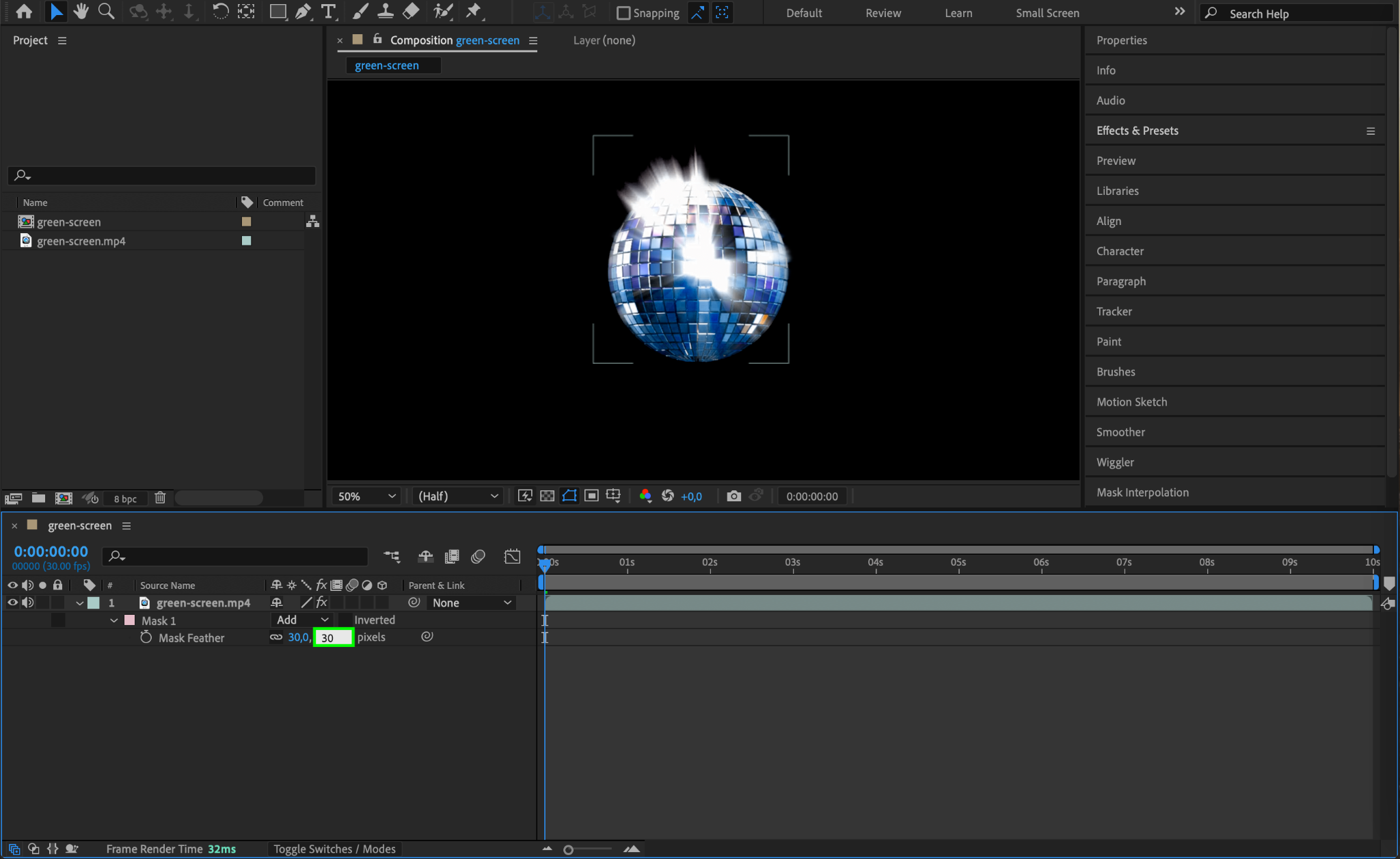
Select your mask in the timeline and adjust the Mask Feather property to soften the edges. This helps blend the subject naturally with the new background. A feather value of 10-30 pixels often works well, but this depends on the footage.
Step 7: Add a New Background
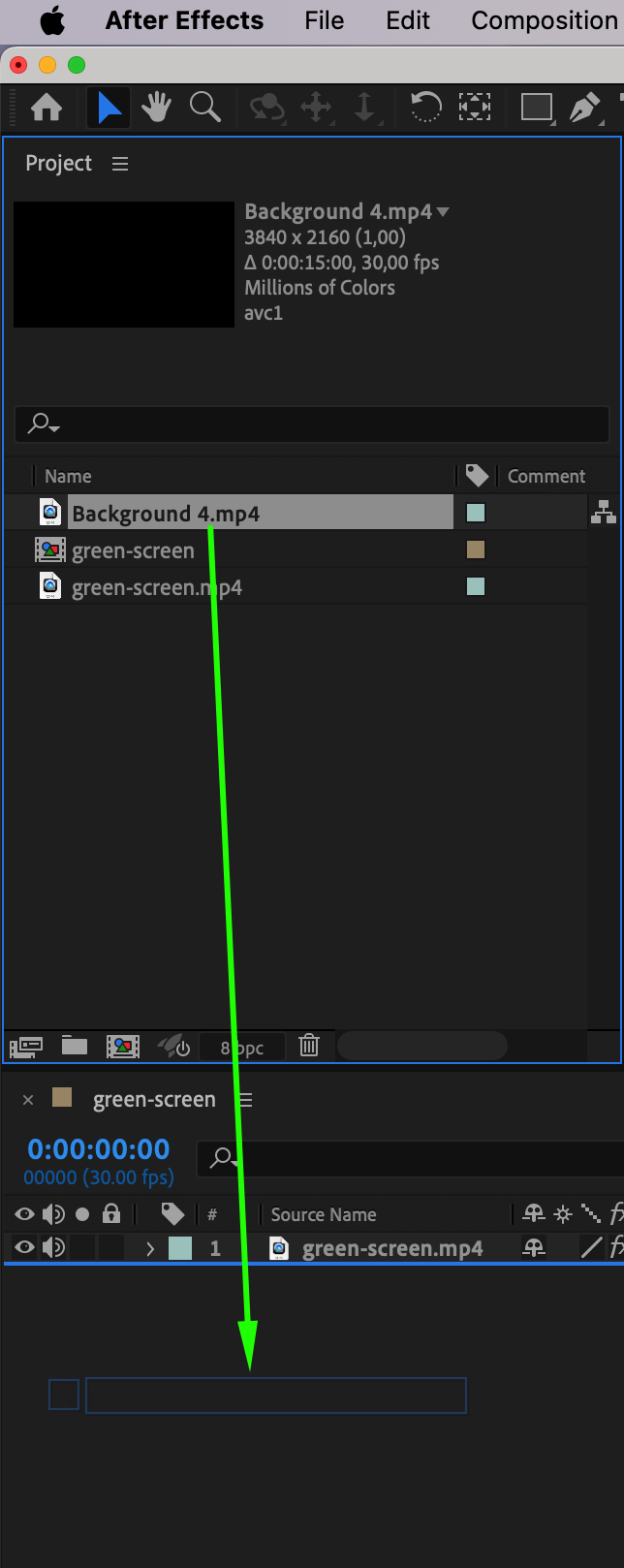
Import the background you want to use (e.g., an image or video). Drag it below the keyed footage in the timeline. Adjust its position, scale, and other properties to create a seamless composite.
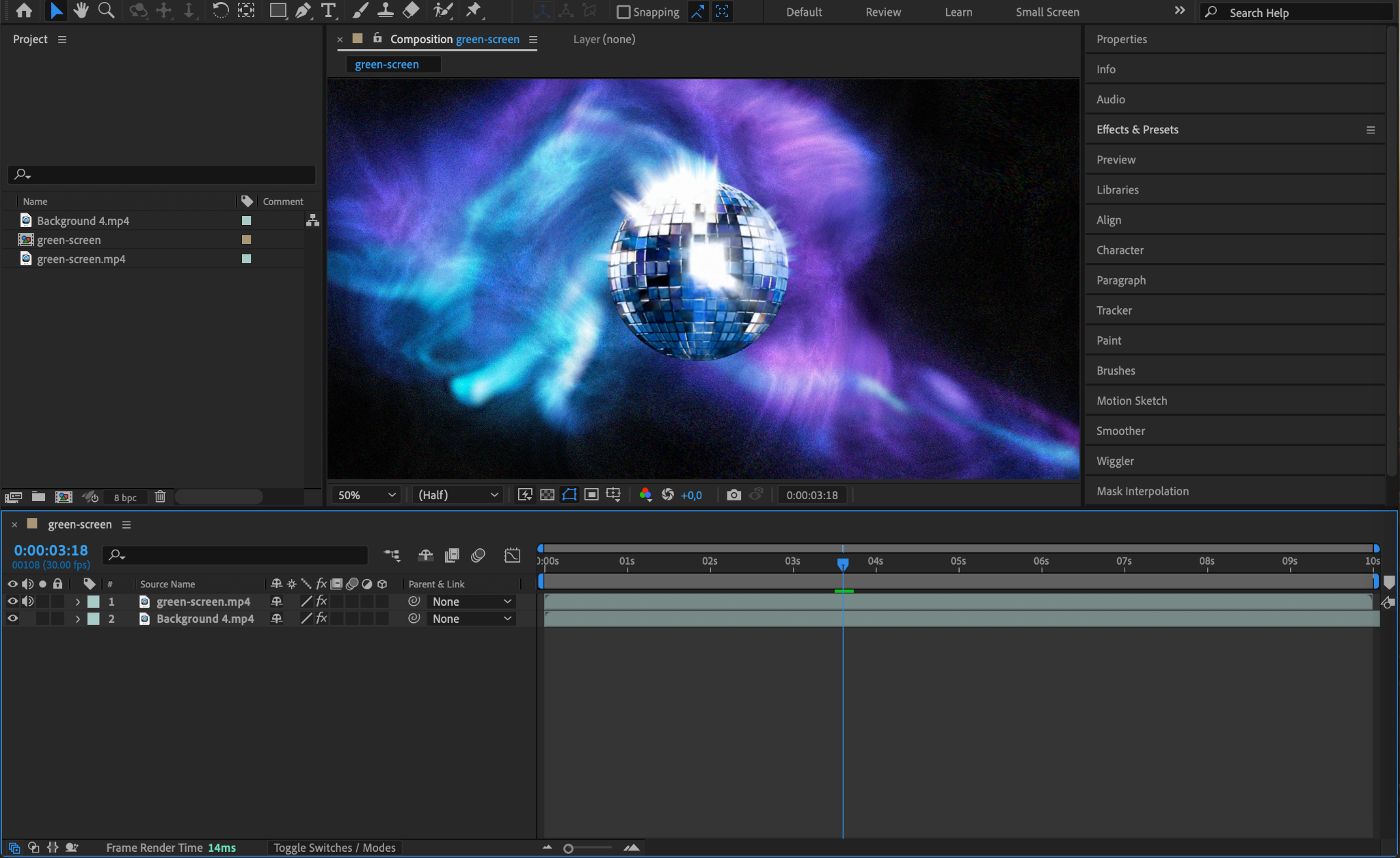
Step 8: Preview Your Composition
Press the Spacebar to preview your work. Look for any areas that need further refinement, such as edges or color matching. Make necessary adjustments to the keying, mask, or background to ensure a flawless result.
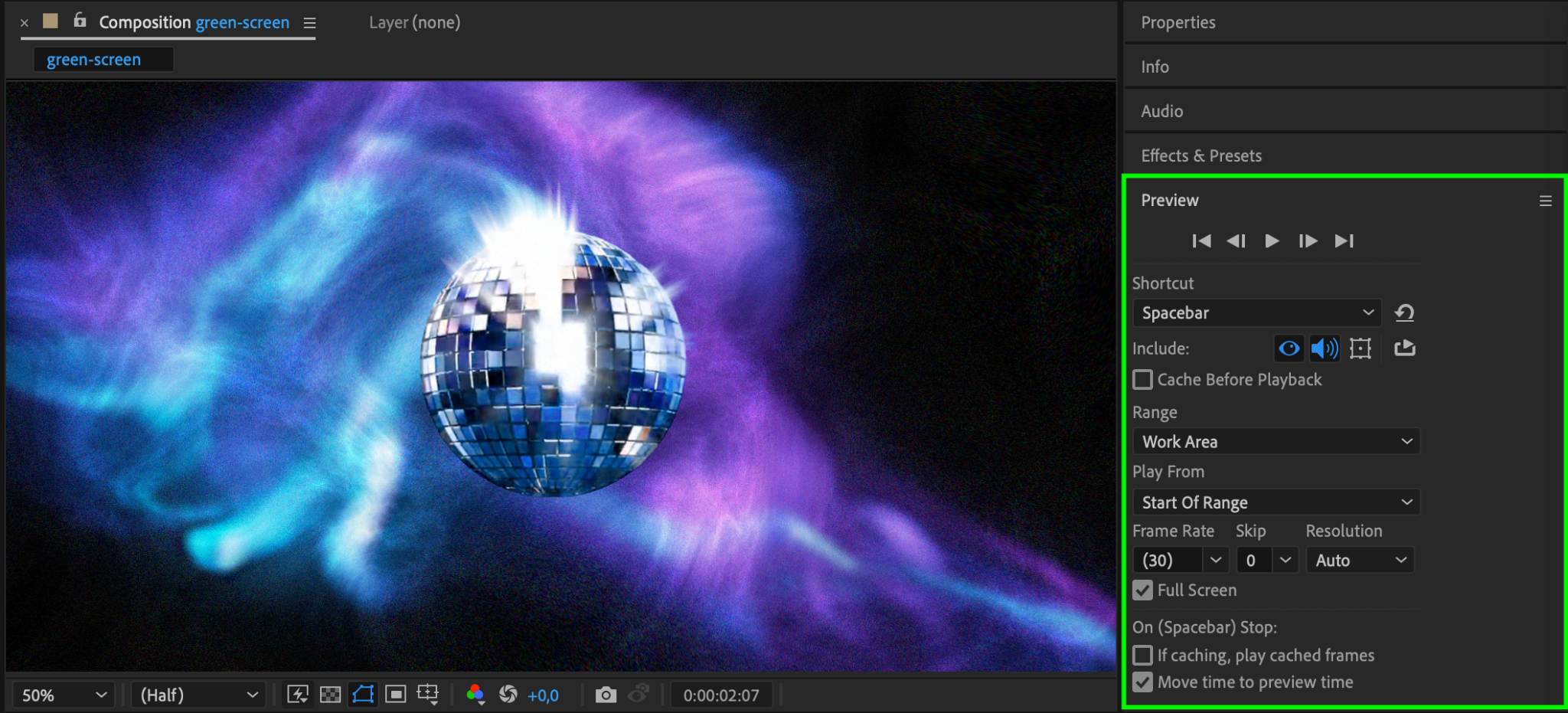
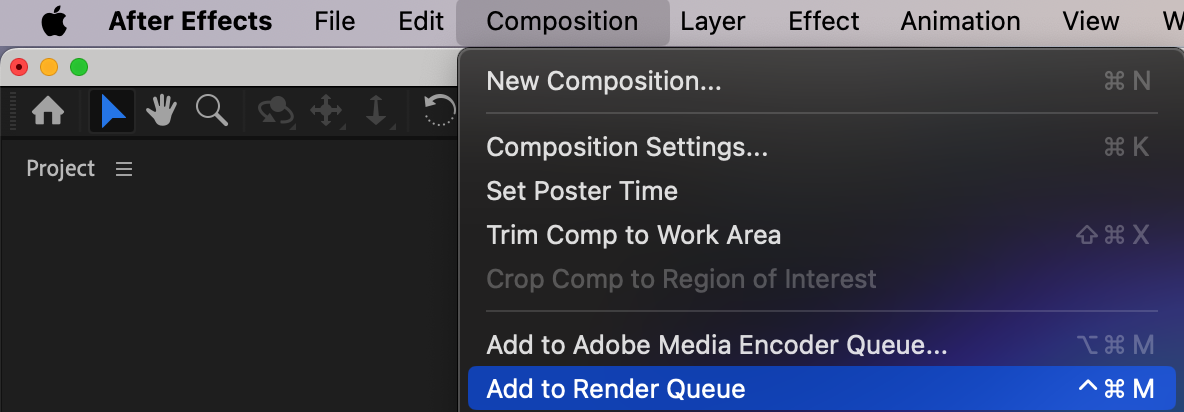
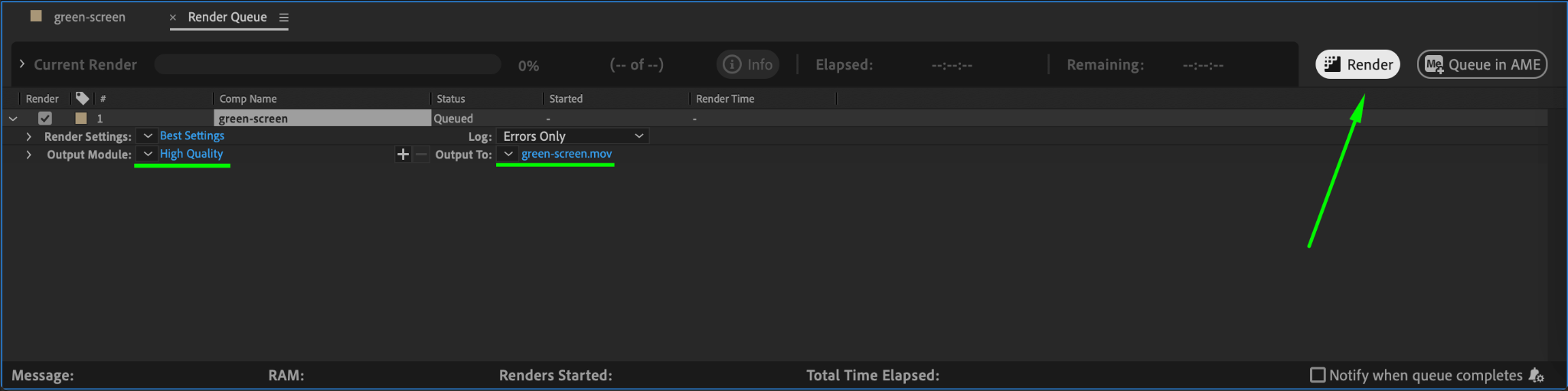
Step 9: Render Your Composition
Once satisfied with your composition, go to Composition > Add to Render Queue. Choose your output format and quality settings, then click Render to export the final video. Your masked green screen footage is now ready for use.
Conclusion
Masking and keying a green screen in After Effects is a vital skill for video editors and VFX artists. By following these steps and refining your work with After Effects’ powerful tools, you can create professional composites that bring your creative vision to life. Practice regularly to master these techniques and take your video editing skills to the next level.
Our Bestsellers
Our Bestsellers


