
“Creating a Seamless Background Loop in After Effects”
“Introduction – Why Looping Backgrounds are Useful”
Looping backgrounds are a staple in video production, perfect for maintaining visual continuity in animations, presentations, and dynamic designs. In this tutorial, you’ll learn how to create a looping background using After Effects, whether starting from a custom composition or an imported video.
Step 1: Import or Create Your Background
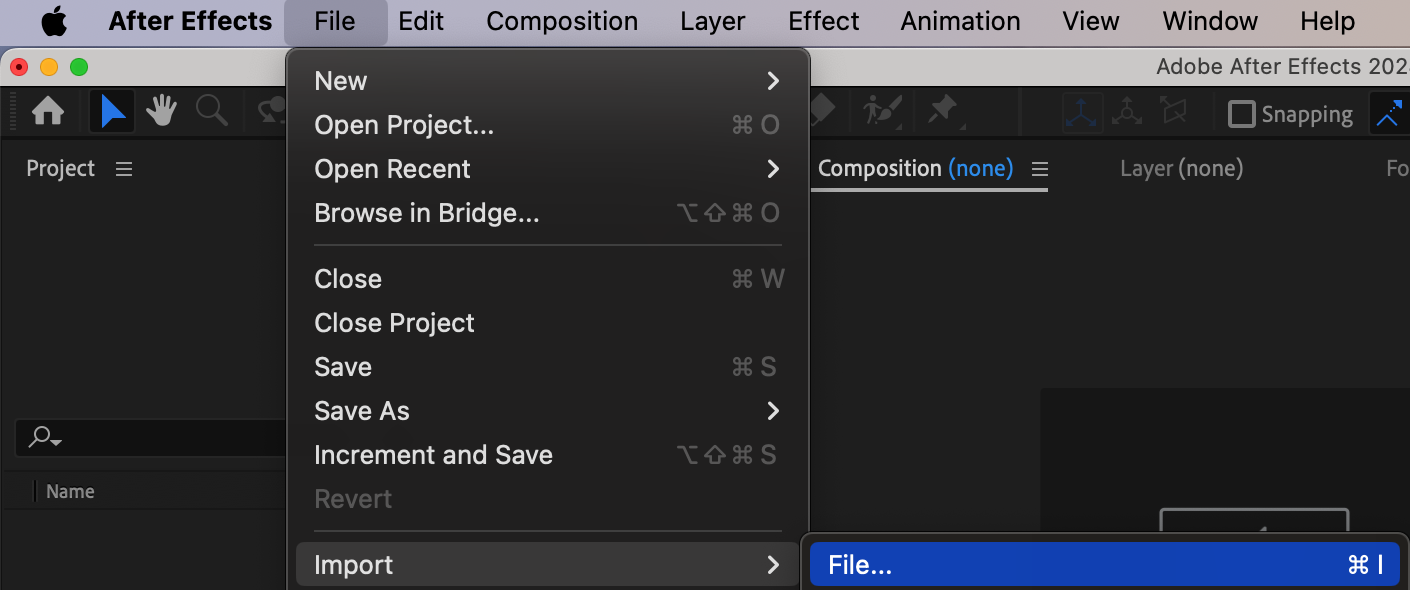
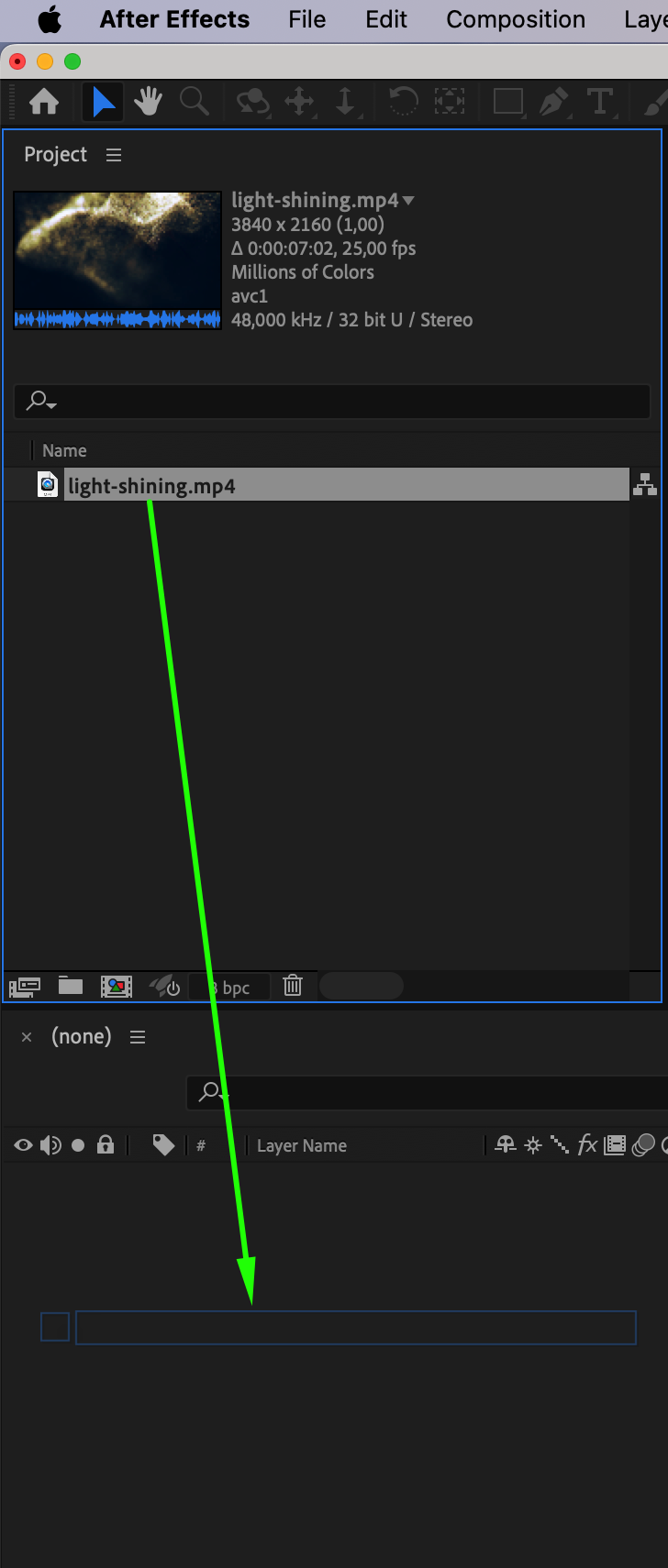
If you already have a background video, go to File > Import > File and import it into After Effects. Drag the file onto the timeline. Alternatively, you can create a custom background using shapes, gradients, or other design elements within After Effects.
Step 2: Enable Time Remapping
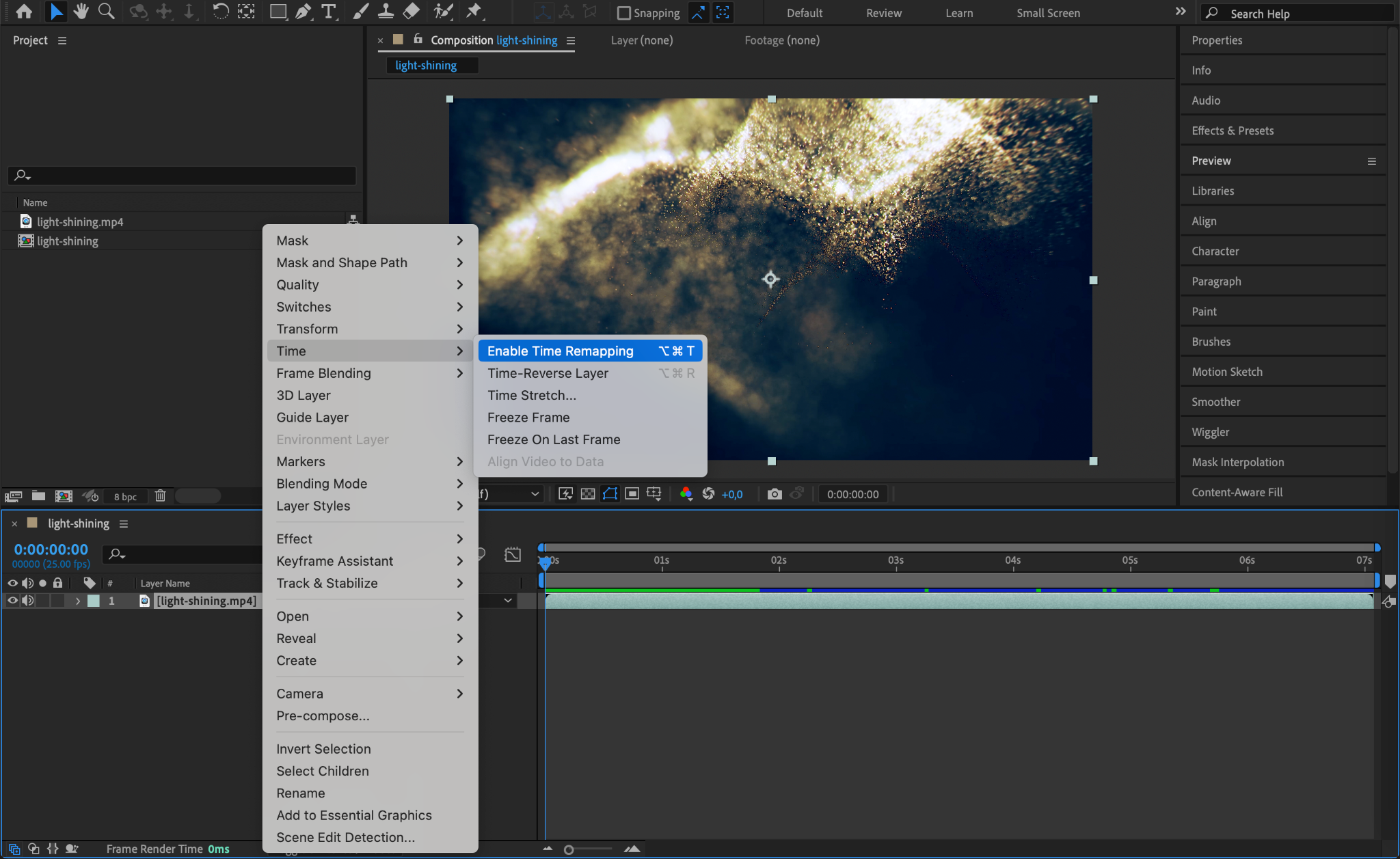
Right-click on the background layer in the timeline, then select Time > Enable Time Remapping. This feature will allow you to control and extend the playback of your video or animation.
Step 3: Set the End of the Loop
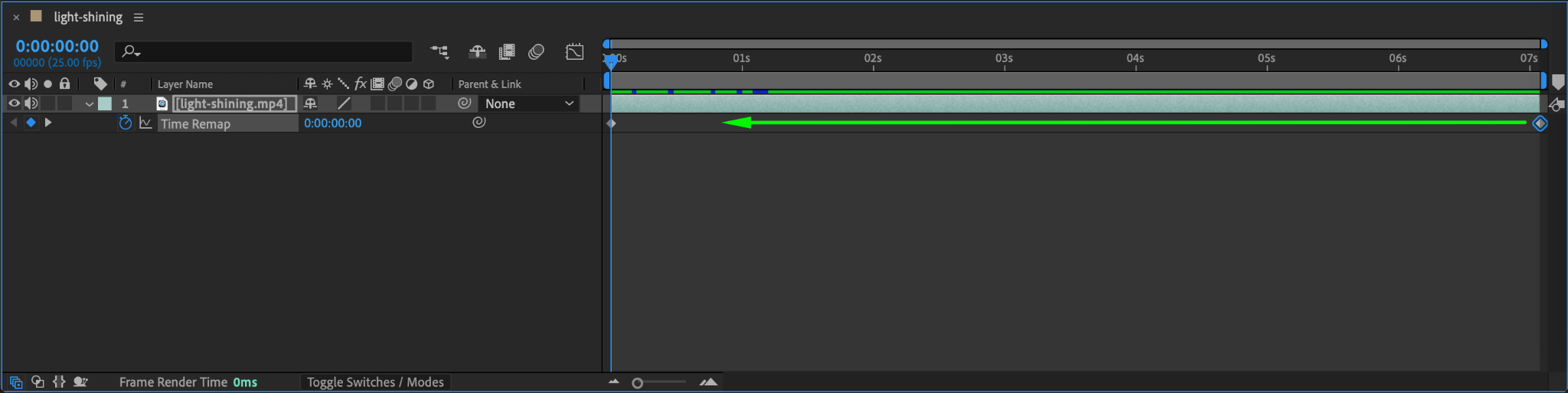
Locate the second keyframe created by enabling Time Remapping. Drag this keyframe to the point where you want the loop to end. For example, if your background video is 5 seconds long, you might want to move the second keyframe to 4 seconds for a smooth loop.
Step 4: Add a Looping Expression
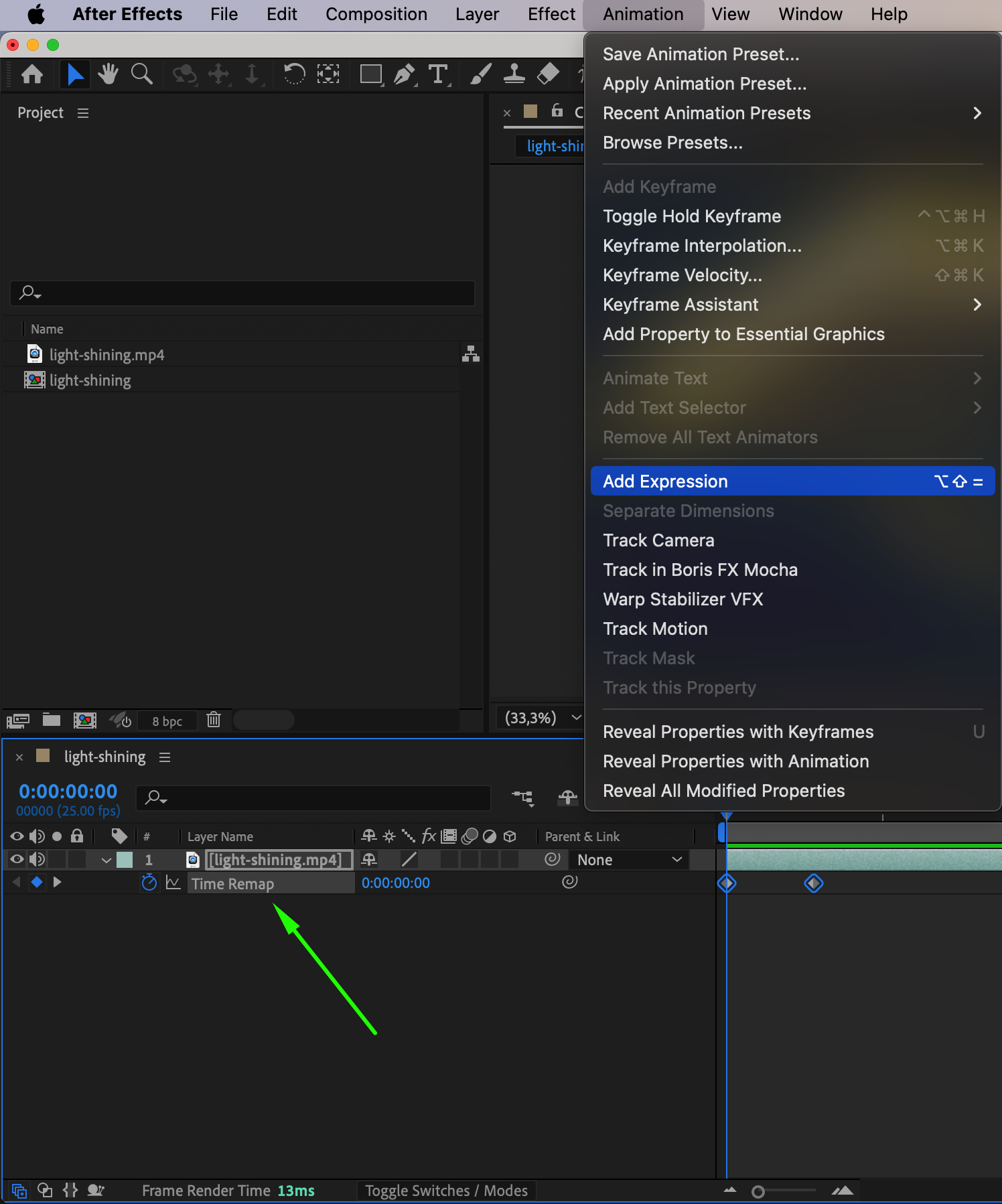
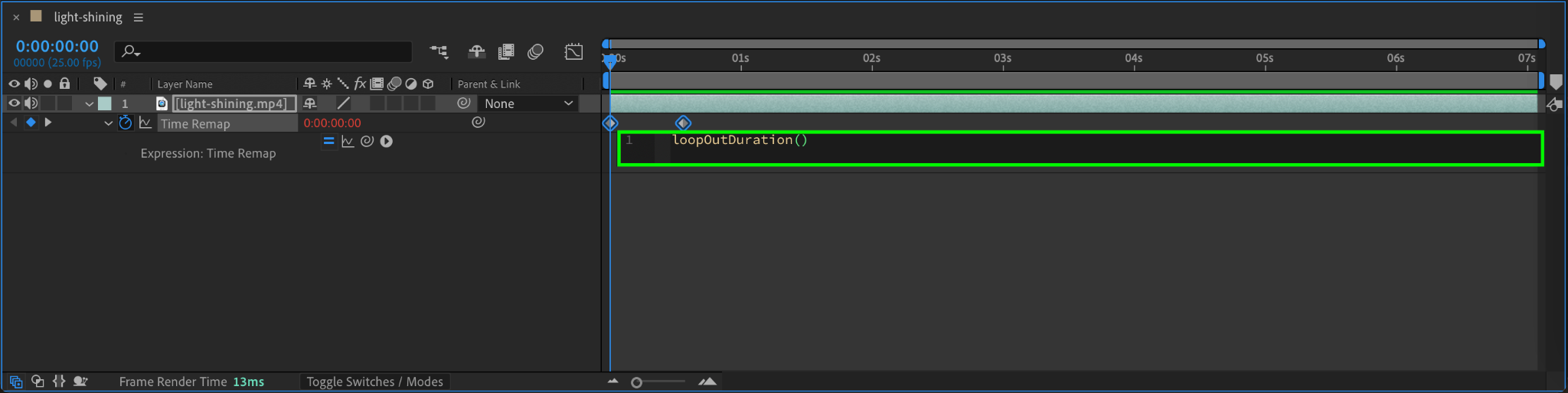
With the background layer selected, click on the Time Remap property. Go to the Animation menu and select Add Expression. In the expression field, type:
loopOutDuration()
This expression creates a seamless loop by cycling the animation between the first and second keyframes.
Step 5: Test and Preview Your Loop
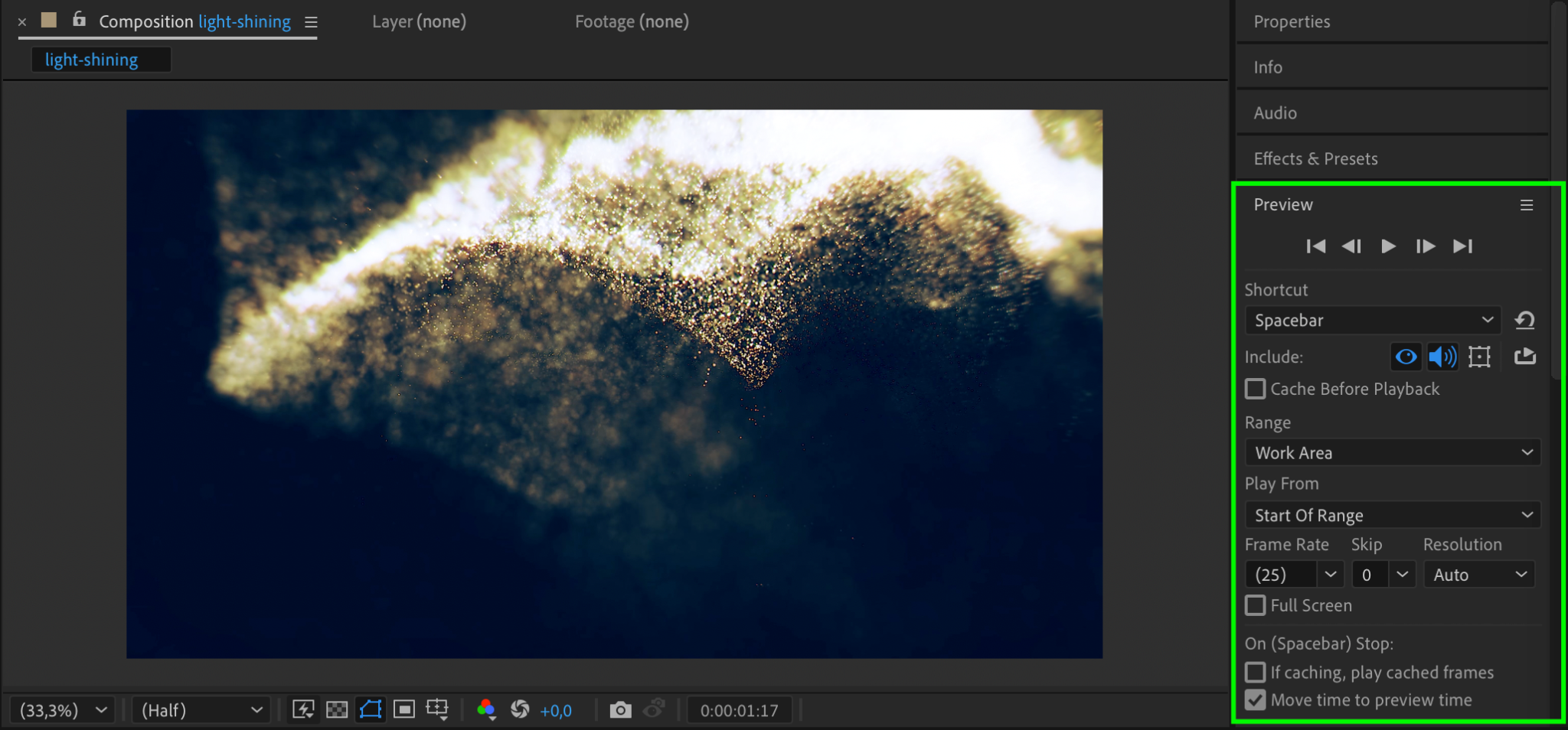
Press the Spacebar to preview your animation. If the loop isn’t smooth, adjust the placement
of the keyframes or edit your background to ensure the start and end points align seamlessly.
Step 6: Render Your Project
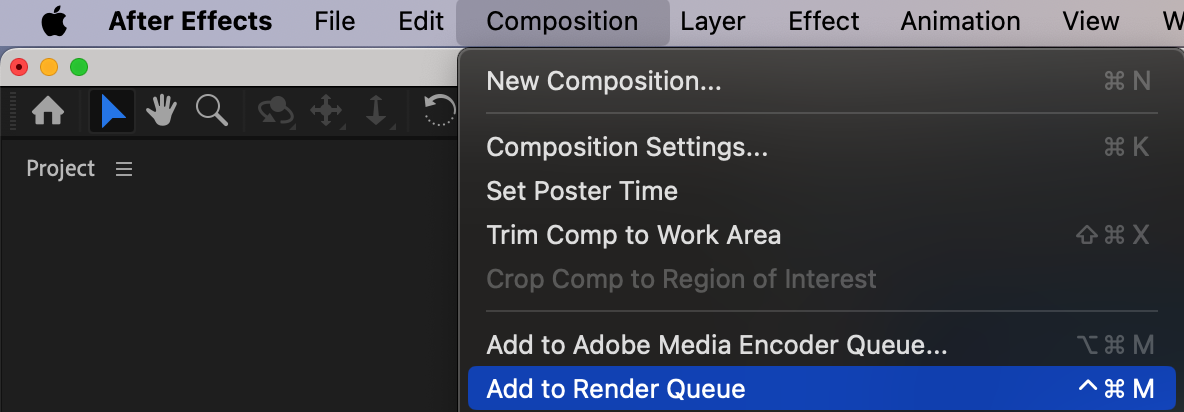
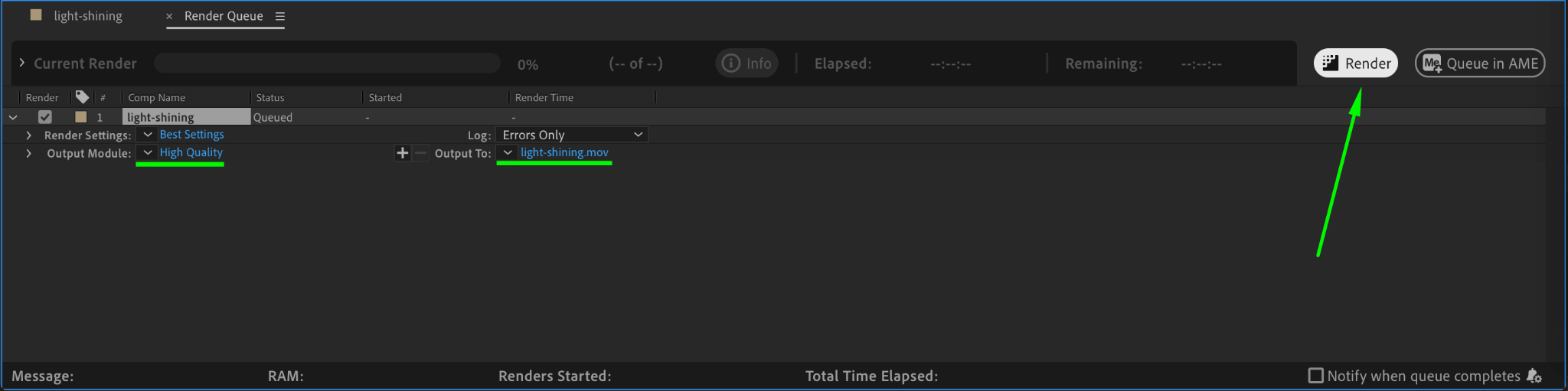
Once the loop is seamless, go to Composition > Add to Render Queue. Adjust your render settings and click Render to export your looping background.
Conclusion
Looping a background in After Effects is an essential technique for creating professional and reusable animations. By using Time Remapping and the loop expression, you can ensure a seamless effect for any project.
Our Bestsellers
Our Bestsellers


