
“Step-by-Step Guide to Building a 3D Room in After Effects”
“Introduction – Creating Realistic 3D Rooms for Dynamic Projects”
Creating a 3D room in After Effects allows you to design dynamic spaces for animations, presentations, or immersive visuals. By turning simple 2D images into 3D layers and arranging them in space, you can construct a realistic virtual room. Follow this step-by-step guide to learn how to make a 3D room in After Effects.
Step 1: Create a New Composition
Start by creating a new composition. Go to Composition > New Composition, set the resolution (e.g., 1920×1080), frame rate, and duration, and click OK. This will serve as the base for building your 3D room. Ensure the composition size matches the desired output resolution for your project.

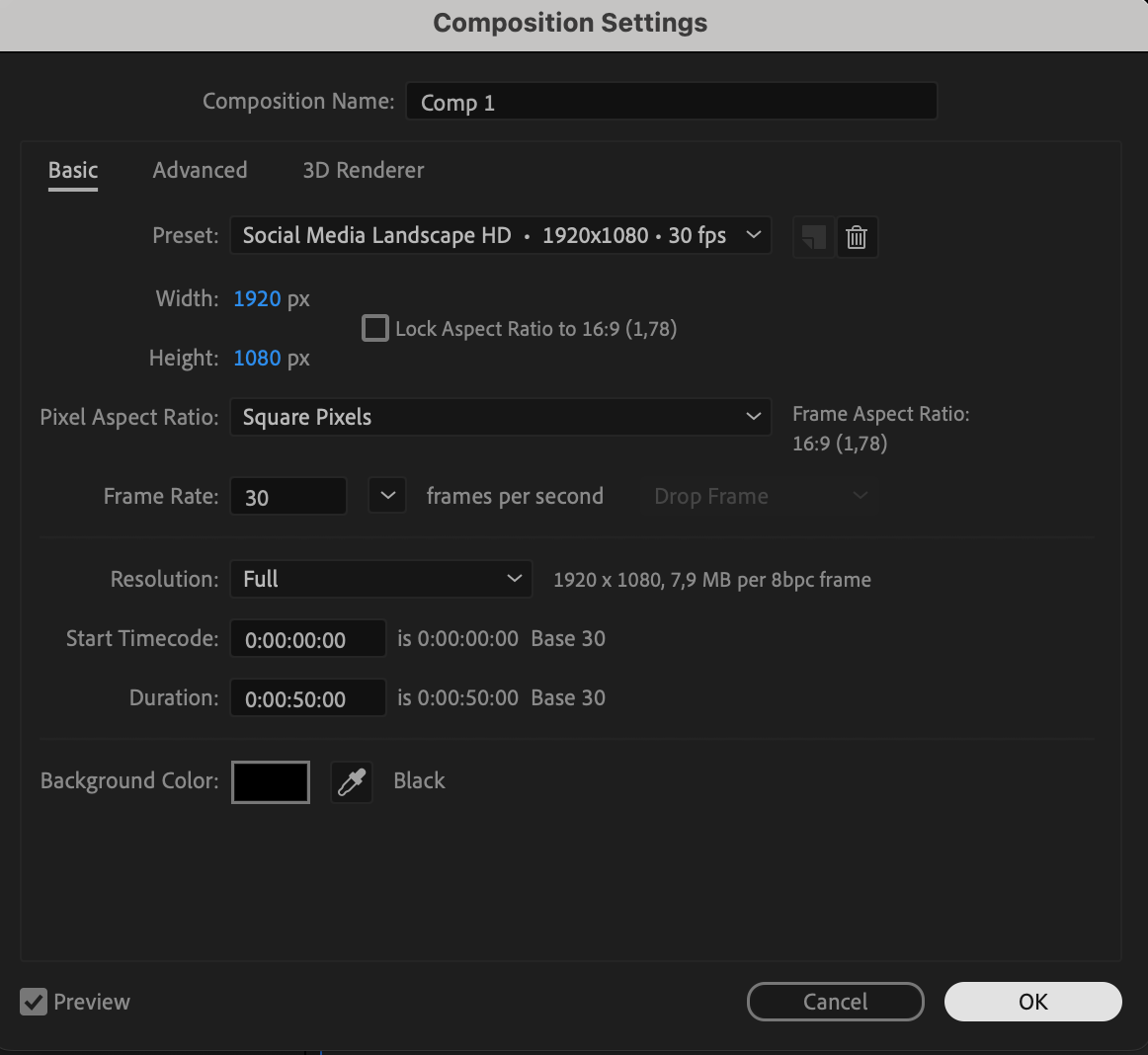
Step 2: Import Wall Image
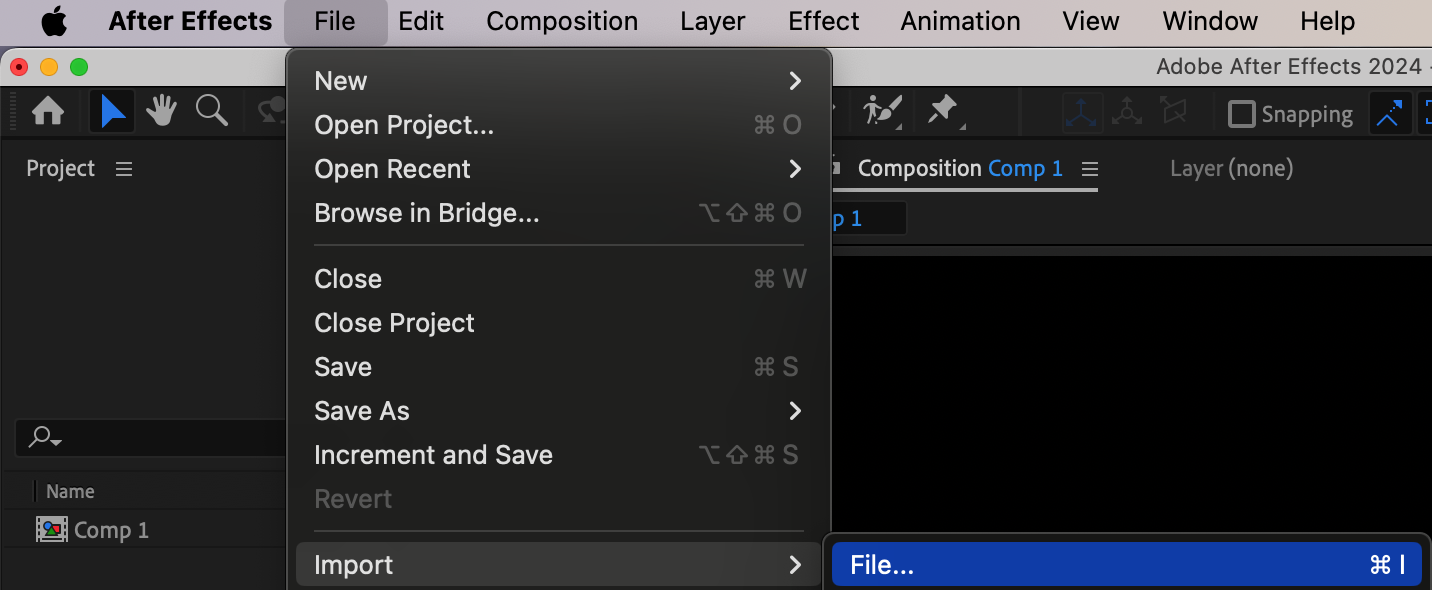
Import an image to use as the wall texture. Go to File > Import > File, select your image, and click Open. Drag the image onto the timeline to add it to the composition. This image will act as the back wall of your 3D room.
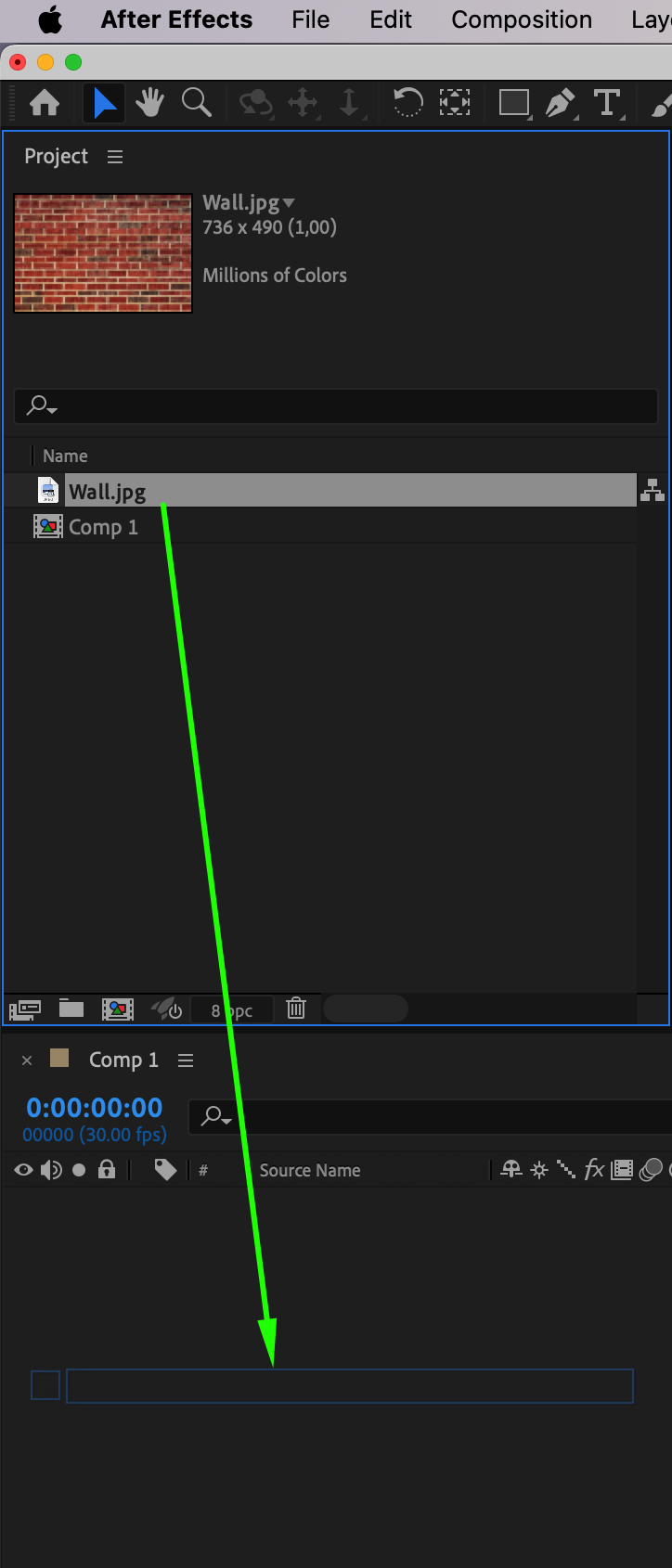
Step 3: Scale and Enable 3D Layer
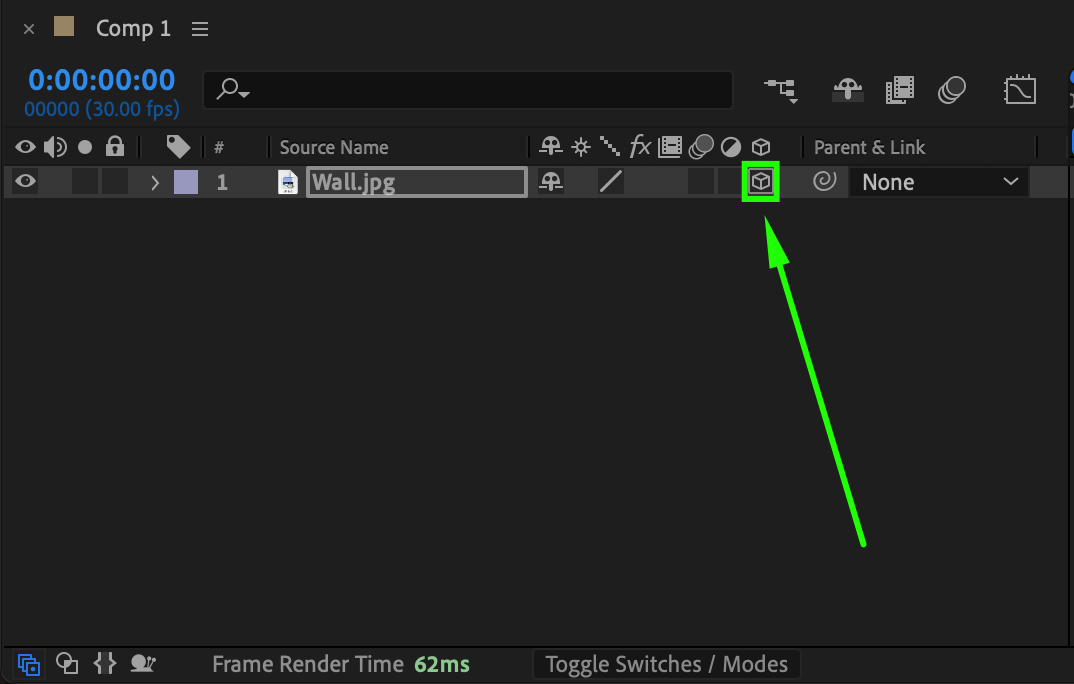
Adjust the scale of the image to fit the composition. Select the layer and press “S” to open the Scale property, then resize as needed. Enable the 3D Layer option by clicking the 3D Layer icon (a cube) next to the layer in the timeline. This activates the layer’s 3D properties, allowing you to position it in 3D space.
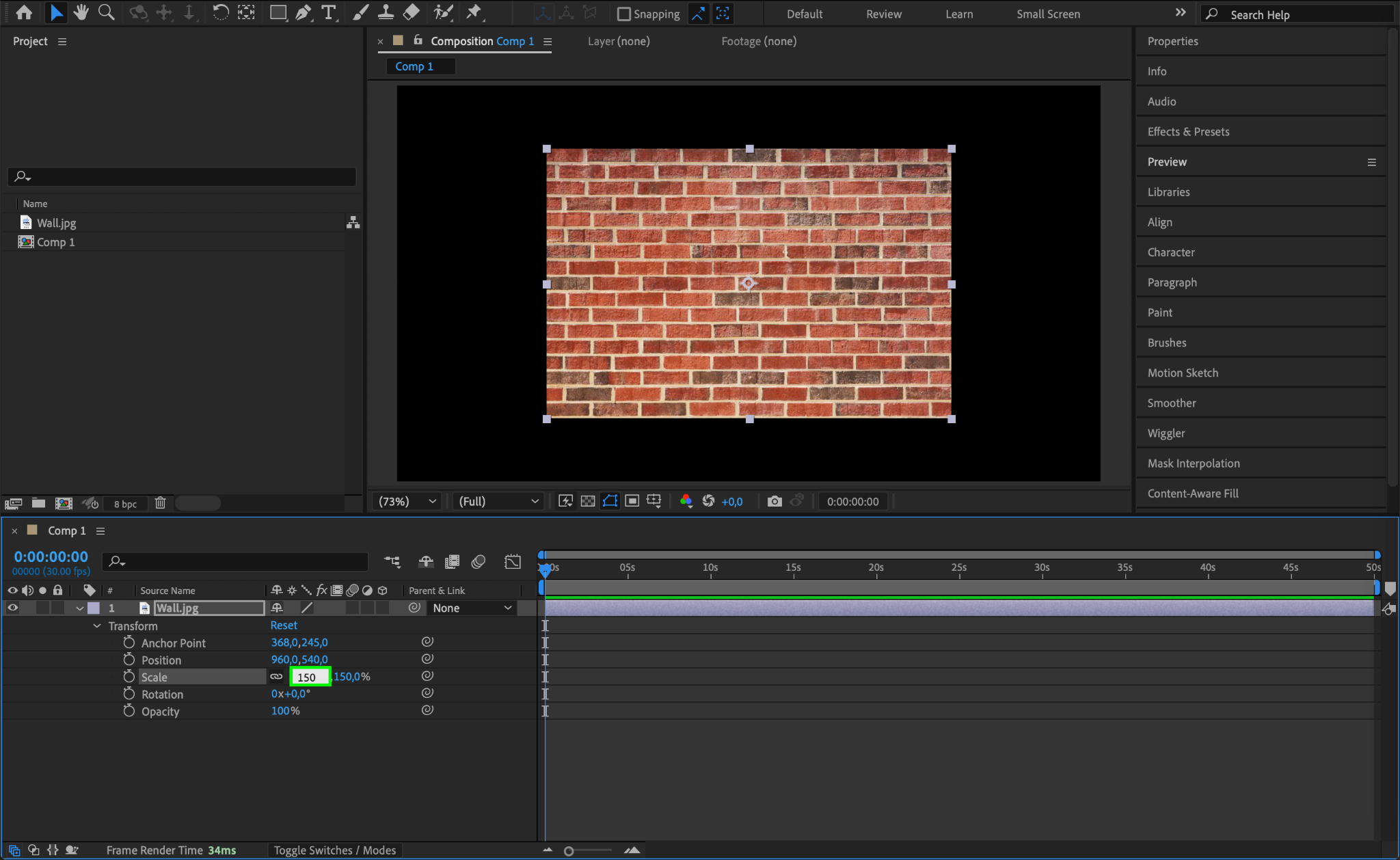
Step 4: Duplicate and Position the Left Wall
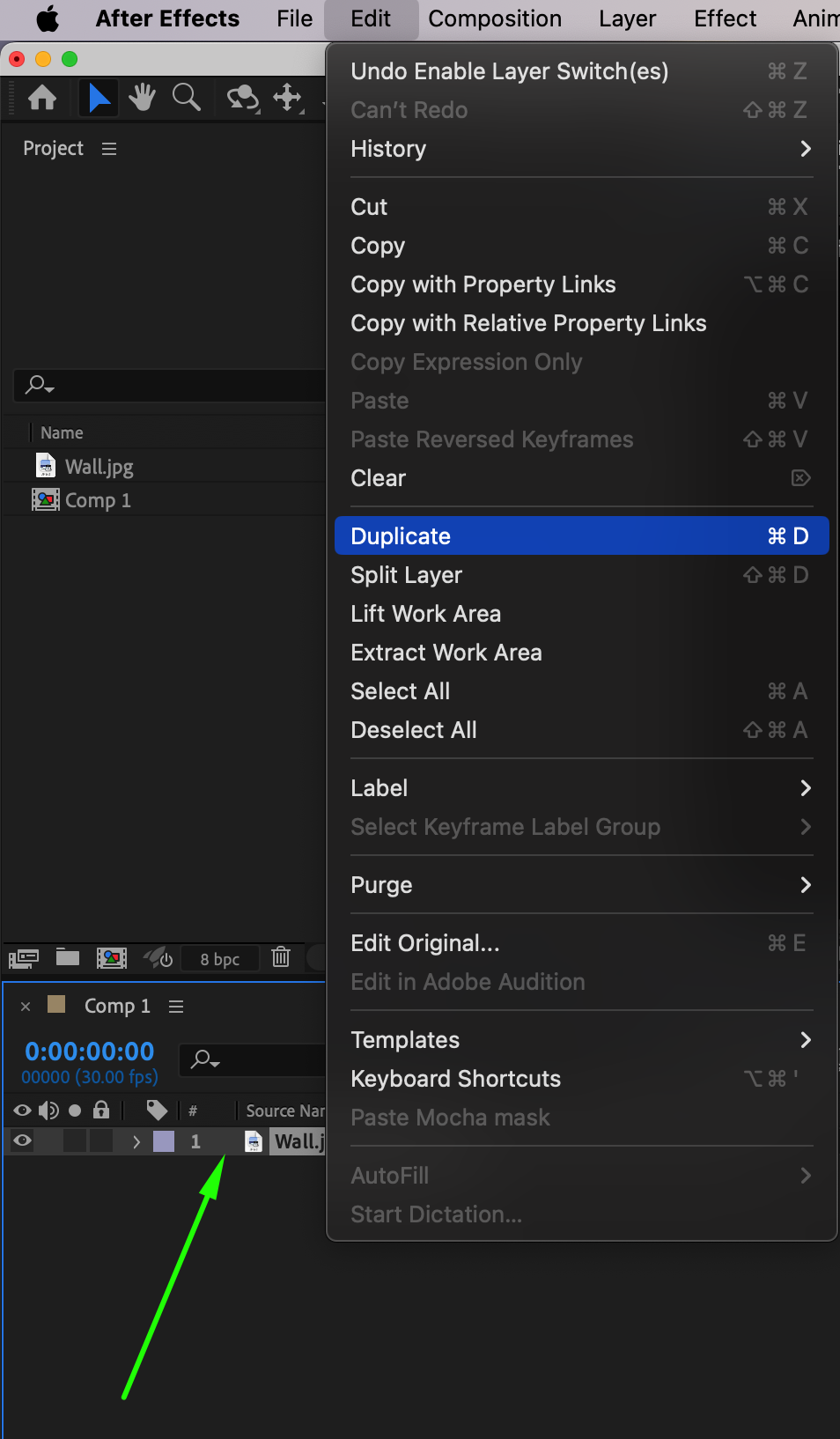
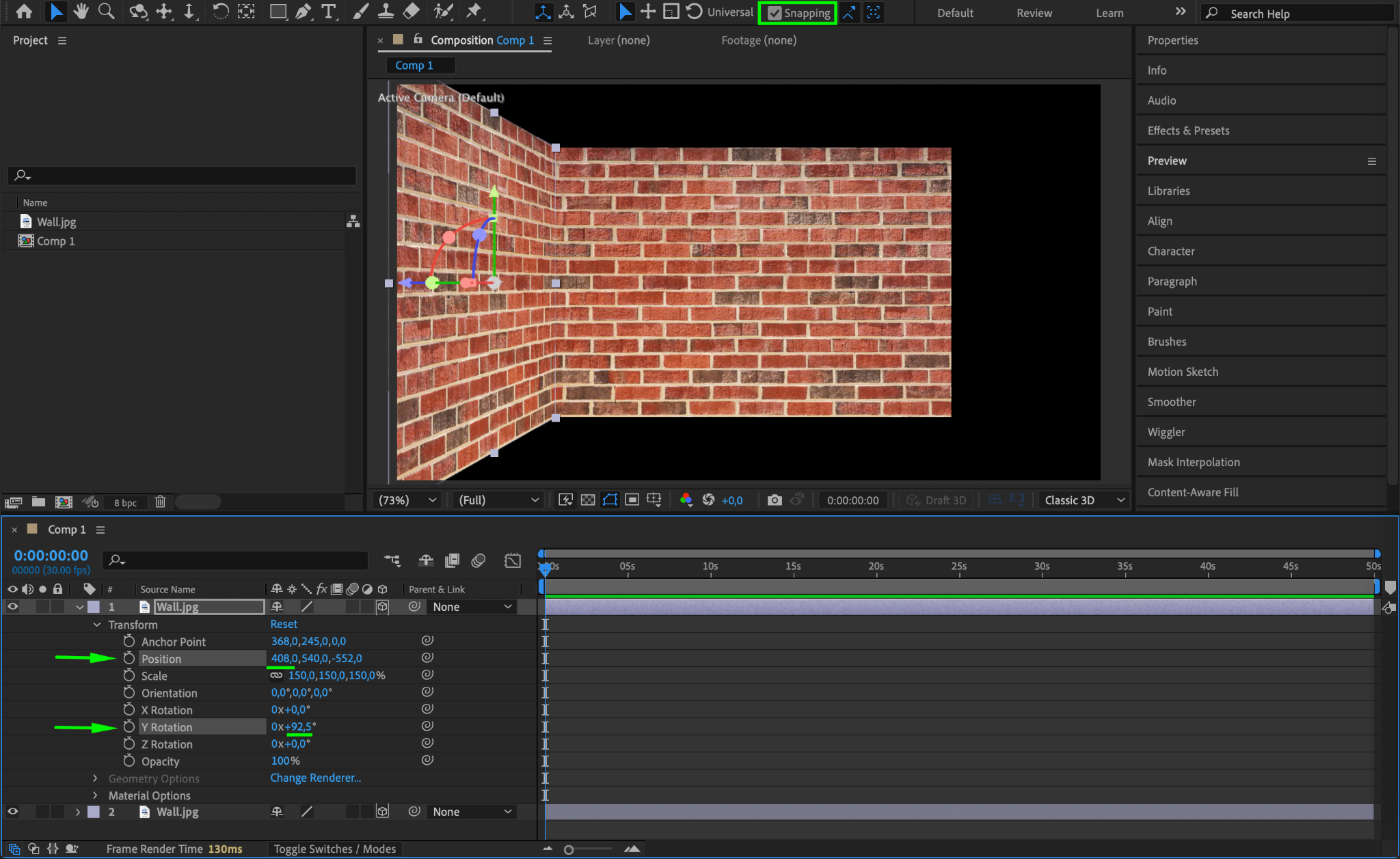
Duplicate the wall layer by selecting it and pressing “Ctrl/Cmd + D”. Enable the Snapping feature at the top of the Composition Panel to align layers easily. Rotate the duplicated layer along the Y-axis by pressing R and setting Y Rotation to 90°. Adjust the X Position property to move the layer to the left side of the composition. This creates the left wall of the room.
Step 5: Duplicate and Position the Right Wall
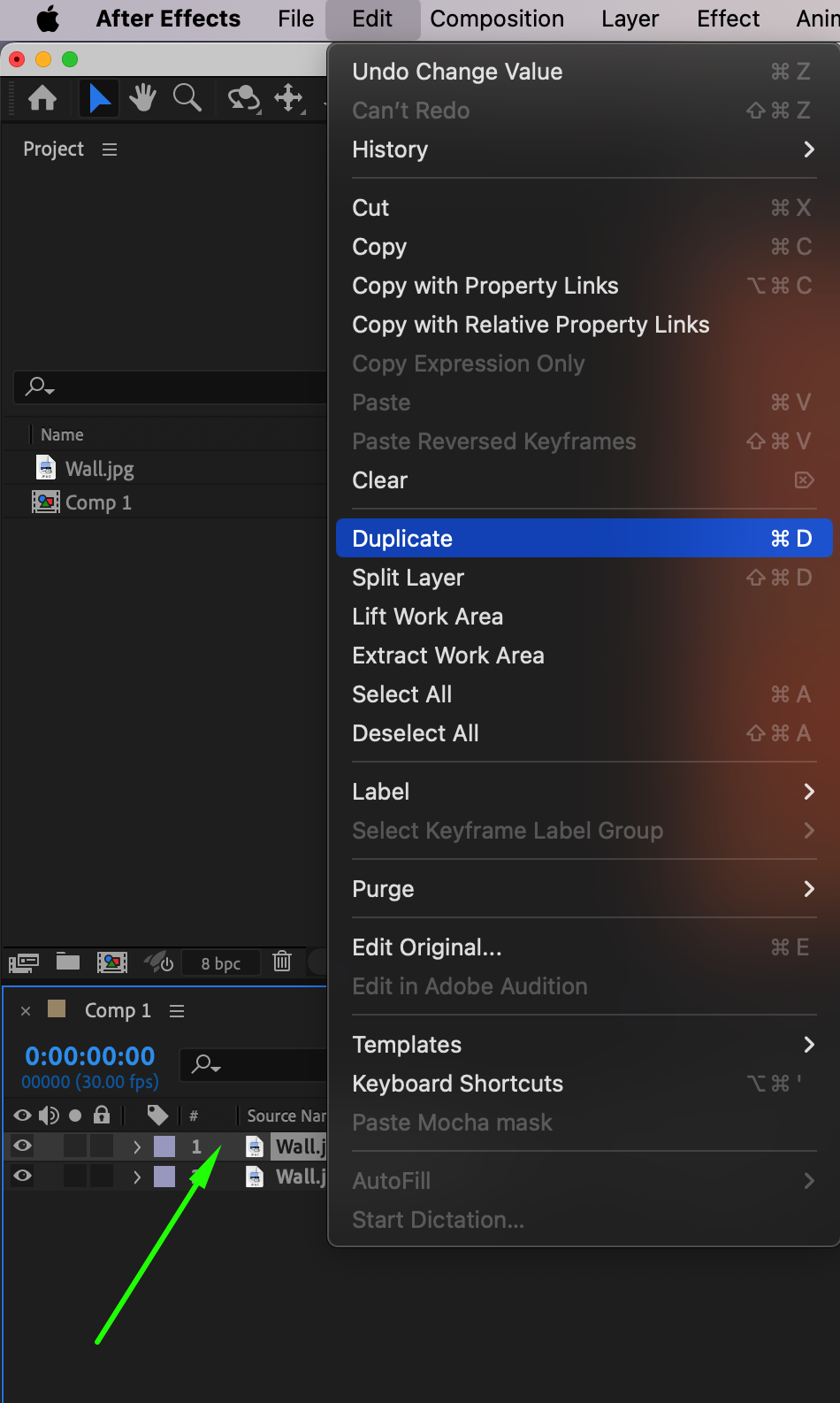
Duplicate the left wall layer again by pressing “Ctrl/Cmd + D”. Adjust the X Position property to move the duplicated layer to the right side of the composition. Modify the Y Rotation property if necessary to ensure the wall is properly aligned with the rest of the room.
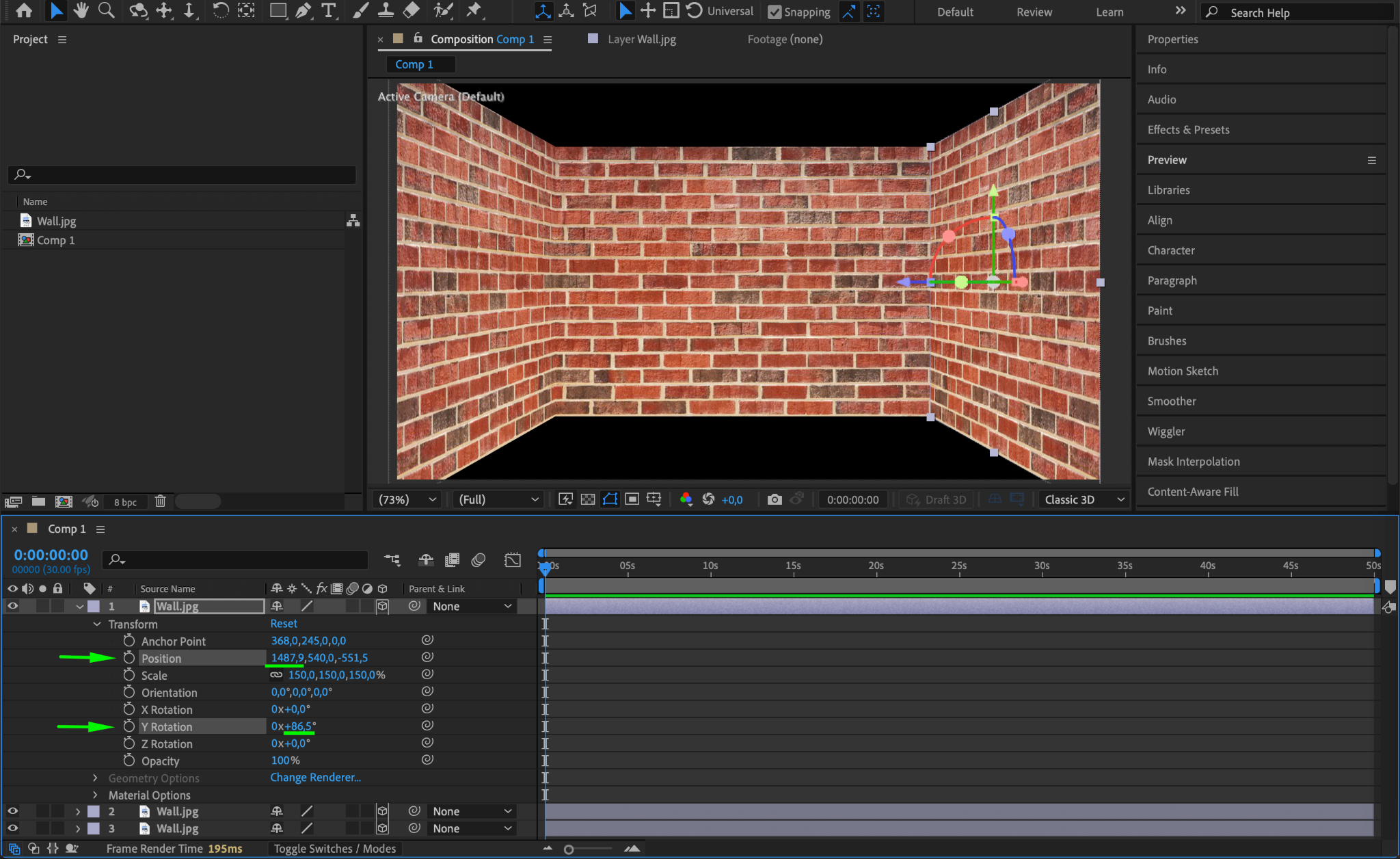
Step 6: Add the Floor
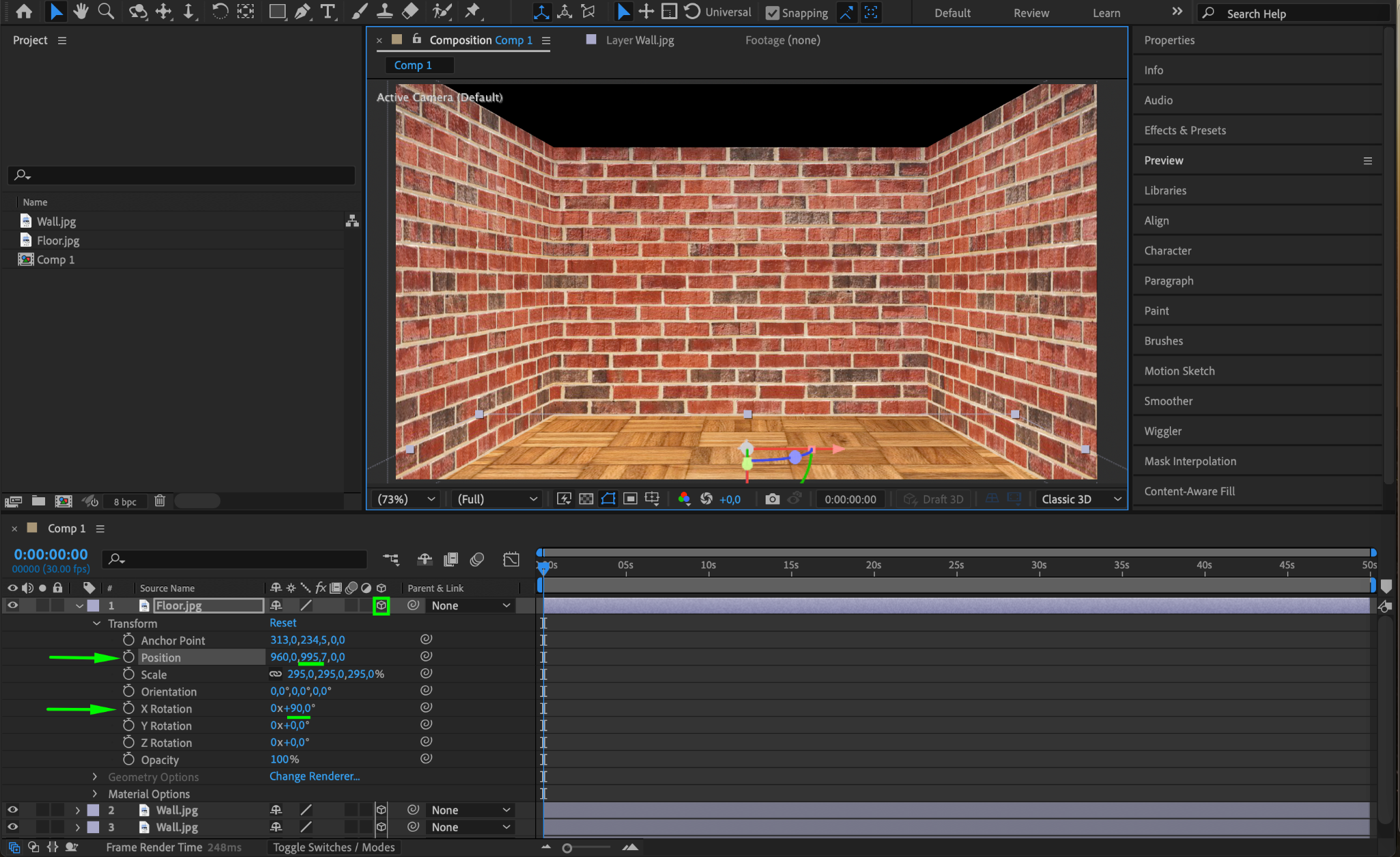
Import an image to use as the floor texture and drag it onto the timeline. Enable the 3D Layer option for this layer. Rotate the layer along the X-axis by setting the X Rotation property to 90°. Adjust the Y Position to move the floor downward until it aligns with the bottom of the room.
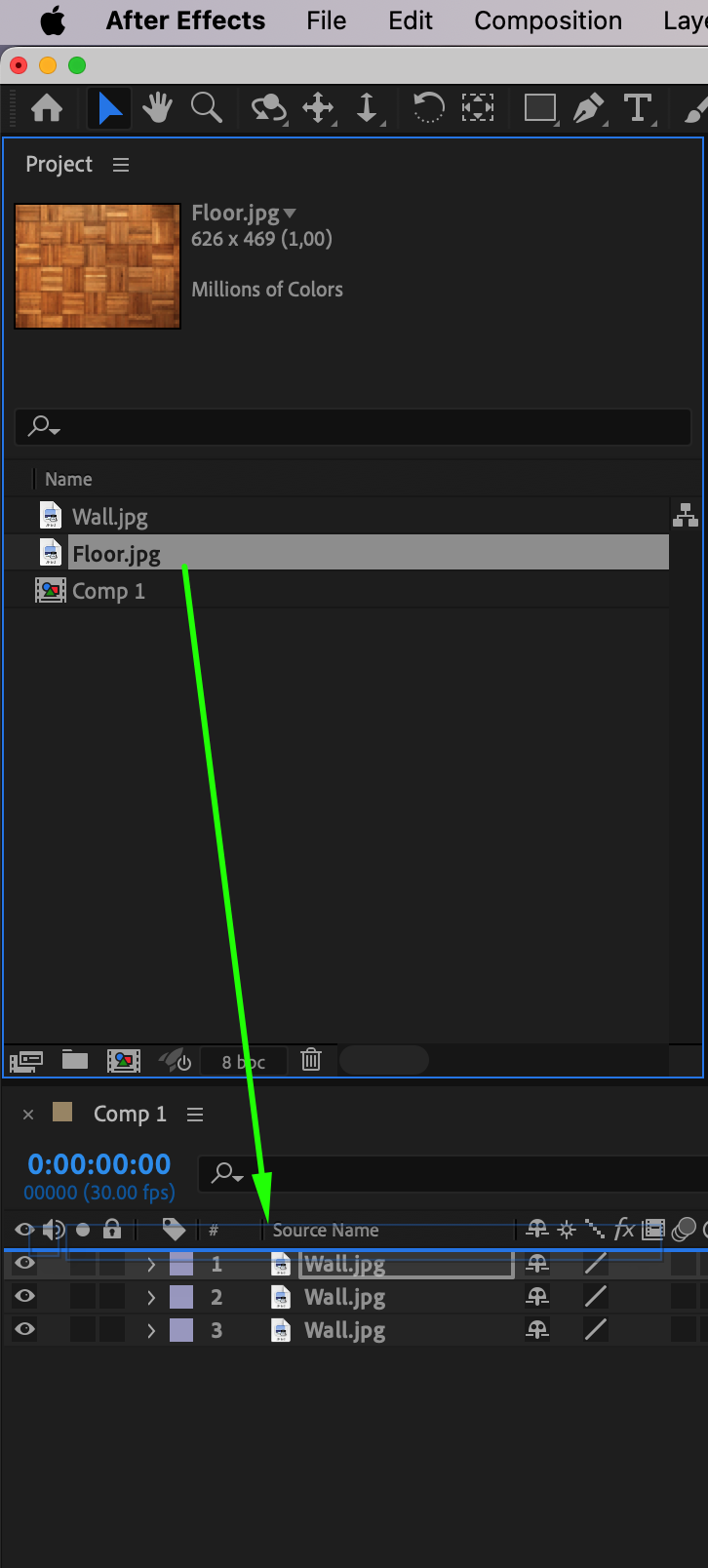
Step 7: Add the Ceiling
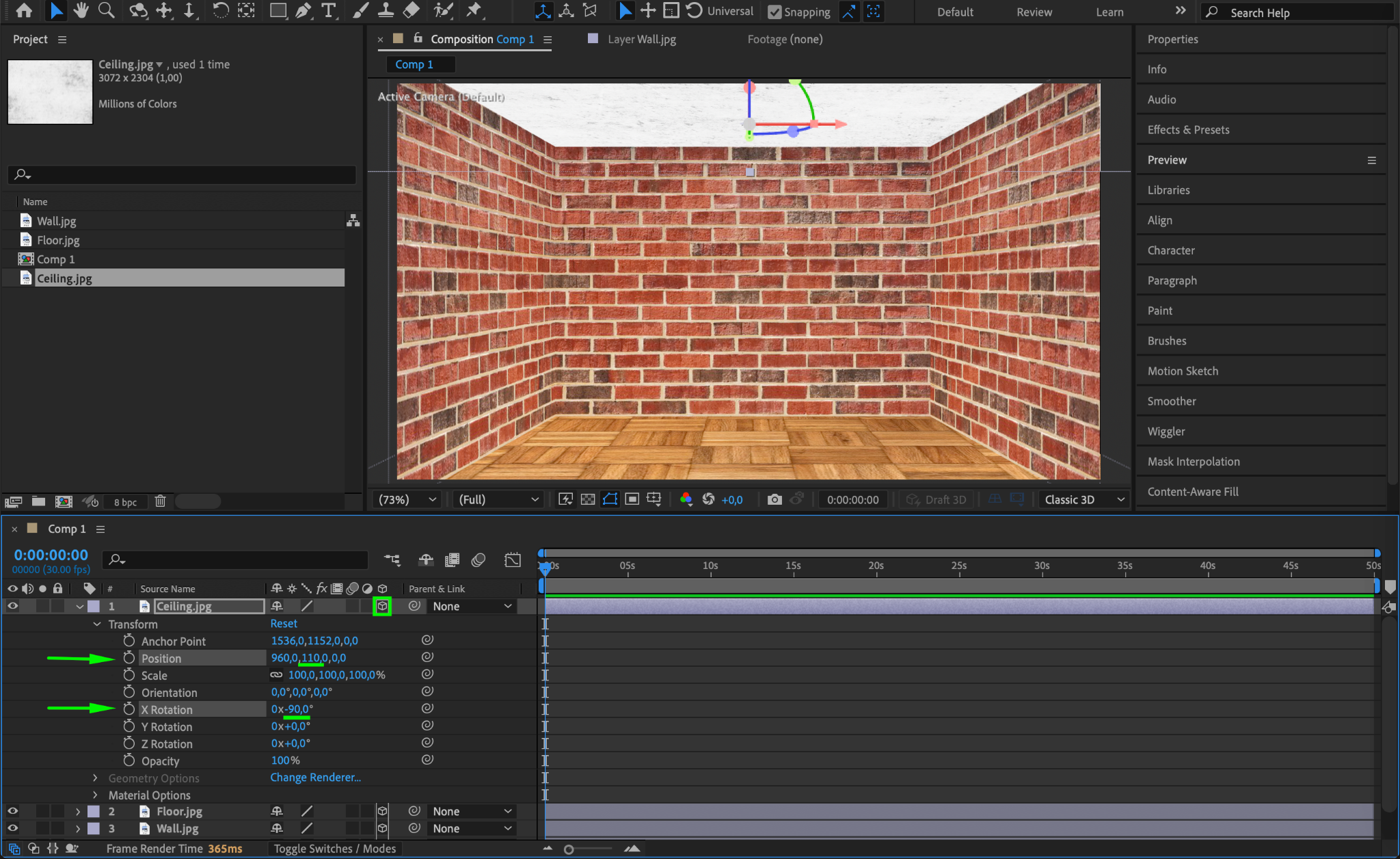
Import an image for the ceiling texture and place it on the timeline. Enable the 3D Layer option and set the X Rotation property to -90°. Adjust the Y Position to move the ceiling upward until it aligns with the top of the room. Make sure the ceiling fits seamlessly with the walls and floor.
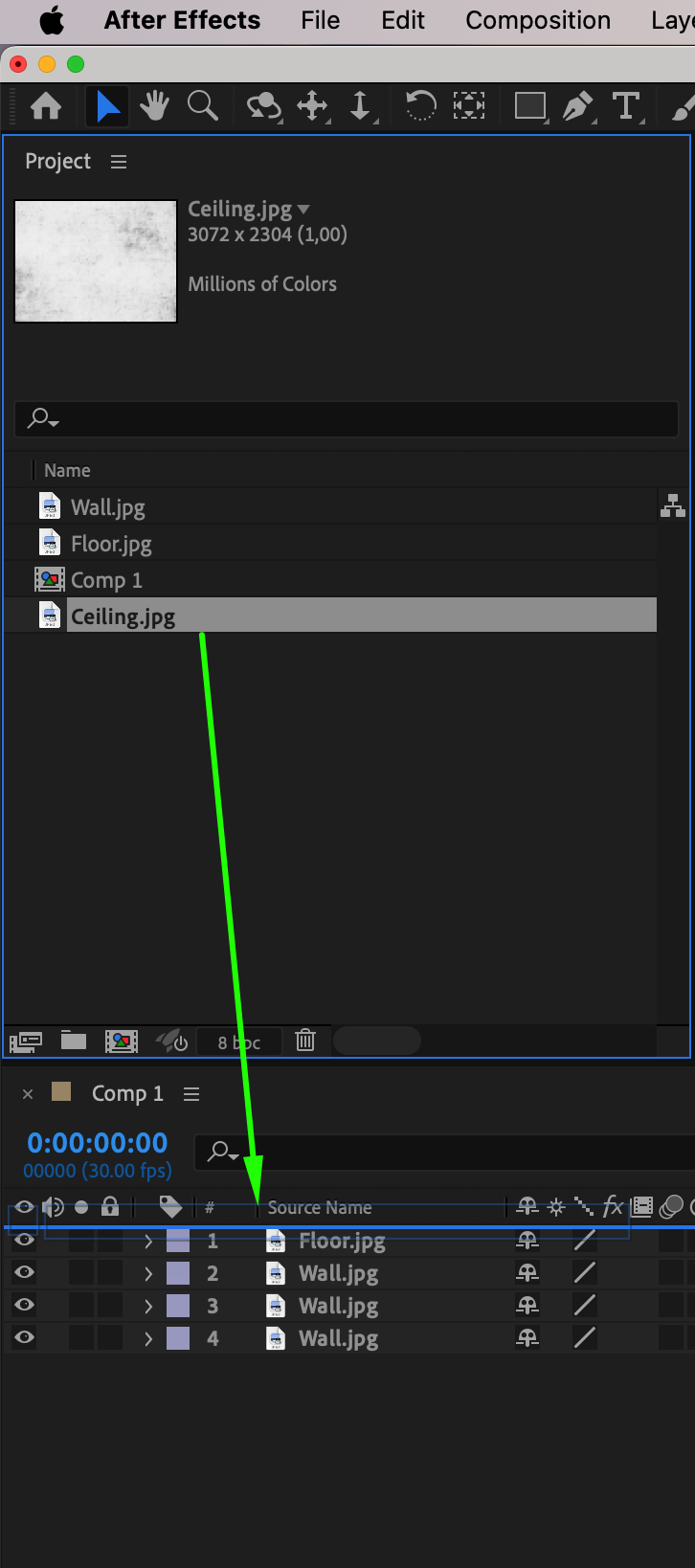
Step 8: Preview Your 3D Room
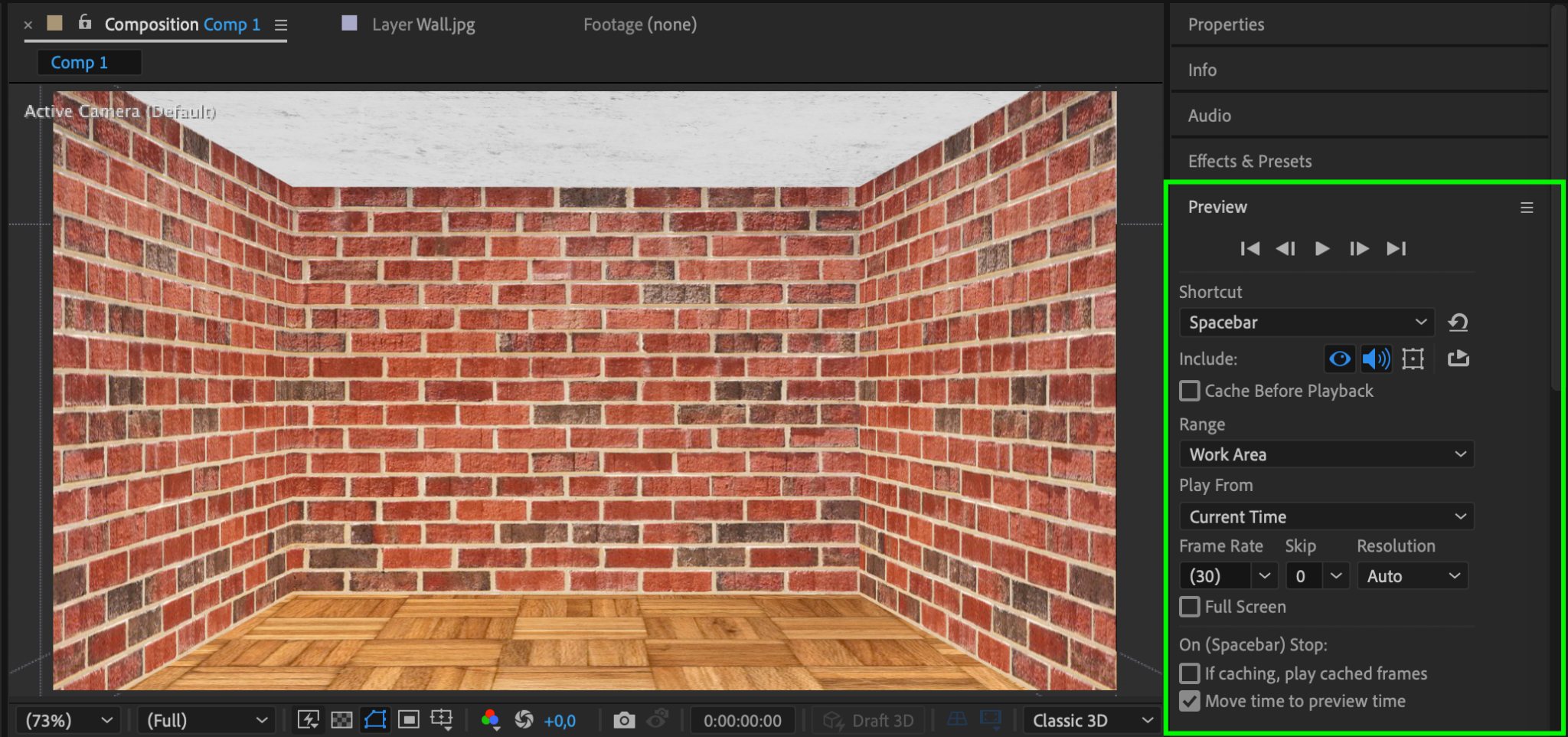
To ensure all elements are properly aligned and positioned, preview your composition by pressing the spacebar. Check for any gaps or misaligned textures, and make adjustments as necessary. You can also enable a virtual camera to navigate through the 3D room for a more immersive preview.
Step 9: Render Your 3D Room
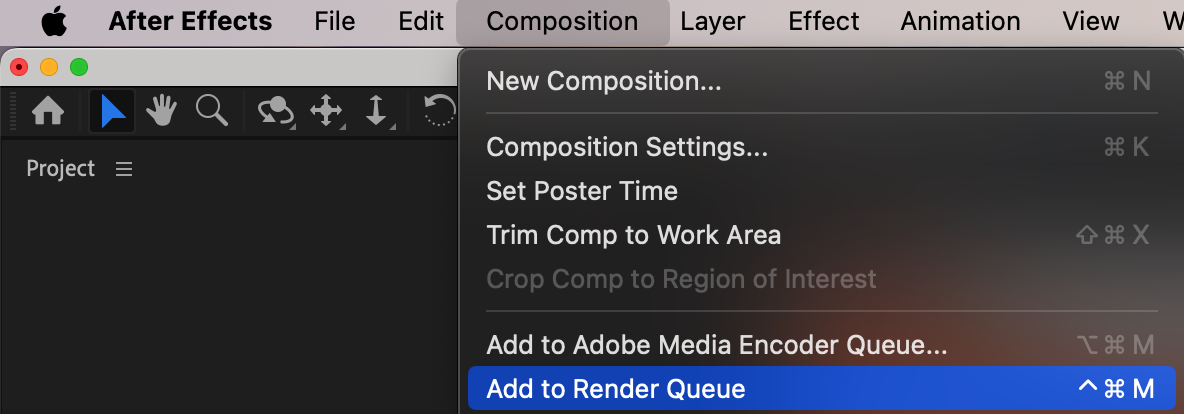
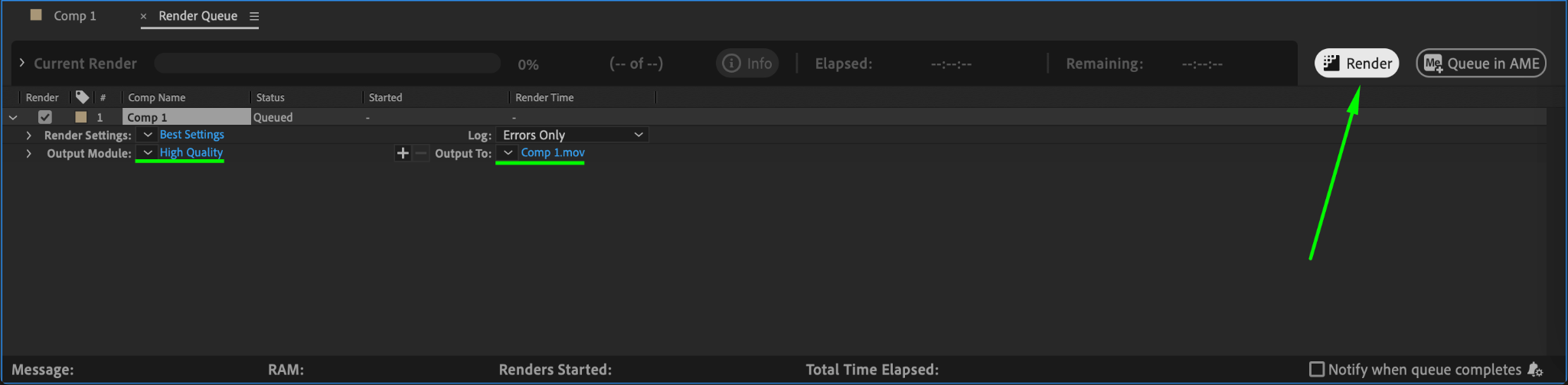
Once you’re satisfied with the 3D room, render your project. Go to Composition > Add to Render Queue, configure the output settings, and click Render. This will export your 3D room animation or static design for use in your project.
Conclusion
Building a 3D room in After Effects is a great way to add depth and realism to your projects. By combining 2D textures with 3D layer transformations, you can create immersive environments for animations, visual effects, or presentations. With this guide, you can start designing your own custom 3D spaces and take your After Effects skills to the next level!
Our Bestsellers
Our Bestsellers


