
“How to Easily Create a Stylish Border in After Effects”
“Introduction – Add Borders to Your Designs for a Professional Touch”
Creating borders around your images or video elements can add a professional look and make your compositions stand out. In this tutorial, we’ll walk you through the steps to add a border effect using After Effects. Follow these simple steps to enhance your visuals.
Step 1: Create a New Composition
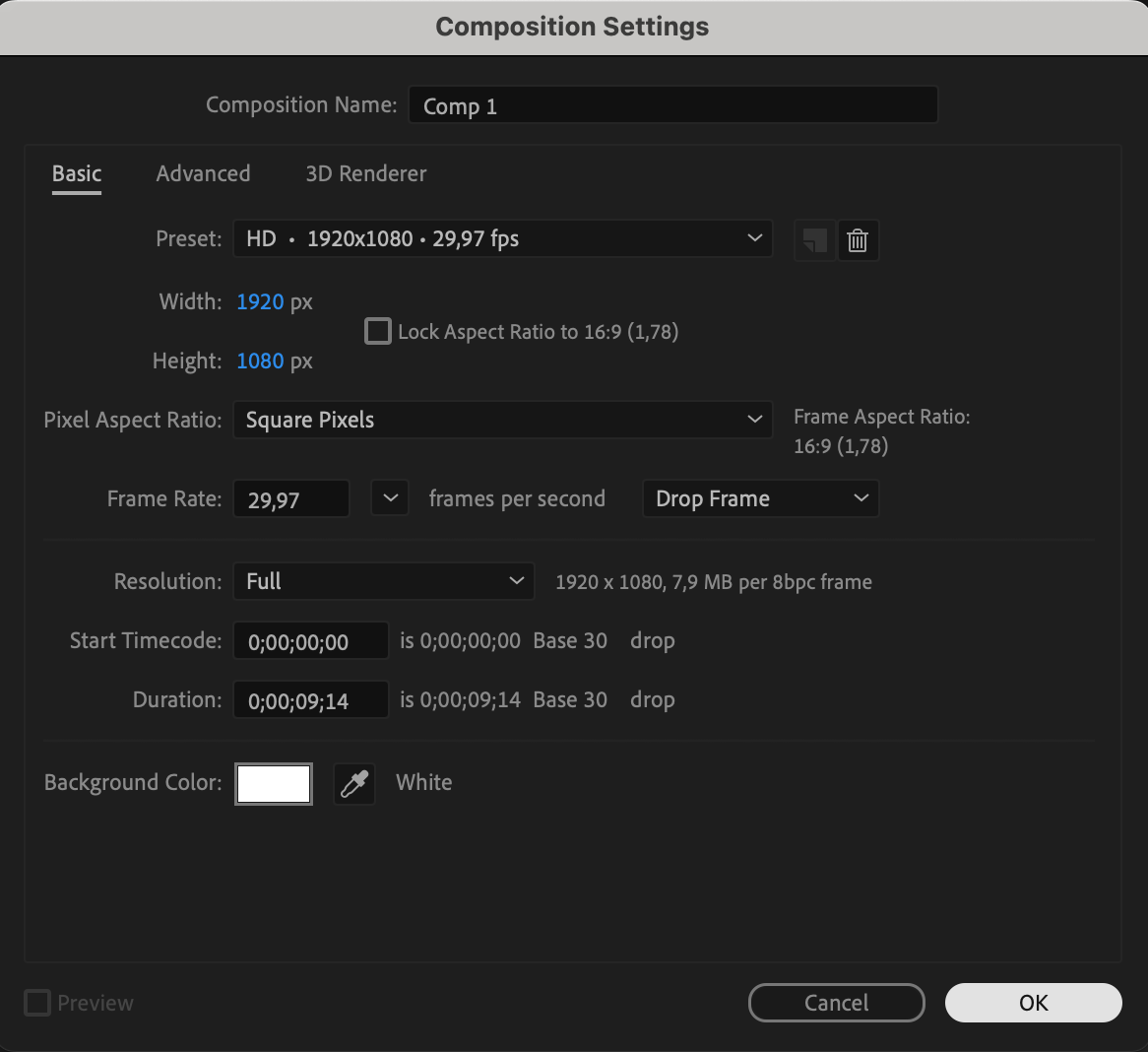
Start by going to Composition > New Composition to create a fresh composition for your project. Choose the settings according to your needs, such as resolution and duration.

Step 2: Import Your Image or Video
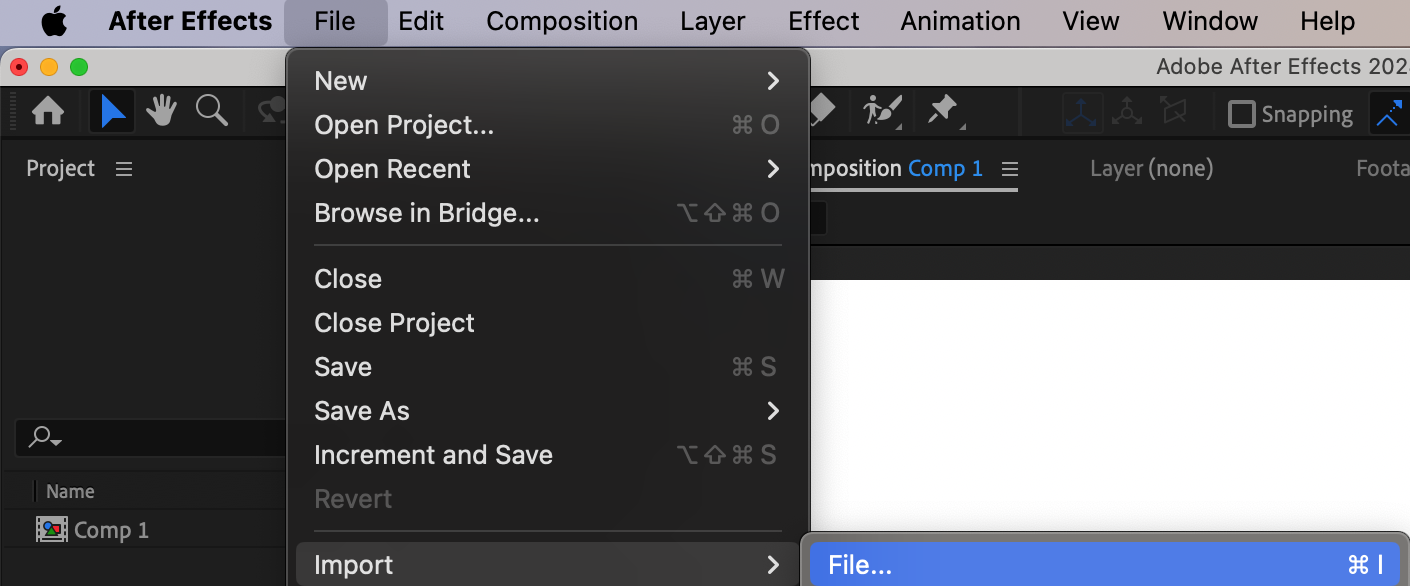
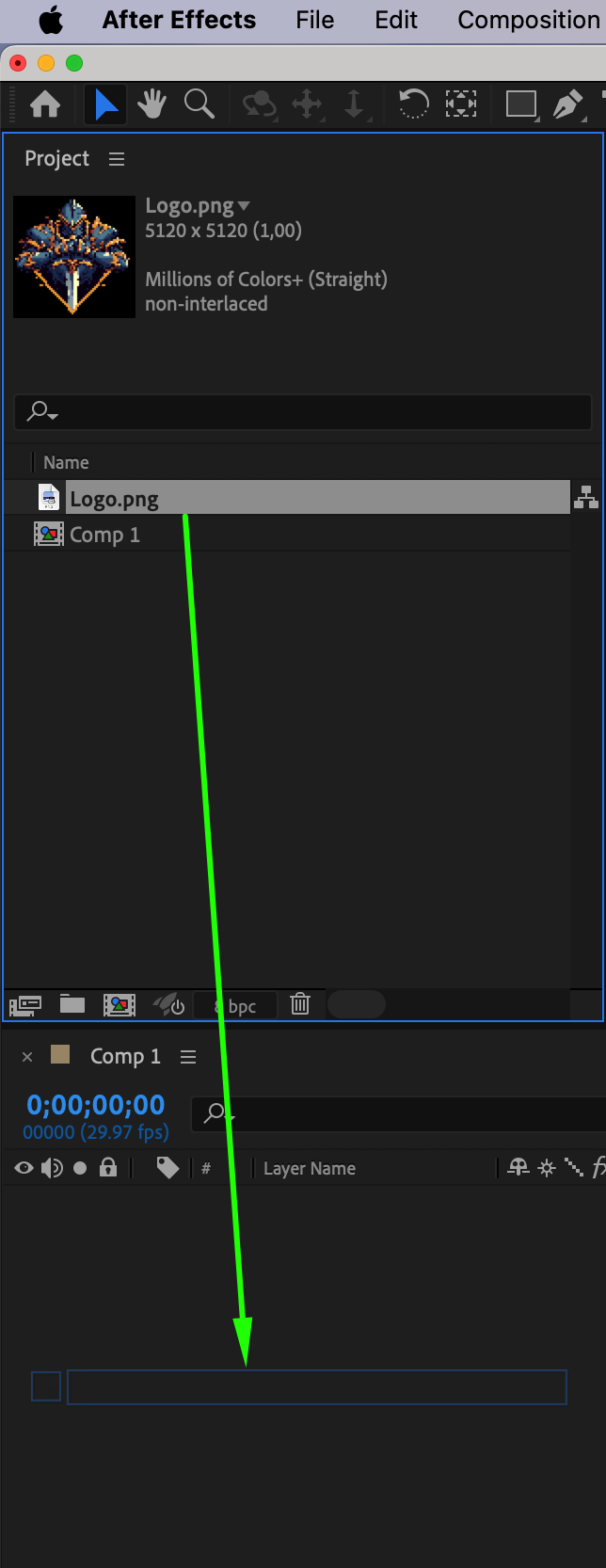
Next, import the image or video to which you want to add the border. Drag the file onto your timeline to position it correctly in your composition.
Step 3: Adjust the Scale and Position
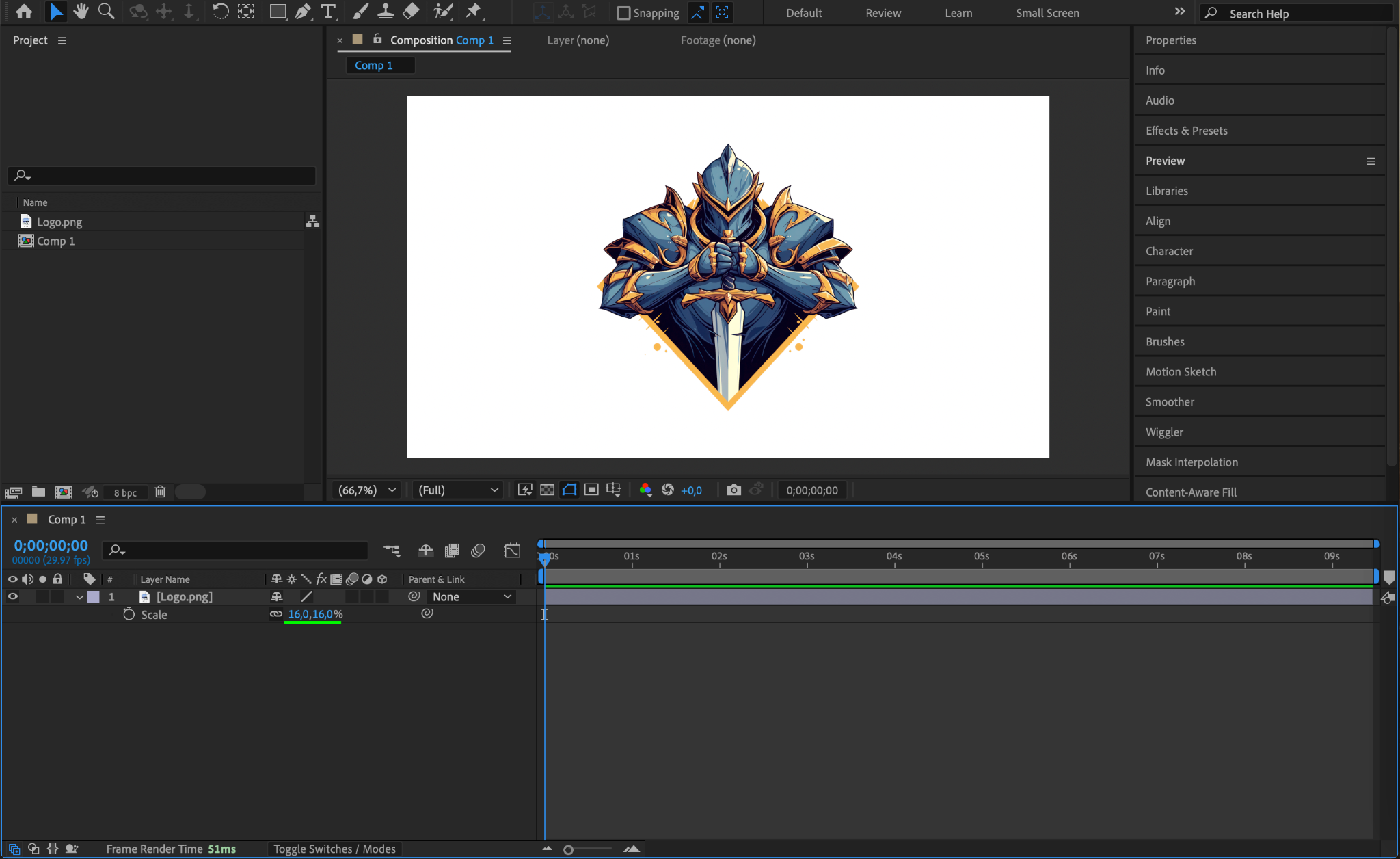
Adjust the Scale and Position of the imported element to fit your composition properly. You can do this in the Transform properties of your layer.
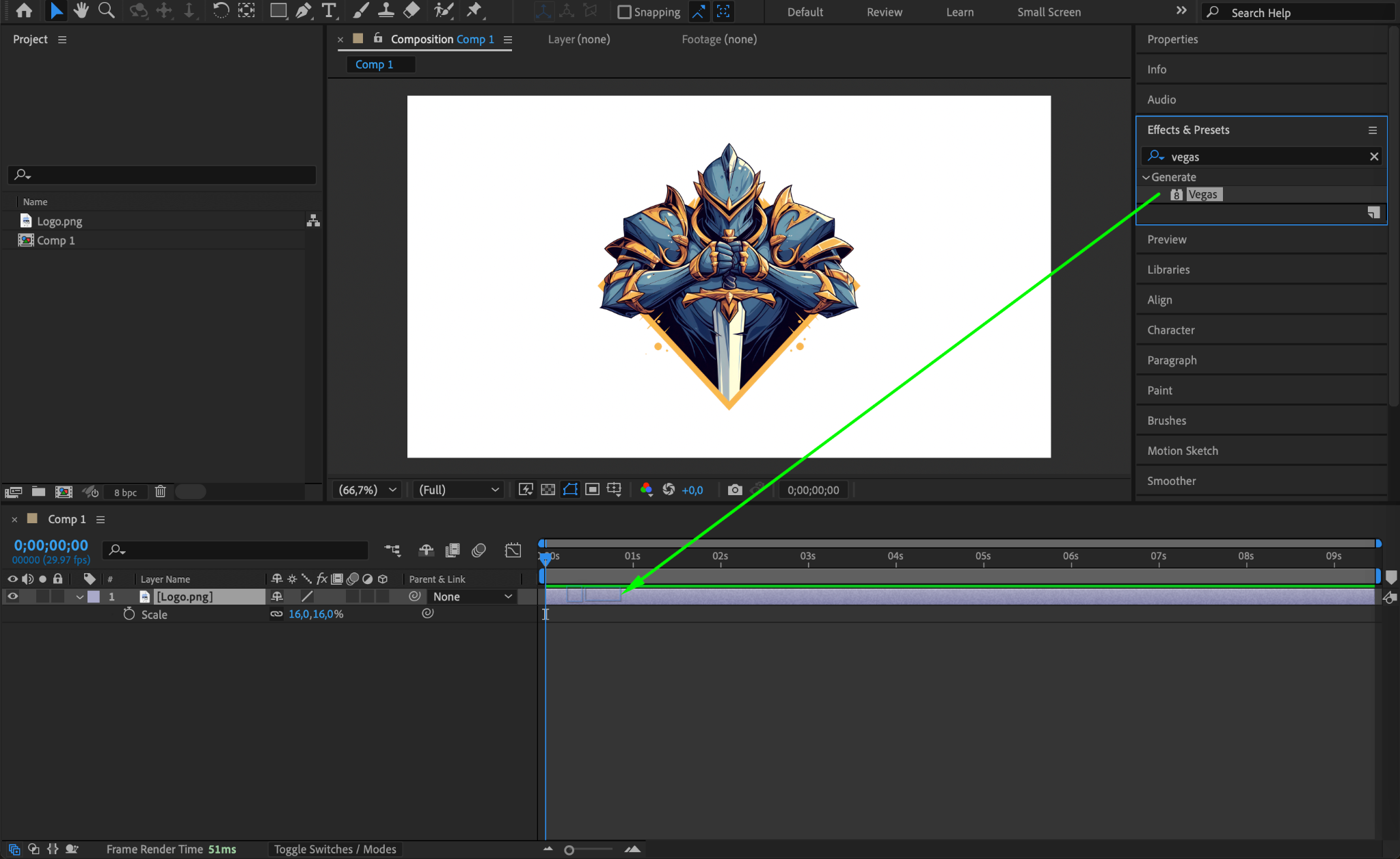
Step 4: Apply the Vegas Effect
Go to the Effects & Presets panel and search for the Vegas Effect. Drag it onto your image or video layer. The Vegas effect is ideal for creating clean, sharp borders.
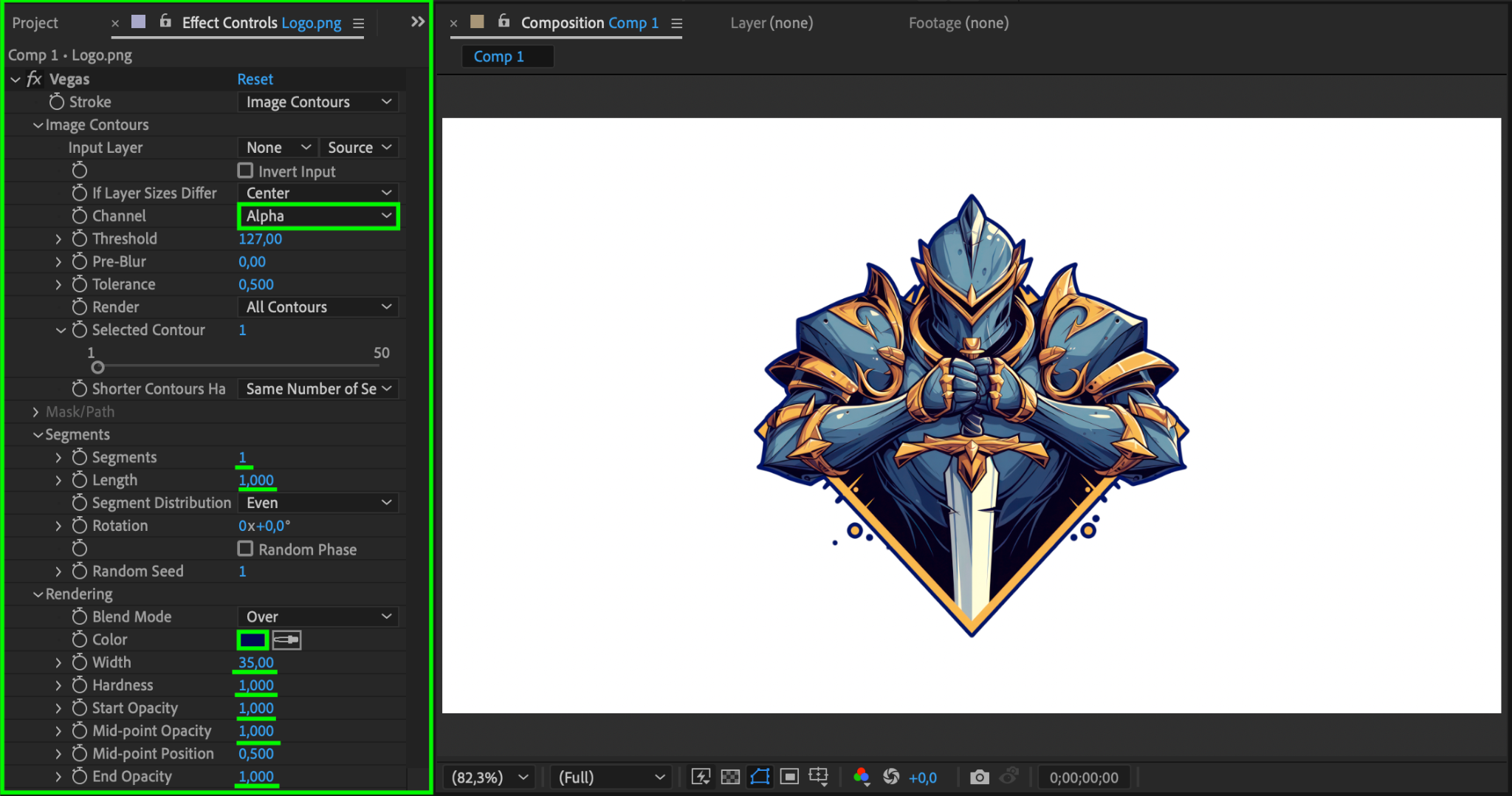
Step 5: Adjust the Vegas Effect Settings
In the Effect Controls panel, adjust the following parameters:
Channel: Set it to Alpha to apply the effect to the transparent areas of the image.
Segments: Set this to 1 for a single continuous border.
Length: Set the value to 1 for a thin, solid border.
Color: Choose the color for your border.
Width: Adjust the width to 35 (or your preferred size).
Hardness: Set to 1 to keep the border sharp.
Start Opacity: Set this to 1 for a fully visible border.
Mid-Point Opacity: Set to 1 for consistent opacity.
End Opacity: Set to 1 for a complete border visibility.
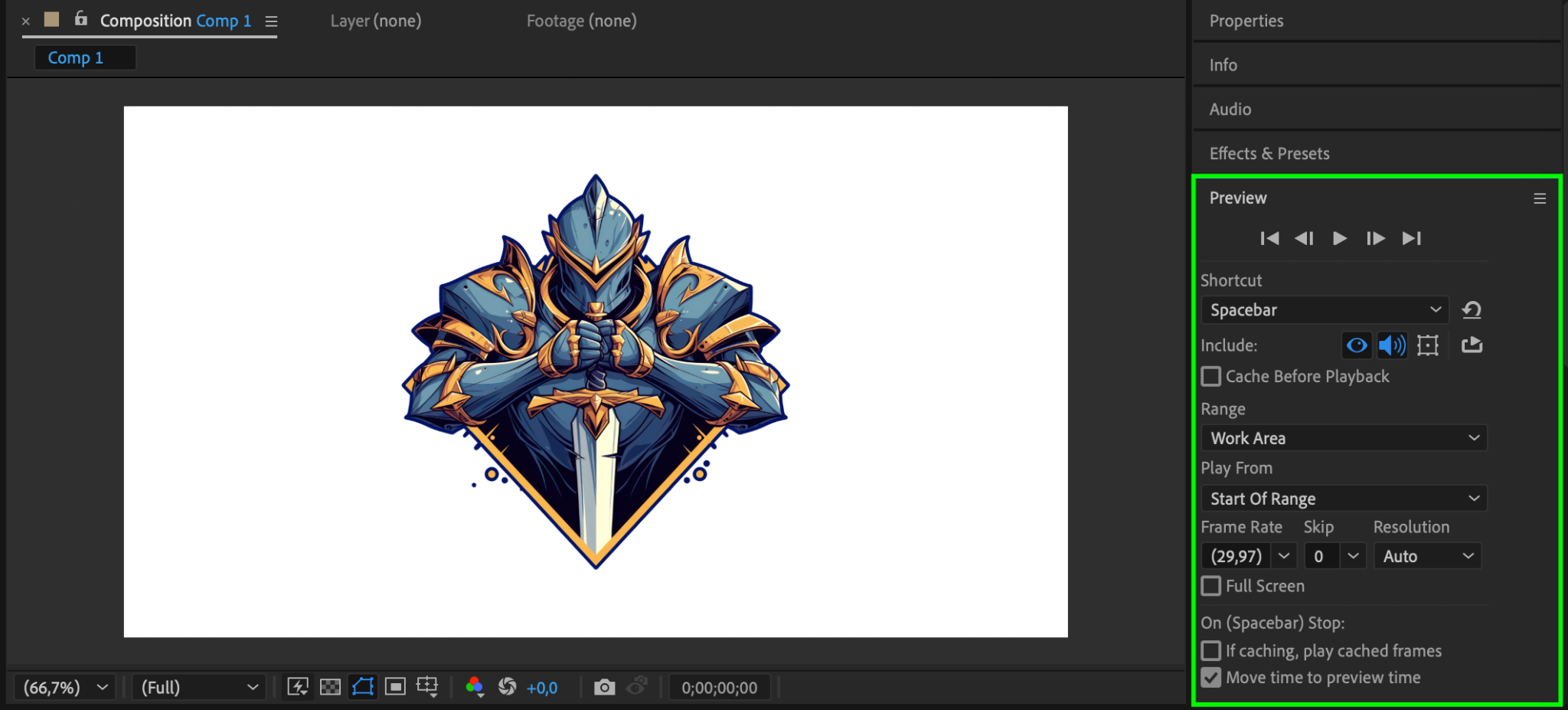
Step 6: Preview Your Animation
Click the Preview button to see how your border looks on the composition. Make sure everything looks perfect before moving to the final step.
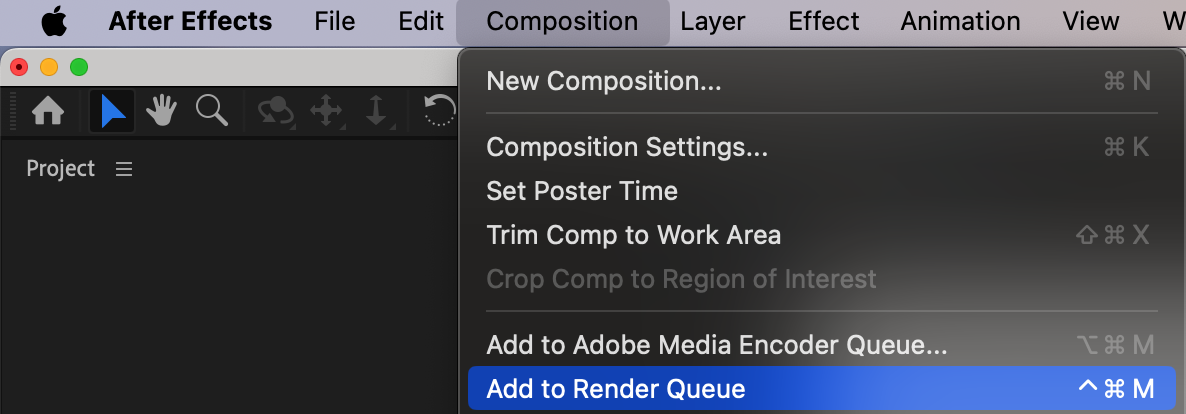
Step 7: Render Your Composition
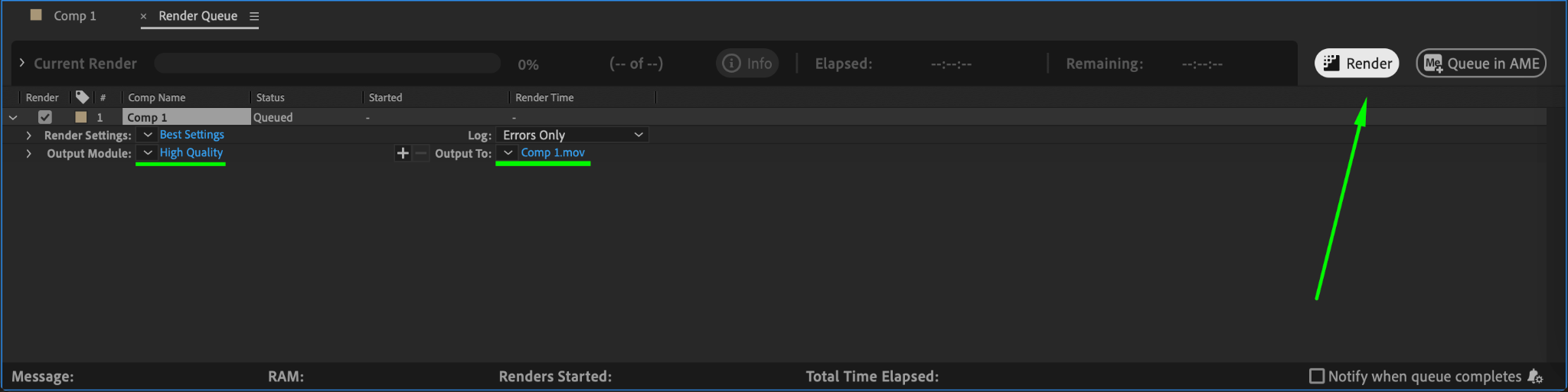
Finally, go to Composition > Add to Render Queue to render your composition. Select your output settings, then hit Render to export your project.
Conclusion
By following these simple steps, you can quickly create borders for any element in After Effects, adding a polished, professional touch to your work.
Our Bestsellers
Our Bestsellers


