
Introduction to Cinemagraphs
Cinemagraphs are a mesmerizing blend of still photography and subtle motion that captures the viewer’s attention. They are often used in marketing, social media, and web design to create visually striking content. In this guide, we’ll walk you through creating a cinemagraph in After Effects step by step, from importing your footage to rendering the final result.
Step 1: Import Your Footage
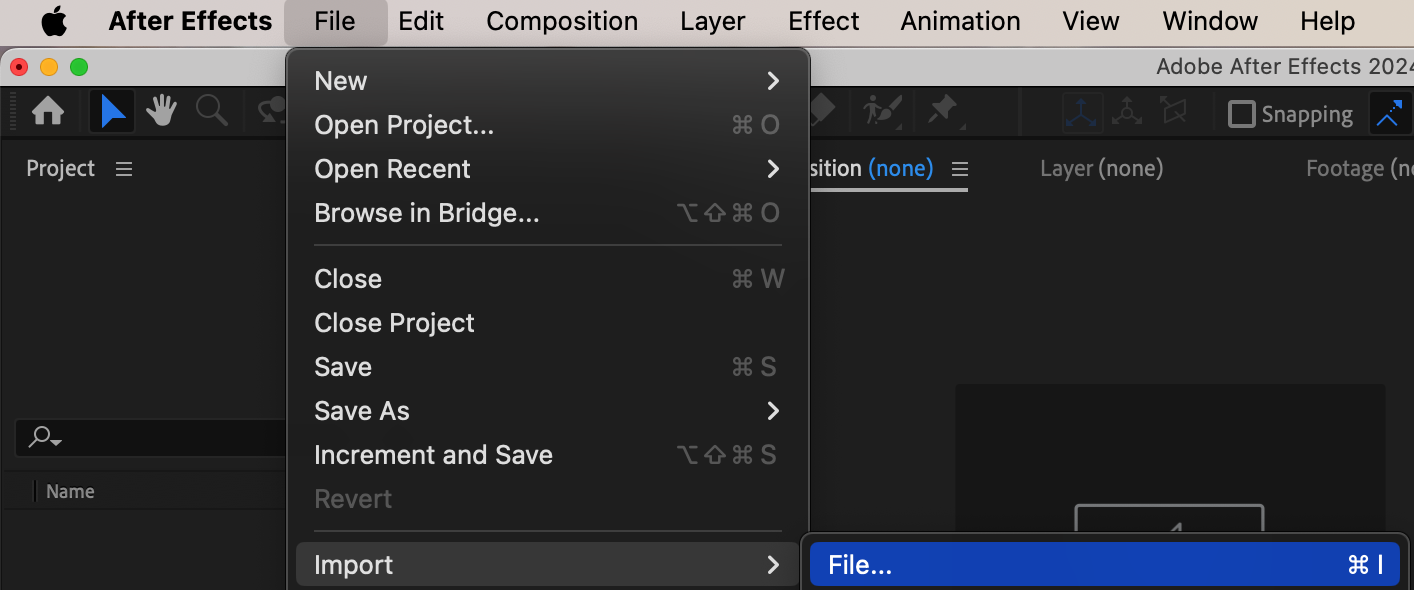
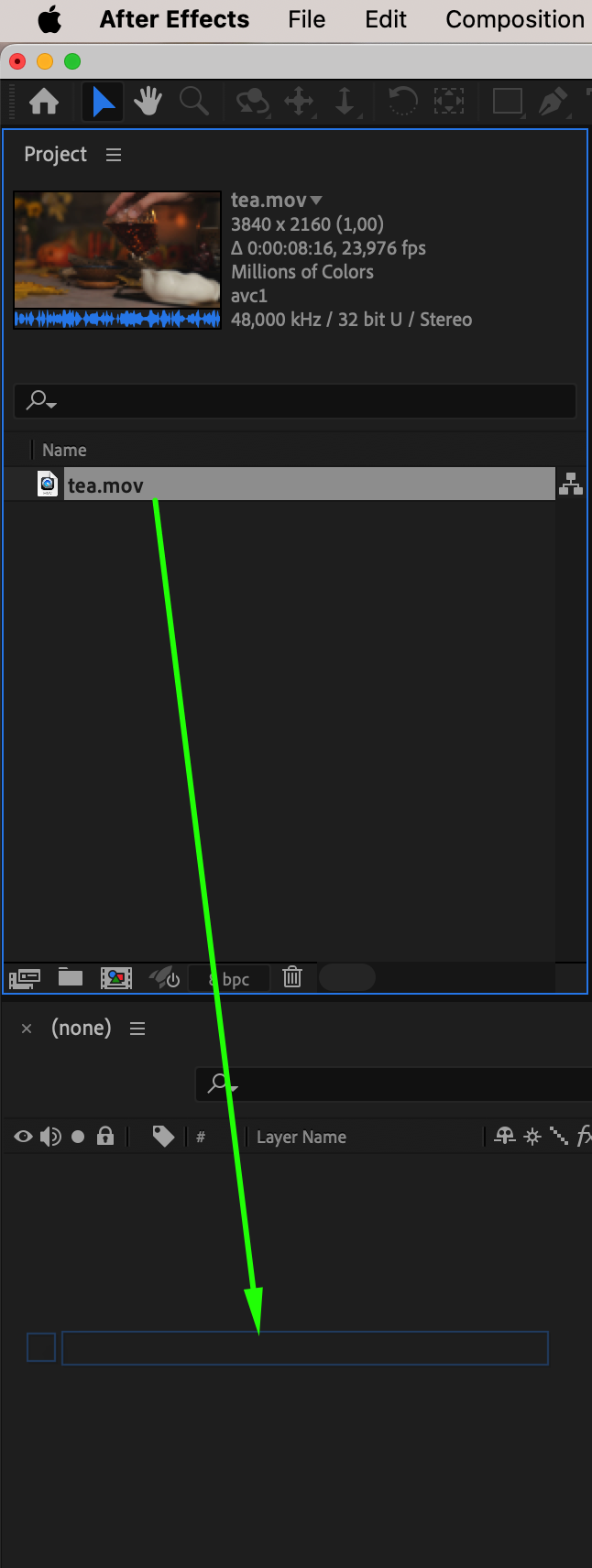
Go to File > Import > File, and select the video clip you want to turn into a cinemagraph. Make sure the video contains a clear area of motion and some static elements for the best results. Drag the imported footage onto the timeline to start working.
Step 2: Trim the Layer Duration
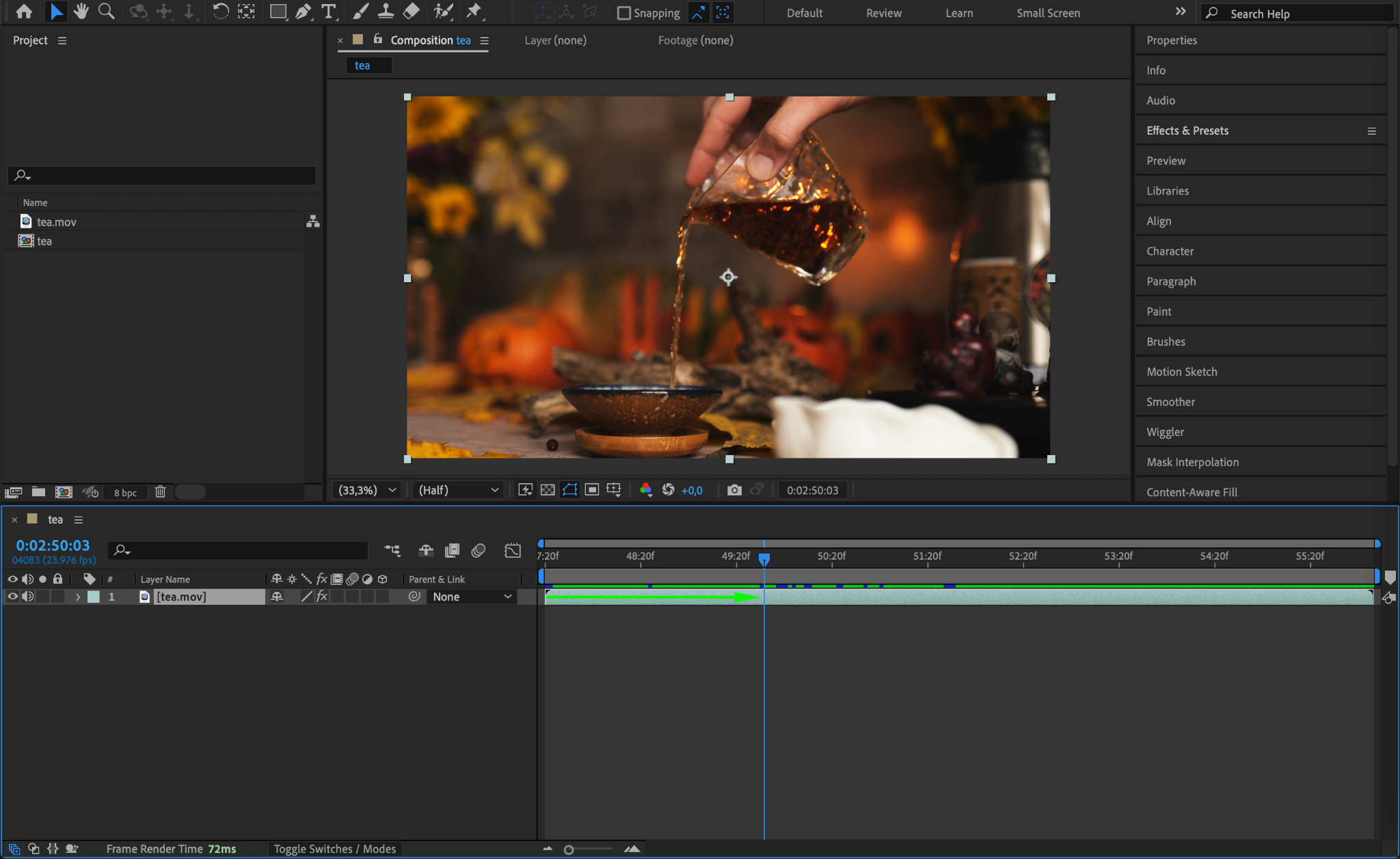
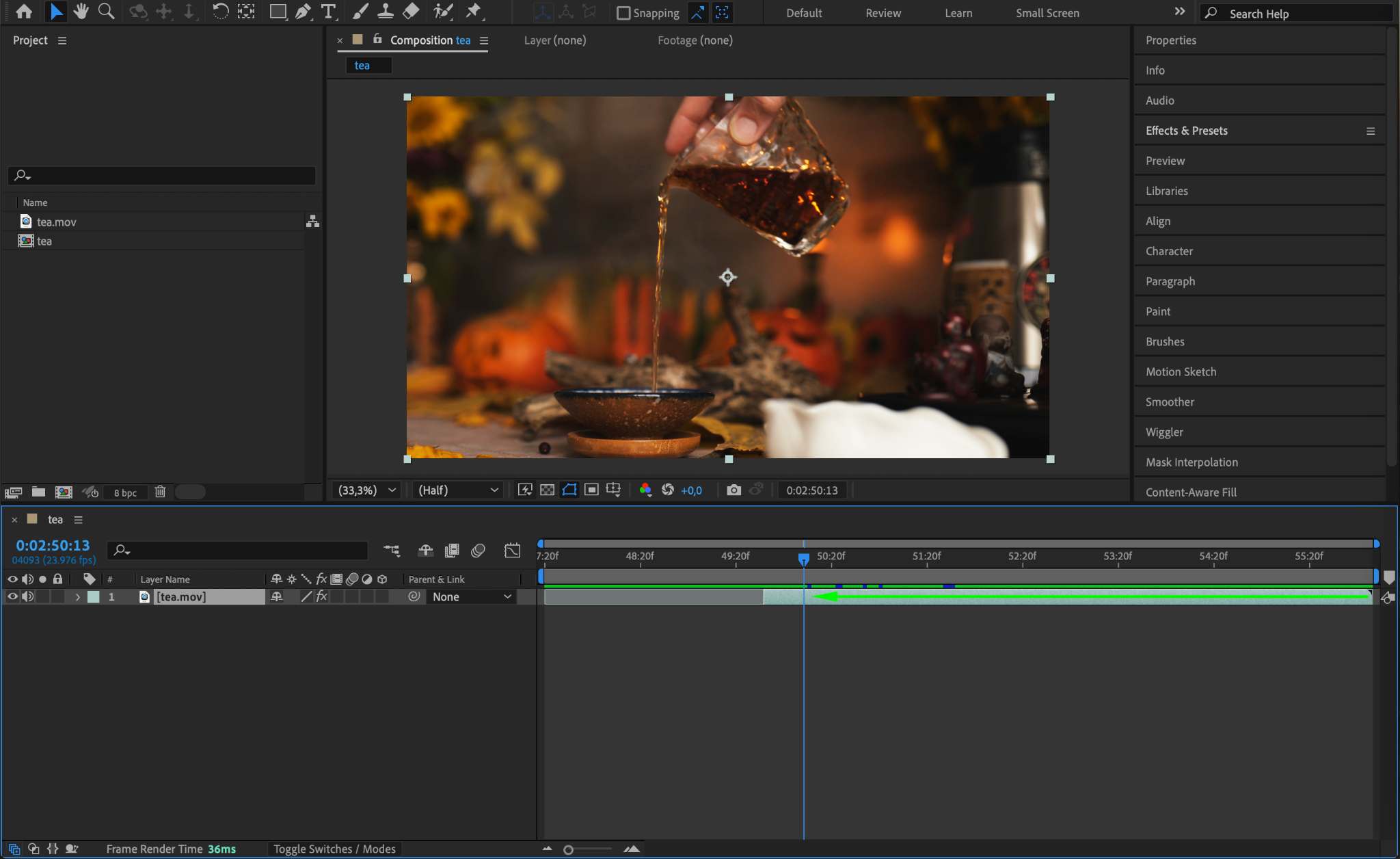
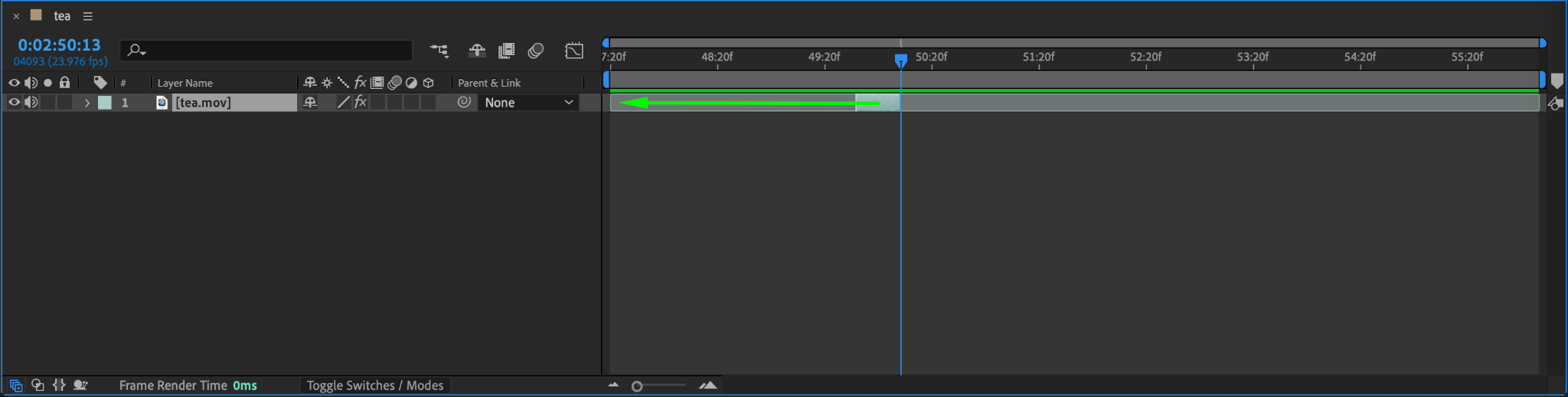
On the timeline, adjust the duration of your video layer by dragging its ends. Aim for a few seconds of footage that loops seamlessly. Place the trimmed layer at the start of the timeline and name it “Moving” for clarity.
Step 3: Duplicate the Layer and Create a Freeze Frame
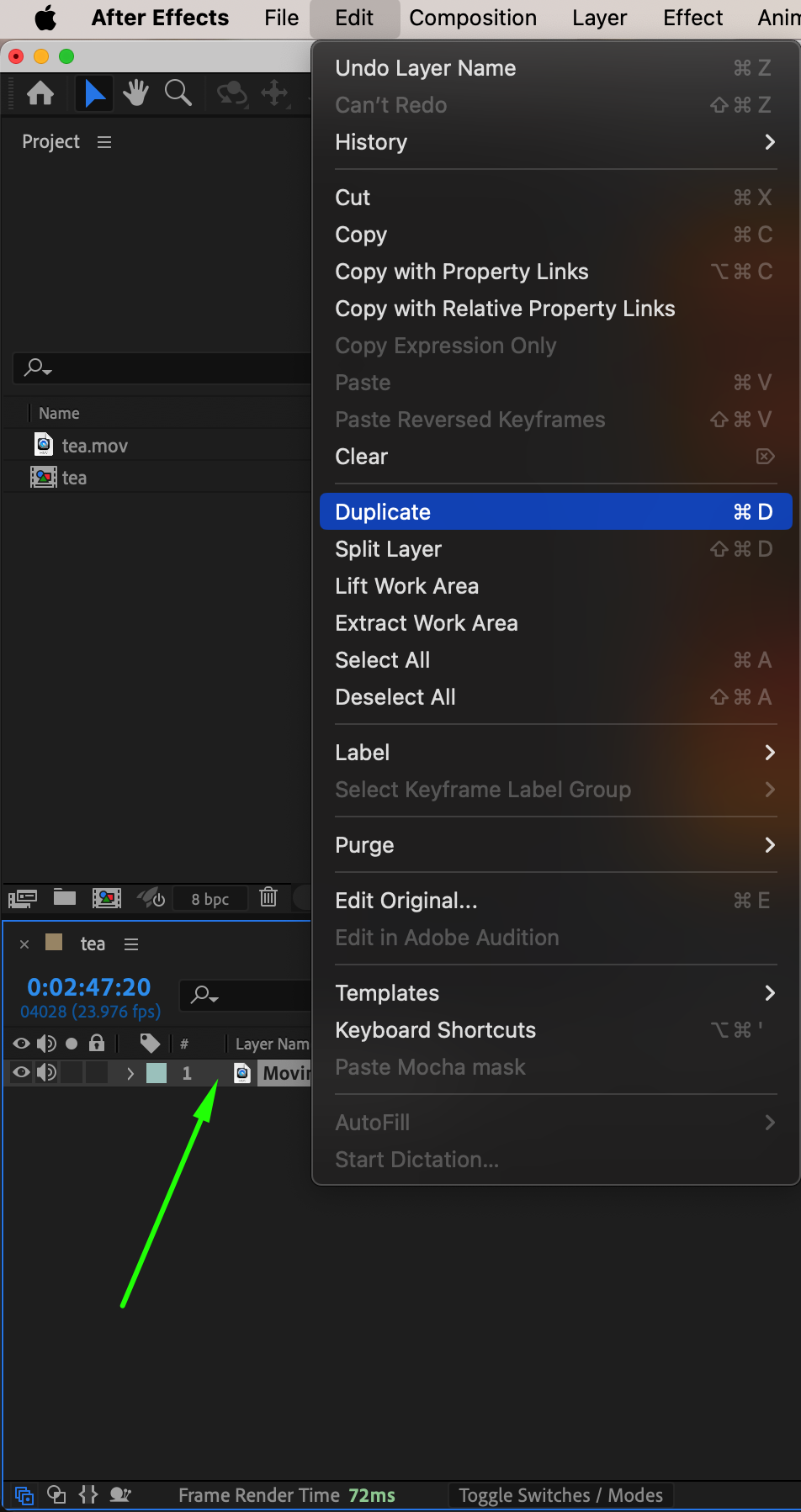
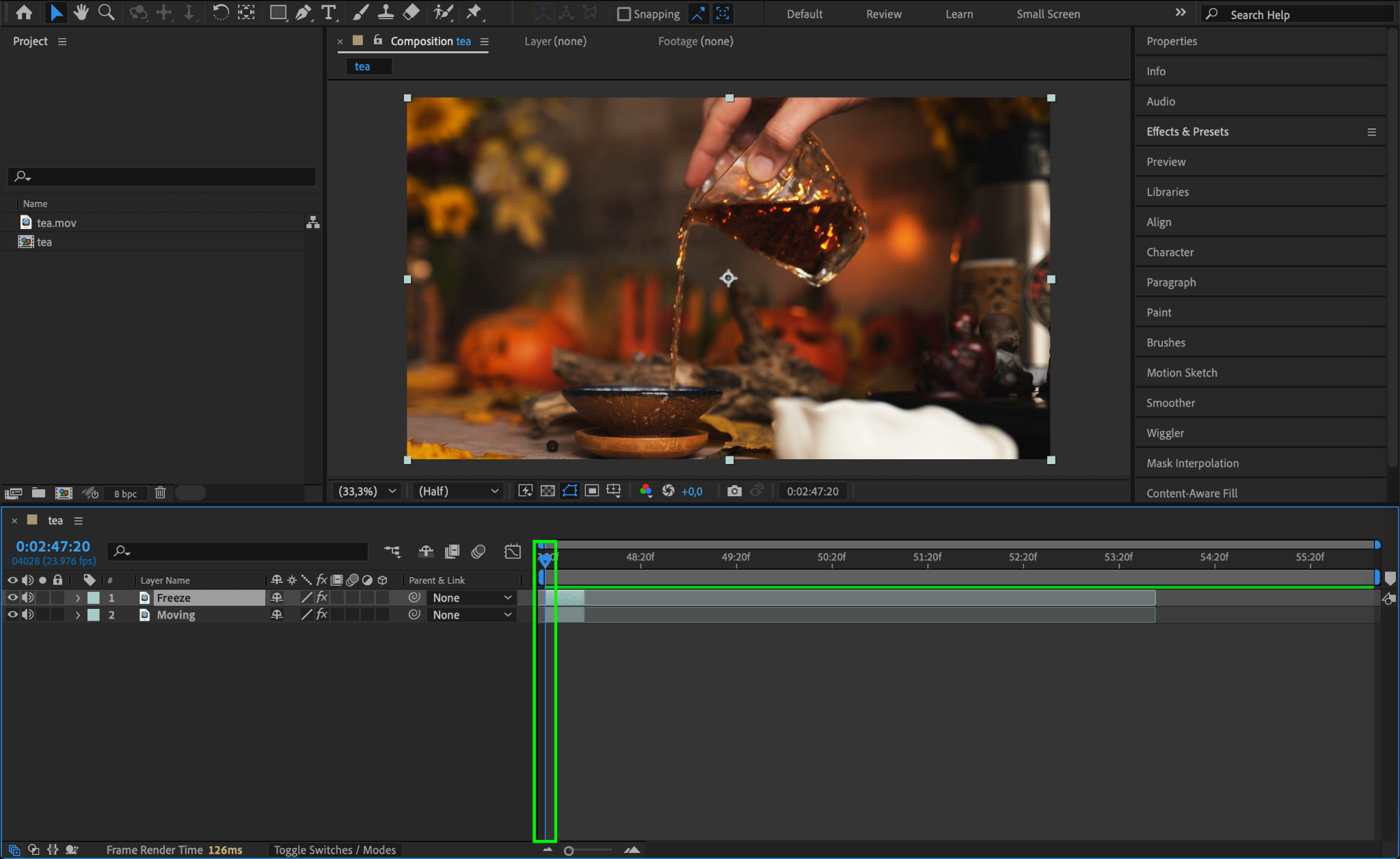
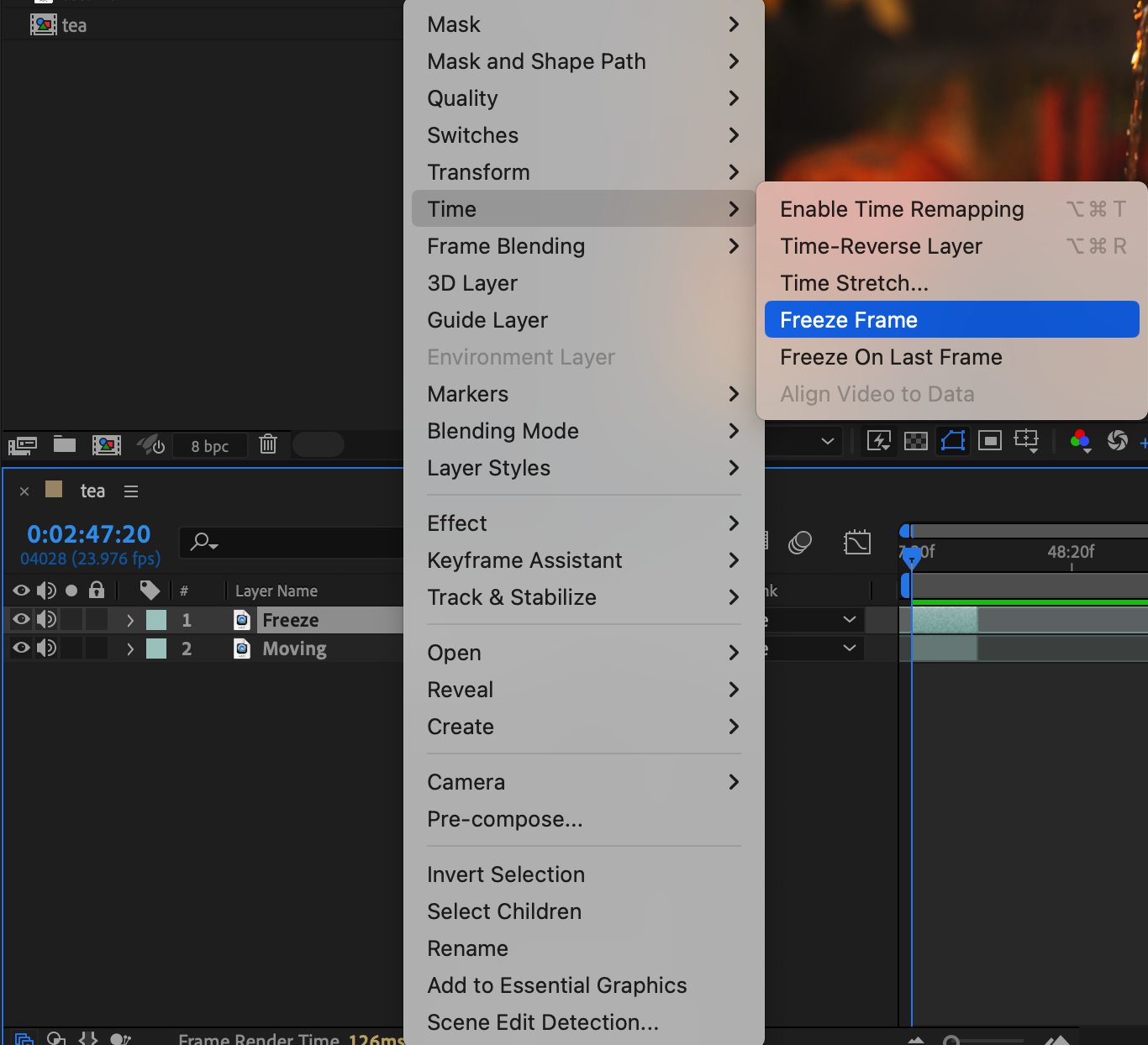
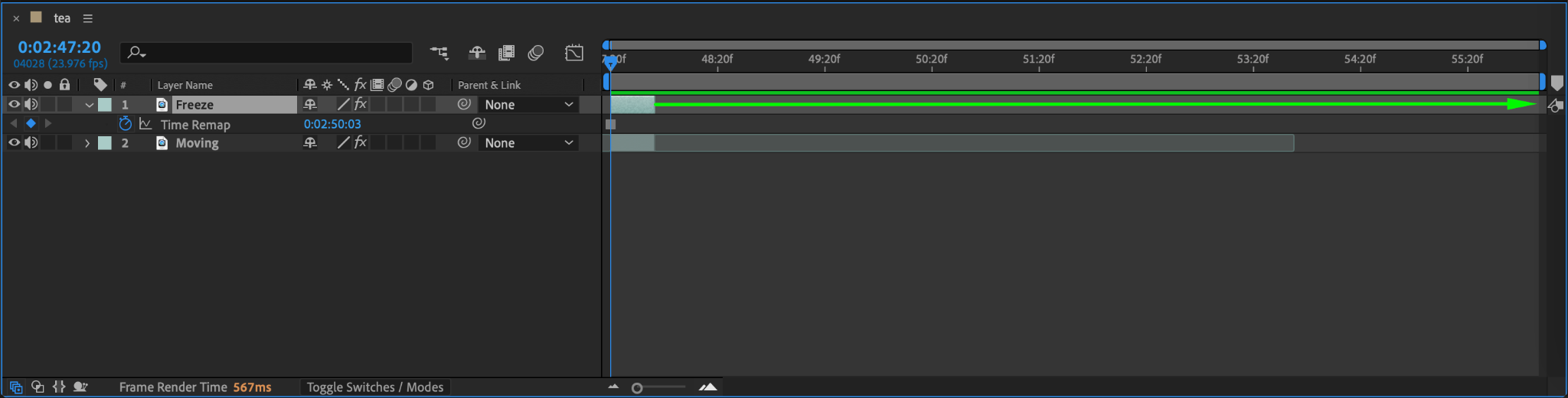
Duplicate the Moving layer by pressing “Ctrl/Cmd + D” and rename the duplicate to “Freeze”. Move the CTI (Current Time Indicator) to the frame you want to freeze, then right-click on the Freeze layer, go to Time > Freeze Frame, and extend the end of the layer to match the composition’s duration. This frozen frame will serve as the still backdrop for your cinemagraph.
Step 4: Mask the Motion Area
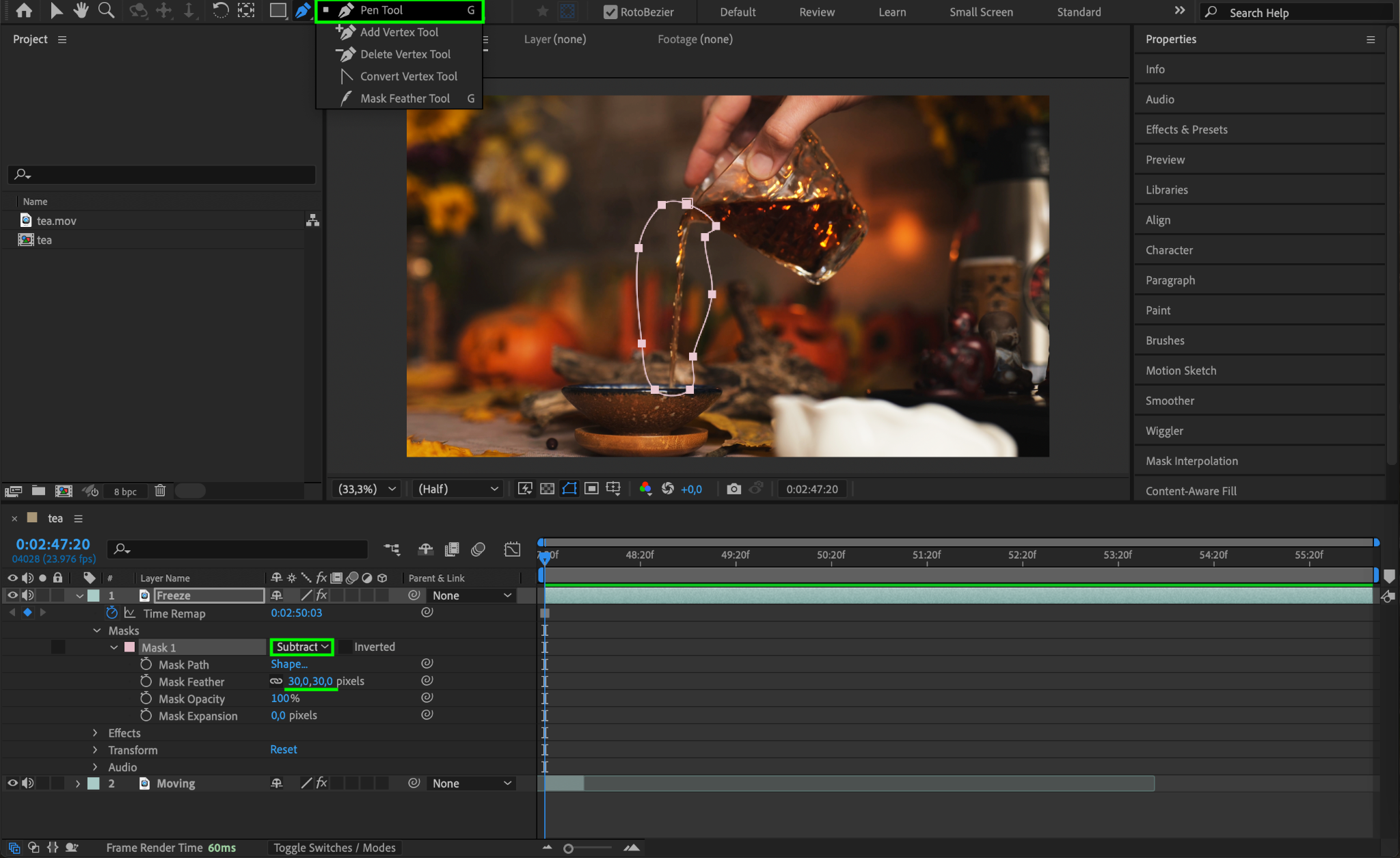
Select the Freeze layer and use the Pen Tool (G) to draw a mask around the area of motion in your video. Set the Mask Mode to Subtract, so the motion layer beneath is revealed. Adjust the Mask Feather to about 30 pixels to create a smooth transition between the still and moving areas.
Step 5: Duplicate and Arrange Moving Layers
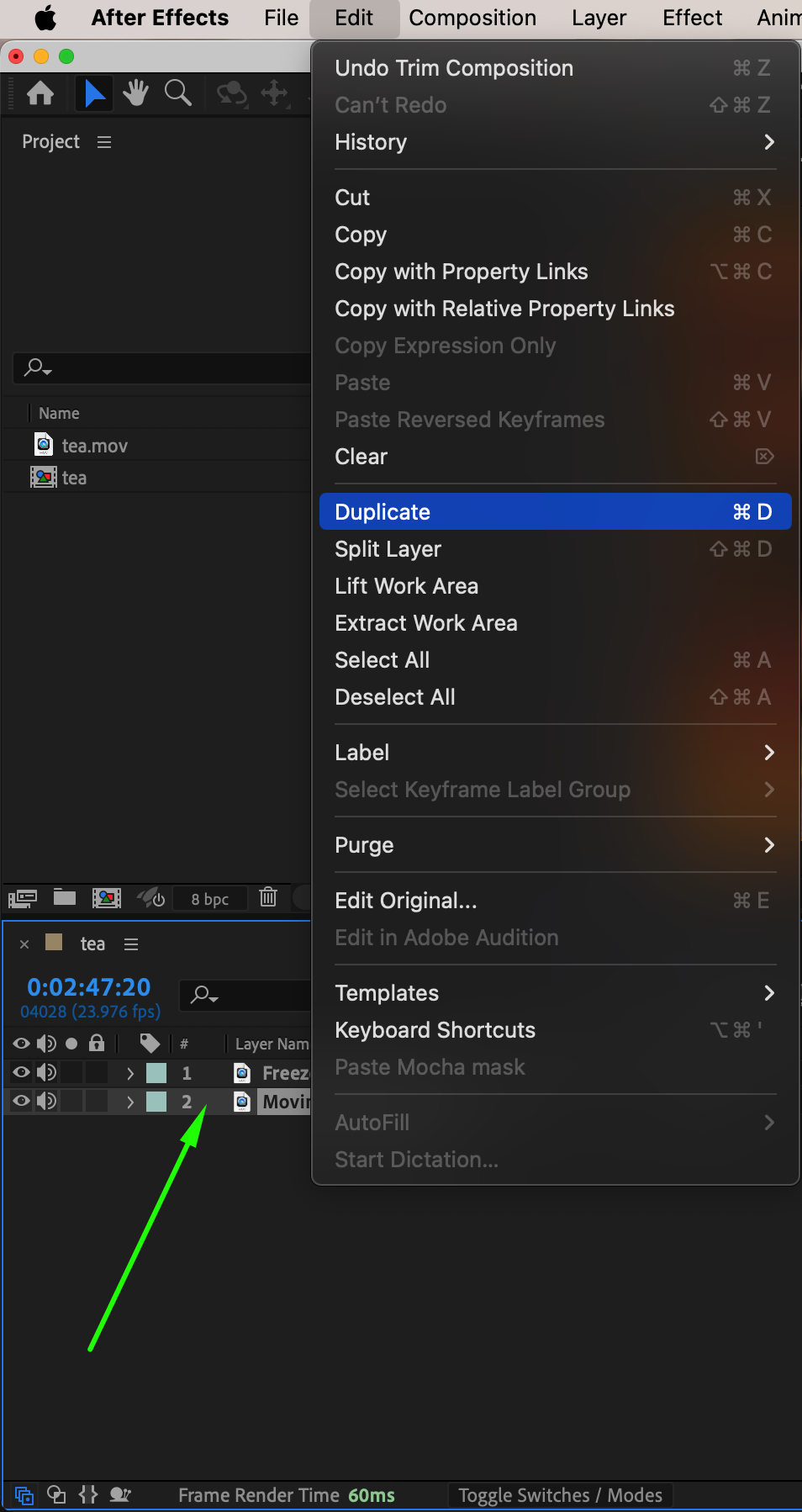
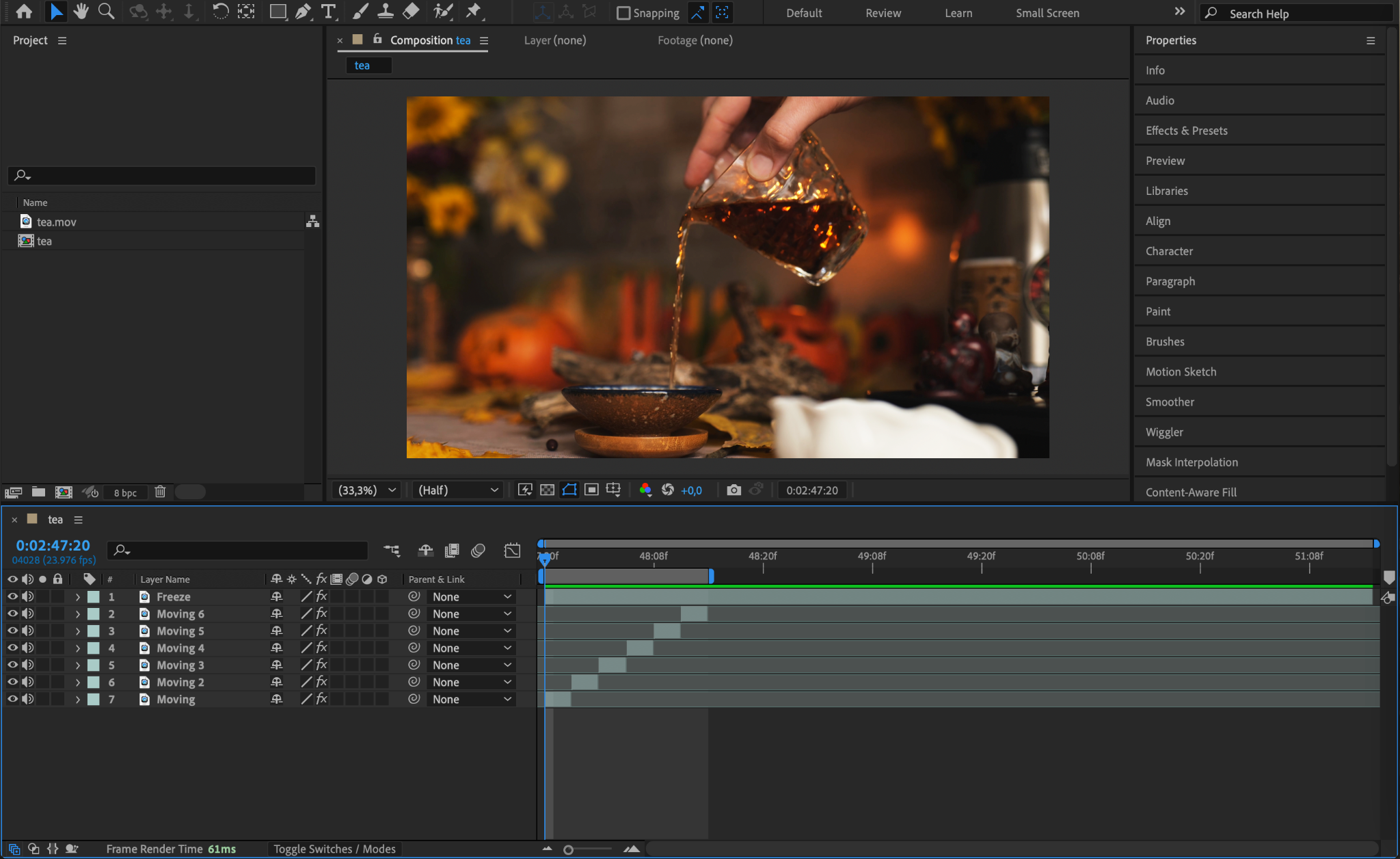
To create a seamless loop, duplicate the Moving layer multiple times by selecting it and going to Edit > Duplicate or pressing “Ctrl/Cmd + D”. Arrange these layers one after another on the timeline, ensuring they span the entire length of the composition. This step helps maintain continuous motion in your cinemagraph.
Step 6: Preview Your Cinemagraph
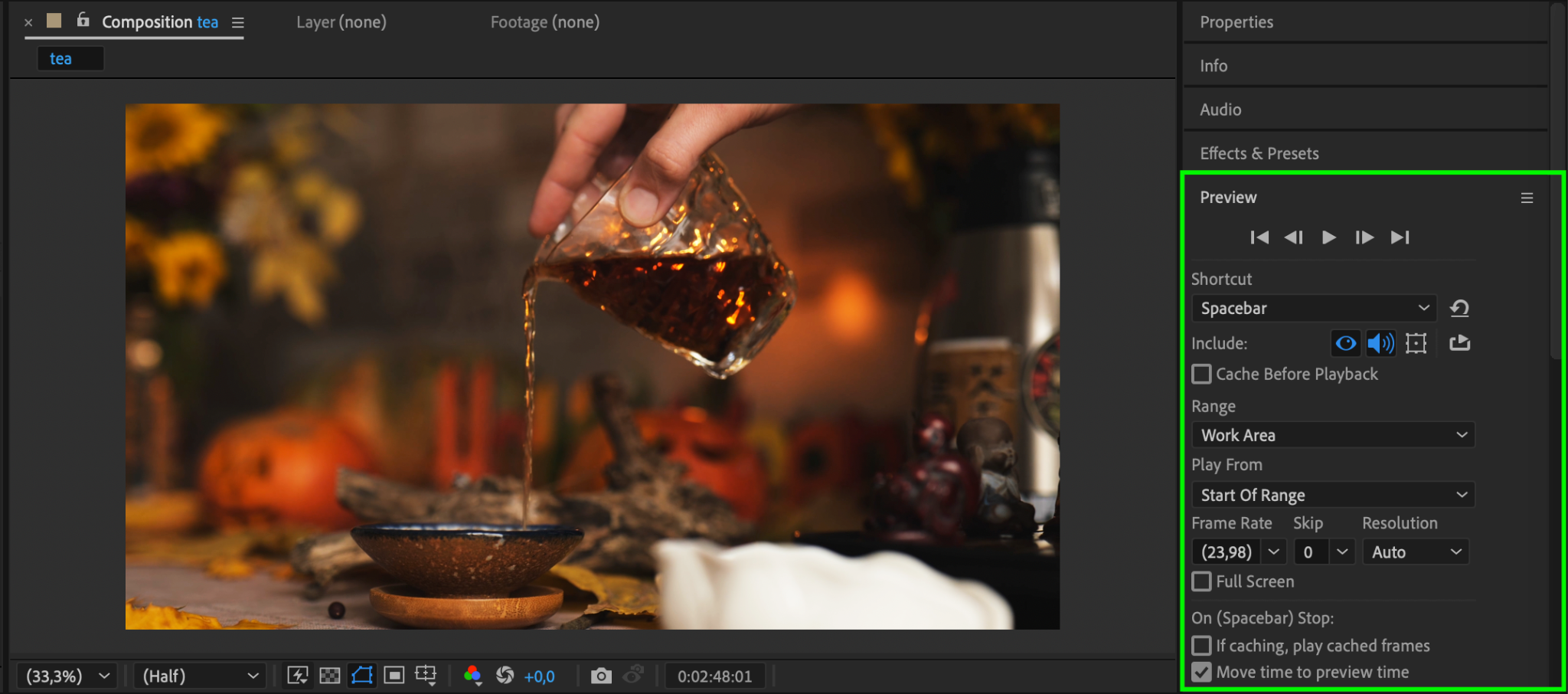
Click Spacebar to check your cinemagraph. Look for any abrupt transitions or visible edges in the masked area. Fine-tune the mask feather and layer arrangement if needed.
Step 7: Render Your Cinemagraph
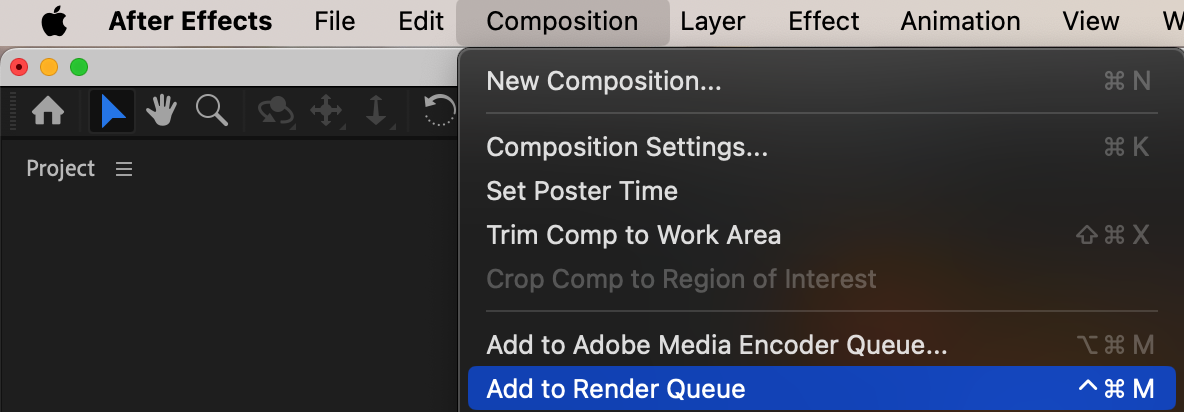
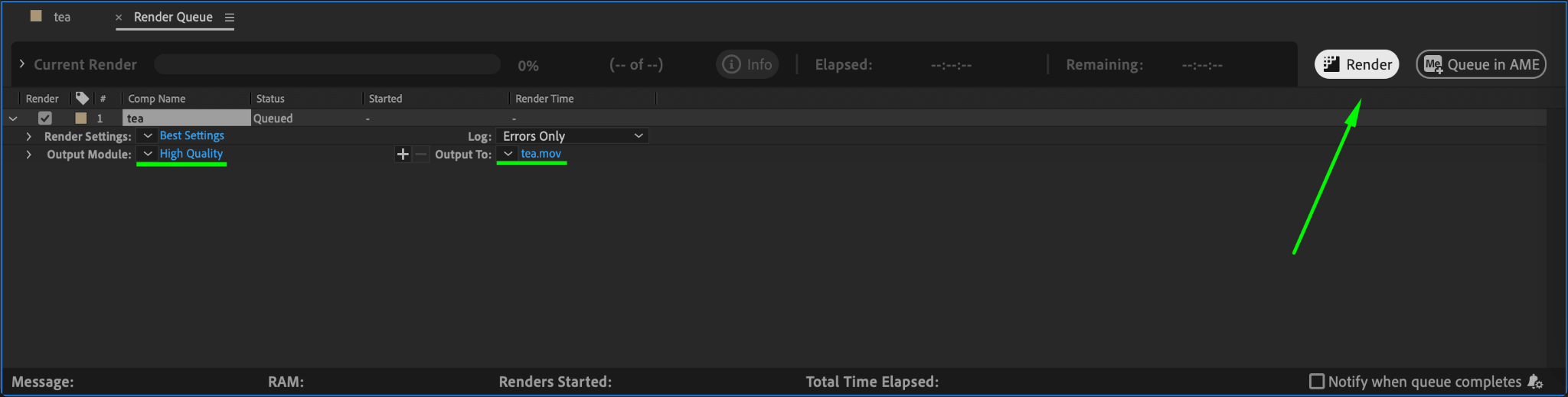
Once satisfied, render your cinemagraph by going to Composition > Add to Render Queue. Choose an appropriate output format like H.264 for web use or GIF if needed. Save the file to your desired location, and hit Render.
Conclusion
Cinemagraphs are an excellent way to elevate your creative projects with a mix of motion and stillness. By following these steps, you’ll be able to create captivating cinemagraphs in After Effects that can leave a lasting impression on your audience. Experiment with different footage and refine your skills to master this unique art form!
Our Bestsellers
Our Bestsellers


