
“Step-by-Step Guide to Making a Dashed Line in After Effects”
“Introduction – Add Stylish Dashed Lines to Your Animations”
Dashed lines are versatile design elements that can be used to emphasize motion, highlight a path, or enhance visual storytelling. With After Effects, creating a dashed line is simple and highly customizable. This guide will walk you through the steps to draw, style, and animate a dashed line for your project.
Step 1: Create a New Composition
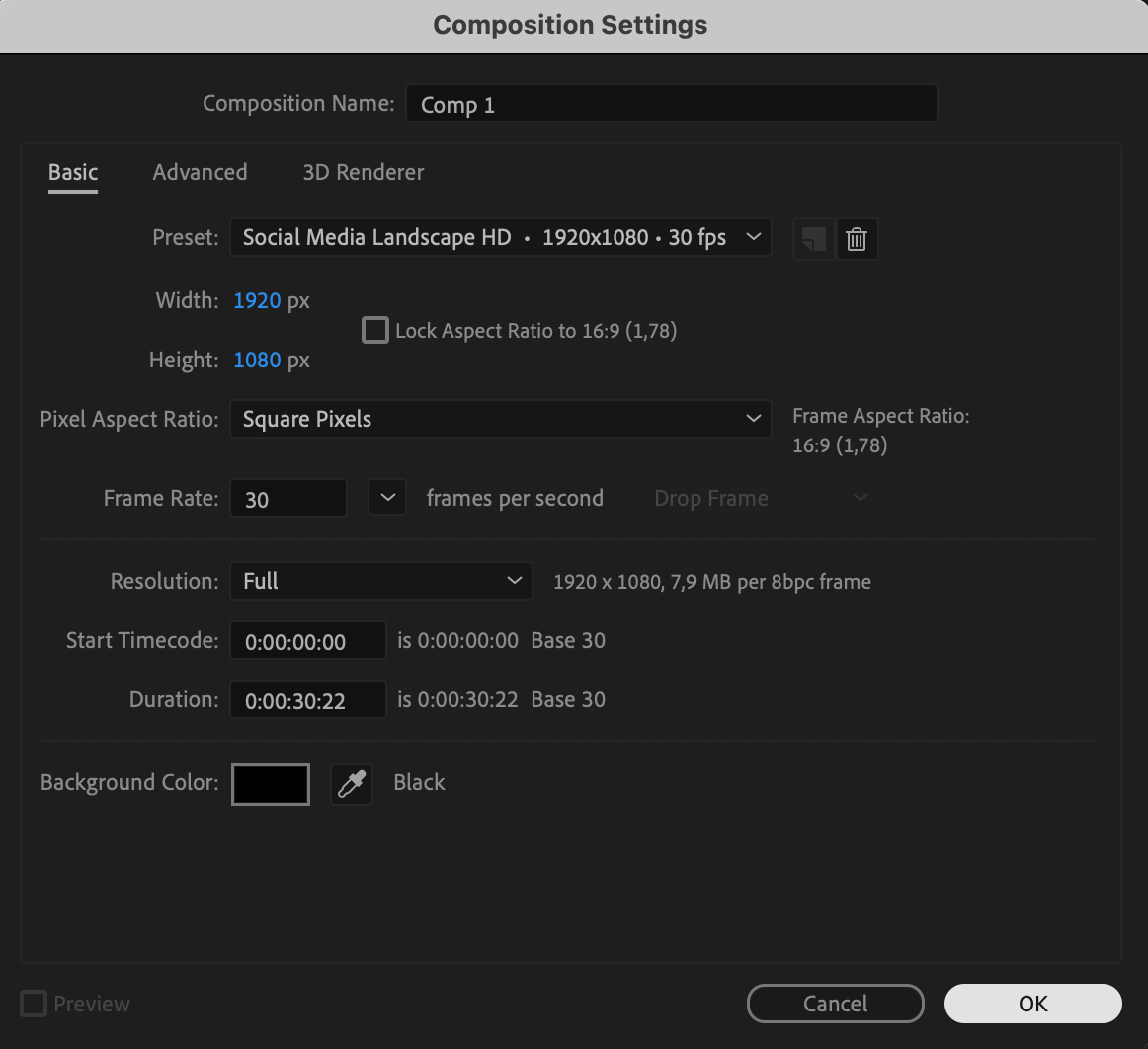
Start by creating a new composition. Go to Composition > New Composition, set your desired width, height, frame rate, and duration, then click OK. This composition will serve as your workspace for designing the dashed line.

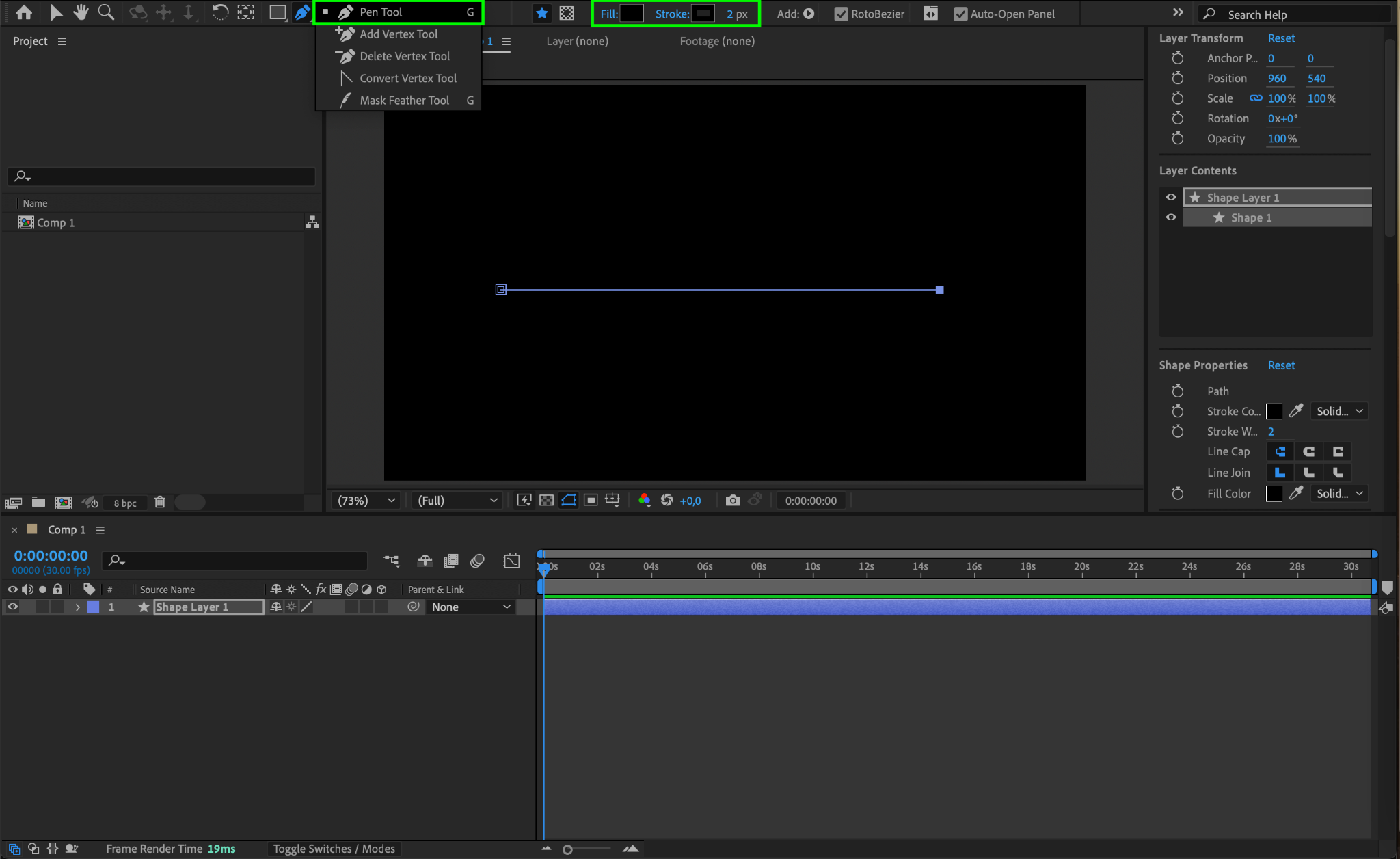
Step 2: Draw a Line Using the Pen Tool
Select the Pen Tool (G) from the toolbar. Click to set the starting point and ending point of your line directly on the composition window. A straight line will be created automatically between these two points. If needed, you can adjust the points using the Selection Tool (V).
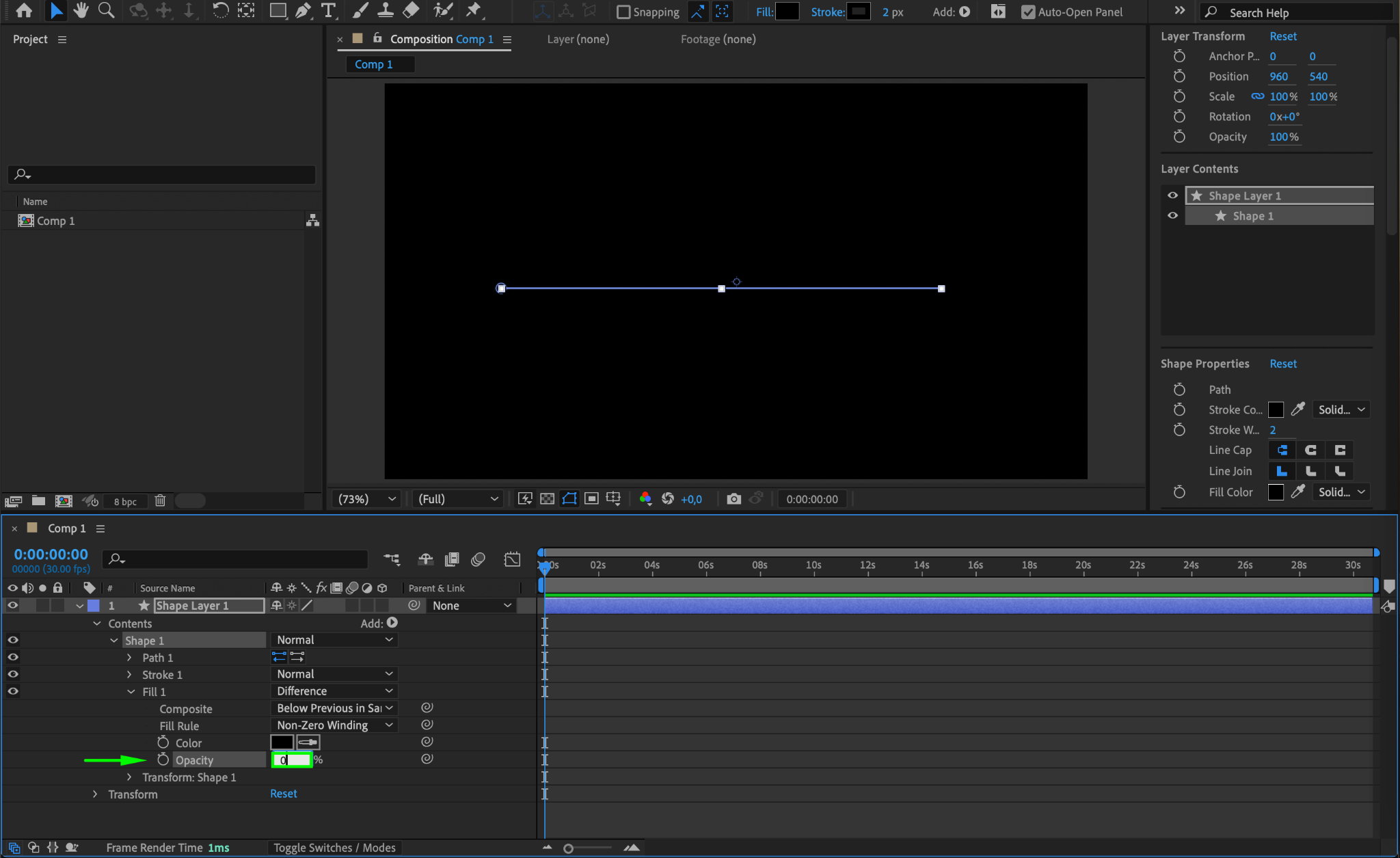
Step 3: Remove the Fill
Expand the layer properties by clicking the arrow next to the shape layer. Navigate to Contents > Shape 1 > Fill 1, and set the Opacity to 0. This removes any fill color, leaving only the stroke visible.
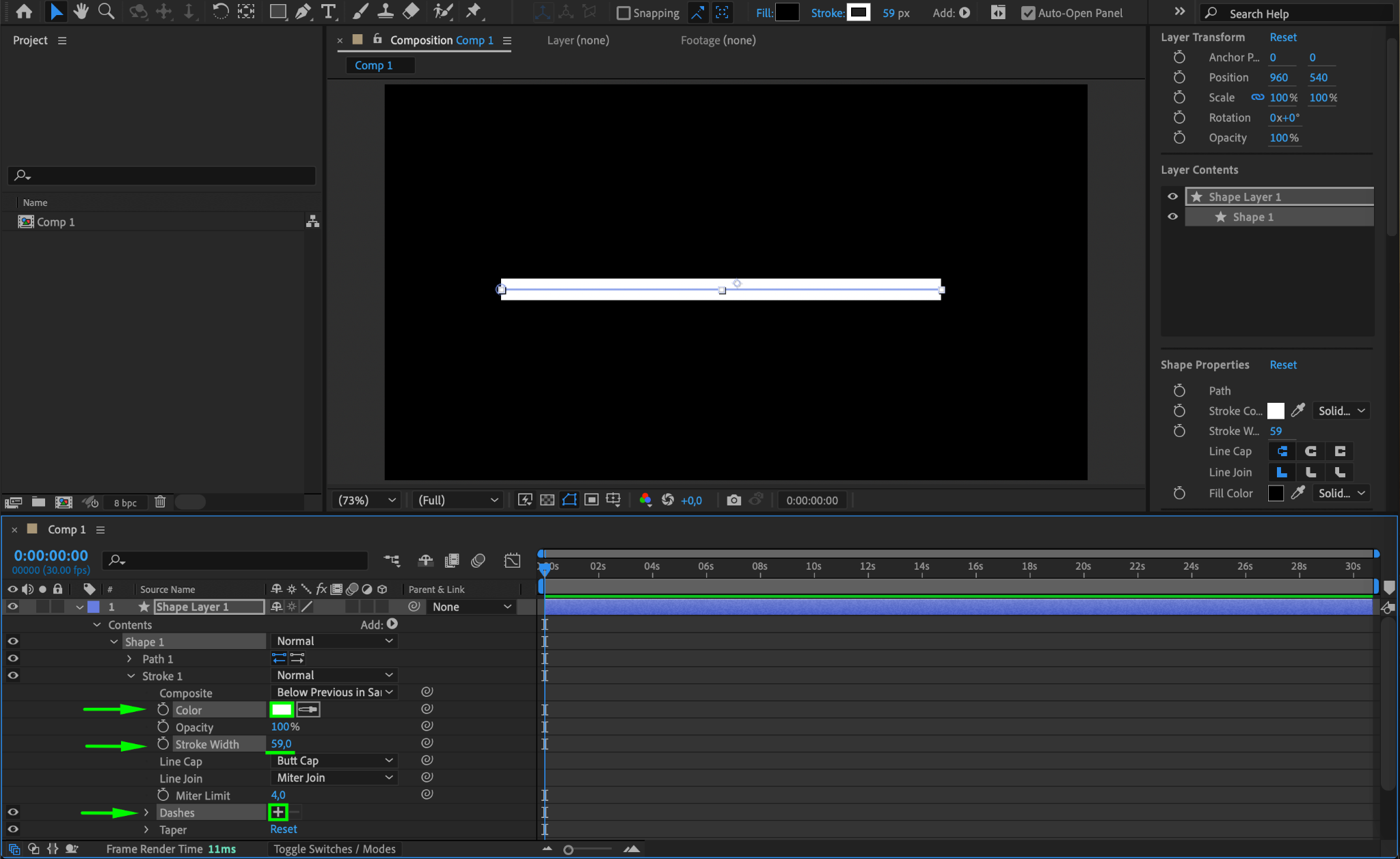
Step 4: Adjust Stroke Properties and Create the Dashed Line
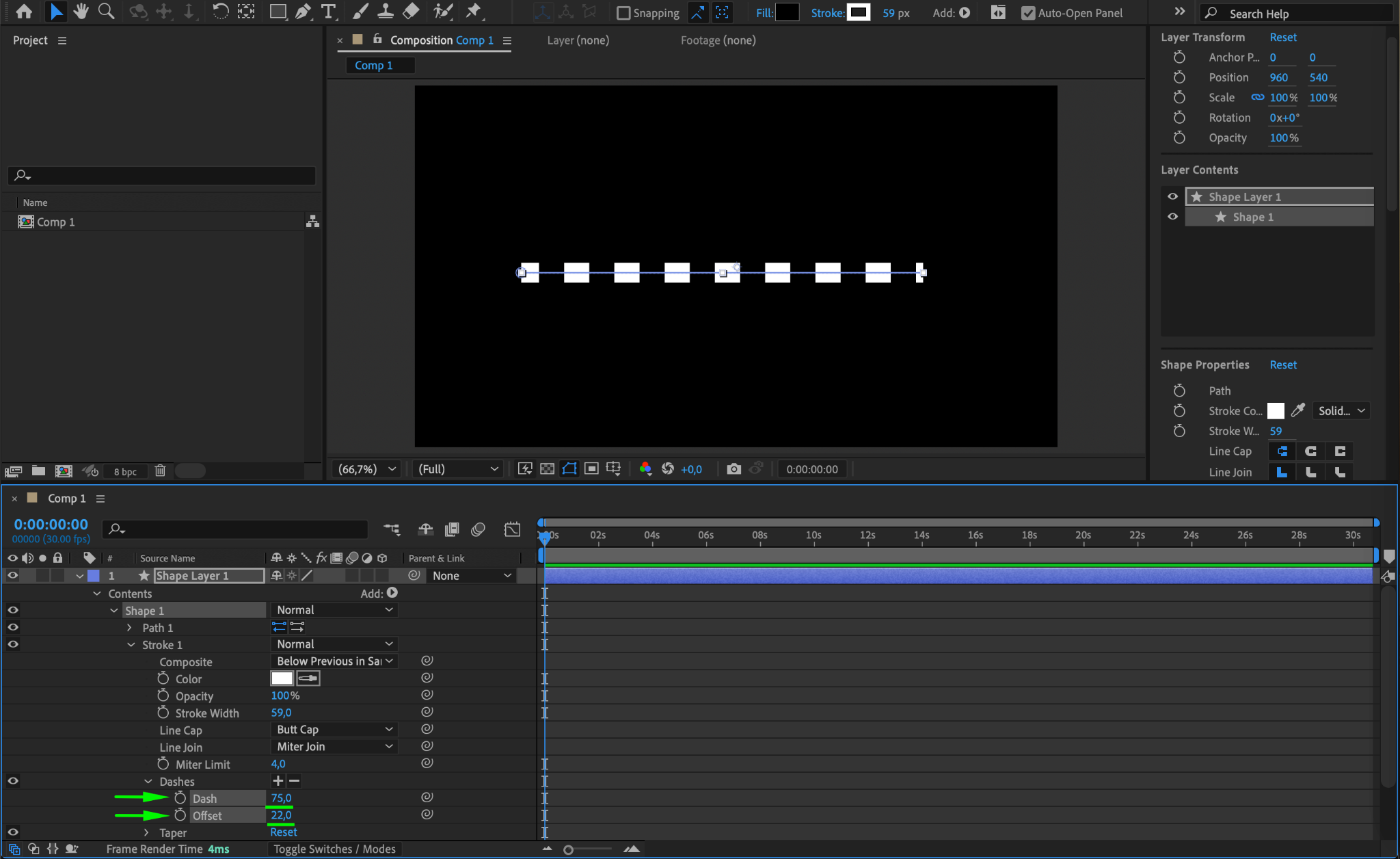
Go to Contents > Shape 1 > Stroke 1. Select the desired Color and adjust the Stroke Width to set the thickness of the line. To create the dashed effect, click the “+” icon next to Dashes. Adjust the Dash value to set the length of the dashes and the Offset value to determine the spacing between them.
Step 5: Preview the Dashed Line
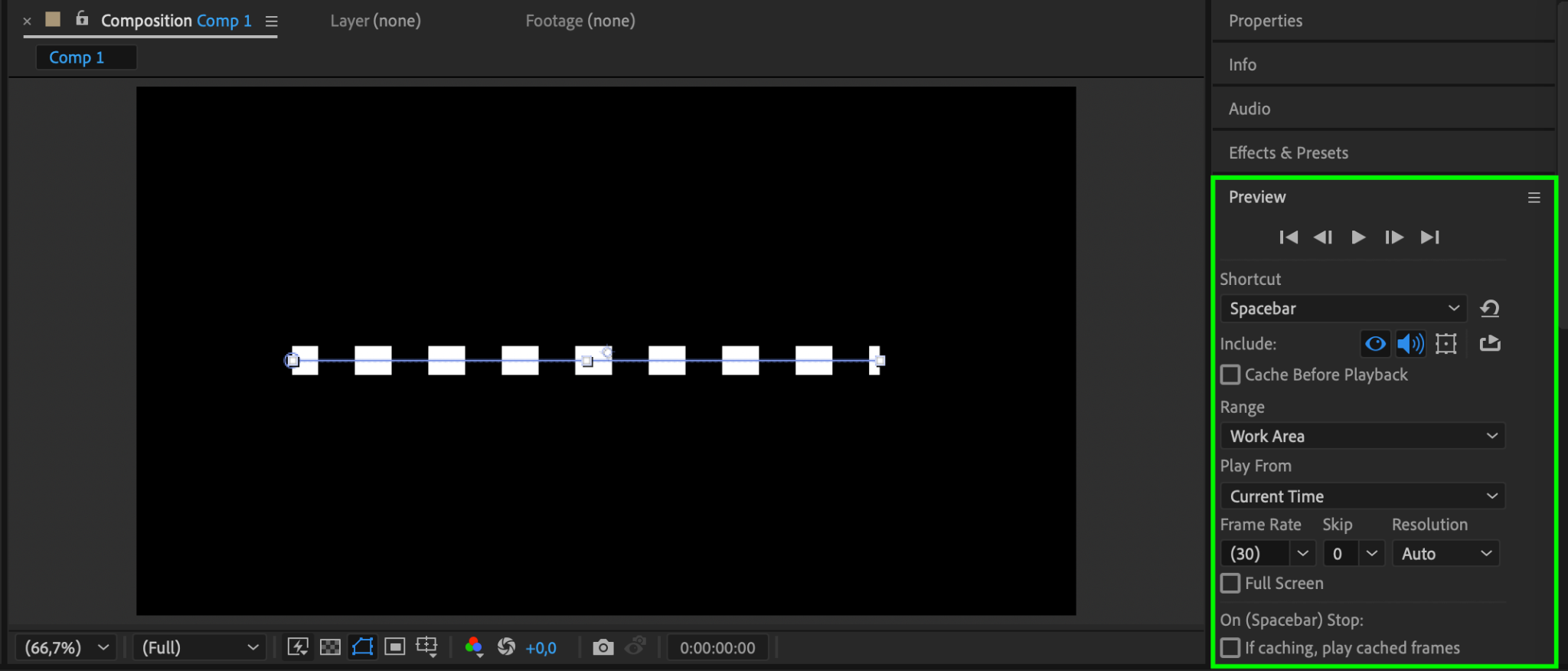
Press the Spacebar to preview your composition. Check that the dashed line appears as intended. Adjust the stroke, dash, and offset values if needed to perfect the design.
Step 6: Render the Composition
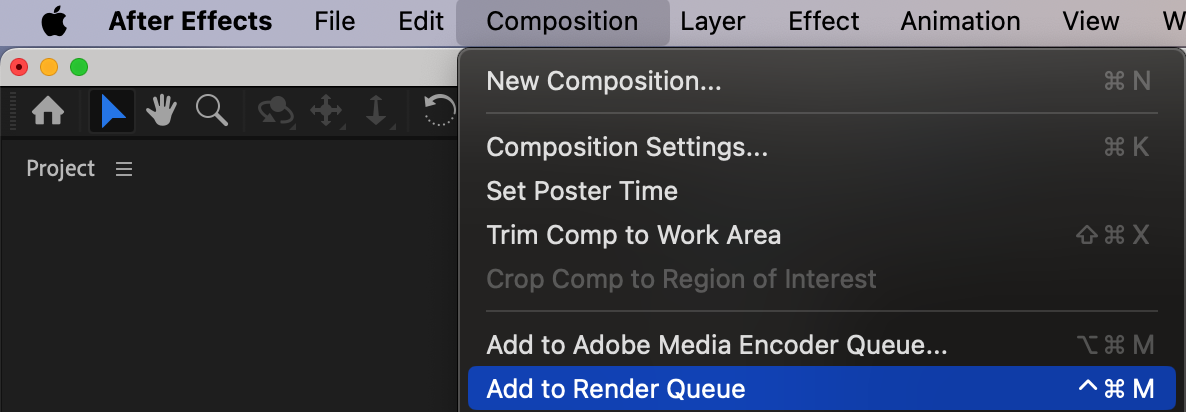
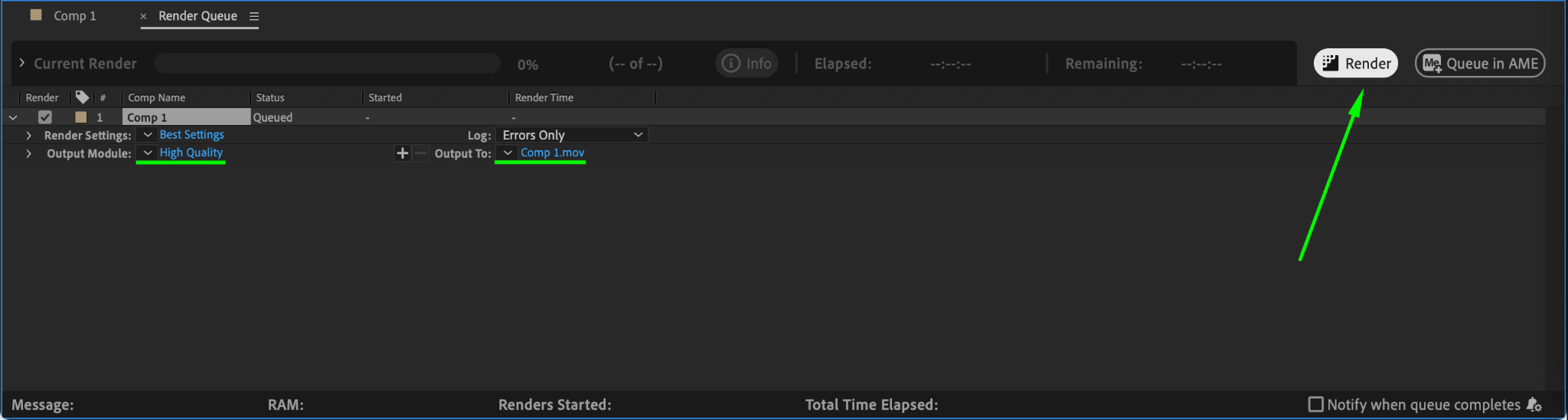
Once you’re happy with the dashed line, render your project by going to Composition > Add to Render Queue. Select your output format and location, then click Render to export your dashed line animation.
Conclusion
Creating a dashed line in After Effects is an easy process that opens up a range of creative possibilities. Whether you’re designing animated paths, illustrating movement, or enhancing your project’s visuals, dashed lines offer a polished and dynamic touch. Experiment with stroke widths, colors, and dash patterns to tailor the effect to your specific needs!
Our Bestsellers
Our Bestsellers


