
Step-by-Step Guide on Creating a Dotted Line in After Effects
Introduction to Making Dotted Lines in After Effects
Dotted lines can add style, focus, or motion to your animations in After Effects. In this guide, we’ll show you how to create a fully customizable dotted line using shape layers, stroke settings, and dash properties. By following these steps, you can quickly create a professional-looking dotted line effect.
Step 1: Create a New Composition
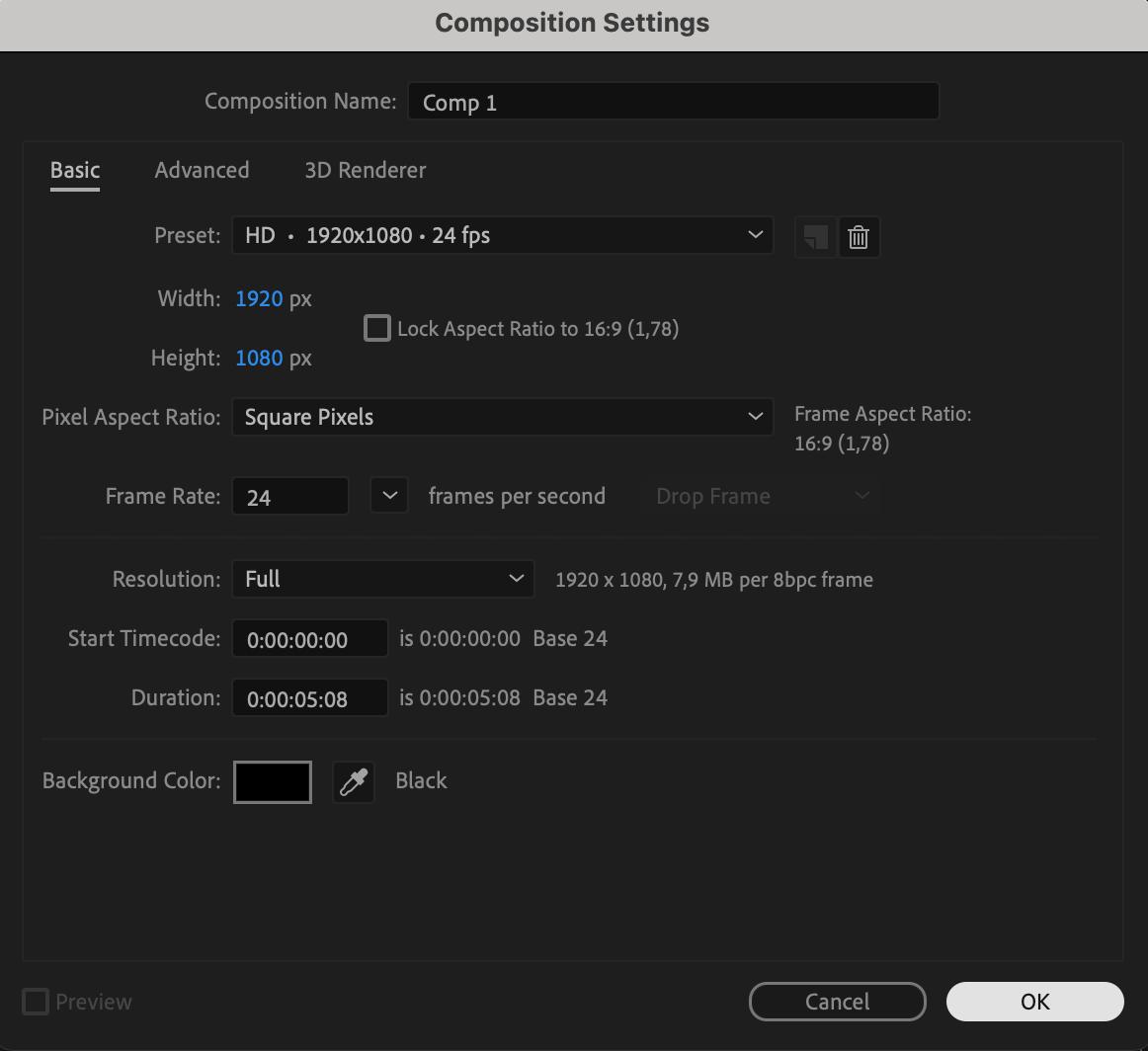
To get started, open After Effects and create a new composition by going to Composition > New Composition. Set your preferred resolution, frame rate, and duration based on your project requirements. This composition will be the workspace where you design and customize your dotted line.

Step 2: Draw the Line
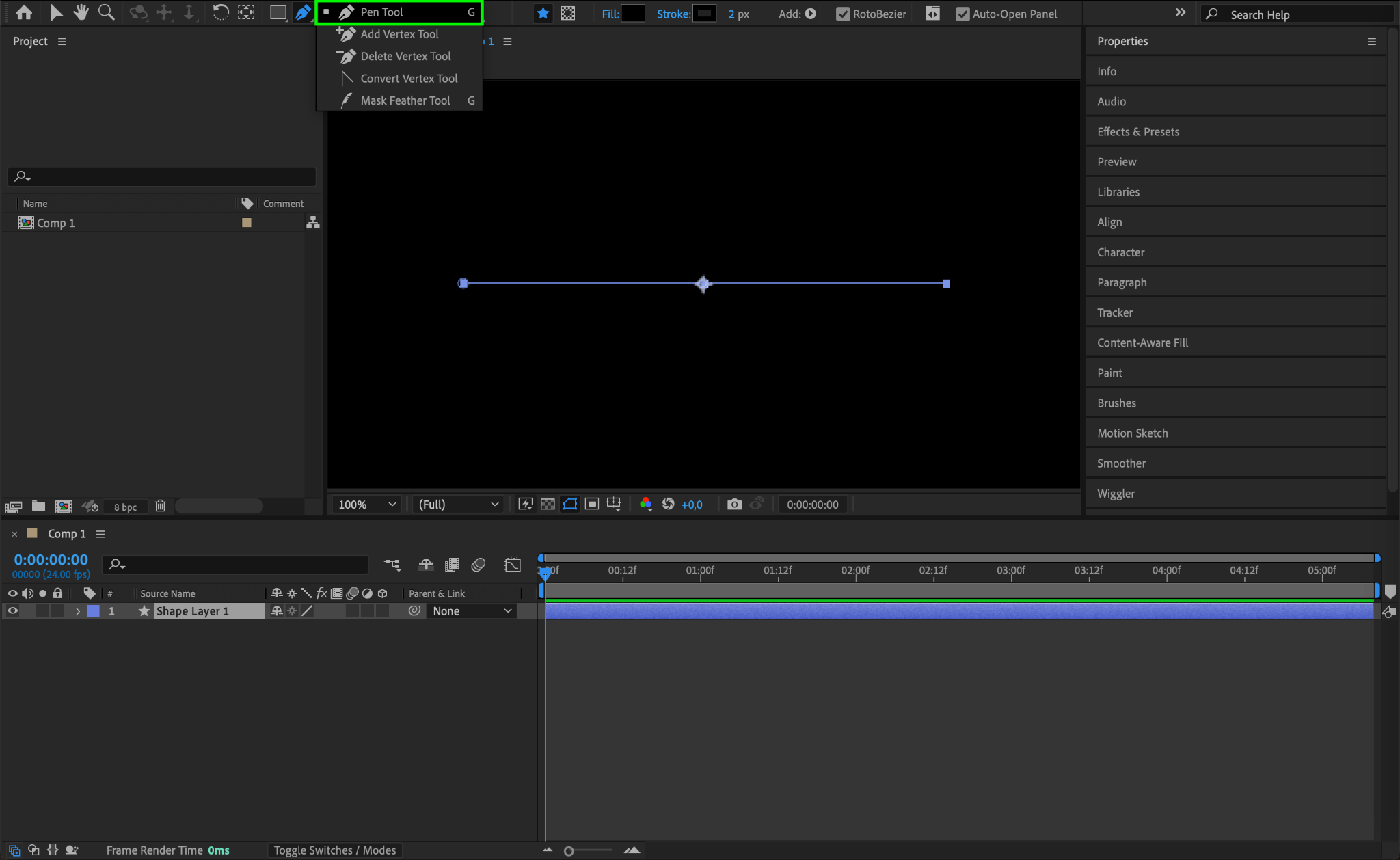
In the composition, select the Pen Tool (shortcut G) from the toolbar. Using the Pen Tool, click once to set the starting point, then click a second time to set the end point. After Effects will automatically draw a line connecting the two points. This line will become the base for your dotted line effect.
Step 3: Adjust Fill Settings
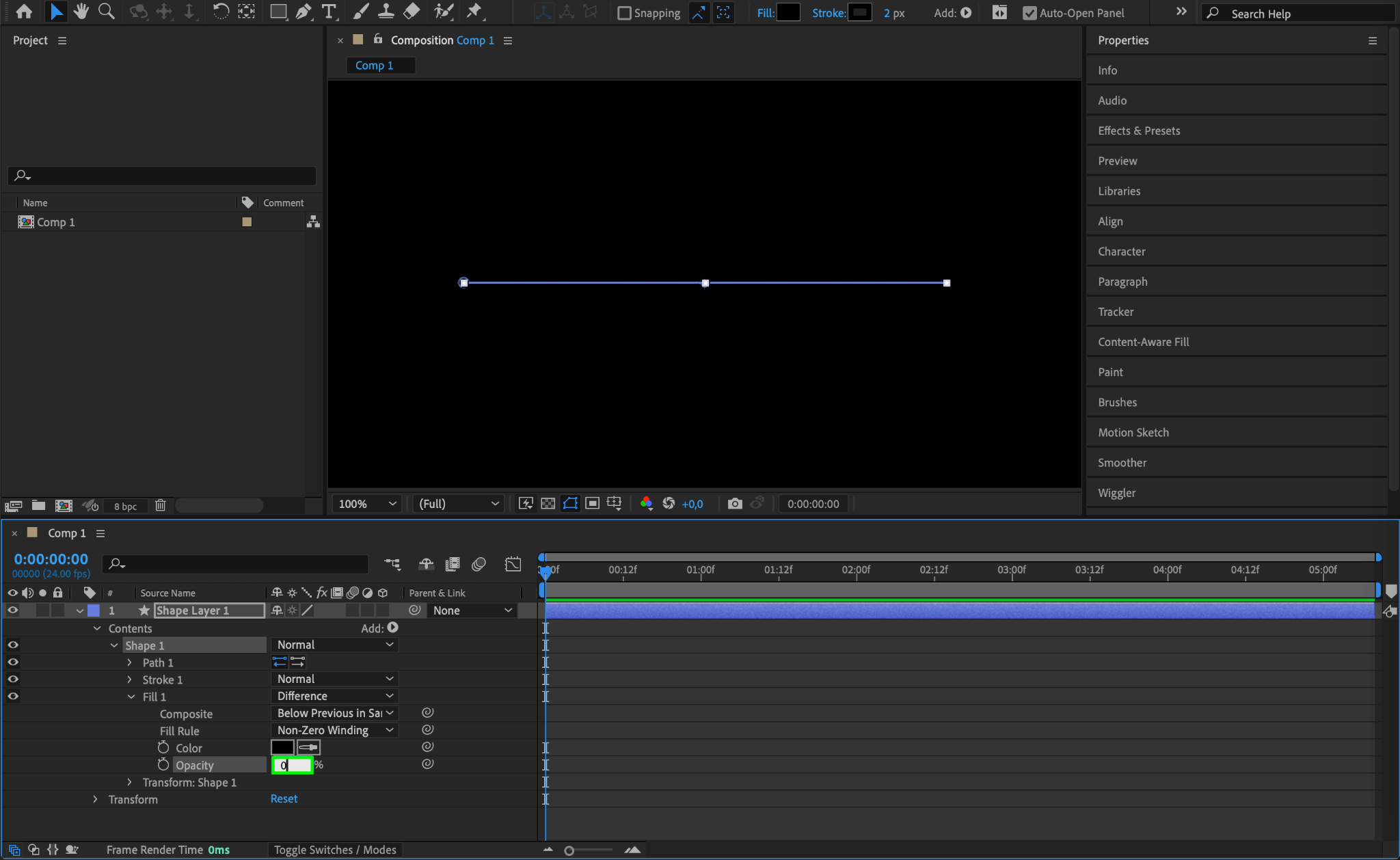
In the Timeline panel, locate the new shape layer you just created. Expand the shape layer properties by navigating to Contents > Shape 1 > Fill 1. Set Opacity to 0 to remove any fill from the line. This will make it a pure stroke, which is necessary for creating a dotted line effect.
Step 4: Customize the Stroke
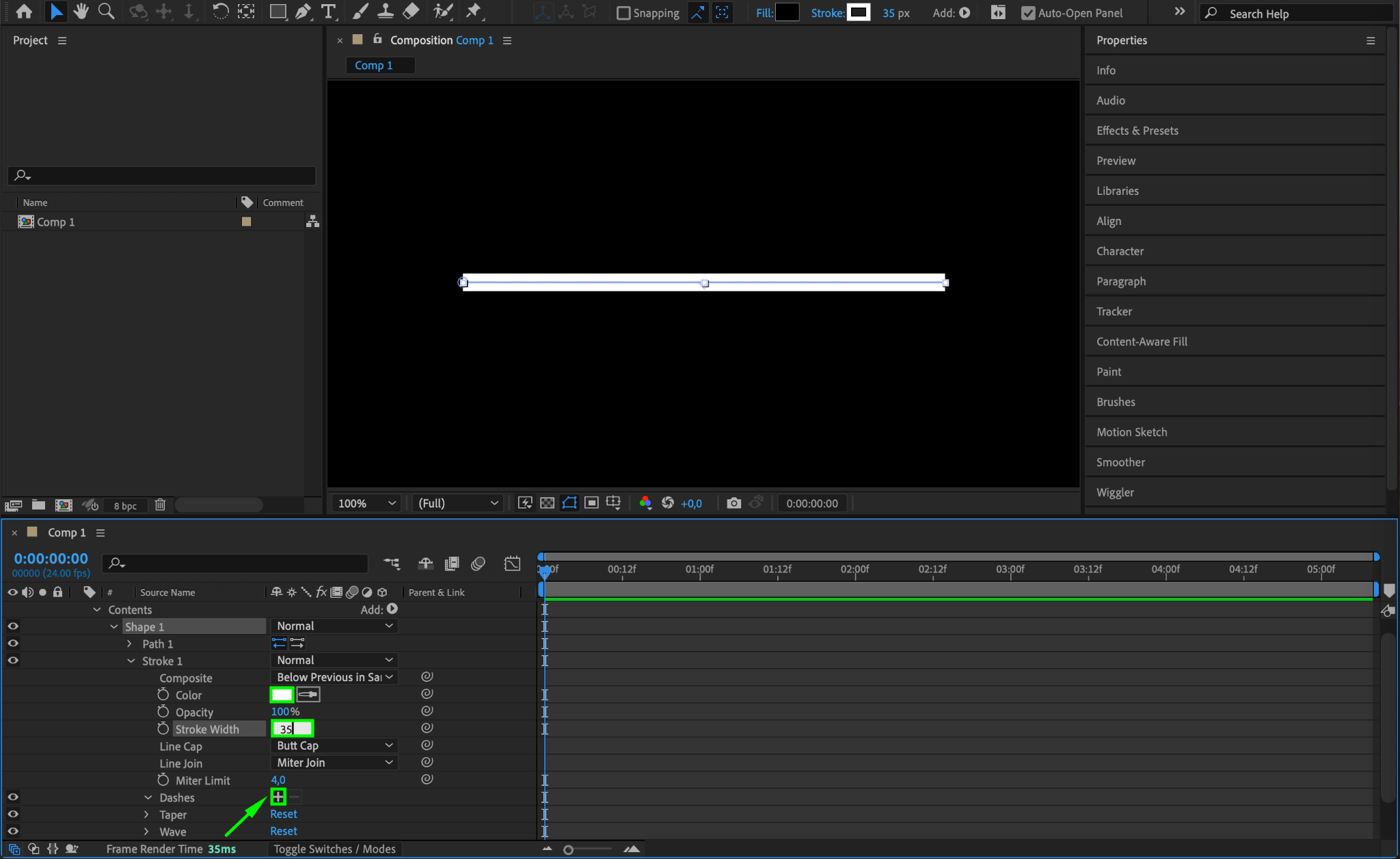
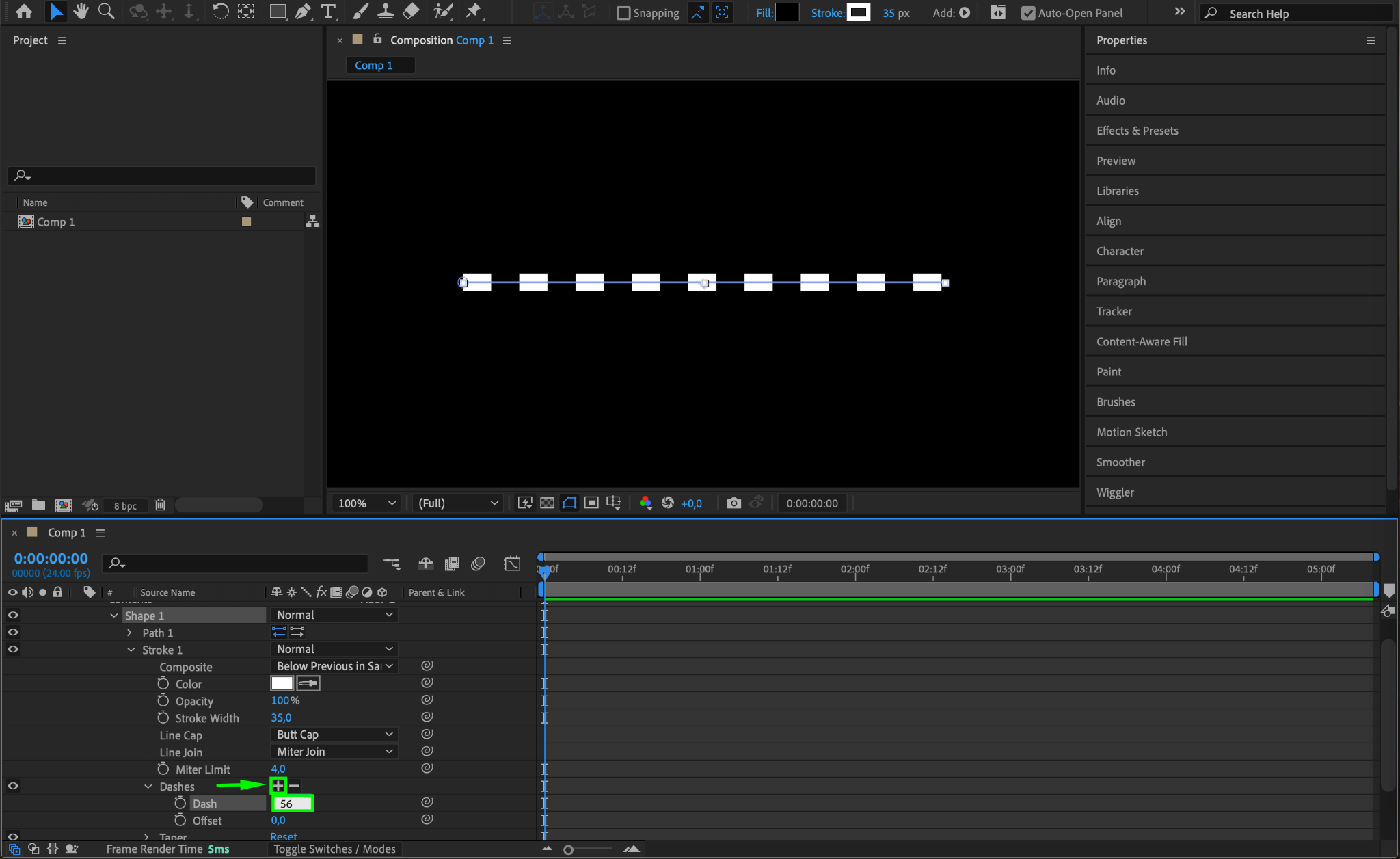
Still in the Timeline panel, expand the properties by navigating to Contents > Shape 1 > Stroke 1. Set the Stroke Color to white or any color you prefer for your dotted line. Then, set the Stroke Width to around 35 (adjust as needed based on your preferences). To make the line dotted, go to the Dashes section under Stroke 1 and click the + icon next to it. This will add the “Dash” property to your line.
Step 5: Adjust the Dash and Gap Settings
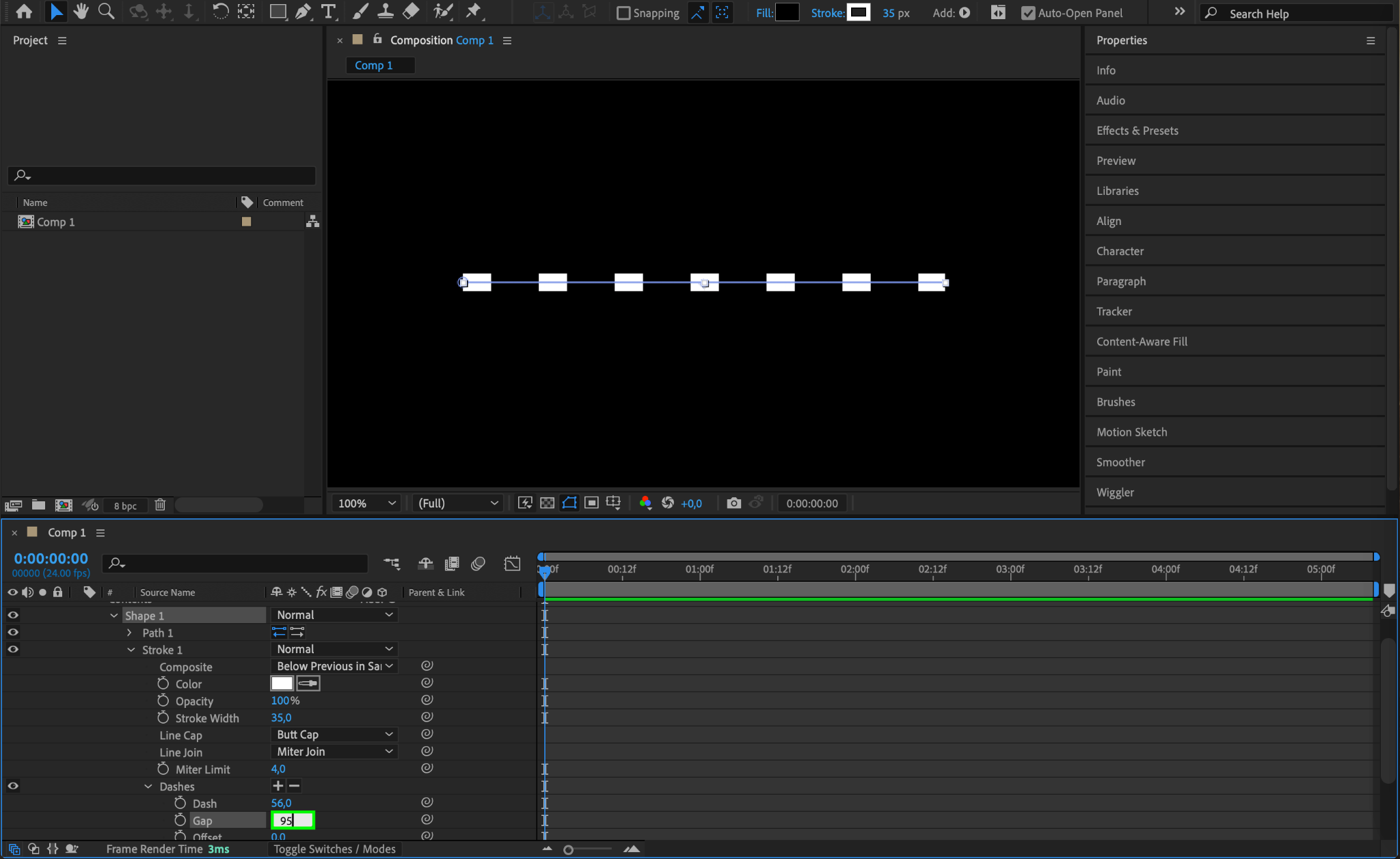
Under Dashes, set the Dash value to 56. Then, click the + icon again to add the Gap property. Set the Gap value to 95. Adjusting these values will control the size and spacing of the dots, so feel free to experiment with them to get the look you want.
Step 6: Set the Line and Dash Properties
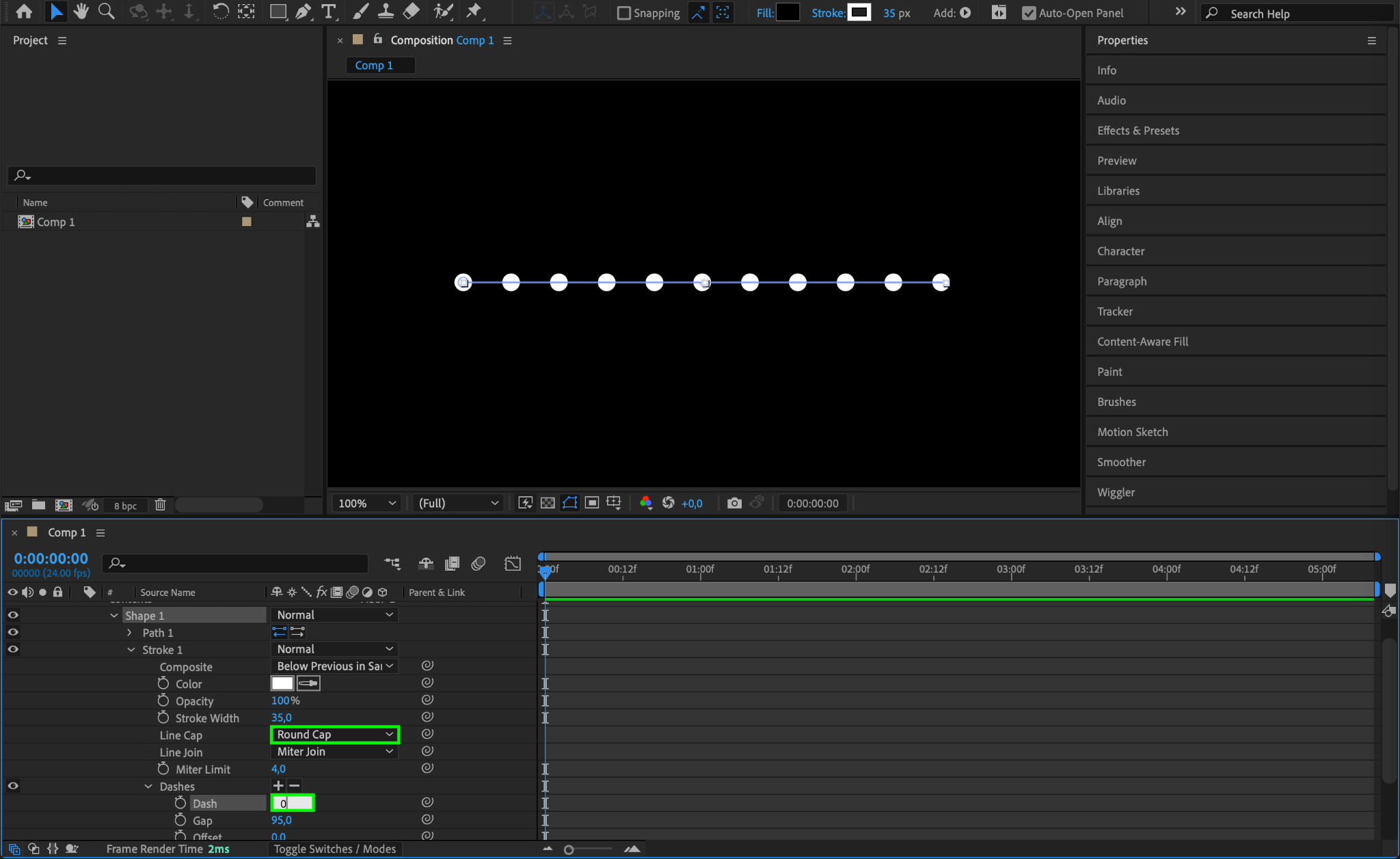
To make the line appear as round dots, go to Stroke 1 and set Line Cap to Round Cap. Next, set the Dash value under Dashes to 0 for a clean, rounded dot effect. This will ensure that each segment of the dotted line appears as a circle rather than a dash.
Step 7: Preview the Dotted Line
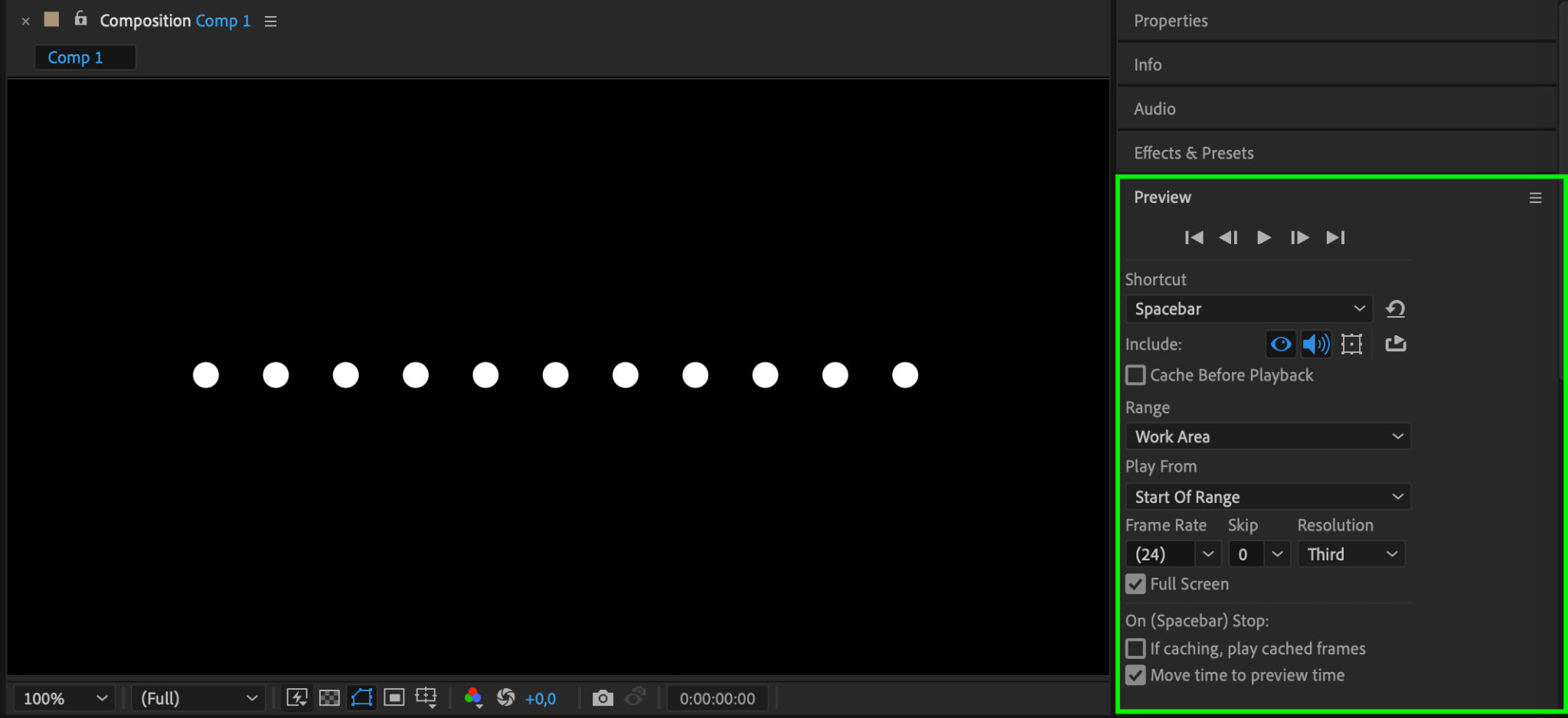
Press the Spacebar to preview your composition and see how the dotted line appears. This preview will help you check the spacing, dot size, and color, so make any final adjustments to the dash and gap values if needed.
Step 8: Export Your Dotted Line Animation
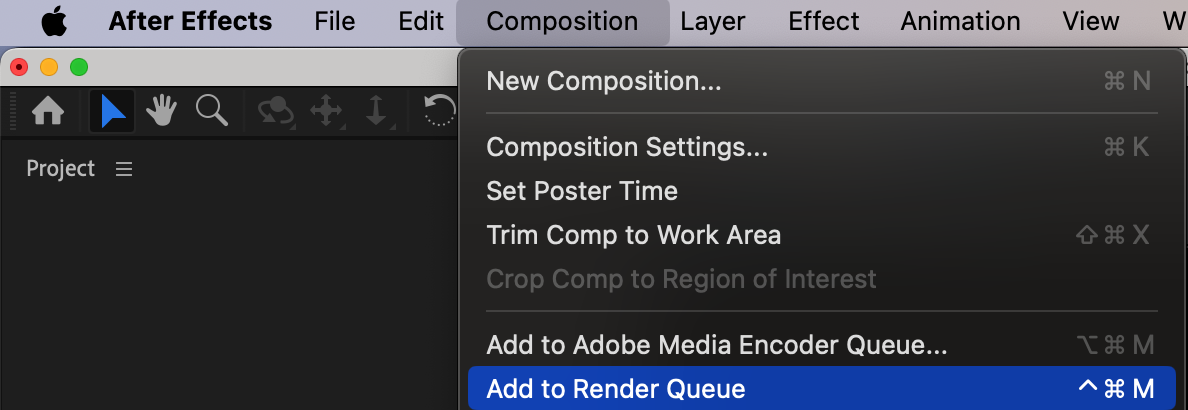
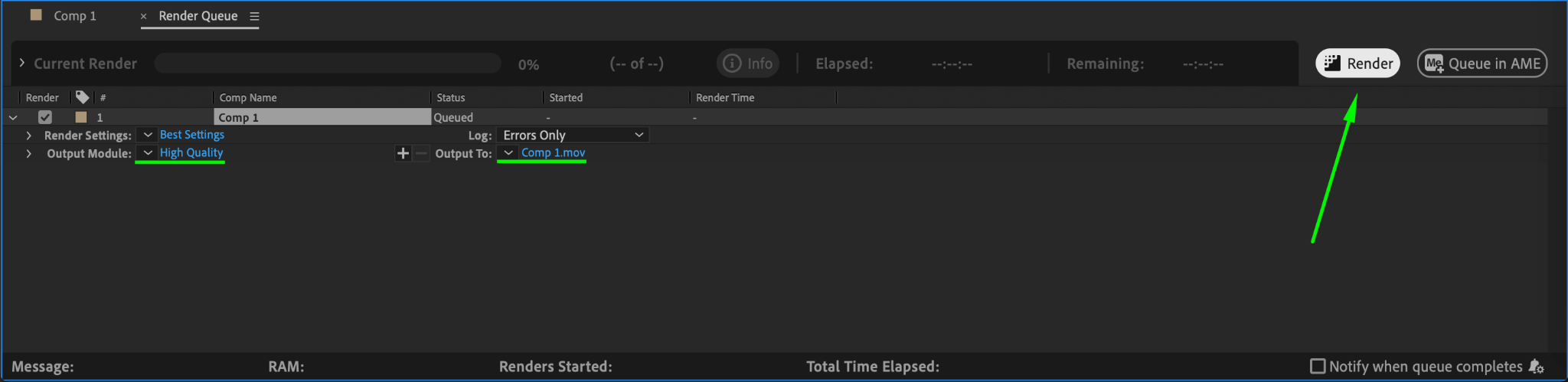
When you’re satisfied with the dotted line, you can export it. Go to Composition > Add to Render Queue. In the Render Queue, choose your desired format, resolution, and other export settings. Click Render to save your animation, making it ready for use in other projects.
Conclusion
By following these steps, you can easily create a customized dotted line in After Effects. This technique provides flexibility in styling, allowing you to adjust colors, sizes, and animations. Whether you’re enhancing a design element or creating animated paths, dotted lines can bring a polished look to your project.
Our Bestsellers
Our Bestsellers


