
How to Keep a Mask Stationary in After Effects
Introduction
By default, a mask in After Effects moves with the layer it is applied to. However, sometimes you may want a mask to remain still while the layer animates. This guide will show you how to achieve a stationary mask using pre-composition.
Step 1: Open Your Project and Identify the Issue
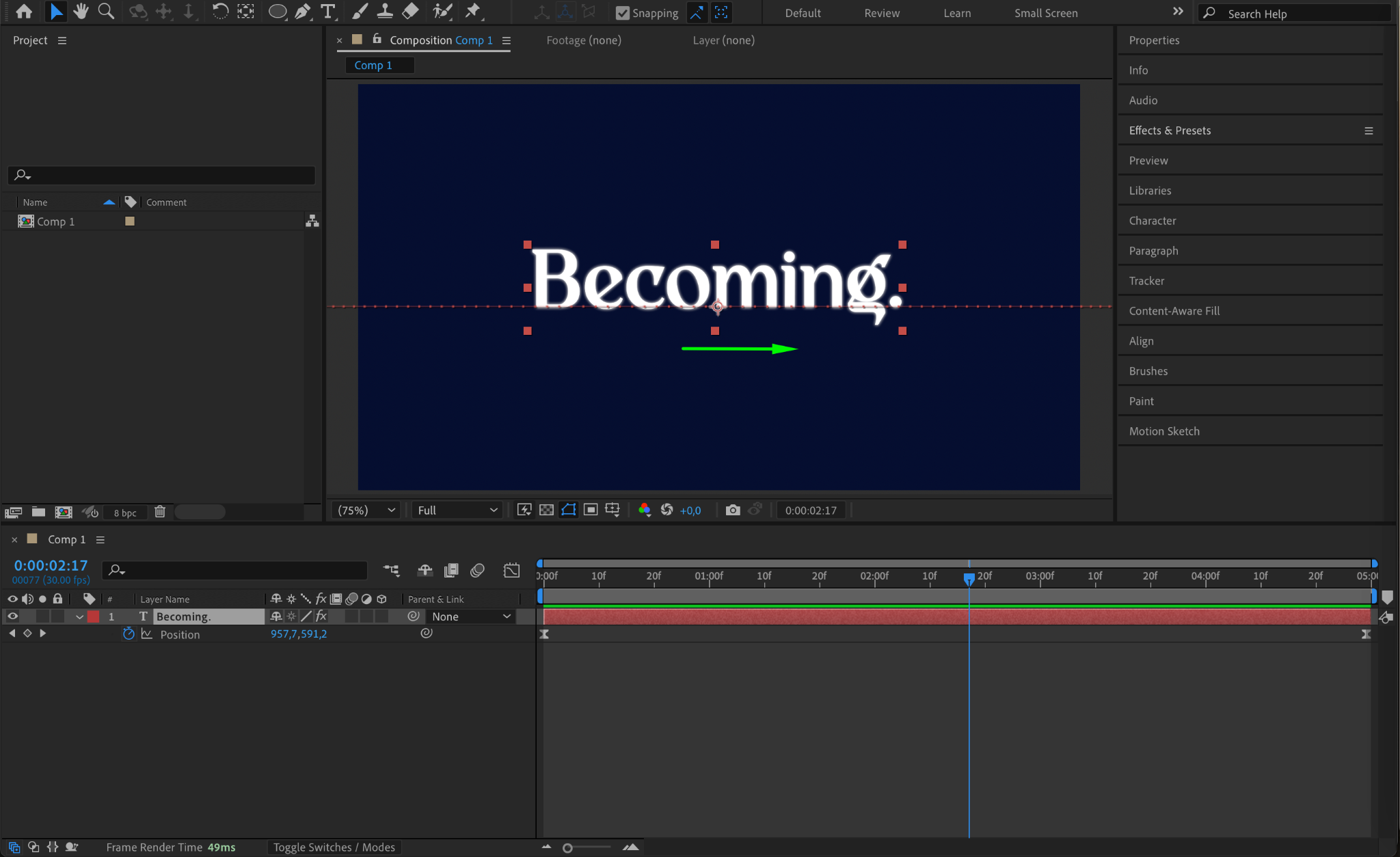
Open your project in After Effects. For example, if you have a text layer that moves from left to right using keyframes in the Position property, any mask you create on that layer will move along with it.
Step 2: Pre-Compose the Moving Layer
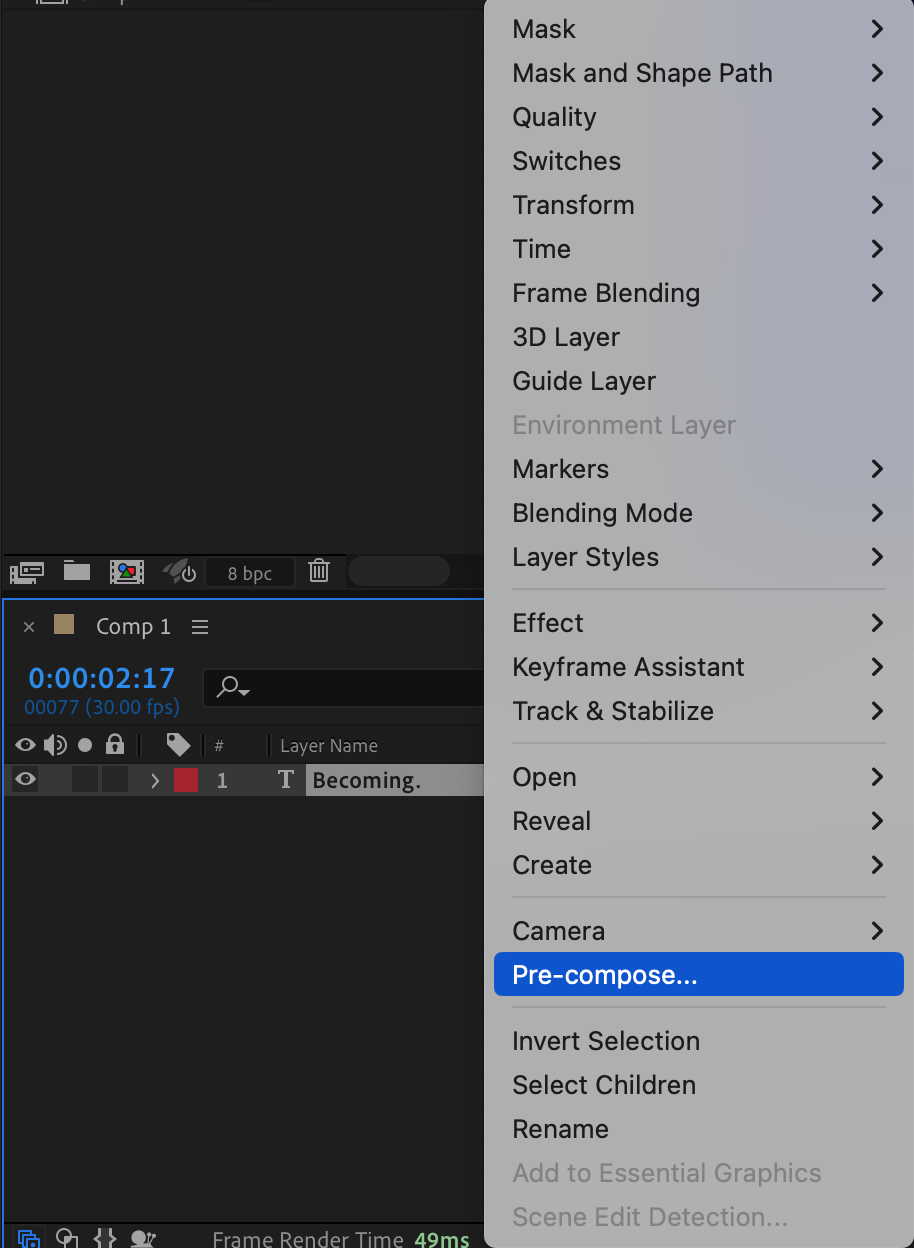
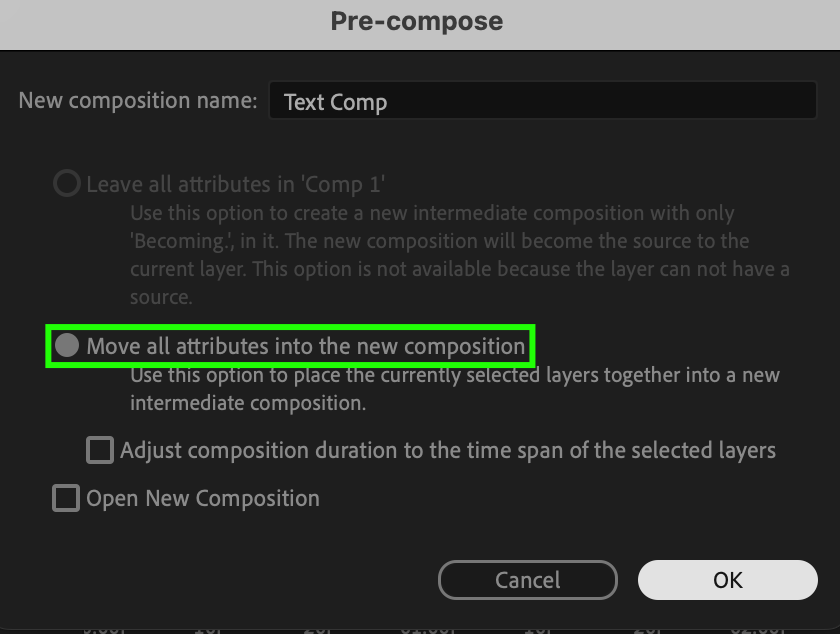
Right-click on the moving layer and select Pre-compose. In the pop-up window, choose Move all attributes into the new composition and click OK. This places the animated layer inside a separate composition, allowing you to mask it independently.
Step 3: Apply a Mask to the Pre-Comp
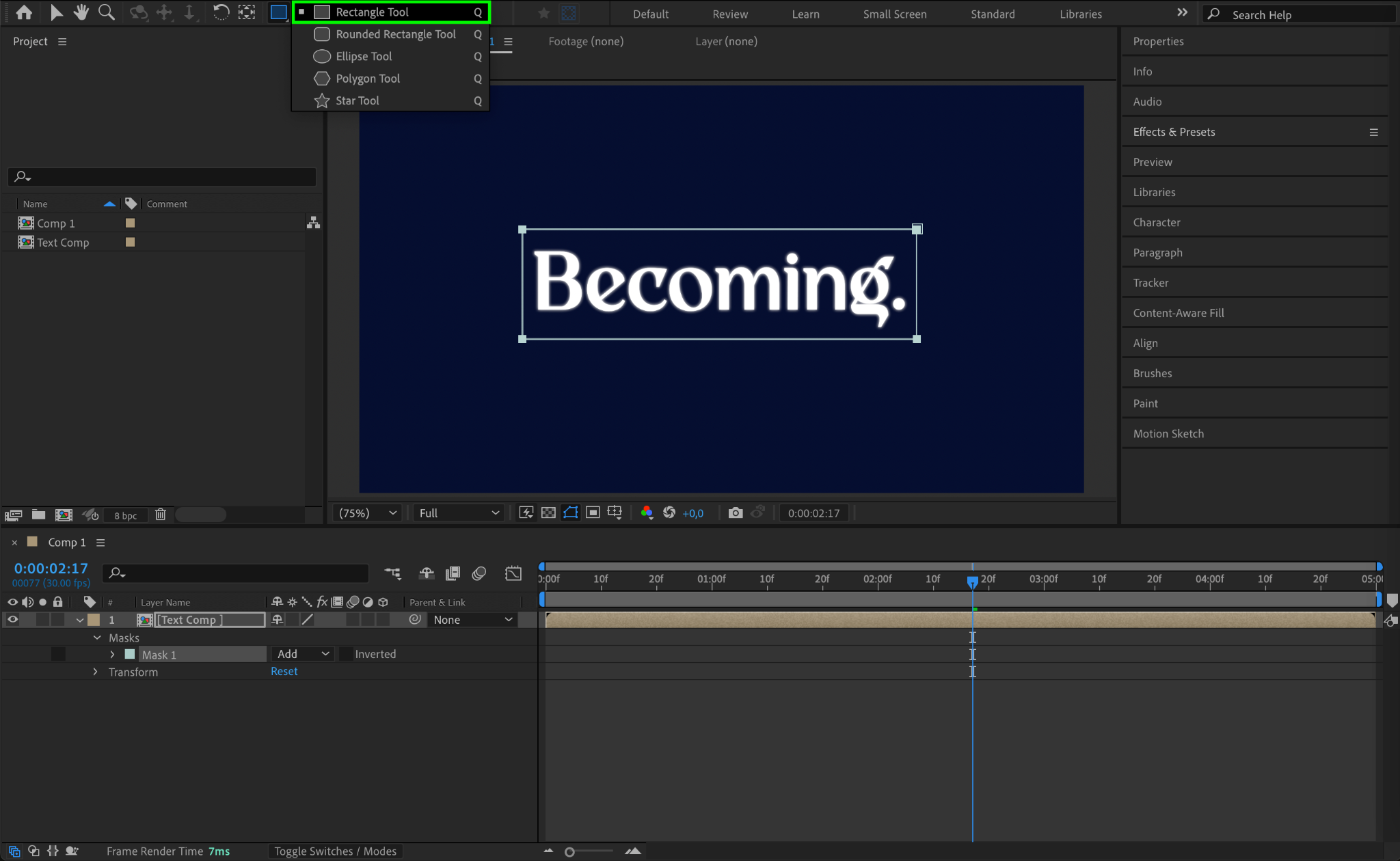
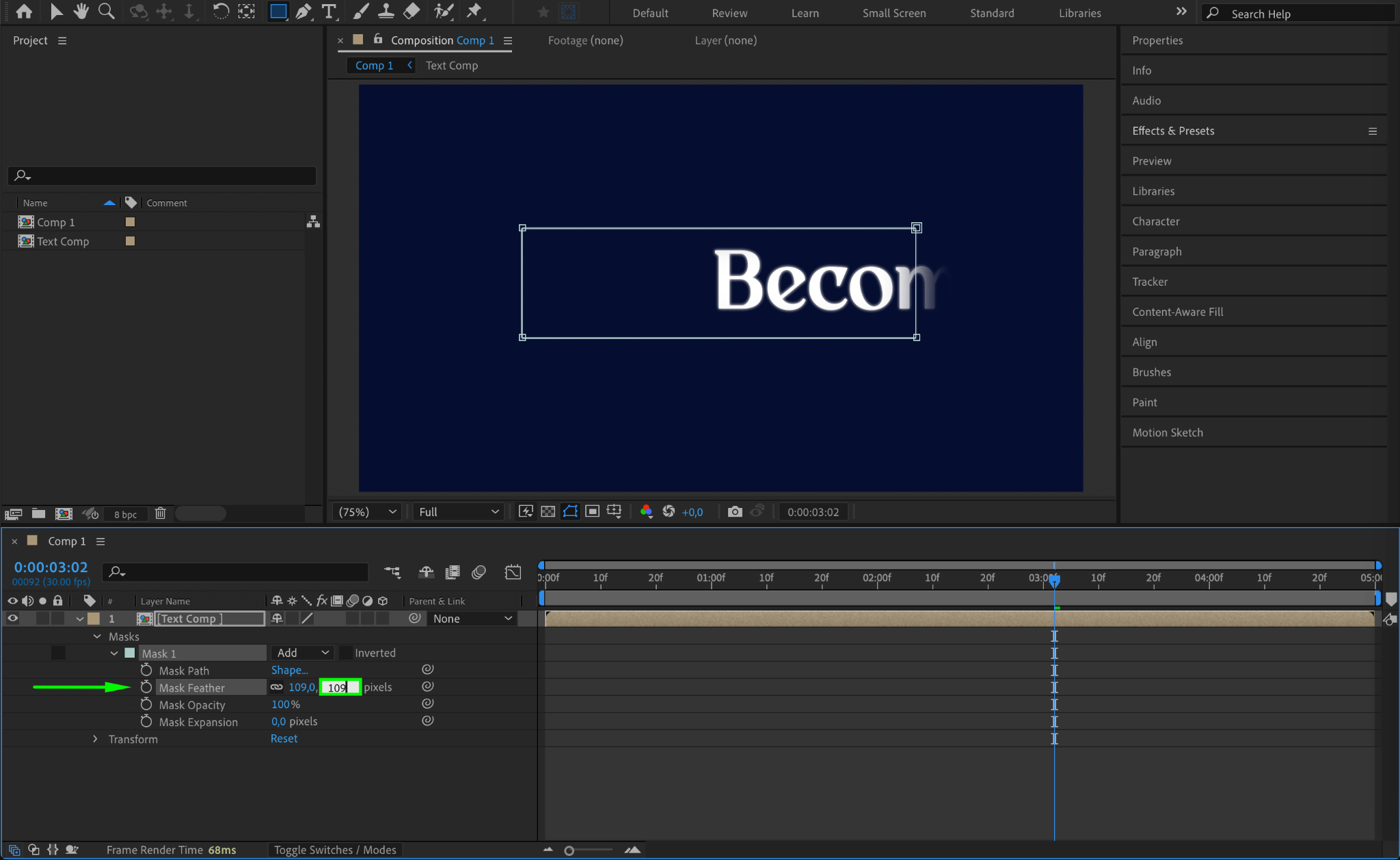
Select the newly created pre-composed layer, then choose the Shape Tool (Q). Draw a mask on the layer as needed. Adjust Mask Feather to around 109 for a smooth transition, if required. Since the animation is inside the pre-comp, the mask will now stay in place.
Step 4: Preview the Animation
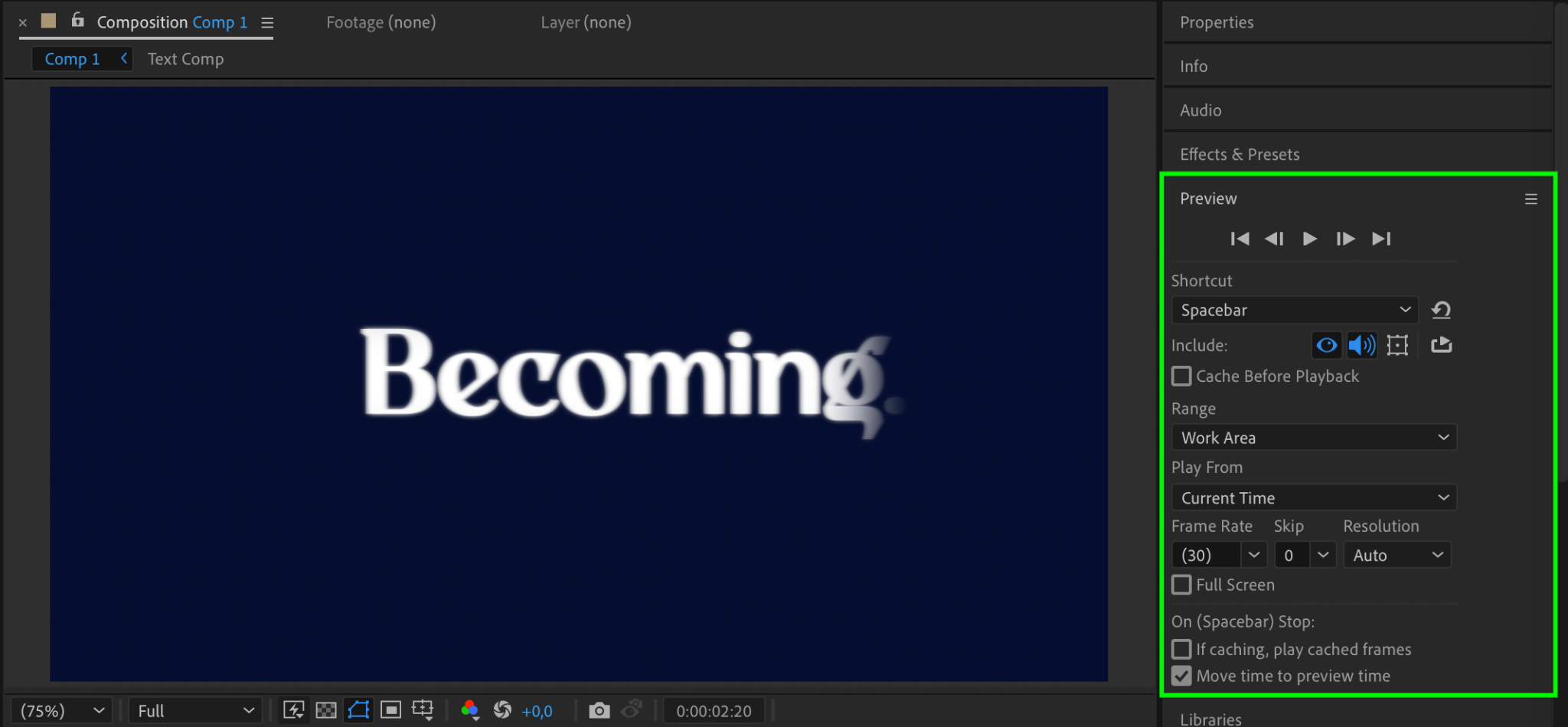
Press Spacebar to preview the animation. The mask should remain stationary while the content inside the pre-comp moves. If needed, adjust the mask shape or feathering for a better effect.
Step 5: Render the Final Output
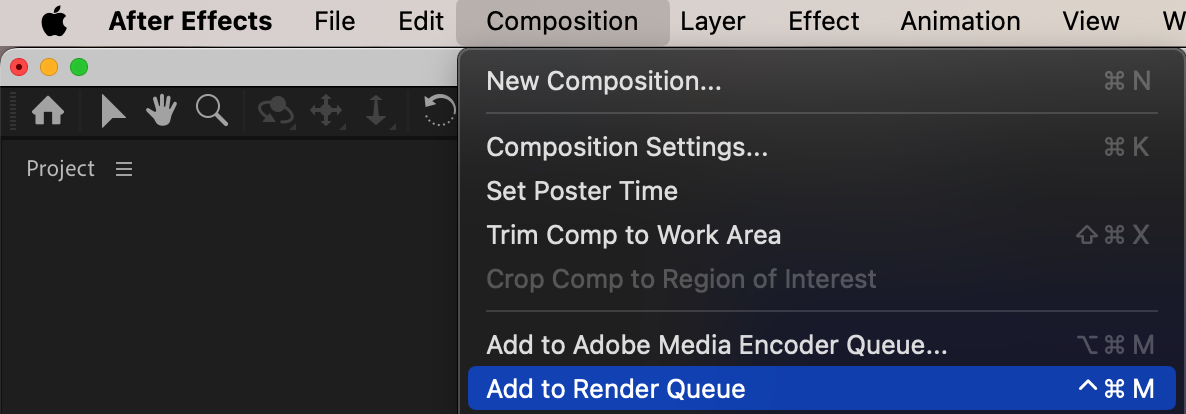
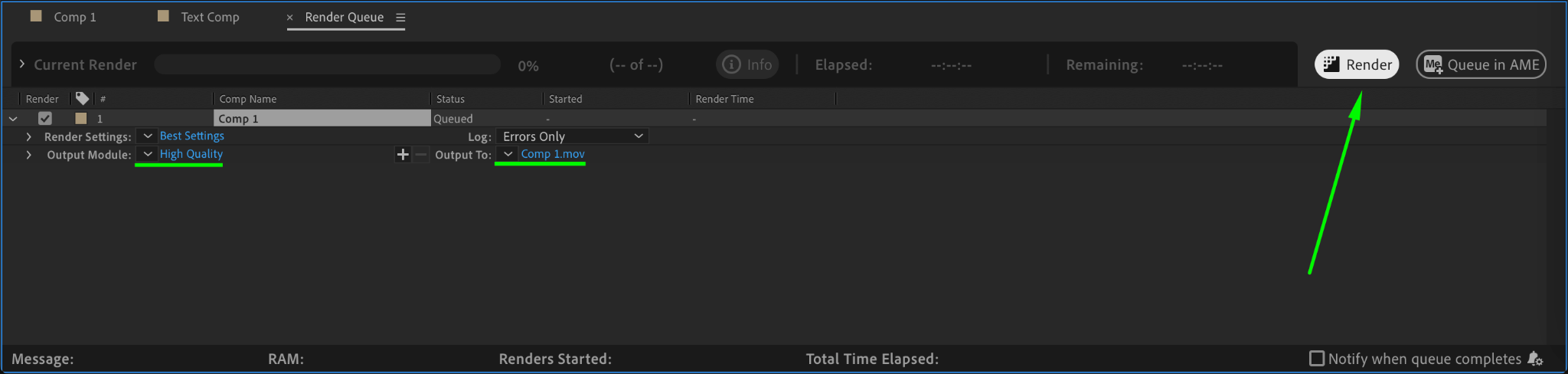
Once satisfied, go to Composition > Add to Render Queue, set your preferred export settings, and render the animation.
Conclusion
By using pre-composition, you can ensure that a mask remains in place while a layer moves. This technique is useful for various effects, including text reveals and advanced compositing.
Our Bestsellers
Our Bestsellers


