
Creating a Portrait Video in After Effects
Introduction
Portrait videos are essential for social media platforms like TikTok, Instagram Reels, and YouTube Shorts. In this guide, you’ll learn how to transform a standard landscape video into a vertical one using After Effects.
Step 1: Import Your Video
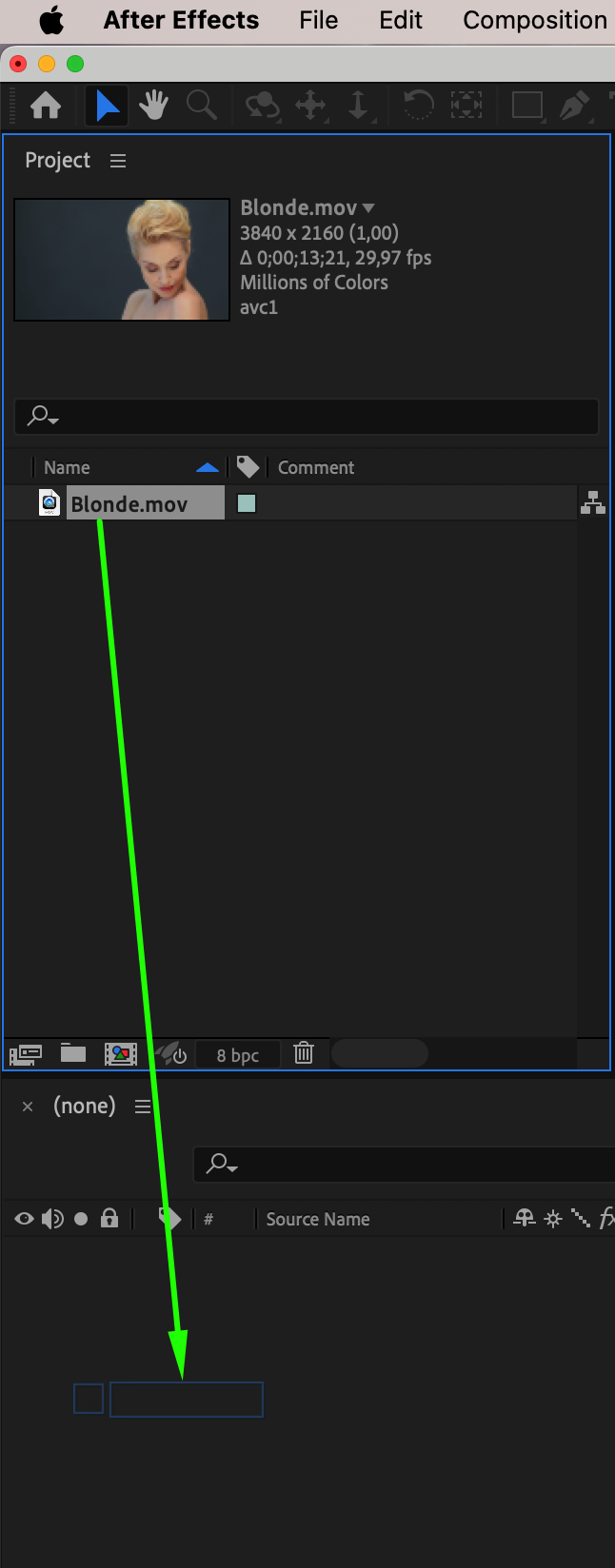
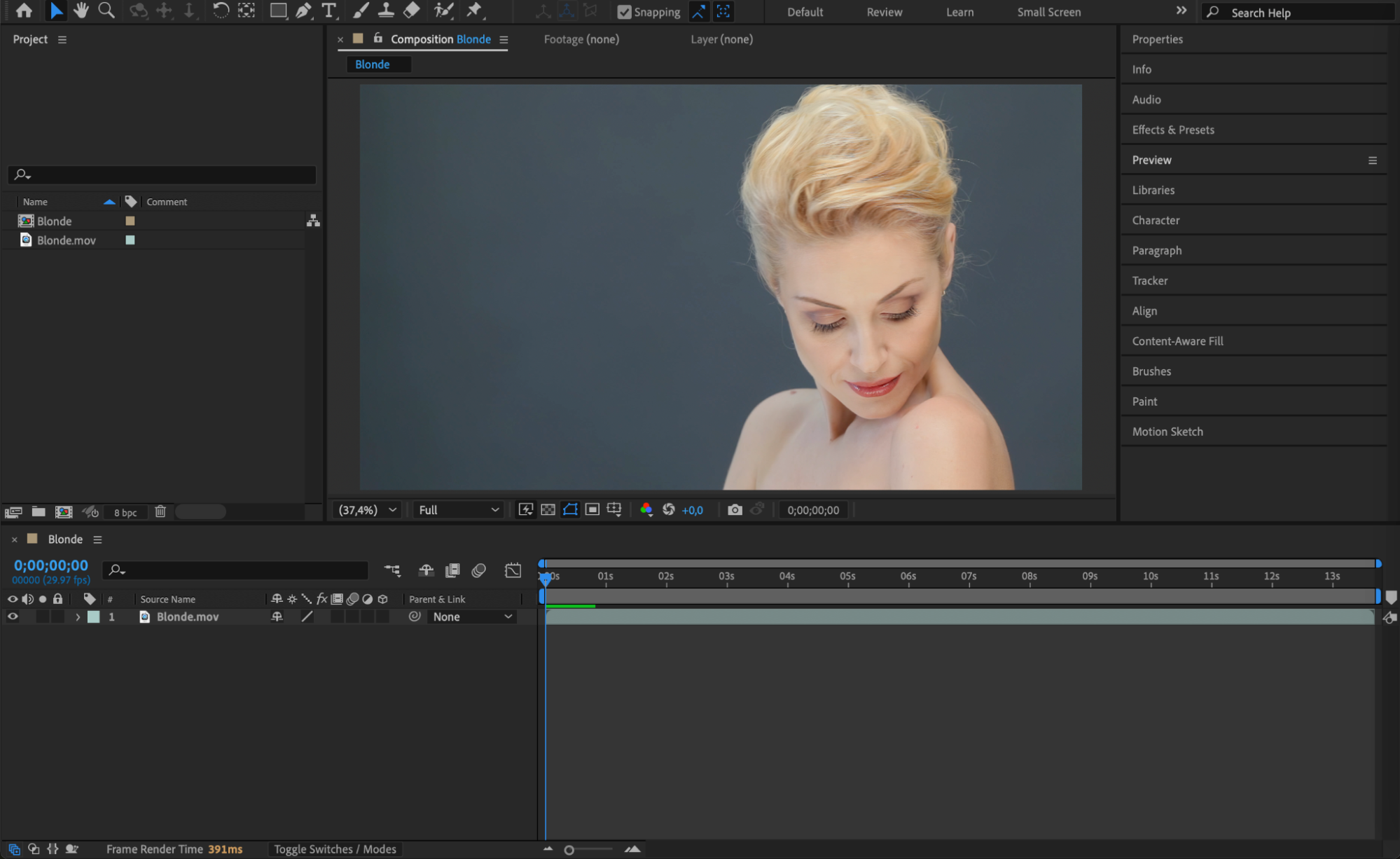
Open After Effects and navigate to File > Import > File to import your footage. Drag the video onto the timeline to automatically create a composition based on its original settings.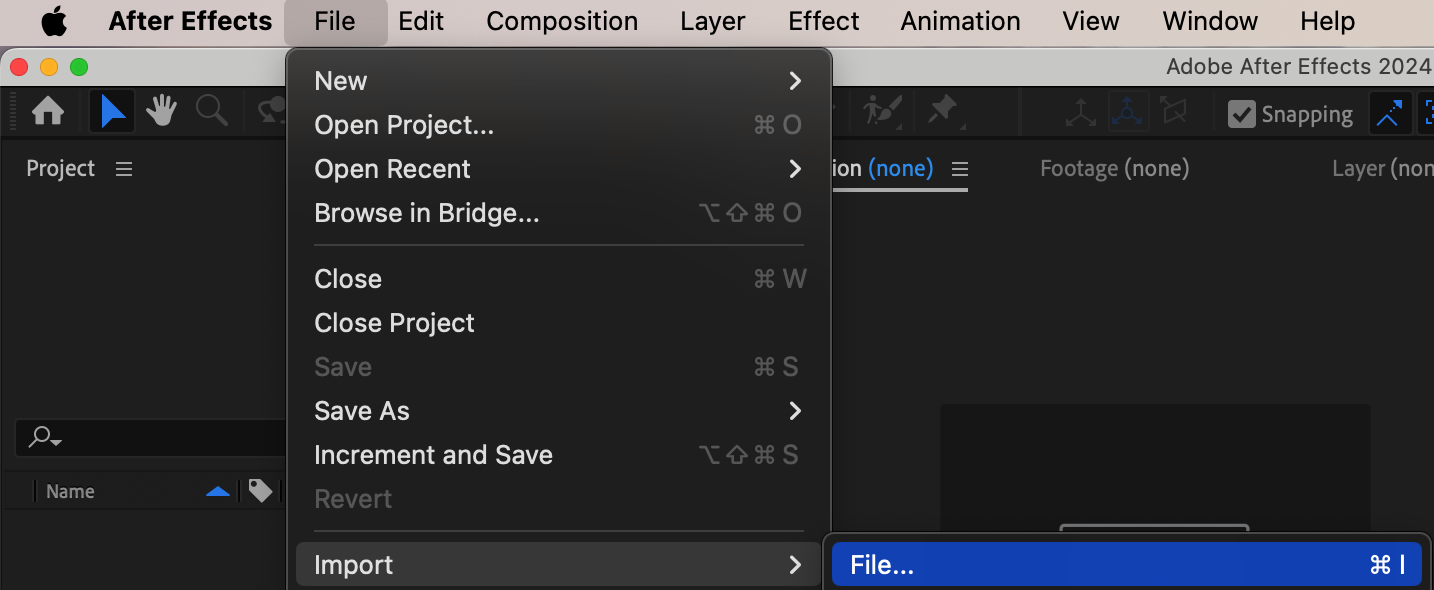
 Step 2: Adjust Composition Settings
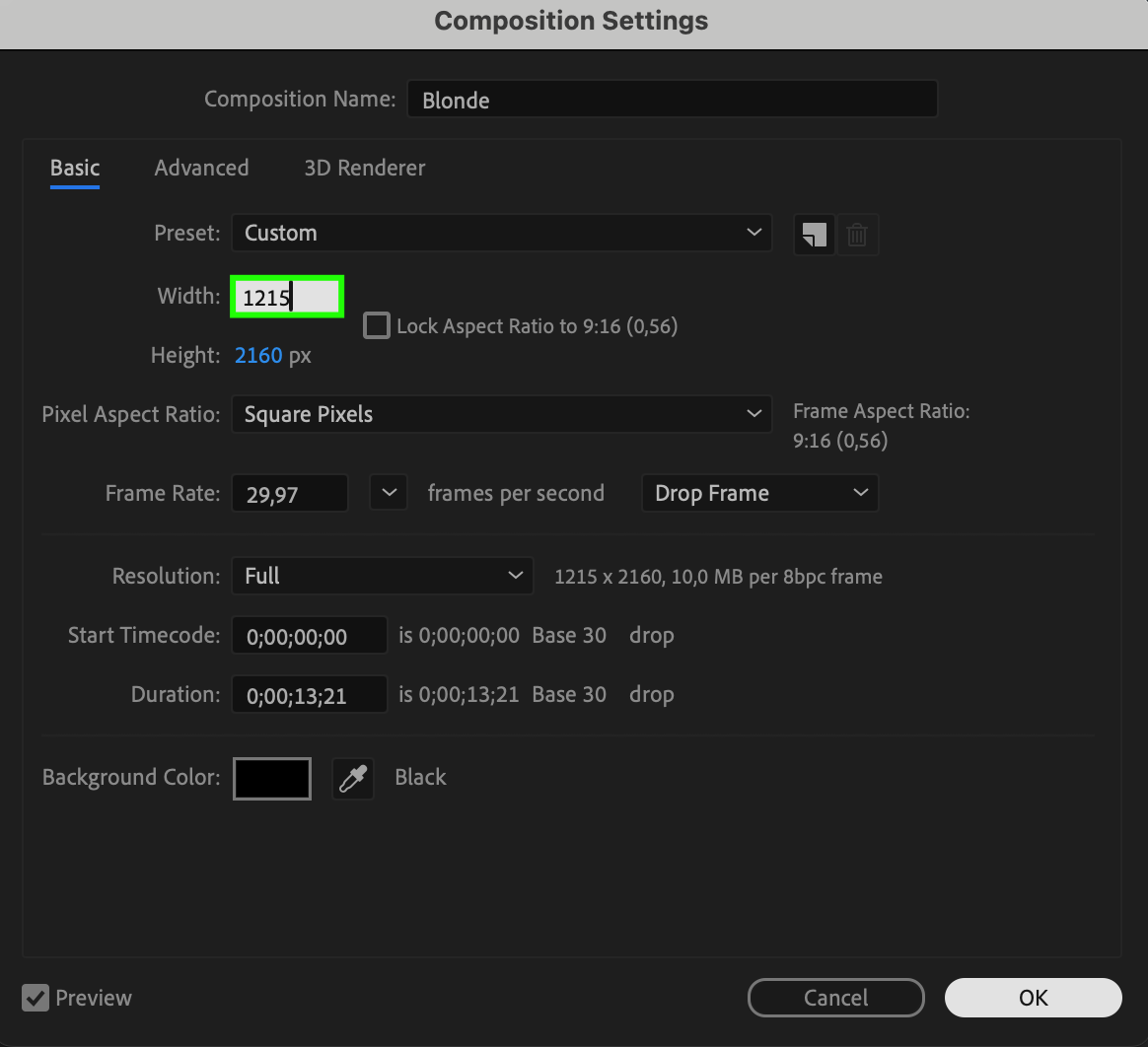
Go to Composition > Composition Settings and change the Width and Height. For a standard vertical format, set Width to 1080 px and Height to 1920 px. If your original video has a height of 2160 px, set the width to 1215 px to maintain the correct aspect ratio.
Step 3: Adjust the Position
Select your video layer and open the Transform properties. Modify the Position values to ensure the main subject is centered in the new vertical frame.
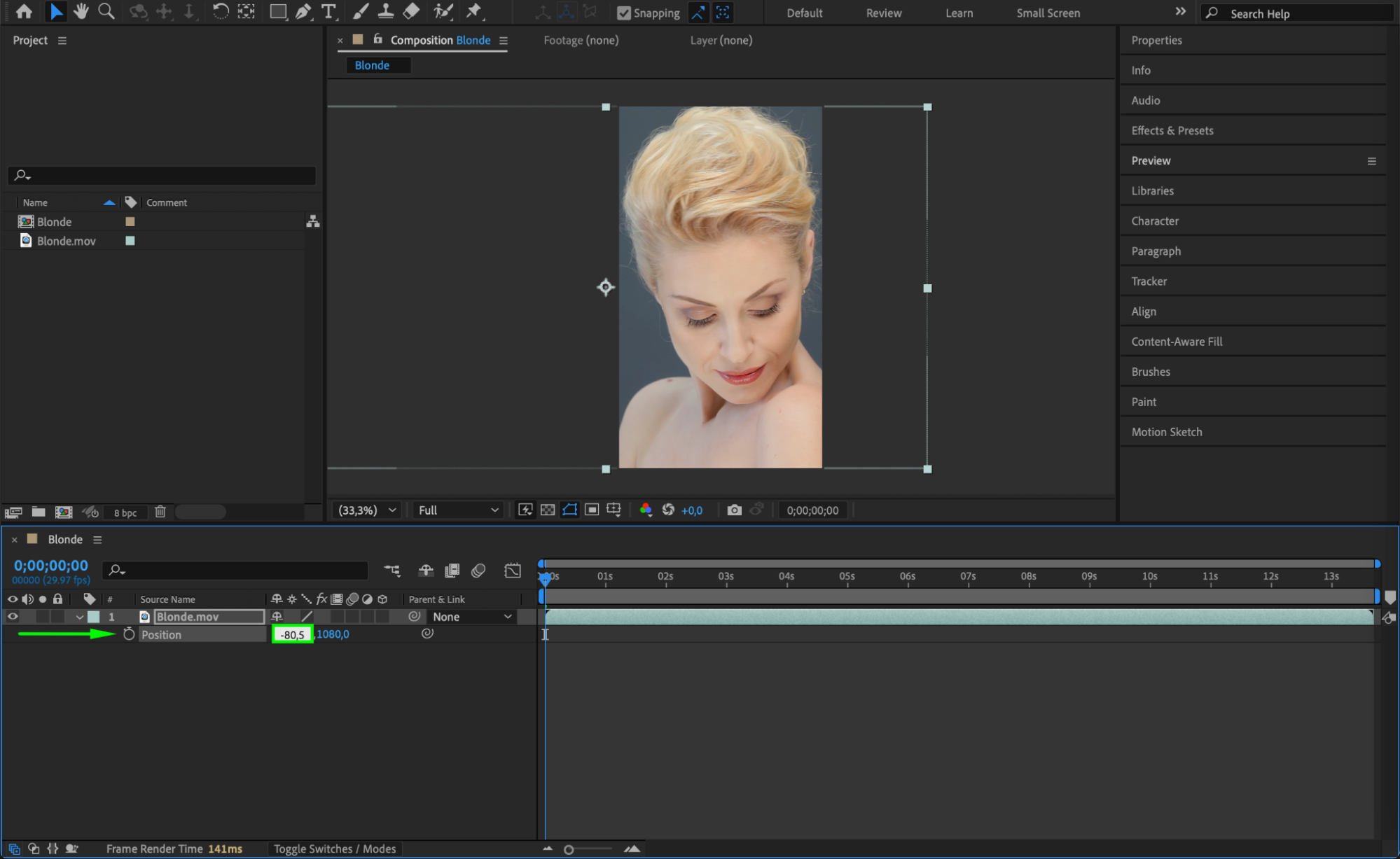 Step 4: Animate the Position (If Needed)
If your subject moves within the frame, create a smooth tracking effect. Enable Position keyframes by clicking the stopwatch icon, then adjust the position throughout the timeline to keep the subject centered.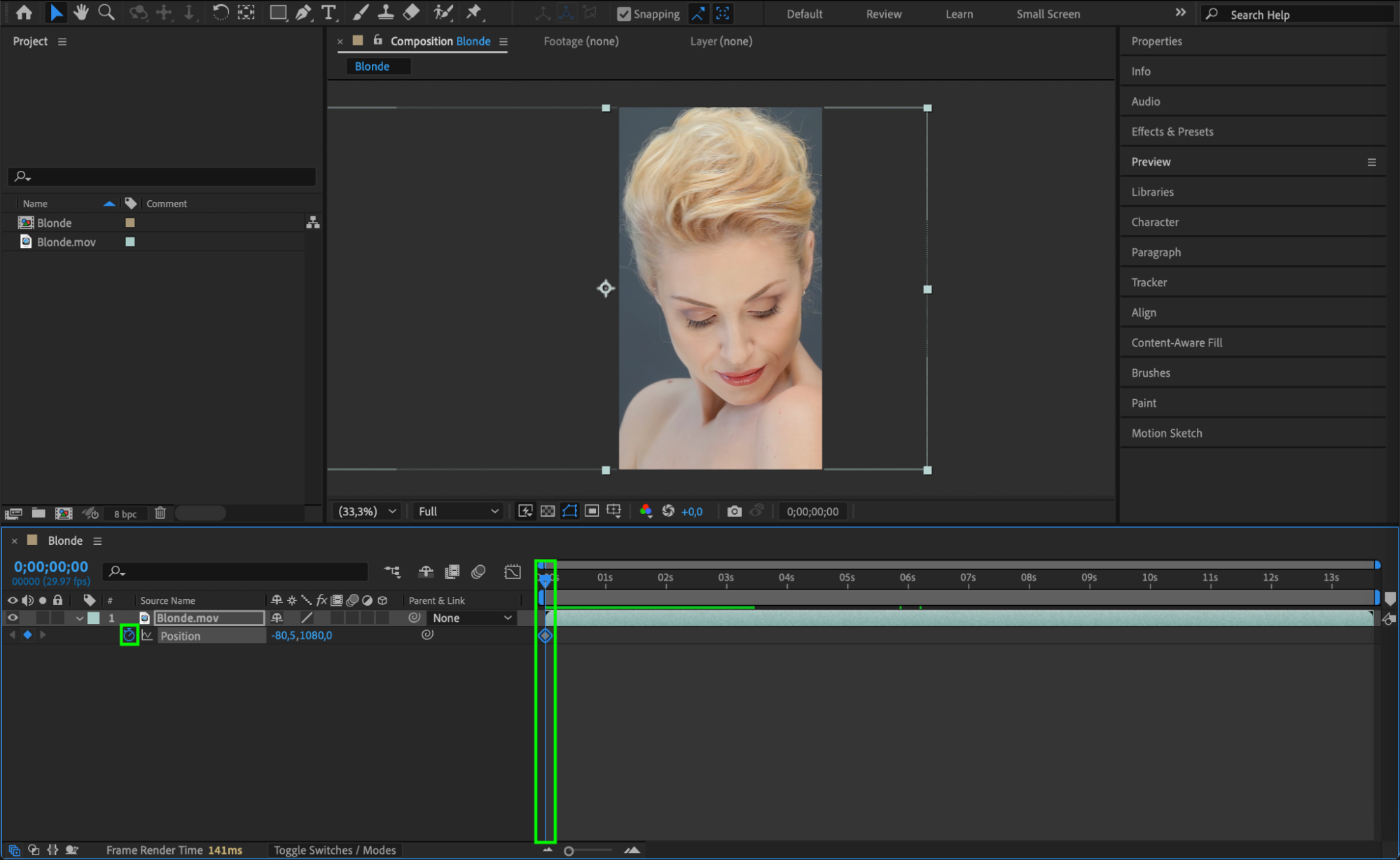
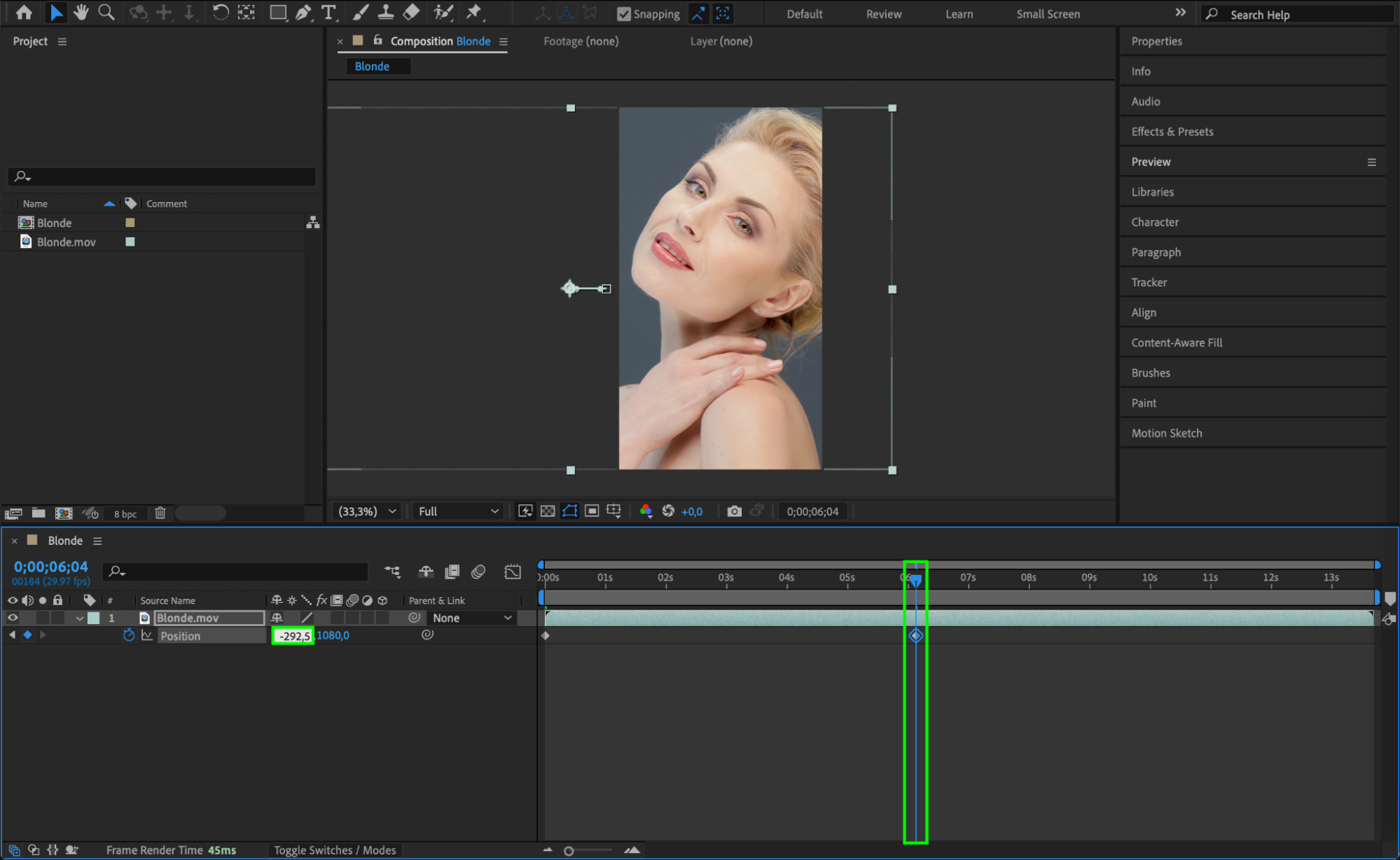 Step 5: Preview Your Video
Play the composition using the Preview Panel to check if all elements are correctly aligned and moving smoothly.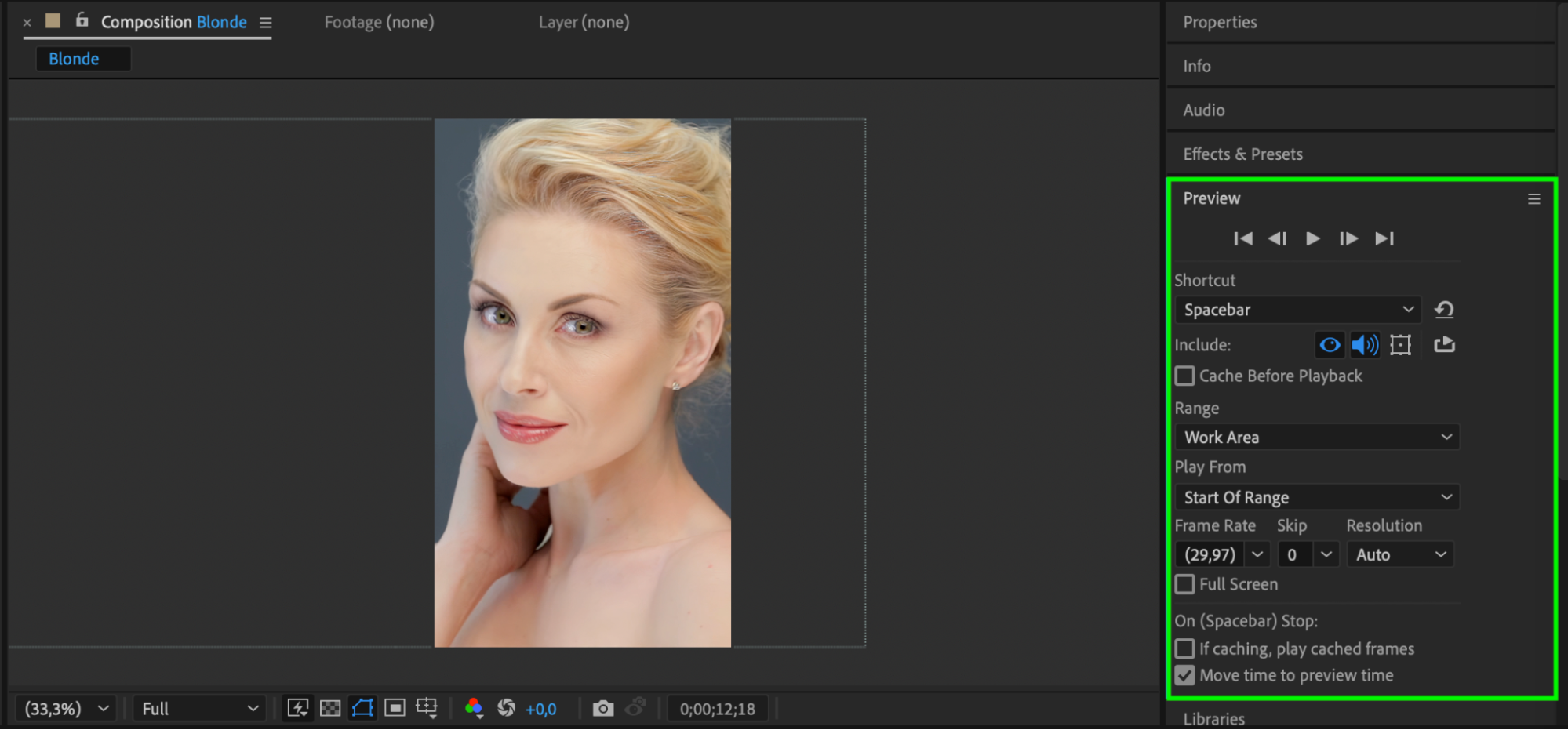 Step 6: Render Your Video
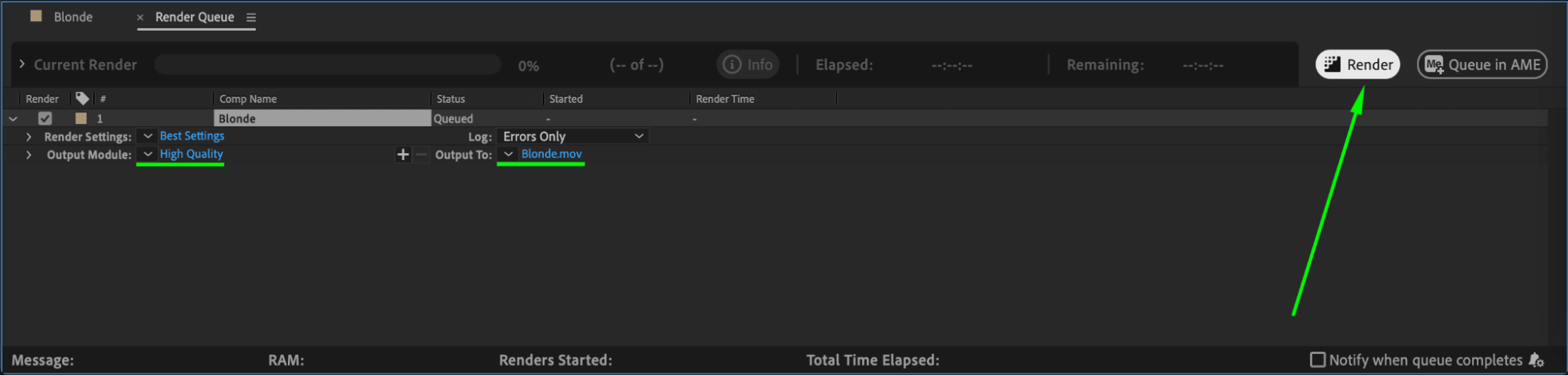
Once satisfied with the adjustments, go to Composition > Add to Render Queue. Choose your preferred format and settings, then click Render to export your vertical video.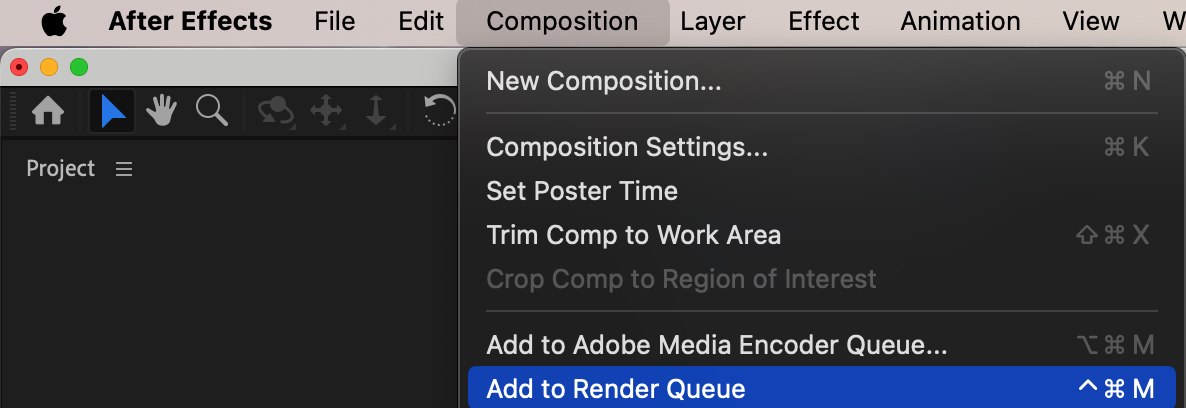
 Conclusion
Converting a landscape video to portrait in After Effects is simple with the right settings. By adjusting composition dimensions, repositioning your subject, and adding keyframes, you can create a professional-looking vertical video suitable for social media platforms.
Our Bestsellers
Our Bestsellers


