
A Step-by-Step Guide on Making a Video Darker in After Effects
Introduction to Darkening Videos in After Effects
Want to create a moodier or more dramatic effect in your video? Darkening a video can help set the tone and enhance visual storytelling. This guide will show you several methods for reducing brightness in After Effects, including adjusting brightness and contrast, using color correction, and adding dark overlays.
Step 1: Import Your Video into After Effects
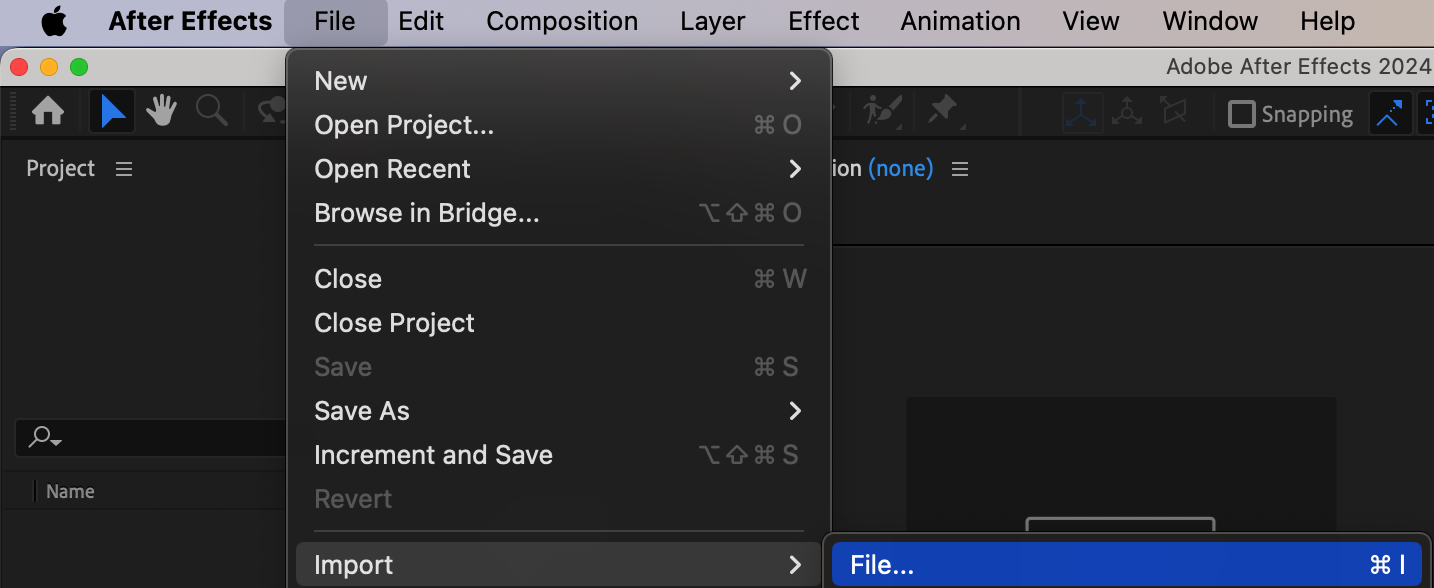
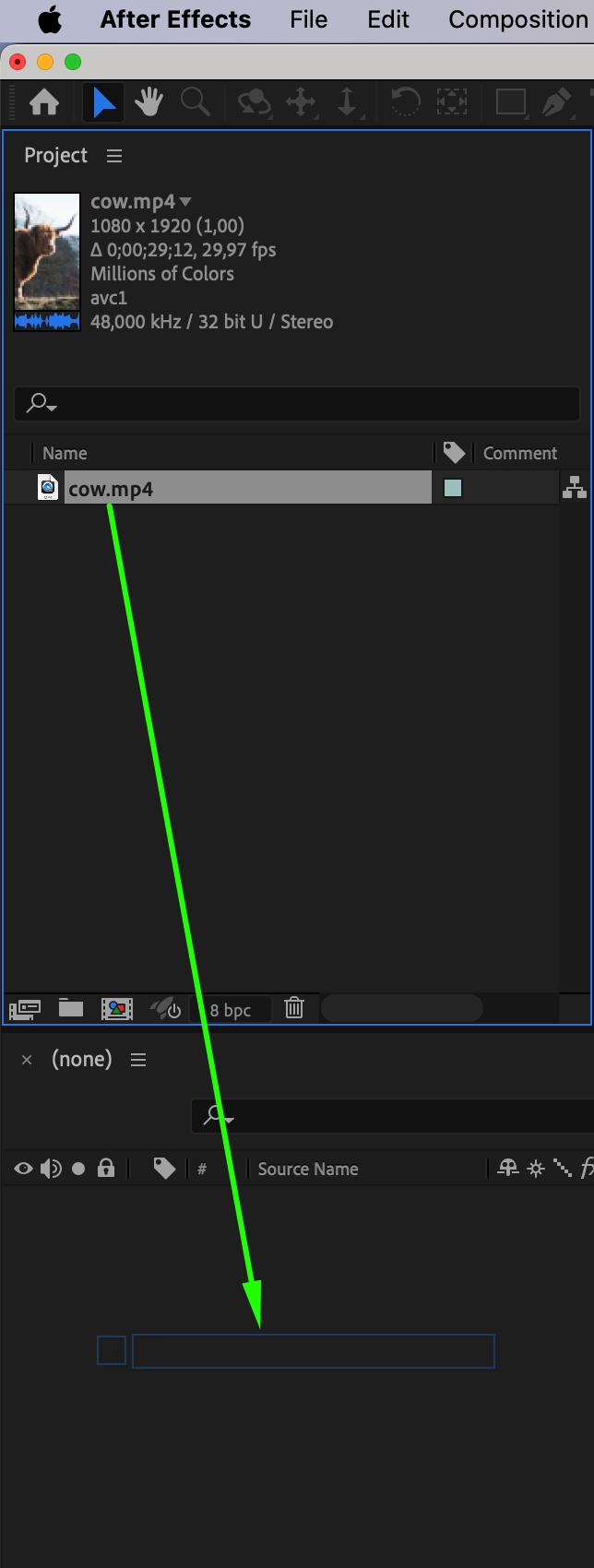
Start by opening After Effects and importing the video file you want to darken. Go to File > Import > File, select your video, and click Open. Drag your video file to the timeline to create a new composition. This will set the stage for making adjustments to the video.
Step 2: Use the Brightness & Contrast Effect
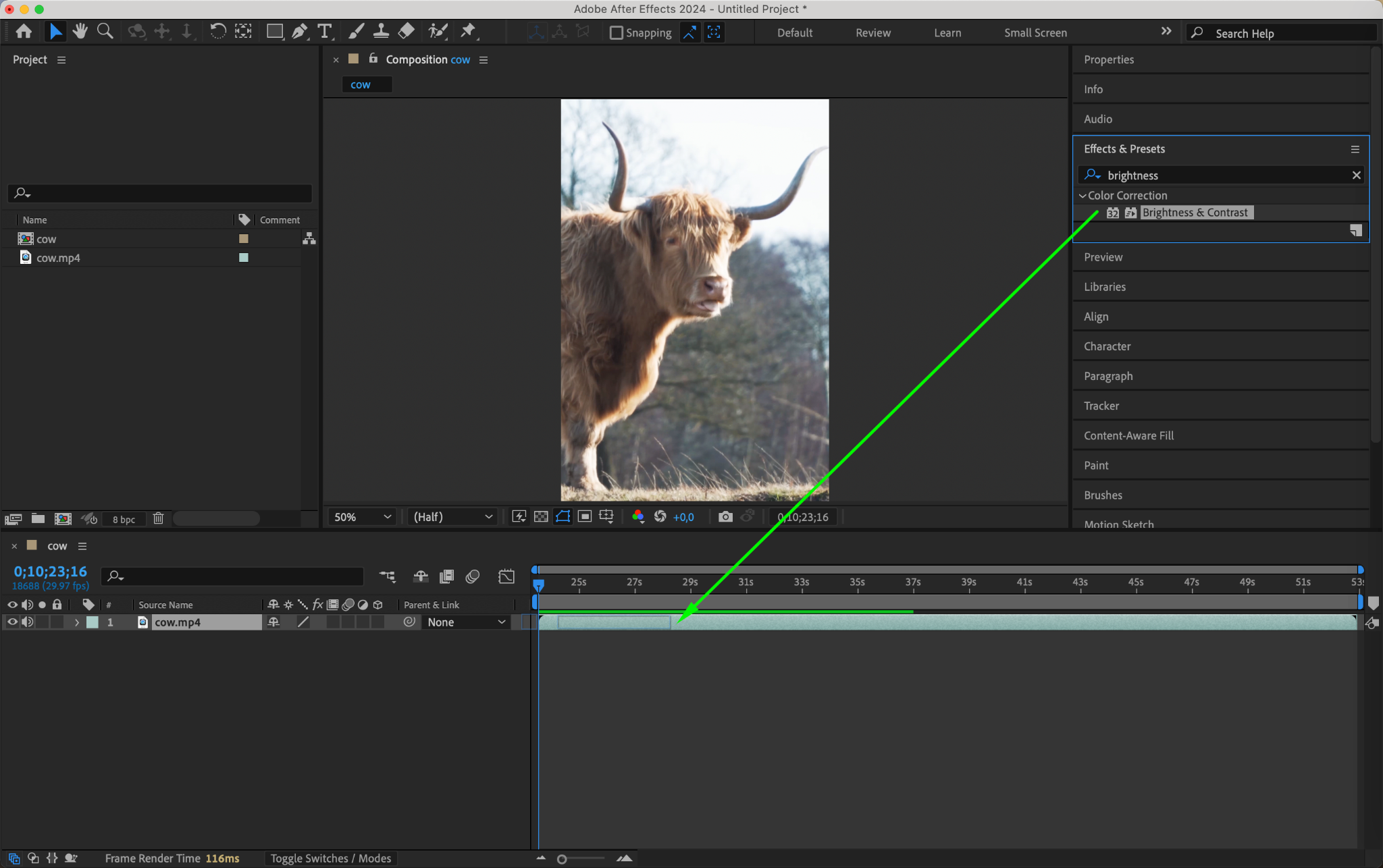
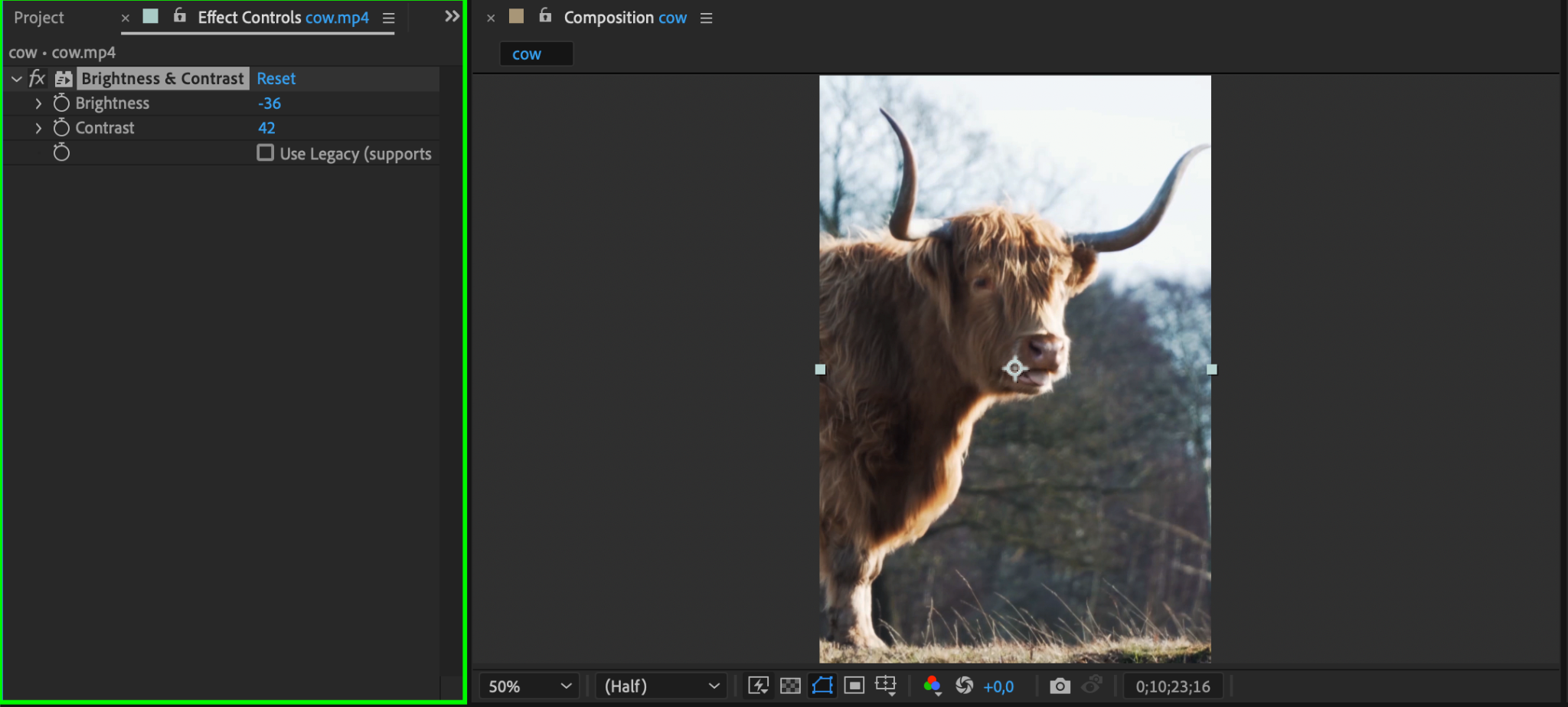
An easy way to darken your video is by adjusting the brightness and contrast. Select your video layer in the timeline, then go to Effect > Color Correction > Brightness & Contrast. In the Effect Controls panel, reduce the Brightness setting to decrease the overall lightness of the video. Adjust Contrast if needed to enhance the darker tones, creating a richer and more balanced look.
Step 3: Apply the Curves Adjustment
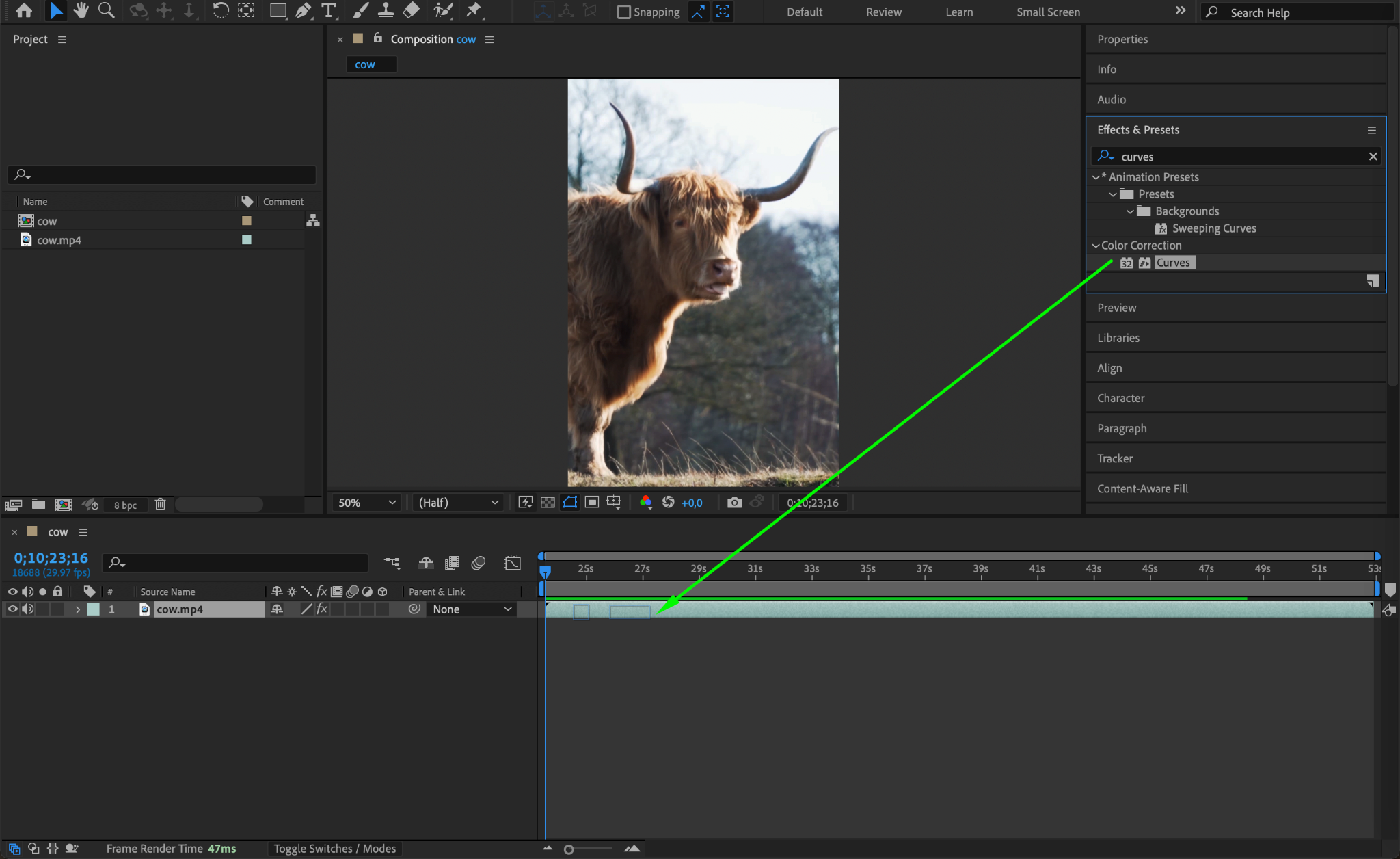
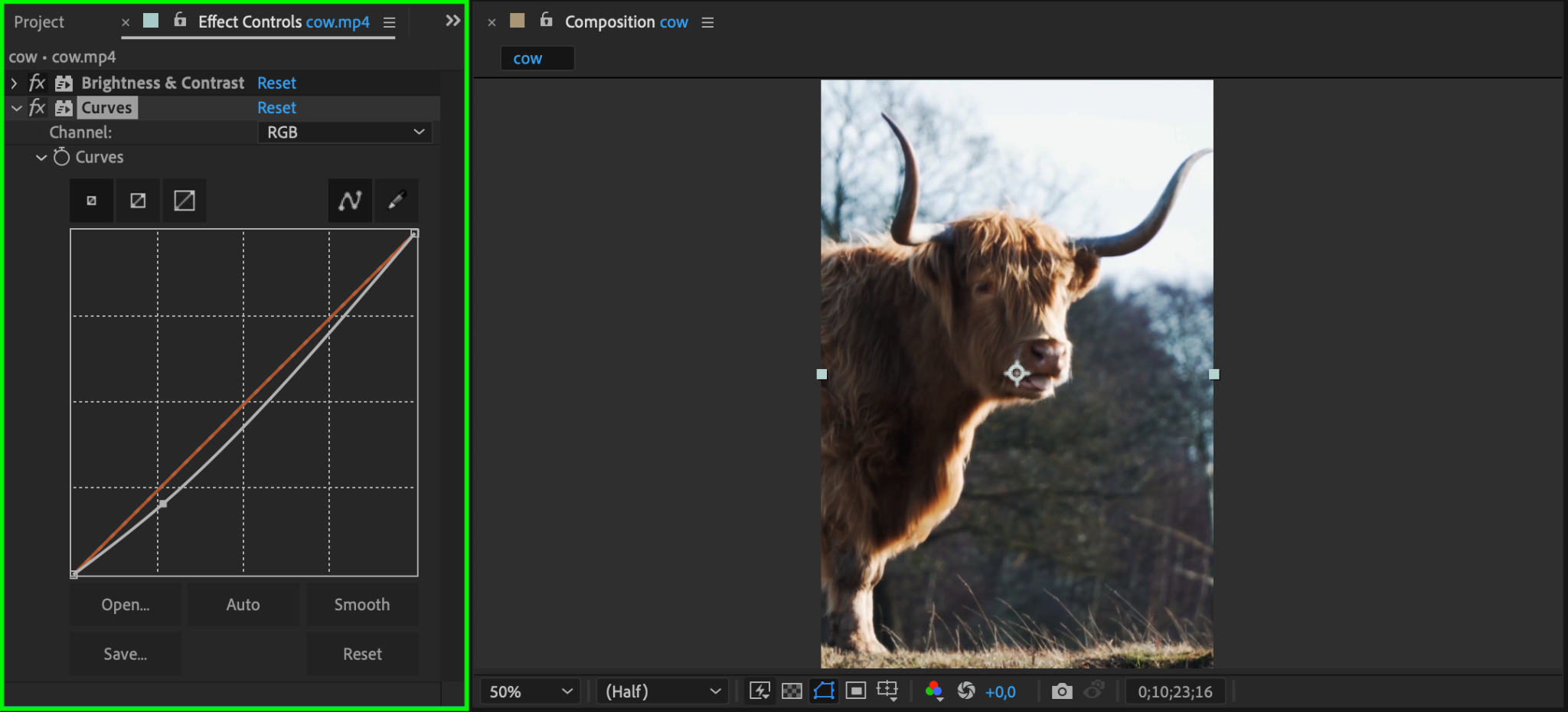
For more control over shadows and highlights, use the Curves effect. Select your video layer, then go to Effect > Color Correction > Curves. In the Curves panel, pull down the curve line towards the lower end to make darker areas more intense while maintaining midtones. This allows you to selectively darken parts of the image without losing too much detail.
Step 4: Use the Exposure Adjustment for Precision
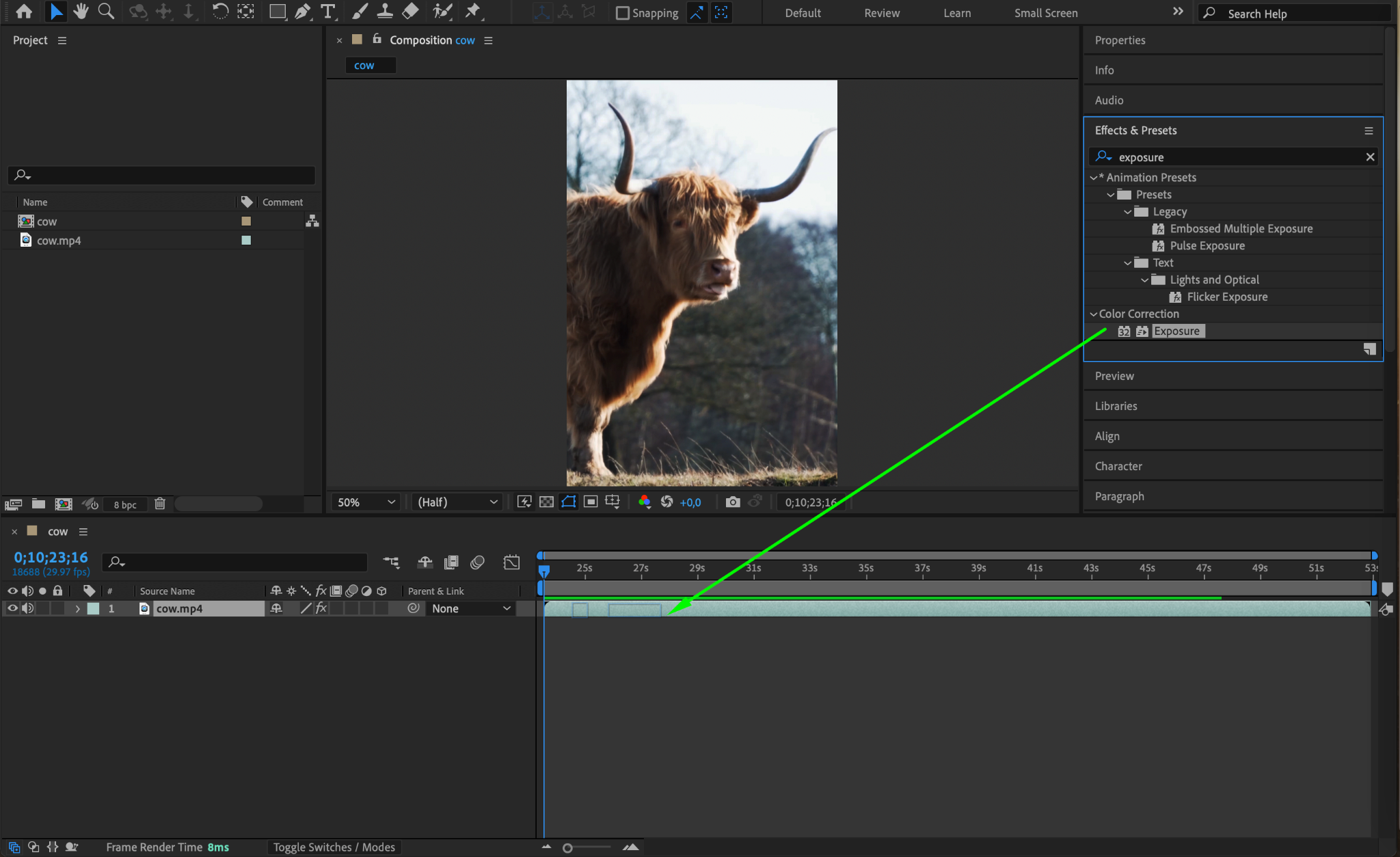
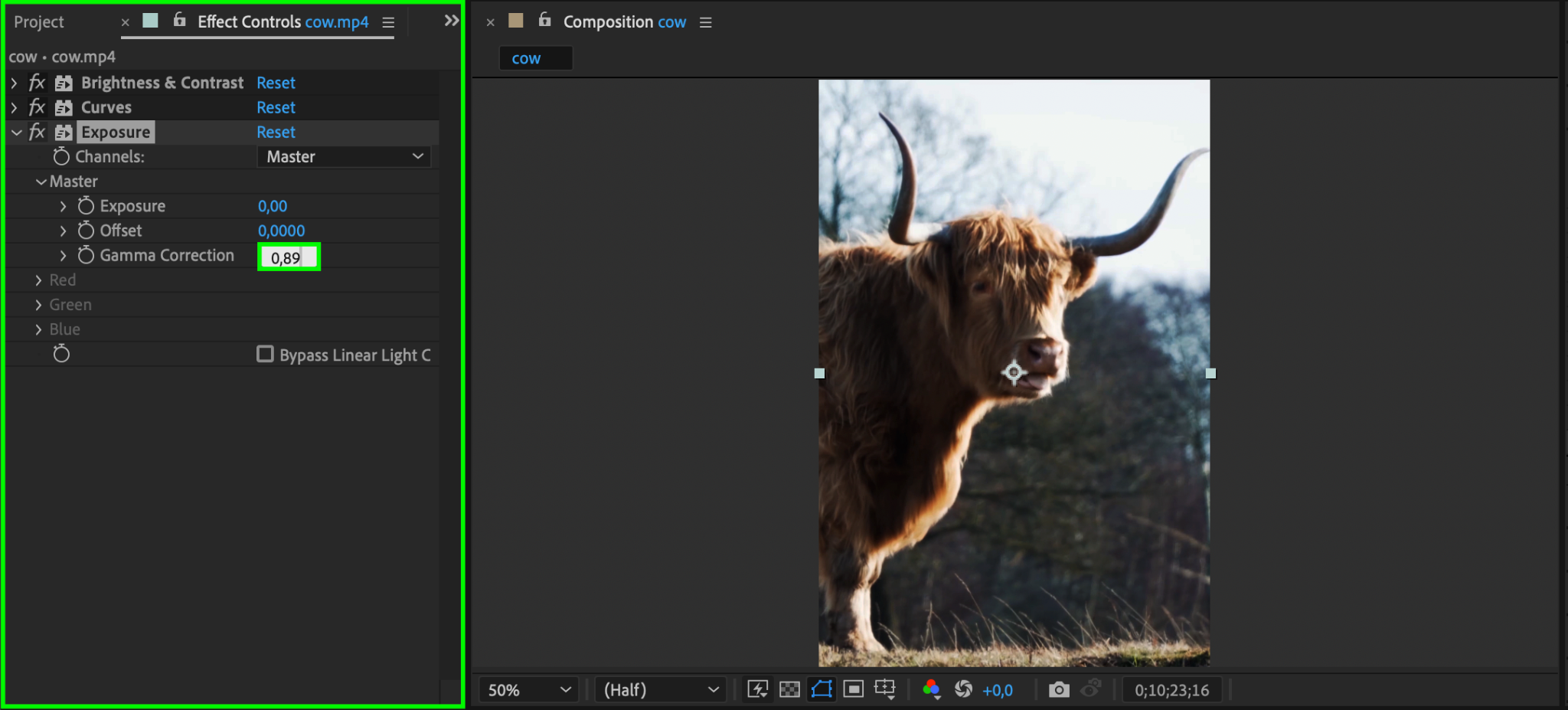
Another effective tool is the Exposure effect. Go to Effect > Color Correction > Exposure. Adjust the Exposure slider to decrease the overall brightness and deepen the darker areas of the image. You can also tweak the Gamma Correction slider to balance the midtones. This method is particularly useful if you want subtle adjustments without drastic changes.
Step 5: Add a Solid Dark Overlay for Creative Effects
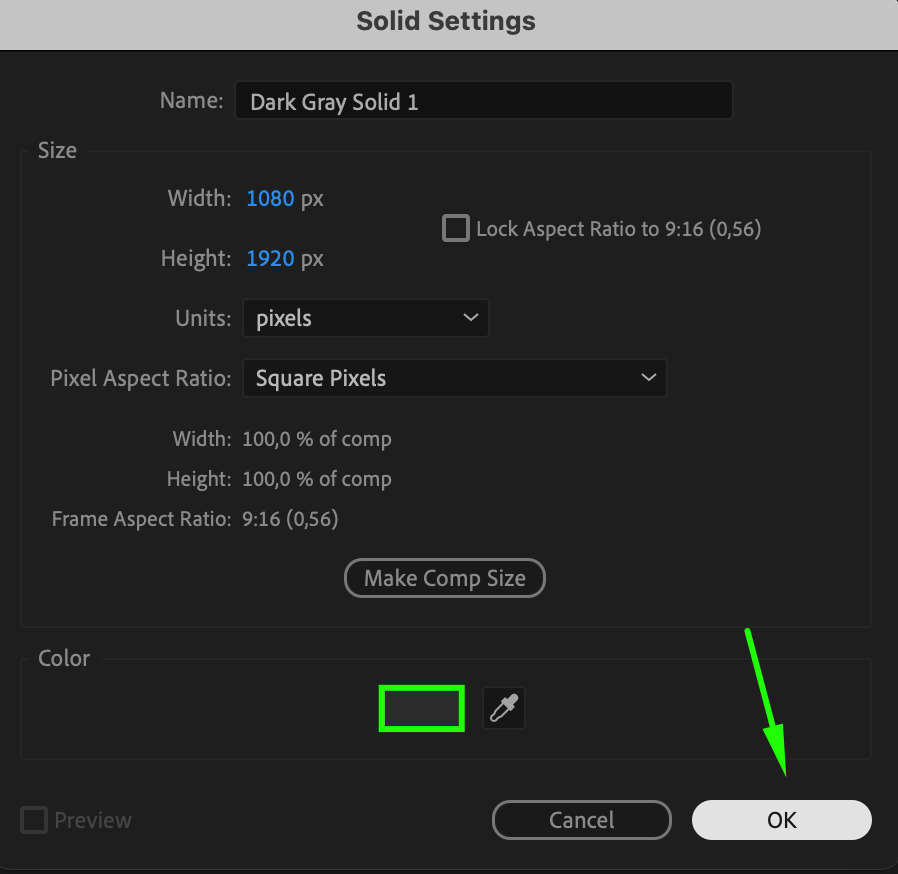
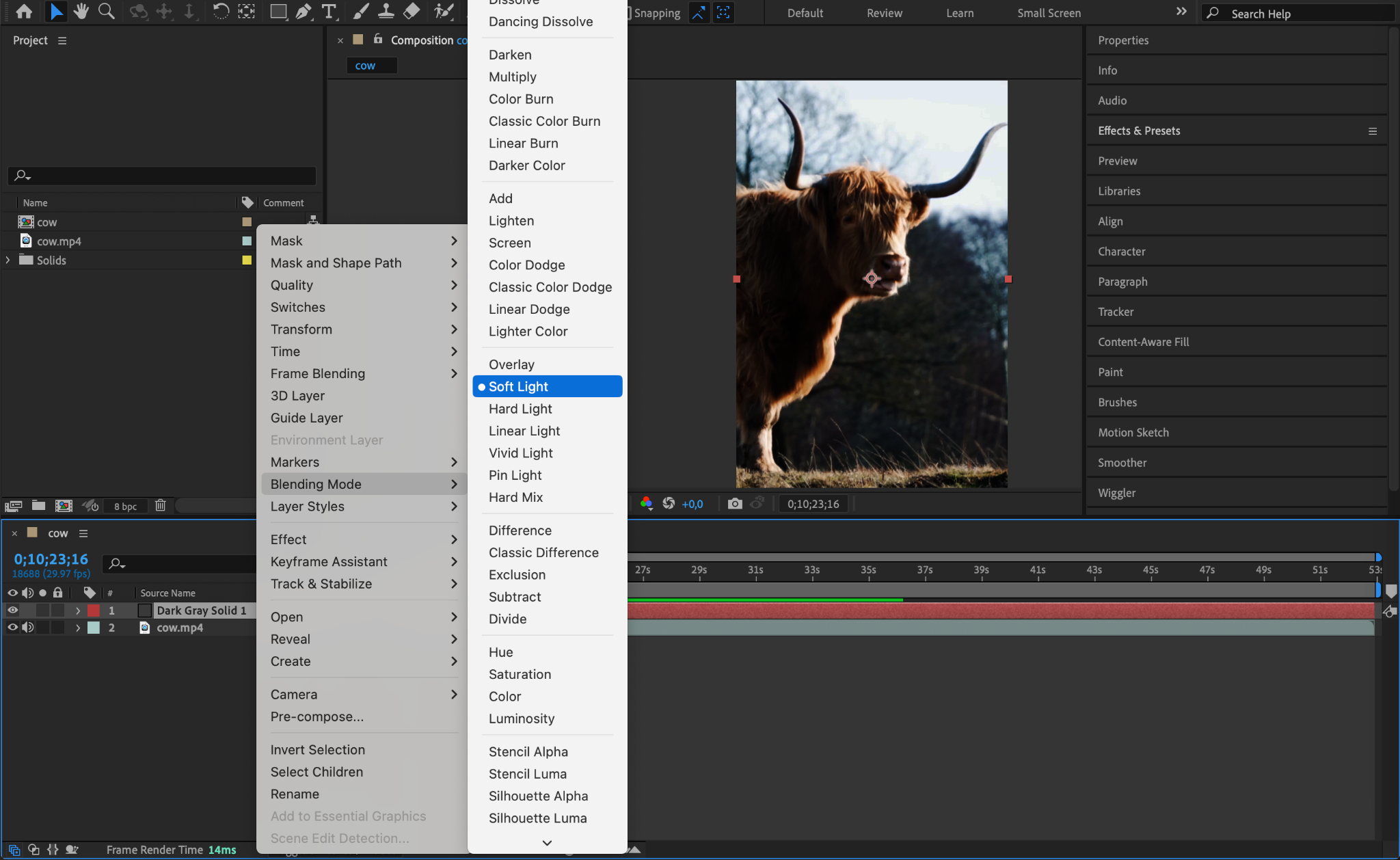
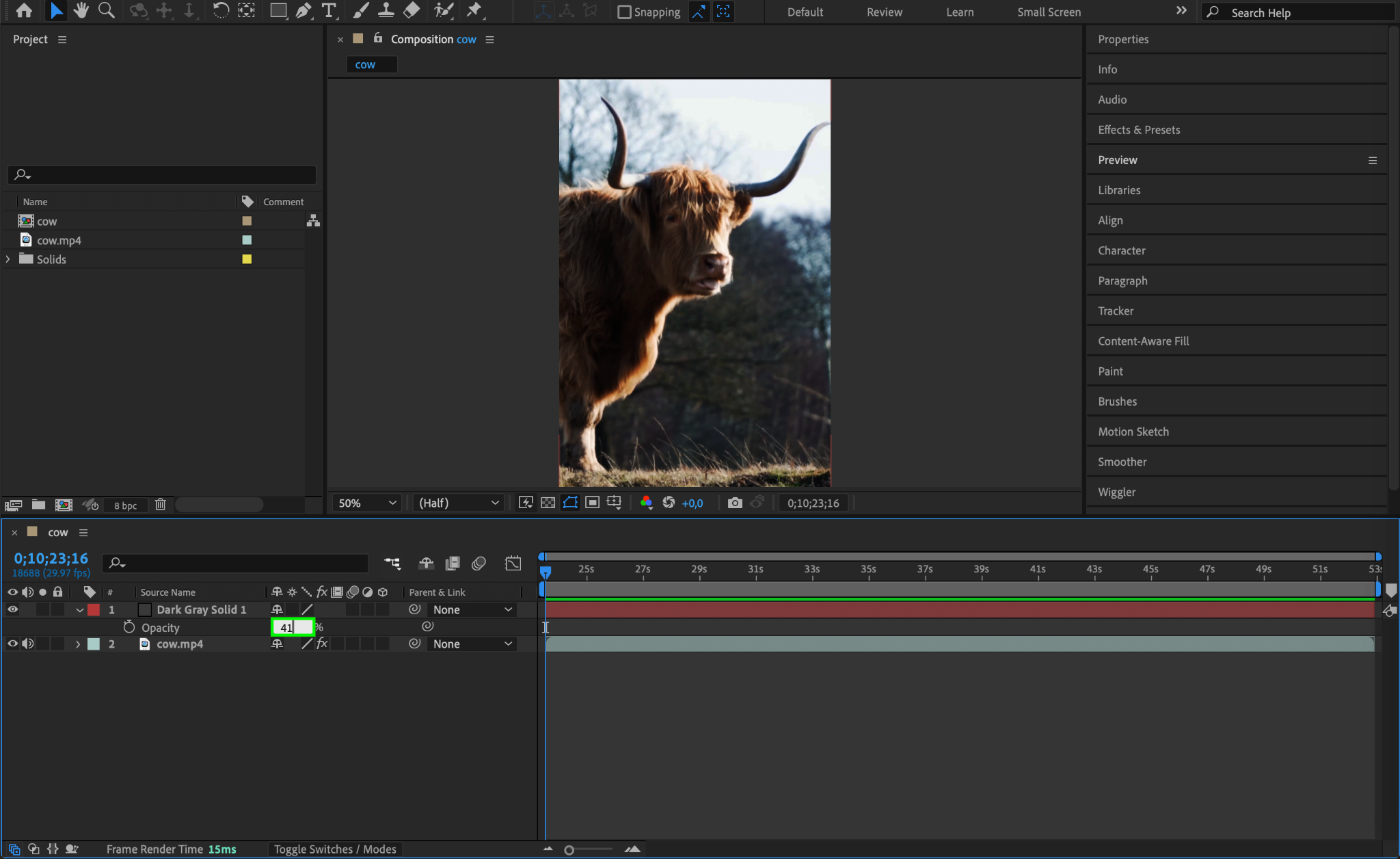
For a more stylized darkening, add a dark overlay layer. Go to Layer > New > Solid, select a dark gray or black color, and click OK. Change the blending mode of this layer to Multiply or Overlay. Adjust the opacity of the overlay layer to control how dark you want the video to appear. This approach gives a softer, more atmospheric effect.

Step 6: Preview Your Adjustments
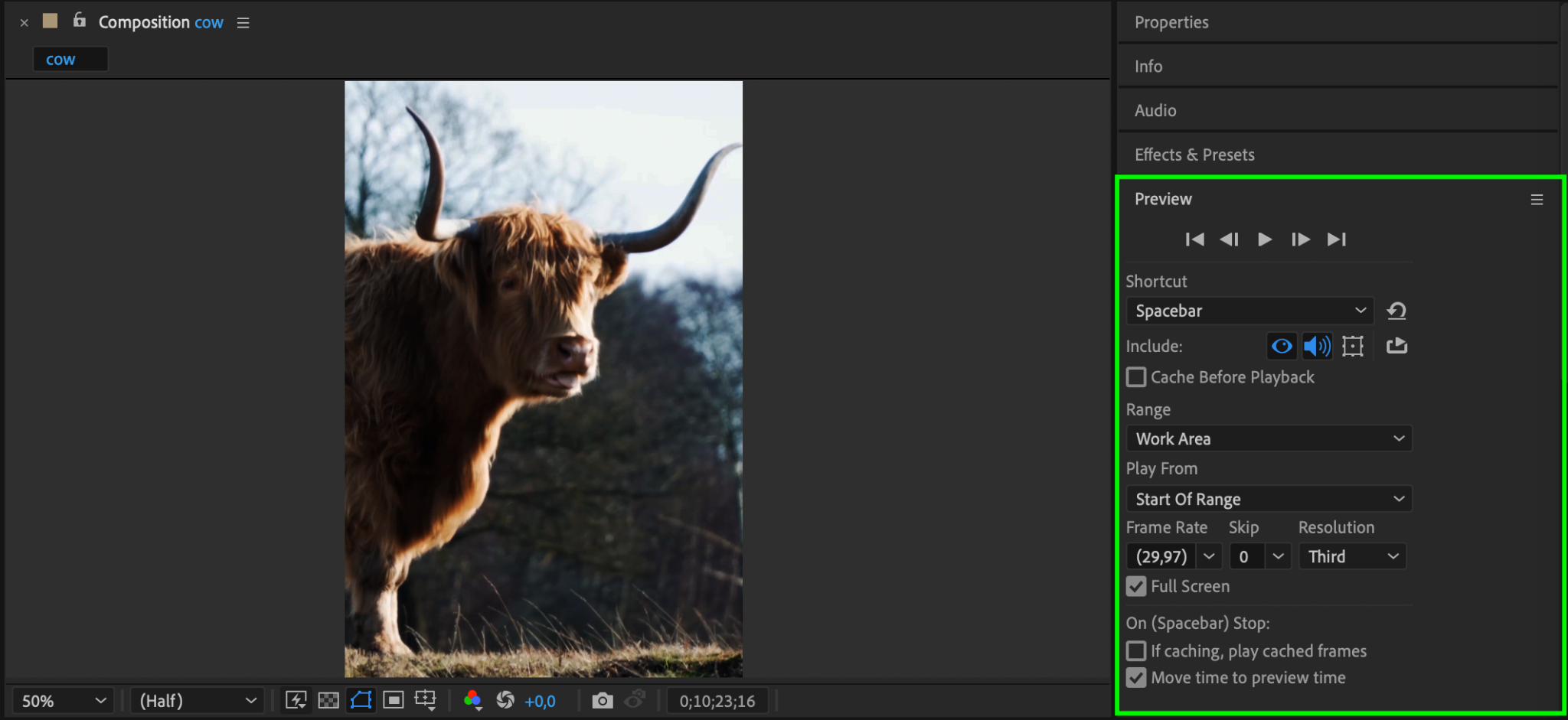
After making the changes, preview your video to ensure the adjustments look natural. Press the spacebar to play back the composition and check the overall appearance. Make any further tweaks to effects or opacity if needed.
Step 7: Export Your Darkened Video
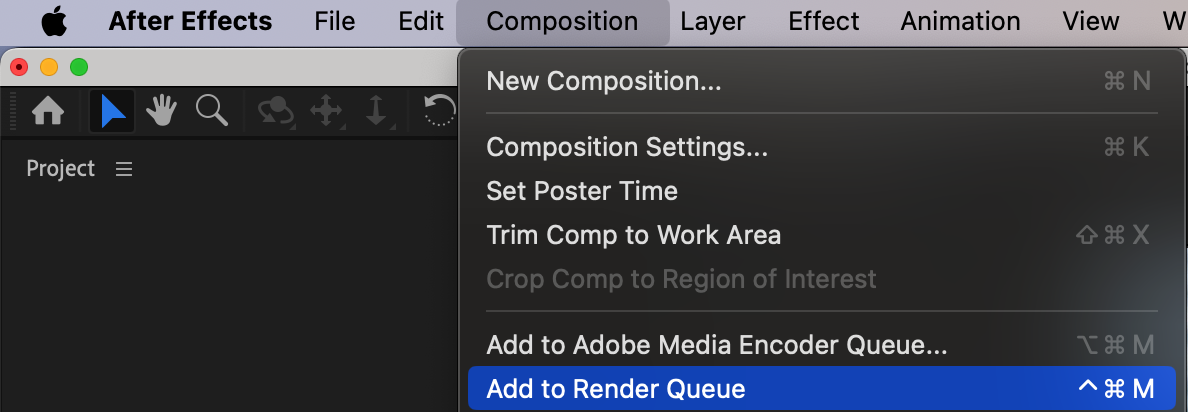
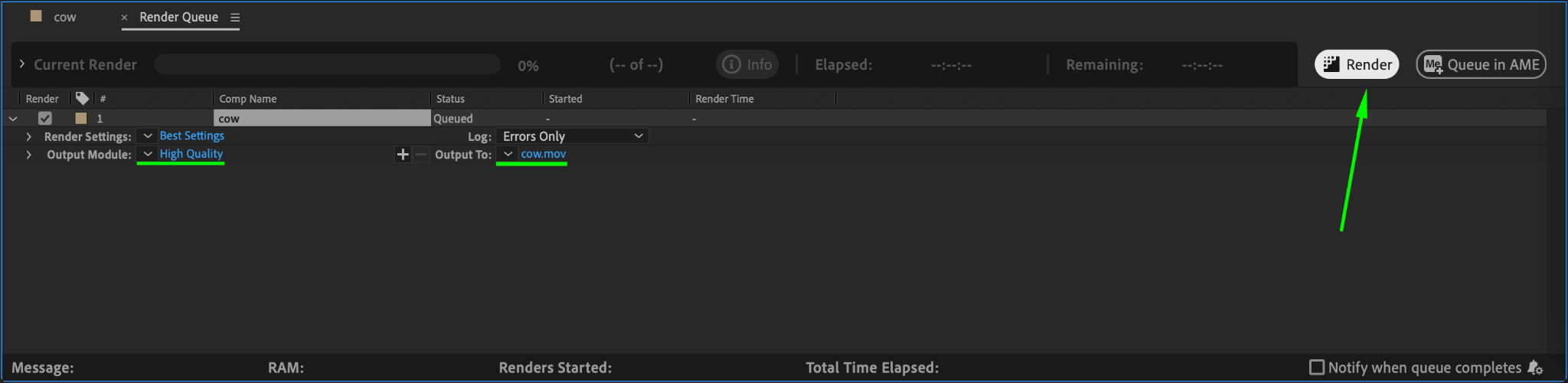
Once satisfied with the result, export your darkened video. Go to Composition > Add to Render Queue. Choose your desired settings, format, and destination, then click Render to create your final output.
Conclusion
Darkening a video in After Effects is straightforward and offers various options depending on the effect you want to achieve. By experimenting with brightness, contrast, and color overlays, you can create a professional-looking darkened effect that enhances your video’s mood and impact.
Our Bestsellers
Our Bestsellers


