
How to Create Slow Motion Videos in After Effects
Introduction
Slow motion is a powerful technique that adds depth, drama, and elegance to videos. Whether you want to emphasize a crucial moment, create captivating effects, or slow down fast-paced footage, Adobe After Effects has all the tools you need.
Step-by-Step Process to Create Slow Motion Videos in After Effects:
Step 1: Import your footage
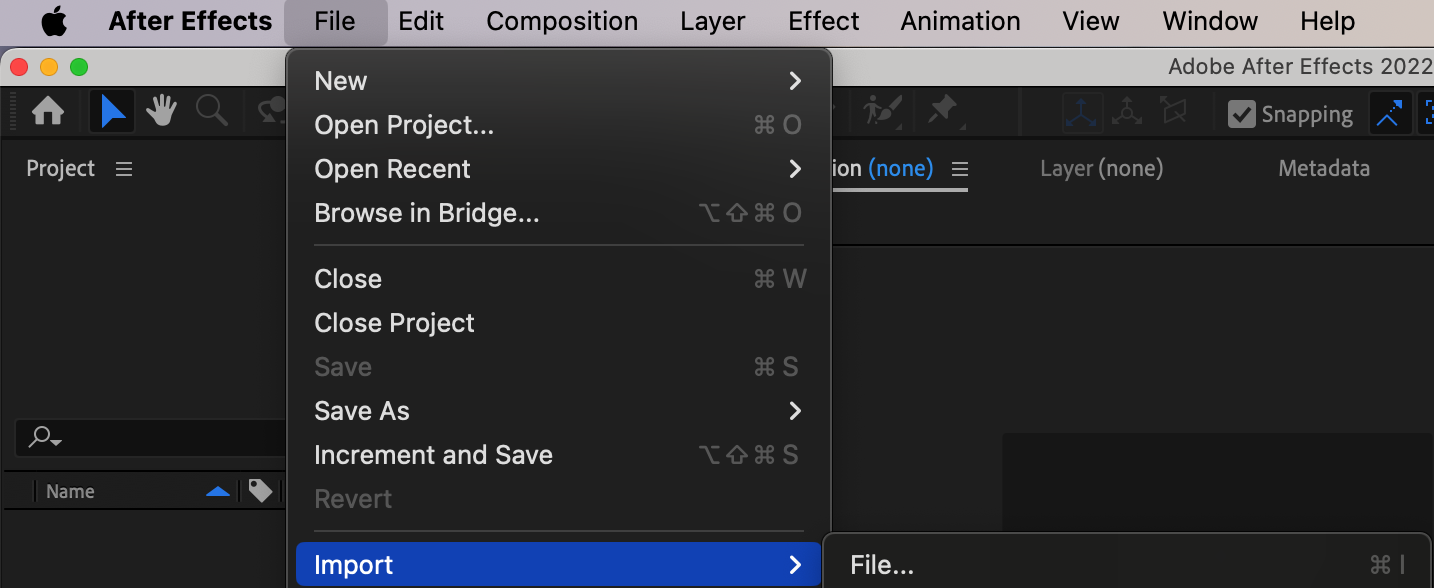
Open After Effects and import the video clip you want to use. Go to File > Import > File or simply drag and drop the file into the After Effects interface.
Step 2: Create a new composition
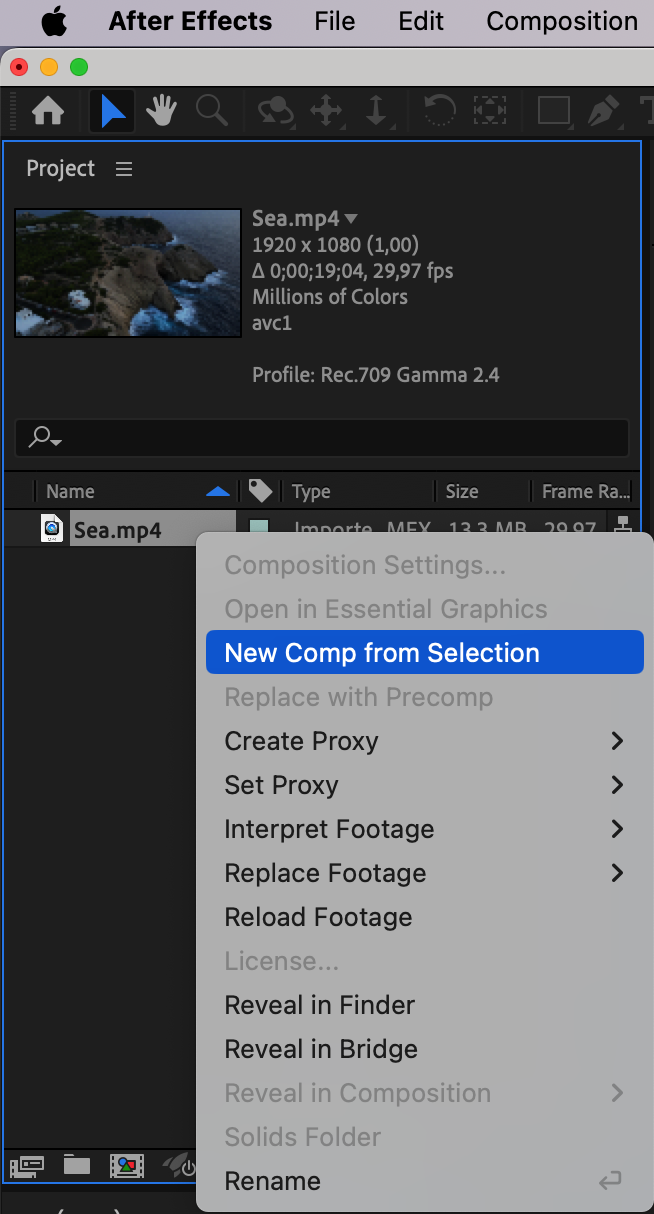
Right-click on the imported footage in the Project panel and select “New Comp from Selection” to create a new composition with the same settings as your video clip.
Step 3: Adjust the composition settings
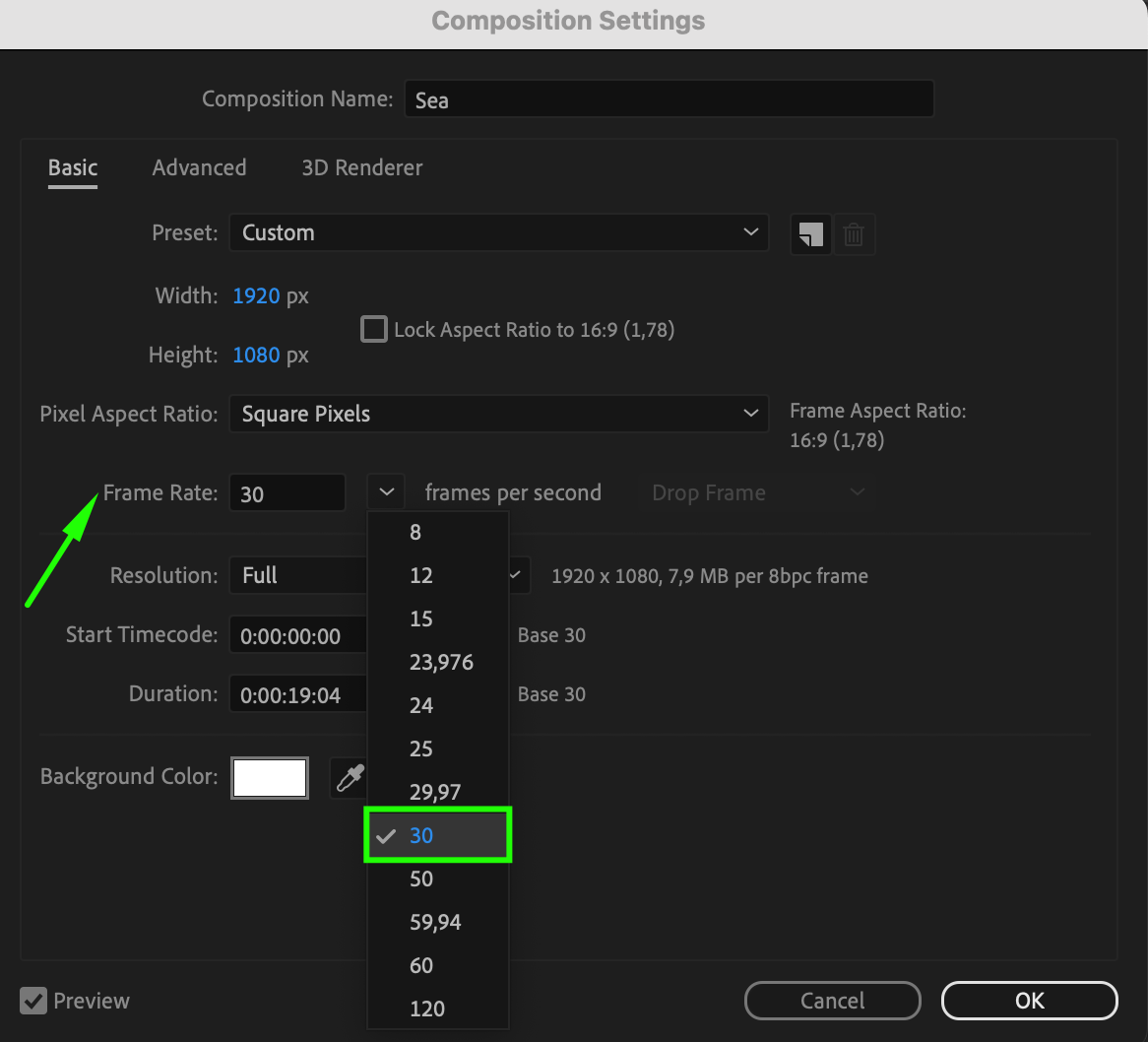
In the Composition Settings window, modify the duration and frame rate of your composition. For a slow motion effect, reduce the frame rate. For example, if your original footage is shot at 60 frames per second (fps), set your composition to 30 fps or lower for a more dramatic effect.

Step 4: Time Stretch your footage
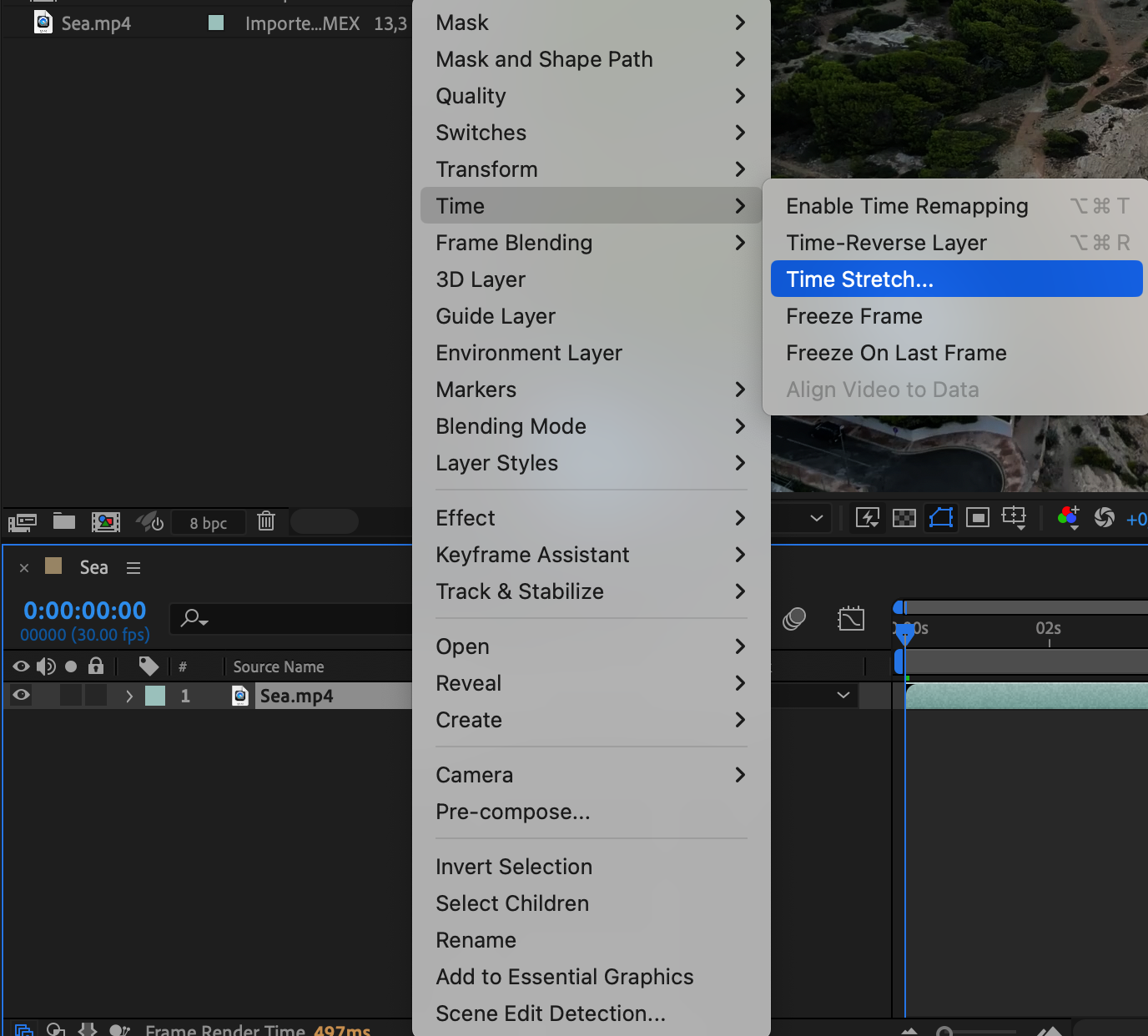
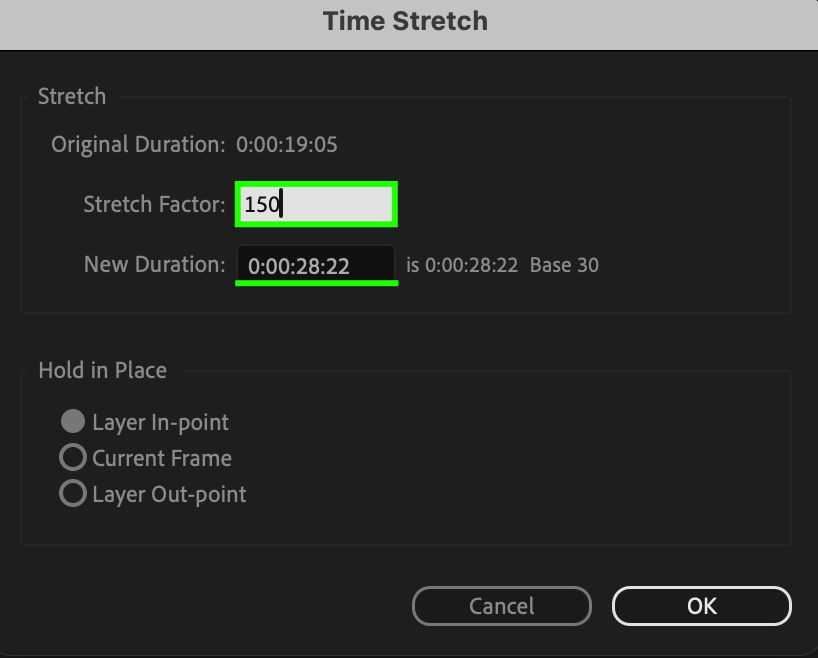
To slow down the video, right-click on your video layer and select Time > Time Stretch. In the Time Stretch dialog box, adjust the speed of your footage. Increase the percentage value to make the video play slower. For example, setting it to 150% will slow down the video to 50% of its original speed.
Step 5: Apply motion blur
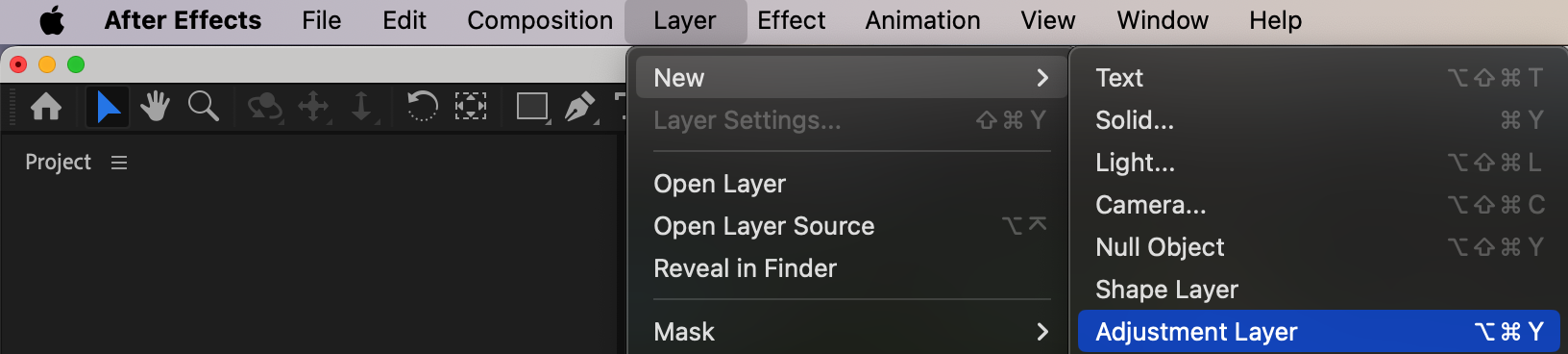
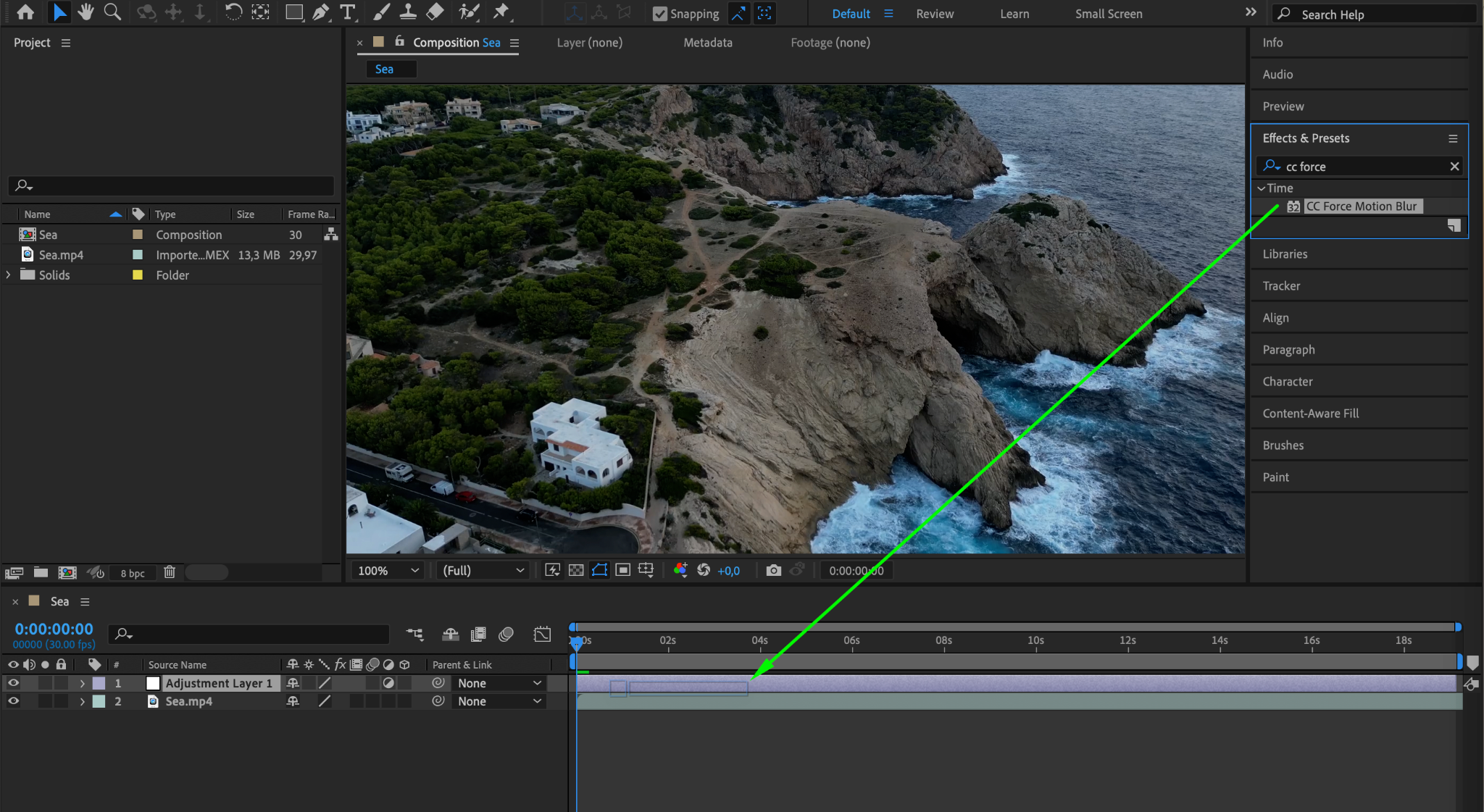
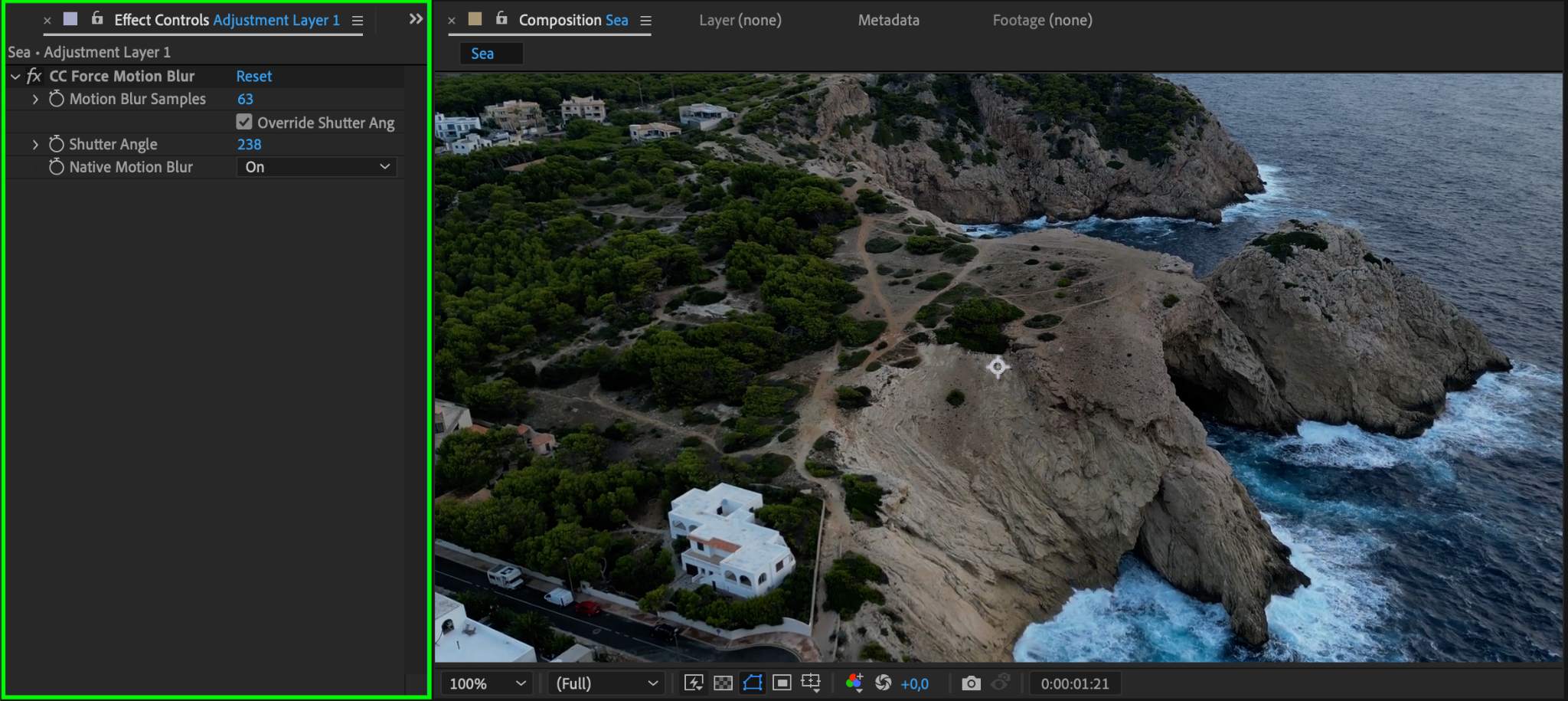
To create a smoother slow motion effect, add motion blur to the footage. Select your video layer, go to Layer > New > Adjustment Layer. Then, apply the CC Force Motion Blur effect to the adjustment layer. This effect automatically creates motion blur based on the movement in your video, enhancing the realism of the slow motion effect.
Step 6: Preview and render your slow motion video
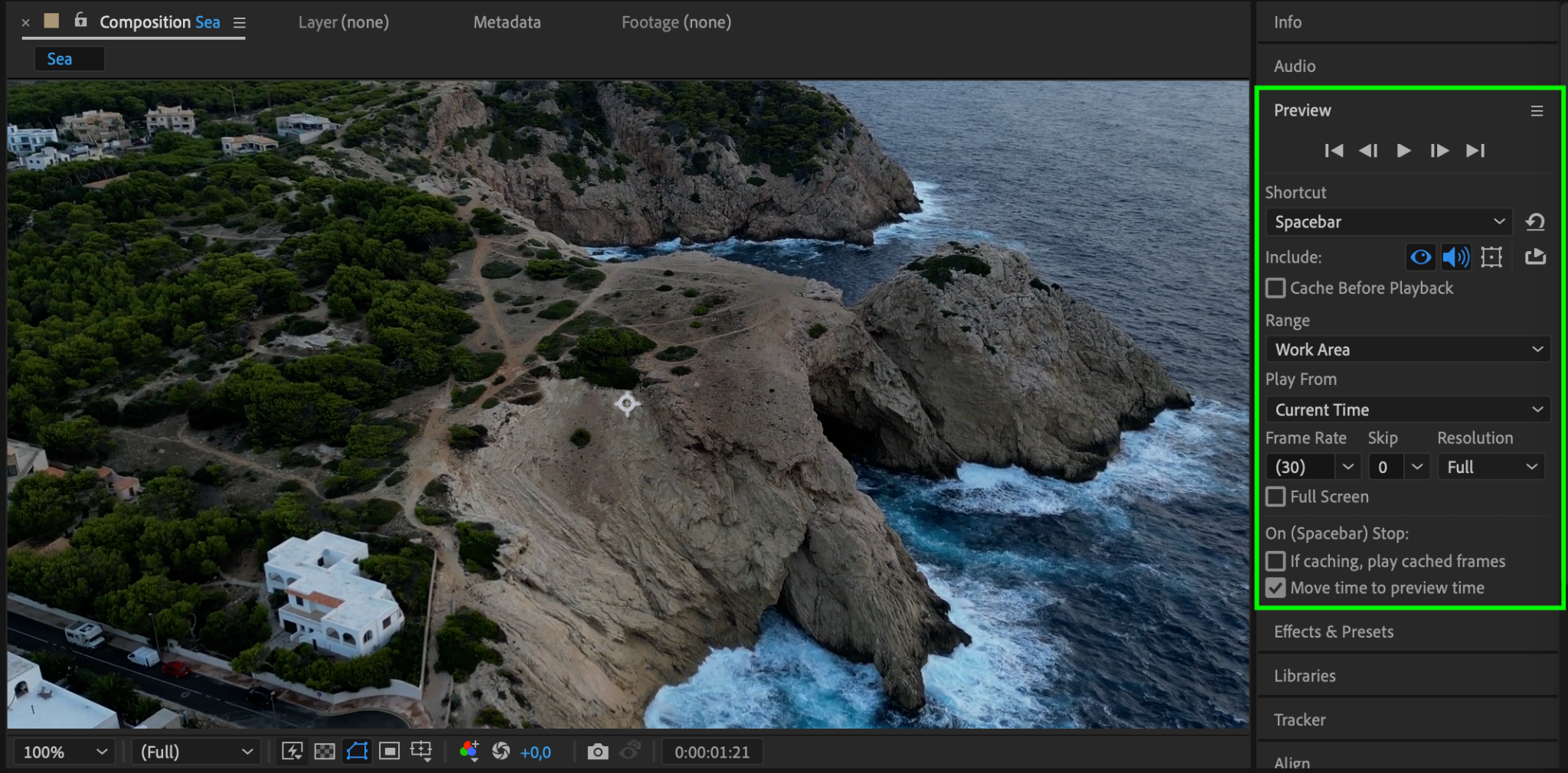
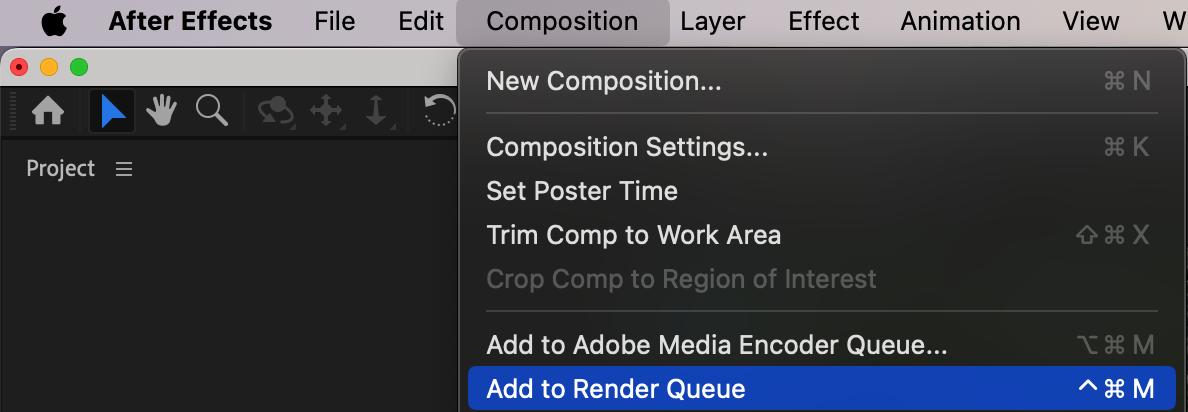
Preview your video by pressing the spacebar in After Effects. Ensure the slow motion effect looks as desired. If satisfied, proceed to render your video by going to Composition > Add to Render Queue.
Step 7: Export your slow motion video
In the Render Queue panel, select the output format, codec, and destination for your slow motion video. Configure the settings and click the Render button to start the rendering process. After Effects will then render and export your slow motion video based on the specified settings.

Conclusion
Experiment with different frame rates, time stretching percentages, and motion blur settings to achieve diverse slow motion effects. Let your creativity flow and add a touch of elegance to your videos with stunning slow motion in After Effects.
Our Bestsellers
Our Bestsellers


