
“Step-by-Step Guide to Creating a Glass Break Effect in After Effects”
“Introduction – Bring Realism to Your Projects with the Glass Break Effect”
The glass break effect in After Effects is a powerful way to add dramatic impact to your videos. By using the built-in Shatter effect, you can simulate realistic glass breaking, adding depth and emotion to your scenes. This step-by-step guide will teach you how to create this effect with ease.
Step 1: Import Your Video
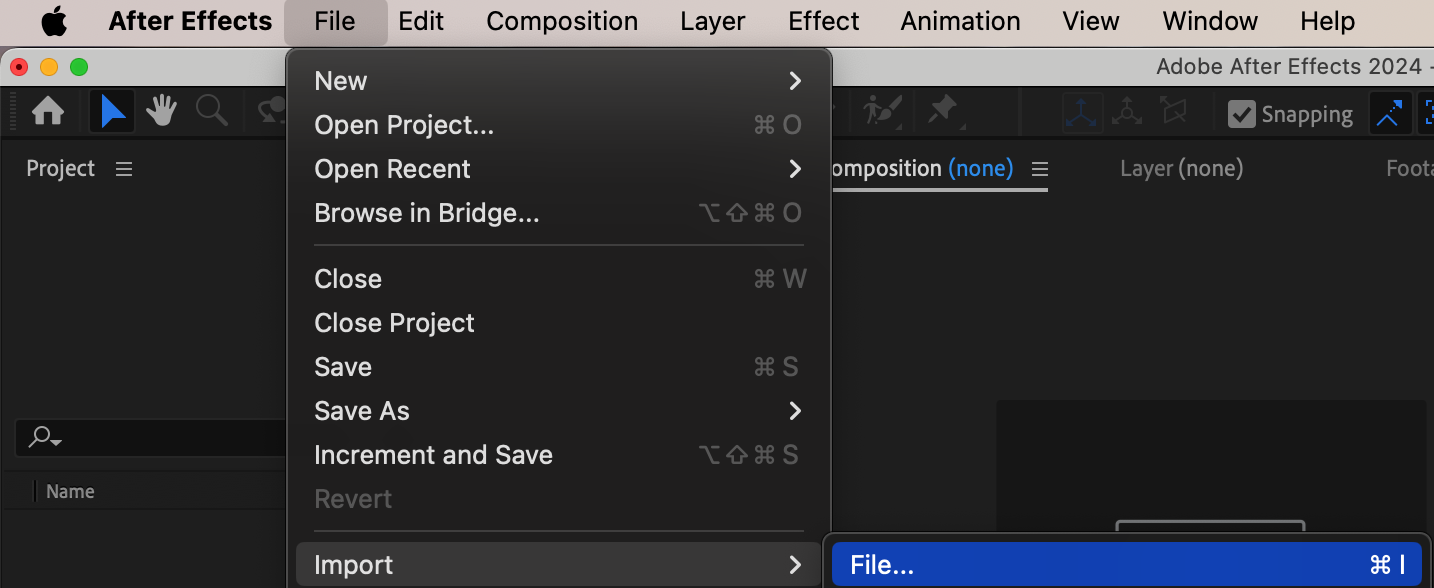
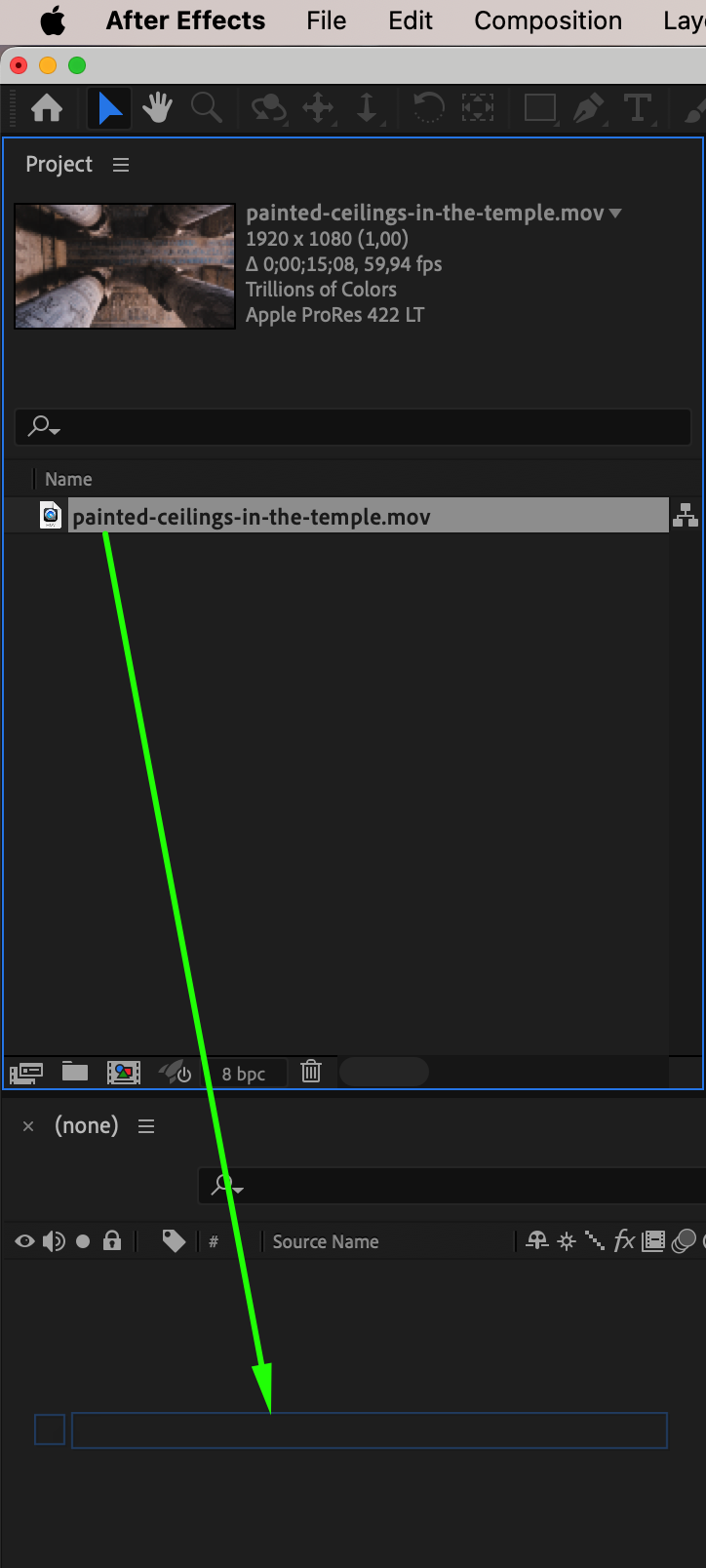
Begin by importing the video or image that you want to apply the glass break effect to. Go to File > Import > File, select your footage, and click Open. Once the footage is imported, drag it directly onto the Timeline panel. This will automatically create a new composition based on the dimensions and frame rate of your footage, ensuring your settings match perfectly.
Step 2: Apply the Shatter Effect
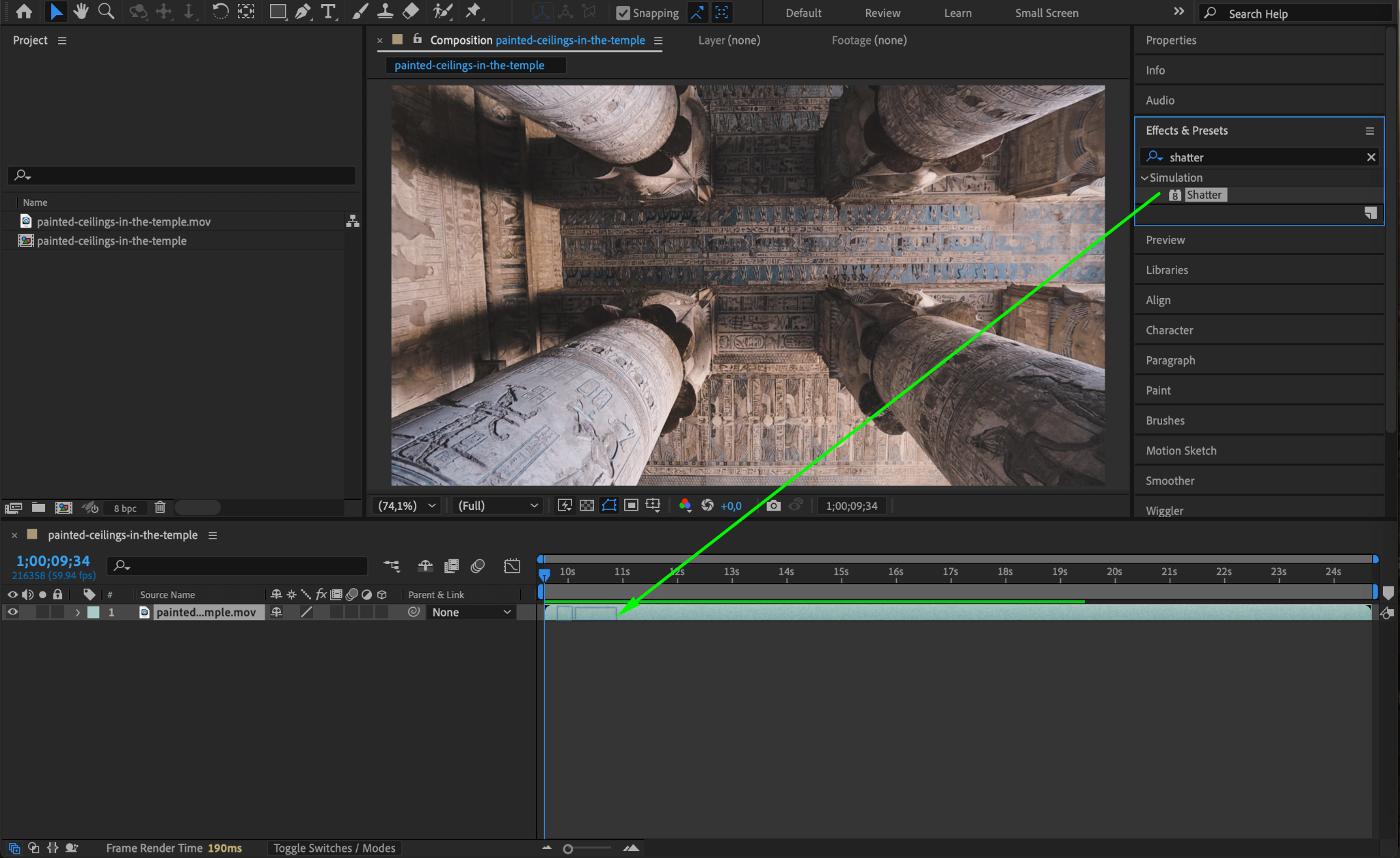
Select the video layer in the timeline. Go to the Effects & Presets panel, search for the Shatter effect, and drag it onto the layer. The Shatter effect is a built-in tool in After Effects that simulates breaking or shattering objects.
Step 3: Adjust the Shatter View and Pattern
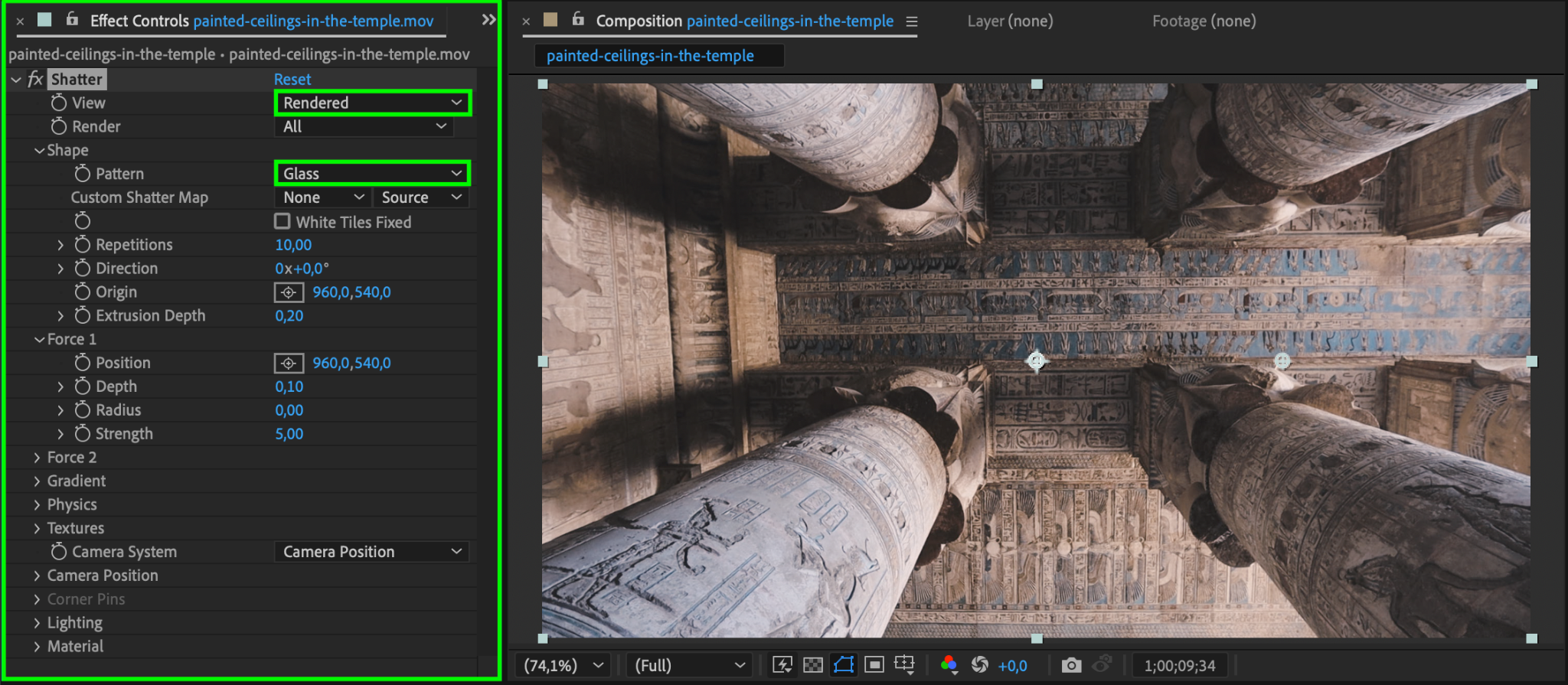
In the Effect Controls Panel, change the following settings:
View: Set this to Rendered to display the final shattered effect instead of the wireframe or force field preview.
Pattern: Choose Glass to use the pre-built glass-breaking pattern. This provides a realistic fragmented look to mimic shattered glass.
Step 4: Animate the Radius Parameter
The radius determines the area affected by the shattering. To animate it:
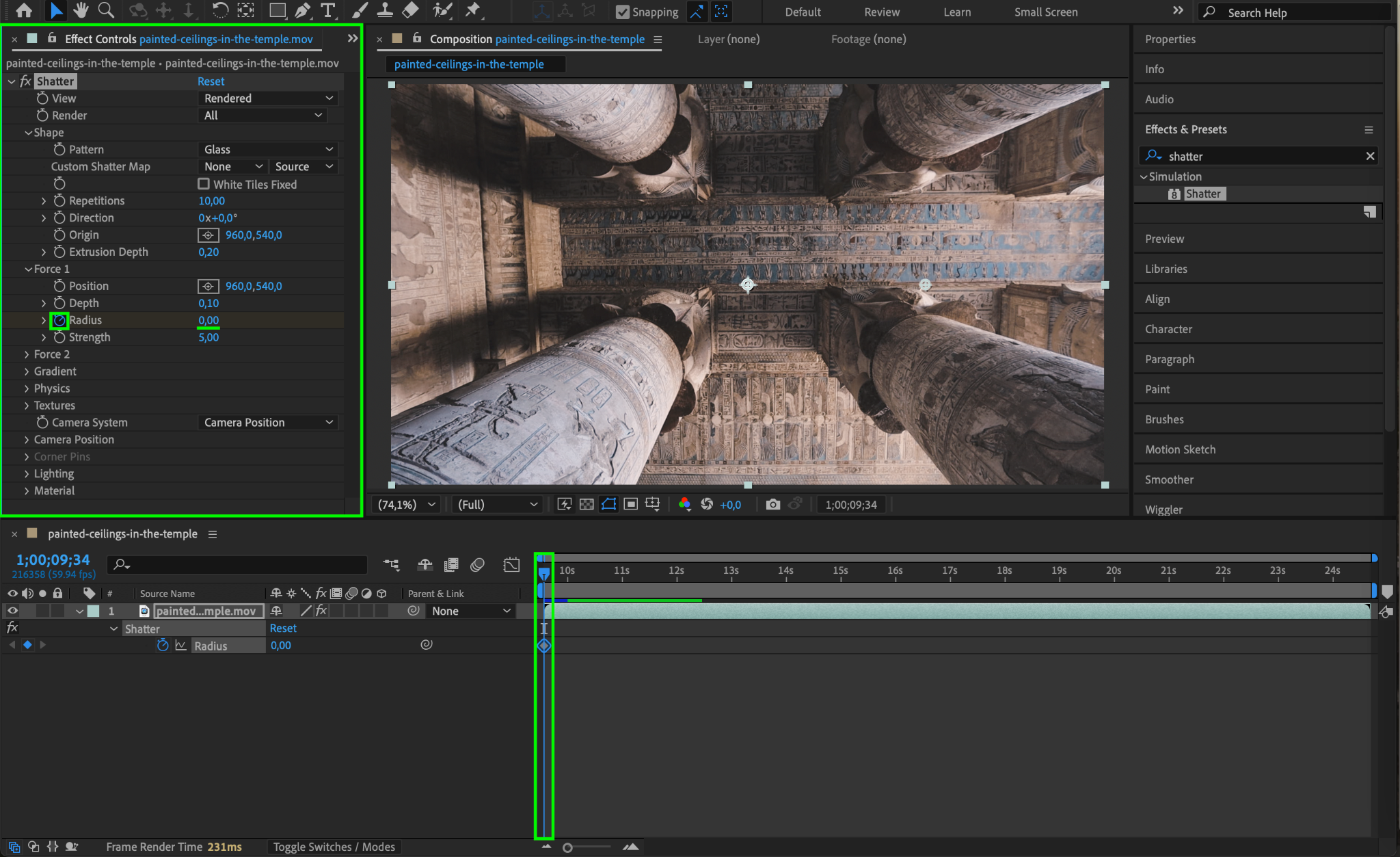
Move the CTI (Current Time Indicator) to the start of the timeline.
In the Effect Controls Panel, set the Radius to 0 and click the stopwatch icon to create a keyframe.
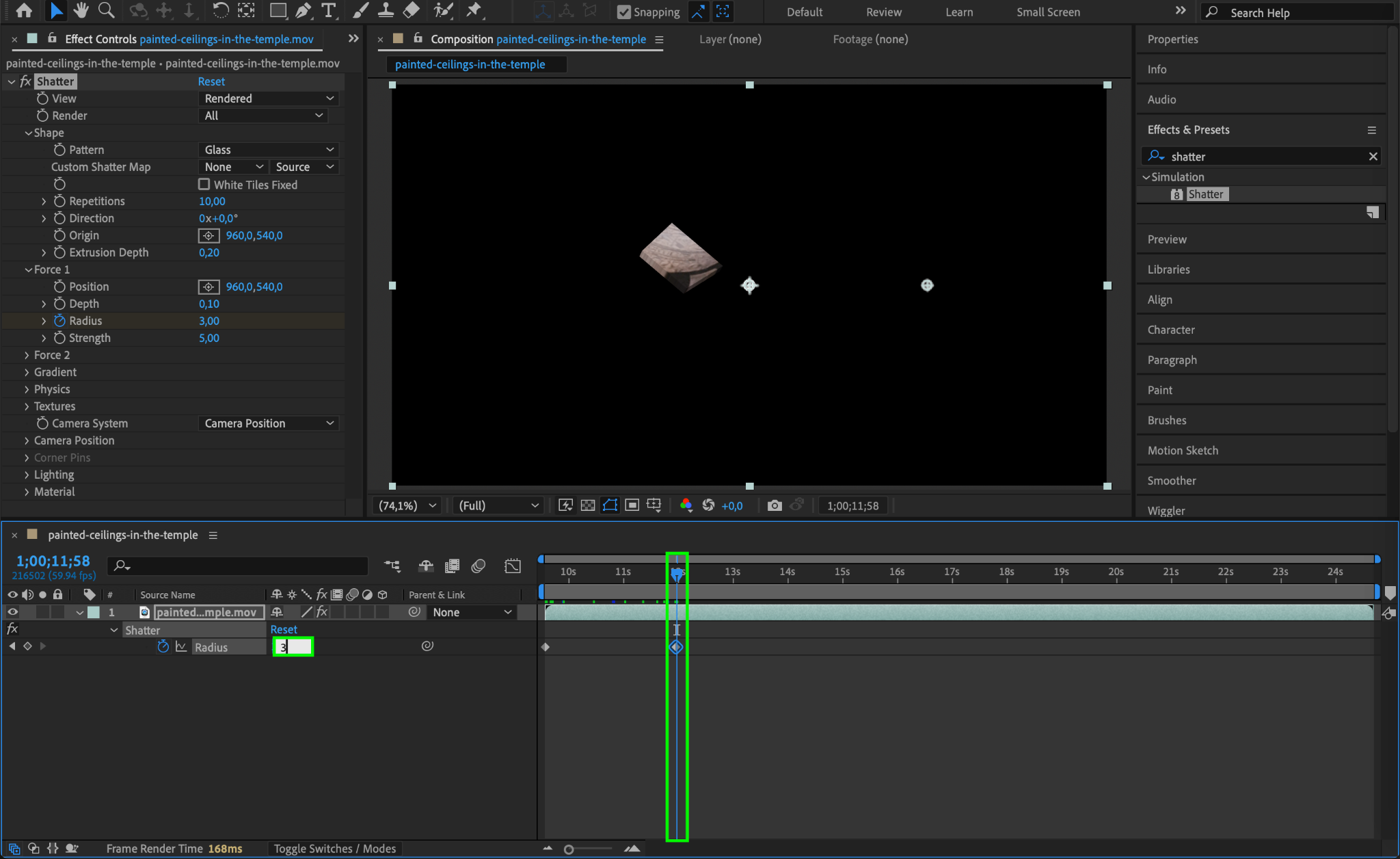
Move the CTI to the middle of the timeline and set the Radius to 3.
This animation gradually increases the area of the shattered effect, making it appear as though the glass is breaking dynamically.
Step 5: Preview the Effect
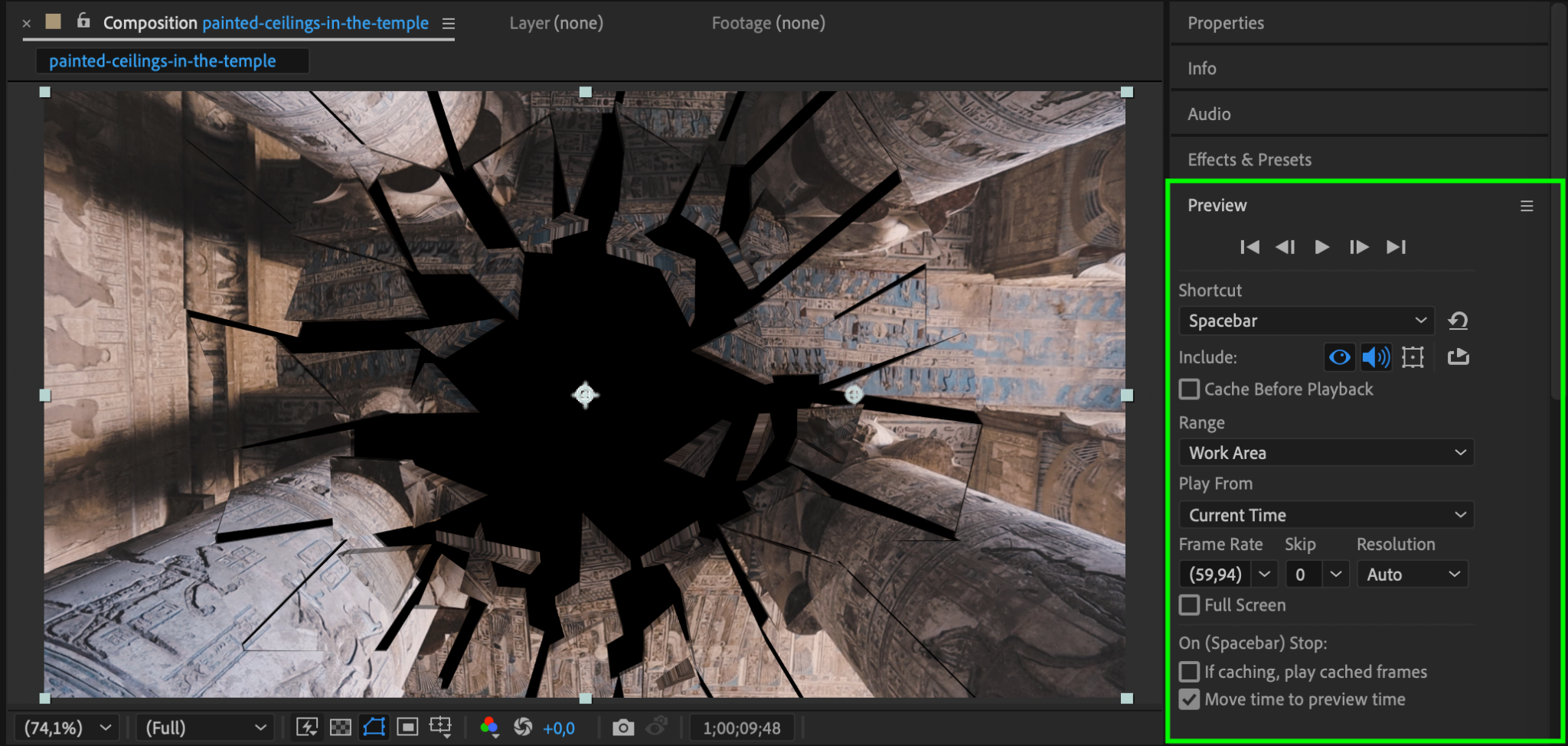
Press the spacebar to preview the composition. Observe the glass break effect and ensure the animation flows smoothly. Adjust the timing or radius values as needed to fine-tune the result.
Step 6: Render Your Project
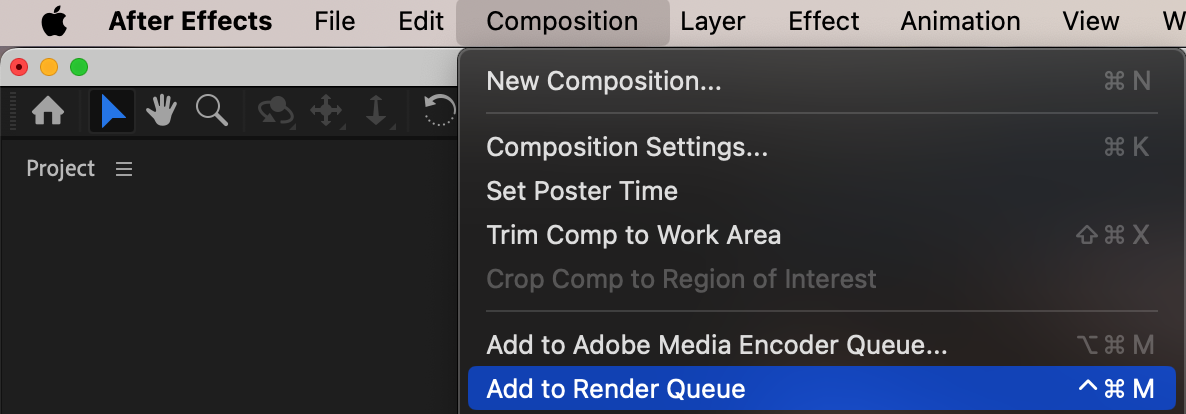
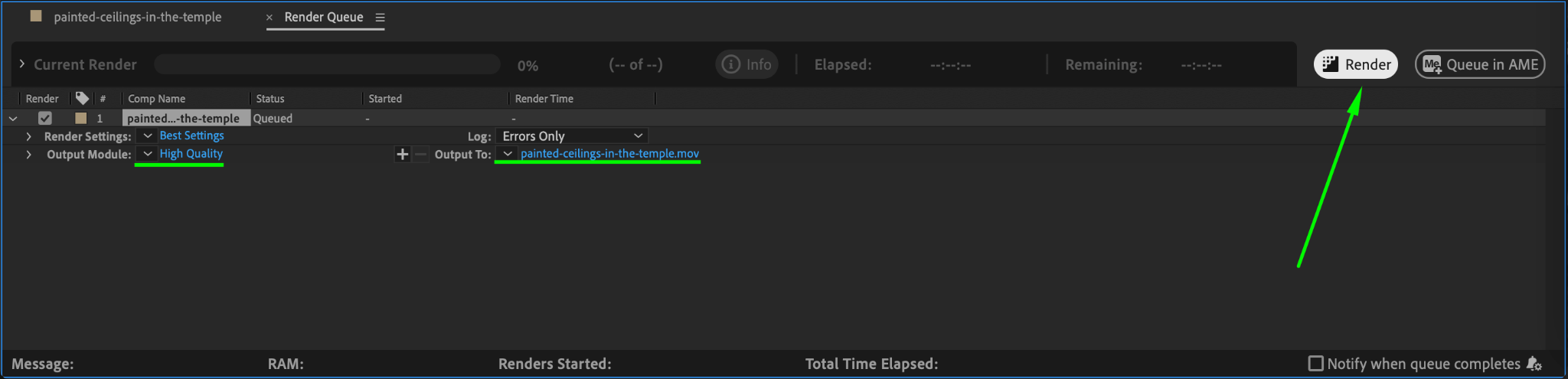
Once satisfied with the effect, render your project to export it. Go to Composition > Add to Render Queue, set the output format and location, and click Render.
Conclusion
The glass break effect is a striking addition to any video, helping to enhance its visual storytelling. By using After Effects’ Shatter effect, you can simulate realistic glass breaking with ease, whether for dramatic moments or creative transitions. Follow these steps to add a professional touch to your projects!
Our Bestsellers
Our Bestsellers


