
“Step-by-Step Guide to Creating a Static TV Effect in After Effects”
“Introduction – Bringing the Static TV Effect to Life”
The static TV effect, often seen in retro or glitchy visuals, is a classic element that adds character and nostalgia to your videos. With After Effects, you can easily recreate this effect using built-in tools like fractal noise and blending modes. Follow this guide to craft your own static TV effect.
Step 1: Create a New Composition
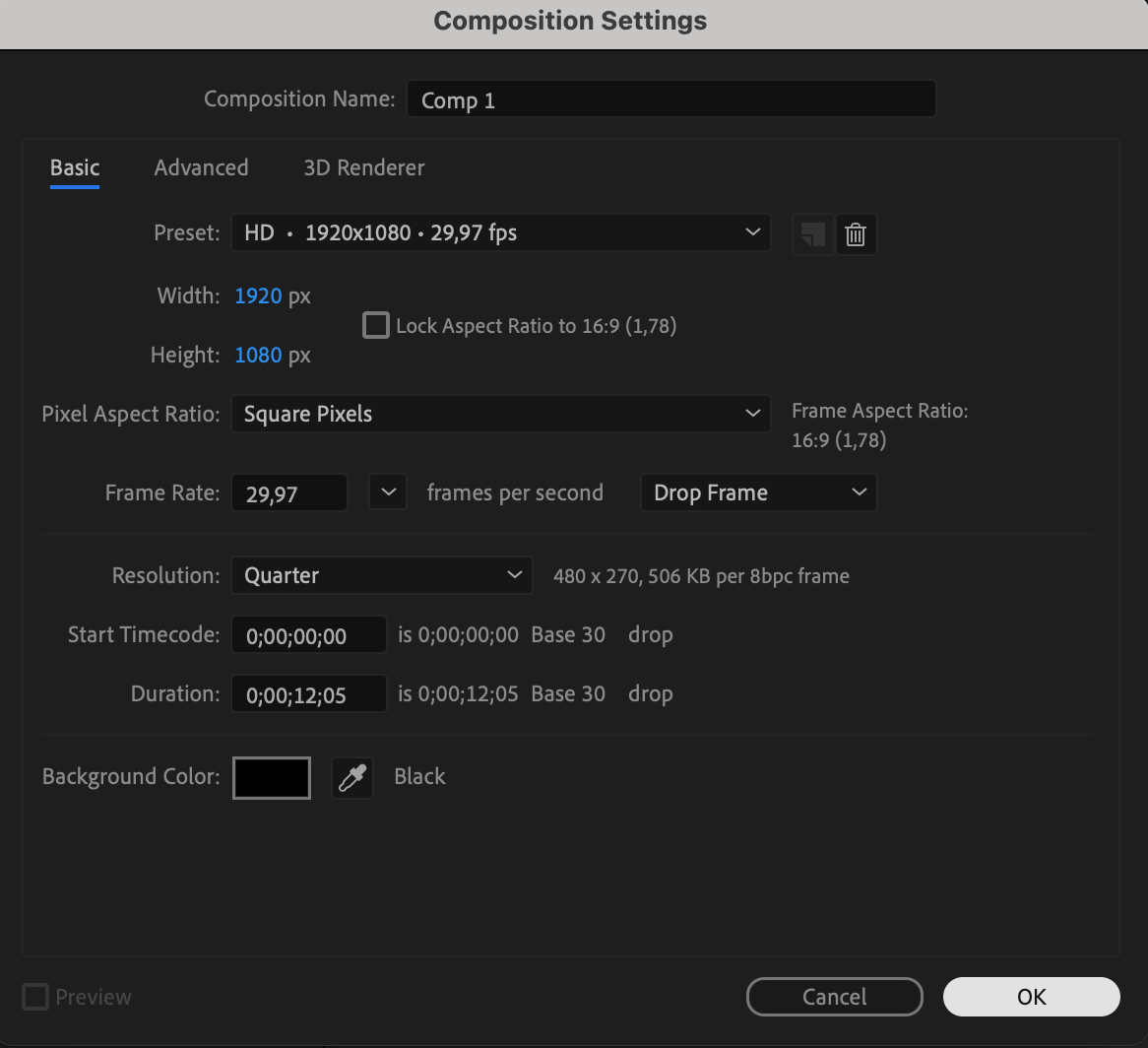
Start by creating a new composition. Go to Composition > New Composition, set your desired resolution and duration, and click OK. This will be the foundation for your static TV effect.

Step 2: Add a Solid Layer
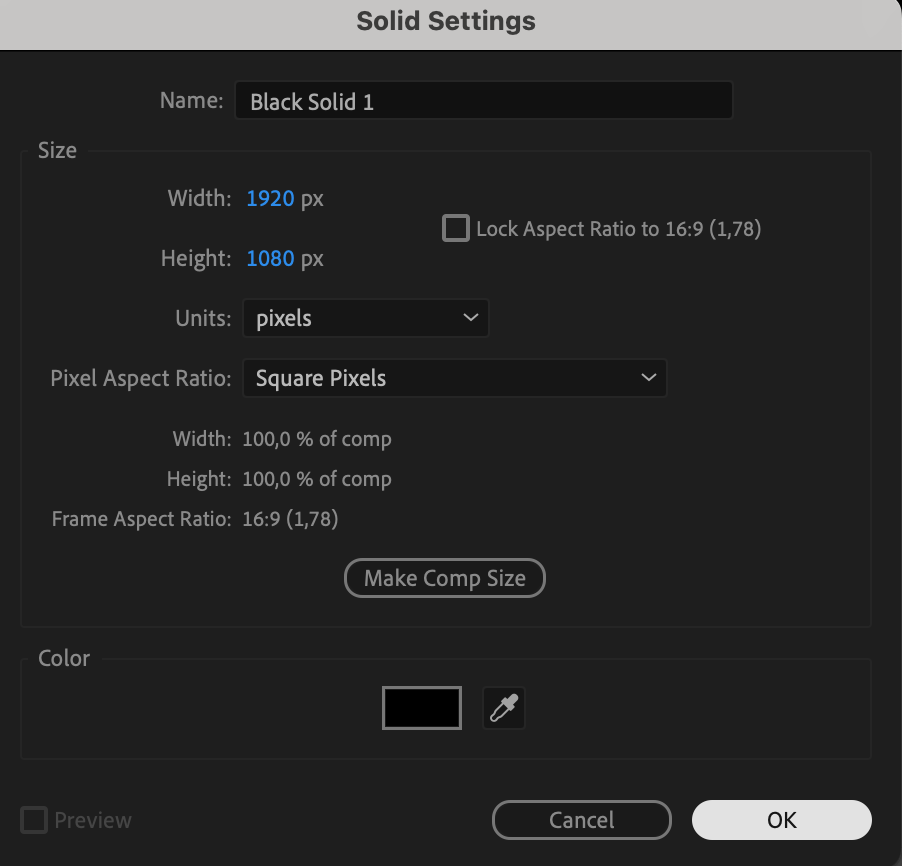
Go to Layer > New > Solid. Choose black as the color and ensure the solid fills the entire composition. This will serve as the base layer for your static effect.

Step 3: Apply the Fractal Noise Effect
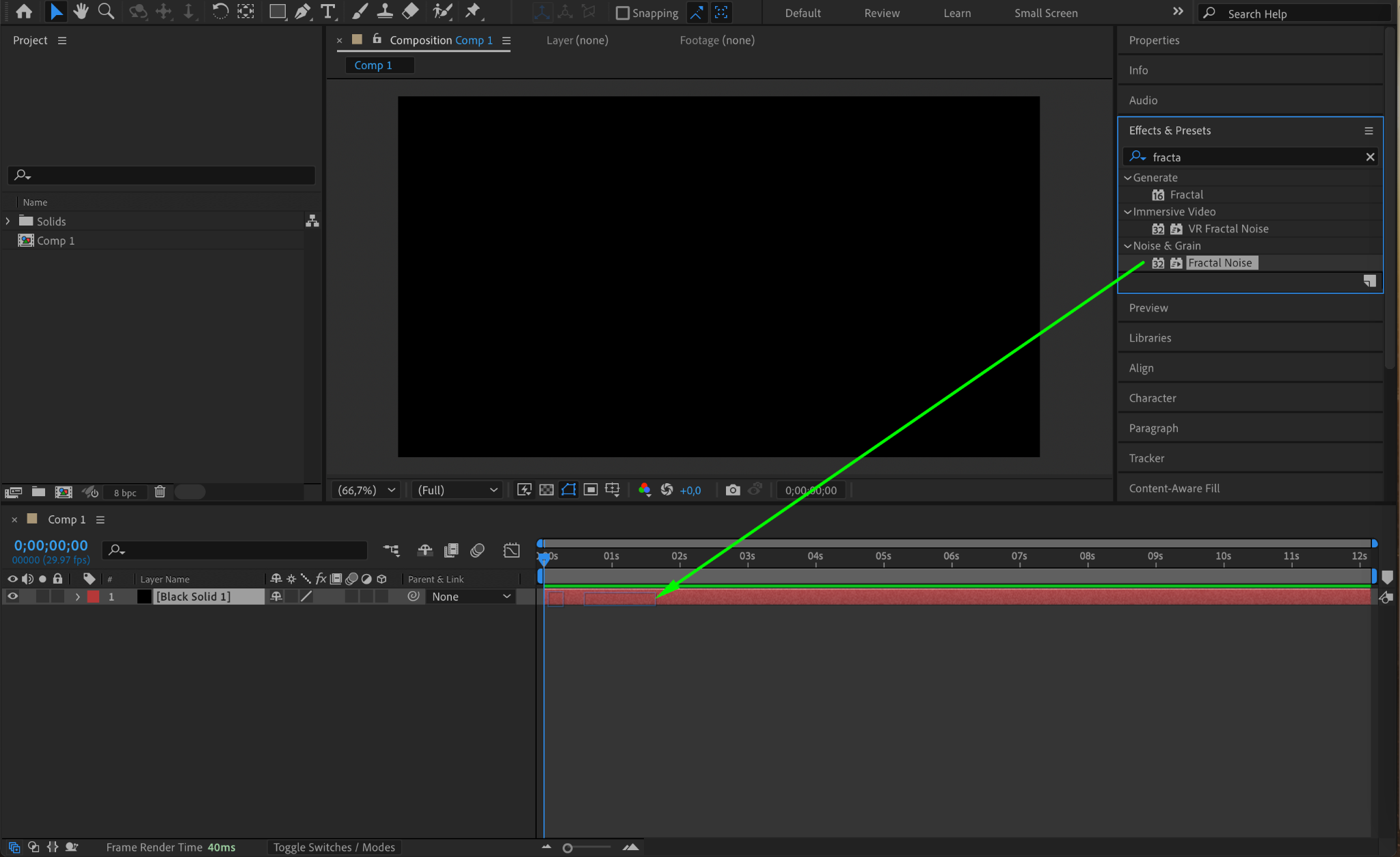
From the Effects & Presets panel, search for Fractal Noise and apply it to the solid layer. This effect will generate the foundational static texture for your TV effect.
Step 4: Adjust Fractal Noise Settings
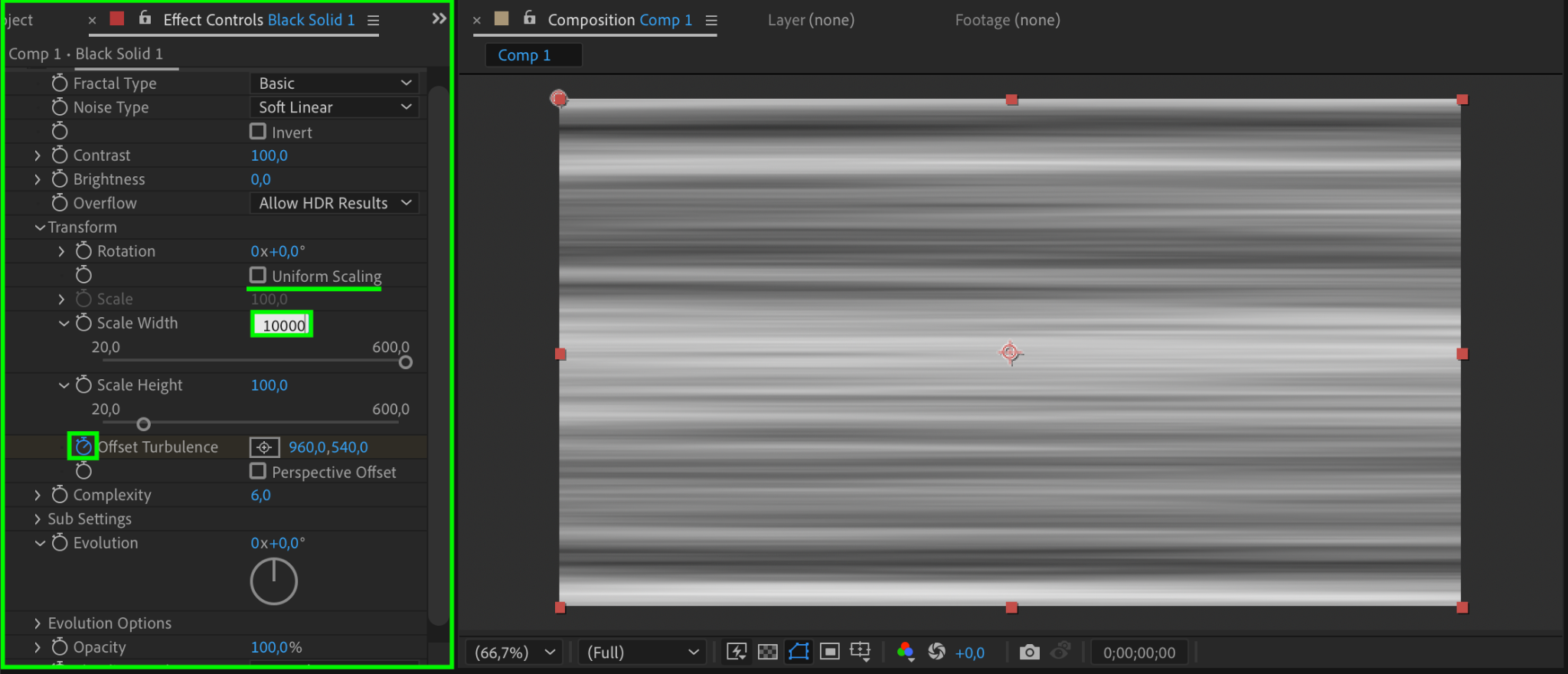
In the Effect Controls panel:
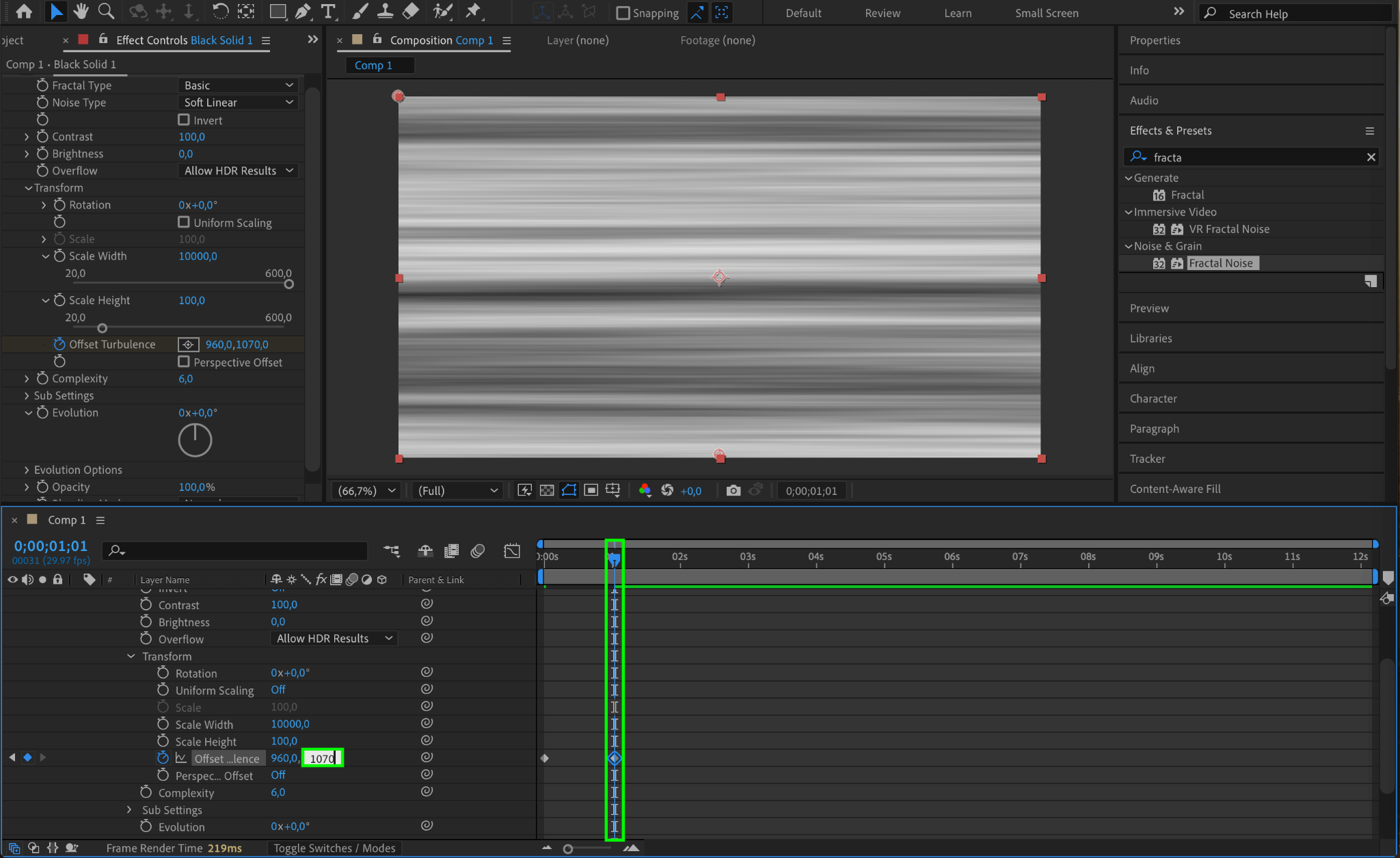
Uncheck the Uniform Scaling option.
Set Scale Width to 10000 for a stretched horizontal look.
Animate the Offset Turbulence:
Click the stopwatch icon next to Offset Turbulence to create the first keyframe.
Move the CTI (Current Time Indicator) forward a few seconds.
Change the Y value of Offset Turbulence to 1070. This creates movement in the static effect.
Step 5: Add Noise for Realism
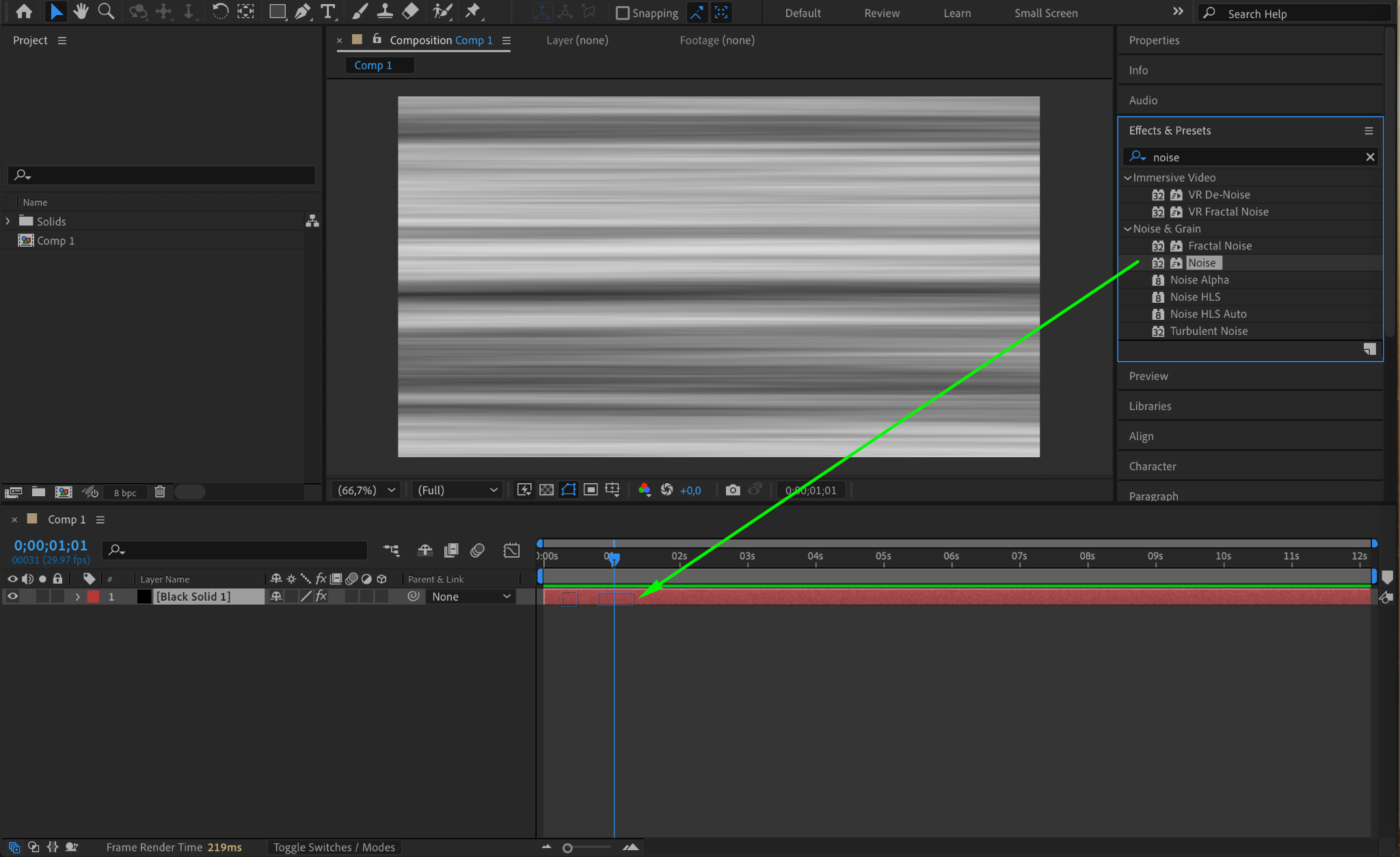
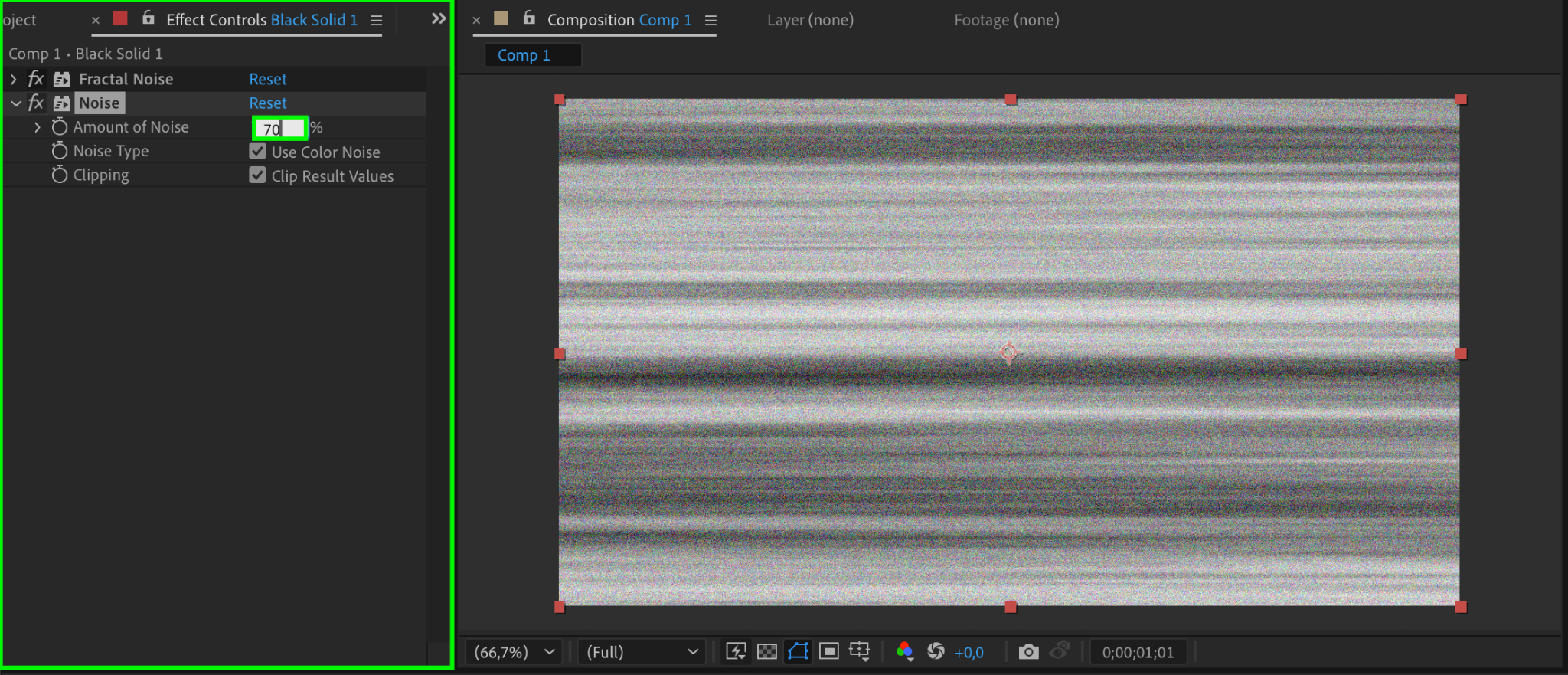
Search for the Noise effect in the Effects & Presets panel and apply it to the layer. In the Effect Controls, set the Amount of Noise to 70. This adds a grainy texture, enhancing the realism of the static effect.
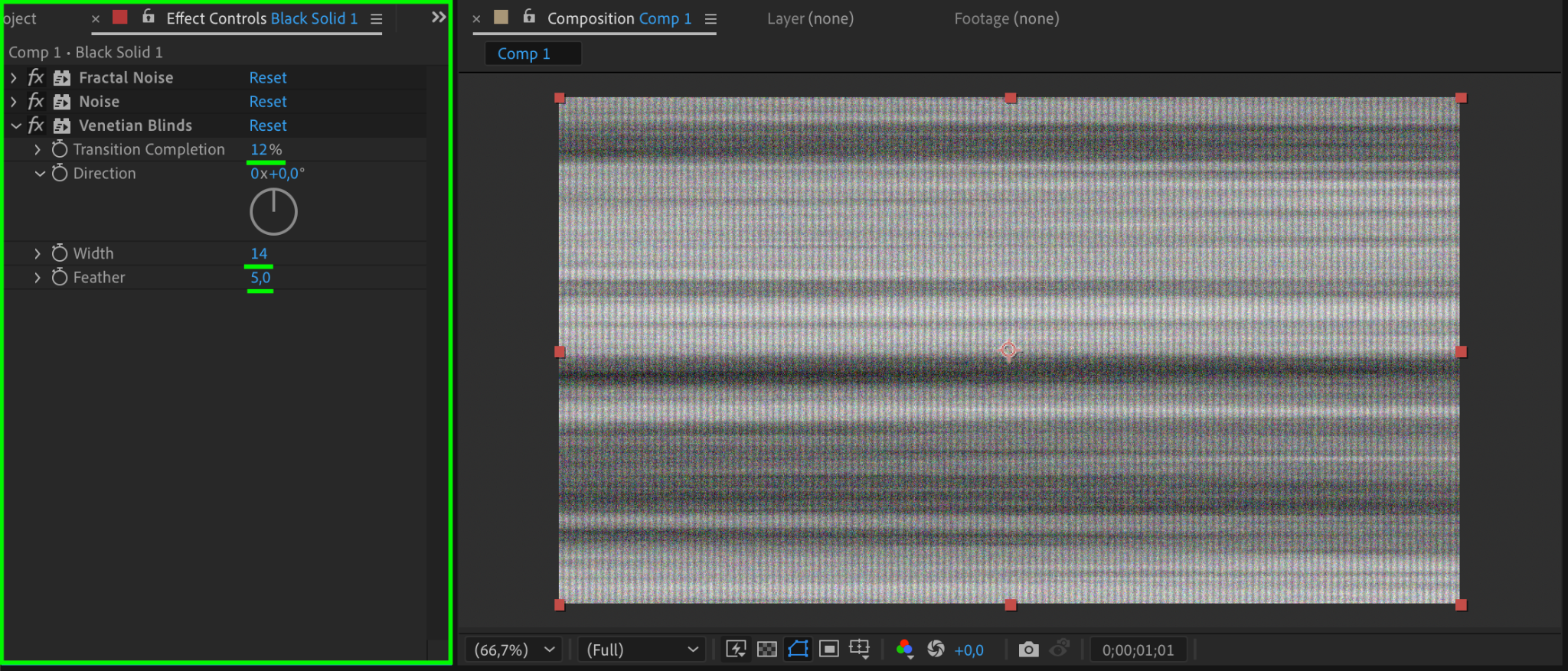
Step 6: Add Venetian Blinds for Lines
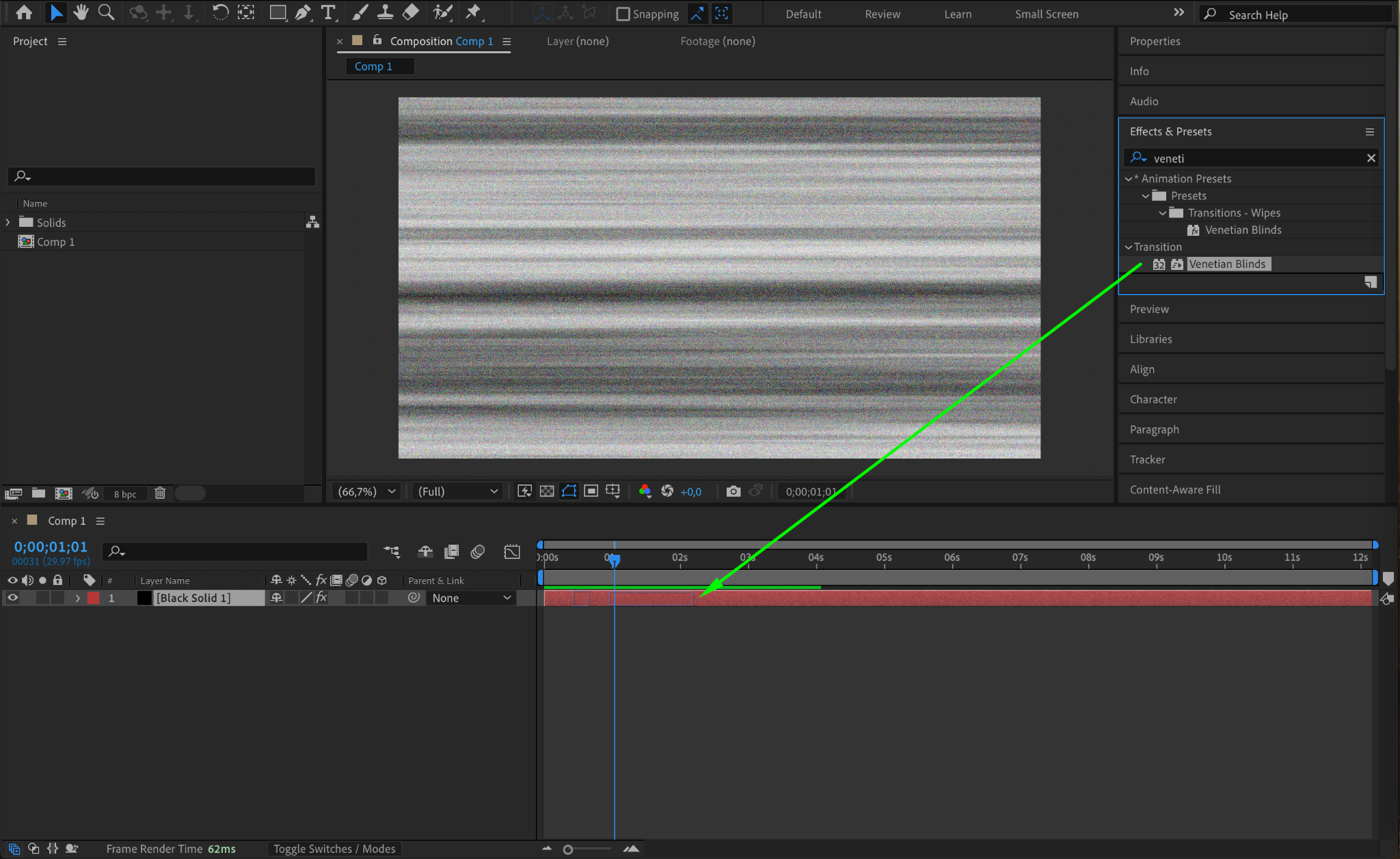
Apply the Venetian Blinds effect to the layer. Adjust the settings as follows:
Transition Completion: 12
Width: 14
Feather: 5
This creates lines reminiscent of old TV screens.
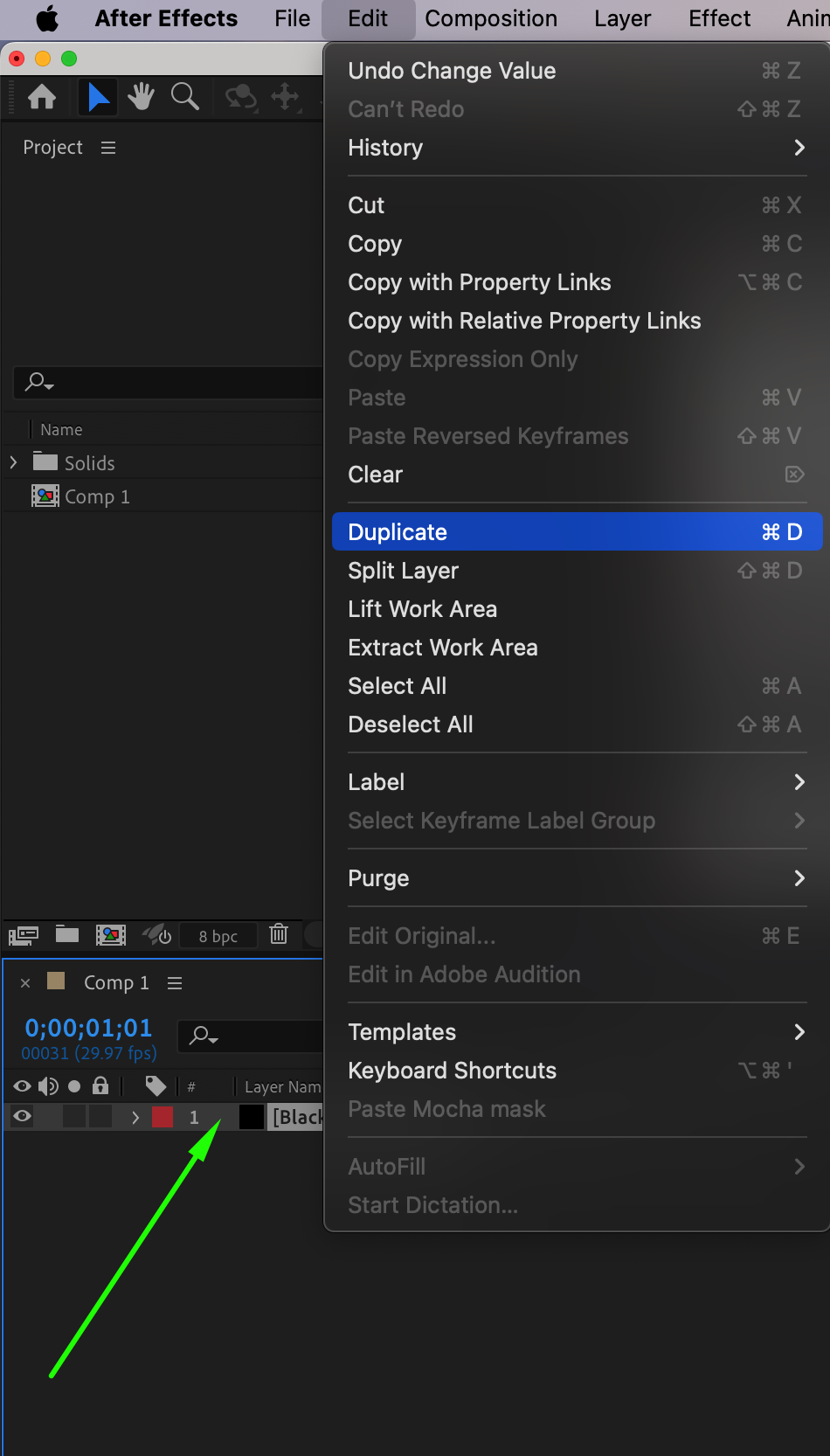
Step 7: Duplicate the Solid Layer
Duplicate the solid layer by selecting it and pressing “Ctrl/Cmd + D”. This second layer will add depth to the static effect.
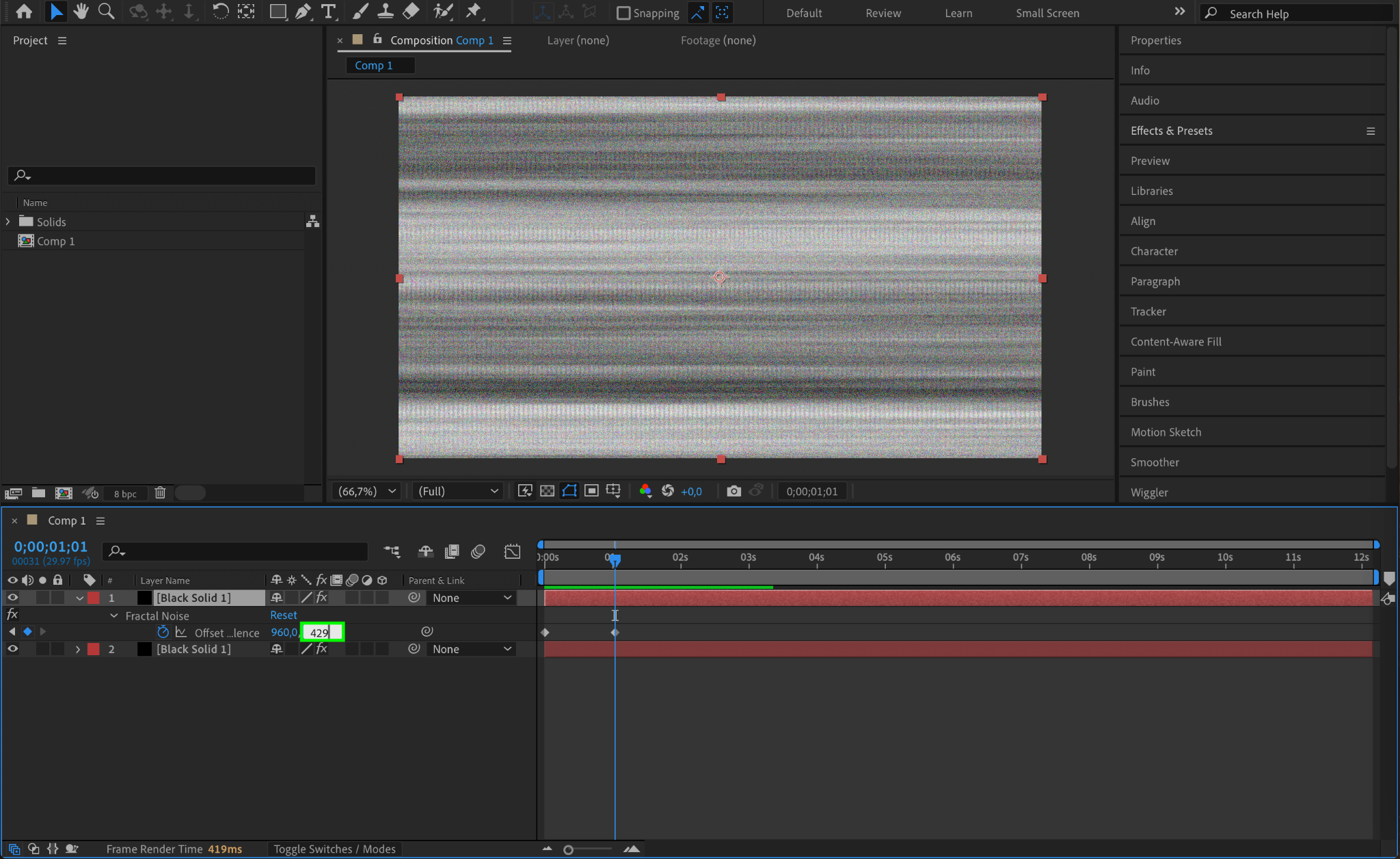
Step 8: Adjust Offset Turbulence for the Duplicate
In the duplicate solid layer, change the Y value of the second Offset Turbulence keyframe to 429. This creates variation between the two layers, making the static more dynamic.
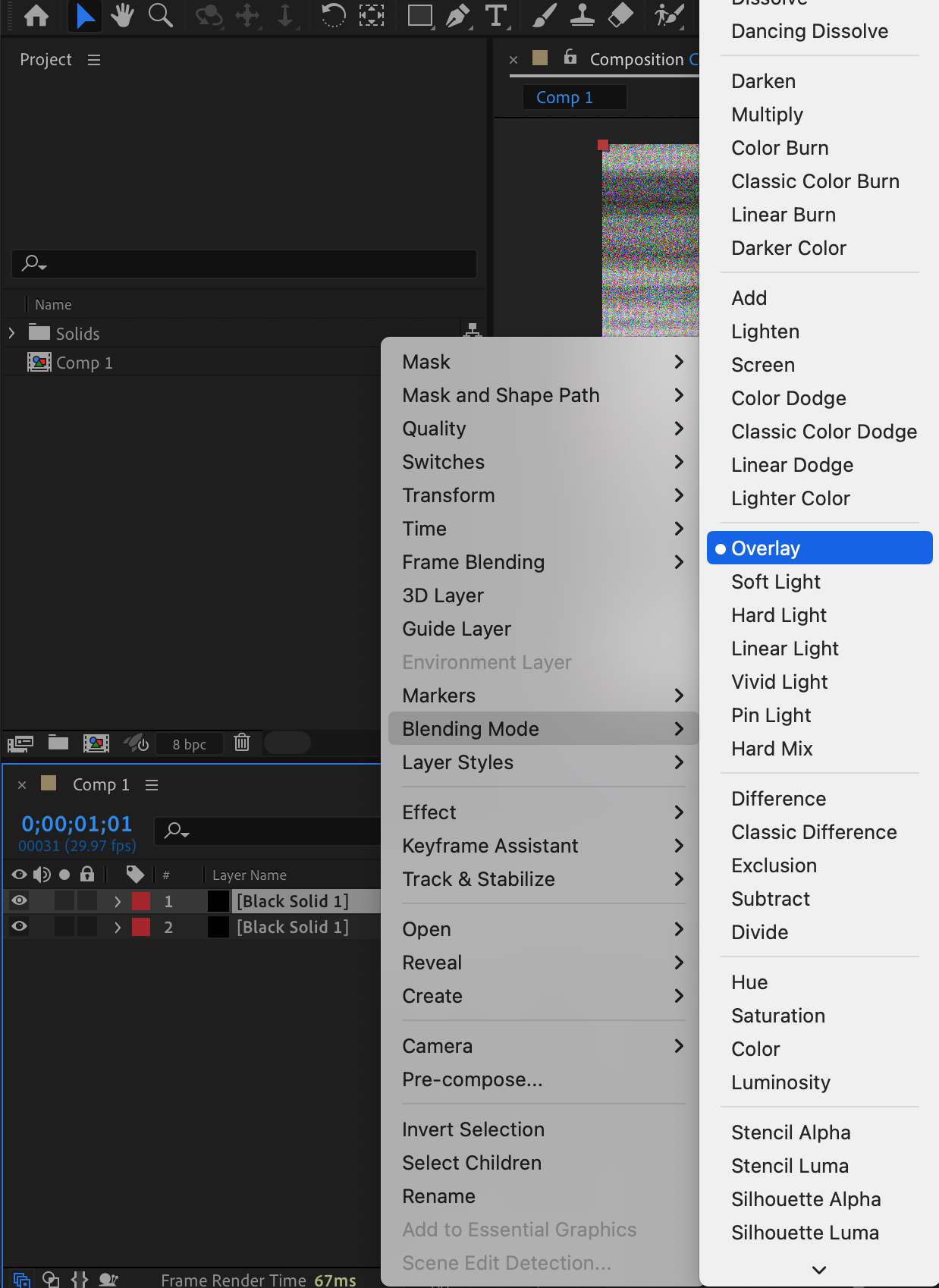
Step 9: Change the Blending Mode of the Duplicate
Set the blending mode of the duplicate solid layer to Overlay. This combines the two layers, creating a more complex and realistic static TV effect.
Step 10: Preview Your Static TV Effect
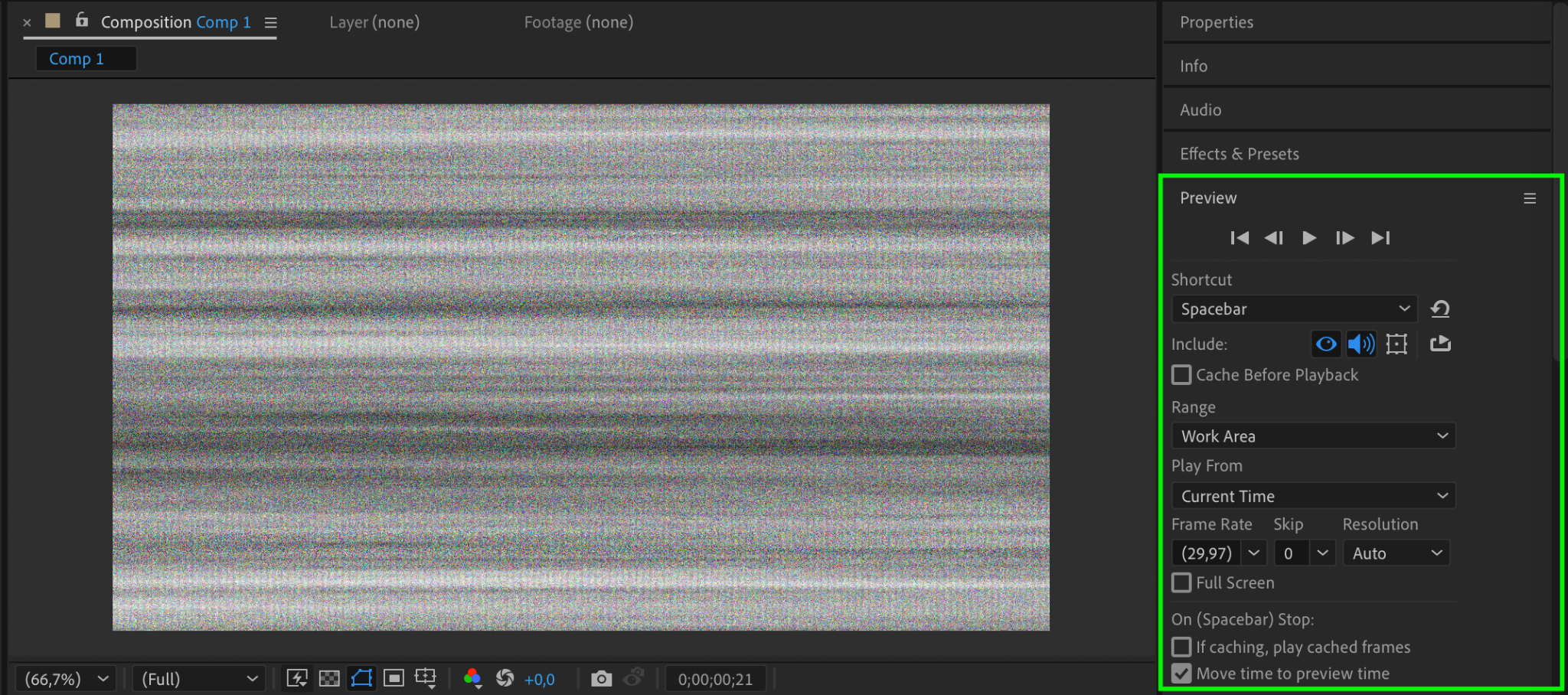
Use the Preview panel to play back your composition. Ensure the static movement and texture look realistic. Make adjustments to the keyframes or effects as needed.
Step 11: Render the Final Effect
Once satisfied, render your composition:
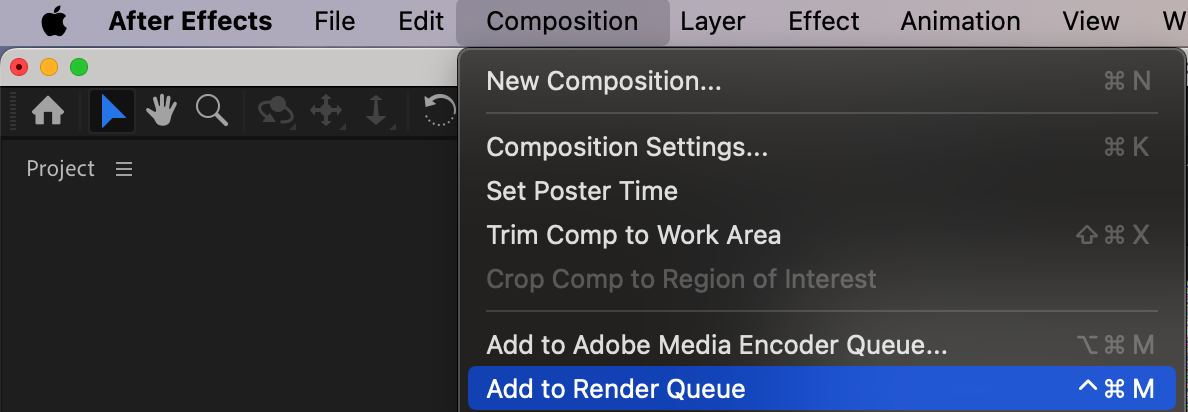
Go to Composition > Add to Render Queue.
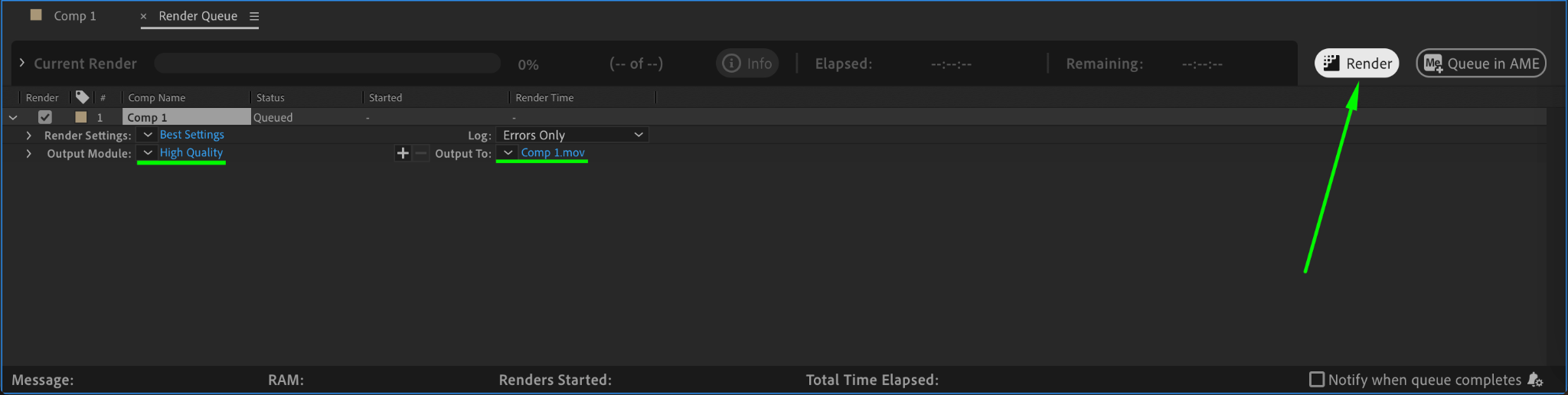
Adjust the output settings and click Render to export your static TV effect.
Conclusion
Creating a static TV effect in After Effects is simple and customizable. With tools like fractal noise, noise effects, and blending modes, you can craft a retro aesthetic that adds flair to your projects. Experiment with different settings to make your static unique and perfectly suited to your vision.
Our Bestsellers
Our Bestsellers


