
“Step-by-Step Guide to Making Stop Motion in After Effects”
“Introduction – Achieving the Stop Motion Effect”
Stop motion is a popular animation technique that gives your video a handcrafted, frame-by-frame feel. With After Effects, you can transform regular video footage into a stunning stop motion animation by working with image sequences and composition settings. Follow this guide to learn how to create stop motion with ease.
Step 1: Import Your Video to the Timeline
Start by importing the video footage you want to transform into stop motion. Drag the video onto the timeline, ensuring it’s positioned properly for editing. This footage will serve as the base for your stop motion effect.
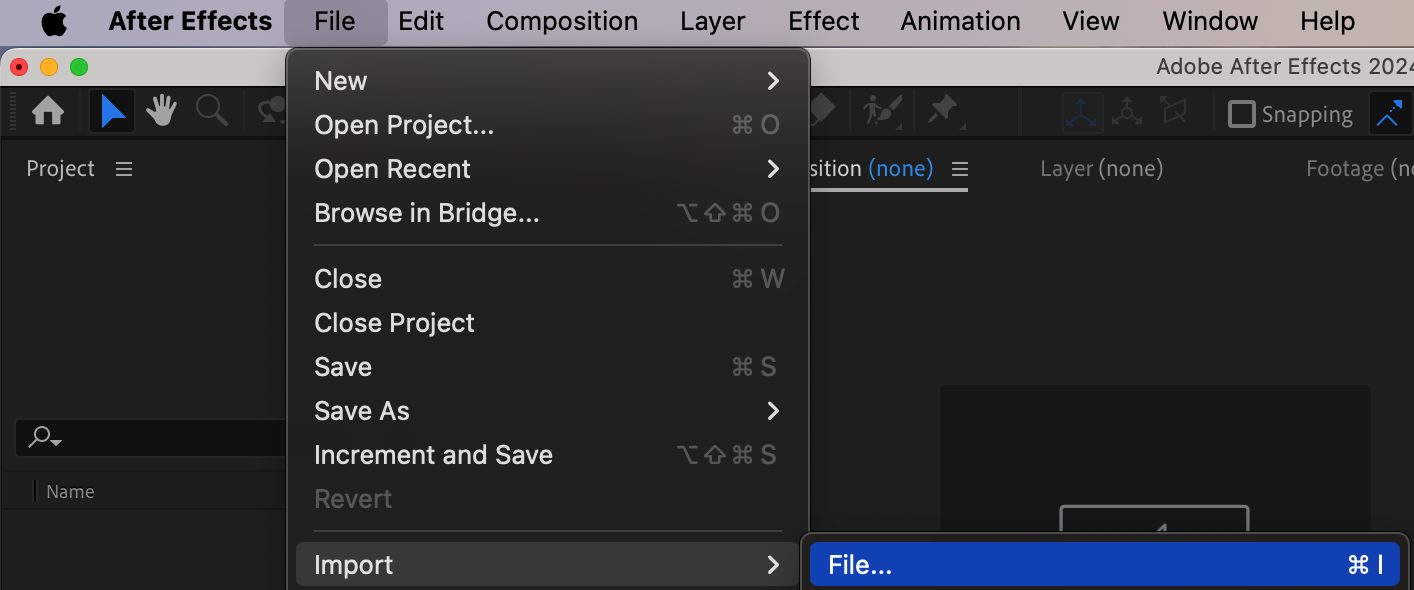
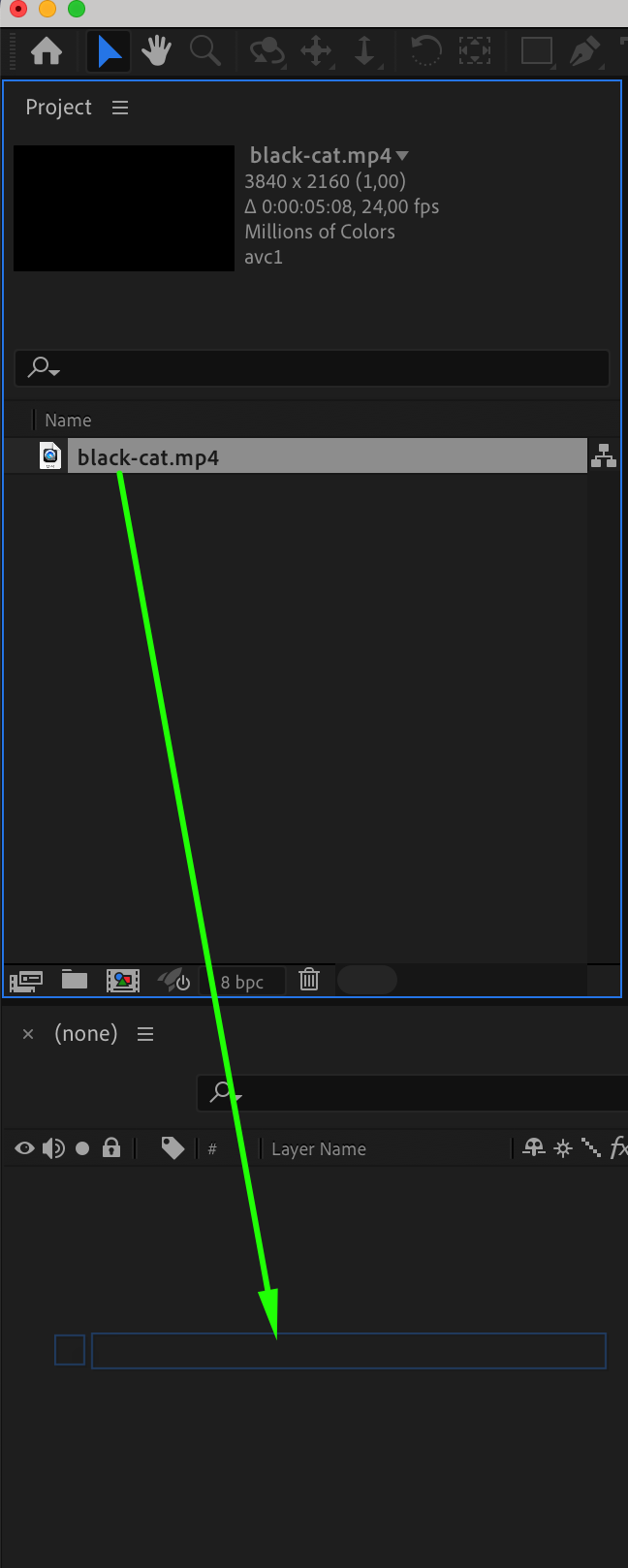
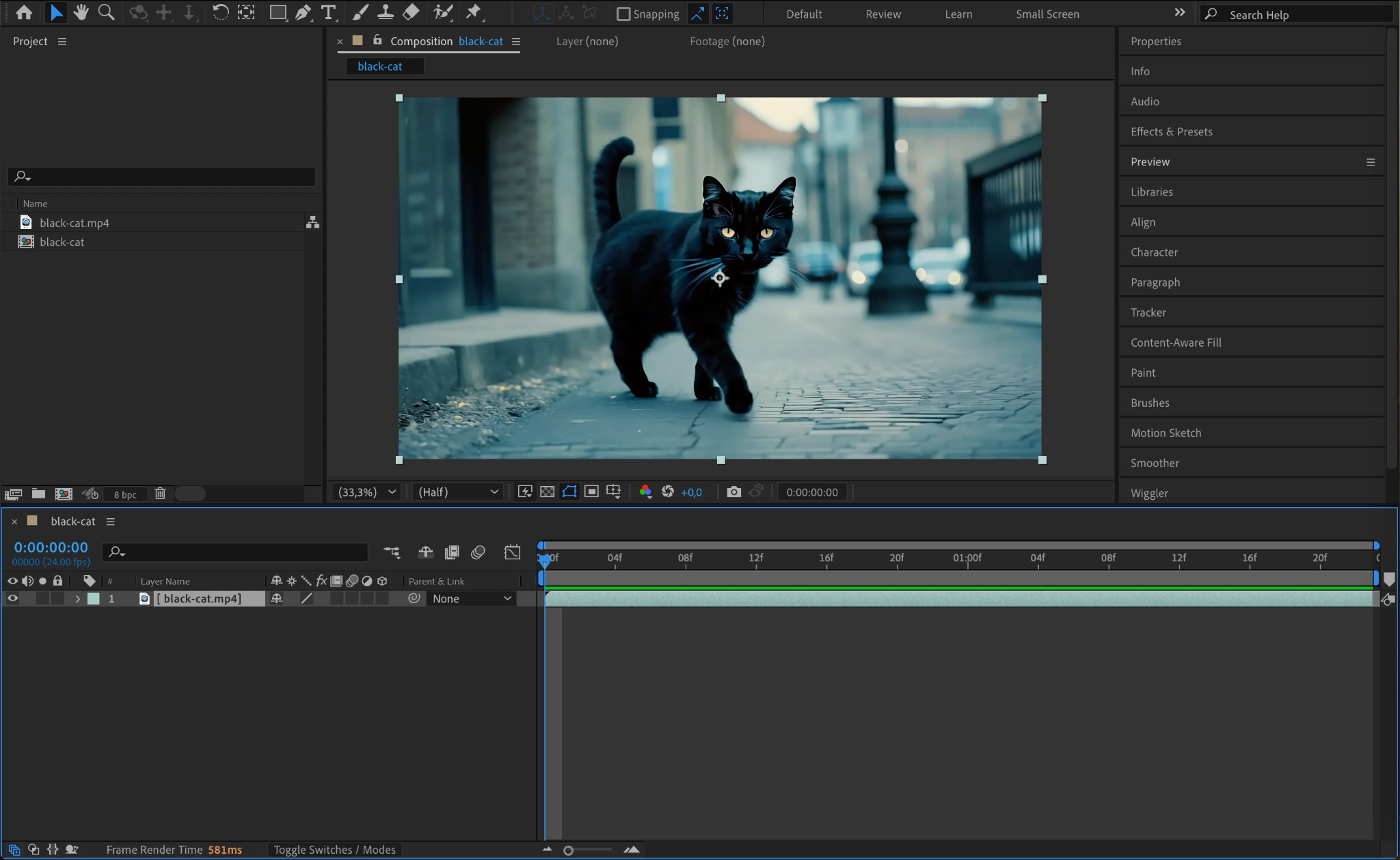
Step 2: Add the Video to the Render Queue
Go to Composition > Add to Render Queue. This step prepares your video for export as an image sequence, which will allow you to create the stop motion effect.
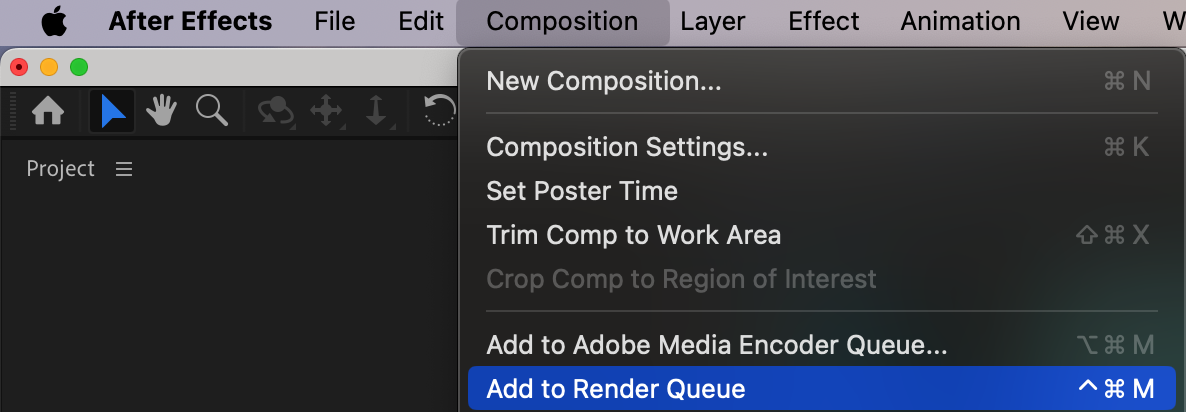
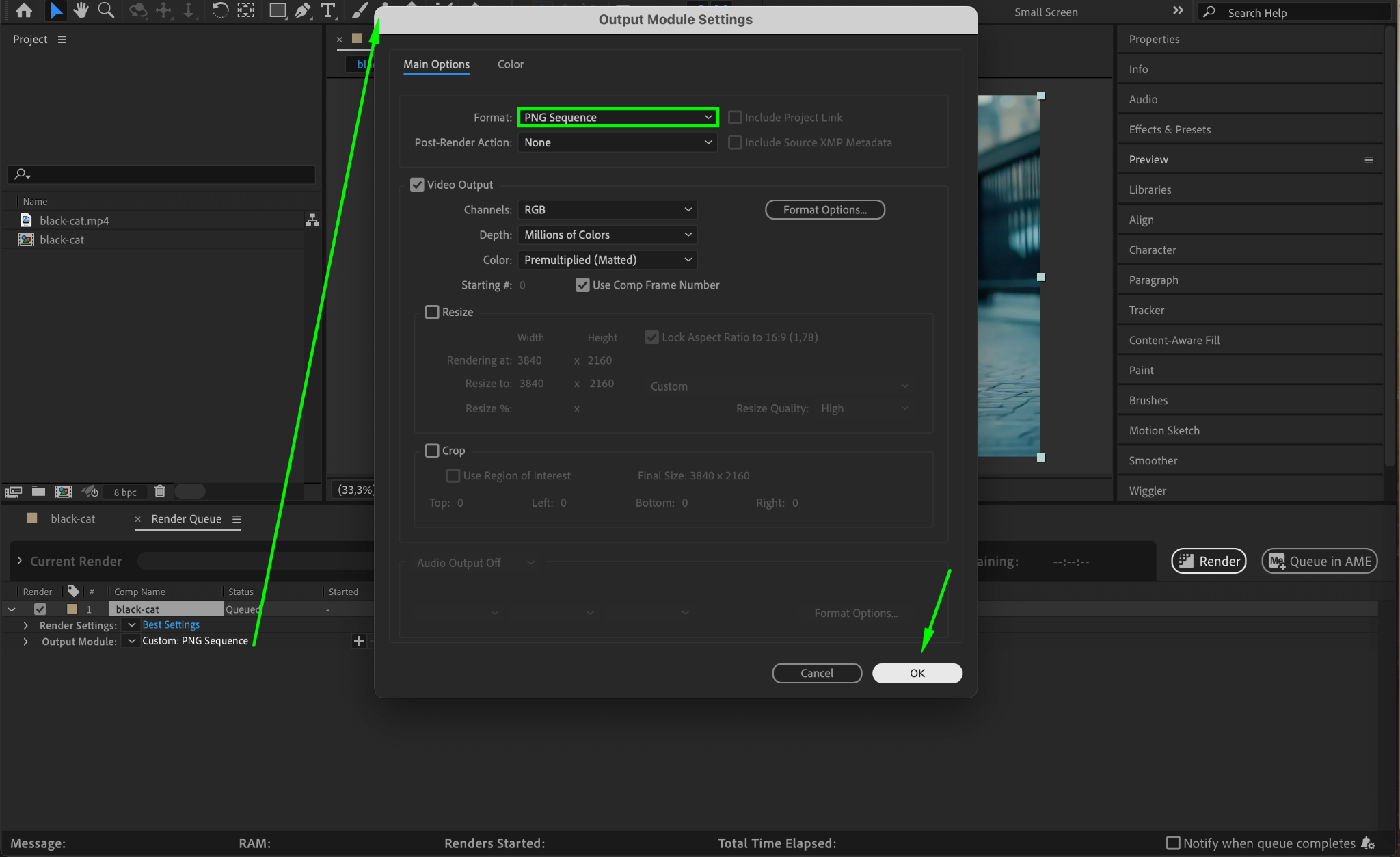
Step 3: Set Output Format to PNG Sequence
In the Render Queue, click the text next to Output Module (it will typically say “Lossless or High Quality”). In the settings window, change the format to PNG Sequence. This will export each frame of your video as an individual PNG image, preserving quality.
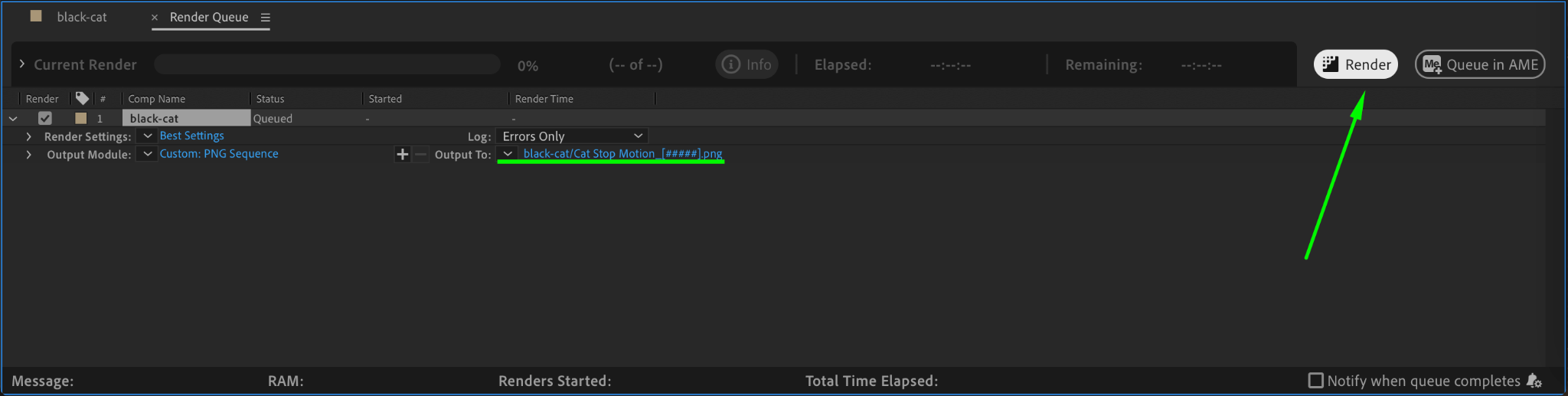
Step 4: Render the Video as an Image Sequence
Press Render to start the export process. After completion, you’ll have a folder containing all the frames from your video as PNG images.
Step 5: Start a New Project in After Effects
To work with the exported PNG sequence, create a new project by going to File > New > New Project. You can skip saving the previous project if it’s no longer needed.

Step 6: Import the PNG Sequence Back into After Effects
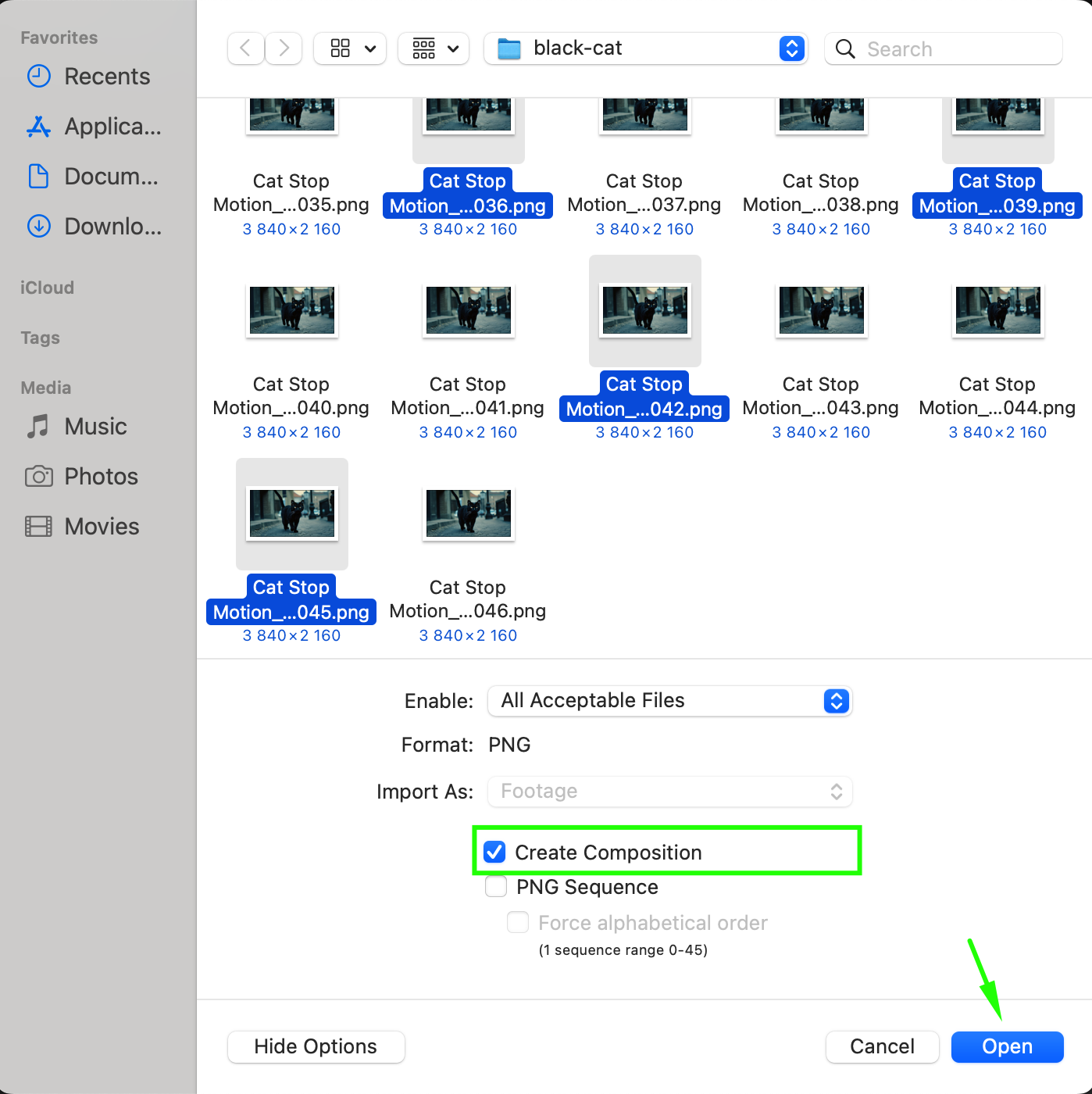
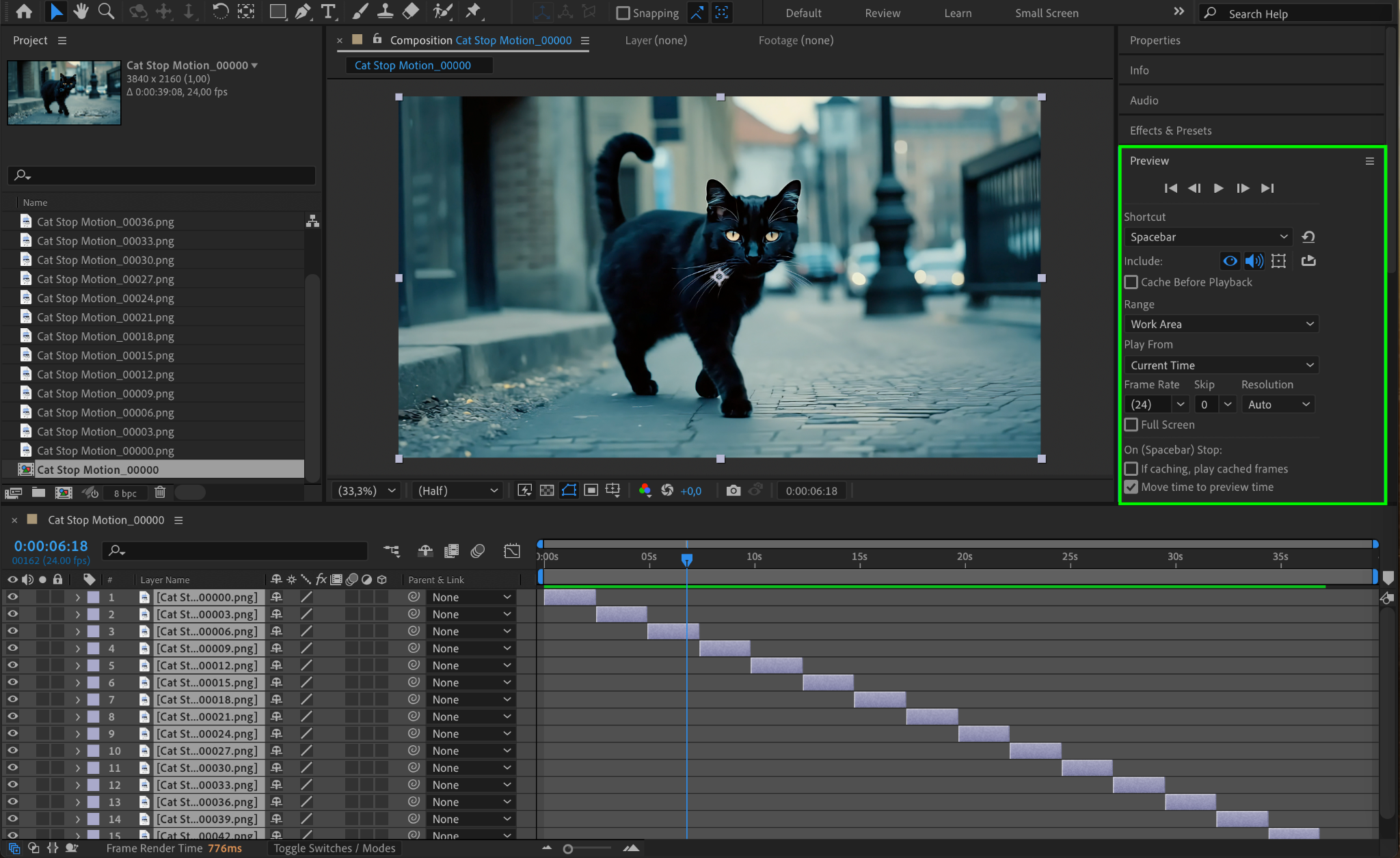
Go to File > Import > File. Navigate to the folder containing your PNG sequence. Select the frames you want to use in your stop motion animation. For a true stop motion feel, consider skipping every 2-3 frames to reduce the frame rate. Ensure the checkbox for Create Composition is selected, then press Open.
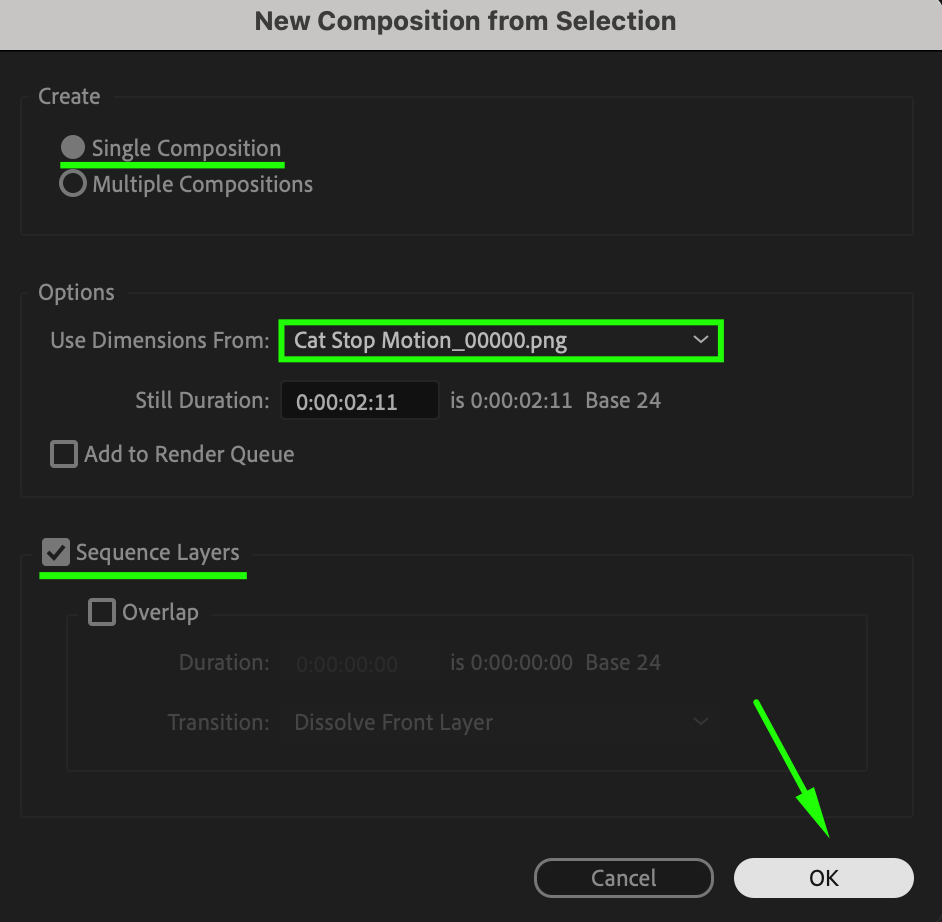
Step 7: Create a Single Composition from the Sequence
In the import settings window, choose Create as Single Composition and ensure the Sequence Layers checkbox is selected. Set the duration of each frame to match your desired stop motion speed (e.g., 1 frame per second for a choppy effect). Press OK to create the composition.
Step 8: Preview Your Stop Motion Animation
Use the Preview panel to watch your stop motion animation. Make any necessary adjustments to timing or frame selection to perfect the effect.
Conclusion
Creating a stop motion effect in After Effects is straightforward and allows you to achieve a unique, frame-by-frame animation style. By exporting your footage as a PNG sequence and selectively re-importing frames, you can easily control the timing and pacing of your animation. Experiment with different frame rates and compositions to bring your stop motion vision to life!
Our Bestsellers
Our Bestsellers


