
To generate a see-through background in Adobe After Effects, you will need to follow these steps:
1. Launch Adobe After Effects and commence a new project.
2. Go to the Composition menu and select New Composition. Set the desired width, height, duration, and frame rate for your project.
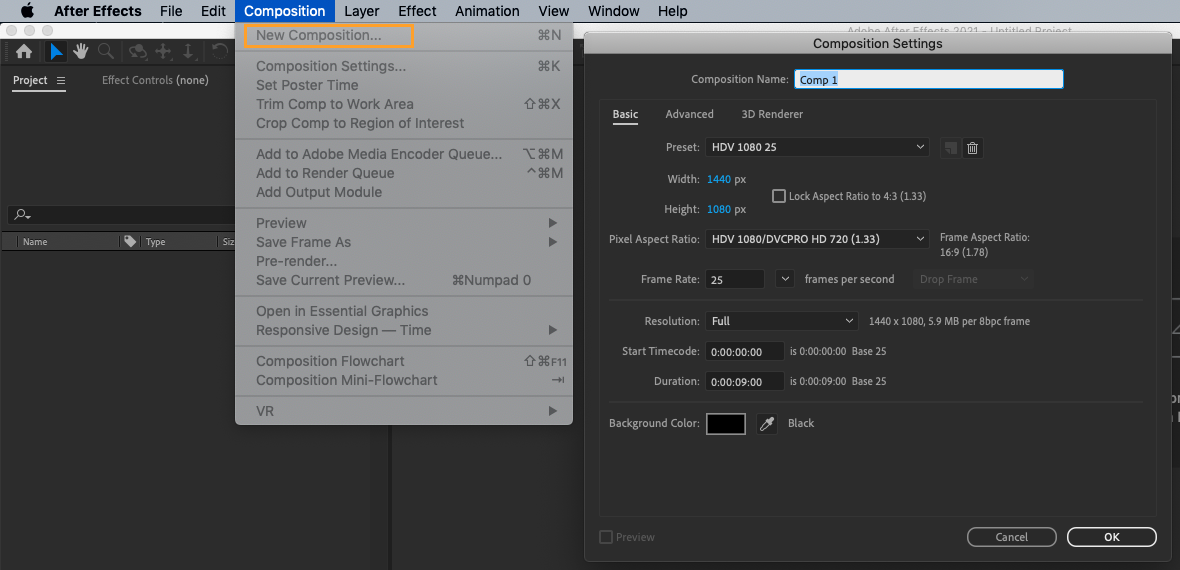
3. To create a transparent background in your composition, click on the Toggle Transparency Grid button next to the active camera dropdown. This will show the transparency grid on your composition.

4. Add a text element to your composition and animate it as desired.
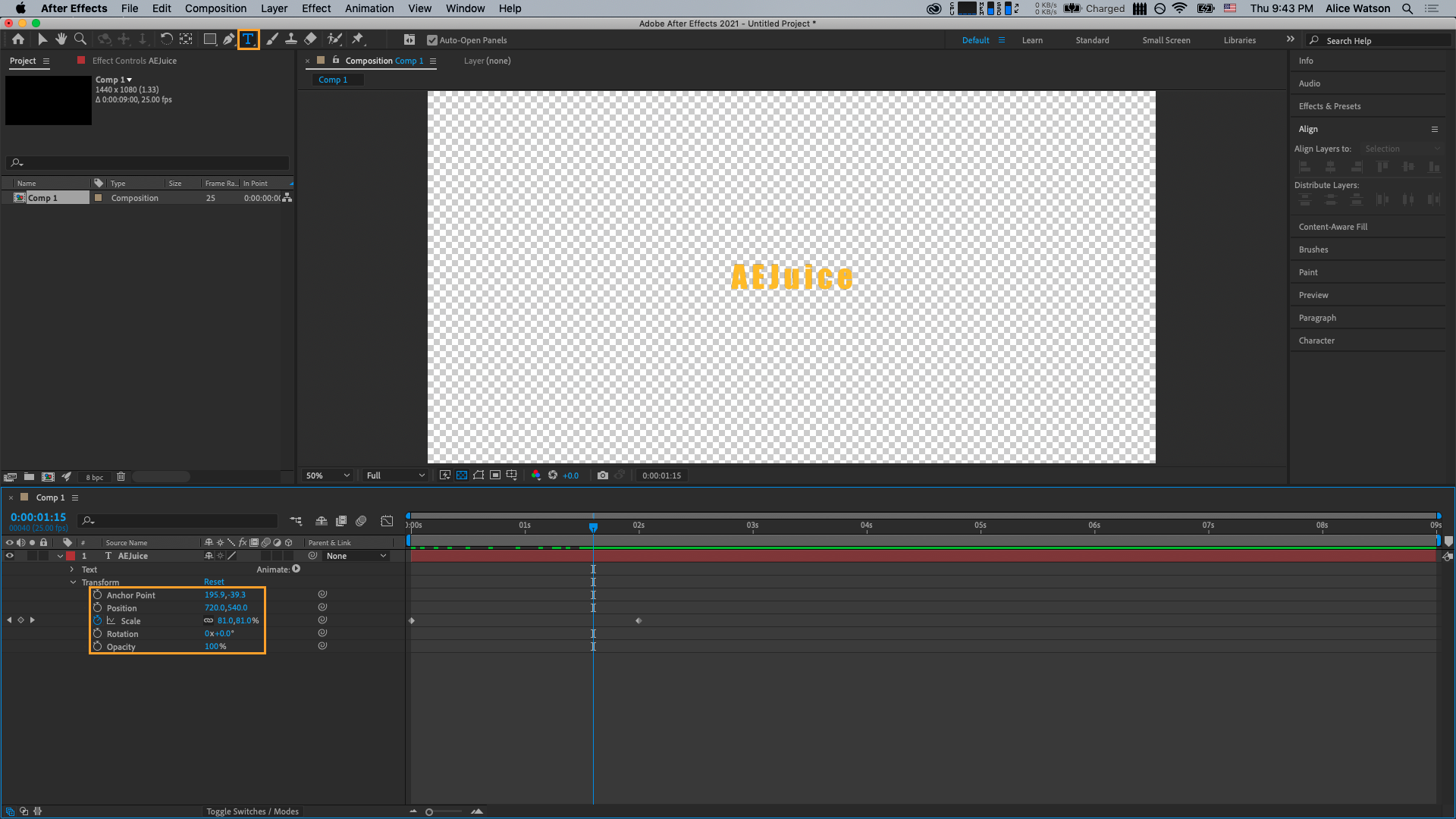
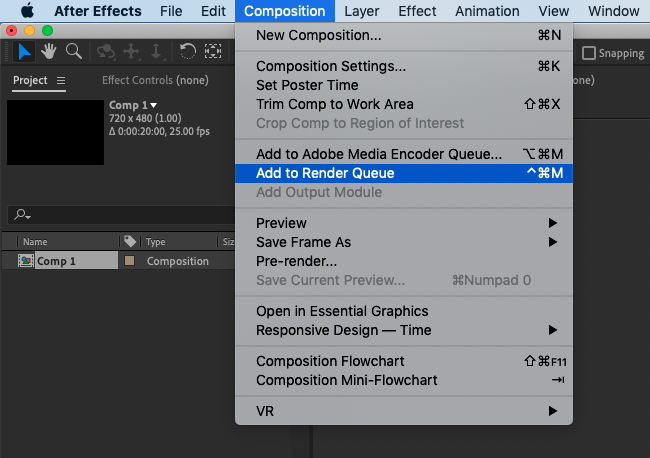
5. When you have finished animating your text, add the composition to the Render Queue by going to Composition and selecting Add to Render Queue.
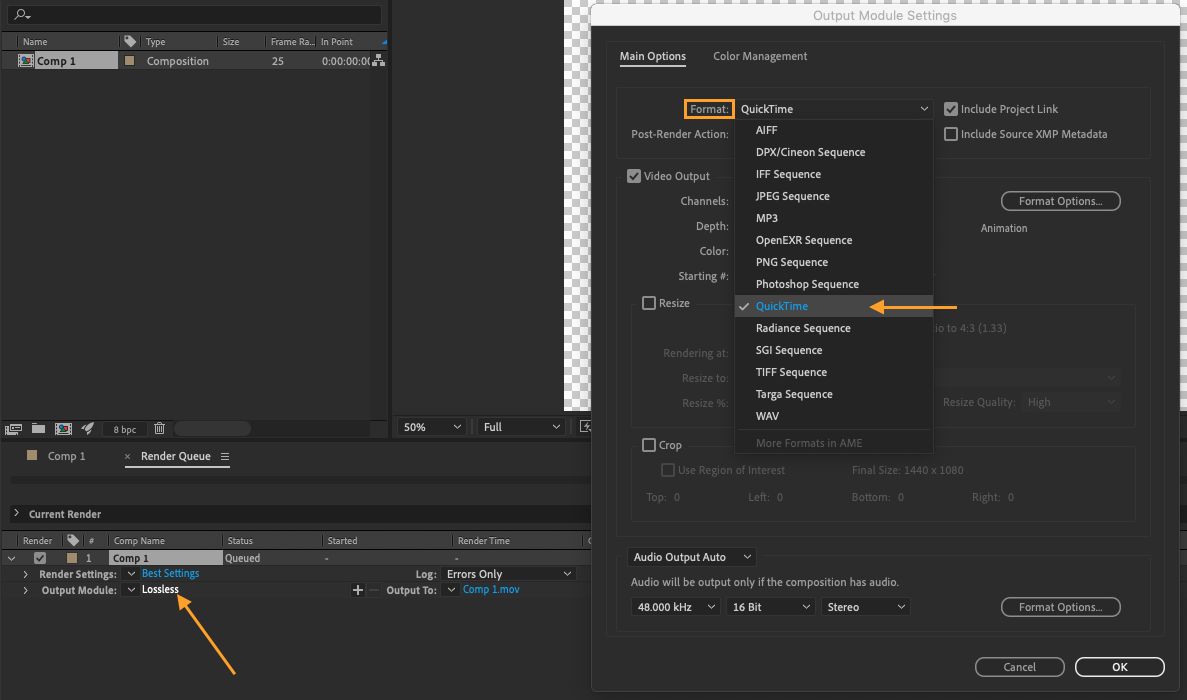
6. In the Render Queue tab, set the Output Module settings to Lossless and choose Quicktime as the format.
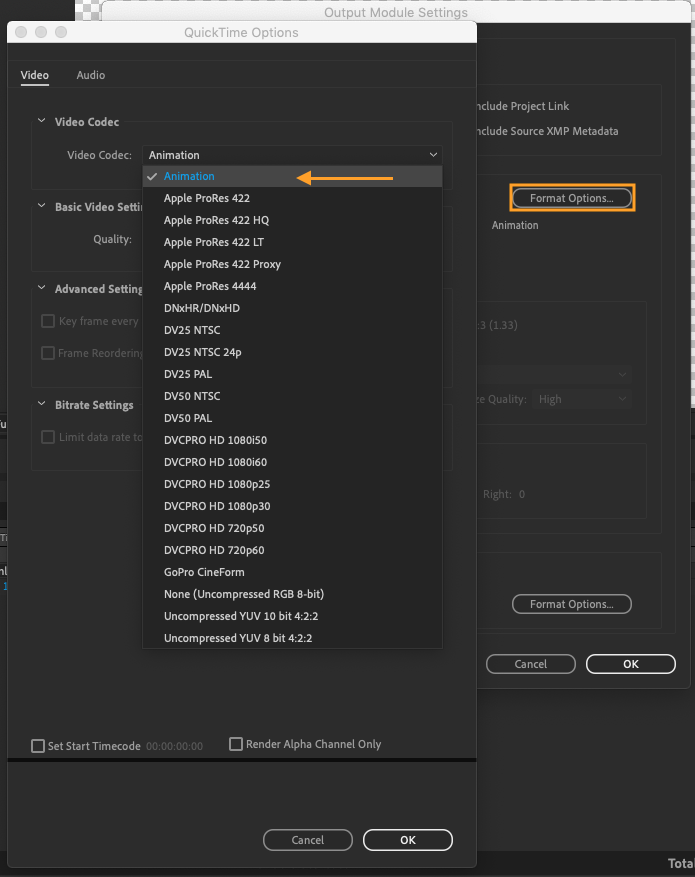
7. In the Format Options, select Animation as the video codec and hit OK.
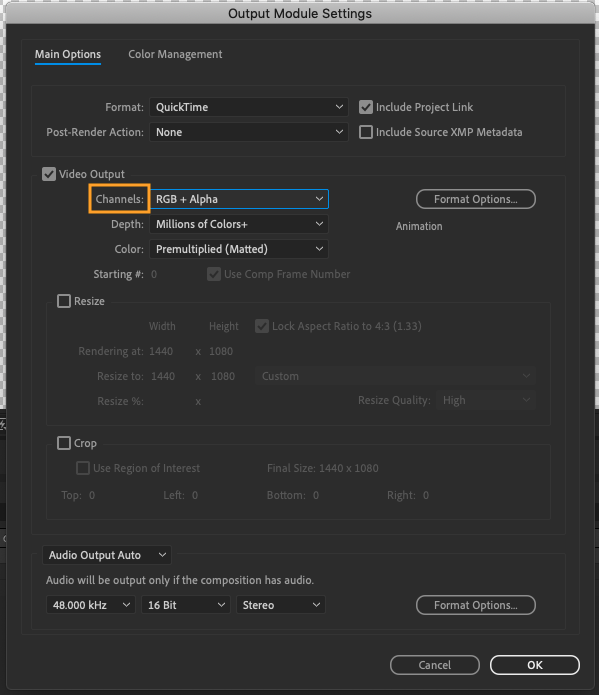
8. In the Video Output section choose RGB + ALPHA as the channels. This will ensure that your video has an alpha channel and can be exported with a transparent background.
An alpha channel is a special fourth channel in an image that controls the transparency or opacity of the other three color channels (red, green, and blue). When a source color is combined with a background color, the alpha value of the source color is used to determine the resulting color. A value of 0.0, 0%, or 0 represents complete transparency, while a value of 1.0, 100%, or 255 represents complete opacity.
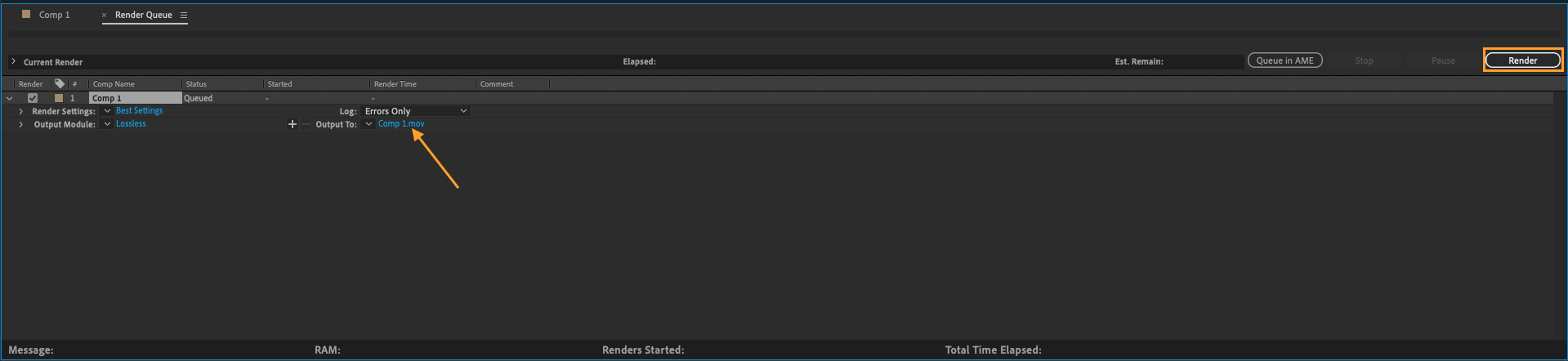
9. Click on the Render button to save your transparent background video to your desktop or to the location specified in “Output to”.
By following these steps, you can easily generate a professional-quality video with a see-through background in Adobe After Effects. This technique is useful for overlaying graphics or text on top of other videos or for creating.
Looking to add an extra layer of creativity to your projects? Explore a plethora of unusual gifts at unusual gifts, where you can discover unique and inspiring items that might just spark your next big idea.
Our Bestsellers
Our Bestsellers


