
Create Transparent Text in After Effects
Introduction – Invisible Text Reveal Behind or Through an Object
In this tutorial, you’ll learn how to make text appear transparent within your scene. This effect can be used to create a stylish look where text is visible only through certain areas of the video — either behind an object or revealed through it — using Alpha or Luma mattes.
Step 1: Import Your Video
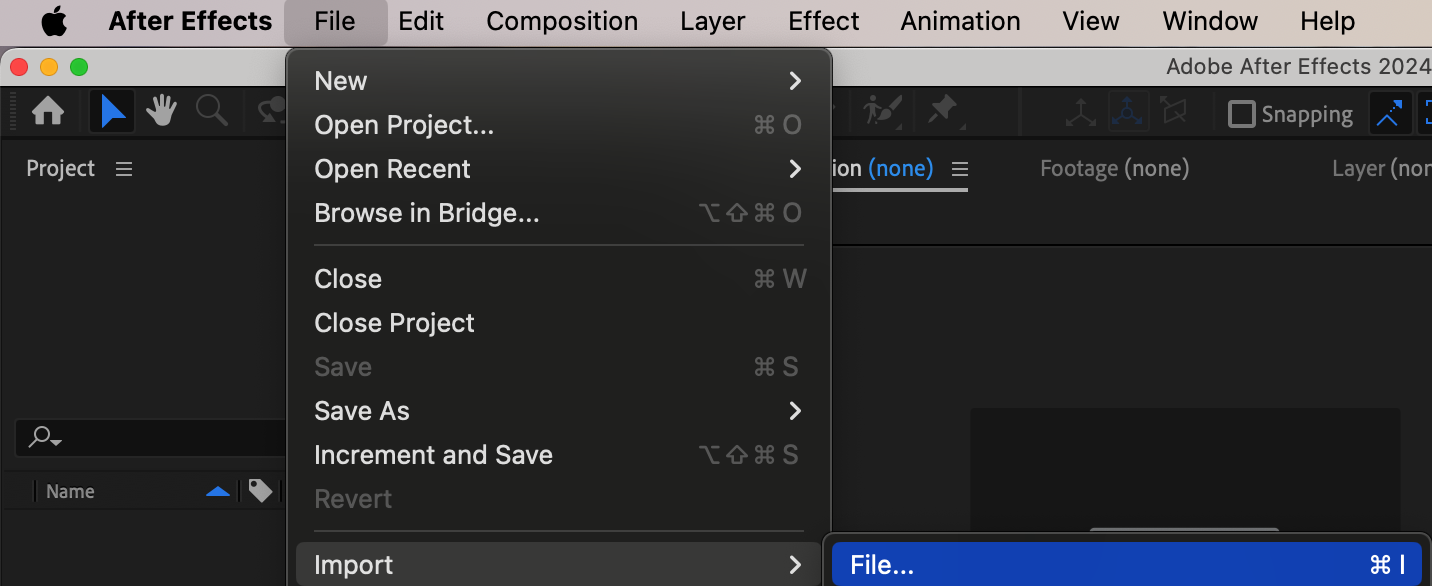
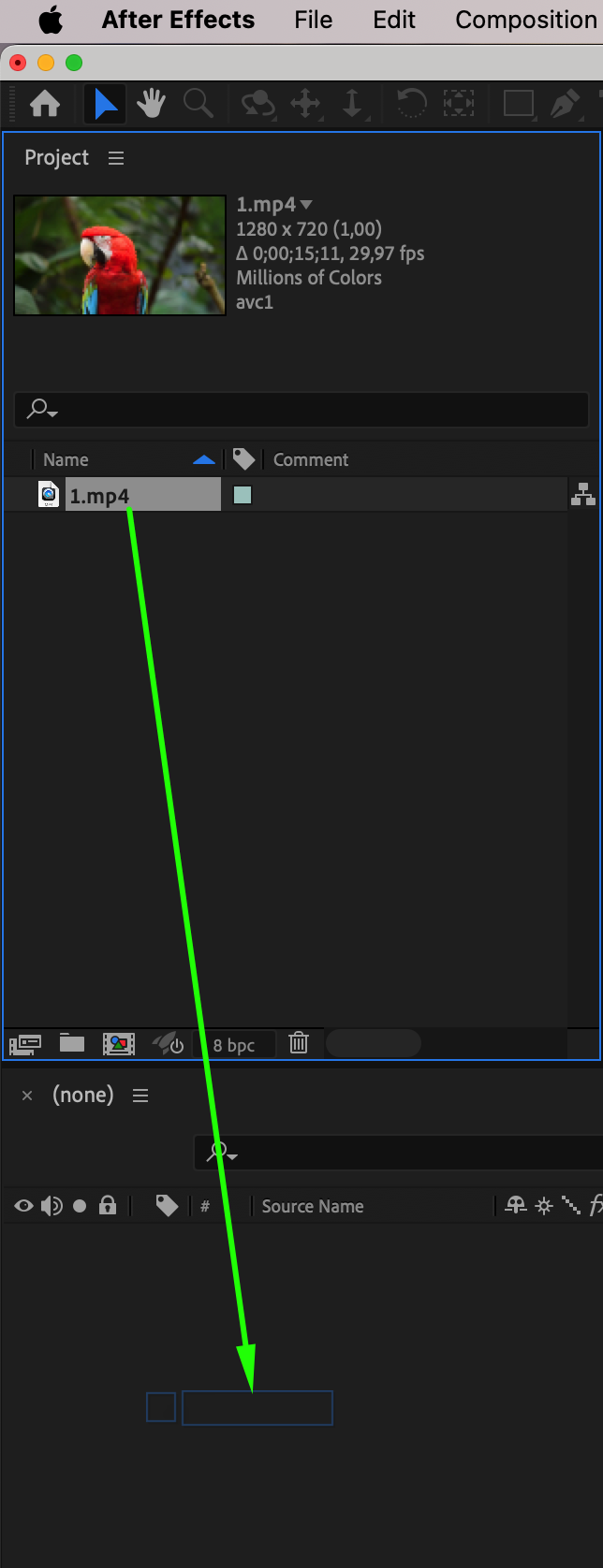
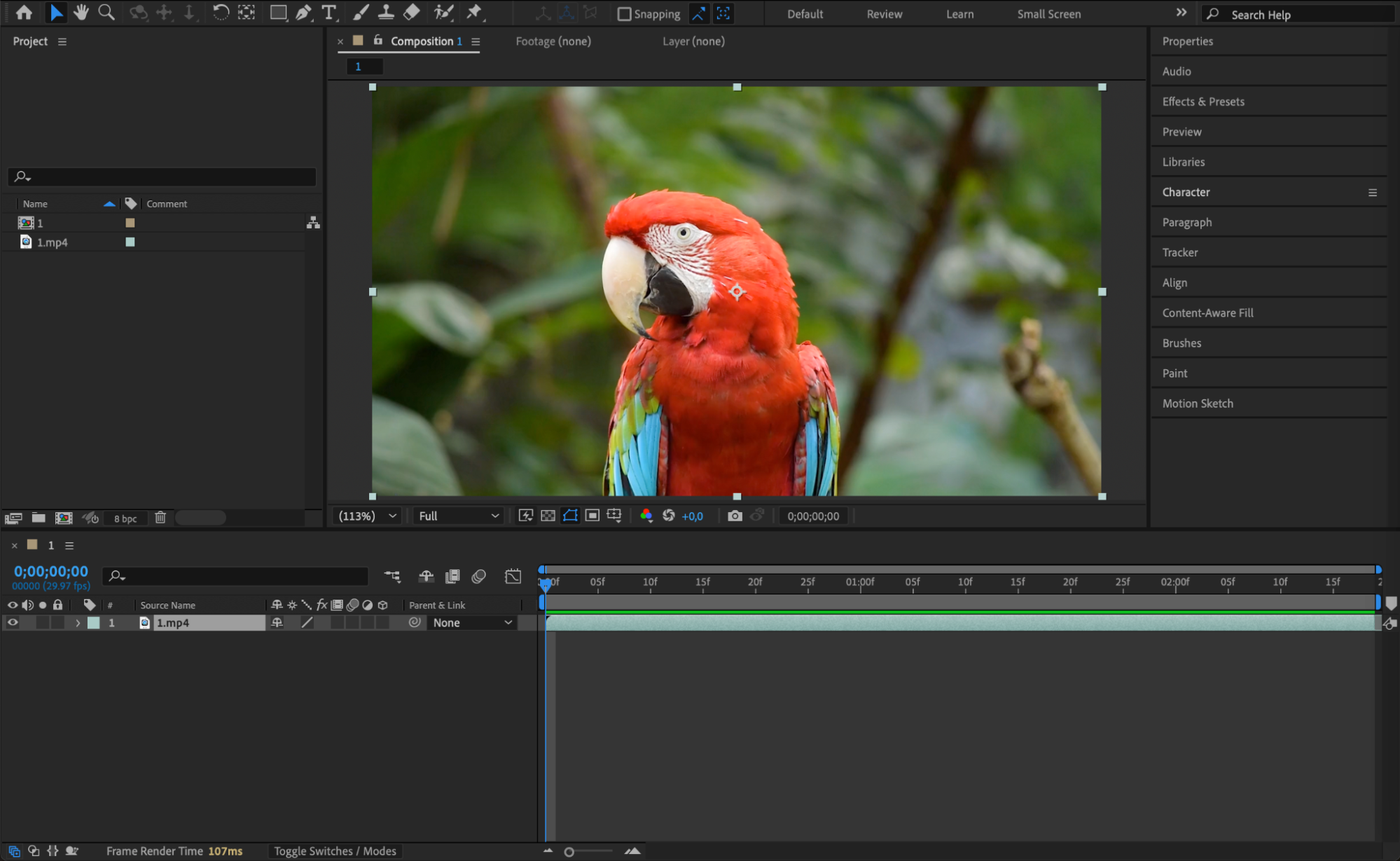
Go to File > Import > File and bring your video footage into the project. Drag it onto the timeline to create a new composition. This video will serve as both the background and the masked element for your transparent text.
Step 2: Duplicate the Layer
Select your video layer and press “Ctrl+D / Cmd+D” to duplicate it. Rename the top layer to something like “Object” or “Foreground,” and the bottom layer to “BG” to keep things organized.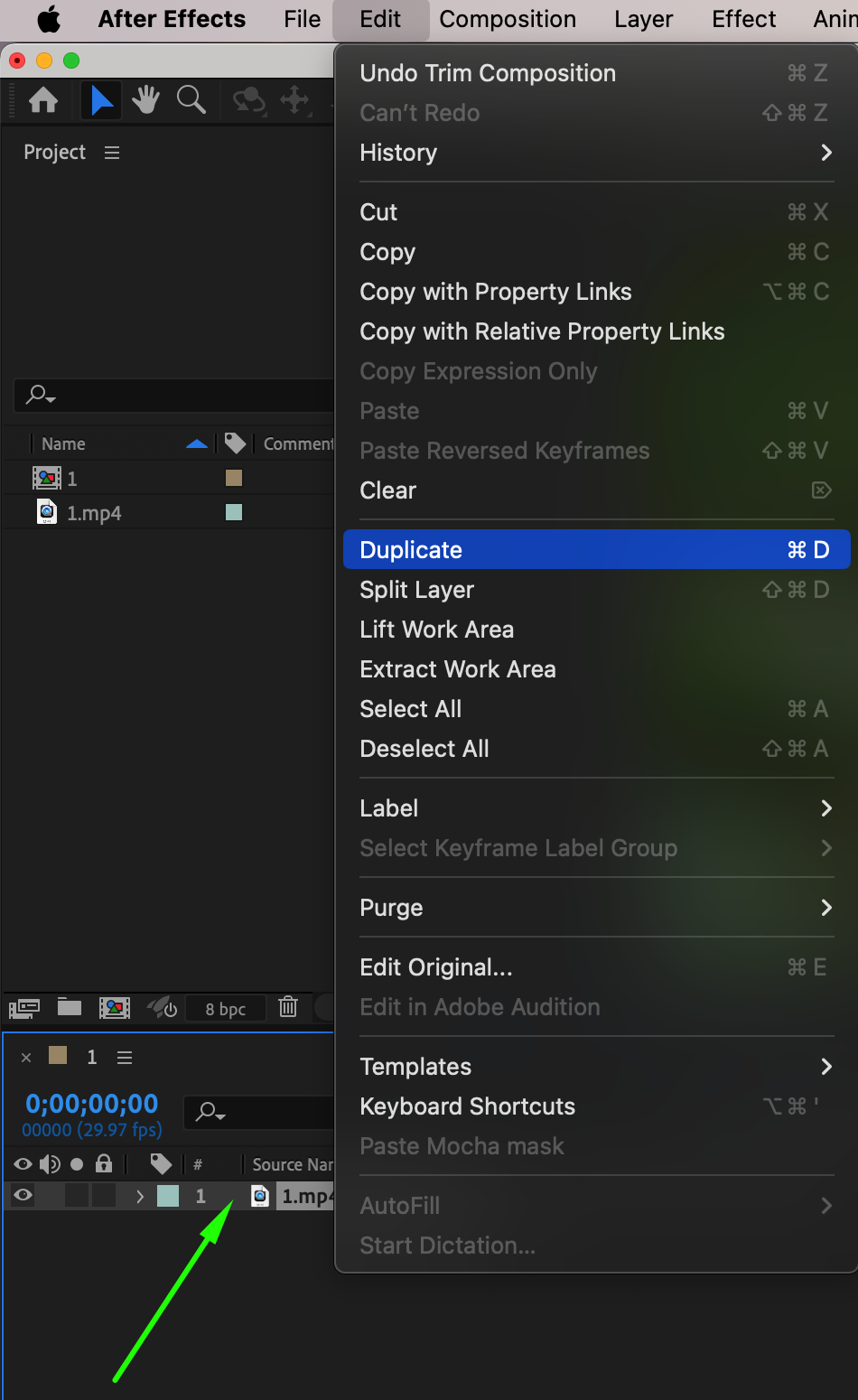 Step 3: Use the Roto Brush Tool
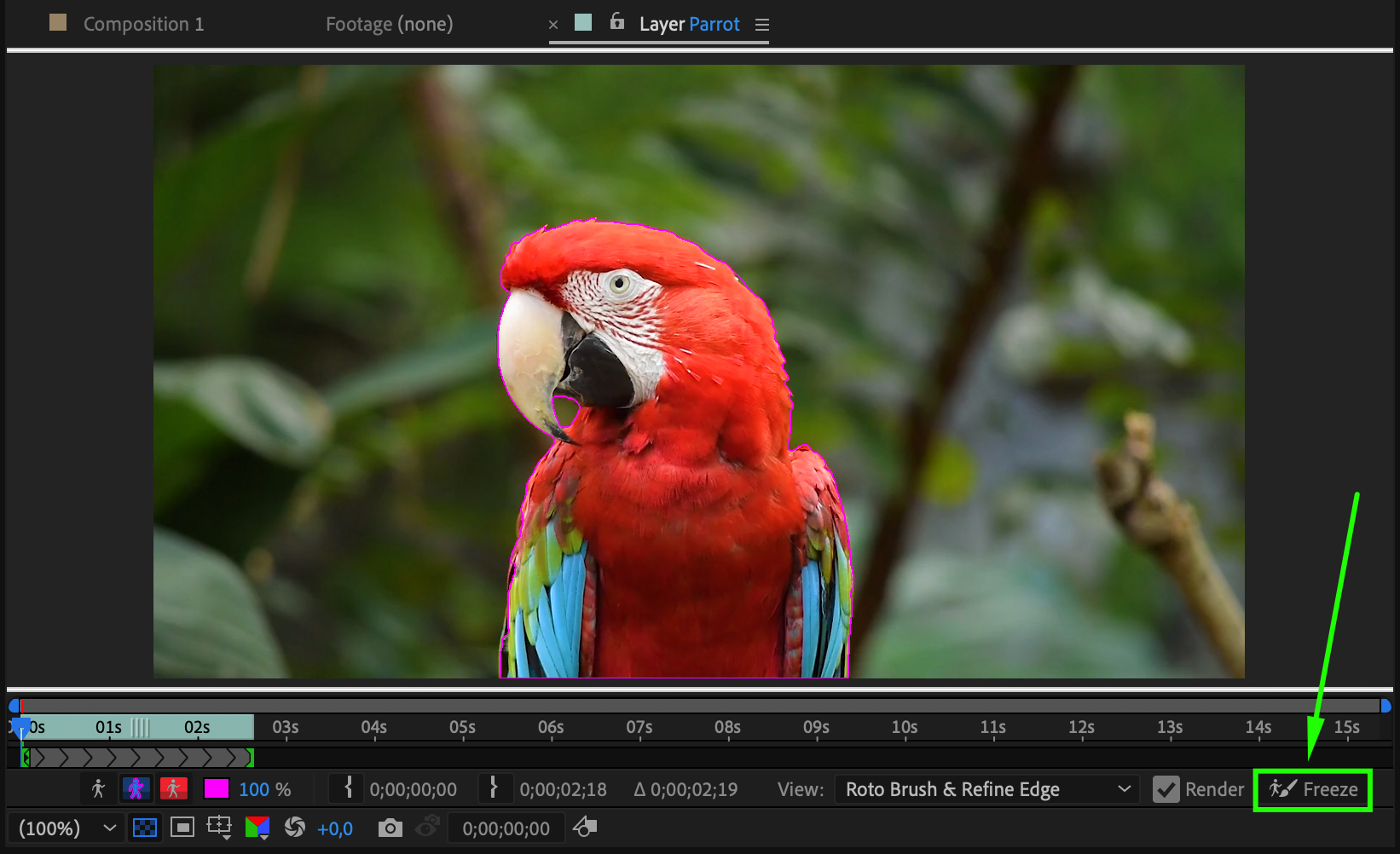
Select the top layer (“Object”), then double-click it to open it in the Layer panel. Choose the Roto Brush Tool (Alt/Option + W) and start selecting the object you want to isolate from the background – for example, a person or a shape. Once you’re done, click the Freeze button in the lower right of the Layer panel to lock the roto selection across the entire duration.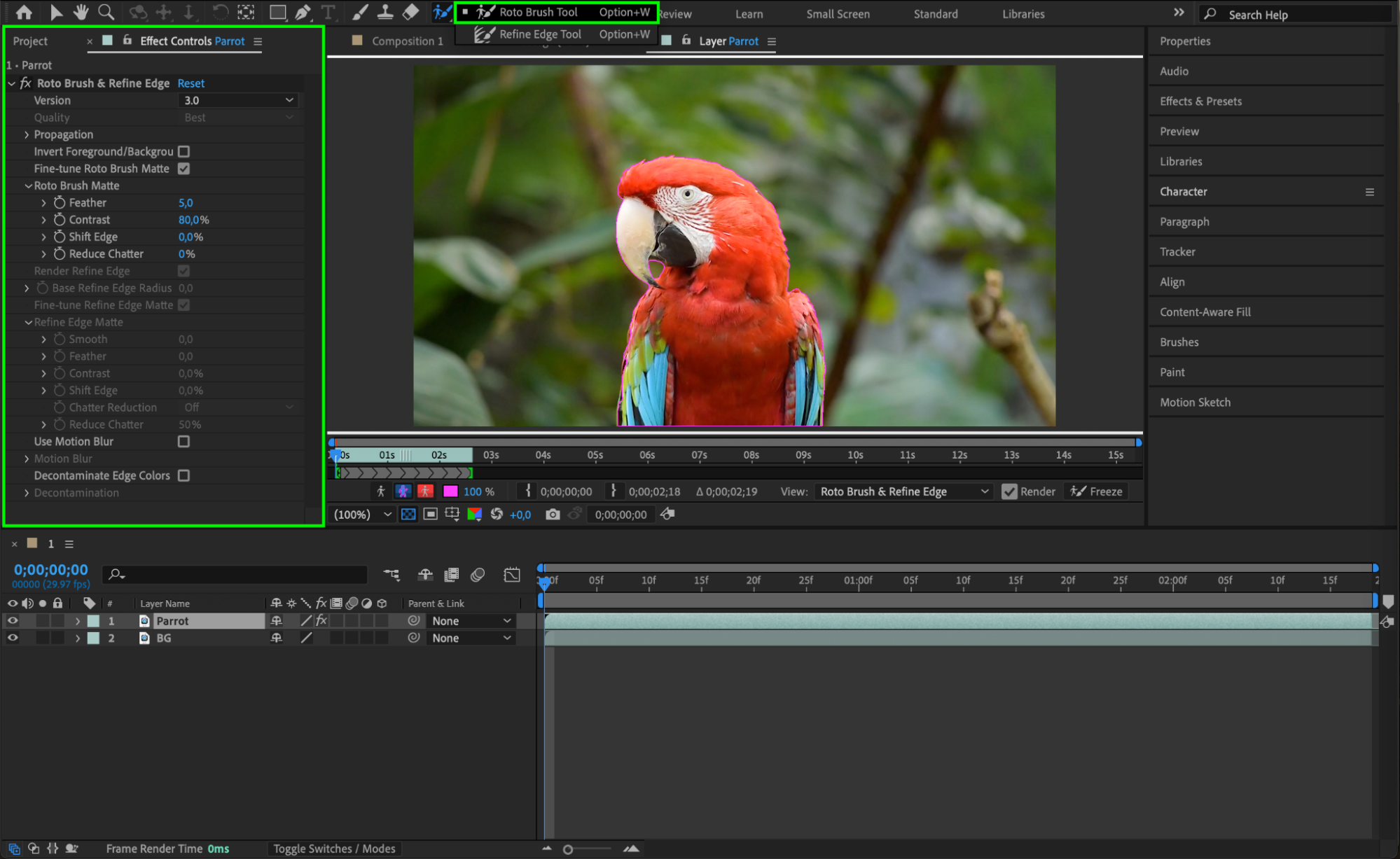
Step 4: Add Your Text
Go back to the composition. Select the Type Tool (Ctrl/Cmd + T) and click anywhere to type your message. Adjust the font, size, and positioning in the Properties panel as needed.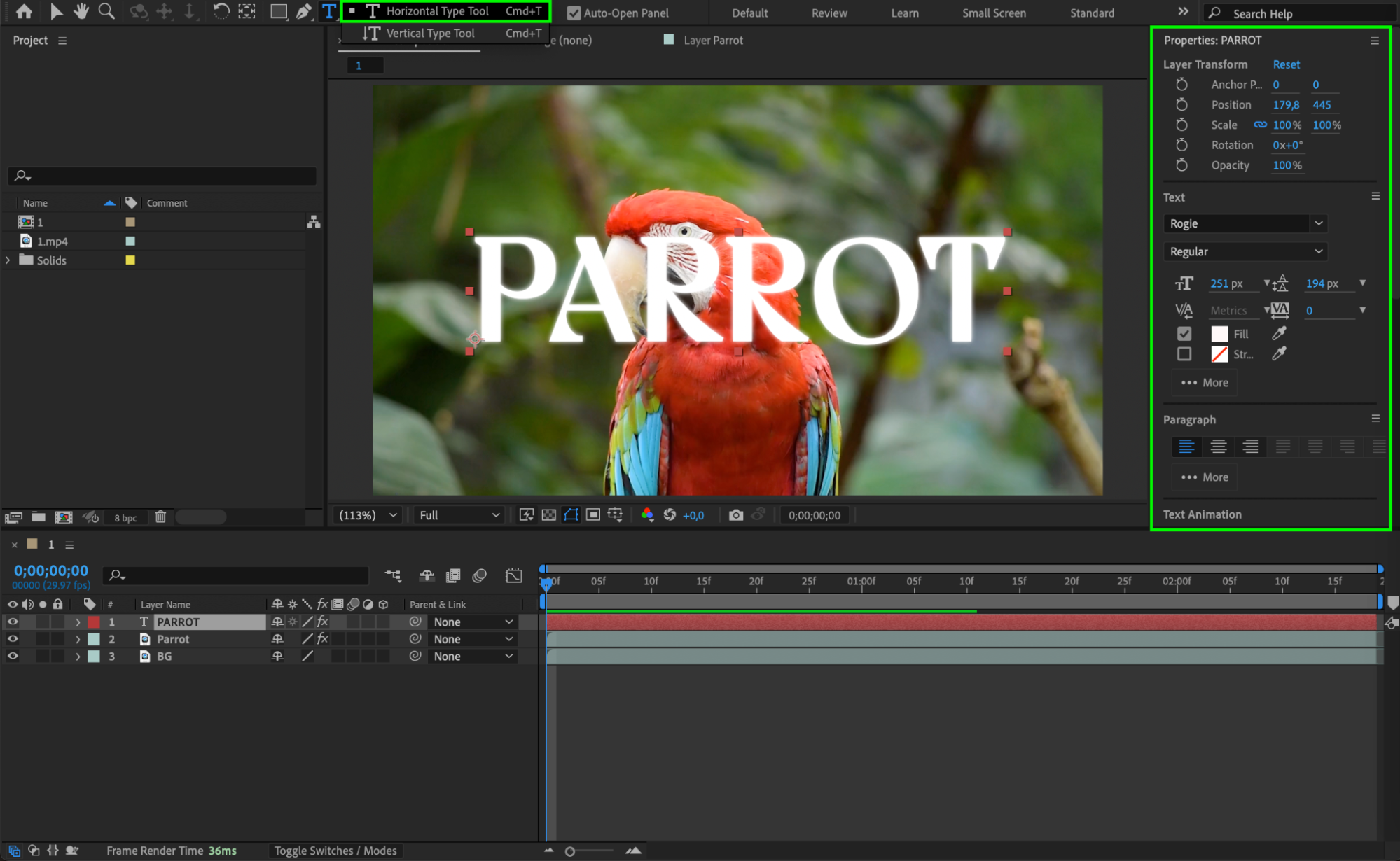 Step 5: Apply the Matte
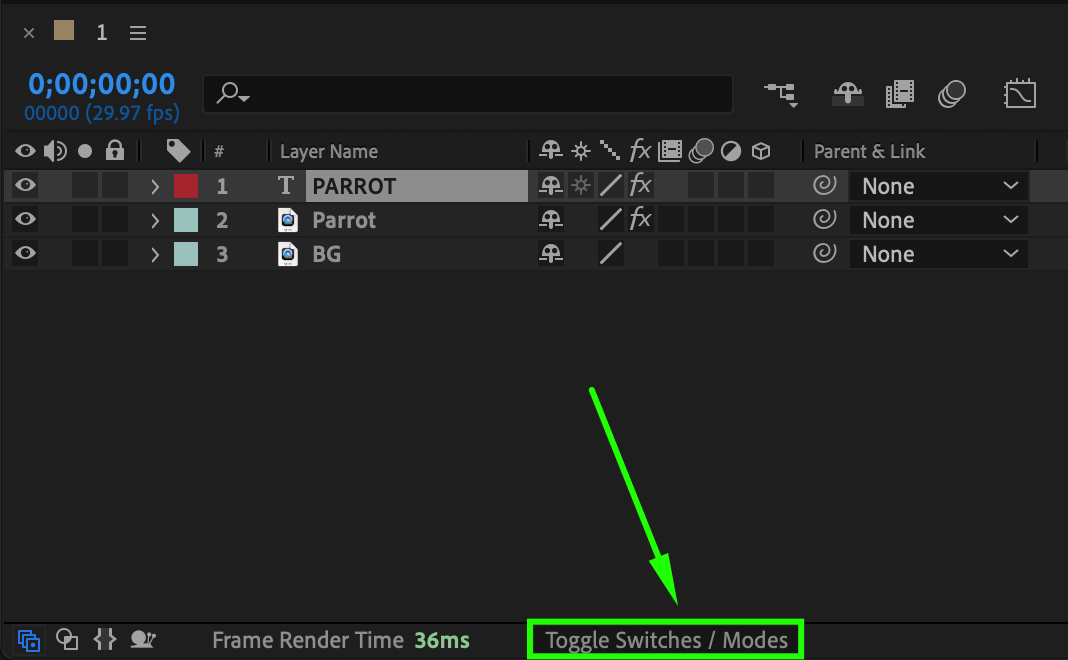
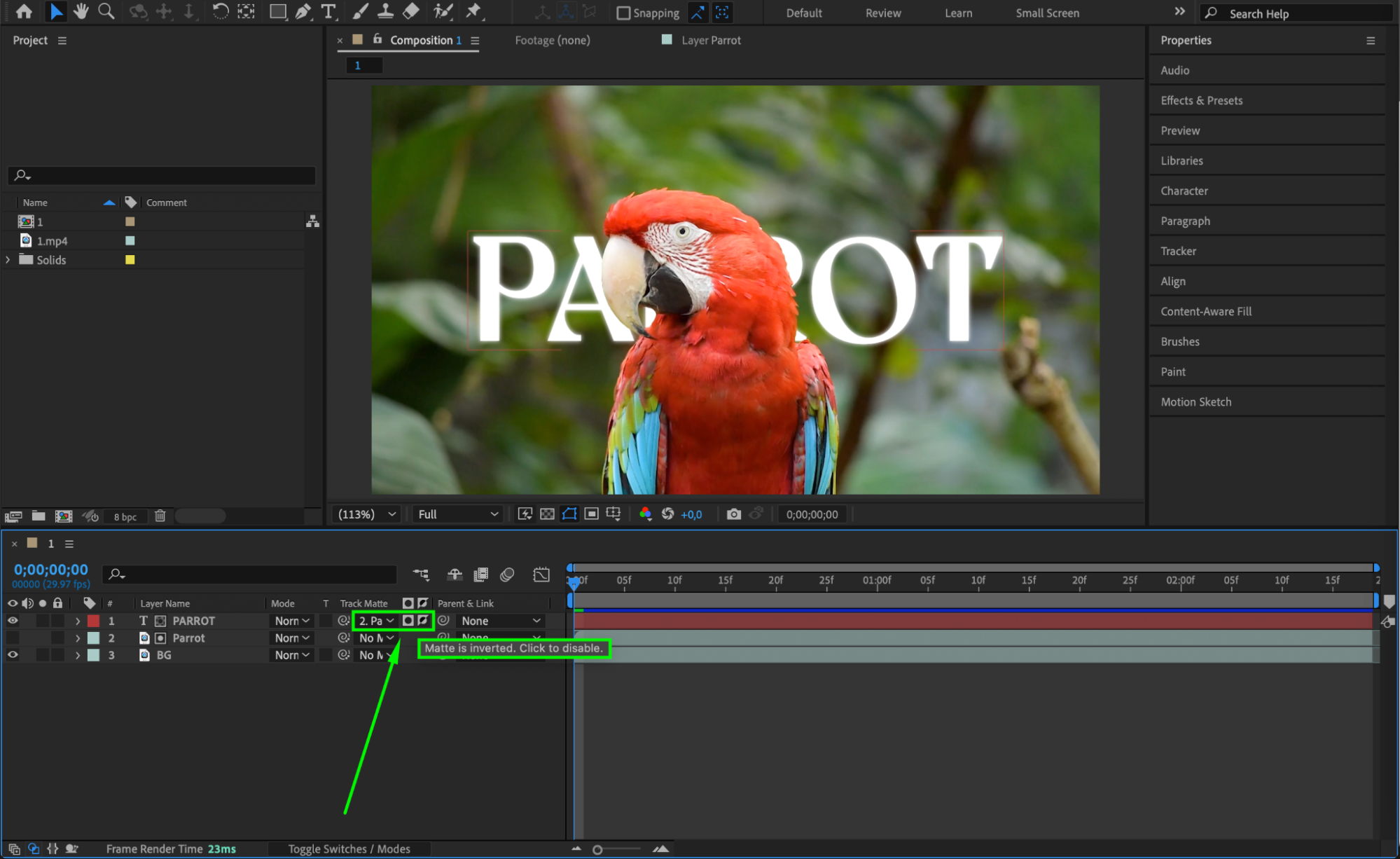
Press Toggle Switches/Modes at the bottom of the timeline panel to reveal blending and matte options. For the text layer, go to the Track Matte column and choose:
Alpha Matte Inverted using the object layer if you want the text to appear behind the subject (invisible where the object is).
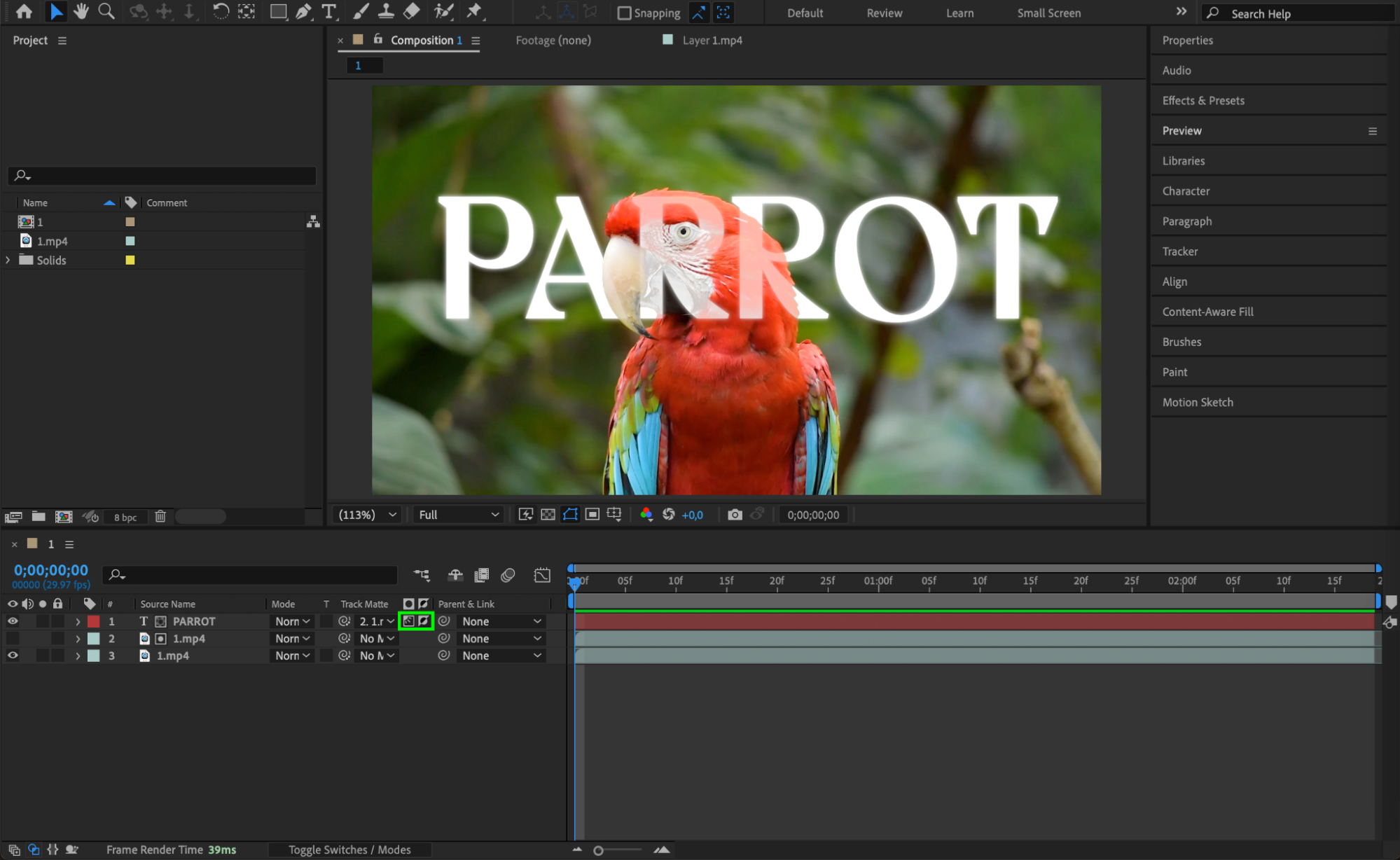
Luma Matte Inverted if you want the text to appear transparent both on the subject and the background, using brightness to determine the effect.
This will make the text appear as though it’s cut out of the video.
 Step 6: Preview the Animation
Press Spacebar to preview the animation and check how your transparent text looks within the scene. Adjust the positioning or refine the Roto Brush if needed.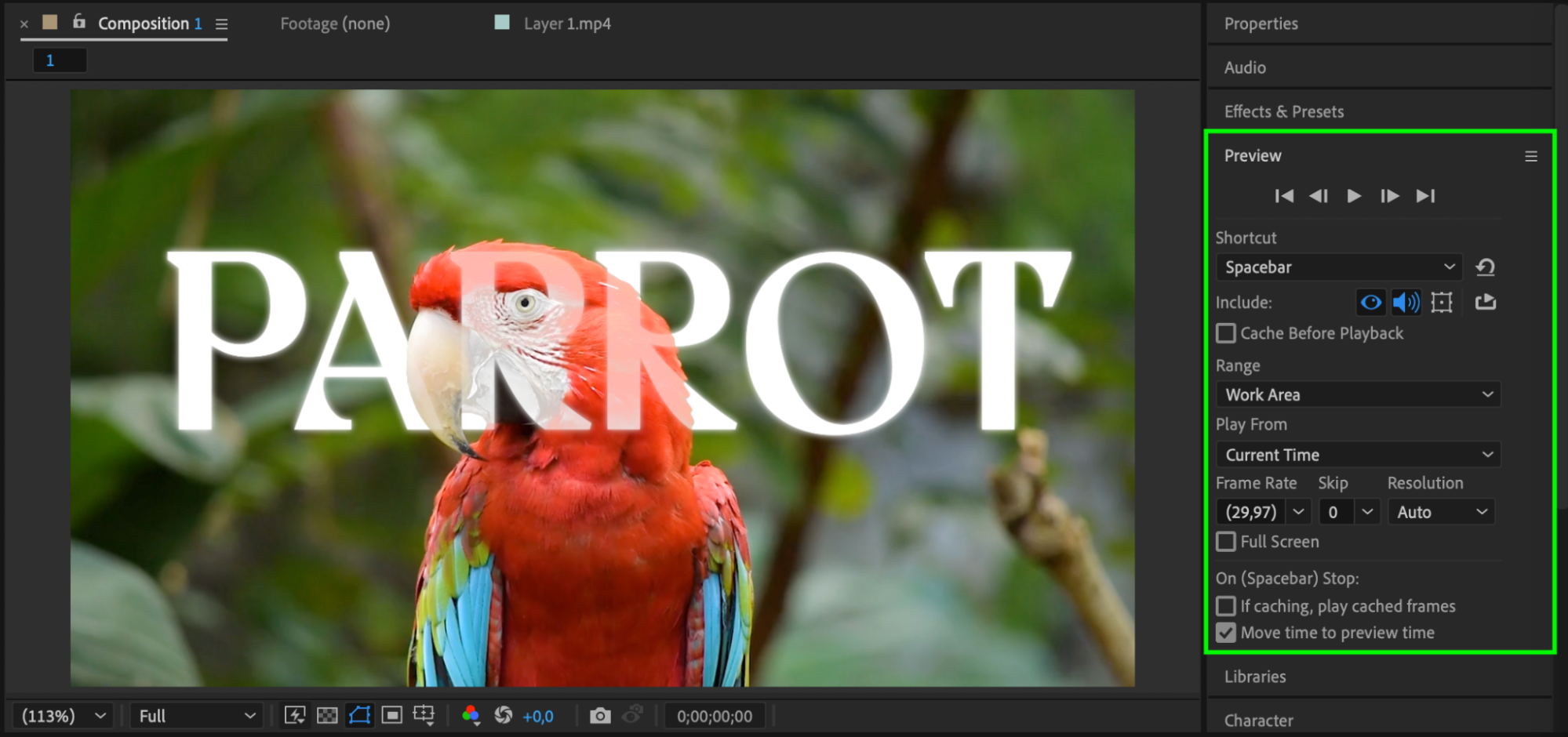
Conclusion
Creating transparent text in After Effects is a simple yet powerful way to add a professional look to your video. Whether you want the text to appear behind a person or be cut out from the entire scene, using Alpha or Luma Mattes gives you precise control over the effect.
Our Bestsellers
Our Bestsellers


